Farming Simulator 22 mods
50,266 results- 15 per page
- 30 per page
- 45 per page
- 60 per page
-
See more per page
Bigger pages, fewer clicks - and no ads anywhere.
Go Pro
Emily Melodis 4.2 V1.0.0.0
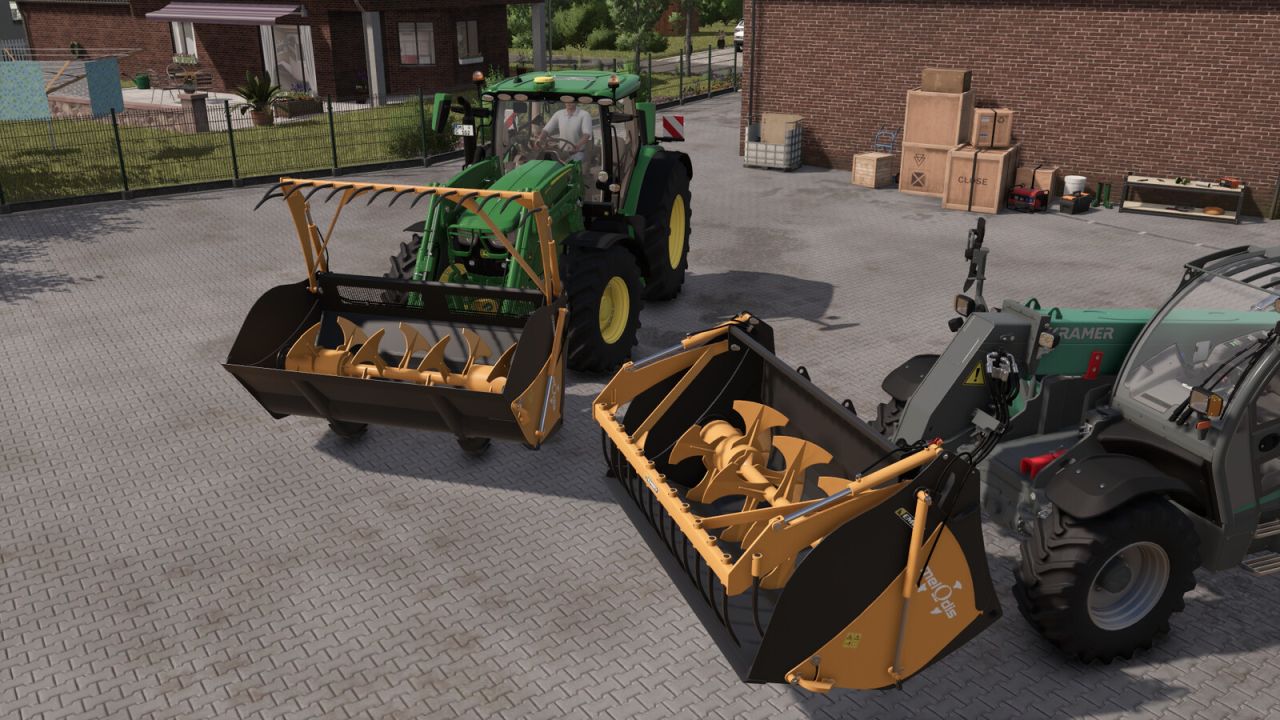
Emily Melodis 4.2 V1.0.0.0 Emily Melodis 4.2 mixing bucket with a 4,200-litre capacity, designed to load, mix and distribute animal feed using a front loader or telehandler. Price: $22,400 Capacity: 4.2 m³
Real Exhaust Smoke FS25
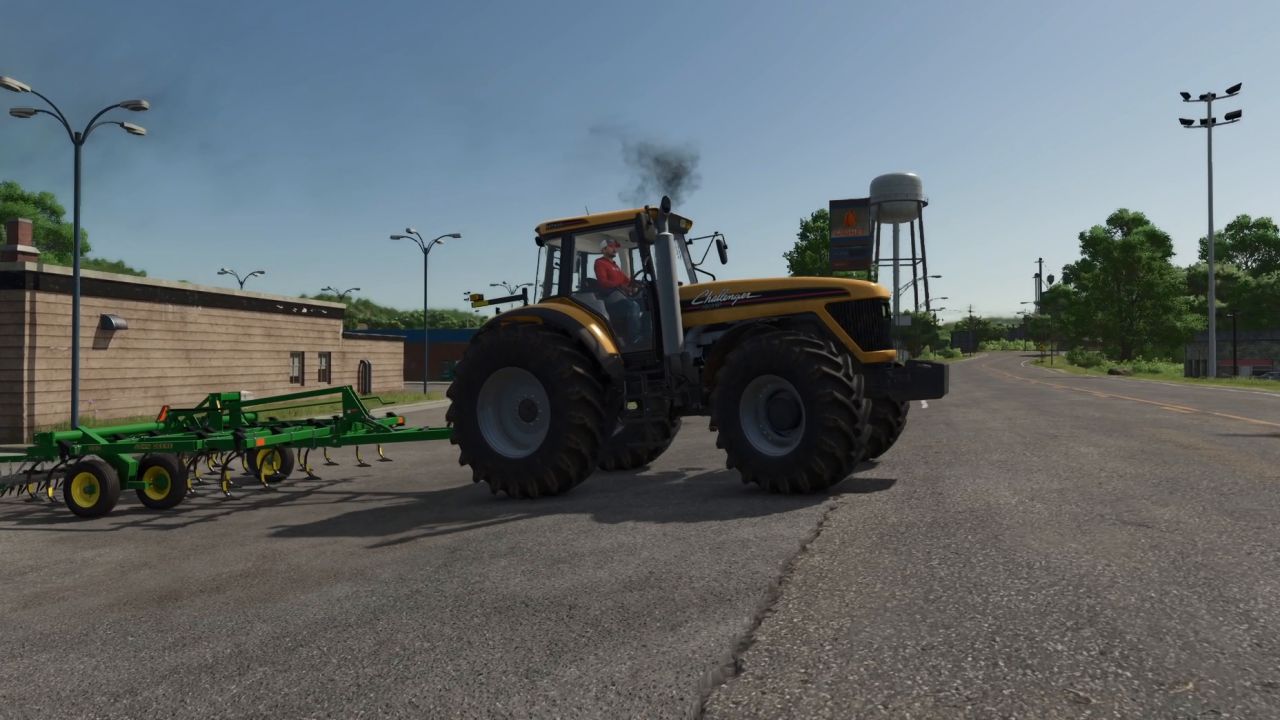
⚠️ WORK IN PROGRESS This mod is under heavy development. Expect rough edges, wrong engine data on some vehicles and changes between versions. Single player only. Back up your savegame before you try it. Bug reports and corrections in the comments are what this build is for. Real Exhaust Smoke replaces the game's exhaust effect with a simulated diesel engine that breathes, warms up, wears out and smokes the way a real one does. Every vehicle — base game, DLC and (most) mods — gets its own engine: displacement, cylinders, turbo, era, condition. What it does Smoke that means something. Black under load and turbo lag, white when the engine is cold, blue when the oil is overfilled or the rings are worn, faint grey behind a DPF. A classic mechanical-pump tractor smokes on every pull-away; a modern engine with a smoke limiter, VGT and DPF barely does. The amount follows the engine's size and the air it gets. A turbocharger you can hear. Spool, wastegate or variable vanes, surge on a hard downshift, a blow-off on lift-off, a whine that rises with shaft speed. The vehicle's own turbo sample can be muted so the mod's is heard. Temperatures. Coolant, oil, block, manifold, exhaust and charge air with a thermostat, viscous fan clutch, ram air, sun, wind and a coolant heater — and parked vehicles keep cooling while you are away, so a tractor left out overnight starts cold. Cold engines. Glow-plug preheat, longer cranking, rough idle with clatter, white haze, less power until warm. Warm-up aids on keys: coolant heater (Webasto) Ctrl+Alt+R, high idle Ctrl+Alt+T, plug-in block heater Alt+I on foot. The Webasto burns diesel and drains the battery. Electrical system. Battery charge, alternator, regulator voltage, lights, beacons, wipers and the heater as loads. Leave the lights on and the engine will crank slowly — or not at all. Condition and maintenance. Engine oil, coolant, filters, battery, injectors, turbo, rings, cooling system, DPF ash and glow plugs wear with hours and with abuse — lugging, cold hard use, overheating, hot shutdowns. Service them in the workshop (Engine service button); the vehicle's damage figure follows the engine's condition — or switch Vehicle damage back to the game's own wear; never both at once. A first-entry prompt offers to sync an older vehicle's hour meter to the model. Oil. Check the dipstick on foot (Alt+O); buy the oil can in the shop (hand tools) and top up the sump — hold too long and the excess burns off as blue smoke. Engine feel (optional, four levels). The engine's own sound follows cold and rough running, the idle hunts, the high idle is audible, quicker rev-up if you want it, and a physical power level where the air the engine actually gets is the power you drive with. HUD. Compact or full engine readout, analog gauges (boost, water, oil pressure, EGT, ammeter), battery meter, speedometer icons, and the vehicle's own temperature gauge driven by the model. A heat haze above a hot exhaust. Everything is optional and adjustable in the Ctrl+Alt+W window, globally and per vehicle. Vehicle configuration → Manual lets you set aspiration, cylinders, displacement, boost, turbo size, intercooler, era, boost control, smoke limiter, DPF and 12/24 V yourself. Vehicle database The mod ships engine data for every base-game vehicle, the Daimler Truck, Plains & Prairies, MacDon and World's Fastest Tractor DLCs, and about 400 mod vehicles. Anything else is estimated from the game's motor figures, and on first entry the mod offers you the window pre-filled with its estimate. Corrections you make there are collected in modSettings/RealExhaustSmoke_unknownVehicles.xml. Keys Key Where Does Ctrl+Alt+W anywhere settings window (in a vehicle: this vehicle's rows too) Ctrl+Alt+R in the seat coolant heater (Webasto) on/off Ctrl+Alt+T in the seat high idle on/off Alt+I on foot, next to the vehicle plug-in block heater Alt+O on foot dipstick; with the oil can in hand: hold to pour Known limits Single player only. The engine state is not synchronised in multiplayer yet. Engine data for mod vehicles is a hand-maintained database; some rows are estimates and some are wrong. Set the vehicle to Manual and correct it — and leave a comment with the vehicle's name and the right engine. The game's own exhaust effect is muted; the mod's particles replace it. Vehicles whose mod gives an unrealistic power/rpm combination are modelled as the air allows (the HUD says so). Credits *Oil can model: "Oil Can" by Nitropunch (sketchfab.com), CC BY 4.0, converted for the mod. *Turbo whine cut from "Hot-Rod 496 Chev V8 turbocharged dyno run" by Ears68 (freesound.org, CC BY 3.0) and "Import car revs on *Chassis Dyno with Turbo" by editboy23 (freesound.org, CC0); blow-off derived from "Turbo flutter on a diesel" by spinopel (pixabay.com); whine bed from "Diesel Start-Idle-Revs MZ000004" by DAVESTALKER (freesound.org, CC0). All other sounds are synthesised. *Mod by Joi59, built with Claude. Major changes since 0.3.0.0 A physical engine model (air, fuel, turbo, heat, electrics) replaces the load-driven smoke. Condition, maintenance and workshop service; oil level, dipstick and oil can. Cold running, engine feel and warm-up aids; sounds for the turbo, fan, clatter and heater. Vehicle database (base game, DLC, 400 mod vehicles), first-entry prompt, settings window. HUD readouts, analog gauges, dashboard icons and heat haze. V0.3.0.0 *Added settings to adjust global smoke intensity, smoke intensity of current vehicle or enable/disable custom smoke for current vehicle. *Vehicles that consumes AdBlue, starts with custom smoke disabled (can be enabled). *Reduced smoke intensity under 80% engine load.
John Deere RTK Stations FS25
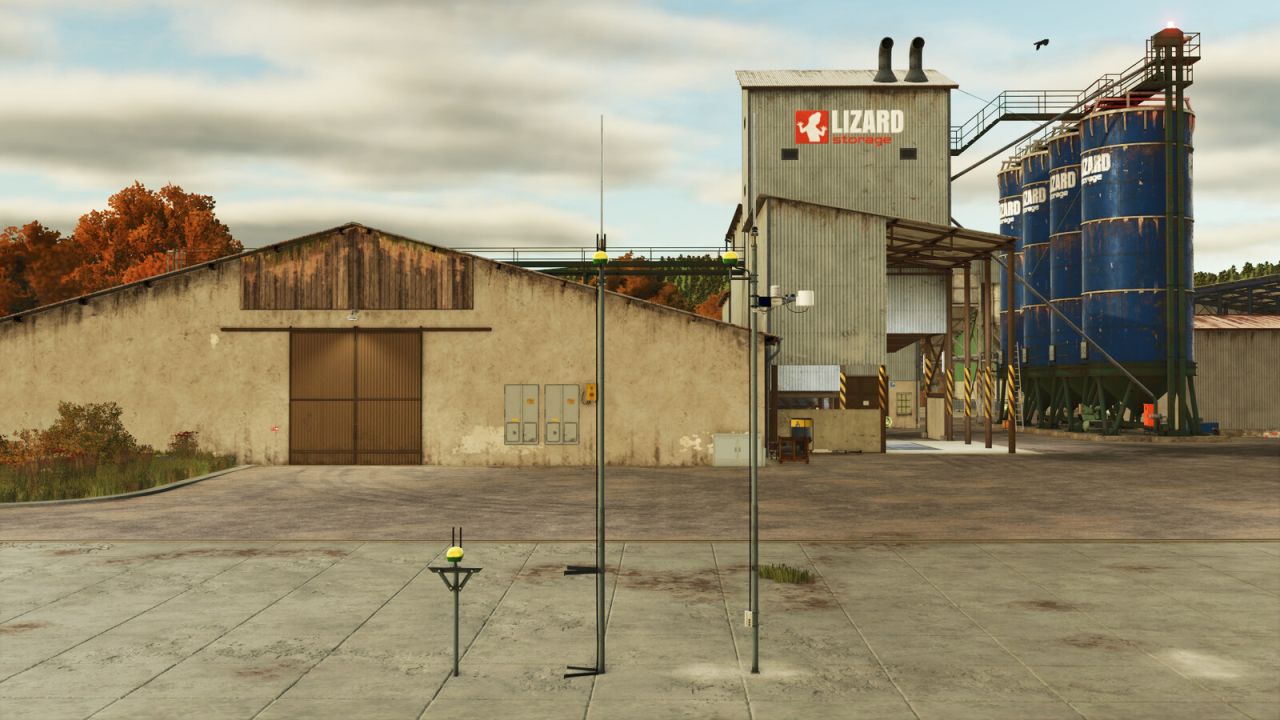
This pack offers you 3 options how and where to place your RTK station. 1 standalone RTK station with own antenna so it can be placed anywhere on the ground and 2 building mounted variants. RTK Station - Standalone: This Antenna can be placed anywhere you want, on the ground. Price: $8,800 Daily upkeep: $15 Shop category: Tools RTK Station - Wall mounted: This Antenna can be placed on any wall of the builing. Price: $7,100 Daily upkeep: $10 Shop category: Tools RTK Station - Roof mounted: This Antenna can be placed on top of the builing. Price: $6,200 Daily upkeep: $10 Shop category: Tools
Buckets Pack FS25
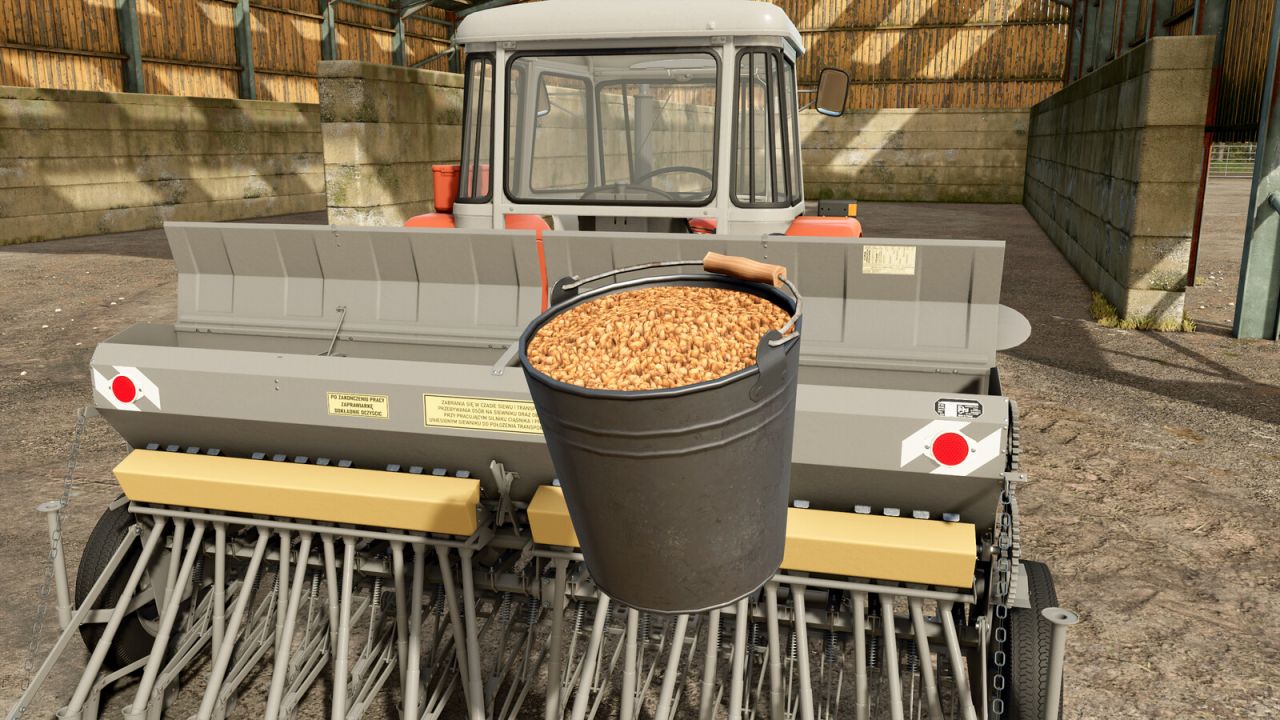
Price: 10-50$ Capacity: 100 l With this bucket you can transport goods in smaller quantities. - added one new bucket - added a new mod icon - two new buckets added (plastic and rusty) - improved camera in the store - new mod and store icons

An-2 V1.1
Max. power – 1000 hp. Max. speed – 255 km/h. Capacity – 1400 l. Work. width – 30 m. Credits: GBF_modding, honved4 Download mod File File size FS22_An_2_v1_1 50 MB

Mercedes 2638 V1.1
Mod contains: – Truck. Max. power – 380 hp. Max. speed – 120 km/h. Lighting equipment, speedometer, tachometer, fuel gauge, mirrors, wipers, 2 bases, purchased decals / spoiler / antennas, number selection, 2 types of wheels, hitch, traces, dust, animation of the gearshift lever, pedals, cardans, fan, mudguards. – Chassis. Lighting engineering, IC support (drawbar), belts, number selection, traces, dust. – Dump module (25000 l). – Platform module. Belts. Choice of color. Washsables. Credits: Farias Modding 3/5 - (1 vote) Download mod File File size FS22_Mercedes_2638_v1_1 145 MB

Crane Barges V1.0.0.2
This is a set of Crane Barges for FS22. Currently only the LR 1600/2 has an attacher to attach. Changelog: + Updates v1.0.0.2: – Added script for the Store Category to show up. Updates v1.0.0.1: – Corrected height not adjusting – Corrected azipods not staying level. Credits: Critical Lift and Transport Sim Team Download mod File File size FS22_craneBarges 24 MB
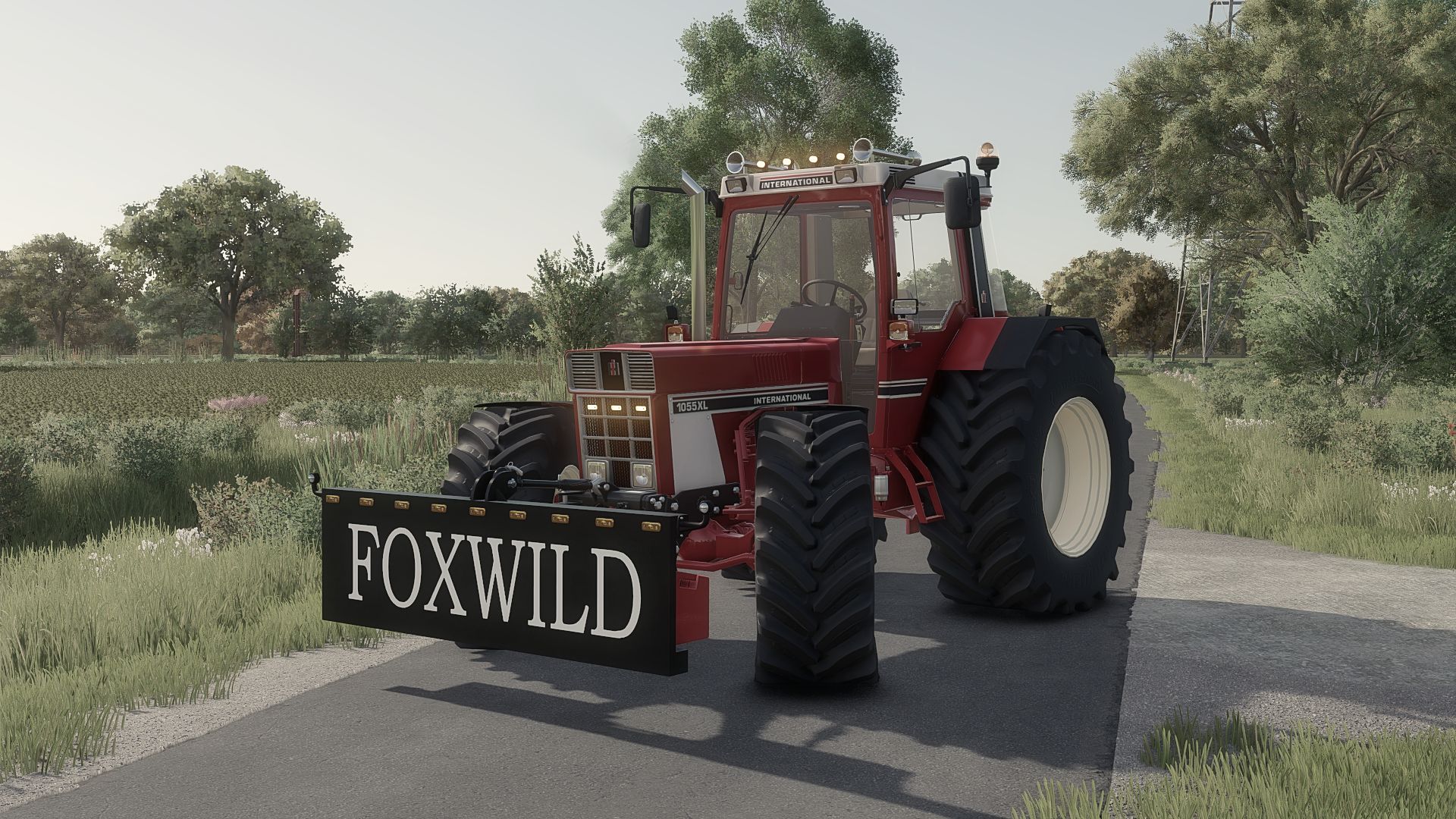
Lizard Dozer blade V1.0.0.0
Lizard Dozer blade V1.0.0.0 My version of the dozer blade from FS19. Unfortunately, the ideas were stolen, so it is what it is. Yes, this is an old mod, but it had always been private. Lights are a configuration en can be turned of with X Weight ranging from 750 kg to 1630 kg. The colors of the blade itself and the weights can be changed.

Lithuanian Language V1.0.0.1
Lithuanian Language V1.0.0.1 Hello! I’m presenting a Lithuanian translation mod for Farming Simulator 25, designed to make the game easier to play and understand. What has been translated: Game menus, settings, and buttons Store categories, machinery names, and descriptions Crop, product, fertilizer, feed, and other item names Help texts and feature explanations Worker management texts Supported mod and DLC texts Standardized agricultural machinery terminology Translations for the following DLCs are included: Highlands Fishing Expansion NEXAT Pack Straw Harvest Pack Plains & Prairies Pack Mercedes-Benz Trucks Pack Translations for the following mods are included: Precision Farming Easy Development Controls AutoFOV Screenshot Mode Store Deliveries Ground Textures Decoration Rocks Decorative Car Pack Farm Buildings Pack Cow Shed 29×16 Workshop Trigger Garage With Workshop Lizard Calf Huts Lizard Repair Ramp Multifunctional Sheds Bale Storage Old Warehouse Open Chicken Coop Pack Of Large Cowsheds PGR Warehouse And Shelter PGR Building Pack Small Farm Pack Old Storage Shed The amount of translated content depends on the mod: for some mods, menus and settings are translated, while for others, only names or descriptions are translated. You do not need to install all of the mods listed above. Installation: Place FS25_LithuanianLanguage.zip into your game’s mods folder. Do not extract the ZIP file. Set the game language to English. When loading your savegame, enable FS25 Lithuanian Language. Please include a screenshot and the name of the mod or DLC you are using.
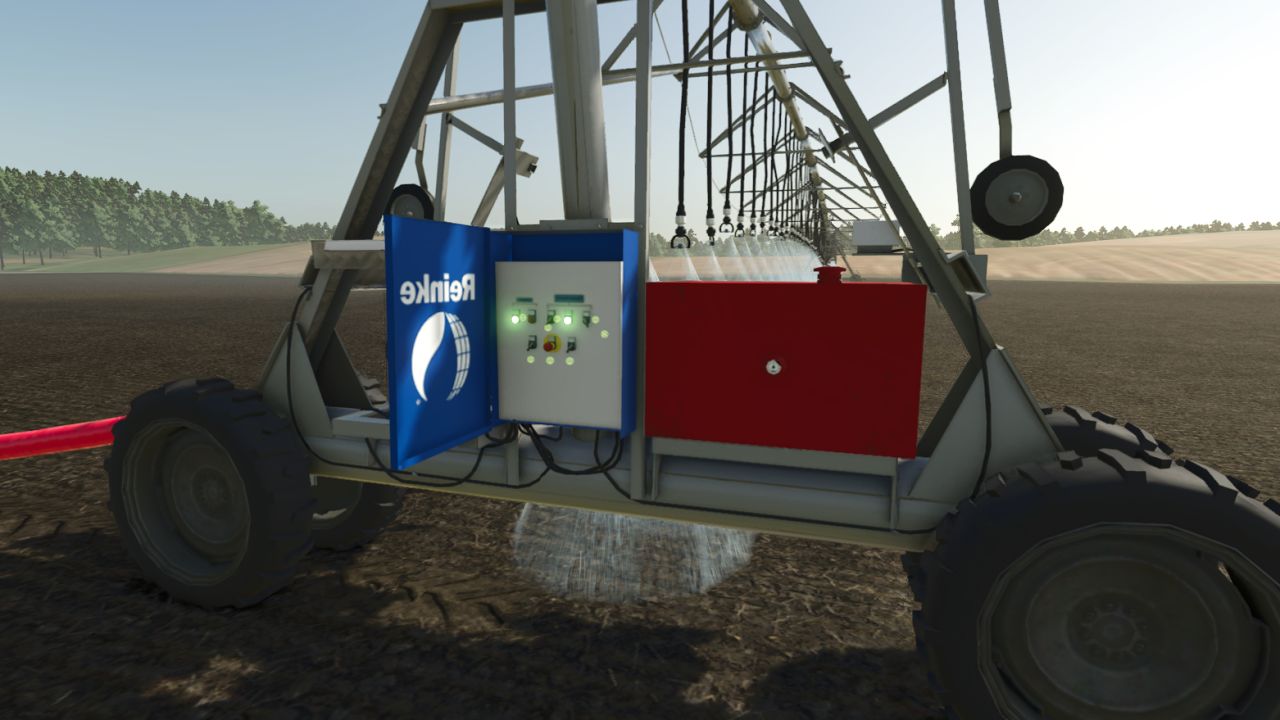
Reinke Irrigation System V2 V1.1.0.2
Reinke Irrigation System V2 V1.1.0.2 Reinke Linear Irrigation System Pack Bring realistic linear irrigation to your flatlands! This pack offers realistically priced Reinke linear move irrigation systems—smaller models are budget-friendly, while the larger setups scale accordingly. Available Widths You can place the following sizes under the placeables menu: 37 meters (Affordable entry model) 75 meters 115 meters 223 meters Placement & Terrain Requirements Flat and Clear Land: Reinke linear systems are designed for flat, obstacle-free terrain. Do not use them on hilly or sloped ground. Clear Path: Ensure there are no trees, utility poles, or obstacles in the field that the machine could collide with during operation. Placement Delay: When placing the main 228-meter pipe and hydrant, expect a short delay of about 6 seconds for it to spawn. (Note: The game may log a warning for these components, but this is entirely normal and does not affect gameplay—everything is 100% functional!) Pipes & Extensions If the default 228-meter pipe and hydrant setup is not long enough, you can extend the length using 50-meter pipe add-ons. Towing & Connection: You can tow the pipes easily using a tractor via the 3-point hitch. For the best experience handling and connecting pipes, we recommend using the Easy Development Control mod with “Super Strength” turned on. Attaching: Connect the pipes to the Reinke simply by pressing the Q key. Quick Removal Tool: A special pipe wrench tool is included. By clicking on a single pipe piece with it, you can instantly delete and clean up the entire connected pipe network for maximum convenience. Operation & Controls Guide Water Valve: Open the water valve using the Interactive Control mod before entering the Reinke. Vehicle Switch: Press the G key to switch into vehicle control mode so Interactive Control inputs take effect. Engine Setting: Make sure Automatic Motor Start is set to No (disabled). Power Up: Turn on the Reinke using the Key icon. Interactive Control Panel: Via the panel, you can now activate: Spraying / Irrigation Beacon lights Engine GPS-like alignment corrector (This aligns the machine straight based on your set angle once cruise control is engaged). Speed Settings: Stage 1: 1 km/h Stage 2: 2 km/h Stopping Procedure (Important!) Recommended Method: When the Reinke finishes its run, turn off only the engine first. This instantly engages the brakes and holds it securely in place. Alternative (Not Recommended): If you turn off the cruise control/GPS before the engine, the machine will roll backward for a short distance. Always shut down the engine first to park it properly! Pumps and hoses compatibility has been removed; it now includes only my own piping system and the Reinke irrigation unit equipped with a control panel, plus a 228-meter pipe, a 50-meter pipe extension, and a pipe tool that allows you to delete pipes with a single click. Enjoy realistic and efficient crop watering on your flat fields! V1.1.0.2 Dual wheels replaced with single wheels; the wheels now look realistic. Required mods: Easy Development Controls Interactive Control

Lithuanian Language FS25
Hello! I’m presenting a Lithuanian translation mod for Farming Simulator 25, designed to make the game easier to play and understand. What has been translated: ✅ Game menus, settings, and buttons ✅ Store categories, machinery names, and descriptions ✅ Crop, product, fertilizer, feed, and other item names ✅ Help texts and feature explanations ✅ Worker management texts ✅ Supported mod and DLC texts ✅ Standardized agricultural machinery terminology 📦 Translations for the following DLCs are included: ✅ Highlands Fishing Expansion ✅ NEXAT Pack ✅ Straw Harvest Pack ✅ Plains & Prairies Pack ✅ Mercedes-Benz Trucks Pack 🛠️ Translations for the following mods are included: ✅ Precision Farming ✅ Easy Development Controls ✅ AutoFOV ✅ Screenshot Mode ✅ Store Deliveries ✅ Ground Textures ✅ Decoration Rocks ✅ Decorative Car Pack ✅ Farm Buildings Pack ✅ Cow Shed 29x16 ✅ Workshop Trigger ✅ Garage With Workshop ✅ Lizard Calf Huts ✅ Lizard Repair Ramp ✅ Multifunctional Sheds ✅ Bale Storage ✅ Old Warehouse ✅ Open Chicken Coop ✅ Pack Of Large Cowsheds ✅ PGR Warehouse And Shelter ✅ PGR Building Pack ✅ Small Farm Pack ✅ Old Storage Shed The amount of translated content depends on the mod: for some mods, menus and settings are translated, while for others, only names or descriptions are translated. You do not need to install all of the mods listed above. 📥 Installation: Place FS25_LithuanianLanguage.zip into your game’s mods folder. Do not extract the ZIP file. Set the game language to English. When loading your savegame, enable FS25 Lithuanian Language. 💬 Found untranslated text or an error? Join my Discord server and report it there: https://discord.gg/bittadc Please include a screenshot and the name of the mod or DLC you are using.
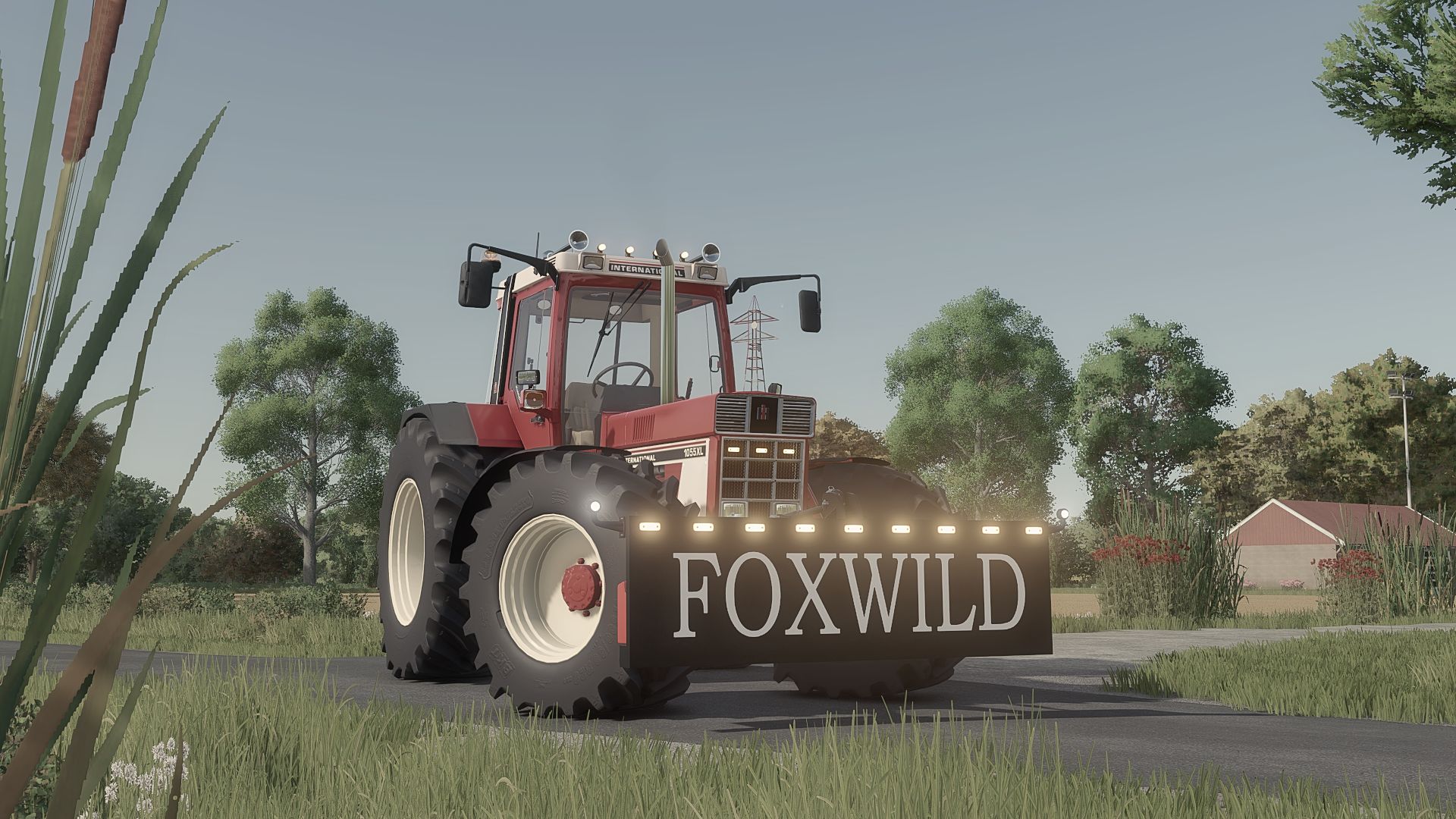
Lizard Dozer blade FS25
My version of the dozer blade from FS19. Unfortunately, the ideas were stolen, so it is what it is. Yes, this is an old mod, but it had always been private. - Lights are a configuration en can be turned of with X - Weight ranging from 750 kg to 1630 kg. - The colors of the blade itself and the weights can be changed.
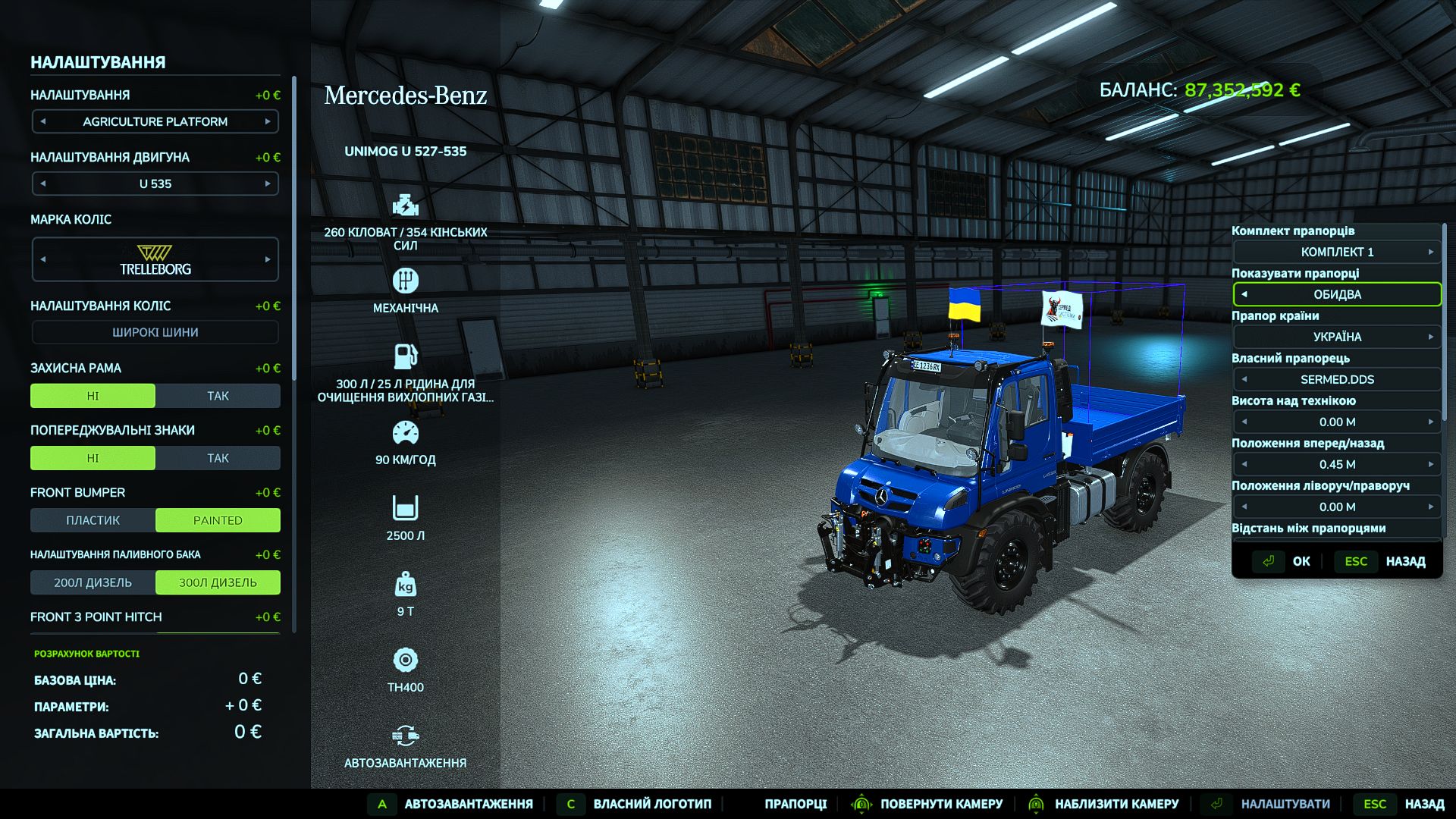
Vehicle Flags (Store Configurator) V1.0.0.2
Vehicle Flags (Store Configurator) V1.0.0.2 Vehicle Flags — flags for vehicles in FS25 The mod adds three independent sets of animated flags to controllable vehicles. Features: – Choose a country flag, a custom image, or both flags. – Separate settings for sets 1, 2 and 3. – Adjust the position, rotation, flag size and pole height. – Ability to use different custom images in each set. – Configuration in the shop and workshop. How to add a custom flag 1. Prepare an image with a 2:1 aspect ratio. The recommended size is 1024×512 or 512×256. 2. Save it in PNG, JPG or DDS format, for example my_farm.png. 3. After launching the game with the mod for the first time, open the “Documents” folder — it is usually located on drive C. Then go to: Documents → My Games → FarmingSimulator2025 → modSettings → FS25_VehicleFlags 4. Place the images directly in this folder, without subfolders or archives. 5. In the shop or workshop, open the flag settings and select the desired set. 6. In the custom flag selection option, switch between images by their file names. 7. Enable the custom flag or both flags, adjust the position and confirm the changes. You can add multiple images. If the new files do not appear in the list, close and reopen the flag settings window. Multiplayer: identical images with identical names must be located in the specified folder on the server and on all players’ computers. Images are not transferred automatically. Version: 1.0.0.0 V1.0.0.2 Fixed a bug with flag rotation when two flags are mounted on the vehicle
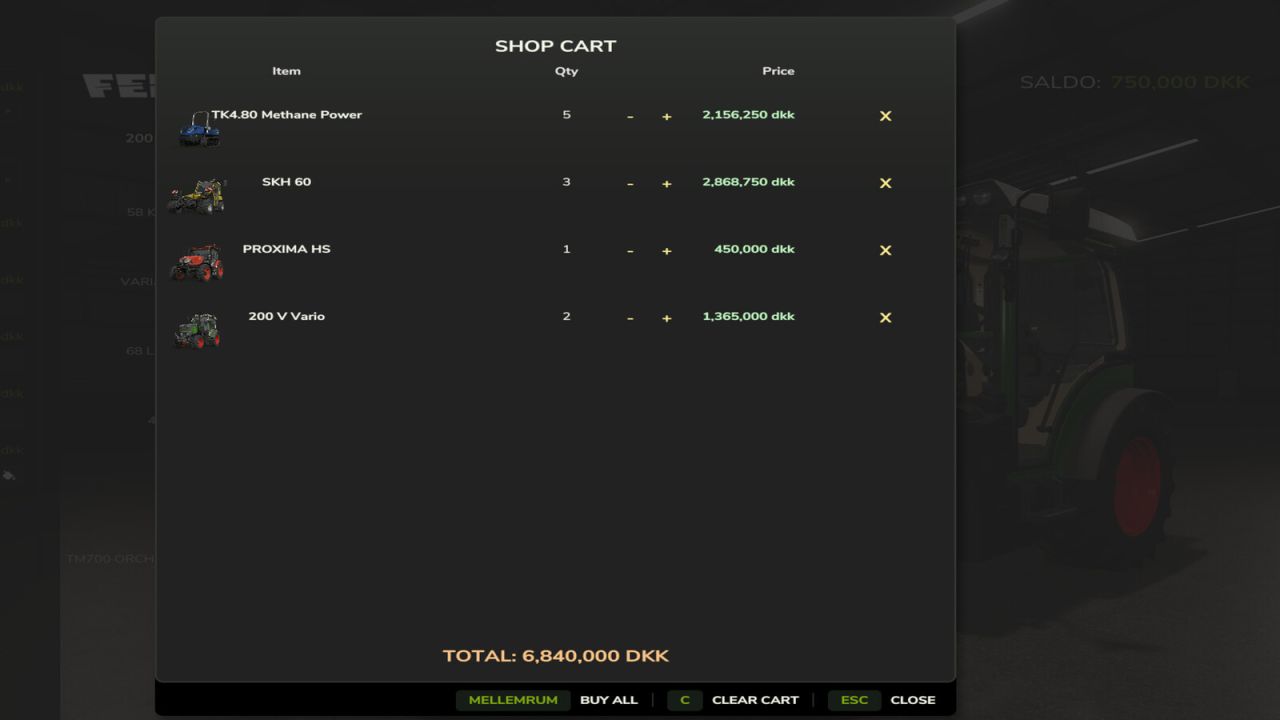
Shop Cart FS25
Shop Cart adds a proper shopping cart to the in-game shop, so you don't have to buy vehicles, tools, and pallets one at a time. Add as many different items as you want to the cart, set a quantity for each, and see the combined total before you commit - then buy everything in one go with a single click. Features: - "Add to cart" and "Cart (n)" buttons right on the buy screen for vehicles, tools, and pallets - Adjust quantities or remove items straight from the cart - Clear the whole cart in one click, with a confirmation so you don't wipe it by accident - "Buy all" purchases whatever you can afford and leaves the rest in the cart instead of blocking the whole purchase if you're short on cash - Works in multiplayer Not currently supported: buildings and other placeables. Since those need to be positioned in the world rather than just spawning near the dealer, they still use the game's normal one-at-a-time buy flow for now. Feedback and bug reports welcome! https://discord.gg/GMZABmgM7x
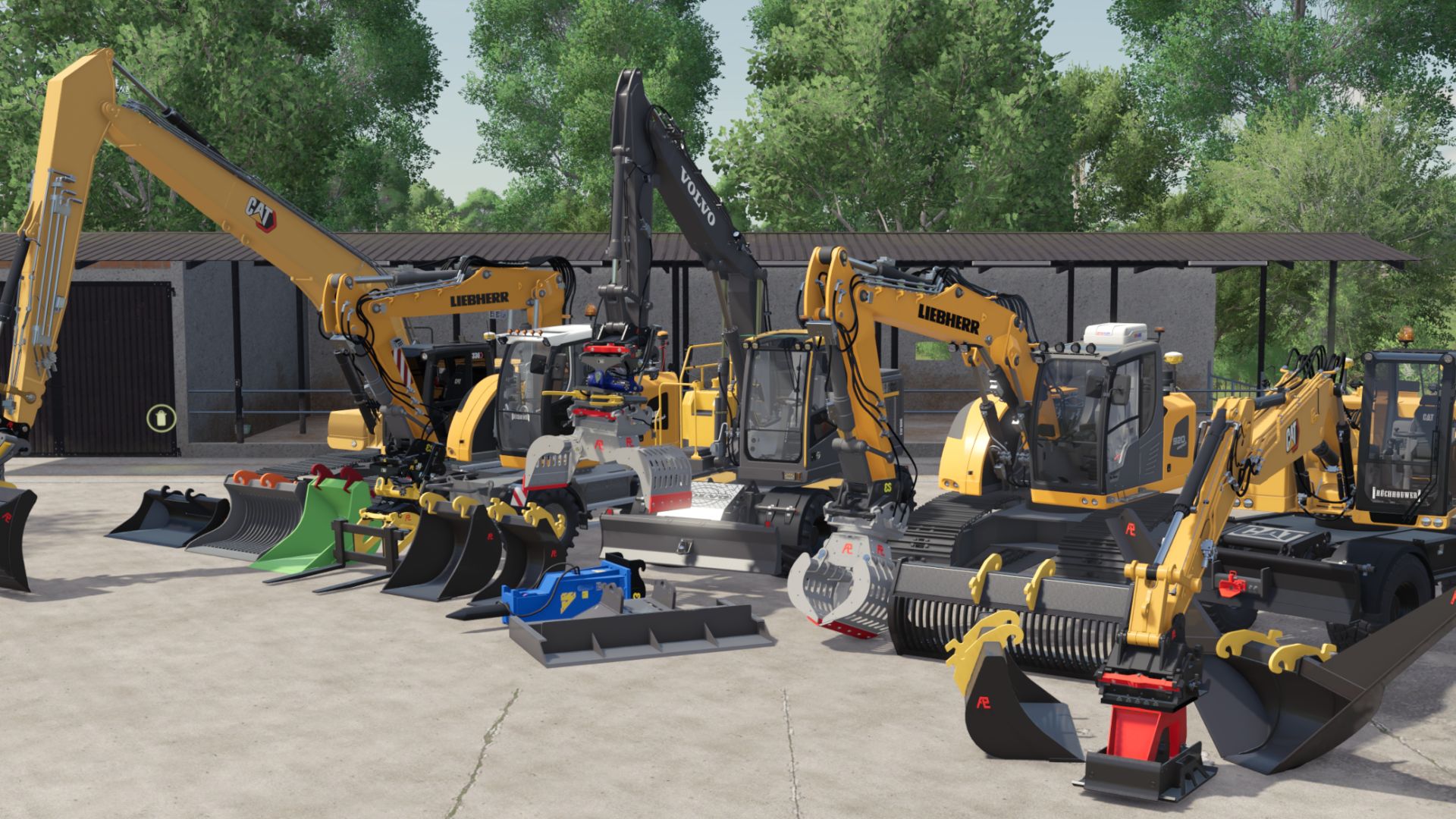
PLADDET Ground set + Gripper V2.0.0.0
PLADDET Ground set + Gripper V2.0.0.0 In collaboration with PLADDET we can release this unique set for you! with Terrafarm incl Eurosteel ready!! This set has a wide choice of containers the set includes a gripper SMP tiltrotator CW30 tilting piece chain box profile box rubbish bin ditch buckets tilting container CW10 V2.0.0.0 improved version. the biggest errors and warnings have been removed! there are a few extra nice features included! extra sorting grapple fixed vibration block for decoration on the bin trailer or project sliding window everything can be colored bin collisions fixed so they can be removed, except for 2.
- 15 per page
- 30 per page
- 45 per page
- 60 per page
-
See more per page
Bigger pages, fewer clicks - and no ads anywhere.
Go Pro