Farming Simulator 19 mods
55,717 results- 15 per page
- 30 per page
- 45 per page
- 60 per page
-
See more per page
Bigger pages, fewer clicks - and no ads anywhere.
Go Pro

New Holland FR 780 v1.0.0.0 Mod
New Holland FR 780 v1.0.0.0 Mod Have been done: -Seatcam -8 Rotating Beacons Configurations -New tires (Michelin and Mitas) -Body color choice -Rims color choice -Seat color choice -7 decals in different colors to choose from -Exhaust smoke darker -Detail inside and outside -GPS Configurable (requires G P S mod) -All matching tools with color, rim and decal choice -Grain Tank Configurable (55000L) -LOG clean

Farming Simulator 19 – Top 10 Combines
Farming Simulator 19 – Top 10 Combines What we expect on Farming Simulator 19 If you are a fan of farming simulators, you must have already seen FS 19 because it has been introduced quite recently. It was a big event for mod developers too – new game modifications began to appear almost at the same time as new version was released. So, let’s take a look at one of the most important mod categories – Combines mods. We introduce you to our database of Farming Simulator 19 best Combines – you can choose between the various types of files to fulfill your needs. If you haven’t tried yet, you must at least have heard that Farming Simulator 2019 Top 10 Combine mods is a really beneficial boost for your game. If your goal is to compete with the best players in the farming sector, FS 19 best Combines mods is simply a must. As all other advanced players, you need to use all tools available to reach your target and follow the best strategy. FS 2019 Top 10 combine mods is something you cannot miss – take example from other leading players. Once you try LS 19 best Combines you won’t have any doubts, if they are worth having. It such a great optimizer for your farm which helps to solve issues faster and overcome all kind of boundaries. Take control of your game and implement any kind of functionality or feature you were missing. With Ls 2019 Top 10 Combines a game becomes much more exciting than ever before – various types of new machinery and equipment is simply stunning, so don’t miss this chance to broaden your field of options. Decide what is the best for your game and add the chosen mod without any hesitations. It will save much of your time and energy but the most important that you will get new experience and will definitely enjoy the game even more! Take the best you can and prove everyone that you nca do really amazing things! FS 19 DON 1500A If you are looking for a powerful grain harvester, FS 19 DON1500A is the right choice. With 6000 liters capacity DON1500A is simply the best for huge fields of sunflower, maize or any other grains. Try it right now and speed up your harvesting right now! FS 19 CLAAS JAGUAR 900 Check out this amazing CLAAS JAGUAR 900 self-propelled harvester for forage. It’s the most powerful FS 19 CLAAS JAGUAR 900 mode which will make your daily tasks much easier! Get ready for foraging season and be prepared for every situation. FS 19 CLAAS LEXION 780 TT You can’t miss this leading harvester CLAAS LEXION 780 TT. With brand new grain tank and GPS system, FS 19 CLAAS LEXION 780 TT is one of the best solutions for your farm. Try out its powerful engine and overcome any boundaries that you have! FS 19 Holmer Terra Dos T4-40 Let us introduce you one of the best sugar beet combine harvester – Holmer Terra Dos T4-40. It has great functionality of cutting the haulm and digging the beets of the ground. We assure that Holmer Terra Dos FS 19 T4-40 is a perfect solution when having sugar beet plants. FS 19 NIVA SK-5 If you want to try out some Russian equipment, NIVA SK-5 might be of your interest. It can go as fast as 22 km/h and work at 9hm/h with a huge capacity of 6000 l. FS 19 NIVA SK-5 is convenient machinery, which is soundproof and can be adjusted upon the needs. FS 19 JOHN DEERE S670 JOHN DEERE S670 has even more muscles that its previous models. Despite all its multiple functionality options, FS 19 JOHN DEERE S670 has become the symbol of farmer, so it will definitely add extra value and power for your farm – proceed your daily tasks faster and more efficiently! FS 19 KUHN SPV CONFORT 12 KUHN SPV CONFORT 12 is an advanced mixer feeder with an increased load capacity and powerful engine to ease your workload at the farm. FS 19 KUHN SPV CONFORT 12 will help you to save time and energy and become faster in achieving your goals. It’s a must-try for every advanced farmer! FS 19 NEW HOLLAND CR10.90 WS NEW HOLLAND CR10.90 WS is often nominated as one of the best harvesters available. One of the most favorite feature is optional wheels. Nevertheless, FS 19 NEW HOLLAND CR10.90 WS is also famous for its large inner tank and powerful engine. Boost your farm and speed up harvesting process right now! FS 19 CASE IH AXIAL-FLOW 8120 CASE IH AXIAL-FLOW 8120 are know for high productivity, simplicity and reliability. It is an efficient equipment which can help you to save much time and increase your profit. FS 19 CASE IH AXIAL-FLOW 8120 is a great improvement and a very wise investment. Add the missing features to your farm! FS 19 KRONE BIG L500 PRO If you want to try out some Russian equipment, KRONE BIG L500 PRO might be of your interest. It can go as fast as 32 km/h and work at 12hm/h with a huge capacity of 7000 l. FS 19 KRONE BIG L500 PRO is convenient machinery, which is soundproof and can be adjusted upon the needs.

Starfire 3000 (Prefab*) Mod
Starfire 3000 (Prefab*) Mod The Starfire 3000 is a GPS antenna intended for decoration. (*) This is not a Mod. This object can be used in building maps for Farming Simulator.

John Deere W330 + 314R v1.0.0.0 Mod
John Deere W330 + 314R v1.0.0.0 Mod Here I present you the “John Deere W330 with the 314R Cutter” available. Known from LS15 now also for the FS19. This is a Reskin of the current FS19 model (available here in the DL portal of Wile_E.Coyote) “Sampo Rosenlew C6 Ltd.” that exists in real life as well. It is sold under the John Deere brand and is the result of a cooperation with the Finnish manufacturer Sampo Rosenlew Ltd. Features / Functions JD design with new decals Flue gas particle changed Autocontour installed two engine versions (Normal, Modify Engine) Trelleborg and Michelin tires (normal, wide tires) Complete lighting New FS19 lamps, headlights installed InteriorLight added Instruments, display lighting Inclined conveyor protection mounted (fades in / out if SW is attached / deattached) License plate and 30 km / h shield installed various attachments installed (GPS, fire extinguisher, antenna, etc.) various xml parameters have been adapted to FS19 etc. As a small gimmick, instead of the “oversize” shield, I made a “normal size” shield out of it and installed it. Is available in the shop. After all, after all, this is a middle-class Drescher without excess width. The whole serves only as fun Data: Performance: 215 hp and 253 hp Top speed about 30 km / h Working speed: 10 km / h Tank capacity: 350 liters of diesel Grain tank capacity: 5200 liters Cutting width: 4.20m Purchase price from 134900 € depending on the config Purchase price SW 18900 €

Sampo Rosenlew Comia v1.2.0.5 Mod
Sampo Rosenlew Comia v1.2.0.5 Mod Version 1.2.0.5 Grain tank volume error has been fixed. Light sources are now realigned and adjusted. License plates and 30 km/h sign have been installed. Same goes for various attachments, like GPS, fire extinguisher, antenna, etc. Combine sampo Rosenlew Comia C6 and cutter C6 14FT Base price: 124,000. Engine configurations: 2.Power range: 185 and 240 HP. Top speed: 27 kph / 15 mph. Working speed: 10 kph / 6 mph. Grain hopper capacity: 4,200 liters. Selectable colors: No. Selectable wheels: Yes. Wheel brands: Michelin and Trelleborg.

Rostselmash F2650 v1.0.0.0 Combine
Rostselmash F2650 v1.0.0.0 Combine Today I’ll put my Rostselmash F2650 at your disposal! What was done: -Seatcam Configuration RUL or LED speed camera -Body color choice Rims color choice -Trelleborg Gemini and Nursing -Michelin Tires (Normal, Wide, Twin and Nursing Tires) -Mitas tires (normal, wide, twin and nursing tires) -2 different GPS modules configurable (Guidance Steering should be present) Configuration with or without grain tank (Capacity 55000L) -5 different logos to choose from -Diverse attachments (License plate, water tank, etc.) – matching cornbite with color choice (Color choice for rim and body)

DEUTZ-FAHR C9300 v1.0 Mod
DEUTZ-FAHR C9300 v1.0 Mod Today I offer you due to large demand my DEUTZ-FAHR C9300 to download! What was done: -Seatcam -DEUTZ-FAHR 9300 Design -Felgenfarbwahl -RUL or LED (configurable) -Grain tank increased to 10,500 -Autocontur -Trelleborg tires (twin, – twin care tires) -Cutting unit in Deutzdesign -Sunflower cutter in Deutzdesign -3 logos configurable *** DEUTZ-FAHR C9300 *** -Cutting works car in Deutzdesign -Fresh water tank and Toolbox firmly installed -Cutting unit carriage has rim color option -GPS module configurable (GPS and Starfire3000) -(GPS mod recommended) LOG is clean

Claas Jaguar 800 Pack v1.0.0.3 Mod
Claas Jaguar 800 Pack v1.0.0.3 Mod Hello today I introduce my Jaguar 800 Pack. The first thing unfortunately was the modder MB3D modeling of the Jaguar built in 17er unreachable so I decided after a long struggle the Jaguar to ask the DL, if the said modder sees this here but he should please contact me for release. Thank you Pack consists of the following equipment: Claas Jaguar 800 in the versions 840, 850, 860, 870 Orbis 750 corn header working width 7.50 m Direct Disc 610 in 3 versions Standard, one that can only divorced grass and one for wheat, barley, soybeans, oats and rapeseed (idea of a team member) Chop the Pickup 300 HD into a swath Cutting unit carriage for transport from the Direct Disc 610 cutting unit NOTICE The cutting unit must be fastened with tension straps So now to the emergence of the Mod since I did not find a nice Jaguar in 19s (just so MB bombs) I decided to convert one myself and got myself grabbed the 17er 800 Jaguar from the modhub. Jaguar and the Orbis are from the 17er convert but completely revised adapted to LS 19 texture system as well as the XML are on the 19er Stand. The Direct Disc pickup and cutter carriage are all Krone devices from the game which have been adapted to the Claas design. By a color choice stands Everyone is free to customize the vehicles and devices themselves. The cutting unit carriage is a bit cheaper because it has broken something and now you need to attach the Direct Disc me straps. For Jaguar something he has a configurable GPS which also fades in and out with the Wopster also works together so has a function REQUIREMENT The GPS Mod by Wobster is available FS19_guidanceSteering. Furthermore, I missed the Jaguar a swing axle. The Direct Disc is hinged so you can see it was edited in Maya. In addition, some features are installed which you can discover yourself. If you do not like the Jaguar Pack, do not load it! I know that not everything is the same and the LS is still a game.

John Deere S700 North/South America & Australia official v1.1 Mod
John Deere S700 North/South America & Australia official v1.1 Mod V1.1 UPDATE features: – IC Scripts (8 animations: wolant, buddySeat, armrest, GPS monitor, CB radio, menu Display, work Display and statistics Display) – New, detalied tracks belts, – 2 new Maurer TipUp grainTank Configurations, – Upgraded interior model with proper upholstery color, – Bug fixes, – Compatible with newest game version.

GPSMOD v1.0 beta Mod
GPSMOD v1.0 beta Mod Please, note that this is a development version! If you are warned of a copy of the current development branch, know that the development version may be breaking the game! Latest version BETA How bases works Be aware that this version does not yet support the full package of features! Purchase of GPS Before you can use GPS, you have to buy the configuration in the store! Open the menu To open the menu, press ctrl + s. Configure your AB line Go to the location where you want to configure your lines. Press + once to reset the creation of the AB. Press again to set point A. Click + again to set point B. Press alt + e again to create the track. Automatic width Press alt + r to calculate the width of your vehicle. Tip: Unfold and lower the vehicle for best results! Increase / decrease width Press alt + plus and minus to change the width Please note that this only works after creating the track! Angle of ground If you can not create straight lines yourself, you can enable angle capture in the menu. This will align the AB lines with the terrain. Toggle the guidance direction Once a track is created, press alt + x to change direction. Control of promontories Currently, it stops automatically at the headland when cruise control is enabled. This feature and shoot at the end of the field are still underway. Deputy This version should work in MP, but keep in mind that there may be bugs. Development tips: To quickly compress content without more, choose the zip.bat file. Note: The zip.bat file installs from the 7zip app! Copyright Copyright (c) 2019 Stijn Wopereis All rights reserved. Special thanks to workflowsen for the creation of evolution!
GPS MODE IN CZECH + INSTRUCTIONS V1.0 MOD
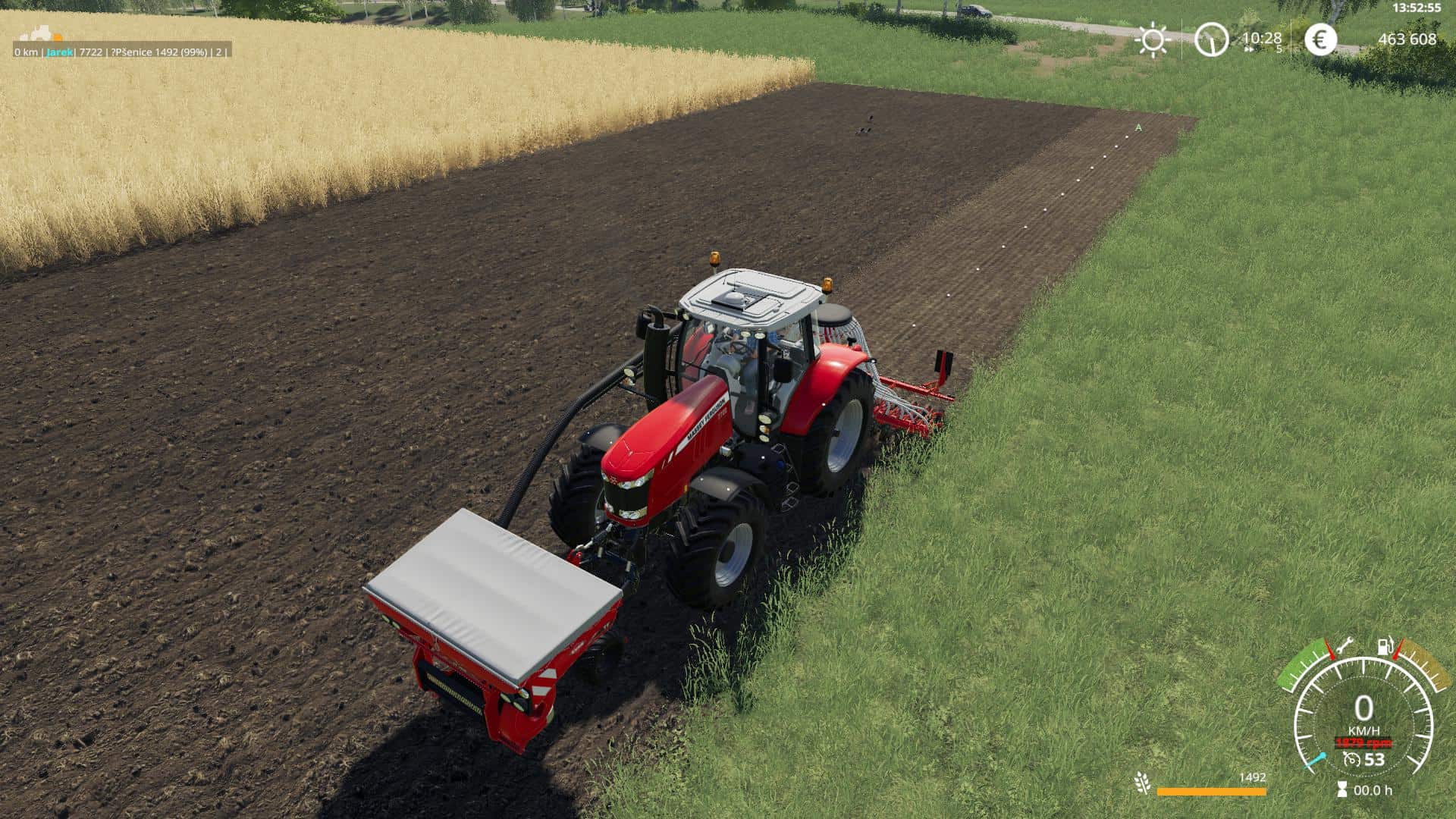
GPS MODE IN CZECH + INSTRUCTIONS V1.0 MOD In the link below, you will find a link to download GPS mode translated into Czech and also detailed instructions on how to activate and set the mode. 24.2.2019 released update, there is a nice news. To move the track left or right, press ALT + PageUp or ALT + PageDown to hold down these keys.
Courseplay FS19 | Tips & Tricks and Download
Courseplay FS19 | Tips & Tricks and Download Courseplay elevates Farming Simulator 19 to an entirely new level. Almost everyone who uses it says this FS19 mod has changed the game completely. For the better. Now, you can try it out too. What is Courseplay? Courseplay can be described as a route recorder for the Farming Simulator games. You can record routes manually, for example by driving from point A to point B. Or you can have Courseplay create a route, or a course, for you. When a route/course is either recorded by you driving it, or by Courseplay creating it, you can hire workers to drive the exact same route. Again, and again as long as you remember to save the course. But Courseplay can do much more than just record driving routes and have AI workers driving them. The mod is capable of automating almost every activity you can think of in FS 19. Here are some examples of what it’s capable of: Do automatic plowing and cultivating. It can do seeding, fertilizing and harvesting. Courseplay can Unload harvesters, transport and unload the crops. Transporting crops from your farm silos to selling points. It’s able to do mowing and raking of grass. And it can make bales. Fill and compress silage bunkers. Emptying them too. … And more. The only thing we can think of that Courseplay can’t do for you (yet) is cutting down trees and loading logs onto a forwarder. Download and Install Courseplay Beta Courseplay is in constant Beta. There are updates to the mod almost on a daily basis. That’s why downloading it from the official Github page is the best solution. Then you are guaranteed to always get the latest version. But installing the Github-version is different than installing other mods. Here’s how you do it: https://dl-file.com/mq45xc8st4e3/courseplay-master.zip.html This downloads a file called courseplay-master.zip to your computer. Save it wherever you want, but NOT in your mods folder. – Unzip the File: You can use a program like 7-zip to do this. – Open the folder you just unzipped: (courseplay-master -> courseplay-master.) You should now see a lot of files (folders and LUA files.) 1. First, select all. 2. Now do a right-click with your mouse and select “Send to” -> “Compressed (zipped) folder”. This creates a zipped archive with a random name. Now, change that name: 1. Select the file, then press “F2” on your keyboard. 2. Write your chosen name, e.g., “FS19_Courseplay_beta”. – Now copy this file (FS19_Courseplay_beta.zip) to your FS19 mods folder: P.S. #1 The mod is still in Beta. Some functions may not work as intended. And there may be bugs. P.S. #2 Always download it from the Github page. This is the only guarantee that you get the latest version. How to use Courseplay We could have written a book on how to use Courseplay. Perhaps someday we’ll do. But for now, we’re just going to send you to the official Courseplay manual (click here) It gives you a great start on how to use this powerful mod.

VehicleExplorer v0.9.3.9 Mod
VehicleExplorer v0.9.3.9 Mod Version 0.9.3.9 Minor cosmetic change. Just a missing space in the info box after the fillLevel label. Version 0.9.3.1 * Crane sequence is now saved and loaded again accordingly * Store image of cranes will reappear * Fixed a bug when using VeEx without Tardis * Crane is now saved and restored properly * Store image of cranes is visible * Fixed an issue when VeEx was used without Tardis 0.9.0.6 – I würd mal sagen dies ist noch eine Beta. Ich hab zwar selbst recht viel getestet, hoffe aber auf hilfreiche Rückmeldungen von der Community. This is a revamp of the good old VehicleSort from FS17 For beginners: VehicleExplorer helps you organize your vehicles, by showing you a list which can be organized, well, sorted by you. Besides that it has a couple of additional functionality. See below. Please download the latest version directly from GitHub Latest version Features List of all steerable vehicles (Specialization: Enterable) Set a customer order for your vehicles Your order is saved in the default vehicles.xml, so no additional clutter Enter your vehicles directly with a click of a (mouse) button This is meant literally, see known issues 😉 Park your vehicles, so that a switch of vehicles via Tab ignores them Repair vehicles and its implements Displaying a store image next to the list Info box with additional informations Motor on/off, turned on/off (for e.g. harvester) and light status is saved and restored Different colors in the list if a vehicle is selected, or currently used by a helper/Courseplay Config Menu Config is saved per savegame within modsSettings/VehicleExplorer/savegameX Show/hide trains in the list Show/hide station cranes in the list (No idea if that actually works, would need a map with a crane to test) Show/hide steerable implements/trailers (e.g. forwarder trailer with crane) Show/hide brand names in the list Show/hide your own name when you enter a vehicle Show/hide horse power in the list Show/hide fill levels in the list Show/hide implements in the list Show/hide store images Show/hide infobox Change text size Change list background transparency Enable/disable saving of the additional vehicle status (motor, turnedOn, lights) Show/hide keybindings in the game F1 help menu (needs a game restart to take affect) Known issues Although you can change all the keyboard bindings, the mouse actions are hardcoded for now Left mouse click: Enter vehicle Right mouse click: Select vehicle (to e.g. move it) Right mouse click: Change value in the config menu Mouse wheel: Selection up/down in list The actual ‘tab order’ of vehicles is not changed Metric measuring units are used Chaining for implements For now just the directly attached implements get respected. This means for repair and the info box just a e.g. trailer is recognized, but not a trailer which is attached to another trailer Max of three columns. If you’ve more vehicles (which would be insane anyways 😉 , just disable the display of brand name etc A wrong value for horse power is displayed for trains Sometimes selling or resetting a vehicle is causing a flickering of the vehicle list. I’ve already an idea why, just have to look more into it. As a workaround you just have to move any vehicle a position up or down, then a reshuffle is triggered and the list is rendered properly again. Incompatible Mods SpeedControl Actually both work fine side by side. There is just a keybinding overlap. So you’ve to set new keybindings through the game menu for Key 1, Key 2, Key NumPad Plus, Key NumPad Minus Changed the default keybinding. So there is no overlap anymore. Default Keybinding LAlt + v -> Show/hide vehicle list LAlt + KeyPad Minus -> Show/hide config menu KeyPad Enter -> Enter vehicle LAlt + p -> Toggle parking LAlt + KeyPad 5 -> Select item (for moving the vehicle) or to change values in the config LAlt + KeyPad 8 -> Move up in the list/config LAlt + KeyPad 2 -> Move down in the list/config LAlt + 1 -> Move up fast in the list/config LAlt + 2 -> Move down fast in the list/config LAlt + R -> Repair vehicle incl. implements Tab -> Next vehicle; VeEx own switch vehicle implementation (necessary to tab through vehicles in your own order) Shift + Tab -> Previous vehicle; VeEx own switch vehicle implementation (necessary to tab through vehicles in your own order) _ If you want to use the ‘sorted tabbing’, make sure you drop the default key binding in the game menu. I didn’t find a way to overwrite the default vehicle switching, and I think it’s better to let you, the user, this choice anyways. _ Mouse Left: Enter vehicle Mouse Right: Select item/change values in config Mouse Wheel: List up/down Note that the current version does NOT support multiplayer! Quite frankly, I’ve no idea about the MP code needed and also no possibility to test it. Actually I think it shouldn’t be a big deal, and maybe it already works by just changing the MP setting in the moddesc.xml from false to true. I assume just the parking possibility has an impact to MP. Credits Primarily to Dschonny & Slivicon. At least those are the names which were mentioned in the FS17 VehicleSort I used as a foundation. But the majority of code has changed anyways. Also Kudos to the guys and gals from CoursePlay, VehicleInspector, VehicleFruitHud, EnhancedVehicle and many more for some inspiration and ideas. Additionally Ifko for the RegisterSpecialization script.

Gamsberg Map v1.0 Mod
Gamsberg Map v1.0 Mod Welcome to Gamsberg. This map is fictitious. There are no productions installed. I think mitlerweile there are enough placeable mods. The mods that are necessary for this map are fixed, meaning you do not have to download them. There is a predefined yard (H1). All objects on this farm, however, are sellable and thus you can make your own yard ( highly recommended or necessary is the Mod PlaceAnywhere !). Furthermore, there is an empty space (H2) where a second yard or whatever can be created. There are 30 fields from small to large (exact size see below), some fertilizable meadows which are marked with “H” and can therefore also be managed eg with Courseplay. There is generally enough grassland for grassland work, even for those who want to try the hillside. Who wants to take root in the forestry finds on the map many beautiful forest areas with many trees wood chips can be sold at the sawmill. Logs also at the sawmill and at the harbor. Wassertirgger are the wells which are installed in H1 and H2. The highlight of the map is I think a beautiful landscape, large waterfalls and the field 1 in the mountains which is also by far the largest. This field can be reached via a paved road and alternatively via the forest road in the north of the map. Otherwise, look at the map and decide for yourself. I am open to problem reports and I am grateful for your feedback. Field dimensions: Field 1 (field01): 20,517 ha Field 2 (field02): 1,935 ha Field 3 (field03): 1,891 ha Field 4 (field04): 2,515 ha Field 5 (field05): 2,703 ha Field 6 (field06): 4,422 ha Field 7 (field07): 4,170 ha Field 8 (field08): 4,416 ha Field 9 (field09): 5,938 ha Field 10 (field 10): 2,587 ha Field 11 (field11): 1,583 ha Field 12 (field12): 3,754 ha Field 13 (field13): 4,162 ha Field 14 (field14): 1,839 ha Field 15 (field15): 1,865 ha Field 16 (field16): 2,786 ha Field 17 (field 17): 2,766 ha Field 18 (field18): 2.458 ha Field 19 (field19): 1,127 ha Field 20 (field20): 0.800 ha Field 21 (field21): 0.486 ha Field 22 (field22): 0.855 ha Field 23 (field23): 2,422 ha Field 24 (field24): 4,460 ha Field 25 (field 25): 1,480 ha Field 26 (field26): 2,821 ha Field 27 (field27): 2,031 ha Field 28 (field28): 3,650 ha Field 29 (field29): 1,796 ha Field 30 (field30): 2,186 ha

Dashboard v1.9 Mod
Dashboard v1.9 Mod All-in-One FS19 game enhancement software. Runs on any version of Windows. Play the game YOUR way. What’s New v1.9 NEW: Select a savegame buttons have been rewritten to avoid the clunky Windows Select Folder dialog. NEW: You can now adjust the size of Courseplay in-game hud in Misc. Mod Editor. NEW: Added Animal Worker to Misc. Mod Editor.
- 15 per page
- 30 per page
- 45 per page
- 60 per page
-
See more per page
Bigger pages, fewer clicks - and no ads anywhere.
Go Pro