Farming Simulator 19 mods
55,717 results- 15 per page
- 30 per page
- 45 per page
- 60 per page
-
See more per page
Bigger pages, fewer clicks - and no ads anywhere.
Go Pro
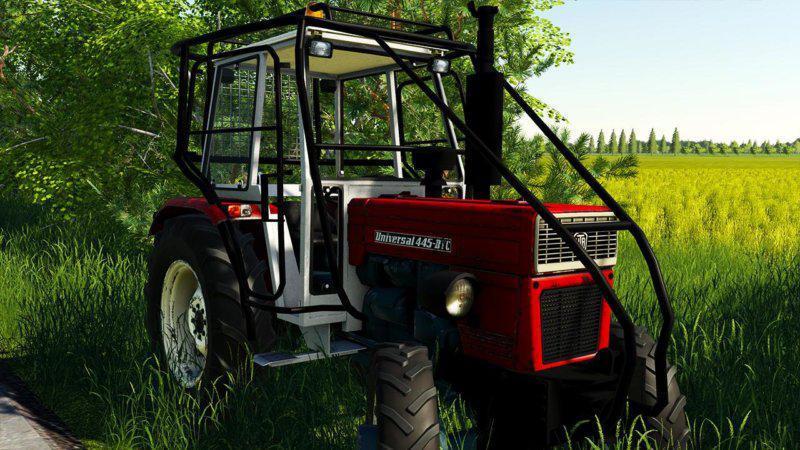
UNIVERSAL 445 DTC v1.0 FS19
UNIVERSAL 445 DTC v1.0 FS19 UNIVERSAL 445 DTC for Farming simulator 19 – Engine Setup: 45 hp, 100 hp – Selectable Design – Choice of Color (2 Colors) Price 8500 € Credits:50keda, Emrah
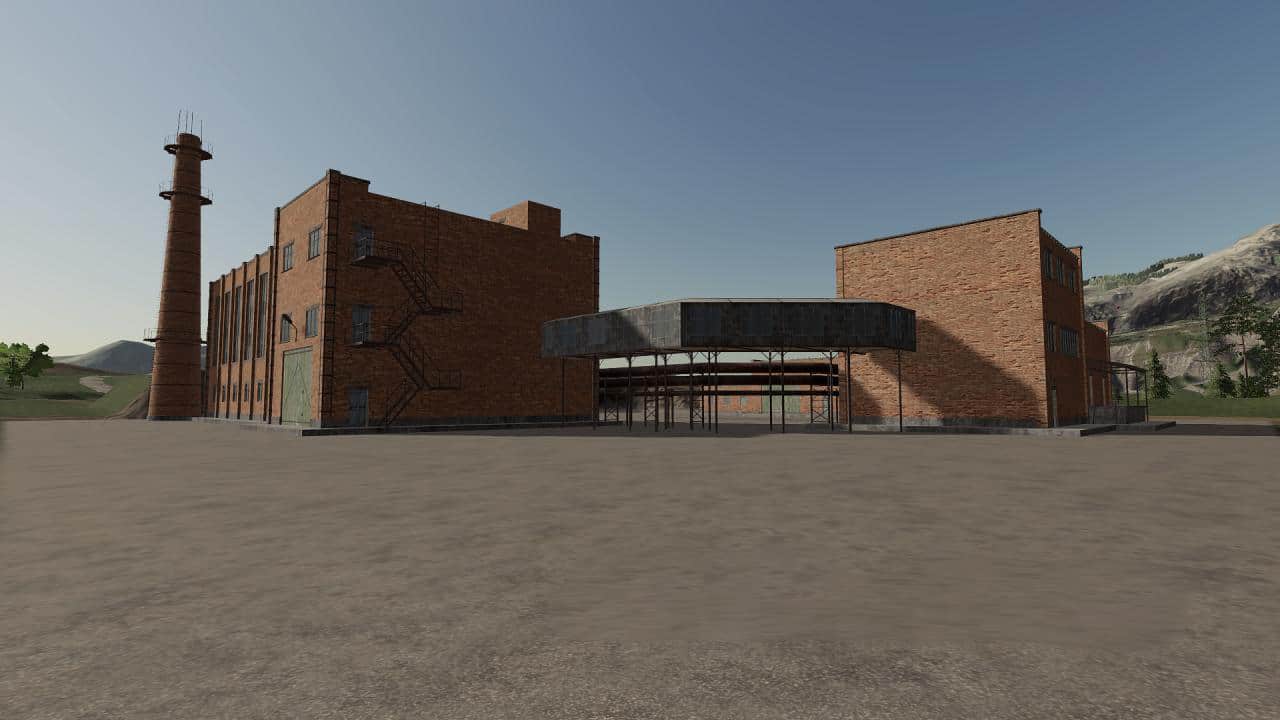
Bakery v1.0.0.0 Mod
Bakery v1.0.0.0 Mod Purchased bakery. – Cost: 100 000 €; – Required resources: Wheat, barley, flour; – Received products: Bread. For the mod to work, you must have the script “Global Company”. https://www.fs19mods.com/global-company-v1-0-0-0-mod/
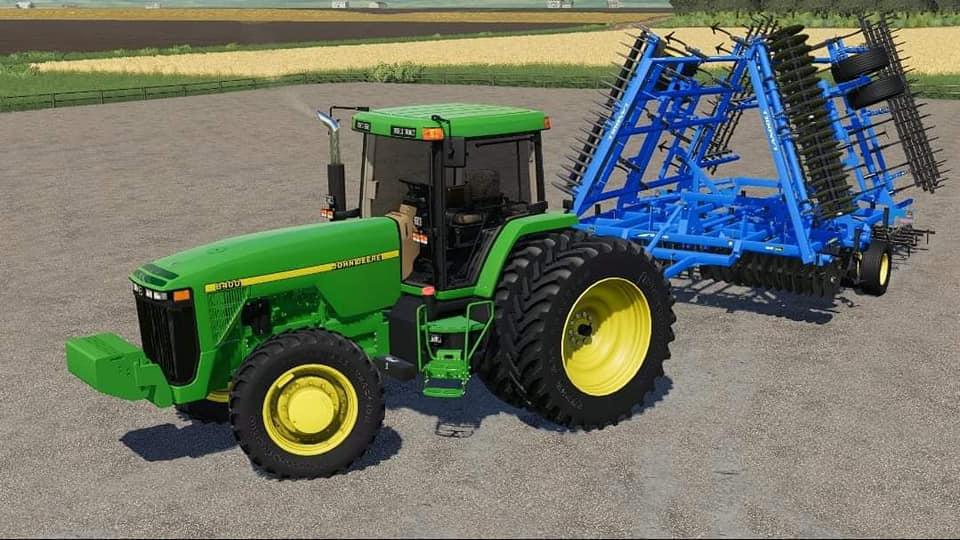
John Deere 8000 Series US v1.0.0.0 FS19
John Deere 8000 Series US v1.0.0.0 FS19 Models: 8100 8200 8300 8400 Saddle Tanks Credits:Cunningham Modding, Big D Modding, Banks Modding, Virtual Agriculture, IPF, and Blue Line Modding ZookSeth Phillips Tags: John Deere
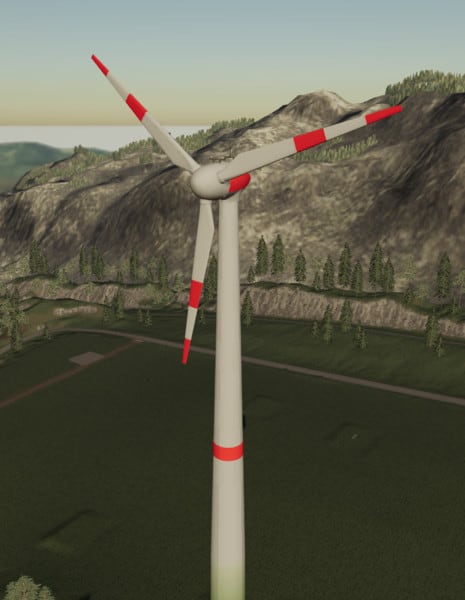
Enercon Windturbine (big) V 1.0 FS19
Enercon Windturbine (big) V 1.0 FS19 Today I introduce you to another Windturbine, this time an Enercon system, which is based on the “Placeable Windturbine” from the Mod hub. Unlike this attachment, I changed the texture and size. It is about the size of the Vestas Windturbine and has the same functions as well as costs and revenues. These look like this: Price: 1.500.000 € Maintenance costs: 500 € per day Power per hour: 2000kw Revenue per hour: 2000 € (easy), 1500 € (normal), 1000 € (difficult) The Enercon Windturbine is paid on the difficulty level “easy” after 32 days, on “normal” after 42 days and on “heavy” after 62 days, and then earns profit. There are 8 different rotations, so I’m using a new category called “Windenergy”. As you can tell by the title, this is a big version. That means there will be a smaller version in 3 weeks with some other textures! Special thanks go to Ifko , who allowed me to use his script “AddStoreCategrory”. The mod may not be uploaded to any other mod pages. Credits:FSven
Multimap2019 V 2.0 Mod
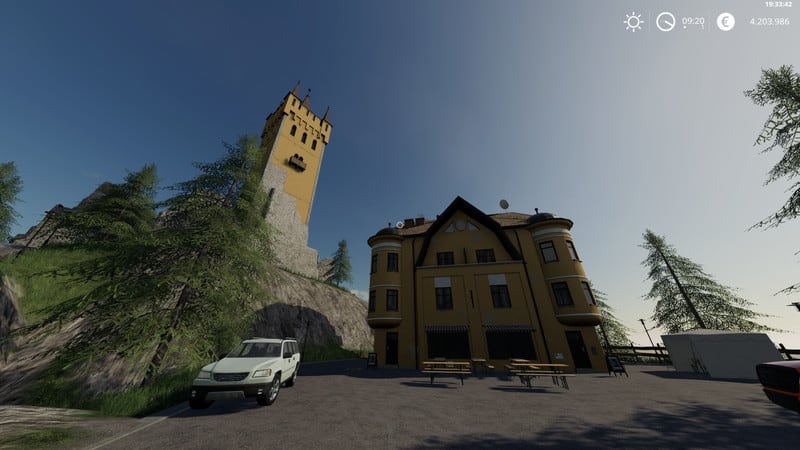
Multimap2019 V 2.0 Mod The original mapper of this map is LF-Bauer. He had already invested a lot of effort and diligence in this map in 2014, and although there were several cards with this name, in my view, this card is the best of them all. The basis for this is the Multimap for the LS 15 and LS17. The version for the LS15 but never found its way into the public, but was kept private by LF-Bauer. Finally, I was asked by him to get the card in the LS17. Now she arrived in the LS19. Here again the “technical data”: • 4-fold map with multifruit and 42 fields. • 1 yard • 2 skin silos for cereals and feed, as well as for earth fruits • Extra storage in the yard for fertilizer, seeds and lime • Many outlets • Traffic The following fruits are installed: Standard fruits, cultivation of sugar cane and cotton is possible, oats, rye, spelled, millet, hops, tobacco, onions, carrots, lettuce, cabbage, red cabbage, poppy and clover. Clover can be mowed, the resulting clover can be fed or used in the BGA for silage production. At this point, my special thanks go to GMCW, zero_ace and dondiego00 for releasing their fruits for incorporation into the Multimap. Road, terrain and almost all old objects were taken 1: 1. For players who play in the level Farmer, at the start of the game all silos and stables are already available. Players in the MP I recommend to make a Savegame in SP and use this for MP. Ultimately, of course, the decision is up to you. There are open spaces to place mods. All old production sites are present on the map and will be reactivated as soon as the Global Company (successor of the factory script) has been released. Until then, all unloading points, which are related to productions, are blocked by barriers. For this you will find on their premises temporary outlets, which will be removed later. These interim sales points will recognize you at the ramps for unloading. We have put a lot of effort and work into this card, it has been extensively tested extensively in the SP and MP over several weeks. The log is clean, the card runs smoothly in both the SP and MP. Should errors still occur, then please install the latest patch 1.3 from Giants and / or clean up the mod folder. The zip file needs to be unzipped, as there are still harvesters for harvesting cabbage, both onions and carrots. These mods are intended to be only a temporary solution until a suitable mod appears, which makes the individual machines superfluous.
Silo weight 3000kg V.1.1 Mod
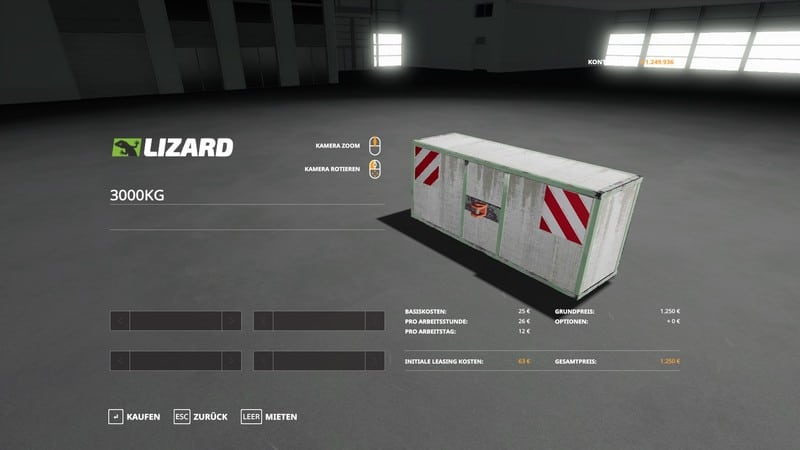
Silo weight 3000kg V.1.1 Mod A simple concrete silo weight (3000kg) for better compaction Price: 1250 € Weight: 3000 kg changes: 2x Error eliminated 1x Warning eliminated
Holzer Map v1.2 Mod
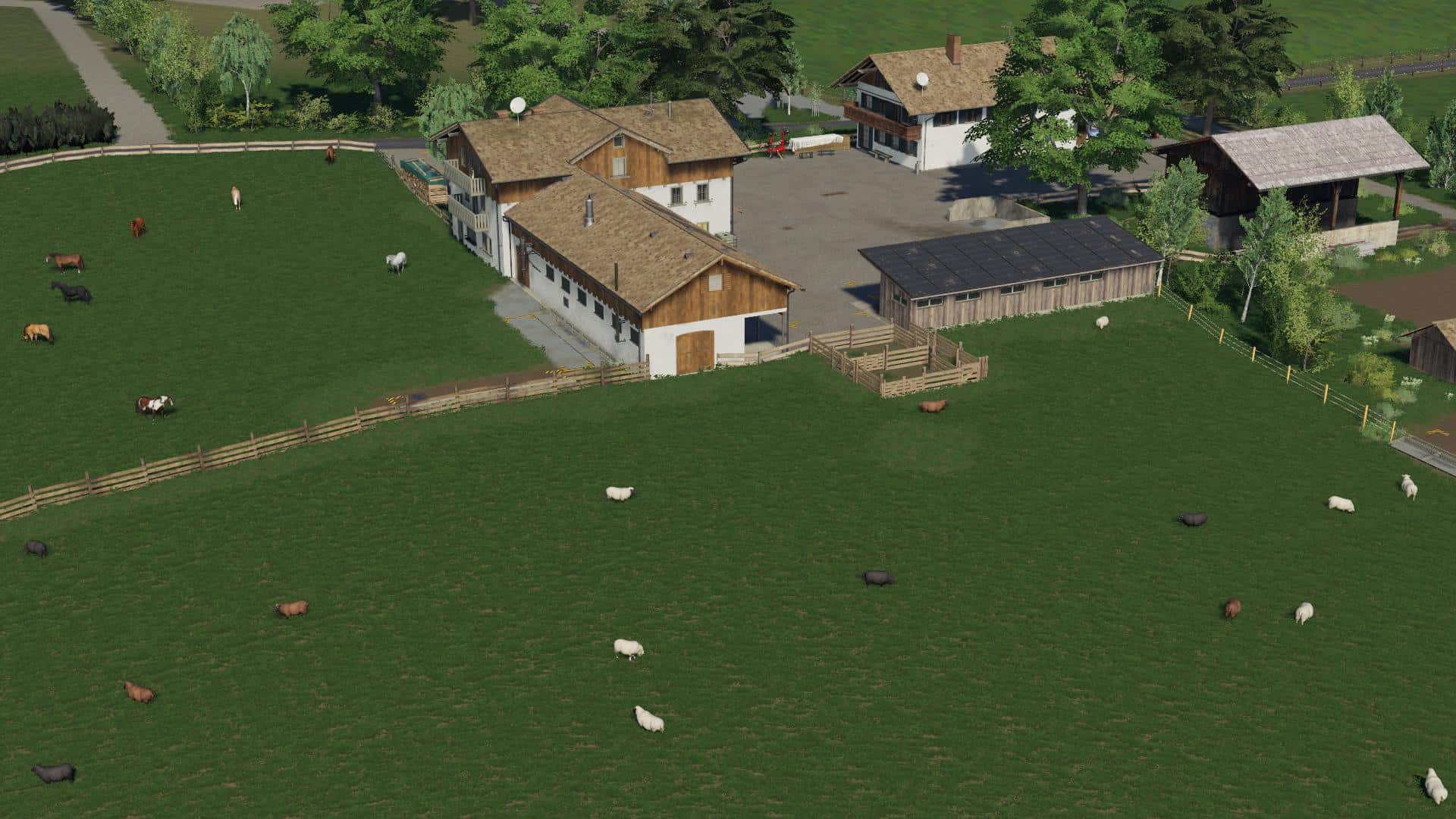
Holzer Map v1.2 Mod Changelog: DecoFoliages are now also Seasons ready In winter, snow is falling on the roofs of all farm buildings. (A big thank you goes to Kastor, who created this for me!) Pigs in the small stable at the Oberreiter added Halle am Graberhof permanently installed due to snow layer on the roof. The fertilizer hall at the Gundischhof has got a new texture. (Many thanks to GmbhGmbh for the revision of the building!) TipcolLayer in the dung heap Boarhof way (prevented dumping crap) New signs added to Boarhof, Graberhof and Käserei. Here I have photographed the originals on vacation and then placed on the map. Chicken enclosure added to the lower rider Heutrocknung at Unterreiter built by Global Company. Cows of the Unterreiter divided into: – stable (all standard functions except water, no visible NavMesh since stall too small for that) – Pasture near the farm (including straw, manure, milk and manure because in the RL the cows are driven to the milking in the stable) – mountain meadow away from the farm (no straw, manure and manure and no milk) I was bothered that run around in the winter, the critters on the pasture in the snow. So I wanted to have a pure stable attitude. There, the animals can be kept over the winter and produce of course manure / manure. In spring, the animals can then be distributed to the two pastures. In combination with the Seasons Mod regarding the distinction between dairy cattle and beef cattle as well as the grazing areas in the meadows, I found this a very nice thing. Just a short note about the grazing areas for all players who play with the Seasons mod: The version of Seasons currently available in the Giants Modhub unfortunately contains a bug regarding the grazingAreas. This causes the animals not to erode the area defined by foliageAreas, but a completely different area in terms of shape. This bug has already been reported by us and subsequently fixed by Realism Modding. Officially, this change will of course be available with the release of the next update from Seasons in the Modhub. Now there are two ways you can deal with it: either you wait for the next update and live with the error or you look at the Gitlab page of Realism Modding and download the latest version of SeasonsGrazing.lua. This must then be exchanged in the Seasons ZIP file in your modfolder. Then the grazing areas work as they should.
VAZ 2105 v1.0 Mod
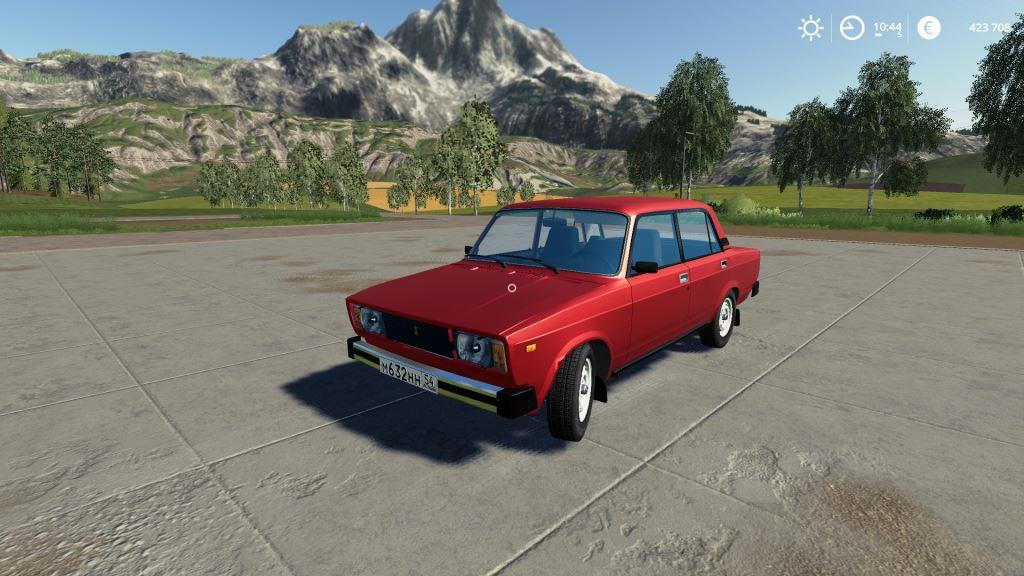
VAZ 2105 v1.0 Mod Work tidy Work mirrors Realistic headlights and lights Real car behavior.

500l Diesel barrel Pack v1.0 Mod
500l Diesel barrel Pack v1.0 Mod This is a diesel barrel pack for filling the fuel tanks of your machines. The barrels can be purchased with a pallet for easy transport on a forklift/frontloader or without pallet and can be picked up using a bale grab. All barrels can be strapped down for secure transport with the tention belts. Cost: Standard 500 liter diesel barrel : from $500 Pallet mount 500 liter diesel barrel: from $550 Items: – Lizard 500 l Diesel Barrel $500 – Lizard 500 l Diesel Barrel on pallet $550 – John Deere 500 l Diesel Barrel $550 – John Deere 500 l Diesel Barrel on pallet $600 – Castrol 500 l Diesel Barrel $560 – Castrol 500 l Diesel Barrel on pallet $610
Farmall 806 v1.0 FS19
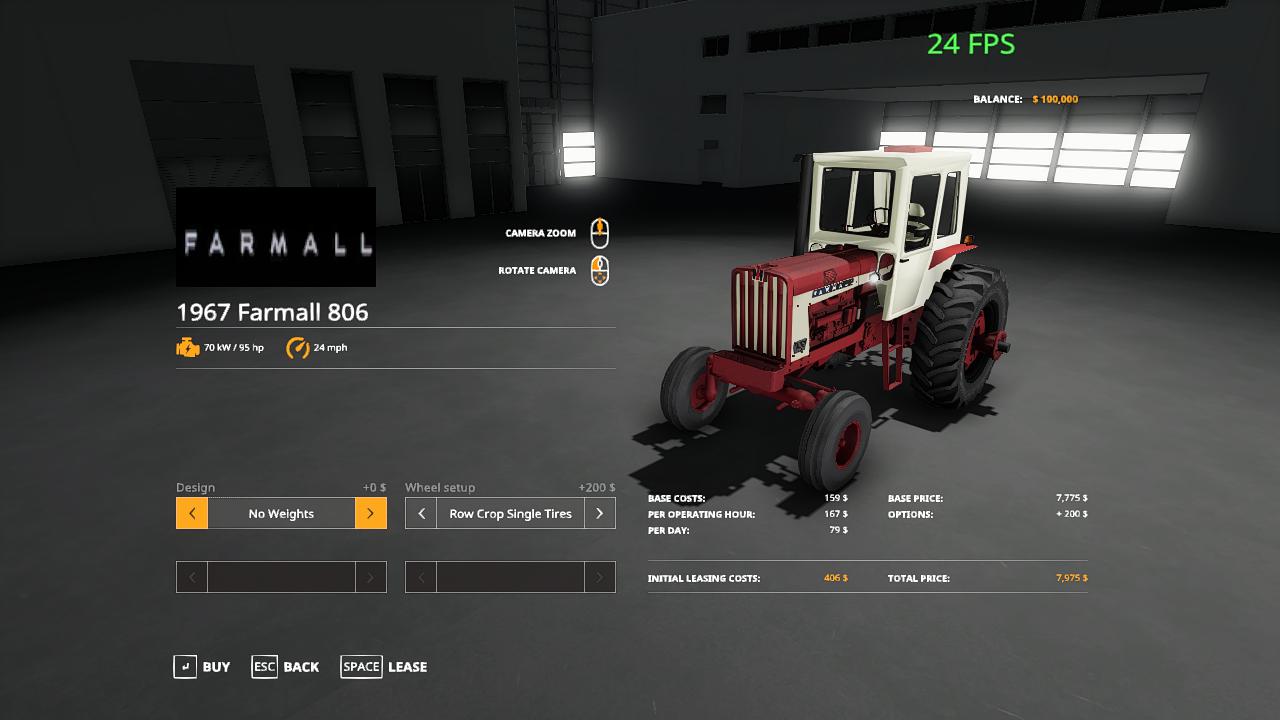
Farmall 806 v1.0 FS19 This is the updated version of my Farmll 806. Has 95 horse power and goes 26 miles per hour. updates to version 1.0 All sounds now work raised price for row crop tire to 200 rear duals are 400 left plow dual is 300 store image is now visible moddesc is updated to 44 added i3d mapping Lights will be fixed next version. Greetings fellow simulator players & modders – Welcome to Adub Modding, where we are very happy to share our time and content with you. Credits:adub moddingOldiron modding
Zunhammer milk water trailer v1.0.0.0 FS19
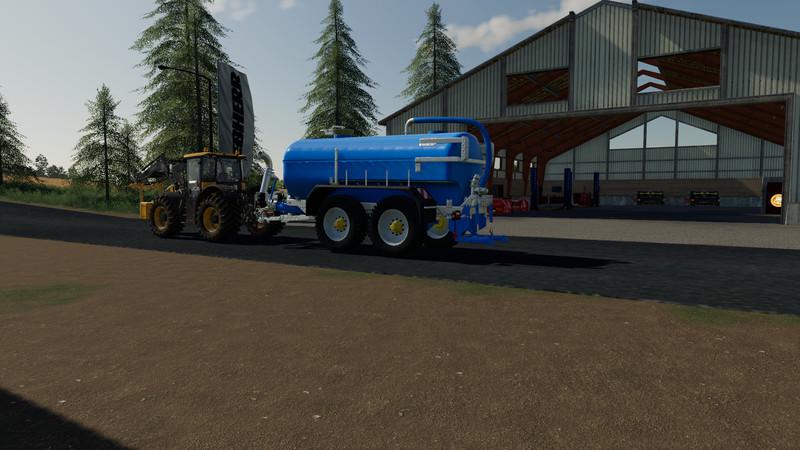
Zunhammer milk water trailer v1.0.0.0 FS19 Mod for Farming Simulator 19 Zunhammer milk and water trailer with 18,500 l capacity Master data are from the original game Log is free have fun with it Credits:-xaad-
Schikel V Rake v1.0 Mod
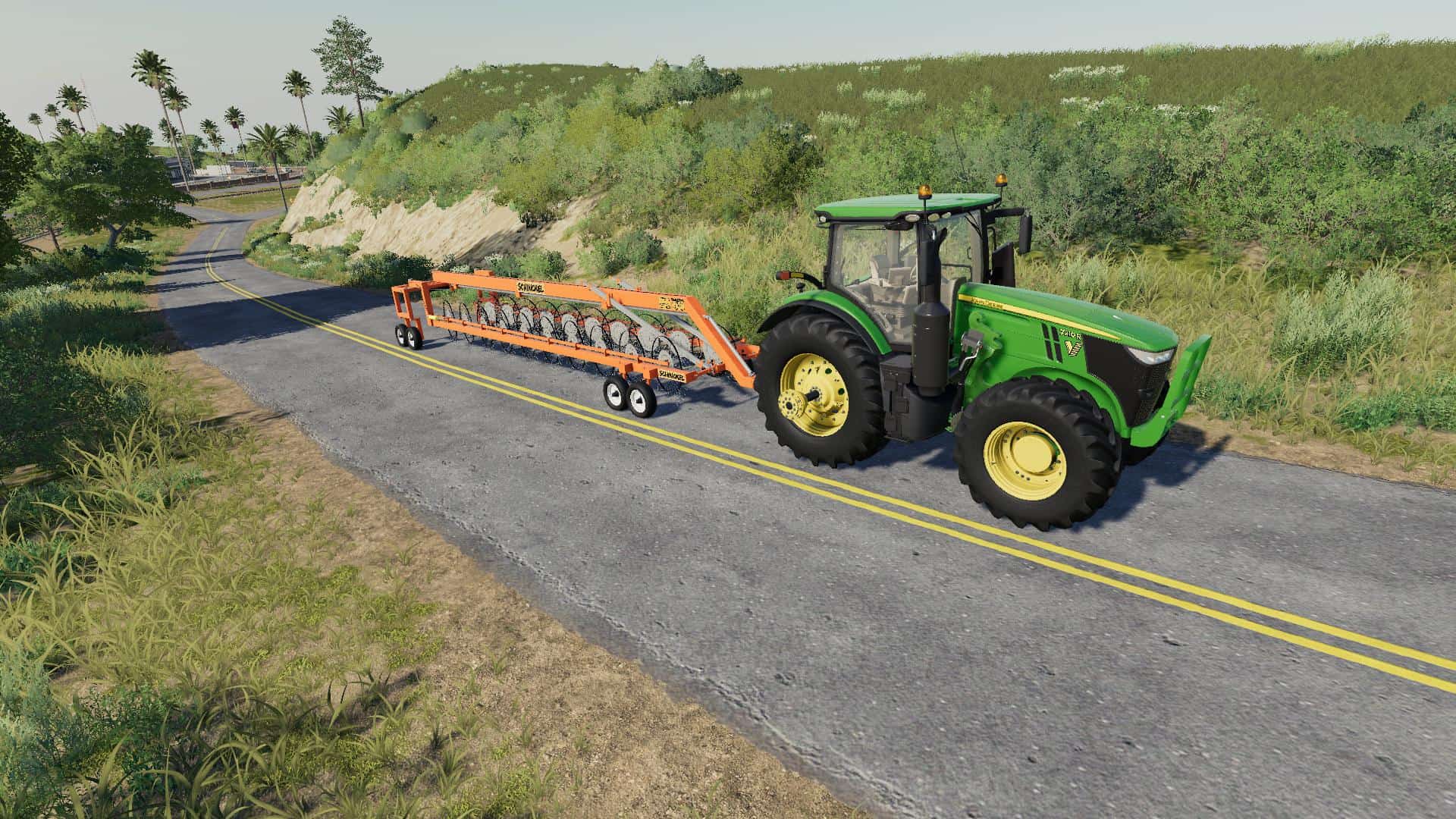
Schikel V Rake v1.0 Mod Well here it is, The Schinkel V Rake. Made in South Australia these are one of my Favourite rakes which is why ive bought it to the game! Working width: 12m
Ford LTL 9000 v1.1 FS19
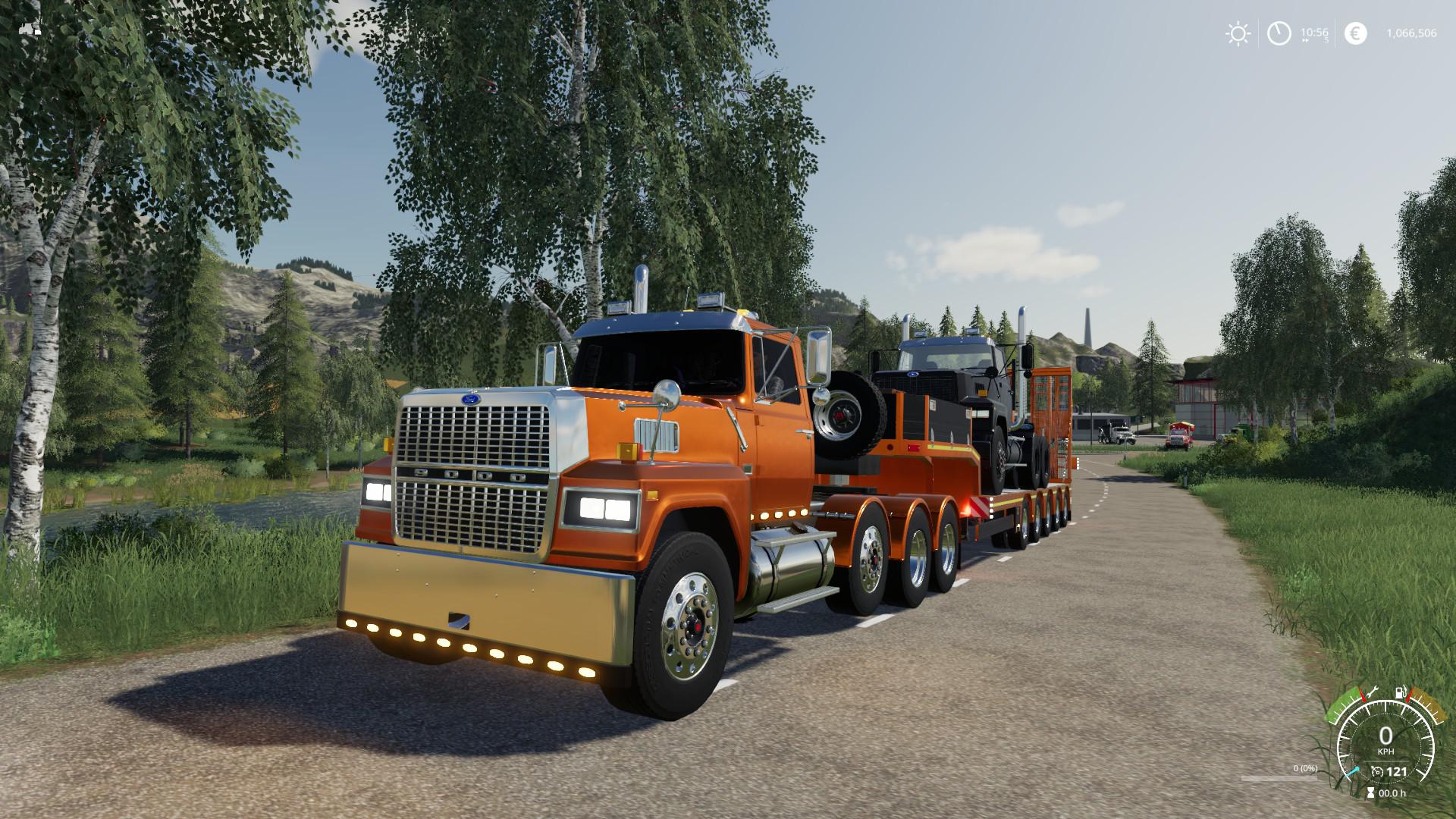
Ford LTL 9000 v1.1 FS19 Official release from the author. Its avaliable with a flatbed, dumpbed, hooklift or as a semi. changelog v. 1.1: – Added: more wheel options, crawlers and chains, avaliable under the Mitas brand and under Lizard. – Fixed: windows being foggy. – Added: trailer attacher (optionable) – Added: ability to autoload round bales vertically – Fixed: Adjusted Autoload positions Caution! Due to the many details of a chains 3d model it may cause lag on lower end PC’s. Config options: – Flatbed: with or without ramp. With Easy Autoload – dumpbed: with or without salt spreader – hooklift – semi: short, long or longer – wheels: 3 different rims, 4 brands (Including care wheels) – tag axle: none, single or dual, liftable with right mouse button. – Fifth wheel adjustable with right mouse button. – 7 different fenders – 4 exhausts – 4 racks – 7 bumpers, including plow mount – 6 different colorpickers for different parts – optionable ‘side parts’, fuel tanks, toolboxes etc. Notes: – The autoload function is configurable as ‘light’ and ‘full’. With the ‘light’ option you need to lift the objects close to the flatbed for it to autoload. – Warning: The latest version of the Easy Autoload script has a bug that when you save (manual or auto) it unloads the loaded objects onto the flatbed, I will update as soon as I find a fix. – the plowmount currently connects to Expandables Heavy Duty Plow found here: https://www.farmingsimulator19mods.com/workstar-and-plow-pack-v1-0-fs19/ – Some of the mentioned options above will not function depending on which other options you choose. Credits:5nine ExpendablesNastyModz (sounds)alfalfa6945 (Easy Autoload script)Ifko (addConfig script)Realismus Modding (plow and salt script)

Ford LTL 9000 v1.1 Truck
Ford LTL 9000 v1.1 Truck Official release from the author. Its avaliable with a flatbed, dumpbed, hooklift or as a semi. changelog v. 1.1: – Added: more wheel options, crawlers and chains, avaliable under the Mitas brand and under Lizard. – Fixed: windows being foggy. – Added: trailer attacher (optionable) – Added: ability to autoload round bales vertically – Fixed: Adjusted Autoload positions Caution! Due to the many details of a chains 3d model it may cause lag on lower end PC’s. Config options: – Flatbed: with or without ramp. With Easy Autoload – dumpbed: with or without salt spreader – hooklift – semi: short, long or longer – wheels: 3 different rims, 4 brands (Including care wheels) – tag axle: none, single or dual, liftable with right mouse button. – Fifth wheel adjustable with right mouse button. – 7 different fenders – 4 exhausts – 4 racks – 7 bumpers, including plow mount – 6 different colorpickers for different parts – optionable ‘side parts’, fuel tanks, toolboxes etc. Notes: – The autoload function is configurable as ‘light’ and ‘full’. With the ‘light’ option you need to lift the objects close to the flatbed for it to autoload. – Warning: The latest version of the Easy Autoload script has a bug that when you save (manual or auto) it unloads the loaded objects onto the flatbed, I will update as soon as I find a fix. – the plowmount currently connects to Expandables Heavy Duty Plow found here: https://www.fs19mods.com/workstar-and-plow-pack-mod/ – Some of the mentioned options above will not function depending on which other options you choose.

Guidance Steering (GPS)
Guidance Steering (GPS) Here you have the closest thing to a real-life GPS for Farming Simulator 19: The Guidance Steering mod by Wopster. Important: This is the development version, meaning it’s not fully functional. And it may crash your game… So, download at your own risk. (Longtime Farm Sim PC players will recognize the name Wopster as the mastermind behind great mods like the Hose System and Manual Attaching in FS17.) The Guidance Steering mod resembles the GPS guidance systems you find in real-life, modern tractors. It uses A to B points, for example. Version 1.0.0 Wopster has been vital to creating the Seasons 19 mod (he’s part of the Realismus Modding team.) With that mod (mostly) out of the way, it seems he’s gearing up the development of the GPS mod. Recently, he made a new version of the mod available, where a new menu layout is one of the most striking changes. It looks awesome! Awesome is also the addition of the in-game User Interface symbols. Those 3 simple symbols, on the right side of your screen, tell a lot about the mod’s status. Tells you where you are relative to the first track you created. The starting track is always Zero (0.) A green symbol indicates that the Guidance Steering is enabled. If it’s white, press Alt + C to enable it. This symbol indicates whether the automated steering has been applied or not. Green is applied, while white means it’s not active. Quick Guide to the Guidance Steering GPS mod The first thing you should know is that you have to buy the GPS separately in the 3D shop for each vehicle you want to use it with. In other words – You can’t use it unless you buy it first. In the shop. 1. Buy the GPS in the Shop One of the really cool things about the mod is that it makes visible changes to several of the in-game vehicles. It’s only after you’ve purchased Guidance Steering that GPS units are visible on the vehicles, like the StarFire 6000 on some John Deere models. Some modded vehicles also have this feature (each vehicle needs to be prepared in advance for it to work.) 2. Enable Guidance Steering Pressing Alt + C enables or disables the Guidance Steering functionality. Turning it off removes the white dotted lines. Note that you can’t open the Guidance Steering main menu when it is disabled. Now, you can drive to the field you want to work on and line up your tractor. Make sure that you are lined up at the desired starting position before you do anything. 3. Reset the GPS by pressing Alt + E This is just to make sure that you are creating and using a fresh track. A reset GPS is indicated by a single dotted line, running through the center of your vehicle. If you don’t see any lines, go into the main menu and set “Show Lines” to On. 4. Set your A point by pressing Alt + E (again) Press Alt + E to create a starting point for your track. When you see a green letter A under your vehicle, you’re good to move on. 5. Create the Track This is done by driving 15 in-game meters straight ahead from the A point, in the working direction. Try to drive as straight as possible. When a minimum of 15 meters is passed, press Alt + E again to create the track. A successfully created track is visualized by one dotted white centerline, plus two orange dotted lines on each side of the vehicle. You now have a working track you can use for fieldwork. Is it hard to drive in a straight line? Go into the main menu and set “Snap terrain angle” to On. 6. Set the Implement Width The Guidance Steering mod recognizes the width of the tractor or the implement(s) you’re using. Just press Alt + R to set the width automatically. Important: If you’re using tools, be sure to unfold these first, just to be on the safe side. Want to change the width settings manually? This is how you do it: Alt + Plus Increases the width. Alt + Minus Decreases the width. You can also use the main menu for this. Note that none of the methods work until you’ve made the track. 7. Activate Guidance steering Ok. So, you’ve made a track. But nothing will happen unless you apply the guidance steering. Just press Alt + X to activate or deactivate the automatic steering. You know that it’s working when the centerline turns green. You’ll also hear different sounds for turning on or off the automated steering. Ok. Information overload? Here’s the TL;DR version of the guide: Alt + C enables the mod. Alt + E sets the A point. Now, drive at least 15 meters straight. Press Alt + E once more to create the track. Alt + X activates the guided steering. Moving the Track Sideways It’s possible to move the created track sideways. Using Alt + page up and Alt + page down will slide the track left or right. And if you want to realign the track to where the center of your vehicle is, just press Alt + home. Rotating the Track 90º The new version of the Guidance Steering mod has a menu option for rotating the current track 90º. Just enter the GS menu (Ctrl + S) and press the rotation symbol. So far, there’s no keyboard shortcut for this function. About headlands: The current version of the mod stops automatically at the headland if cruise control is enabled. Headland turning is still a work in progress. Yes, there are more to this mod than what’s covered here, like offsetting the implements. Read Wopster’s own guide on Github for more inputs. Using the Main Menu Much of what we’ve described above can be done from the main menu too. Press Ctrl+S to bring up the Guidance Steering menu. Here you can do several things: Enable or disable guidance steering. Turn the lines on or off (if you don’t turn them off, the lines will show all the time, even when the GPS is deactivated.) Set the width for your track manually. And set the offset for the track, for example, when you’re using a plow. You can also save tracks and load saved tracks. Covers Every Angle The really cool thing about Wopster’s guidance steering is that it works no matter what angle you want to use. It doesn’t matter in what direction you point the hood of your vehicle. The mod can create a guidance steering track for that angle. For this to work seamlessly, you need to set “Snap terrain angle” to Off in the main menu.
- 15 per page
- 30 per page
- 45 per page
- 60 per page
-
See more per page
Bigger pages, fewer clicks - and no ads anywhere.
Go Pro