Farming Simulator 25 mods
79,645 results- 15 per page
- 30 per page
- 45 per page
- 60 per page
-
See more per page
Bigger pages, fewer clicks - and no ads anywhere.
Go Pro

Traffic Collision Physics V Beta
FS25 Traffic Collision Physics — a mod for Farming Simulator 25 that adds collision physics to road traffic. Now, traffic vehicles no longer remain “stuck” to the road after an accident: they can be thrown, spun around or pushed aside depending on the speed, direction of impact and mass of the machinery. The mod takes the vehicle’s type and mass into account, keeps the damaged vehicle at the accident scene while players are nearby, and supports network synchronization in multiplayer. As a result, traffic accidents look much more dynamic and realistic.
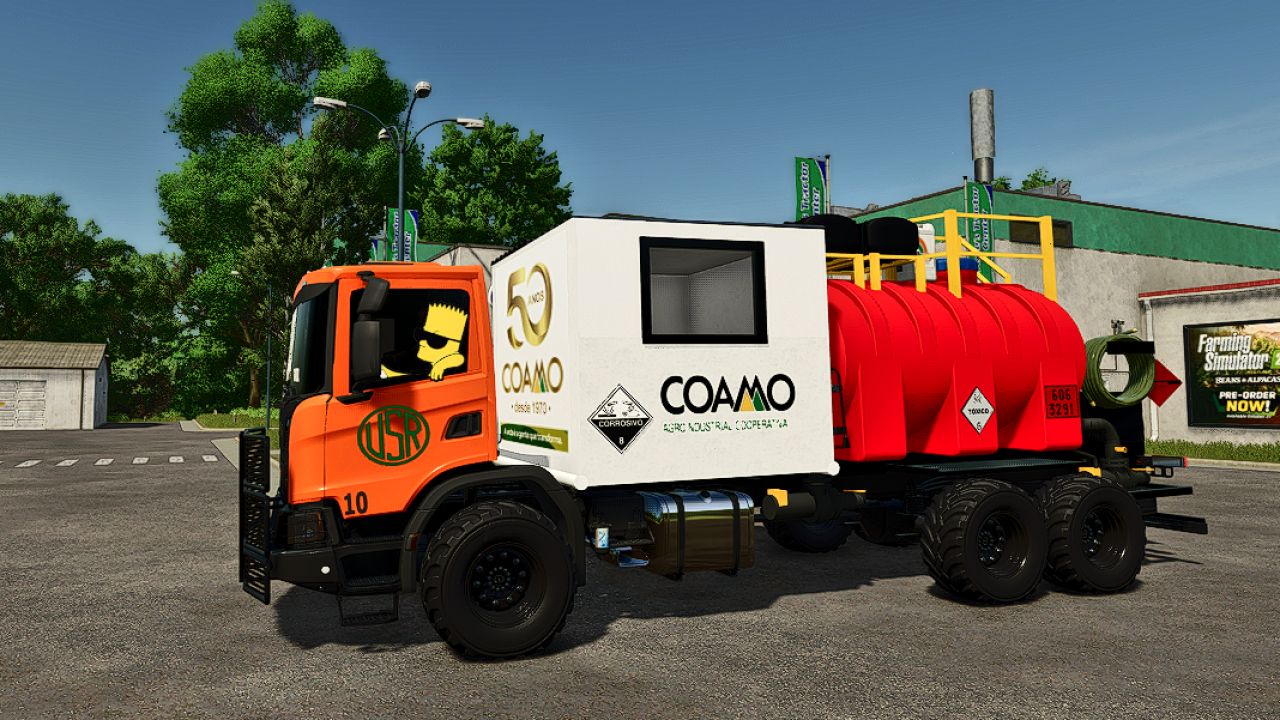
BauFlex Sugarcane Transport Body FS25
Now you can complete the information about the Lizard Bauflex Canavieiro: 🚛 Lizard Bauflex Canavieiro Capacity: 20,000 L Weight: 2 tonnes ⚙️ Configurations Jerry cans: Yes — +$1,000 Decal: None — +$0 Coupler type: Short platform — +$0 💰 Value Base price: $25,000 Options: +$1,000 Total price: $26,000 📋 Complete specifications Lizard Bauflex Canavieiro 20,000 L | 2 t | Optional jerry cans | Short-platform coupler | $25,000 base | $26,000 configured.
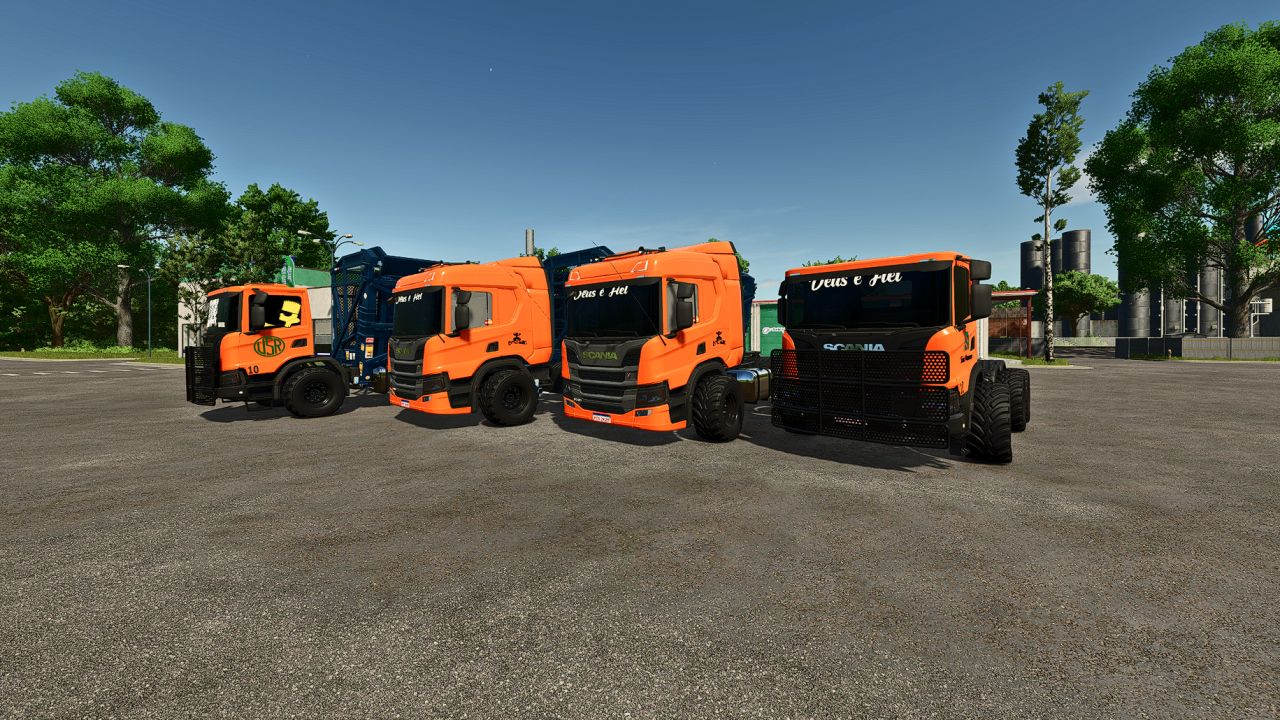
Scania Sugarcane Trucks FS25
🚛 Scania New P Series Model: New P Series Power: 162 kW / 220 HP Fuel tank: 980 L ARLA 32 (DEF): 95 L Top speed: 93 km/h Weight: 15.3 tonnes Tires: Twin Radial / Implement 🚛 Scania New G Series XT Model: New G Series XT Power: 206 kW / 280 HP Fuel tank: 980 L ARLA 32 (DEF): 95 L Top speed: 93 km/h Weight: 15.3 tonnes Tires: Twin Radial / Implement
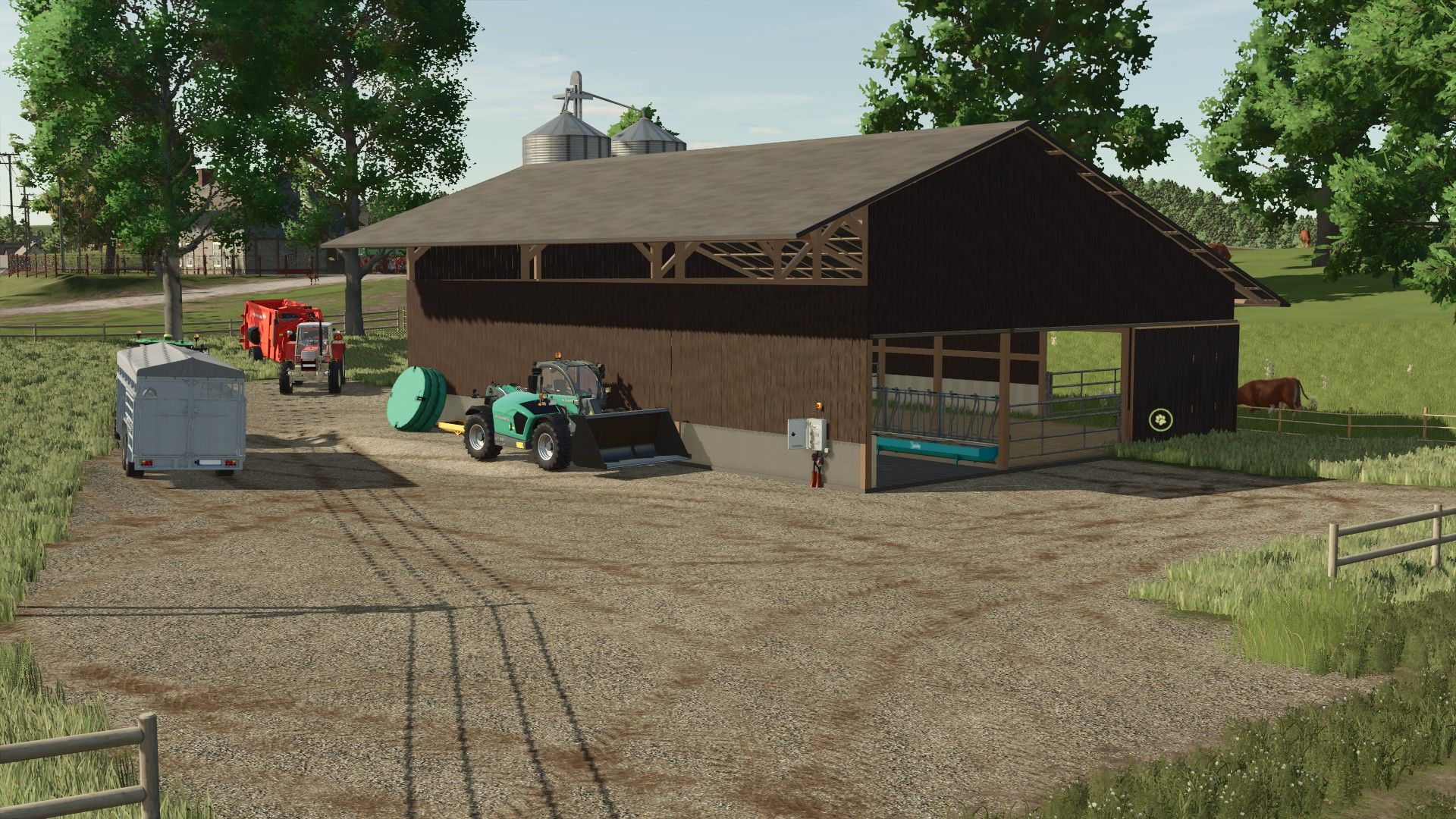
Suckler Cow Housing FS25
🐄🚜 SUCKLER COW BARN – PROJECT COMPLETED! 🇫🇷 🐄 SOME INFORMATION 🐮 Capacity: 80 cows 🌱 Adaptable pasture You can adapt your pasture however you like so that it best suits your farm. 💩 Manure production 🚜 Fully cleanable building The manure is directly present in the barn and can be cleaned out, providing a more realistic operation for your livestock farm. 🥩 100% focused on suckler cows / fattening This barn was deliberately designed for beef cattle farming. ❌ No milk production ❌ No slurry production ✅ Manure production 📥 AVAILABILITY 💻 The mod will initially only be available on PC. A possible console version will be considered later if this is possible. 🐛 If you encounter a bug or problem with the building, feel free to report it on Discord. A dedicated bug report channel is already available so that I can track and fix any potential issues. A huge thank you to everyone who followed the project's development and gave me their feedback. ❤️ Now that this one is finished… on to the next projects! 👀🔧 Thank you all and see you very soon! RC-Modding / Les Gars Des Champs https://discord.gg/fsrbjj6nkD
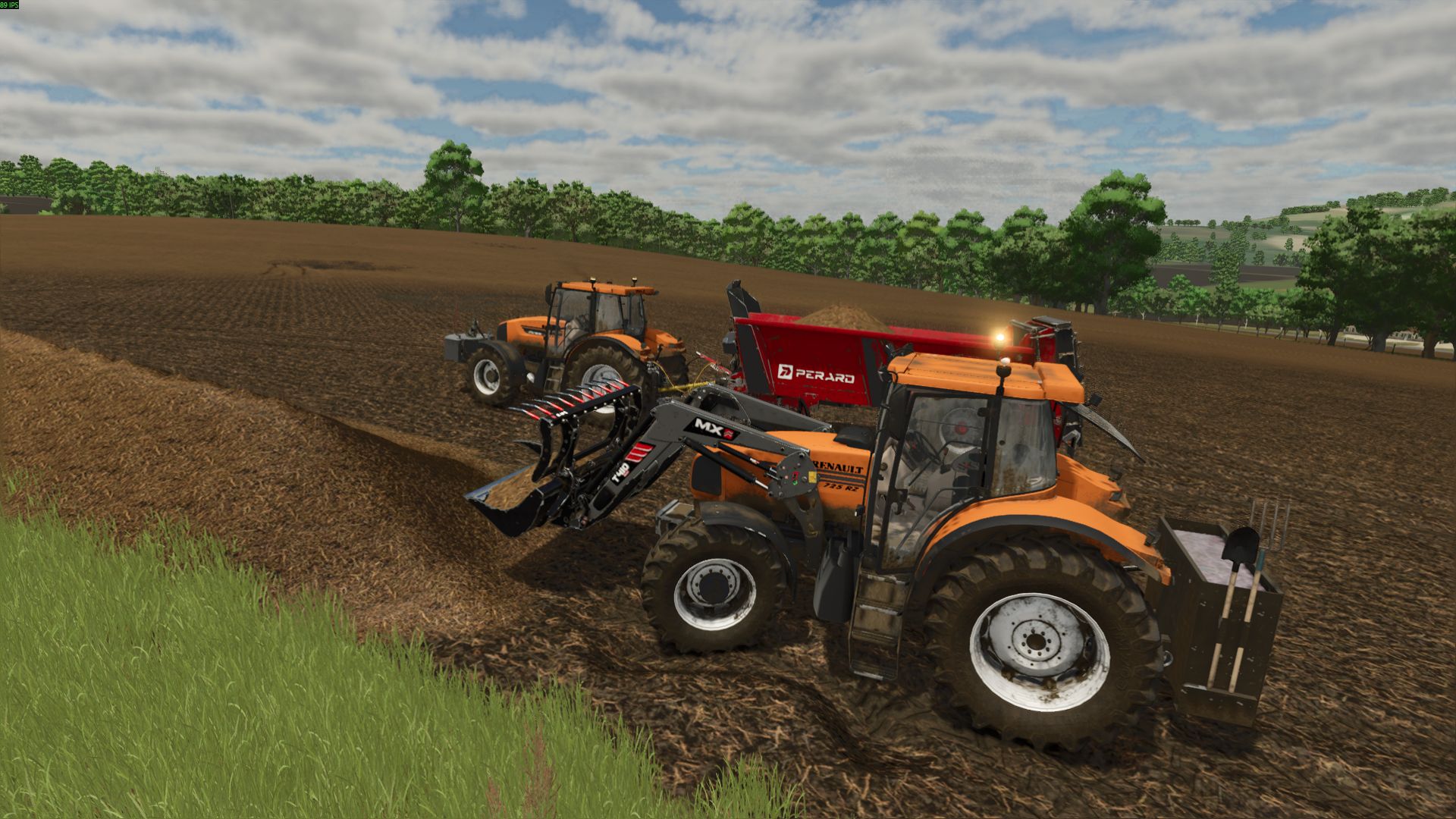
Renault Ares 700/800 Serie v1.0.0.0
Renault Ares 700/800 Serie v1.0.0.0 Hallo, hier ist eine konvertierte Version der Ares 700 Mod (ohne die Claas-Versionen aufgrund von 3D-Problemen). Verfügbare Konfigurationen: Ares: 715/725/735 Ares: 815/816/825/826/836 IC: Funktionell Nicht öffnen. Ich habe es so gut wie möglich umgebaut; es hatte viele Fehler (Kameraverbindungsabbrüche, falsch gefärbte Räder usw.). Ich habe die gravierendsten Probleme behoben, die die Funktion und das Aussehen des Traktors beeinträchtigten, insbesondere den Kamerafehler und die Probleme mit den Rädern. Die Gewichte werden weiterhin nicht angezeigt, und die Scheinwerfer unter der Motorhaube funktionieren zwar, leuchten aber nicht. Mir fehlen die Kenntnisse, um die 3D-Probleme zu beheben. Ich hoffe, es gefällt einigen von euch trotzdem. Das ist meine erste Modifikation, und ich war so zufrieden mit den Ergebnissen, dass ich sie gerne teilen wollte. Tags: Die GewichteFehler KameraverbindungsabbrRenault Ares
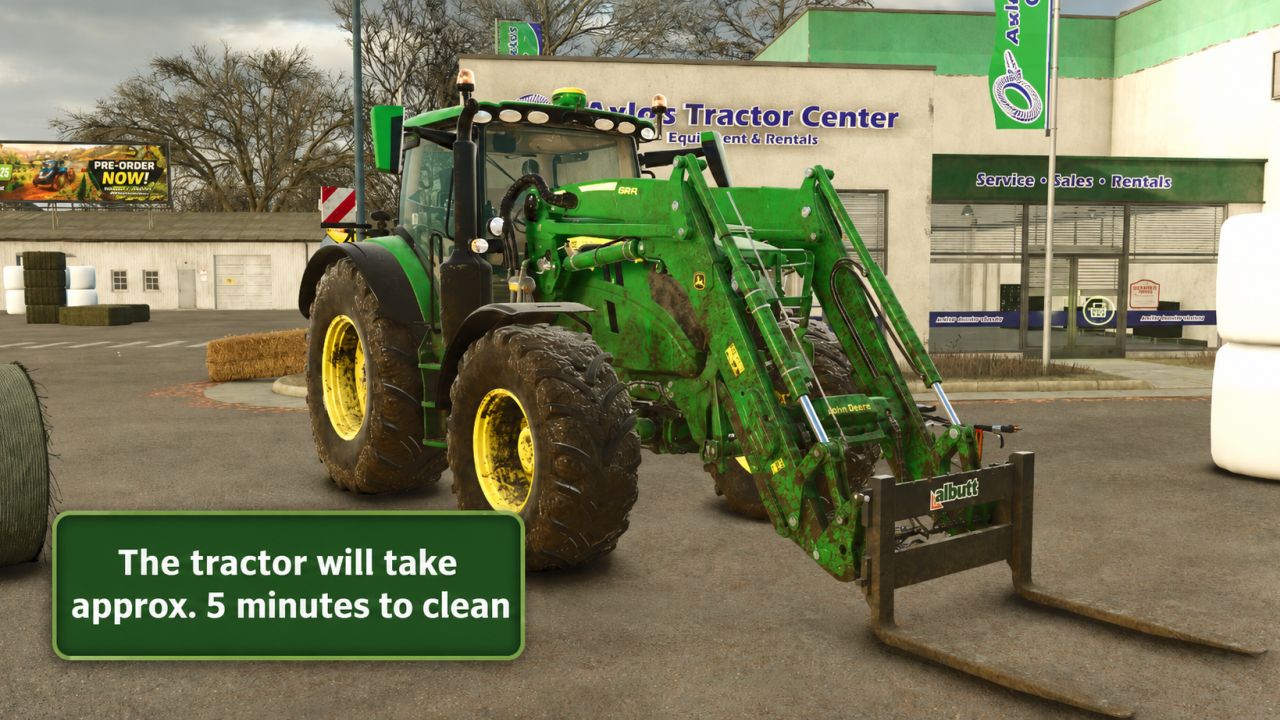
Realistic Power Washing FS25
Realistic Power Washing Make equipment cleaning more realistic and hands-on in Farming Simulator 25. The larger the piece of equipment, the longer it takes to wash! With the standard pressure washer, you can hold the spray in one place and clean an entire machine. This mod changes that behavior by requiring you to move the pressure-washer wand across the vehicle’s surface. Holding the nozzle in one place will stop cleaning progress. Features: -Requires you to sweep the spray across dirty equipment -Holding the washer in one spot will not clean the entire machine -Cleaning is 75% slower than the original game speed -Small movements and natural hand jitter do not count as active washing -Works with base-game and compatible modded pressure washers -Supports multiplayer and dedicated servers -Automatically applies to washable vehicles and equipment
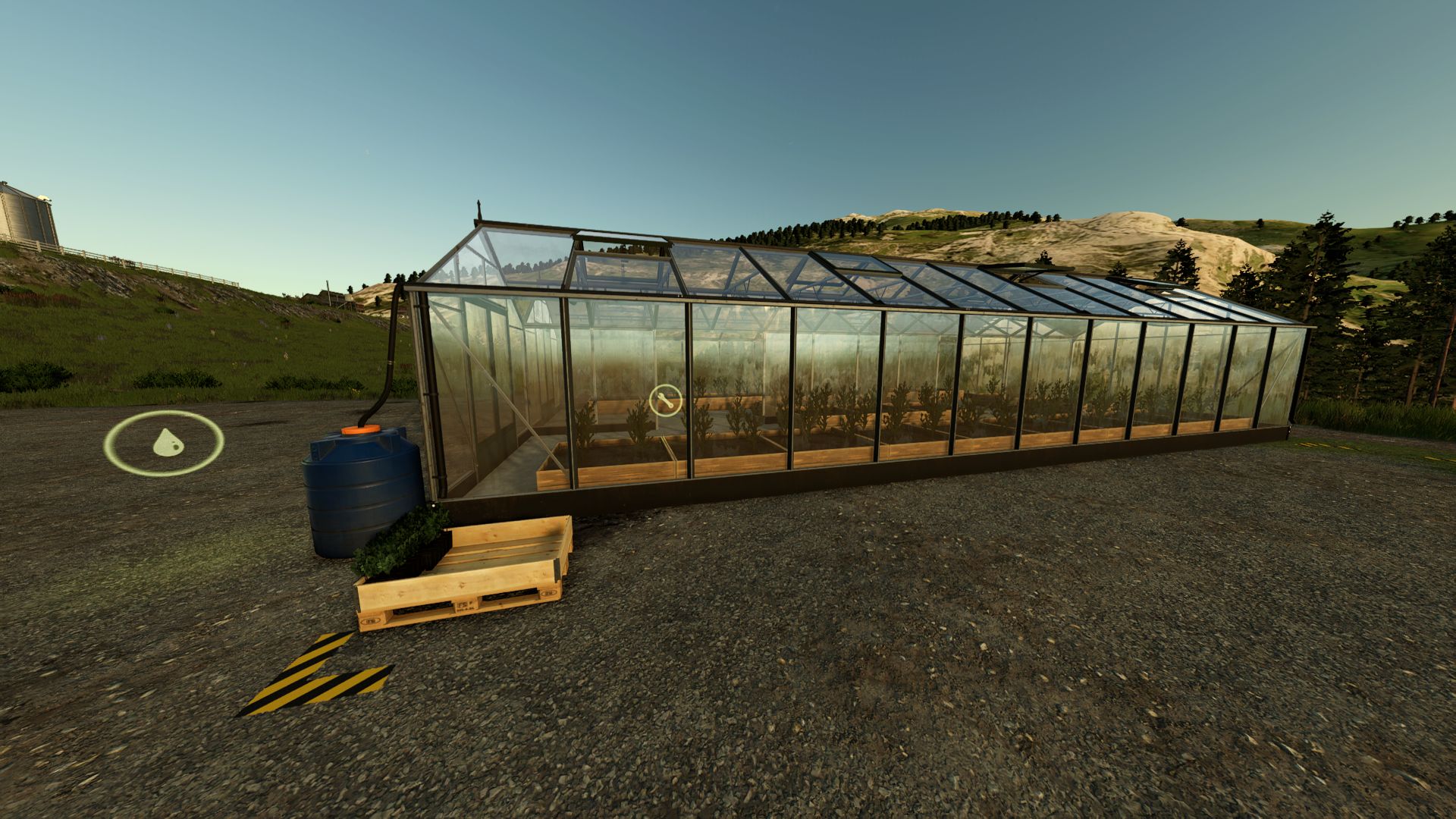
Tree saplings greenhouse V1.0
Tree saplings greenhouse V1.0 With this greenhouse you can grow your own tree saplings! Needs water and tree saplings (saplings optional, will make production faster) to grow saplings. Required mods: ProductionStorageControl Author: TheSamppiX, GIANTS Software Report bugs in the comments and help modders improve this mod. Always check the comments, you can find a solution. DOWNLOAD MOD
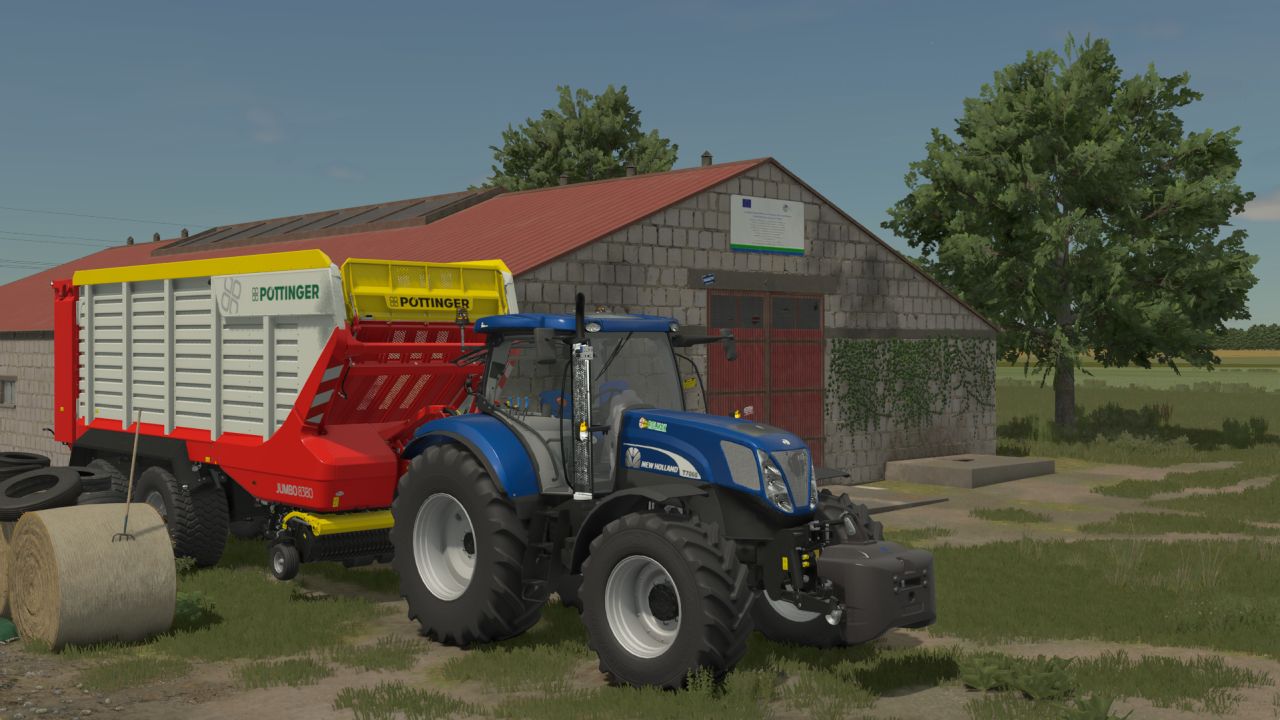
New Holland T7000 RC Series FS25
Added Whole new Cabin model New hood model New Rims New Sounds Bluepower Variant Polish Dealers
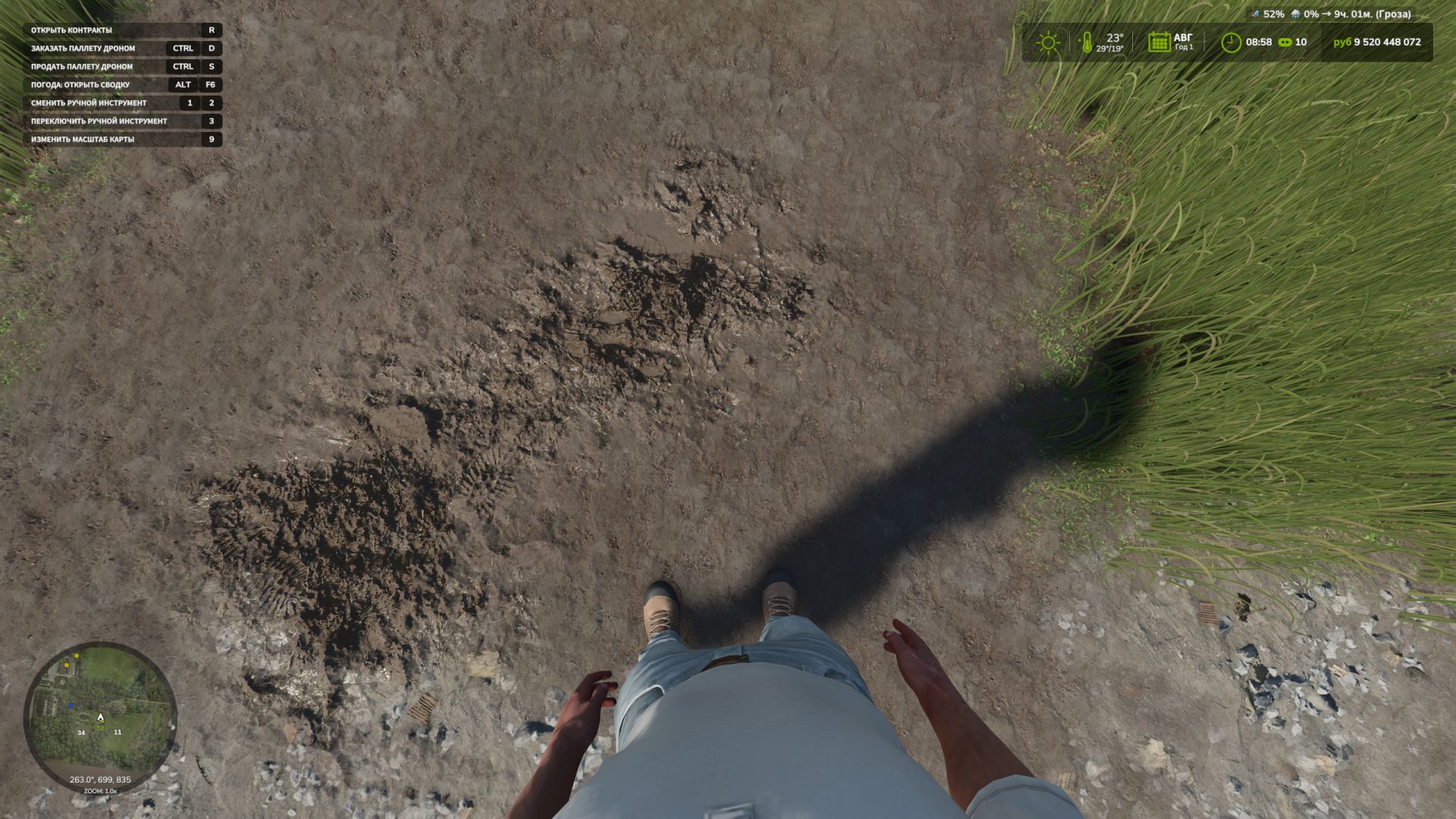
First-Person-Spielerkörper V1.0.1.0
First-Person-Spielerkörper V1.0.1.0 Die Erweiterung „First-Person Player Body“ fügt in Farming Simulator 25 eine „vollständige“ Charakterdarstellung im Ego-Modus hinzu. Beim Blick nach unten sieht der Spieler nun seinen animierten Körper, Beine und Arme, während die Bewegungen der Spielfigur korrekt zusammen mit der Kamera dargestellt werden. Der Kopf bleibt hinter der Kamera, sodass er die Sicht nicht behindert, trägt aber dennoch zur Schattenbildung bei. Die Mod verbessert außerdem die Ego-Perspektive in Fahrzeugen. Bei Verwendung der Innenraumkamera wird das standardmäßige sitzende Fahrermodell angezeigt. Die Kamera kann der Augenanimation und den Bewegungen der sitzenden Figur folgen. Die Mod-Einstellungen umfassen: Zu Fuß – Sichtbarkeit des Spielerkörpers. – Seitliche Kamerabewegung. In Fahrzeugen – Sicht auf den Fahrerkörper. – Kameraposition — Standard oder Augenhöhe. – Die Kamera folgt den Bewegungen des Fahrers. V1.0.1.0 – Die Standardeinstellung für die Kameraposition in Fahrzeugen wurde auf „Augenhöhe“ geändert (Nutzer, die die Mod bereits verwendet haben, behalten ihre eigenen Einstellungen). Sie können nun die Höhe des fünften Körperteils Ihrer Spielfigur im Fahrzeug anpassen und so den Knochen absenken oder anheben; die Position des Skeletts hängt von der Lage des Gesäßes ab. (Die Steuerung kann in den Einstellungen angepasst werden; standardmäßig ist es die rechte Strg-Taste in Kombination mit den Pfeiltasten nach oben und unten auf der Tastatur.) Die Übersetzungen wurden in separate Dateien verschoben. – Französische, deutsche, polnische und tschechische Übersetzungen wurden hinzugefügt. Tags: Bei VerwendungDer KopfDie ModFarming Simulator

FS25 Ford Sierra RS500 Cosworth 1987
FS25 Ford Sierra RS500 Cosworth 1987 Ford Sierra RS500 Cosworth 1987 Characteristics: -Selectable Body color. -Selectable Rim color. -Selectable Rim 2-Tone color. -Selectable Caliper color. -Supports license plates. -Interactive Control Support. -Price: $130.000 -Engine: -2.0L 227HP , 248KPH. Custom Sound.
Einstellbare Arbeitsbreitenkonfiguration v1.0.0.2
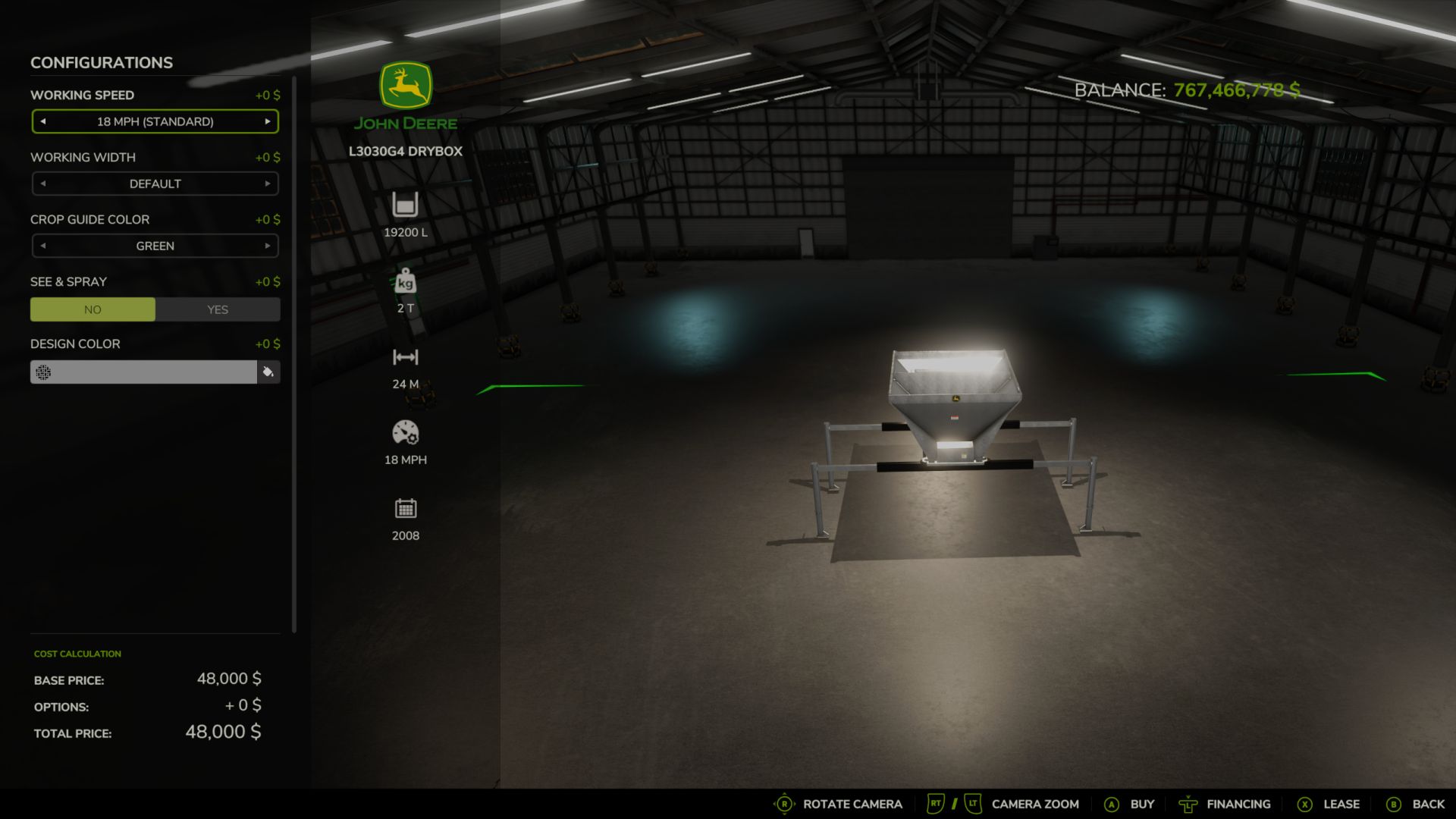
Einstellbare Arbeitsbreitenkonfiguration v1.0.0.2 FS25 Arbeitsbreitenoptionen – JD fügt kompatiblen Anbaugeräten für den Landwirtschafts-Simulator 25 einstellbare Arbeitsbreitenkonfigurationen hinzu. Wählen Sie zwischen: Standard – Verwendet die ursprüngliche Arbeitsbreite des Geräts. 25 m 50 m Die Modifikation enthält außerdem farbige Hilfslinien für die Arbeitsbreite, die die tatsächliche Kante des Arbeitsbereichs verdeutlichen. Die Hilfslinien lassen sich mit F2 ein- und ausblenden, und die gewählte Breite wird in der normalen F1-Hilfe angezeigt. Außerdem werden kompatible KI-/Arbeitsbereichsmarkierungen so angepasst, dass KI-Mitarbeiter die ausgewählte Arbeitsbreite besser einhalten können. Merkmale Standard / 25 m / 50 m Arbeitsbreite (Optionen) Farbige Schnitt-/Arbeitsbreitenführungen F2-Führungshilfe EIN/AUS-Schalter KI-Marker-Anpassung Verbesserte Ausrichtung der Düngerstreuerführung Funktioniert mit vielen Anbaugeräten, die das FS25-Arbeitsbereichssystem verwenden. Unterstützung für Mehrspieler- und dedizierte Server BETA 3 Die Arbeitsbreitenoptionen für Mähdrescher und selbstfahrende Erntemaschinen wurden entfernt. Die farbigen Ernteleitlinien an Mähdreschern und selbstfahrenden Erntemaschinen wurden entfernt. Die Mähdrescher und Erntemaschinen wurden auf ihrer ursprünglichen Werksarbeitsbreite belassen. Bei allen anderen unterstützten Geräten wurden die Standardeinstellungen sowie die Optionen 25 m und 50 m beibehalten. Die farbigen Erntelinien und die F2-Umschaltfunktion wurden auf allen anderen unterstützten Geräten beibehalten. Ich habe den ZIP-Dateinamen korrigiert, damit FS25 die Mod akzeptiert und lädt. Die Mod-Version wurde auf 1.0.0.2 aktualisiert. Tags: BETADie HilfslinienDie ModifikationStandard Verwendet

Construction Progress Display V Beta
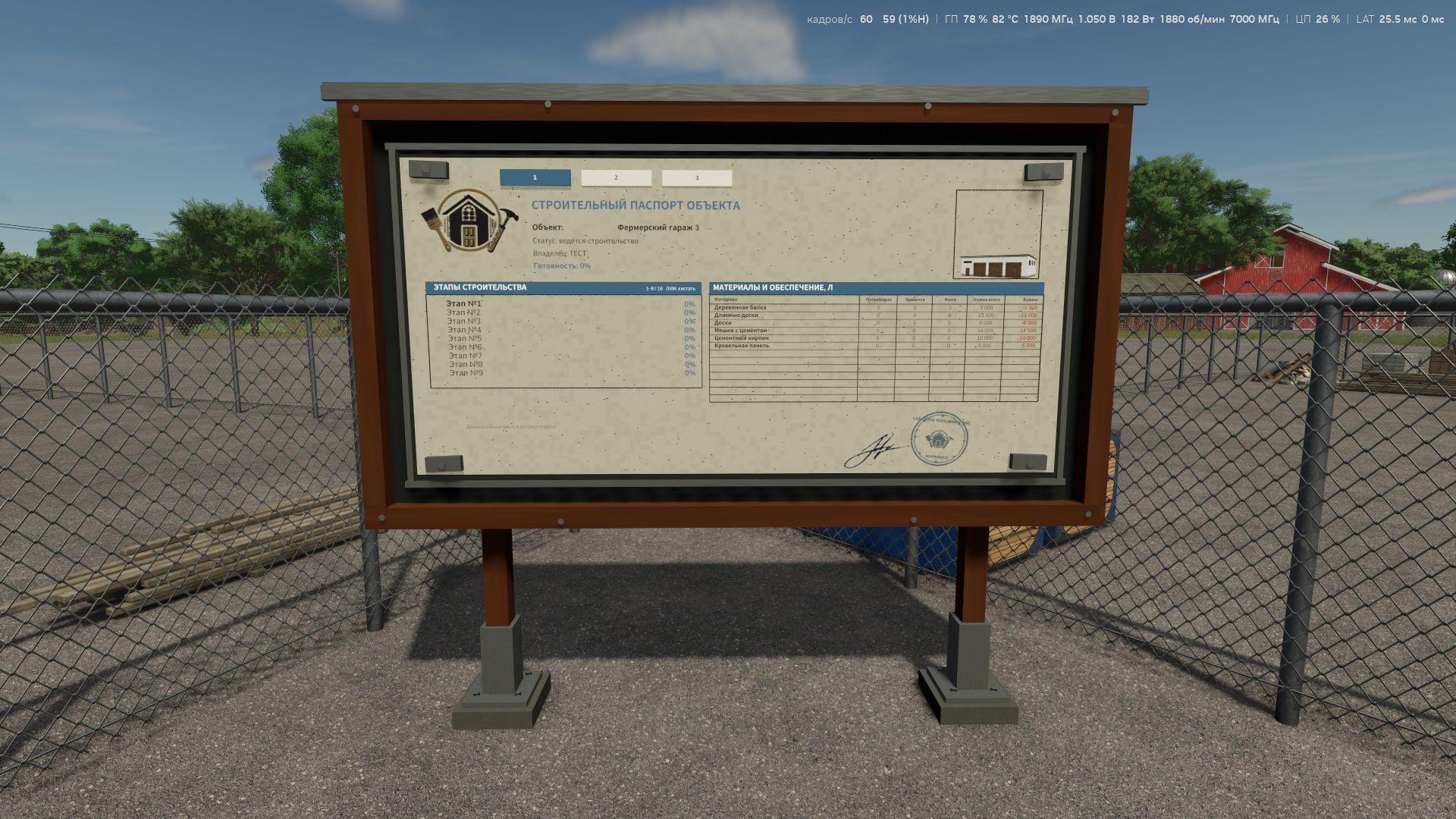
FS25 Construction Progress Display — information board for construction sites I created a new mod for Farming Simulator 25 that adds a complete information board next to buildings under construction. Now you can monitor construction progress not through abstract menus, but directly on site — just like on a real construction site. The board displays: the name of the building under construction; the current construction stage; the overall completion percentage; the list of stages; the required materials table; how many materials have already been used; how many are still stored at the construction site; the total volume of materials delivered; the required quantity; the final balance. If several active construction sites are nearby, the board creates separate tabs for each of them. Switching between them is done directly at the board (R key). After construction is completed, the tab does not disappear — the board saves the building as completed and displays the final report. Even leftover materials that Farming Simulator normally removes from the construction storage when a building is completed are saved by the mod in time for the final report. The board can only be placed next to an active construction site. Completed buildings are no longer detected when placing a new board. The result is a small but quite useful mod, especially suitable for maps with many buildings constructed in stages, as well as for newcomers to construction, helping them determine exactly how many building materials are required for the ENTIRE project. FS25 Construction Progress Display: We are not just building structures — we are keeping proper construction documentation.
Construction Progress Display v1.0
Construction Progress Display v1.0 FS25 Construction Progress Display — information board for construction sites I created a new mod for Farming Simulator 25 that adds a complete information board next to buildings under construction. Now you can monitor construction progress not through abstract menus, but directly on site — just like on a real construction site. The board displays: the name of the building under construction; the current construction stage; the overall completion percentage; the list of stages; the required materials table; how many materials have already been used; how many are still stored at the construction site; the total volume of materials delivered; the required quantity; the final balance. If several active construction sites are nearby, the board creates separate tabs for each of them. Switching between them is done directly at the board (R key). After construction is completed, the tab does not disappear — the board saves the building as completed and displays the final report. Even leftover materials that Farming Simulator normally removes from the construction storage when a building is completed are saved by the mod in time for the final report. The board can only be placed next to an active construction site. Completed buildings are no longer detected when placing a new board. The result is a small but quite useful mod, especially suitable for maps with many buildings constructed in stages, as well as for newcomers to construction, helping them determine exactly how many building materials are required for the ENTIRE project. FS25 Construction Progress Display: We are not just building structures — we are keeping proper construction documentation. Author: MaxKra1985 Report bugs in the comments and help modders improve this mod. Always check the comments, you can find a solution. DOWNLOAD MOD

Adjustable working-width configuration V Beta 3
FS25 Working Width Options – JD adds adjustable working-width configurations to compatible Farming Simulator 25 implements. Default – Uses the equipment’s original working width 25 m 50 m The mod also includes colored working-width guides to help show the actual edge of the working area. Guides can be toggled with F2, and the selected width is shown through the normal F1 help display. It also adjusts compatible AI/work-area markers so AI workers can better follow the selected working width. Features Default / 25 m / 50 m working-width options Colored crop/working-width guides F2 guide ON/OFF toggle AI marker adjustment Improved fertilizer-spreader guide alignment Works with many implements that use the FS25 WorkArea system Multiplayer and dedicated-server support

FS25 Reshade with DLSS5
FS25 Reshade with DLSS5 I’m releasing a personally made reshade that fits well with the new DLSS5 options. To get the same effect as in the photos, you need: – Download my reshade – Download the black light – Download the reshade application. I downloaded RHI in this case. Graphics settings: High, Ultra, Terrain I recommend brightness between 0.7-1.2 I’m uploading photos here that show the most important moments in the game, shadows, lighting, and so on. Reshade includes: – Game sharpening, which really gives a powerful effect – HDR and better shadows – Shadows on vegetation and infrastructure I don’t play on a powerful computer, but on a gaming laptop: RTX 4060, 8v RAM, I7 13Gen, 16GB RAM So, even though I’m using a laptop, the FPS stays between 60 and 100 FPS. I recommend In the Nvidia application, enable the smooth motion option, which will, so to speak, unlock the fps and make it easier and smoother to play on high and ultra settings.
- 15 per page
- 30 per page
- 45 per page
- 60 per page
-
See more per page
Bigger pages, fewer clicks - and no ads anywhere.
Go Pro