Farming Simulator 25 mods
79,645 results- 15 per page
- 30 per page
- 45 per page
- 60 per page
-
See more per page
Bigger pages, fewer clicks - and no ads anywhere.
Go Pro

Bean Camper Trailer v1.0.0.0 FS25
Farming Simulator 22 Mods · September 4, 2026 OFFICIAL PUBLIC RELEASE Bean Camper Trailer Small Camper Trailer to tow around and bring to your campsite Price:$29,000 Category: TN Fab>Campers> Bean Camper Trailer V1.0.1.0 Added New wheels Fixed textures Reduced File Size V1.2.1.0 Fixed Center of Mass Updated modDesc descVersion to latest “110” Fixed weight Fixed errors Added Translations Has Custom wheel and suspension setups Can lift the camper to offroad REQUIRED MODS: TN Fab Store Categories
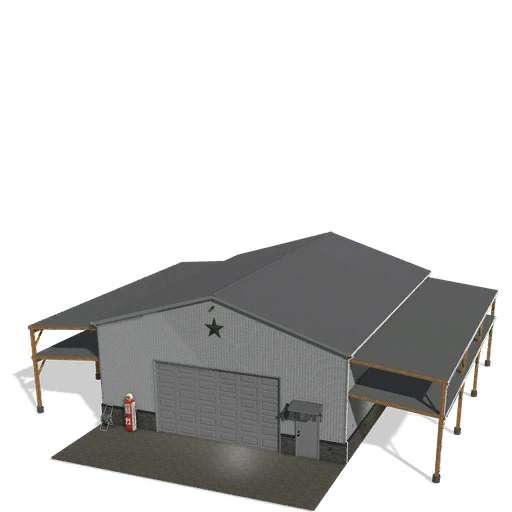
LGM25 12x16Garage v1.0
LGM25 12x16Garage v1.0 12×16 Garage with shop trigger. Tons of detail and options. V 1.0.0.1 Awning light triggers fixed 4 Post lift animation fixed Options include: Metal or Vinyl Siding Tall or Short Awning/Lean-to Options on Both Left and Right Side No Lift, 2 Post Lift or 4 Post Lift Stone/Marble Configurations Color Configurations Exterior Deco Configurations Overhead Door w/ Windows or Without Windows Chains for the loft open (Trigger is at the end of the chains closest to the stairs) Works great with my Mega Driveway Pack! Please note that this mod will require my store category as well as Thundrfs design kit to work properly. https://farmingsimulator25mods.com/lgm25-storecategory-v1-0/ https://farmingsimulator25mods.com/design-kit-v1-0-0-7/ Author:We dont have any information about the author of this mod. If you are an author, please contact us or leave a comment below and we will add your credits. Report bugs in the comments and help modders improve this mod. Always check the comments, you can find a solution. DOWNLOAD MOD
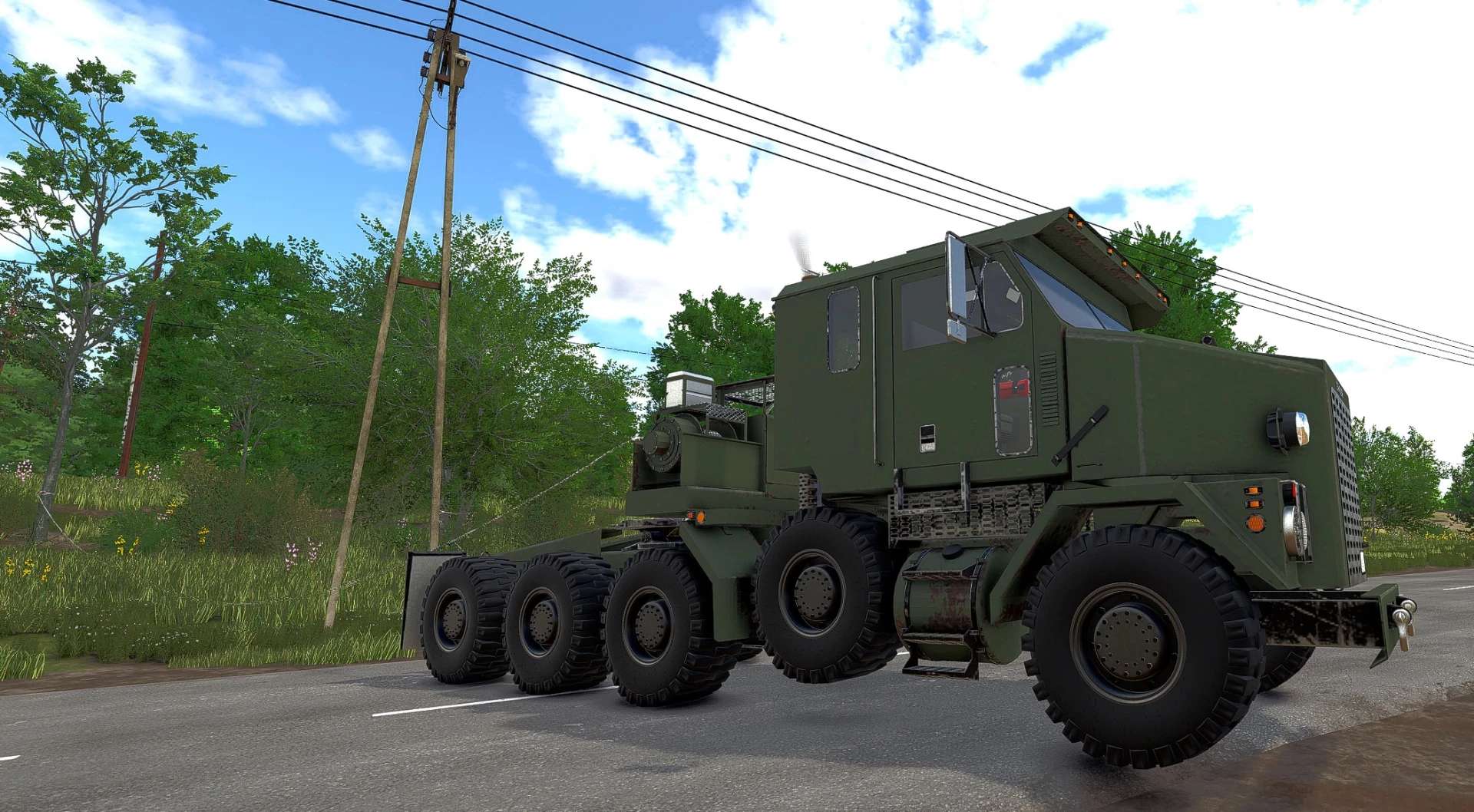
Oshkosh M1070 v1.0.0.0 FS25
Farming Simulator 22 Mods · September 4, 2026 The mod is not originally mine. I converted it from FS22, made the necessary adjustments for FS25, and added a fully functional crane feature. Everything is working perfectly.
Realistic Fog Events v1.0
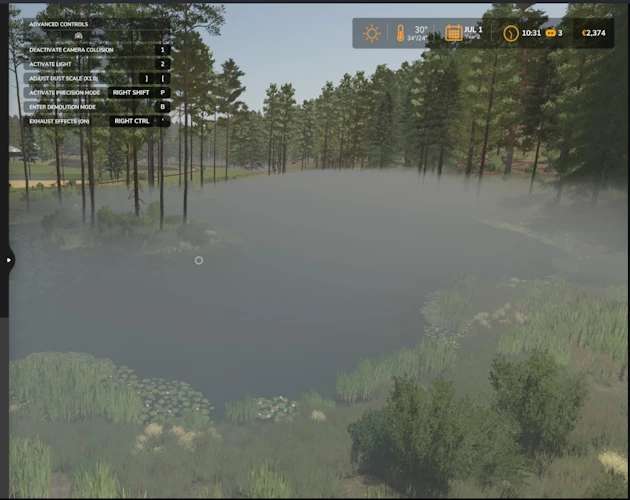
Realistic Fog Events v1.0 Realistic Fog Events Released — Fog That Forms, Lingers, and Burns Away Realistic Fog Events is now available for Farming Simulator 25! Have you ever wanted atmospheric morning fog but rarely—or never—received any naturally? Realistic Fog Events adds temporary, weather-aware fog events without permanently overriding your map’s normal weather. Natural, Condition-Based Fog Every morning, the mod considers: The current season Ground wetness and rain Temperature Wind conditions Time of day Fog is more likely during spring and autumn, following wet weather, during cooler temperatures, and when winds are calm. Hot weather and strong winds reduce the chance. Events gradually form before sunrise, linger through the morning, and naturally burn away. Once an event ends, the mod returns complete fog control to the map. Three Fog Profiles Natural events can produce: Light Fog Moderate Fog Dense Fog Each profile creates a different level of visibility and atmosphere while maintaining smooth fog values to prevent flashing or flickering. In-Game Fog Control Menu Press Right Alt + 4 to open the Fog Control menu. The default shortcut can be changed through FS25’s normal Controls settings. Look for: Realistic Fog Events: Open Fog Control The player’s current assignment is also displayed in the F1 help panel. Menu options include: Automatic — Use natural morning fog scheduling Clear Fog — End the current event and prevent another event that day Light Fog — Force light fog for two in-game hours Moderate Fog — Force moderate fog for two in-game hours Dense Fog — Force dense fog for two in-game hours The menu displays the current mode, active profile, fog strength, and scheduled ending time. It can be used with a mouse, keyboard, or controller and opened both on foot and inside a vehicle. How Is This Different From a Basic Fog Controller? Realistic Fog Events is not simply an on/off fog switch. It creates temporary fog events that respond to the environment, gradually form, remain for a realistic period, and then burn away. Manual controls are still included for screenshots, roleplay, early-morning work, or those moments when you simply want fog now. No developer console commands are required for normal use. Compatibility Protection Realistic Fog Events automatically disables itself when another known fog or realistic-weather controller is active. This prevents two mods from fighting over the same fog renderer and causing unstable visuals. Do not activate this mod alongside FS25_FogControl or another realistic-weather controller. The separate Moisture System is not treated as a conflict. Release Information Version: 0.2.0.3 Farming Simulator 25 Single-player Script mod Multiplayer is not currently supported If you experience a problem, please include your game log and mention the map you were playing. Feedback about fog strength, timing, visibility, and performance is welcome. Enjoy the foggy mornings! Author: SecondChanceGaming3709 Report bugs in the comments and help modders improve this mod. Always check the comments, you can find a solution. DOWNLOAD MOD
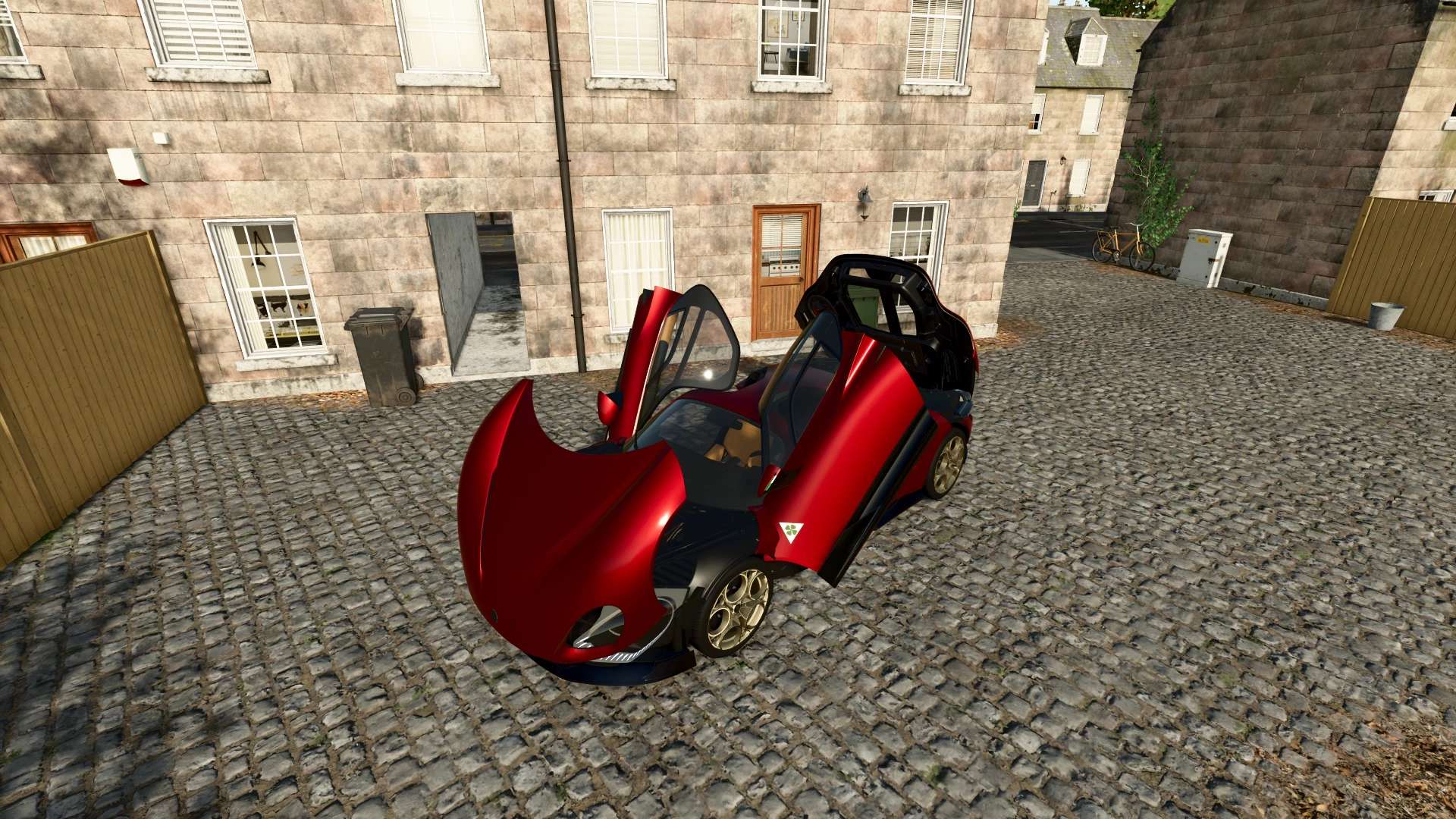
Alfa Romeo 33 Stradale 2023 V1.0.0.0 FS25
Farming Simulator 22 Mods · September 4, 2026 Characteristics: Selectable Body color. Selectable Rim color. Selectable Caliper color. Selectable Interior color. Supports license plates. Interactive Control Support. Price: $2.500.000. Engine: 3.0L V6TT 620HP , 333KPH. Custom Sound. BEV 750HP , 300KPH. Custom Sound.

Blender Add-on UV Position Tool v 1.0.0.1
First public release of the FS25 UV Position Tool for Blender. Features : Relative UV movement in eight directions Configurable movement step Absolute UV tile positioning Wet and dry row helpers Direct access to all 16 Farming Simulator 25 light slots Safety check for selections spanning multiple UV tiles Multi-object Edit Mode support Undo support Compatibility : Blender 4.0 and newer-Tested with Blender 4.0, 5.1.2 and 5.2.1 LTS Installation : Download fs25_uv_position_tool_v1.0.0.zip below. In Blender, select Edit → Preferences → Add-ons → Install…, choose the ZIP file and enable the add-on. 1)Select one or more mesh objects in Blender. 2)Open FS25 XML Assistant and choose Use selected meshes. 3)Review or edit each proposed XML node name. 4)Set the intensity for every mesh manually. 5)Disable entries that should not be included. 6)Copy the generated staticLightCompounds block or save it as an XML file. Version 1.0.0.1: * The user interface has been made clearer * A new XML wizard has been added, which staticLightCompoundssignificantly simplifies the creation of FS25 files

Slurry Pipe System v 1.0.1.7
Realistic physical slurry pipe system for Farming Simulator 2025. Replaces vanilla “drive into a trigger and fill” mechanics with a tactile system where you physically connect tanker fill arms or pipe chains, run a PTO-driven pump, build pressure, control flow direction, and watch slurry move through real plumbing — with a slurry that actually thickens, crusts and blocks if you neglect it. What it does Plumbing & transfer Fill arms swung out of the tanker by joystick into open slurry pits or rubber boot ports on buildings and other vehicles. Pipe chains — multi-segment pipes laid by walking from one coupler toward another, locked into place when both ends overlap valid couplings. Direct bez pipes — a single connecting pipe between two nearby couplers, for quick pump transfers between a tanker and a building. Conduit pump (PTO Slurry Pump) — a passive pump trailer that lets two pipe chains transfer through it. Animated couplers and valves — clamp handles close on connect, valve wheels rotate on open. Coloured pipes — pick from a palette per pipe segment, stored per save. Multi-fill-type support — works with LIQUIDMANURE and DIGESTATE; transfers automatically pick whichever fill type is actually present. Pumps & pressure Pump types — vacuum (stored ±bar pressure model with a gauge), HVP high-volume pump, conduit pump station, and openTop passive vessels (e.g. nurse tanks). Pressure model — vacuum tankers build, hold, taper and purge a stored charge that drives fill and discharge; spread behaviour scales with pressure rather than a simple on/off. PTO shear bolt (opt-in) — wears and snaps under load while turning with the PTO engaged; walk-up hold-to-repair. Slurry that behaves like slurry Thickness / dry matter — slurry thickens as dry matter concentrates; thickness affects flow and spread. Crust & blockages — an unmixed store crusts over the season; crusted, lumpy slurry can block spreader outlets and the macerator. Mixing clears the risk; adding water dilutes thick slurry. Agitation — a manager-driven agitator works on any registered vehicle with an agitator tip node, no specialization required. Water intake — fill arms can draw water straight from map lakes and ponds wherever the map provides SPS water planes. Spreading Dribble bars & band spreaders — per-outlet blockage modelling, distributor macerator, and a spreader HUD. Fertiliser / herbicide sprayers — load liquid fertiliser or herbicide through the same coupler-and-pipe system via a dedicated sprayer integration, operated from a single walk-up pump control. No pressure model on sprayers — flow is a flat rate. Version 1.0.1.7: All changes since V1.0.1.6. No changes to the configuration schema; saved games remain unaffected. Fixed: The rear valve no longer opens on tanker trucks with `` when the pump is turned on. Issue with Abbey tanker trucks: with the PLC installed, the rear valve would open when the pump started. Cause: The tanker truck’s XML file contains a default instruction `` (the base game’s mechanics: “The valve opens when the tanker is turned on”). Because the PLC pump control also triggers the default power-on sequence, the same animation played every time the pump started or stopped. The PLC now disables a `` (or a repeating ``) upon registration that refers to a PLC-specific animation (`spreaderValveAnimation` / `directionAnimation`); this is logged only once—just as was already the case with a `movingTool` or `` that controls the same animation. Mod creators can keep the default behavior: without the PLC, it works as intended; with the PLC, the valve is controlled exclusively by the PLC. Blocked outlets are now displayed as such in the manifold’s HUD. If an outlet section or the shredder is blocked, the control panel adds a line next to the red cells with the message “Blocked—Clear at the outlet (pump off, valve closed).” It is now clear that a b Blocked outlets are now displayed as such in the manifold’s HUD. If an outlet section or the shredder is blocked, the control panel adds a line next to the red cells with the message “Blocked—Clear at the outlet (pump off, valve closed).” It is now clear that a blockage at the outlet must be cleared manually—refilling does not resolve this, and a participating player receives the current blockage status from the server. Localized in all six languages. The likelihood of blockages caused by foreign objects has been reduced. The random chance of a blockage with completely clean manure (default value for `baseChance`) was 0.0015 per 6-second interval—this corresponds to a roughly 59% chance of a blockage per hour of operation. The default value is now 0.0004 (≈5% per load, ≈21% per hour). Blockages caused by crust formation remain unchanged; a vehicle-specific `baseChance` for `` continues to take precedence over the default value. BGA 250 configuration updated to match the release version: The planET BGA 250 is—just as in version 1.0.1.6—supplied exclusively with an interface (without PLC buffer memory), and the absence of the memory is explicitly specified in the configuration. There are no behavioral changes compared to version 1.0.1.6.

Manual Attach v 1.1
This mod enforces you to attach/detach tools and trailers manually. Attach/Detach implements: When attaching an implement the script forces the implement to stay at it’s lowered state. There are some exceptions made for frontloaders, skidsteers, shovels, telehandlers, combines and hooklift implements. You’re still able to attach and detach those implements without having to leave your vehicle. Note: The connection hoses and power take off still require to be attached manually for those implements.* In order to detach, the implement needs to be lowered first! Also make sure that the power take off and connection hoses are detached before detaching the implement. The mod disables attaching and detaching from inside the vehicle (exceptions are mentioned above). Like the mod title already suggests it’s not possible anymore to do the quick switches between implements.. get out that vehicle for real this time! Attach/Detach power take off: Hit Z in order to attach/detach the power take off. Keep in mind that a tool needs a power take off, otherwise it can’t be turned on! Attach/Detach connection hoses: Hold Z (for a short amount of time) in order to attach/detach the connection hoses. Without attached connection hoses the following can occur: – You won’t be able to control hydraulics (e.g. moving parts, folding, use ridge markers etc) – You won’t be able to use the lights. – Brakes will be blocked. Version 1.1: * Added support for multicouplers and cable bundles. Combines and other implements that bundle their connections into a single coupling now work properly instead of showing nothing to connect * Fixed implements that slide onto a pallet or stand when detached (such as the Krone bale shredder). They now play their animation properly instead of snapping off and clipping through it * Fixed several crashes when attaching or detaching certain implements and when standing near them * Implements with a power take off can now be turned on without connection hoses attached: the hoses only control the additional functions * Fixed the power take off and connection hoses getting out of sync in multiplayer * Fixed auto attach on front attacher joints. Driving away from an implement no longer snaps it on * Fixed a crash when auto attaching after the vehicle you last drove was sold or reset * Fixed semi suspended implements being prevented from lowering when they did not need to be

Speed Limitation with Cruise Control v 1.0
Limits the vehicle’s maximum speed to the speed set on the cruise control. Useful when driving a tractor with a trailer alongside a forage harvester or for maintaining a low, constant speed without keeping the engine at high RPM.

Ibirarema Map v 1.0
– Focus on mechanized sugarcane harvesting – Sugarcane fields prepared for harvester operations – Infrastructure for transporting and transferring the harvest – Areas dedicated to sugar mill operations – Environment inspired by sugarcane farming – Ideal for sugarcane machinery and implements – Designed to provide gameplay focused on the sugar and bioenergy sector

Ford Sierra RS500 Cosworth 1987 v 1.0
Selectable Body color. Selectable Rim color. Selectable Rim 2-Tone color. Selectable Caliper color. Supports license plates. Interactive Control Support. Price: $130.000 Engine: 2.0L 227HP , 248KPH. Custom Sound.

Bean Camper Trailer V1.2.1
Small Camper Trailer to tow around and bring to your campsite Price: $29,000 Category: TN Fab>Campers> Bean Camper Trailer Has Custom wheel and suspension setups Can lift the camper to offroad V1.2.1.0 -Fixed Center of Mass -Updated modDesc descVersion to latest “110” -fixed weight -fixed errors -added Translations REQUIRED MODS: TN Fab Store Categories

Realistic Fog Events V0.2.0.3
Realistic Fog Events is now available for Farming Simulator 25! Have you ever wanted atmospheric morning fog but rarely—or never—received any naturally? Realistic Fog Events adds temporary, weather-aware fog events without permanently overriding your map’s normal weather. Natural, Condition-Based Fog Every morning, the mod considers: The current season Ground wetness and rain Temperature Wind conditions Time of day Fog is more likely during spring and autumn, following wet weather, during cooler temperatures, and when winds are calm. Hot weather and strong winds reduce the chance. Events gradually form before sunrise, linger through the morning, and naturally burn away. Once an event ends, the mod returns complete fog control to the map. Three Fog Profiles Natural events can produce: Light Fog Moderate Fog Dense Fog Each profile creates a different level of visibility and atmosphere while maintaining smooth fog values to prevent flashing or flickering. In-Game Fog Control Menu Press Right Alt + 4 to open the Fog Control menu. The default shortcut can be changed through FS25’s normal Controls settings. Look for: Realistic Fog Events: Open Fog Control The player’s current assignment is also displayed in the F1 help panel. Menu options include: Automatic — Use natural morning fog scheduling Clear Fog — End the current event and prevent another event that day Light Fog — Force light fog for two in-game hours Moderate Fog — Force moderate fog for two in-game hours Dense Fog — Force dense fog for two in-game hours The menu displays the current mode, active profile, fog strength, and scheduled ending time. It can be used with a mouse, keyboard, or controller and opened both on foot and inside a vehicle. How Is This Different From a Basic Fog Controller? Realistic Fog Events is not simply an on/off fog switch. It creates temporary fog events that respond to the environment, gradually form, remain for a realistic period, and then burn away. Manual controls are still included for screenshots, roleplay, early-morning work, or those moments when you simply want fog now. No developer console commands are required for normal use. Compatibility Protection Realistic Fog Events automatically disables itself when another known fog or realistic-weather controller is active. This prevents two mods from fighting over the same fog renderer and causing unstable visuals. Do not activate this mod alongside FS25_FogControl or another realistic-weather controller. The separate Moisture System is not treated as a conflict. Release Information Version: 0.2.0.3 Farming Simulator 25 Single-player Script mod Multiplayer is not currently supported SecondChanceGaming3709


- 15 per page
- 30 per page
- 45 per page
- 60 per page
-
See more per page
Bigger pages, fewer clicks - and no ads anywhere.
Go Pro