Farming Simulator 25 mods
78,119 results- 15 per page
- 30 per page
- 45 per page
- 60 per page
-
See more per page
Bigger pages, fewer clicks - and no ads anywhere.
Go Pro
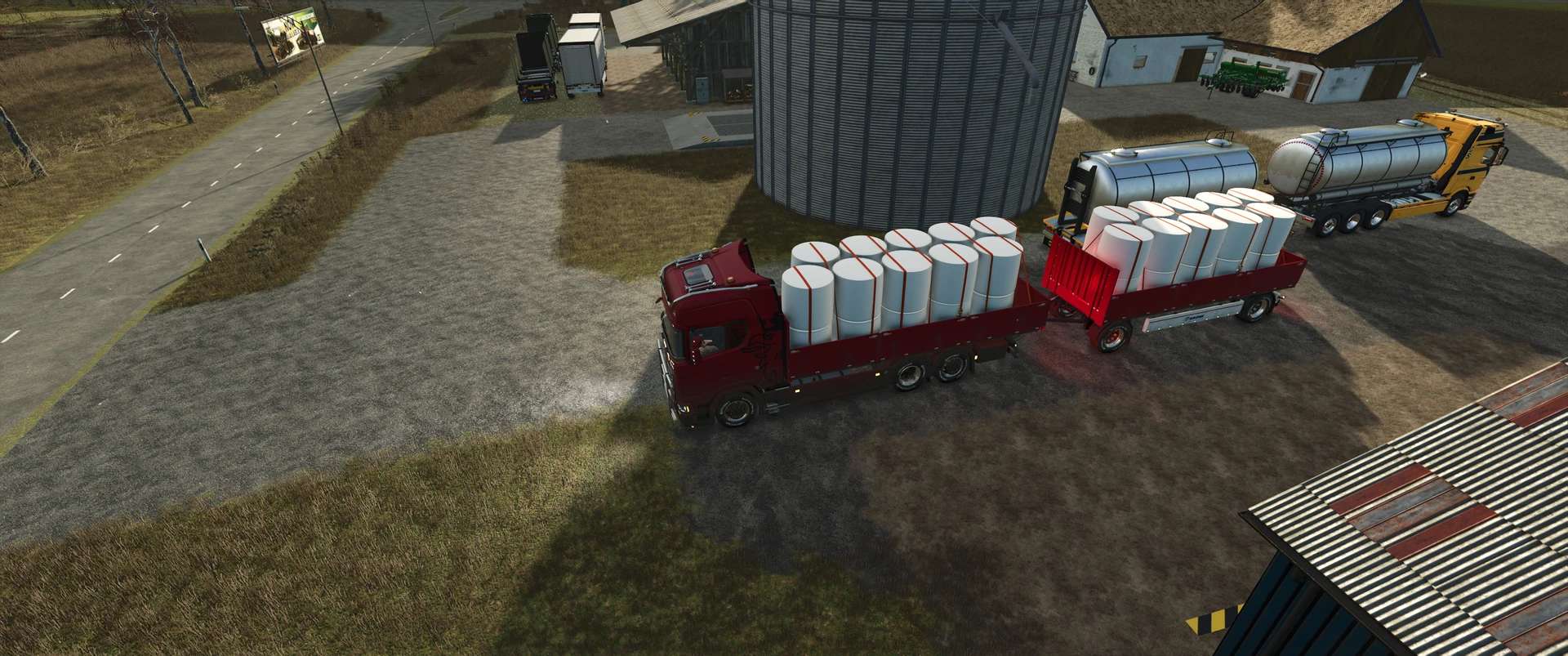
Ap0lLos Scania Transport Pack v1.0.0.4
Ap0lLos Scania Transport Pack v1.0.0.4 Trucks are built in Södertälje, everything else is commercial vehicles Here are a few final details: The turn signals in the fenders have been completely replaced. The standard grille has been modified again, and the color scheme adjusted, as there were graphical glitches visible from a distance. All vehicles, including their attachments, have been updated with revised dirt textures. Standard FS25 sounds, such as suspension movement and rattling while driving, have been added to all trailers. Configurable decorative lights have been integrated into the Scania logo and the trim strips on the left and right sides. Both the Scania truck and the turntable trailer have been fitted with a flatbed body. Apollo’s Scania Transport Pack I’ve now spent four weekends putting this pack together and customizing everything to my liking. I’ve converted models, added features, and updated and modernized many elements. The pack consists of: 6 Scania trucks HKL, tanker, Krone tarp body, semi-trailer, lumber transport, livestock transport 7 trailers Livestock transport, low-loader, container transport, Fliegl dump trailer, Profiliner, lumber transport, and The Beast 5 turntable trailers Livestock transport, tanker, Krone tarp body, timber transport, and of course the Hüffermann container transporter 11 ITRunner containers Dump, grain, grain with tarp, tanker, timber, bales, grain & transport, manure spreader, forage, liquid manure, and the Kuhn feed mixer. (Just noticed the Kuhn has already been converted) Wood Processing Schäffer telescopic loader with customizable design and rotating beacon. Compatible with front-loader attachments. TFK200 stump grinder and a log fork. Hüffermann Trailer: With the standard X (folding) option, you can move the container’s attachment point so you can unhitch the trailer. Personally, I’ve assigned separate controls for unhitching and hitching, which makes everything much easier—that way, you don’t even have to move the attachment point in the first place. Why did I choose the attachment point instead of the DynamikMountAttacher? Because this way, you can select the container and fill the trailer at the silo. Besides, I don’t find the DynamikMountAttacher reliable enough, as you can clearly see with the Fliegl ZPS180. Why did I include some things that come from the game or the mod community? Because of the tires and lights that were customized, as well as the side marker lights that flash. These are things I use myself, and I want everything to go together. Just as I enjoy it, I want others to enjoy it too. Why did I create a pack this time? Because I don’t want to rack up downloads. I just want to make others happy with it. This pack with the ITRunner is also meant to be a kick in the butt for anyone who thinks they can convert my Hüffermann. Because for all the textures I didn’t credit, there’s one simple rule: What goes around comes around. By the way, the speedometer and the radio are from my Scania. I took pictures of them and installed them in this model. Recommended mods: Low-Loader Pack by HR Forst & Fahrzeugbau, as well as his Ponnse Skorpion With that in mind, I hope you have a lot of fun with the ITR Pack Original! Author: Ap0lLo Report bugs in the comments and help modders improve this mod. Always check the comments, you can find a solution. DOWNLOAD MOD

Fire station exit traffic light V1.1
With the animated fire station exit traffic light from ScriptHub Modding, you can make your fire stations and emergency service locations in Farming Simulator 25 even more realistic. The traffic light features a manually controllable signal system with an animated signal change. When activated, the traffic light first switches to amber for 3 seconds and then to red to warn and stop traffic before a fire station exit. After being deactivated, the traffic light switches to amber again for 3 seconds before turning off completely. This makes the mod ideal for realistic firefighting operations, roleplay projects and individually designed fire station locations. Features – Animated fire station exit traffic light – Realistic signal change with time delay – Manual activation and deactivation – Amber phase lasting 3 seconds each time – Red signal to secure the fire station exit – Integrated warning sign with supplementary plate “Fire Station Exit” – Detailed traffic light pole with control element – Ideal for fire stations and emergency service locations Controls – Left mouse button: Activate traffic light – Amber for 3 seconds – Then permanently red – Right mouse button: Deactivate traffic light – Changes from red to amber for 3 seconds – Then switches off completely Mod Information – Game: Farming Simulator 25 – Mod name: Fire Station Exit Traffic Light – Manufacturer: ScriptHub Modding – In-game category: Decoration – Controls: Manually via mouse click – Special feature: Animated signal change with a 3-second amber phase A “stop zone” has been added in front of the exit. When the light turns red, this zone is activated, causing approaching AI vehicles to stop before reaching the traffic light. Once the traffic light is completely switched off, traffic is allowed to proceed again. When switched on, the light cycles from “off” to amber, then to red. When switched off, it cycles from red to amber, and finally back to “off.” The traffic stop remains in effect throughout the shutdown sequence. The system is operated directly at the traffic light pole. Any newly placed or sold traffic lights are automatically accounted for by the control system. For the system to function correctly, the pole must be positioned to the right of the lane being regulated. The signal lights must face the oncoming traffic. Requires: ScriptHub Modding construction category To start download click the filename. To open archive files use one of these programs: WinRAR, 7-Zip, WinZip. Some mod archives may need to be extracted before the mods will work.

ScriptHub Modding construction category V1.0
This mod adds a dedicated main category for “ScriptHub Modding” to the construction menu in Farming Simulator 25. Relevant items—such as traffic lights, signs, and other construction objects—are organized here in a clear, centralized location. The category includes five sections: Traffic Lights & Traffic Decoration Signs Buildings Miscellaneous Compatible mods are automatically detected based on the author (“ScriptHub Modding”) or the mod’s name. For example, the “Fire Station Exit” traffic light is automatically assigned to the “Traffic Lights & Traffic” section. Additional custom mods can be added via the included configuration file. The category and its sub-sections are identified by the ScriptHub Modding logo and custom icons. This mod is designed for organization within the construction menu. Please note that the individual object mods must be installed separately and activated in your savegame. To install, copy the ZIP file (without unzipping it) into your “mods” folder and activate it alongside the relevant object mods. Please remove any older versions of this construction category before installing. For LS25 on PC and Mac. To start download click the filename. To open archive files use one of these programs: WinRAR, 7-Zip, WinZip. Some mod archives may need to be extracted before the mods will work.

Slaughterhouse V1.0
With the “Schlachthof by Eiks” (Slaughterhouse by Eiks), you can process your animals into meat. Schlachthof by Eiks With the “Schlachthof by Eiks,” you can process your animals into meat. Features include covered holding pens, a straw supply system, a manure slab, a live display, and custom “Eiksland” meat pallets. Suitable for both single-player and multiplayer gameplay. For information on how to operate the facility and the acceptance criteria, please refer to the in-game help menu under “Schlachthof.” Enjoy the mod! 🚜 To start download click the filename. To open archive files use one of these programs: WinRAR, 7-Zip, WinZip. Some mod archives may need to be extracted before the mods will work.
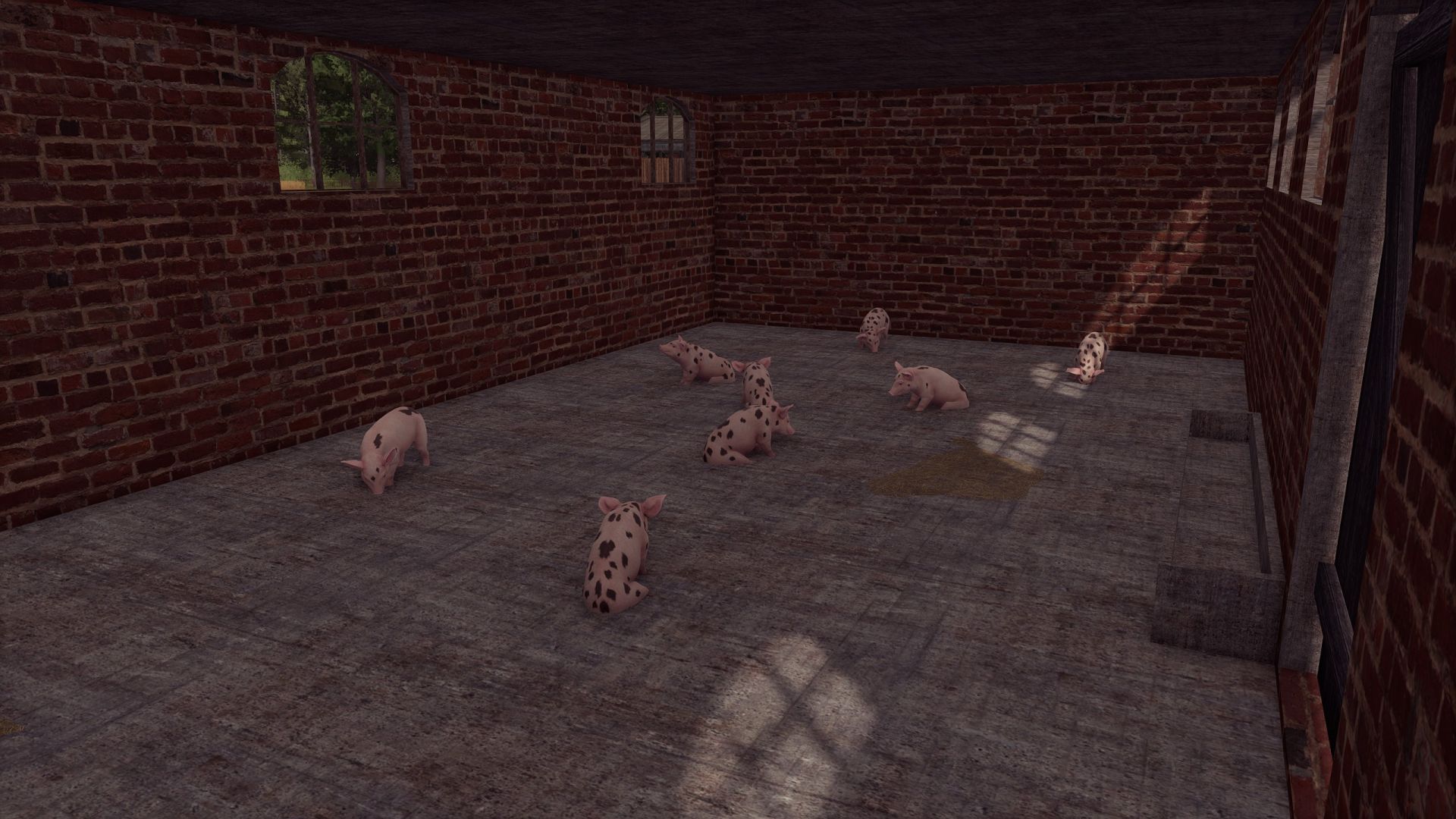
Bauen mit einem Schweinestall V1.0.0.0
Bauen mit einem Schweinestall V1.0.0.0 Preis: 30.000 US-Dollar Kapazität: 15 Schweine Konvertierung von FS19 Tags: Schweinestall V1

FS25 Volkswagen Passat B3 Edit v1.0.0.1
FS25 Volkswagen Passat B3 Edit v1.0.0.1 Universal car, you can tow a trailer with pigs, go to church, and even drift a little with it. – 2 types of wheels to choose from, – optional tow hitch, – Standard license plates and a 6-speed gearbox. – Passenger seats in multiplayer mode – 4 rim options – 3 steering wheel options V1.0.0.1 I REPAIRED THE STEERING WHEEL, ADDED RIMS, A NEW RADIO AND STICKERS

FS25 Footprints v1.0.1.0
FS25 Footprints v1.0.1.0 Add a little realism to Farming Simulator 25! The character now leaves shoe prints when walking and running. Each footprint appears under the corresponding foot at the moment of the step and remains on the surface for some time. Mod features: – Separate left and right footprints. – Tracks appear only while moving — standing still and turning in place do not create them. – Support for forward, backward and sideways movement. – Footprints are placed according to the slope of the surface. – Tracks automatically disappear after 120 seconds. – Model caching and footprint reuse to reduce load. By default, up to 512 footprints are displayed at the same time. The tracks are a visual effect: they do not alter the ground and are not saved after exiting the game. V1.0.1.0 – Added shoe dirt: denser around the soles, with sparse, subtle splashes higher up while preserving the color and details. – Added the transfer of dirt and snow to the soles: after stepping onto a hard surface, the footprints gradually fade. – Clean shoes no longer leave marks on asphalt, concrete, or other hard surfaces. – Water cleans shoes and washes away tracks. Rain speeds up the disappearance of exposed tracks, while a roof protects them. – Vehicle wheels erase overlapping footprints, including tracks left by dual tires. – Added gradual fading of tracks and accelerated melting of snow footprints in above-freezing temperatures. – Added different sole patterns for work boots, rubber boots, athletic and smooth-soled shoes, and sandals. – Improved terrain recognition

FS25 Rain Vision Dynamic beta 2
FS25 Rain Vision Dynamic beta 2 This mod adds a touch of realism to your gameplay. It is now possible for rain to interact with vehicle windows with this mod. I hope you like it. I will soon try to add other effects such as snow and fogging. The main feature I have not managed to implement so far is the interaction between the windshield wipers and the water on the windshield, but I will keep trying. I hope you like it, and please report any compatibility issues in the comments. BETA 2 The orientation of the rain texture on the glass has been changed; some vehicles had the drops running vertically down the windshield.
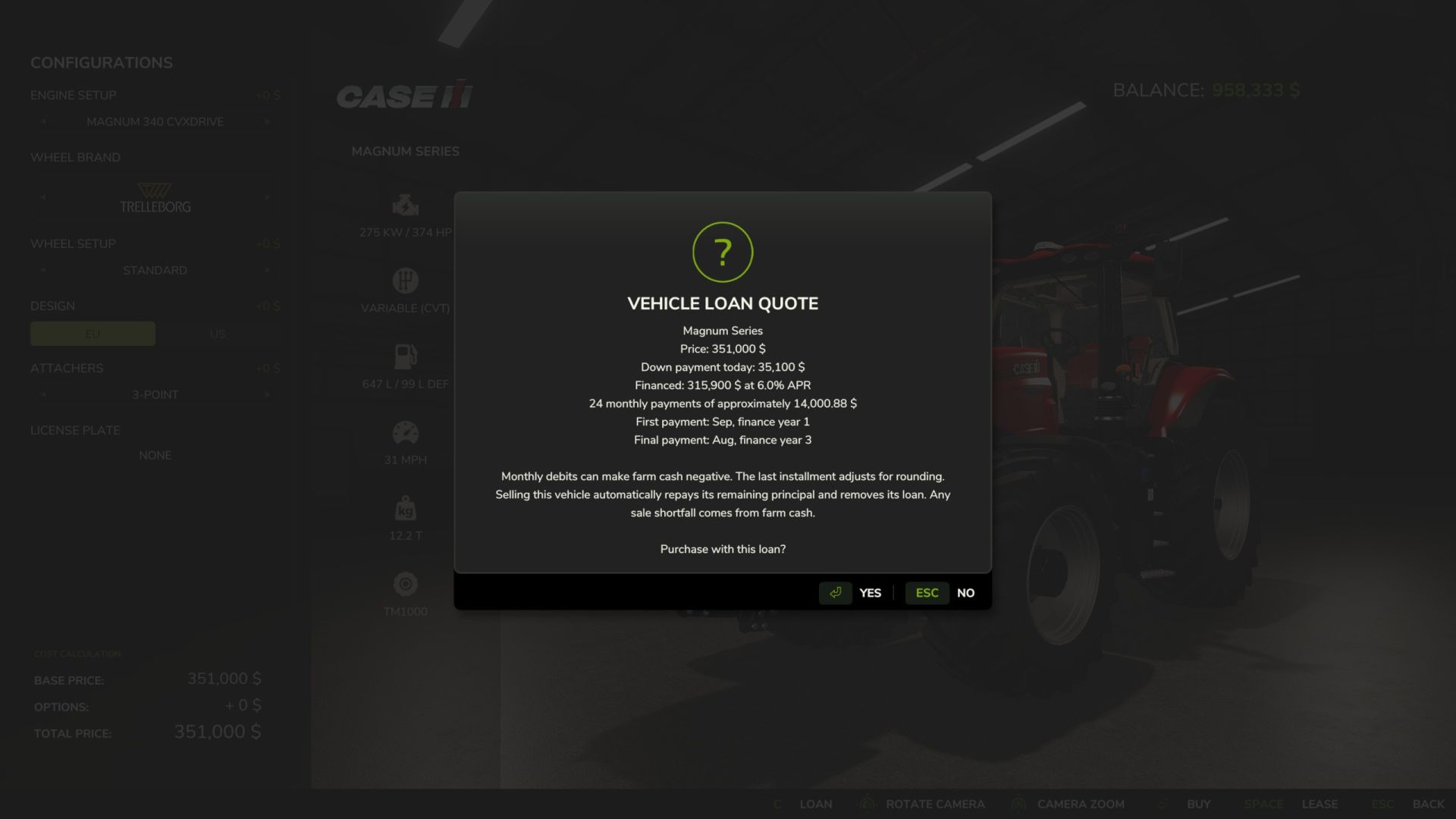
Darlehensbedingungen V1.0.0.0
Darlehensbedingungen V1.0.0.0 Bietet die Möglichkeit, die Finanzierung anstelle von Leasing oder Kauf auf einmal zu wählen. BEDINGUNGEN UND TERMINE Der Jahreszins ist auf 6 % festgelegt. Die Zahlungen erfolgen nach einem Tilgungsplan mit sinkendem Restbetrag. Die erste Rate ist mit dem nächsten Monatswechsel im Spiel fällig. Die Zahlungen erfolgen monatlich, unabhängig von der Einstellung für die Anzahl der Tage pro Monat oder der Echtzeit. Die letzte Rate wird um den Cent-Rundungsbetrag bereinigt, danach werden keine weiteren Zahlungen mehr geleistet. Die Modifikation verwendet einen gespeicherten Kalender für ein „Finanzjahr“: Jahr 1 ist das erste Jahr, in dem die Modifikation aktiviert wurde, beginnend mit März. Dies ist kein reales Jahr. Ein Beispiel: Ein 36-monatiges Darlehen, das im August des Finanzjahres 1 begonnen wurde, endet im August des Finanzjahres 4. Die Enddaten werden gespeichert und bleiben beim erneuten Laden des Spielstands erhalten. Pflichtzahlungen können zu einem negativen Cashflow des landwirtschaftlichen Betriebs führen. Es gibt keine Stundung bei Zahlungsverzug, keine Rücknahme von Vermögenswerten, keine Mahngebühren und keine automatische Verlängerung der Zahlungsfrist. ANSEHEN / AUSZAHLEN Öffnen Sie die Konfigurations-/Serviceseite eines Fahrzeugs in Ihrem Besitz und nutzen Sie die Option „Fahrzeugfinanzierung“. Wählen Sie einen Vertrag aus, um den Saldo, den monatlichen Betrag, den nächsten Fälligkeitstermin und das Enddatum anzuzeigen. Die Rückzahlung des ausstehenden Kapitals wird bestätigt; auf zukünftige Zinsen wird verzichtet. Sie müssen über ausreichend Bargeld für eine vorzeitige Rückzahlung verfügen. Optionale Konsolenbefehle: vlLoans und vlPayoff . Diese Befehle benötigen die Entwicklerkonsole des Spiels; die Shop-Schaltflächen hingegen nicht. Die Kreditsalden werden nach Änderungen für alle Kunden aktualisiert. Neue Kunden fordern alle 30 Sekunden eine Momentaufnahme an und aktualisieren diese. Öffnen Sie den Detaildialog erneut, um die Daten zu aktualisieren. Abgeschlossene Verträge können aus der Liste entfernt werden, wenn ein neuer Kauf finanziert wird. MEHRSPIELER Der Server berechnet die Kaufpreise neu und steuert den Zinssatz. Die Genehmigung des landwirtschaftlichen Betriebs zum Fahrzeugkauf ist erforderlich, um ein Darlehen zu finanzieren oder abzulösen. Die Anzahl der Anfragen ist begrenzt, und es kann jeweils nur ein Kauf pro Betrieb gleichzeitig verarbeitet werden. Es können maximal 256 Verträge gleichzeitig auf dem Server aktiv sein. Nur der Server bucht die monatlichen Gebühren ab und speichert die Buchhaltung. Die Kredit-Snapshots umfassen alle Verträge der Farmen; die Benutzeroberfläche filtert nach Ihrer Farm. Diese Modifikation verbirgt keine Kreditinformationen vor anderen Kunden. EINSPARUNGEN UND FAHRZEUGVERKÄUFE Die Datensätze werden neben den normalen Speicherdateien in der Datei vehicleLoans.xml gespeichert. Bewahren Sie diese Datei zusammen mit dem zugehörigen Spielstand und den Sicherungskopien auf. Kopieren Sie keine Kontodaten zwischen Spielständen und löschen Sie diese nicht, solange Verträge offen sind. Der Verkauf eines finanzierten Fahrzeugs über einen regulären Händler oder eine Autowerkstatt führt automatisch zur Tilgung des Restbetrags und zur Löschung des Darlehens. Zukünftige Zinsen werden erlassen, sofern das Fahrzeug nicht vollständig beglichen wird. In diesem Fall wird der ursprüngliche Darlehensnehmer, ein landwirtschaftlicher Betrieb, mit dem verbleibenden Betrag belastet. Reicht der Verkaufserlös nicht aus, um die Differenz zu decken, wird der Differenzbetrag aus den Betriebsmitteln beglichen, wodurch das Betriebsvermögen negativ werden kann. Abgelehnte Verkäufe haben keine Auswirkungen auf das Darlehen. Das Zurücksetzen, Umkonfigurieren, Übertragen oder Löschen eines Fahrzeugs ohne regulären Verkauf führt nicht zur Tilgung der Schulden. Verkaufssysteme von Drittanbietern, die das standardmäßige Verkaufsereignis umgehen, sind nicht abgedeckt. Der ursprüngliche Kreditnehmer bleibt haftbar. Durch das Entfernen/Deaktivieren der Modifikation werden die Zahlungen ausgesetzt. Aktivieren Sie sie erneut, um die Zahlungen fortzusetzen. Lassen Sie es dauerhaft aktiviert, solange Kredite aktiv sind; es kann die in einem Zeitraum, in dem die Modifikation deaktiviert war, verstrichenen Monate nicht rekonstruieren. Begleichen Sie alle Verträge, bevor Sie die Kreditaufnahme endgültig aufheben oder einen Kreditfarm-Vertrag löschen. Tags: Abgelehnte VerkDie DatensDie ZahlungenMEHRSPIELER

FS25 Realistic Physics beta 2
FS25 Realistic Physics beta 2 Realistic Physics (BETA) IMPORTANT: DELETE THE PREVIOUS MOD FROM YOUR MODS FOLDER! This is the new, rewritten version of the Realistic Physics mod, and it has the same name as the old one. If the old one stays in, the two clash and your vehicles will behave strangely. Only one of them can be in the game, never both! The mod is still in beta, so some bugs may turn up. I got tired of tractors that feel like they’re glued to the ground, so I made this mod to fix that. It’s still in development and this is a beta, so expect some rough edges and changes between versions. What it does Suspension tuning: every vehicle category and type gets its own suspension settings, so a big tractor, a small tractor, a trailer and a car all feel different instead of sharing one generic setup. It works on mod vehicles too. Wheel spin hopping: if you spin the wheels, the machine bounces. Hard ground and roads make it bounce the most, and soft field soil barely does. How much it hops also depends on how hard the wheels are spinning, how heavy the vehicle is loaded, and how much weight you’re pulling. It fades out as you pick up speed, so it won’t shake you around at normal driving speed. Good to know It’s a beta, so some vehicles may not feel right yet. I’m tuning things all the time. If you find something odd, tell me which vehicle it was and what you were doing, and I’ll look into it. Author: Márk Rónai © Márk Rónai. All rights reserved. Please don’t re-upload, edit or redistribute this mod without my permission. BETA 2 Fixed: – The weak bounce of spinning wheels. – Trailer suspension. – Vehicles being prone to tipping over. New: Tractors with swing-arm suspension, such as John Deere or Fendt, level themselves automatically.

FS25 Realistic Physics BETA 2 v1.0.0.0
FS25 Realistic Physics BETA 2 v1.0.0.0 BETA 2 Fixed: The weak bounce of spinning wheels. Trailer suspension. Vehicles being prone to tipping over. New: Tractors with swing-arm suspension, such as John Deere or Fendt, level themselves automatically. Realistic Physics (BETA) IMPORTANT: DELETE THE PREVIOUS MOD FROM YOUR MODS FOLDER! This is the new, rewritten version of the Realistic Physics mod, and it has the same name as the old one. If the old one stays in, the two clash and your vehicles will behave strangely. Only one of them can be in the game, never both! The mod is still in beta, so some bugs may turn up. I got tired of tractors that feel like they’re glued to the ground, so I made this mod to fix that. It’s still in development and this is a beta, so expect some rough edges and changes between versions. What it does Suspension tuning: every vehicle category and type gets its own suspension settings, so a big tractor, a small tractor, a trailer and a car all feel different instead of sharing one generic setup. It works on mod vehicles too. Wheel spin hopping: if you spin the wheels, the machine bounces. Hard ground and roads make it bounce the most, and soft field soil barely does. How much it hops also depends on how hard the wheels are spinning, how heavy the vehicle is loaded, and how much weight you’re pulling. It fades out as you pick up speed, so it won’t shake you around at normal driving speed. Good to know It’s a beta, so some vehicles may not feel right yet. I’m tuning things all the time. If you find something odd, tell me which vehicle it was and what you were doing, and I’ll look into it Credits:RMark Tags: BETAJohn DeereRealistic Physics

FS25 Windows applications in-game screen BETA 2 v1.0.0.0
FS25 Windows applications in-game screen BETA 2 v1.0.0.0 This is my first mod, which is still in the beta stage. With this mod, you can display Spotify or other applications on any in-game screen. A multi-language guide will be added in a future update; for now, it is available in German. BETA 2 added 8K and 120FPS options added english tutorial Credits:NatsumiModding Tags: BETA
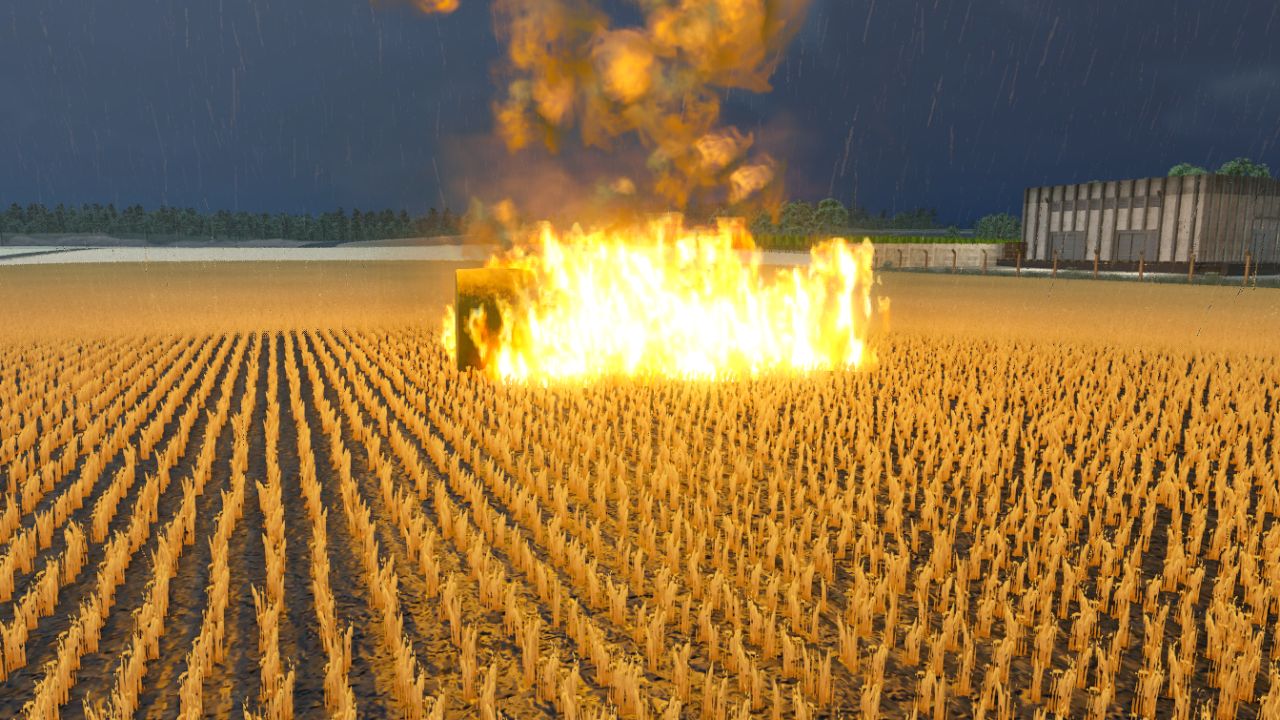
Platzierbares Feuer V1.0.0.2
Platzierbares Feuer V1.0.0.2 Platzierbares Feuer. Erforderliche Mod: Emergency Mod Pack. Kann überall platziert und jederzeit verkauft werden. V1.0.0.2 1.25 Update-Kompatibilitätskorrektur für Fire Erforderliche Mods: Notfallpaket Tags: Erforderliche Mods

FS25 Equipment Demo v0.1.12
FS25 Equipment Demo v0.1.12 Try before you buy. Want to see how a tractor handles your implements or how a combine performs on your farm before spending the money? Equipment Demo lets you request free dealership demonstrations directly from the shop. Choose your configuration, request a demo, and put the equipment to work. Features Two free demos per in-game year, with up to two active at once. Try equipment together, such as a combine and header. Each item uses one demo allowance. Two in-game days or ten operating hours per demo, whichever comes first. No demo or leasing fee. Normal fuel, DEF and repair costs still apply. Simple shop controls: Request Demo changes to Return Demo on that equipment’s shop page. Buy the machine you tested, keeping its configuration, hours, wear, dirt and contents. Save and continue later. Demo progress and yearly usage persist across reloads. Demo equipment cannot be sold. BETA 2 Changes in 0.1.12.0: – Demo usage now tracks the machine’s native FS25 operating-hours meter instead of maintaining a separate operating-hours clock. – Existing saves are migrated without resetting their current demo limits. – Improved handling of operating-hour data after saving/reloading. – Demo machines now use the actual current FS25 vehicle value when you choose to purchase them, including the game’s normal depreciation factors. Custom price rounding and price caps have been removed. – Enforced the intended limit of 2 equipment demos per year. – Demo duration remains 2 in-game days OR 10 operating hours, whichever comes first. – Existing return safety systems and protections against selling demo equipment remain in place. – This remains a single-player public test build. – 126 automated behavioural/compatibility checks and 5 separate GIANTS SDK source replays are passing. Credits:KnightAgGaming Tags: BETADEFFS25Return Demo
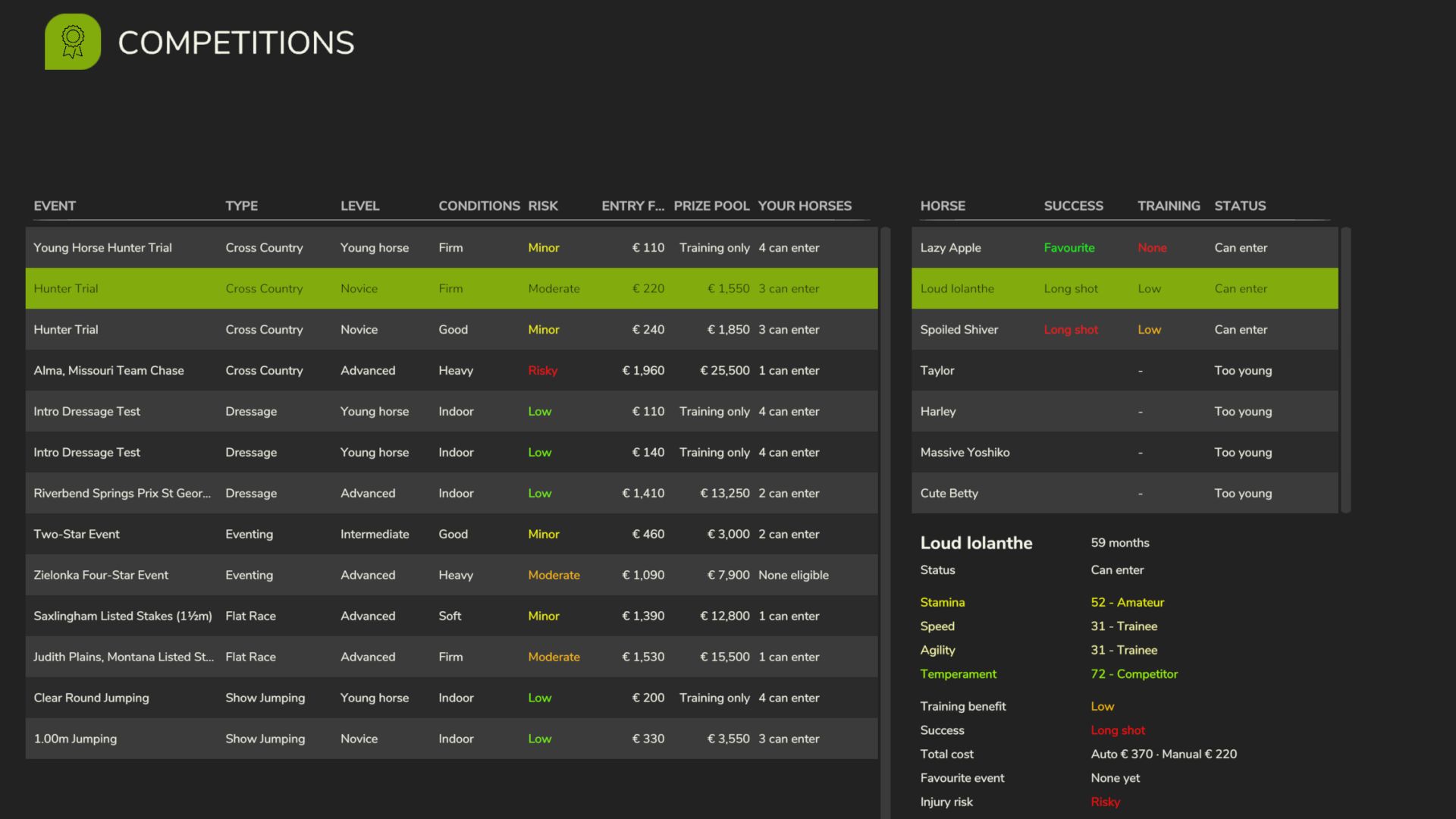
Realistic Equestrian v1.0
Realistic Equestrian v1.0 Gib deinen Pferden eine Karriere. Jedes Pferd erhält vier Wettkampfwerte, die du durch Reiten, Füttern und Züchten verbesserst. Melde sie dann zu Turnieren, Rennen und Meisterschaften an, um Preisgelder zu gewinnen – von lokalen Anfängerprüfungen bis hin zu einem Grand Prix am anderen Ende der Welt. Sie sind Züchter, Besitzer und Trainer, nicht der Jockey. Sie reiten nicht selbst bei den Wettbewerben. Sie züchten, kaufen, trainieren und füttern Championpferde zu Hause und schicken sie dann zu Wettkämpfen, während Sie sich um den Hof kümmern. Die Ergebnisse und das Preisgeld kommen Ihnen zugute. Ein Add-on für Realistic Livestock – Ritter Version (erforderlich), das dessen Genetik, Gesundheit und Fitness nutzt. Version 0.1, Vorabversion. Sichern Sie vorher Ihren Spielstand. Der Mehrspielermodus ist vorerst eingeschränkt. Erforderliche Mods: Realistisches Vieh RM Tags: Der MehrspielermodusErforderliche ModsIhren SpielstandSichern Sie
- 15 per page
- 30 per page
- 45 per page
- 60 per page
-
See more per page
Bigger pages, fewer clicks - and no ads anywhere.
Go Pro