Farming Simulator 25 mods
79,597 results- 15 per page
- 30 per page
- 45 per page
- 60 per page
-
See more per page
Bigger pages, fewer clicks - and no ads anywhere.
Go Pro
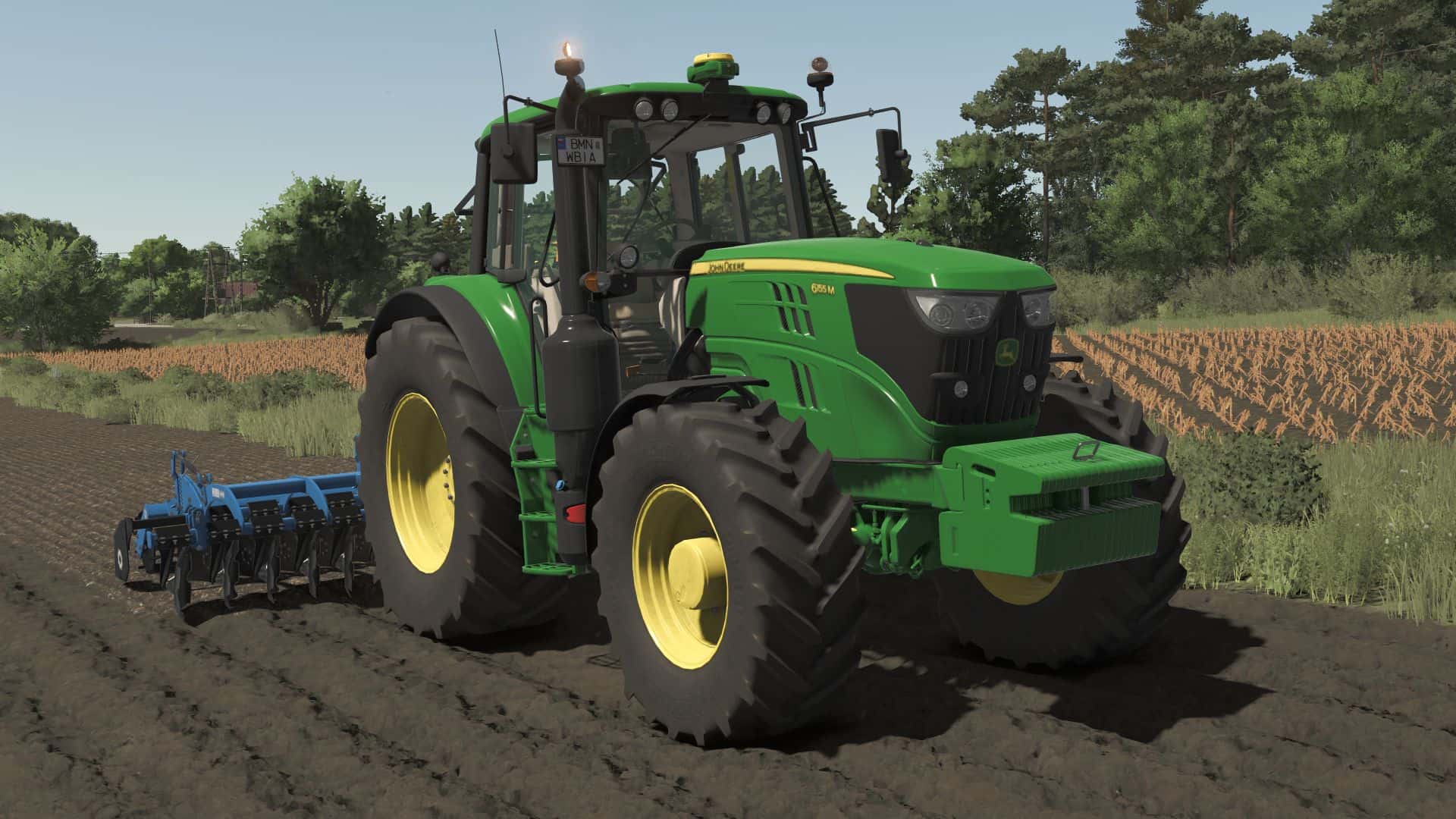
John Deere 6M Medium Frame Series 2011 v1.1
– Price 6135-6145M: 81.500 $ – Price 6155M: 92.300 $ – Power: 135-155HP – Maximum speed: 45 km/h Configurations: – Models: From 6135M – 135HP to 6155M – 155HP Wheels: – TRELLEBORG – MICHELIN – MITAS – CONTINENTAL – BKT – VREDESTEIN – light configuration – configuration of beacon lights – front weights and front hydraulic configuration – configuration of the front loader console – front window configuration – top window configuration – configuration of mirrors – GPS configuration – front fender configuration – passenger seat configuration Mod is prepared for Precision Farming (crop sensors configuration) and Interactive Control V1.1.0.0 – Increased modDesc version – Color corrected Required: – Interactive Control – Precision Farming
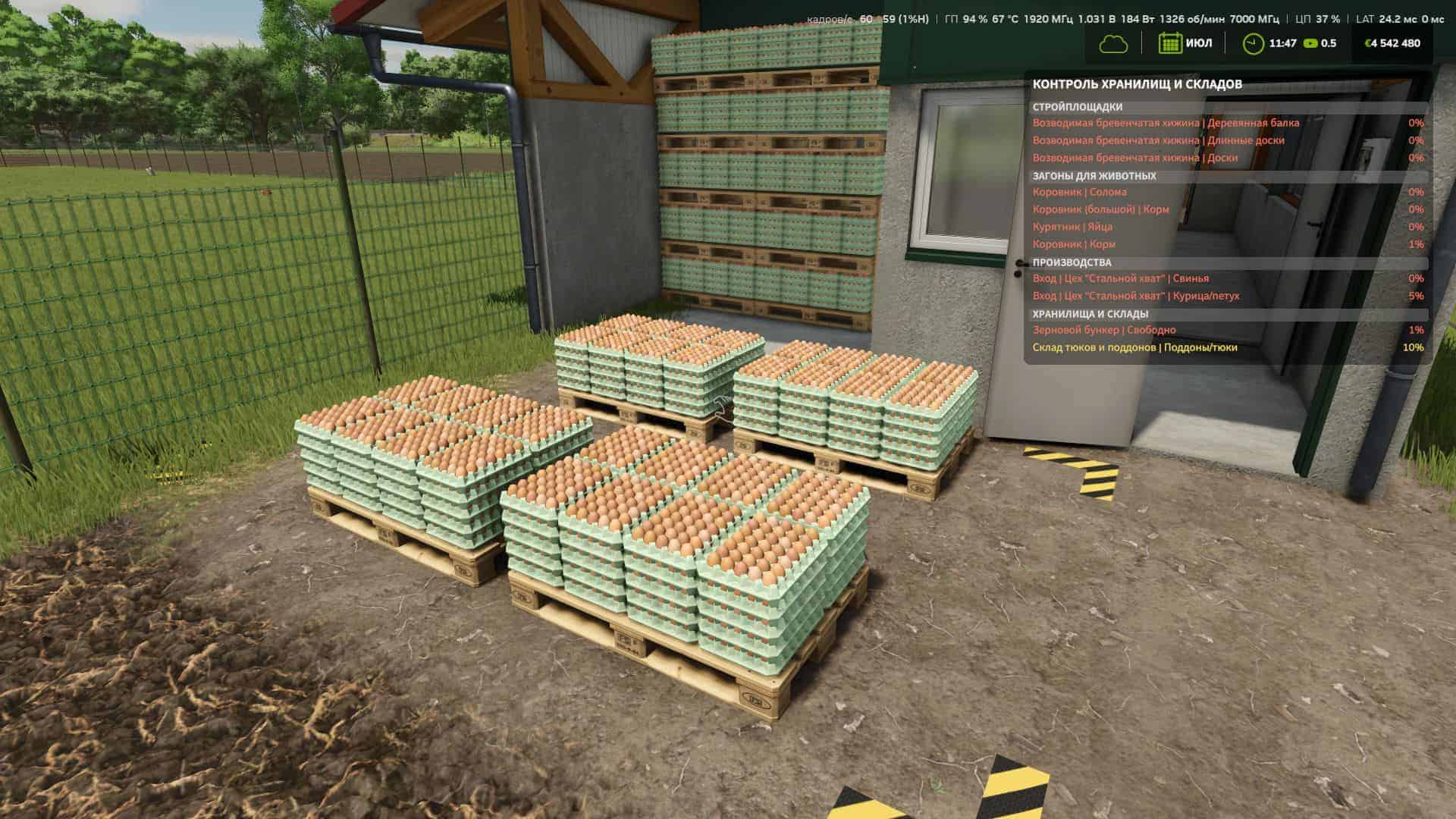
Storage Warnings (Storage and Warehouse Control) v1.0.1.0
– The mod adds a convenient information window that helps you keep track of important supplies and available space on the farm. You no longer need to constantly open the production, animal pen and storage menus to check where a resource is running low or which warehouses/storage facilities are almost full. – The mod warns about problems in four main categories: construction sites, animals, productions and storage facilities. – For construction sites, it shows the materials missing for the current construction stage. – In animal husbandry, you can monitor feed, straw, milk, wool and other output resources, as well as manure capacities. – For productions, both input resources and available space for finished products are tracked. – For warehouses and silos, the remaining available space is shown. Warnings are highlighted by colour: yellow when the supply or available space is approaching a critical level, and red when the situation already requires attention. All categories can be enabled or disabled separately in the mod settings, so you can keep only the information you actually need. The window works directly during gameplay and displays only current problems without cluttering the screen with unnecessary data. Storage Warnings is especially useful on large farms with many productions, animals and storage facilities, where keeping track of everything manually becomes inconvenient. V1.0.1.0 – Added three information HUD sizes: small, standard and large. – Added a choice of value display: percentages or actual quantity. – Added a compact row mode with reduced line spacing. – The new settings are saved in the same modSettings/FS25_StorageWarnings.xml and are compatible with settings from previous versions.
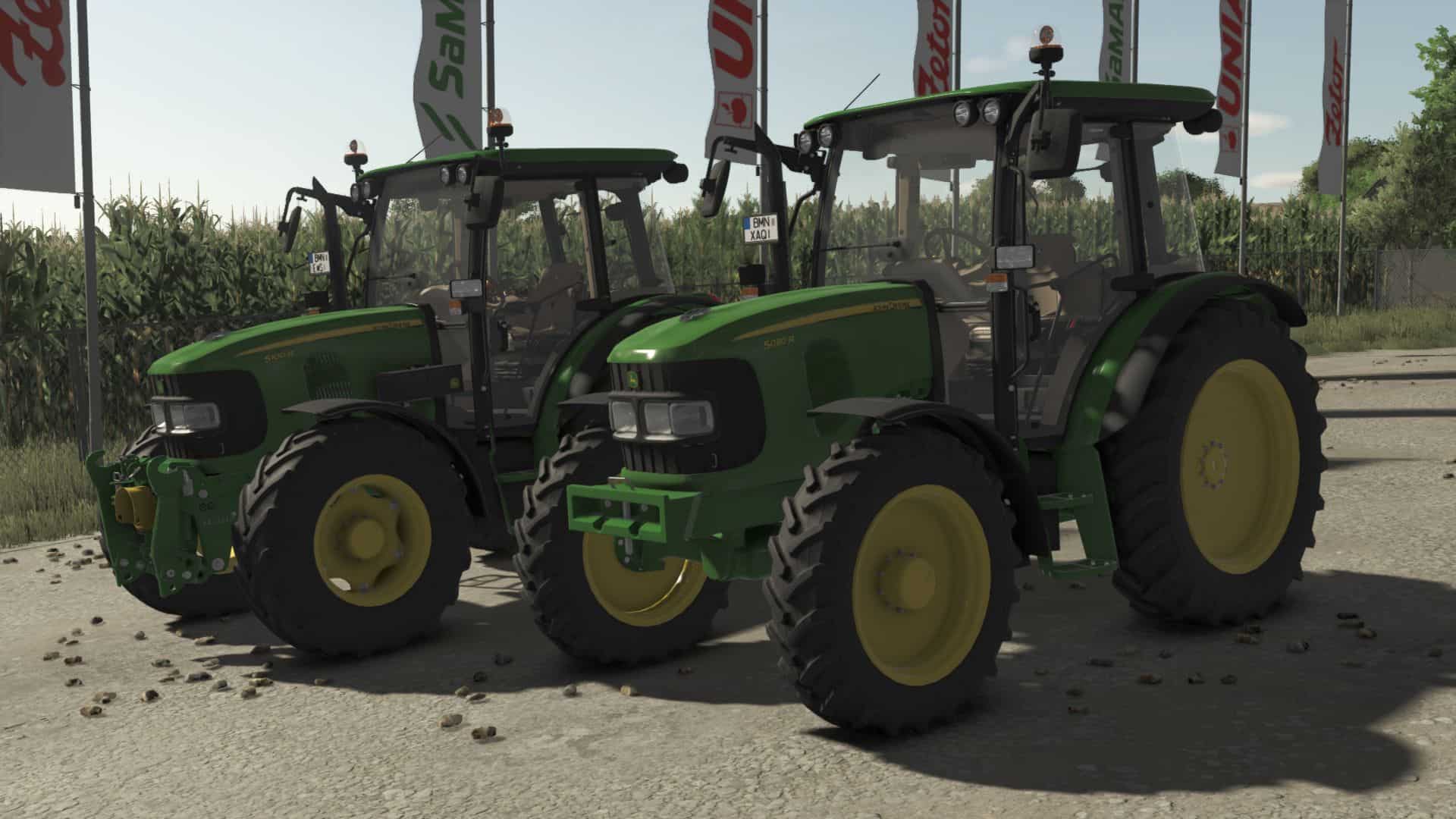
John Deere 5R Series v1.1
– Price: 64.700 $ – Power: 82-100 hp – Top speed: 40 km/h Configurations: – Engine – Wheels – Fronthydraulic / Weights – Beacon – Toolbox – Front shield – Frontloader – Hauer – Openable doors and backWindow with Interactive Control V1.1.0.0 – Increased modDesc version – Color corrected Required: – Interactive Control – Precision Farming
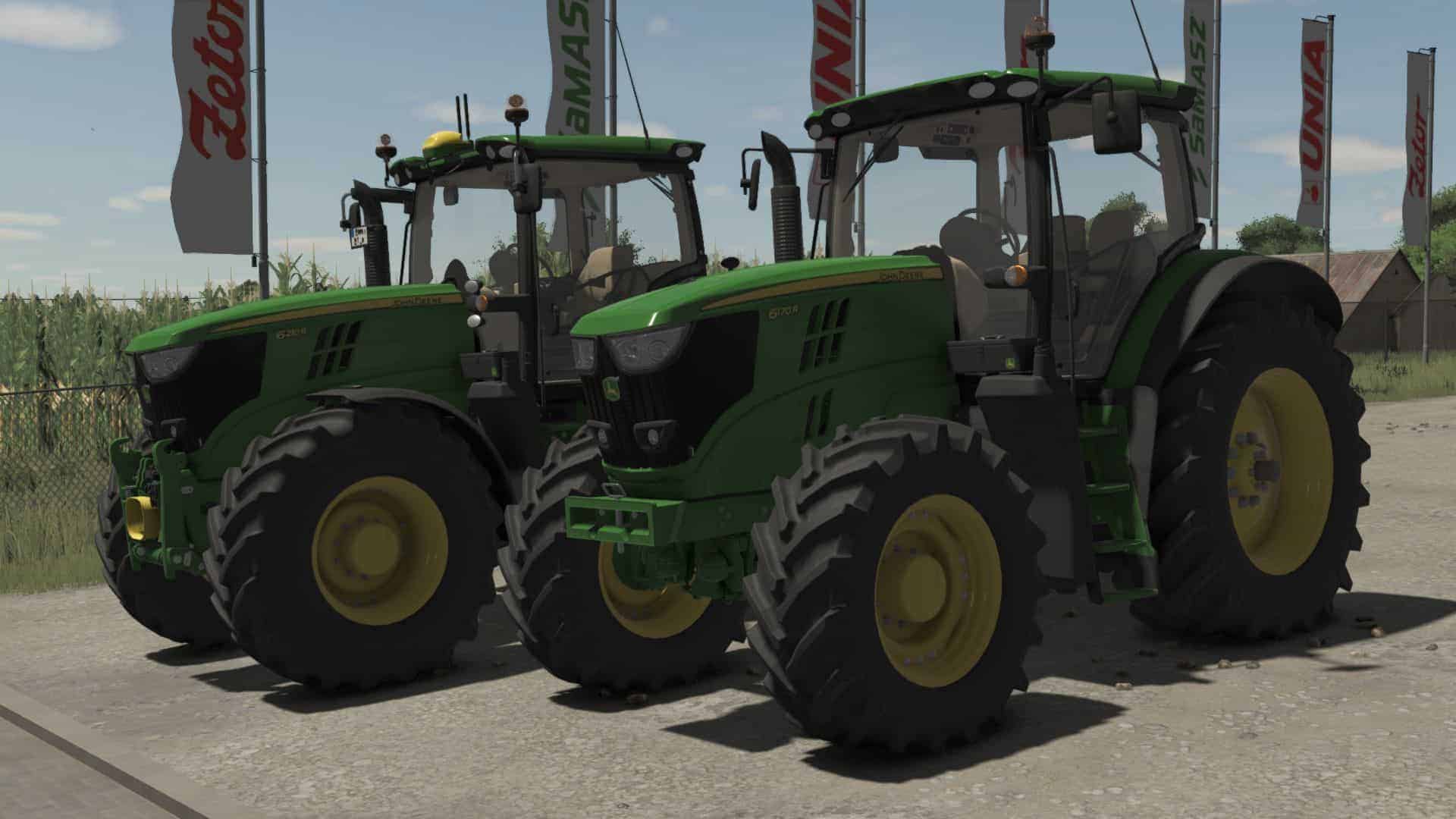
John Deere 6R Large Frame Series 2011 v1.1
Motor config. (6170R-6190R-6210R) (With options for PowerQuad, AutoQuad, AutoPower, Direct Drive, AutoPower CommandArm, DirectDrive CommandArm transmissions) (Fully animated transmissions) Wheel brand config. (Trelleborg, Mitas, Michelin, Continental, BKT, Vredestein) Wheel config. (4 Standard options-Wide)(+)(With wheel weights)(+)(Twin back wheels)/(Twin wheels)/(Twin (Back) Wheels+ (Narrows/+Twin (Back) Wheels/) (3m spacing is also available on narrow wheels) Front attacher config. (Bracket-300kg-500kg-700kg-900kg-1000kg-Front hydraulic-Front Hydraulic + PTO) Versions config. (Standard-2 Beacons-Warning Signs-2 Beacons+Warning Signs) SCVs Configuration (not available on CommandArm transmissions) (Mechanic-Electric) Lights config. (Standard-Cabine LED Lights-Full LED Lights-2021 Full LED Lights) Additional lights config. (No-Front-Back-Side-Front Down/+All possible combinations) Mirrors config. (Standard-Electric) StarFire config. (No-Holder-SF 3000-SF 3000+Monitor-SF 6000-SF 6000+Monitor-SF 6000+RTK-SF 6000+RTK+Monitor) Roof+GPS config. (Standard Roof-Standard+Additional Lights-Panoramic Roof) Fenders config. (Back Narrow-Back Standard/+Front1/+2) Front Loader config. (No-Steering Knob-JD-Quicke-Hauer/+Shield/+ToolBox) Front License Plate Holder config. (No-Yes) Rotatable and movable seat with mouse buttons Mod is prepared for PRECISION FARMING (crop sensors configuration) and Interactive Control! V1.1.0.0 – Increased modDesc version – Color corrected Required: – Interactive Control – Precision Farming
BXR Mod Manager v1.1.5.2
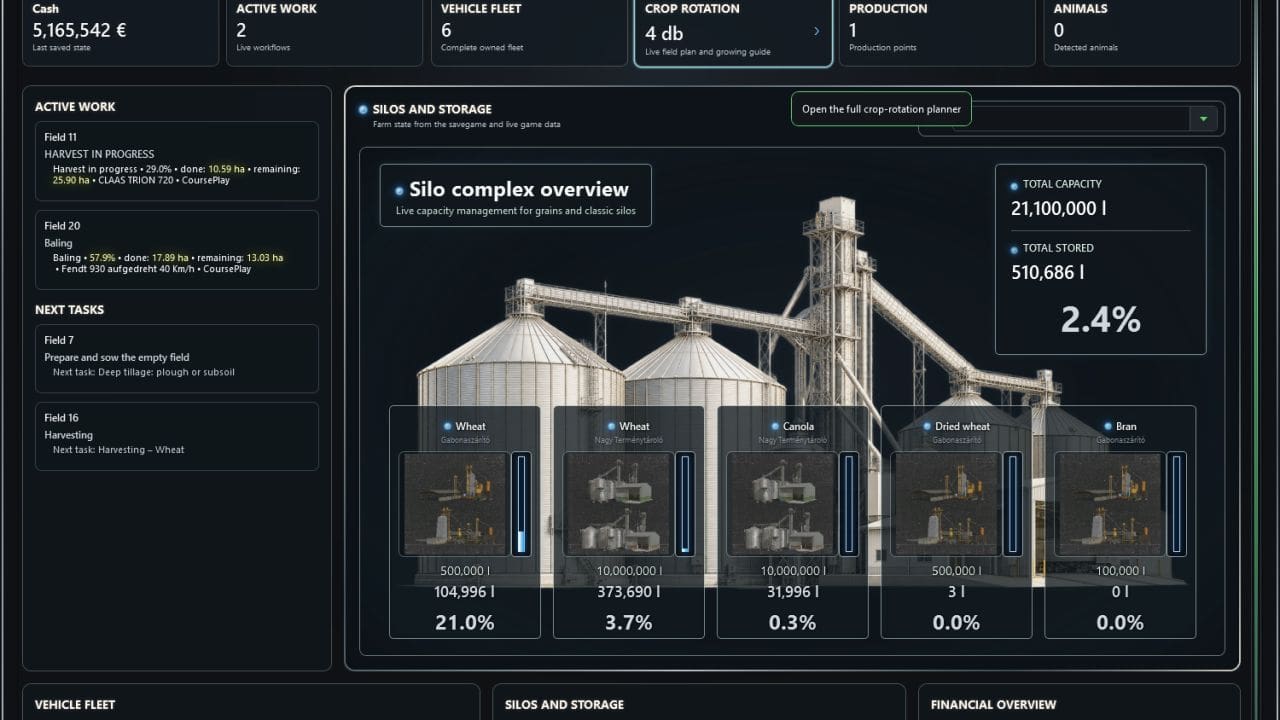
Your farm. Your mods. One control centre. BXR Mod Manager is more than a mod manager: it is a clear, intelligent control centre for Farming Simulator 19, 22 and 25. It organizes mods into profiles, supports a safe game-launch workflow, and shows what is happening across your farm in real time – without constant searching or manual refreshing. Mod management made simple Organize mods into dedicated profiles, mark the tiles you need, then activate or deactivate them with one action. BXR separates profile mods from additional content, recognizes DLCs, and processes only files that have actually changed. Live Farm – real information in one place Track active field work, vehicles, finances, silos and storage facilities from one consistent live dashboard. A durable work code combines every pass of the same operation, even when another vehicle, implement, player, GIANTS AI worker or Courseplay takes over. Striking visuals, efficient operation Category-specific hero graphics, translucent inventory cards, chrome-inspired styling and focused light feedback turn the application into a modern control panel. Instead of continuous resource-heavy animation, event-driven updates let the program work when new data actually arrives. More than a snapshot – Persistent active-job tracking across restarts and equipment changes. – Harvest completion based on the full expected yield with an accepted 3% loss threshold. – Recognition of refuelling, service and AutoDrive detours without prematurely ending the active job. – Crop-rotation planning with previous crops plus current and expected yield bonuses. – Live silo and storage capacity with separate litre and item-count handling. – Localized crop, material, product and animal names. – Built-in GAME XML editor with a safe read-only mode while the game is running. Mod and DLC management – Different naming forms of official DLCs are resolved consistently, while profiles and savegames receive the identifier accepted by the game. – DLC tiles show their own official artwork, actual version and the ModDesc version reported by the game. – BXR automatically accepts the game’s download prompt for previously authorized missing content, waits for stable files and then continues the launch flow. – Mod-library changes can be handled incrementally by processing only new, modified or deleted entries instead of rescanning the entire library. – Tile marking is separate from profile activation. “Select all” and “Clear selection” only add or remove marks. – The new “Activate / Deactivate” action moves marked tiles between “Profile mods” and “Additional mods”. It is unavailable when nothing is marked. – Search fields include a clear button that immediately resets the current search. Live Farm and work tracking – Live updates are event-driven: a Bridge file change wakes the application, while an infrequent safety check handles missed file-system events. – Only field, job, storage, vehicle and financial values that actually changed are applied, reducing polling and resource usage. – Partially written live snapshots are not consumed: the program waits for a short quiet period and retries invalid states. – Active jobs are verified from physical field state together with vehicle position, movement, engine state, implement and work provider. – Every pass of the same field workflow accumulates under one durable work code. Switching between player, GIANTS AI, Courseplay, vehicles, implements or materials does not reset completed work. – After a restart, live progress resumes from the preserved total instead of showing only the amount completed since the latest game load. – Headland turns and verified refuelling, service or AutoDrive detours do not end a job prematurely. The recognized destination and distance can also appear on the job card. – Harvest completion uses 97% of the full expected yield calculated from physical field samples and the local yield bonus, allowing no more than 3% final loss. – Next tasks and the last valid live field state persist until the next application start and cannot be overwritten by older static savegame estimates. – Vehicle names show both brand and model whenever the game data makes them available. Crop rotation – The “Owned fields” summary was replaced by an interactive “Crop rotation” block that opens a detailed full-page cultivation view. – The last harvested crop is preserved and used when recommending the next crop. – Every owned field shows its current and expected yield bonus as percentages. If the game provides no trustworthy value, BXR does not invent one. Silos, storage and inventory – The Storage page gained visual storage cards and later full storage-complex blocks with translucent backgrounds. – A static category-specific hero image fills the Silos and Storage panel, with translucent crop cards displayed directly over the image. – Categories separately cover grain and silos, root crops, bales, manure and slurry, crop-care/input materials, liquids, forage and bulk materials. – The category selector includes categories that currently contain no data and keeps the user’s selection during temporary live-data refreshes. – Capacity, stored amount and fill percentage are calculated from live data. Litre-based stock and item counts are kept separate. – Positive quantities below one litre are shown as `<1 l`; bales are counted as items in every storage view and are excluded from litre totals. Interface, feedback and compatibility – The main window gained a consistent chrome frame and more unified panel styling. Continuous decorative motion and pulsing were removed to reduce resource use. – Interactive controls use a compact, bright blue halo instead of a hover outline. Controls with a real active or selected state retain the light until that state ends. Mod tiles and language selectors keep their dedicated appearance. – Changed values use a two-second yellow flash with a radial fade. Character size and font weight remain unchanged throughout the effect. – Game crops, materials, products, animals and material categories are displayed in the selected interface language; for example, `Dried Wheat` becomes “Szárított búza” and `Bran` becomes “Korpa” in Hungarian. – The FS19, FS22 and FS25 management pages are available. The GAME XML editor can also open while the game is running and is safely read-only in that state. – Help now contains only usage guidance; user-visible functional and visual changes are maintained in a separate changelog.
WSKYBNT 1948 COE RAMP TRUCK v1.0
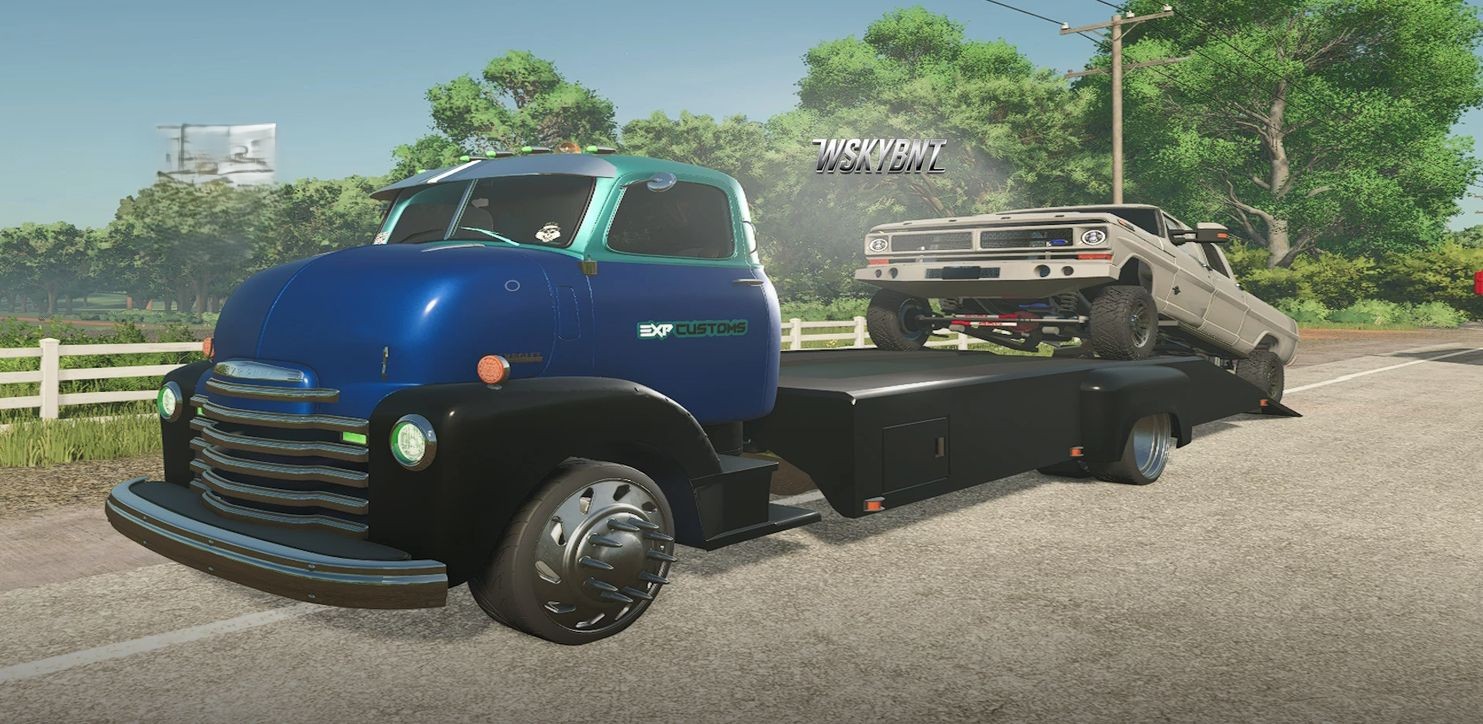
You ran it in FS22. Now it’s back on the lot with a couple empty bottles still rolling around on the floor like they never left.Expendables 48 COE ramp truck. Brought over by WSKYBNT. He didn’t just port it. He poked it. Twisted it. Maybe four times. Then he dropped an optional 383 stroker in it so you can actually get strokin’. If you’re lame and don’t like to party, keep the straight six. Nobody’s stopping you. The rest of us will be air-riding it, ramps down, winch out, bottles clinking every time you hit a rut. Still looks like the day it was new. Still works like it has something to prove. Cabover. Diamond plate. Attitude included. Excuses not included.
New Holland TD TMR 2WD FS25
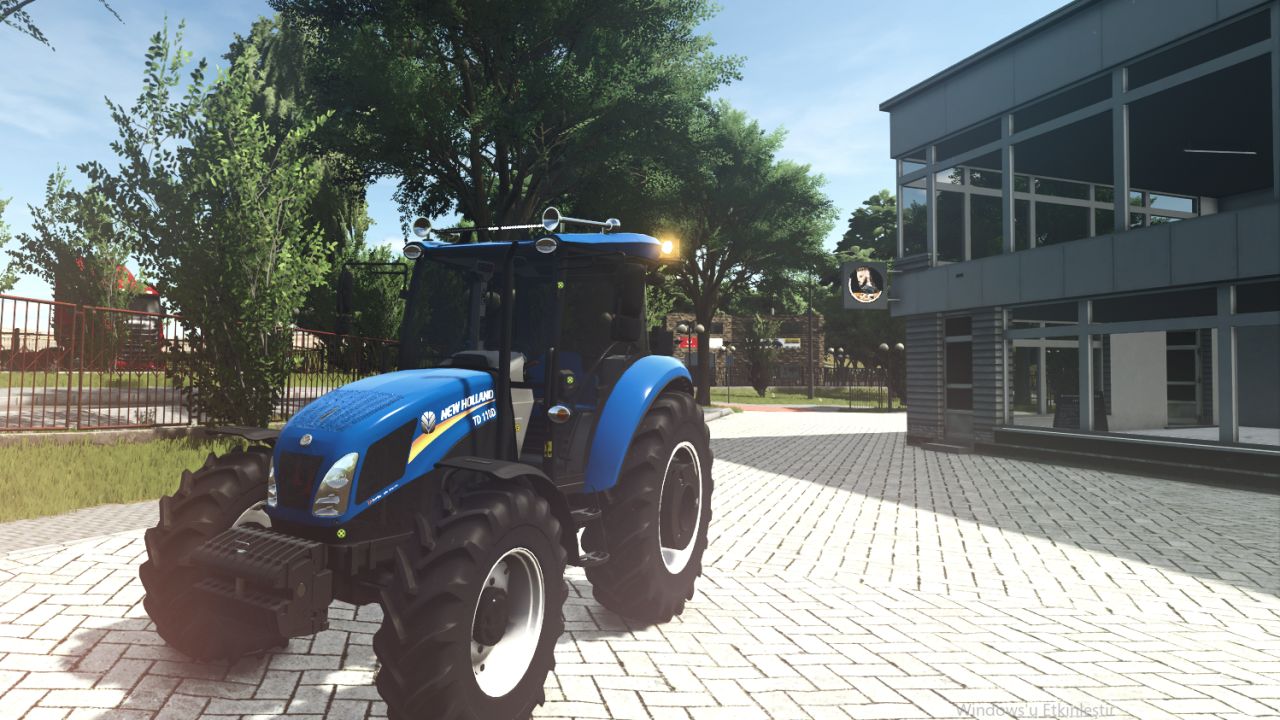
Interactive control added Beacon light added Window tint added License plate added Horn added Turbo sound added 2WD option added
Adjust Storage Capacity v1.0.1.2
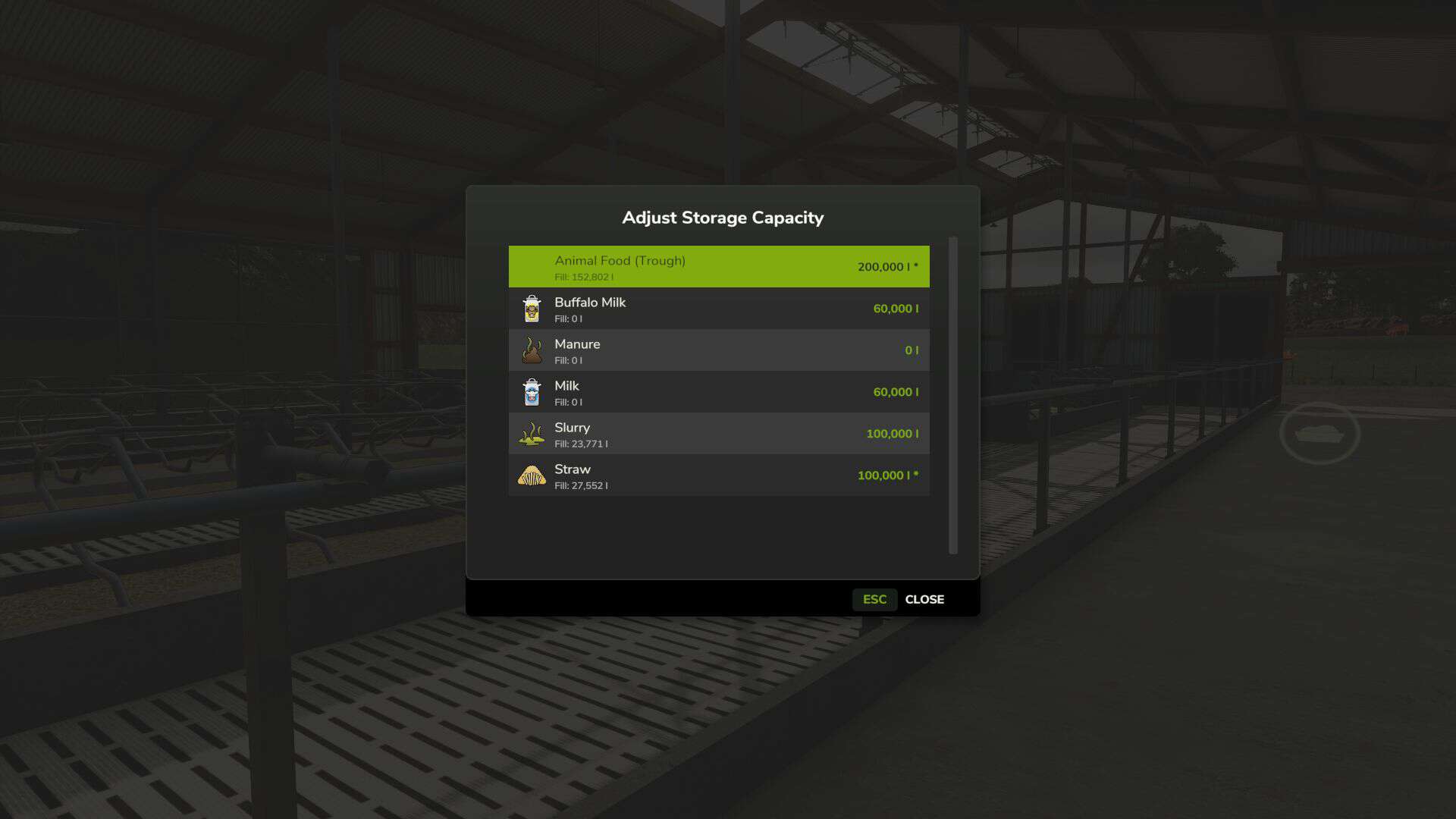
– Need more room in your silos or trailers? Or want to limit storage for a challenge? Adjust Storage Capacity lets you customize storage capacities without editing XML files. – Optional auto-scale settings keep expanded vehicles drivable by adjusting mass and load/discharge speed proportionally. – Supports multiplayer with permission system. – In-Game GUI: Press K near any supported storage or vehicle, press K while driving to adjust your vehicle and implements, or use K in Production, Animals, Workshop, or Construction menus. – Only bulk storage is supported. No pallets or terrain heap-based storage. Features – Adjust capacity for silos, tanks, production storage – Adjust animal husbandry storage (food troughs, input/output) – Adjust vehicle capacities (trailers, harvesters, sprayers, tankers) – Press K near storage/vehicle, while driving, or in Production, Animals, Workshop, Construction menus – Per-filltype/fill-unit capacity editing – “Reset All” button to restore original capacities – Capacity protection: clamps to fill level to prevent data loss – Auto-scale vehicle mass and load/discharge speed (optional) – Optional setting to hide trigger shortcuts (menu access always available) – Configurable key binding for opening dialogs – Multiplayer support with permissions Limitations – Bunker silos not supported (terrain heap-based storage) – Pallets and bales not supported (object storage) – Vehicle pallets and big bags not supported (products, not containers) – Leveler fill units excluded (internal buffers) V1.0.1.2 – Fixed the game getting stuck on the loading screen when the Pumps n’ Hoses Pack is enabled; silos now load correctly
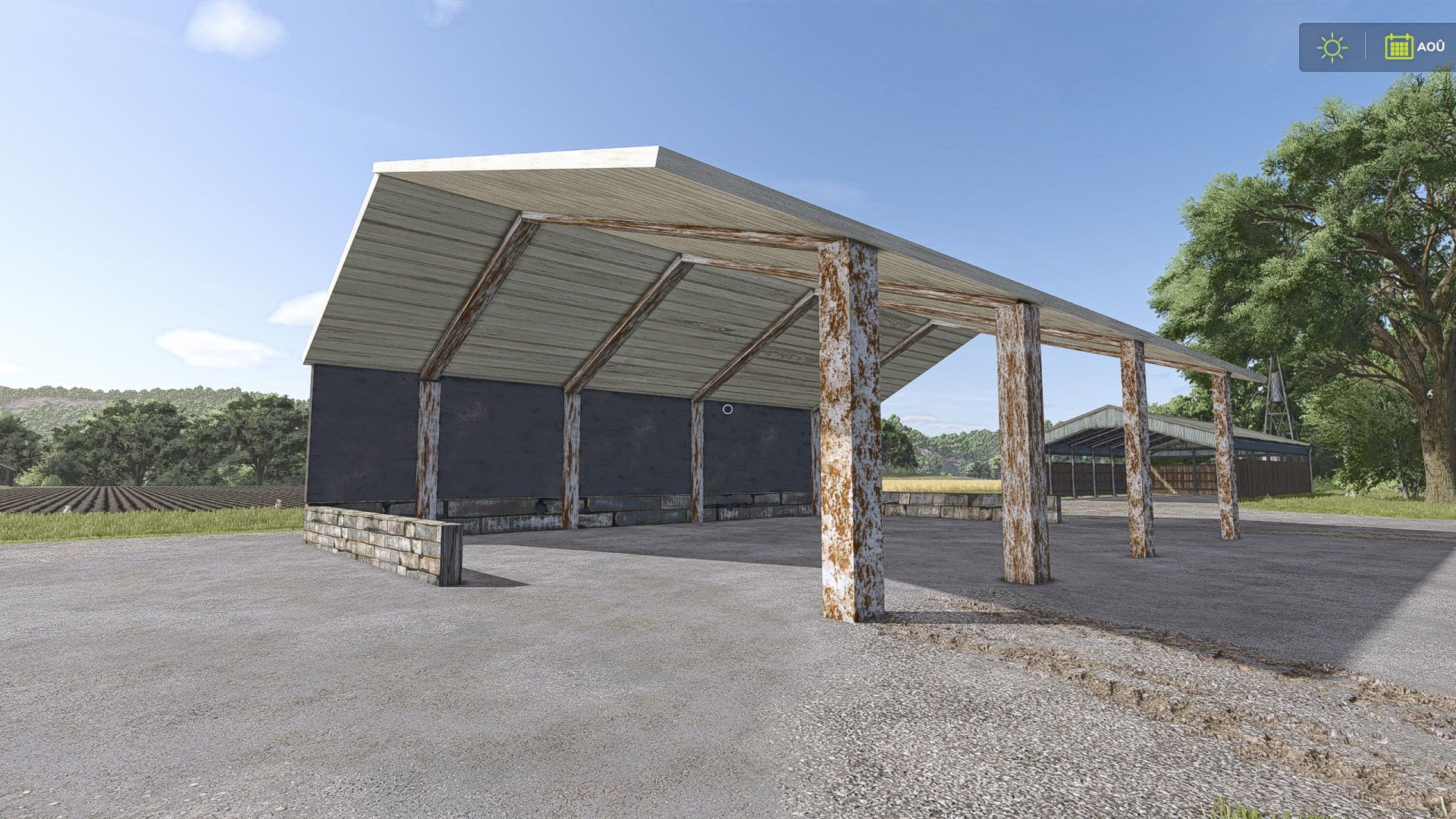
French storage shed FS25
Here is my storage shed, ideal for storing your agricultural machinery, vehicles and various equipment. 📦 Features 1 storage shed Large interior space Ideal for storing agricultural equipment Simple and functional design Easy to integrate into your farm 🚜 A practical shed to keep your farm well organized! This is my first building. Have fun, everyone! 🌾
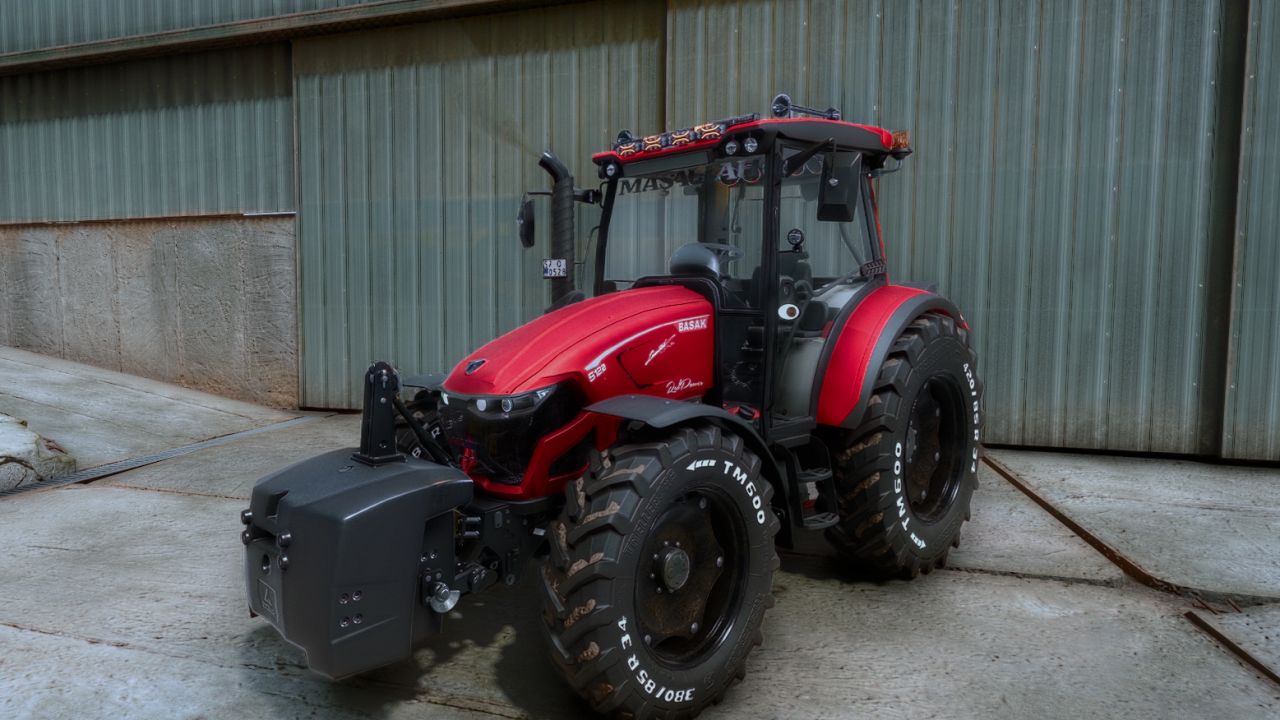
Basak Red Power Edit FS25
Modifications prepared with Başak’s powerful and stylish design bring a distinctive feel to your farms with their realistic details and eye-catching appearance. 🔴 Key Features: 💲80.500k 🚨 120hp 💡 Custom LED headlights and roof lights 🛞 Large tires and tire lettering 🚜 Powerful and practical construction 🌙 Impressive lighting for nighttime use 💡 Sound system and roof lighting 🇨🇲 Window tint
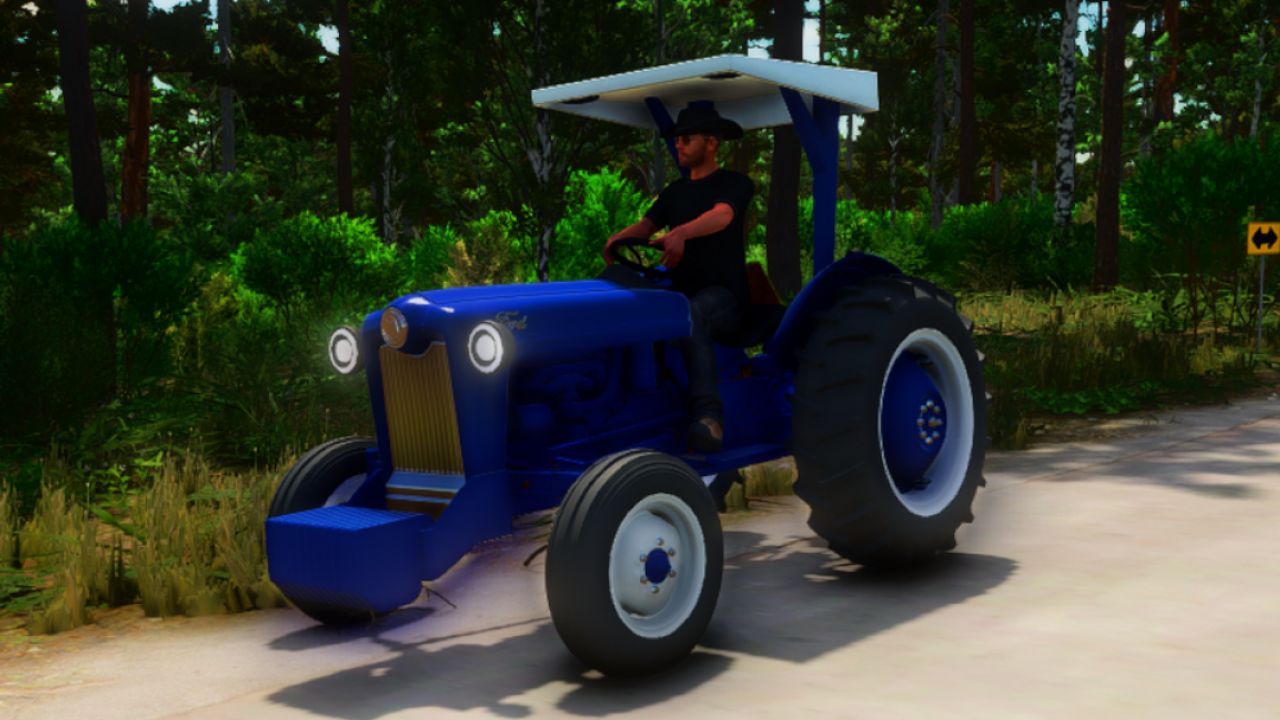
1960 Ford 8N Edit FS25
The 1960 Ford 8N Custom Tractor is now 100% Done and fully ready to hit your mod folder! This thing is packed with details and stuff that dont exist! But We made it happen! Weather you wanna fully stock tractor or you wanna take it next level and go full Kustom, the choice is yours! Options Include: Color Options Engine Options Wheel Options Exhaust Options NoS Options Rear Options Hood Options Steering Wheel Options Misc Options Canopy Options Also can play Bailey Zimmerman's New song "The Climb" By pressing B on your keyboard! 1. Has fully working engine and turbos Has a bunch of custom parts! Has drag design options Works 100% as a real tractor for those that want a old school ford tractor! Comes with: Ford 8N Custom Tractor Ford 8N Custom Front Weight Ford 8N Custom 3-Point Rear Weight
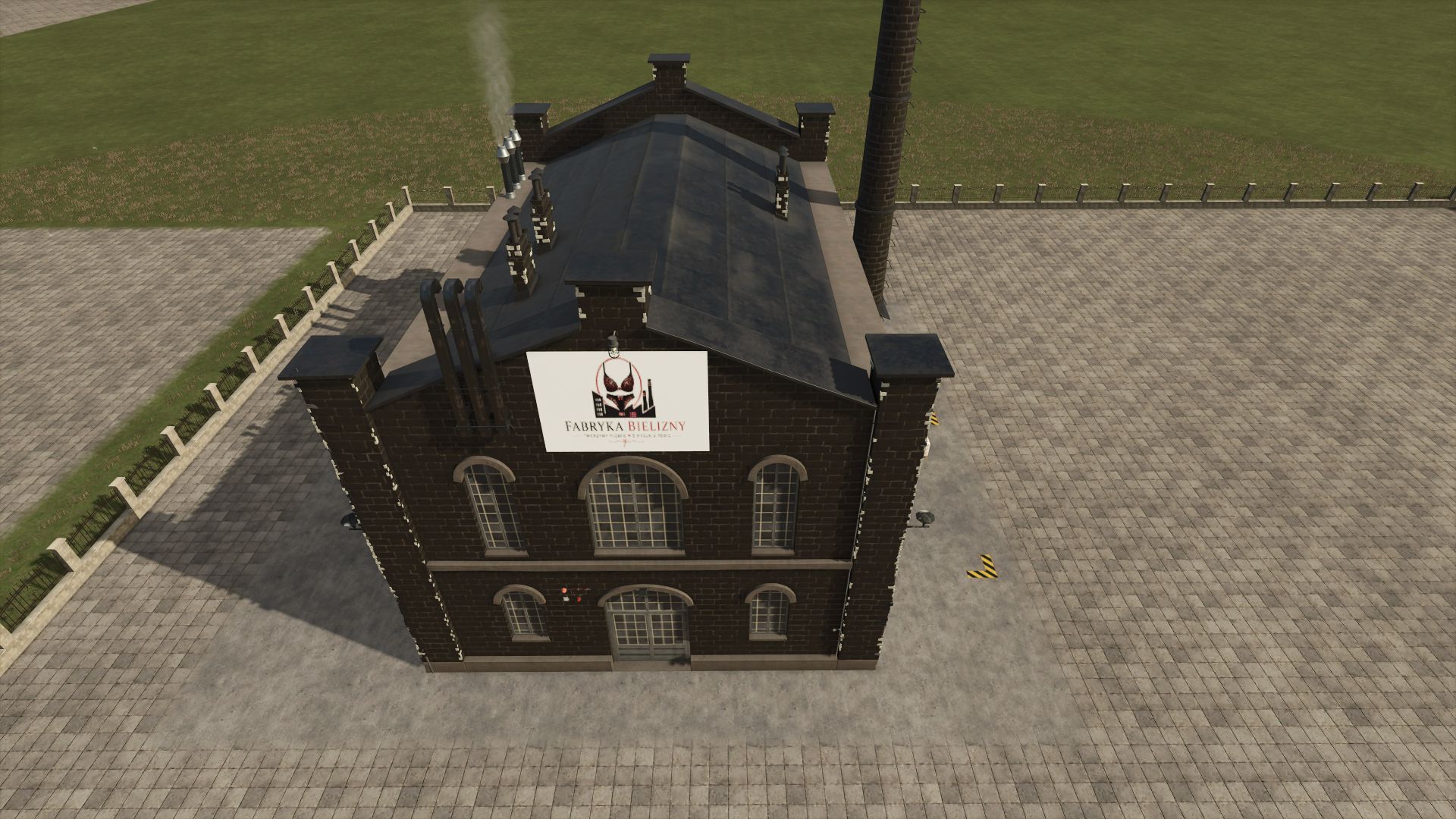
Lingerie Factory FS25
A modern factory producing women's underwear! This mod allows you to produce up to five types of women's underwear. Price: €600000 Daily upkeep: €60 Category: Factories By providing fabrics, you can create: - Bras - Panties - Thongs - Corsets - Lingerie sets containing bras, thongs, and stockings Products are compatibility with the product selling system. Wrap yourself in elegance and comfort with our sensual lingerie!
Edo Shader FS25
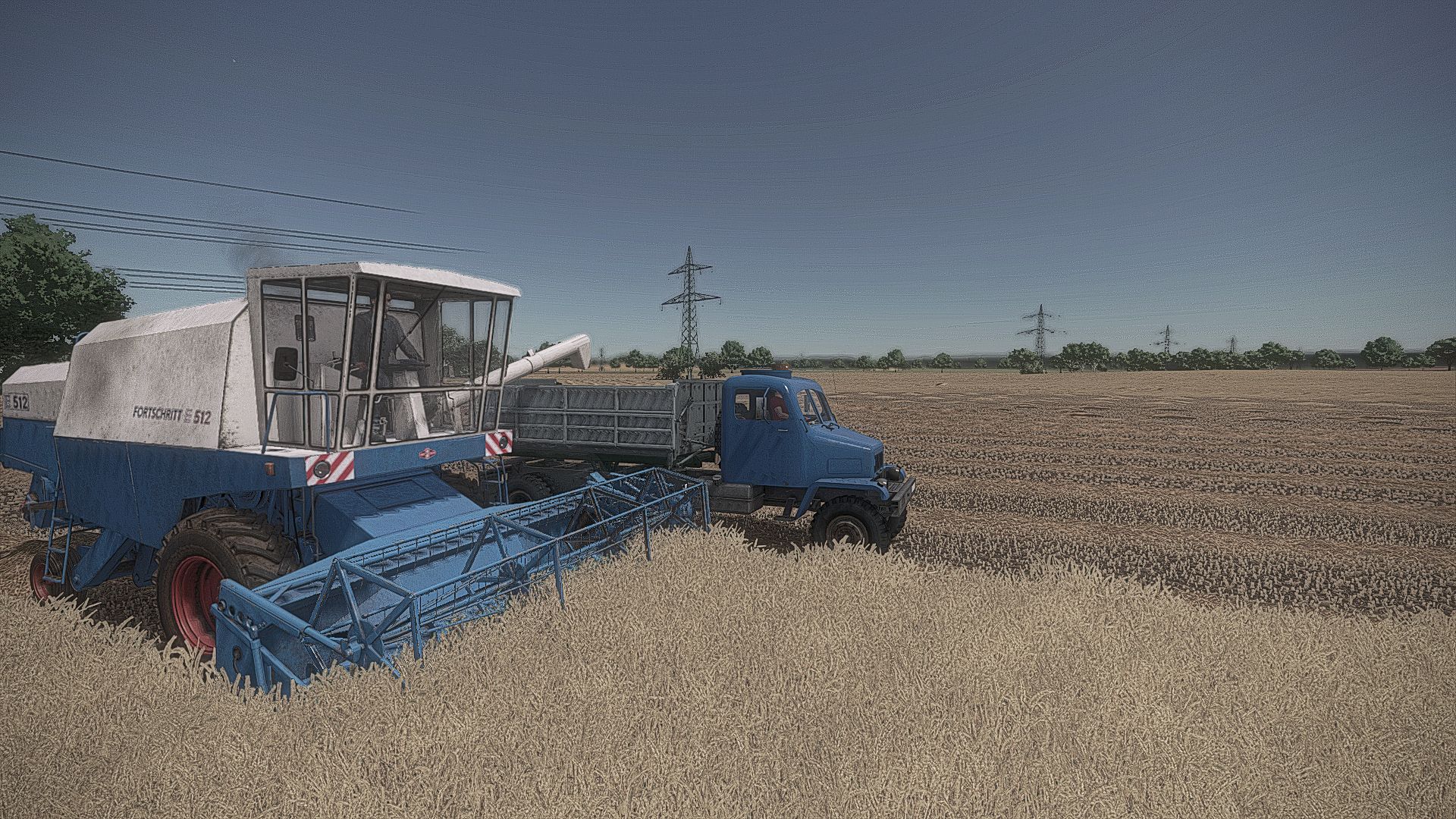
My Shaders for FS25 Extract folder Edo2.zip Move Edo2.ini file to- Program Files (x86) / Steam/ steamapps /common / Farming Simulator 25/ x64
Sticky legs FS25
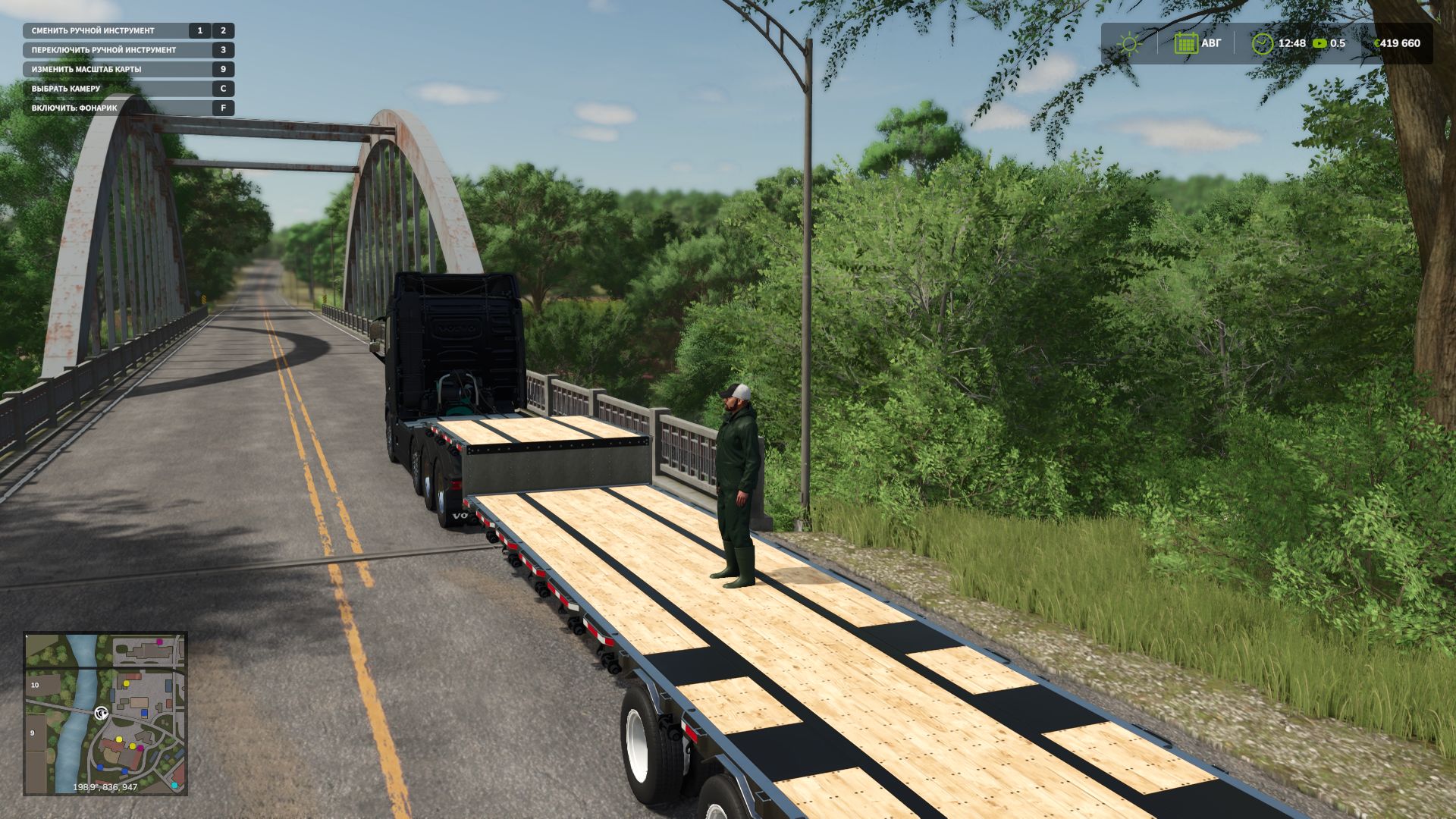
Do you remember the FS22 mod "Sticky Feet" by Farmsim Tim (timmeey86), FS25 Update? I decided to convert it to FS25. However, I ran into the fact that the game mechanics have changed significantly. In the end, I essentially only transferred the idea, while the entire mechanism had to be rewritten from scratch. With this mod, the player can stand on moving machinery, regardless of who is operating it — a hired worker or another player. I was unable to fully test the multiplayer functionality, so I hope I haven't messed anything up too badly.
Realistic Used Machinery Market FS25
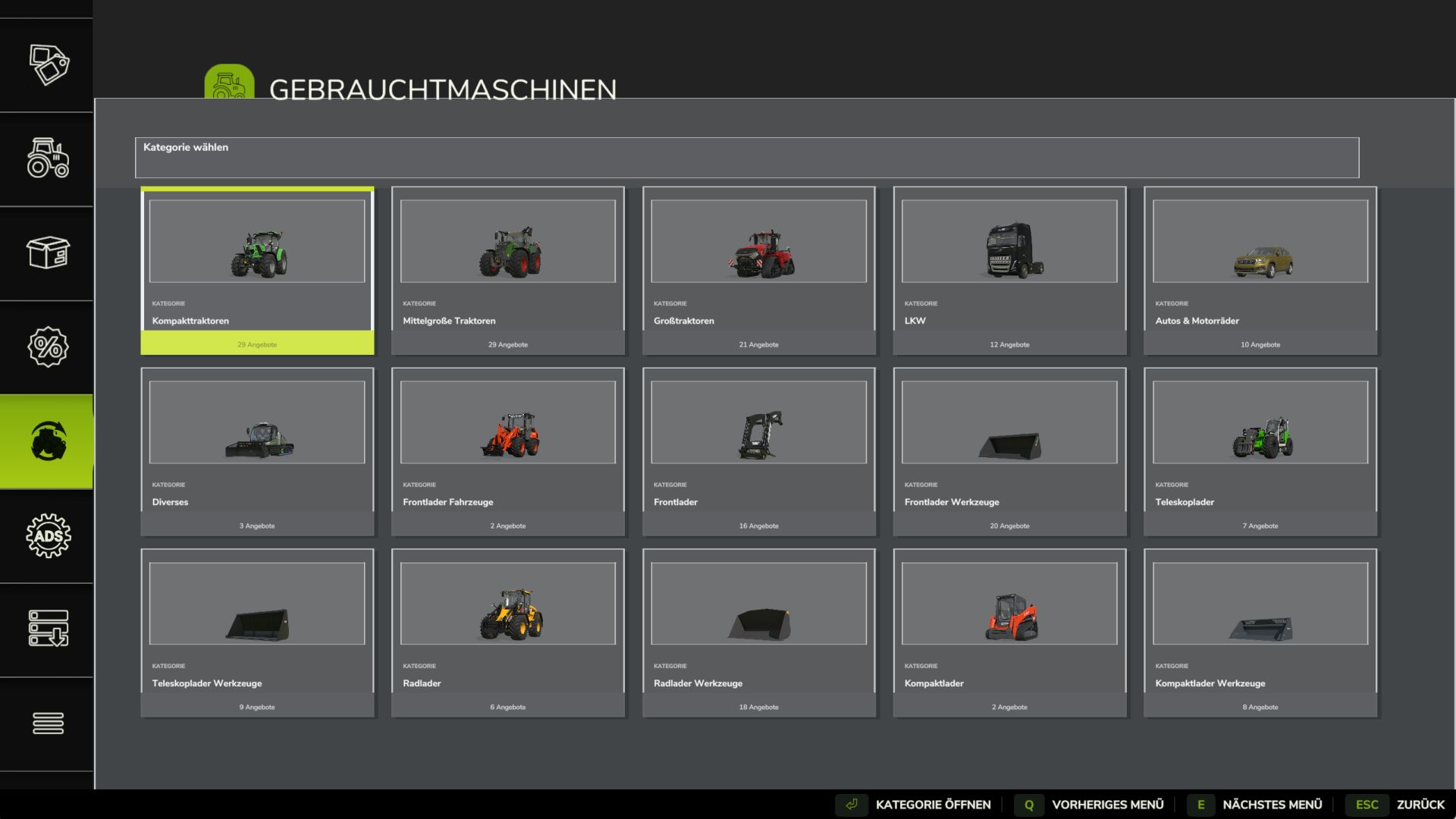
Are you tired of spending way too much money on old vehicles and machinery, seeing unrealistic used prices—only for the machine to look like it just rolled off the dealer's lot brand new? Then the Realistic Used Machinery Market is designed exactly for that. This mod adds a fully integrated used machinery market to the Farming Simulator 25 vehicle shop. Instead of simple discounts, it generates unique offers featuring realistic prices, operating hours, model years, technical conditions, visible paint wear, and fixed configurations. REALISTIC USED PRICES Real-world used market prices were researched for numerous machines and stored as standard market price ranges. The price is influenced by factors such as the model, year of manufacture, operating hours, technical condition, paint condition, and installed equipment. Researched models stay within realistic price brackets. 143 RESEARCHED MARKET ENTRIES The current version includes 143 researched market entries, covering tractors, combine harvesters, forage harvesters, harvesters, trailers, tillage equipment, seeders, mowers, balers, and crop protection equipment. GIANTS machines and mods without specific market entries can also appear automatically. Their used value is calculated based on the original shop price, machine type, operating hours, and condition. REALISTIC OPERATING HOURS AND MODEL YEARS Each offer comes with unique operating hours. For models with recorded production years, the year of manufacture and usage history are linked, taking differences between machine types into account. After purchase, the operating hours are transferred directly to the native GIANTS value. TECHNICAL CONDITION AND PAINT WEAR Each offer has a unique technical condition. Consequently, two machines of the same model can vary in maintenance and condition, even if they are of similar age. Technical wear and paint degradation utilize native GIANTS systems. Used machines show visible signs of wear, with age also affecting the condition of the paintwork. Standard repair and repainting functions remain available. INDIVIDUAL CONFIGURATIONS Each used vehicle offer comes with a fixed, pre-existing configuration. The mod uses only those configurations actually supported by the specific GIANTS or mod vehicle. Consequently, two machines of the same model might feature different tires, engines, or other equipment. The value of these additional features is factored into the used price. THE OFFER REPRESENTS THE EXACT MACHINE YOU BUY Each listing displays the manufacturer, model, year of manufacture, operating hours, technical condition, paint condition, key features, and purchase price. Upon purchase, these specific details are applied to the acquired machine. The listing is then replaced by a new one, potentially featuring a different year, condition, configuration, and price. DEDICATED USED MACHINERY PAGE The mod adds a dedicated "Used Machinery" page to the standard GIANTS vehicle shop. Listings are clearly organized according to existing shop categories. The standard shop for new machinery remains fully intact. Only purchases made via the used machinery page utilize the individual used prices and condition settings. AUTOMATIC MOD SUPPORT The mod automatically detects available purchasable vehicles, self-propelled units, implements, and trailers. This allows many additional vehicle and equipment mods to appear in the used market without requiring specific adjustments. MULTIPLAYER AND DEDICATED SERVERS Multiplayer and dedicated server support is included. The server manages prices, operating hours, condition, year of manufacture, equipment, and listings, synchronizing this data across all players. This ensures all players see the same market; if a machine is purchased, the listing is updated for everyone. GREATER REALISM WHEN BUYING MACHINERY A used machine is not simply a "discounted new vehicle"; it has its own history—including operating hours, visible wear, a specific technical condition, and existing equipment. It is therefore well worth comparing the price, operating hours, condition, and equipment of various used machine offers.
- 15 per page
- 30 per page
- 45 per page
- 60 per page
-
See more per page
Bigger pages, fewer clicks - and no ads anywhere.
Go Pro