Farming Simulator 25 mods
79,502 results- 15 per page
- 30 per page
- 45 per page
- 60 per page
-
See more per page
Bigger pages, fewer clicks - and no ads anywhere.
Go Pro
Case IH JXU Serie
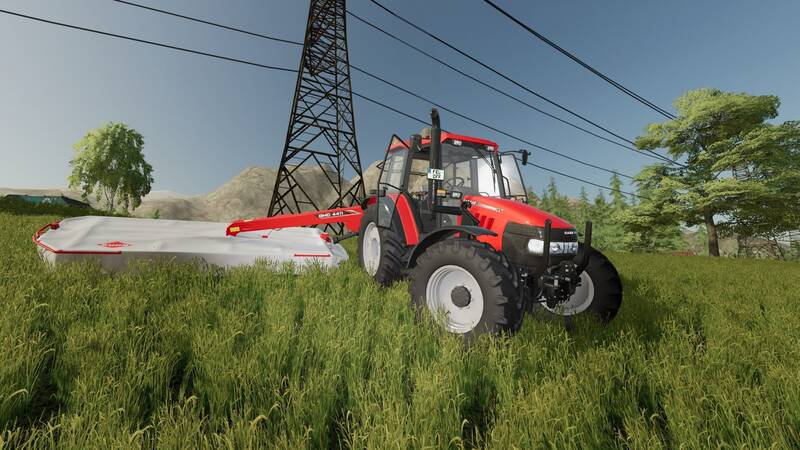
Die Case IH JXU Serie als vielseitiger Traktor für deinen Hof.Konfigurationen: Motorkonfigurationen: 85, 95 und 95 PS mit Chip-Tuning Preis: 66.990 € Mausgesteuerte Türen Einzigartige Analog-Anzeige Frontlader-Konfiguration Reifenkonfigurationen: Standard, Standard mit Gewichten, Breit, Breit mit Gewichten, Schmal Frontkonfiguration: Gewicht, Frontkraftheber, Ohne Gewicht Unterschiedliche PS-Bezeichnungen

New Holland T7 Serie Tier 4A
Preis: 152.000 $Leistung: 218–310 PSFarbwahl für DesignelementeVerschiedene ReifenkonfigurationenAnimierte TürenDesignvariante T7000Neue Bauteile Preis: 152.000 $Leistung: 218–310 PS
Ostrówek K162
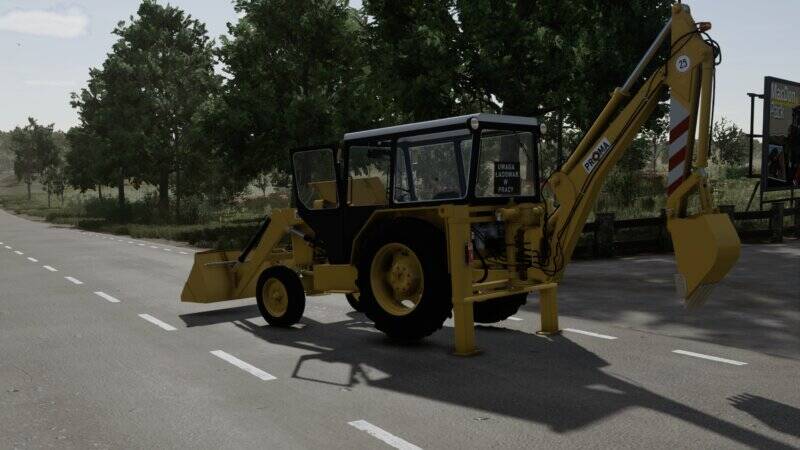
Dieser Mod bringt den Ostrówek K162 in den Farming Simulator. Es handelt sich um eine Konvertierung des LS22-Modells von Jurij Łyżka.Hinweis: Der Mod ist noch nicht vollständig ausgearbeitet. Es gibt aktuell keine Kollision, das Auskippen über die Heckschaufel funktioniert nicht und der Sitz lässt sich nicht drehen. Sounds und Konfigurationen laufen jedoch einwandfrei.Empfohlen von mafiastolec. Dieser Mod bringt den Ostrówek K162 in den Farming Simulator. Es handelt sich um eine Konvertierung des LS22-Modells von Jurij Łyżka. Hinweis: Der Mod ist noch nicht vollständig ausgearbeitet. Es gibt aktuell keine Kollision, das Auskippen über die Heckschaufel funktioniert nicht und der Sitz lässt sich nicht drehen. Sounds und Konfigurationen laufen jedoch einwandfrei. Empfohlen von mafiastolec.

New Holland TG200 V1.0
New Holland TG200 V1.0 Base price: $90.000 Power: 170 – 304hp Max speed: 40 km/h Weights configuration. Wheel configurations. Weights configurations. Fenders configurations. Seats configurations. Side monitors configurations. GPS System configurations. Exhaust configurations. Pillar Dash configurations. Windows tint configurations. Required mods: Interactive Control Author: Pederelli, STX Farms Report bugs in the comments and help modders improve this mod. Always check the comments, you can find a solution. DOWNLOAD MOD


Weather Cube FS25
Weather Cube Your Farm's Forecast at a Glance! Ever looked outside and thought, “Hmm… should I harvest today, fertilize the field, or maybe panic because it is about to rain?” The Weather Cube is here to help! 🌦️ This simple and convenient weather station provides an easy way to check current weather conditions directly from your farm. No complicated machinery, no giant meteorological tower, no expensive equipment just a mysterious cube sitting peacefully on your property, doing the important job of telling you what is happening outside. 📦✨ Place the Weather Cube wherever it is most convenient for you: near your farmhouse, workshop, equipment shed, field headquarters, or directly beside the machinery that you definitely should have put away before the rain started. 😅 Whether you're planning your next field operation, preparing for changing conditions, or simply curious about what kind of weather Farming Simulator has decided to throw at you today, the Weather Cube gives you a dedicated weather station for your farm. Features 🌦️ Displays weather information 📦 Compact cube design 🚜 Easy to place anywhere on your farm 🌱 Useful for planning your daily farming activities 🏠 Fits naturally near farmyards, workshops, and equipment areas ✨ A simple and convenient addition to any farm ❤️ Glows in the dark The Weather Cube doesn't judge your farming decisions. It doesn't lie to you and tell you there's cake. It just tells you the weather. ☔🌦️

Mining Layers – FS25 TerraFarm add-on V1.7.2
Mining Layers makes the excavated material depend on how deep you dig, instead of picking it from a dropdown. Dig down and it changes: topsoil, then gravel, then paydirt, then rock. Works on any map — no map editing, no prepared mining map needed. Just draw a TerraFarm area around your future pit and start digging. FEATURES – Material by digging depth, layer boundaries in meters below the original surface – Geology per pit — every area can have its own layer stack – Spoil piles remember what you dumped on them, so you can’t dump gravel and pick it back up as paydirt. Dig below a pile’s base and you’re back in geology – Automatic pit floor, tilted reference plane on slopes, waterline clamping – In-game menu page with a graphical layer editor and the full manual (English/German) – Mountain bonus: on steep slopes paydirt sits near the surface — hauling up the mountain gets rewarded REQUIREMENTS Requires TerraFarm by scfmod Do not rename its folder — it has to stay FS25_0_TerraFarm for load order. You also need at least one machine with a TerraFarm configuration. GOOD TO KNOW Areas that have a material assigned behave like plain TerraFarm with no layers — useful for construction sites and levelling. Path areas are never affected. No TerraFarm files are modified or shipped. PC/Mac only, since it’s a script mod. Built and tested on Yukon Valley. Bug reports and feedback are welcome on GitHub — please include your log.txt and the map you play on. A FrittePlayz project. Not affiliated with scfmod or GIANTS Software. 1. Download TerraFarm by scfmod first Keep the folder name FS25_0_TerraFarm, do not rename it (load order depends on it). 2. Download FS25_MiningLayers.zip 3. Put both ZIP files — unpacked, as they are — into your mods folder: Windows: Documents\My Games\FarmingSimulator2025\mods\ Linux (Steam/Proton): /steamapps/compatdata/2300320/pfx/drive_c/ users/steamuser/Documents/My Games/FarmingSimulator2025/mods/ 4. Start the game and enable BOTH mods in the mod selection of your savegame. 5. In game: draw a TerraFarm area (polygon) around the spot where you want your pit, leave the material fields on “Not set”, and start digging. That’s the whole setup. Settings and layers: ESC menu → Mining Layers. The full manual is in there too. Config file: modSettings/FS25_MiningLayers/miningLayers.xml

Whistle FS25
The Whistle Mod for Farming Simulator 25 introduces a quick and immersive communication tool designed to help players grab their teammates' attention during multiplayer sessions or enhance roleplay immersion. Key Features Attention-Grabbing Signal: Pressing the designated key instantly triggers a crisp whistle sound effect, serving as an effective auditory alert to signal coworkers or friends that an event, hazard, or important situation requires immediate attention. Versatile Usage: The action functions seamlessly whether the player is walking around on foot or operating heavy machinery from inside a vehicle cabin. Multiplayer Synchronization: Built with full multiplayer networking support, the mod ensures that whenever you trigger the alert, the sound is broadcast across the server so all connected players can hear it in real time. Controls and Localization Default Keybinding: Mapped to the N key (KEY_n) out of the box for quick and effortless access during fast-paced agricultural tasks. F1 Menu Integration: Fully integrated into the game's active F1 helper menu, displaying the command prompt dynamically so players always have a visual reminder of the control. Global Language Support: Outfitted with built-in localization for seven different languages—English, Hungarian, German, French, Polish, Spanish, and Russian—ensuring smooth integration into international multiplayer communities.

Mining / Pit Layers (TerraFarm Add-on) FS25
Mining Layers Final Free Version Build your own gravel pit, coal mine, or limestone quarry in FS25—experience authentic mining gameplay: what ends up in your bucket depends on how deep you dig. First topsoil, then gravel, then the seam, and finally bedrock at the bottom. Works on any map without requiring map editing. No specific area needs to be drawn. On the layers page, select the "Everywhere (no area)" target, save, and dig—the layers will then apply across the entire map. A manually drawn TerraFarm area takes precedence wherever you assign one. Areas that are disabled or manually assigned a specific material do not receive layers, ensuring construction sites and pipe trenches remain clean. The target height acts as a tool: whether it's a level surface at ground height, a berm halfway up the pit wall, or a ramp with a fixed slope, the dozer maintains that line. The mod never lowers a height level you have set yourself. An on-screen indicator tells you exactly where it intersects the bottom-most layer. DOWNLOAD AT FSMODWORKS.COM Mining Layers is free and will remain free. You need a free account and a free download key. The key costs nothing—it simply links a copy to an account, making it possible to track re-uploads. Create an account, download the zip and key files, place them in the correct folders, and start digging. New version, new key: The key verification system was overhauled in version 1.7.2.0, so keys from 1.6.x no longer work. A new key is available for free in your account. You can leave the old key file where it is; it won't cause any issues. 1.7.2.0 IS THE FINAL FREE VERSION It will remain available, stay free, and continue to function exactly as it is. There simply won't be any further free updates. The journey continues in Mining Layers V2 Director's Cut—available for members: https://fsmodworks.com/de/membership New in version 1.7.2.0: the excavator rollback prevention feature. Previously, freshly dug material would roll back if the bucket was emptied too close to the edge. Now it stays put—activating at 30 cm above ground level (excavator buckets only); this can be disabled if you prefer the old behavior. IN-GAME FEATURES - In-menu layer editor: define materials, depths, and sequence per map or per area—create your own geology in minutes - On-screen depth display: shows current layer, digging depth, target elevation (manual or automatic), and warnings - Overburden mode: as long as another layer lies beneath the current one, the excavator digs the material of your choice; the seam and pit floor remain authentic - Layer lock: one pass, one material. The lock targets a point 5 cm below the boundary to prevent the bucket from switching materials mid-pass - Piles with memory: dumped material retains its original type—no "gravel-to-paydirt" exploits - Water protection: prevents digging below the water line unless you manually set the elevation - Startup report with real map data: total/occupied soil slots and channel width. Full slots are the reason why a material might be diggable and sellable but cannot be dumped back onto the ground - Eight languages (EN, DE, FR, PL, IT, PT, BR, ES) with an in-game manual - 29-minute video tutorial with subtitles in seven languages REQUIREMENTS TerraFarm by scfmod (available only on GitHub; the folder must be named `FS25_0_TerraFarm`) and at least one machine with a TerraFarm configuration. PC/Mac only (script mod). Tip for clean extraction: make each layer at least 1.5 m thick. The editor enforces a 1 m clearance above and 1.5 m below—though with large machines like the PC 8000, digging is noticeably better at 2 m per pass. A FrittePlayz project. 1.7.2.0 (10.09.2026) - Excavator rollback prevention: freshly dug soil no longer falls back when the bucket is emptied too close to the edge. From 30 cm above the ground, excavator buckets only, can be disabled. - Key check reworked. A Download Key from 1.6.x no longer works with this version — a new one is available free of charge in your account at fsmodworks.com. The old key file may remain in place. - Quality fixes from the review round on September 8. - Final version of the free Mining Layers. It will remain available and free, but there will be no more free updates. Development continues with Mining Layers V2 Director's Cut, for members. 1.6.5.0 (31.08.2026) - Spanish, complete: all 177 entries. The in-game manual, layer editor and every message are in Spanish. This brings the mod to eight languages. 1.6.4.0 (28.08.2026) - The Download Key is required. Mining Layers remains free — the key is available free of charge with an account at fsmodworks.com: place the .xml in the mods folder and restart. Without a valid key, the mod remains inactive and reports this in the log. 1.6.3.0 (26.08.2026) - Layer lock fixed: a bucket no longer changes material at the layer boundary. The lock now targets 5 cm below the boundary — one pass, one material, and the next pass reliably takes the next layer. - Overburden mode no longer digs the ore seam as overburden. - Both mode switches are now permanently visible. 1.6.1.0 (25.08.2026) - Overburden mode: as long as another layer remains below a layer, it is dug as the material of your choice. The ore seam and pit floor remain genuine. - Material names in the elevation display now use their material color. - The sponsor sign at the pit edge has been removed, suggested by TacticalOreo (RGC). 1.6.0.0 (16.08.2026) - Layers without a drawn area: set the target to “Everywhere”, save, and dig. Previously, a TerraFarm polygon first had to be drawn and assigned to the machine — the most common reason people thought the mod did not work. - The target elevation is yours again: the flat, berm or ramp stays in place; the mod no longer lowers the elevation automatically. - Slot diagnostics with the map’s actual figures: how many terrain slots it has, how many are occupied, and how wide its channel is. - Portuguese and Brazilian Portuguese. - Fix for the freeze when the bucket is deep in the ground. The patch versions in between (1.6.2.x, 1.6.3.x) are listed in full in the mod’s CHANGELOG.md. IMPORTANT FIX: 1.4.3.0 and 1.5.0.0 could freeze the game when the shovel was deep in the ground or working against a steep wall (one Lua error per frame, log +10,000 lines/s). Also affected players who had not changed anything. Fixed. If you stay on an older version: set freeDumpHeight="false" in the miningLayers.xml. New: Layers with no area drawn: Target "Anywhere (without area)" on the Layers page — so far the most common reason people thought the mod didn't work Target height becomes a tool: a height you set will no longer be automatically pulled down (levelling, berms, ramps). Without a height of its own, there is automatically a pit floor beneath the deepest layer Target height in the display: value, origin (set by you / automatic) and warning if it cuts off the bottom layer Portuguese and Brazilian Portuguese (thanks to Alicopower) — now seven languages Starting report with the real numbers of your card: total soil material places / occupied / channel width Rejected terrain changes are visible: the display reports when three trains in a row have not moved any volume 29 minute video tutorial at the top of each mod page Fixed: Turning off a named area no longer deletes its layers Depth display also works outside a drawn area Water protection checks every corner of an area (previously only point 1) - a pit floor below the water line heals itself during loading, intentional flooding remains possible No guessing about the shift before hitting the ground Map report is no longer truncated in the menu Various display and text errors in all seven languages Changed: Log is now completely English (game display and menu remain in your language) — logs move to GitHub and Discord, a common language helps everyone New header image, FrittePlayz logo updated

Adjustable unloading speed FS25
Adds a new configuration to the store, which allows you to change the speed of unloading equipment. The mod changes the unloading speed of equipment and tools that use dischargeNode with the emptySpeed parameter. Available options: 0.5x, 0.75x, 1x, 1.5x, 2x, 3x, 5x, 10x. Example: If the combine has a standard unloading speed of 450 l/sec, selecting 10x will result in a speed of 4500 l/sec. The setting is selected when purchasing or changing equipment in a store/workshop. Fixed compatibility with combines using a non-standard unloading configuration structure. Fixed detection on combines with additional configurations, including John Deere X9 and Claas Lexion. Improved automatic detection of unloading configurations.

TÜV/HU System V0.8.6
With the TÜV/HU System from **ScriptHub Modding**, Farming Simulator 25 gets its own vehicle inspection system. Vehicles can be inspected regularly. Among other things, the script takes the current vehicle damage and wear into account. After a successful inspection, the vehicle receives a new inspection validity period of **24 in-game months**. Features of the current beta: * **T** – Perform TÜV/HU inspection * **Y** – Display current TÜV/HU status * Inspection validity period of 24 in-game months * Inspection of vehicle damage and wear * Possible results: passed, minor defects or failed * Reinspection after a failed inspection * Vehicle-dependent inspection costs * Inspection costs are displayed in the status * Inspection data saved per vehicle * Support for standard and many mod vehicles * Basic multiplayer support available * Vehicle must be stationary for the inspection * Engine must be switched off during the inspection The current **Beta 0.8** is based on the previous stable LS25 version and continues to be tested for compatibility, savegame behavior and various vehicles. Note: The script is still in the beta phase. Errors or problems may therefore still occur. In case of problems, please include the `log.txt` file. Version 0.8.5.0 * English translation added * French translation added * German texts revised and standardized * TÜV/HU status messages available in multiple languages * Inspection messages and warnings translated * Damage, wear and reinspection texts localized * Help and control texts for **T** and **Y** translated * Separate README files for German, English and French added * Technical foundation of the stable Beta 0.8 retained * No changes to the basic TÜV/HU logic * Preparation for upcoming features in **Beta 0.9.0**

STAS Walking floor trailer FS25
Converted from fs22 I did not make any or the original 3d/mod Complete rebuild of trailer including animations of the floor Over or under cover for fillvolume Added lights Multiple color configs 3/4 axle grouped/ungrouped version 3 spread axle dutch-style Rear hitch Tensionbelts to load wood/pallets/bales Included in the mod, MaanTieBanaani dolly with some edits, from his Taillift Pack For hardcore players, you can manually load bales trough the rear doors, by letting the walkingfloor running on forward position, and unload them by opening doors and let put the floor on backward For autodrive users : Currently autodrive deliver/load setting does not support simultaneous bulk and tensionbelt configuration, if you want to use autodrive to load/deliver bulk with this trailer, tensionbelt configuration must NOT be used Trailer has max mass limit, it can be used with trailer fill limit setting for more realistic gameplay Credits: Agrartechnik Nordeifel for the base mod and model BD_Modding for the pallet box from his FS22 reworked profiliner pack MaanTieBanaani for the mudguards and dolly Added rear lights configs for trailer and dolly Various fixes Fixed steering axle issue with scania NTG from modhub Added 3 spread axle dutch-style wheel config Fixed 3d bug in chassis Fixed light error in config Added over/under cover fill volume

BDT-7 FS25
BDT-7 ✔️ Working width: 7.0 m (3.6 m) ✔️ Adjustable disc gang angle of attack: 12, 15, 18 degrees (Interactive). ✔️ Maximum speed: 12 km/h ✔️ Weight: 3,550 kg. ✔️ Required tractor power: 180 hp (80 hp). ✔️ Price: €5,500 (€3,500) ✔️ Animated folding and transport ✔️ Optimized physics and stable operation The mod recreates the real machine with detailed textures and customizable work effects. Wheel textures replaced. Brand added.

Bunning Series 200 InteractiveControl+ v1.0.2.0 FS25
Farming Simulator 22 Mods · September 11, 2026 I am releasing the Bunning Series 200 Trailer for Farming Simulator 2025. The mod includes a Bunning trailer to which I added a lot of interactive features, plenty of new configurations, a camera system, a weigh scale system, a fixed nameplate, and much more. This trailer currently has all the best and most interesting features for gameplay and realism. If anyone has any more ideas on what could be added, feel free to write in PMs or in the comments (depending on the website). Version 1.0.1.0: Fixed floating details that appeared while unloading trailers (reported by Farmerric). Update 1.0.2.0: From now on, the rear trailer chute also supports the “approach” (IC) interaction. Mod Author: ZlotowkaScammer Mod size: 15.0 MB Multiplayer: Works Languages: EN/DE/PL Specular/vmask: Included Bugs: It “rather” doesn’t have bugs ingame, but they might happen. 1 harmless warning appears in Giants Editor, so you can play without any issues. If you find anything else, let me know in the comments. Mod Includes: Giants Software model 14 configuration variants 3 color configurations Rear license plates Fixed Nameplate Wheel chocks Camera System for (DLC MB TRAC PACK) Onboard Weigh Scale System Interactive Control: Support Leg: Up/Down GPS: Yes/No Weigh Scale Monitor: Off/On 4 Supports after hitching the trailer: Yes/No Cover or Uncover the Tarp After uncovering the tarp, you can unfasten it sidebyside by clicking in IC; on the last step, you can completely remove the tarp Bunning 200 Series Configuration Options: Wheel Brand: BKT/TRELLEBORG/MICHELIN/VREDESTEIN. Wheel Configuration: Standard/Standard2/Wide/Wide2. Decals: New/Old/None. Addons: All/None/Warning Triangle/Fire Extinguisher. Speed Decals: 25/30/40/50/60 KM/H. Rear View Camera System: Yes/No. Interactive Control: Yes/No. Onboard Weigh Scale System: Yes/No. Rear Trailer Hitch: Yes/No. Cover: Yes/No. License Plate: Rear. Color Configurations: Base Color Rim Color Tarp/Cover Color Trailer Information: Bunning Series 200 > Capacity: 26.7 m³, Weight: 7.88 Tons + Most filltypes can be loaded onto it. Have a nice game! 🙂
Claas Arion 400 v 1.0.0.1
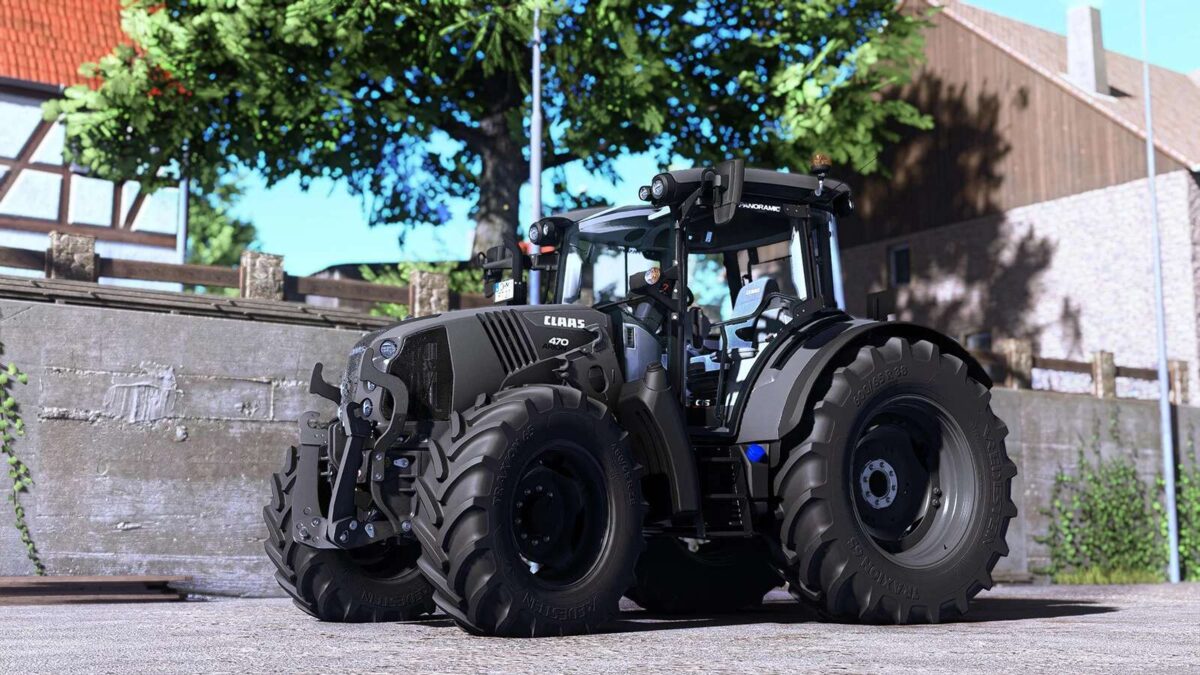
Price: $75,500 Power: 90-155 hp Top speed: 52 km/h Upgrade: Fix sounds Version 1.0.0.1: * Fixed several small bugs * Fixed sounds
- 15 per page
- 30 per page
- 45 per page
- 60 per page
-
See more per page
Bigger pages, fewer clicks - and no ads anywhere.
Go Pro