Farming Simulator 25 mods
79,502 results- 15 per page
- 30 per page
- 45 per page
- 60 per page
-
See more per page
Bigger pages, fewer clicks - and no ads anywhere.
Go Pro


UAZ-469 v1.2.0.1
UAZ-469 v1.2.0.1 Änderungen in Version 1.2.0.1: Die Beleuchtung auf dem Dach wurde repariert. Information: Leistung: 54 kW / 74 PS; Geschwindigkeit: 100 km/h; Kraftstofftankinhalt: 80 Liter; Kosten: 5.800 €; Auswahl der Karosseriefarbe; Die Farbe der Markise auswählen; Felgenfarbenauswahl; Designkonfiguration; Kennzeichenkonfiguration; Animierte Instrumente, Pedale, Schalthebel, Scheibenwischer, Federung; Funktionsfähige Beleuchtungsanlagen; Funktionsspiegel; Hinterlässt Spuren; Wird schmutzig und wird gewaschen; Der Einfluss des Alterns; Unterstützung für „Interaktive Steuerung“. Tags: Die BeleuchtungDie Farbe

PGR BRUZDA V1.4.2
V1.4.2.0 – ATTENTION!! A NEW GAME SAVE MUST BE CREATED FOR PROPER OPERATION – Fixed delayed rendering of lime and fertilizer textures – This started happening after the latest FS update V1.4.1.0 – Fixed the rabbit feeding issue – Improved the appearance and harvesting method of peanuts – Added a required download of machines intended for harvesting peanuts – Added custom plowing and cultivation animations Welcome to the new version of a Polish map in the PGR style, PGR BRUZDA, which is very well known to many players. The map has been completely rebuilt compared to the previous version of the game. The map shows: – 37 medium and large arable fields, there will also be a few smaller ones. – 54 farmlands – 3 ready farms; the first divided into plant and animal production (cows, horses, chickens), the second with a pasture for sheep, the third with pig breeding – each building on the farm can be sold individually (you can clean the farm area and design your own) – a lot of forest areas and trees in fields that you can cut down – 7 purchases – 15 production points, including: meat processing, sawmill, food production, pulp, brewery, dairy and others. – food and construction warehouse – biogas plant – custom soil map (Precision Farming) – 360 degree ground with 255 angles (very real) – stubble compaction – custom lighting – custom NPCs (tongue in cheek) – road traffic – traffic lights at intersections – pedestrian traffic – transport orders – rock removal orders – tree cutting orders – slightly increased terrain deformation – non-standard animal feeding system – autonomous pastures – Polish license plates in road traffic and on vehicles in the store and many other interesting things. On the map you will find custom crops such as: (thanks to Jinkou89 for creating and sharing some crops) – Spring and winter barley – Triticale – Spelled – Millet – Rye – Green rye – Rye with vetch – Linseed – Fodder corn – Poppy seed – Buckwheat – Chickpeas – Mustard – Onion – Beans – Lavender – Hemp – Tobacco – Miscanthus – White grapes – Hops – Lucerne – Clover – White clover – Cover crop mixture Additional types of fillings, including: – Bean straw – Flax fiber – Corn stalks – Sweet – Pickled pulp – Miscanthus chaff – Pickled Miscanthus – Pomace – Bran Machines that you can use for non-standard crops have also been added. Additionally, the possibility of storing root crops and vegetable plants in bunker silos has been added. The map is compatible with all DLC add-ons and Precission Farming. I invite you to get to know the map and I wish you many hours spent in the game to expand the famous PGR BRUZDA. The map will automatically download the modifications required for gameplay. It is prohibited to change the original download link or upload the map to other forums without permission. V1.2.2.2 – miscanthus silage loading animation fixed – added hemp bales of size 238 – added function of harvesting hemp directly into bales for the John Deere CP690 combine – the foil foil of lavender and hemp bales has been changed – miscanthus harvest quantity improved – improved piling and kneading of miscanthus chaff piles – a few minor fixes have been introduced V1.2.2.1 ATTENTION!! IT IS NOT REQUIRED TO CREATE A NEW RECORD – potato haulm fixed – sawmill efficiency increased – added possibility of selling molasses pallets

Compact Tractor V1.0
This is a edited pack by Canada FS. Have permission to share this mod. Things fixed or updated in this pack include: – Fixed 3 point hitch not working. Removed original and replace with default game top arm – Updated seating and hand position ,More natural – Lowered seat to accommodate new seating position – Added Passenger Seat – Add Interactive Control to dash and ROPS – Fixed a few warnings – Added new visuals for Hydraulics – Added electric hookup – Added hitch below pto with power for implements – Added Compact name and branding image. (Everything was called john deere before) – Added new tractor customization – Mahindra – Added Terrafarm to Front and rear bucket, as well as Box blade – The Bush Hog compatible mod! This will not be compatible with the mod from kings mods as i have changed the branding, name and many other things i have not listed. Modinstallation guide – The tractor has a design of two brands: Kubota/John Deere – Now includes Mahindra – Power: 46 Hp – Max Speed: 25Kph
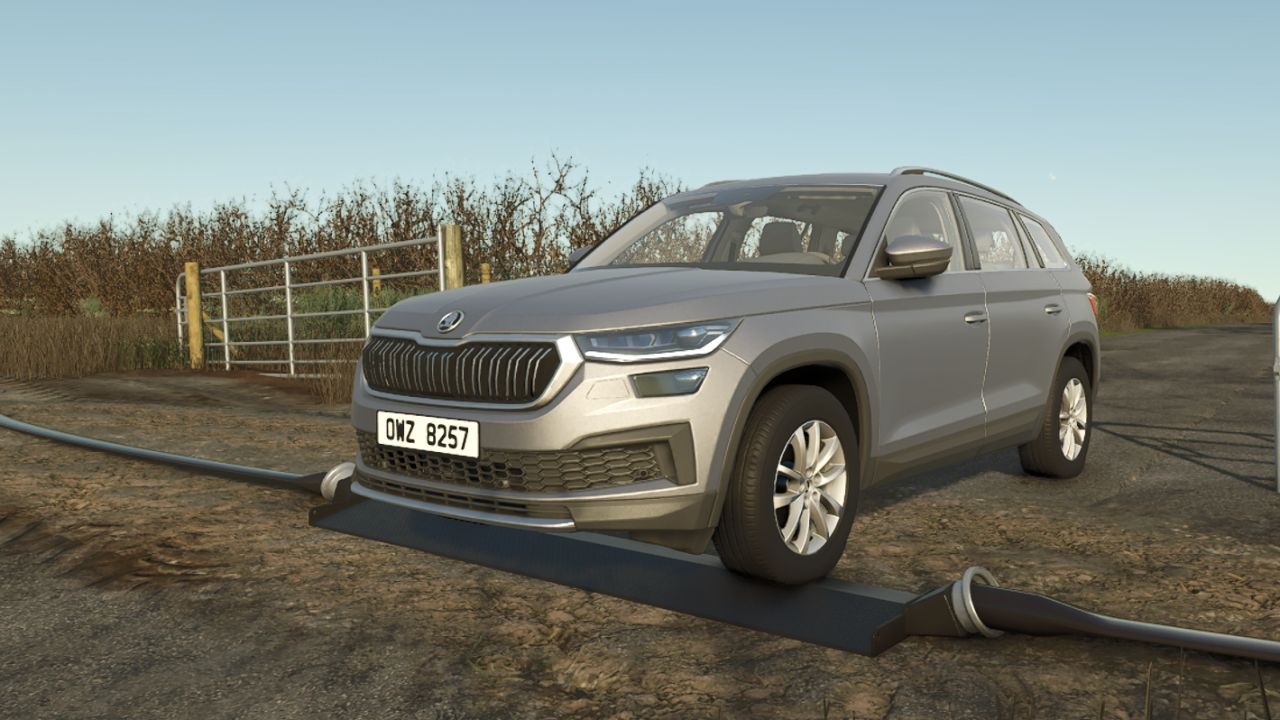
Schlammrohr-Überführungsrampe V1.0.0.0
Schlammrohr-Überführungsrampe V1.0.0.0 Überfahrtsrampe für Fahrzeuge über ein Schlammrohr.
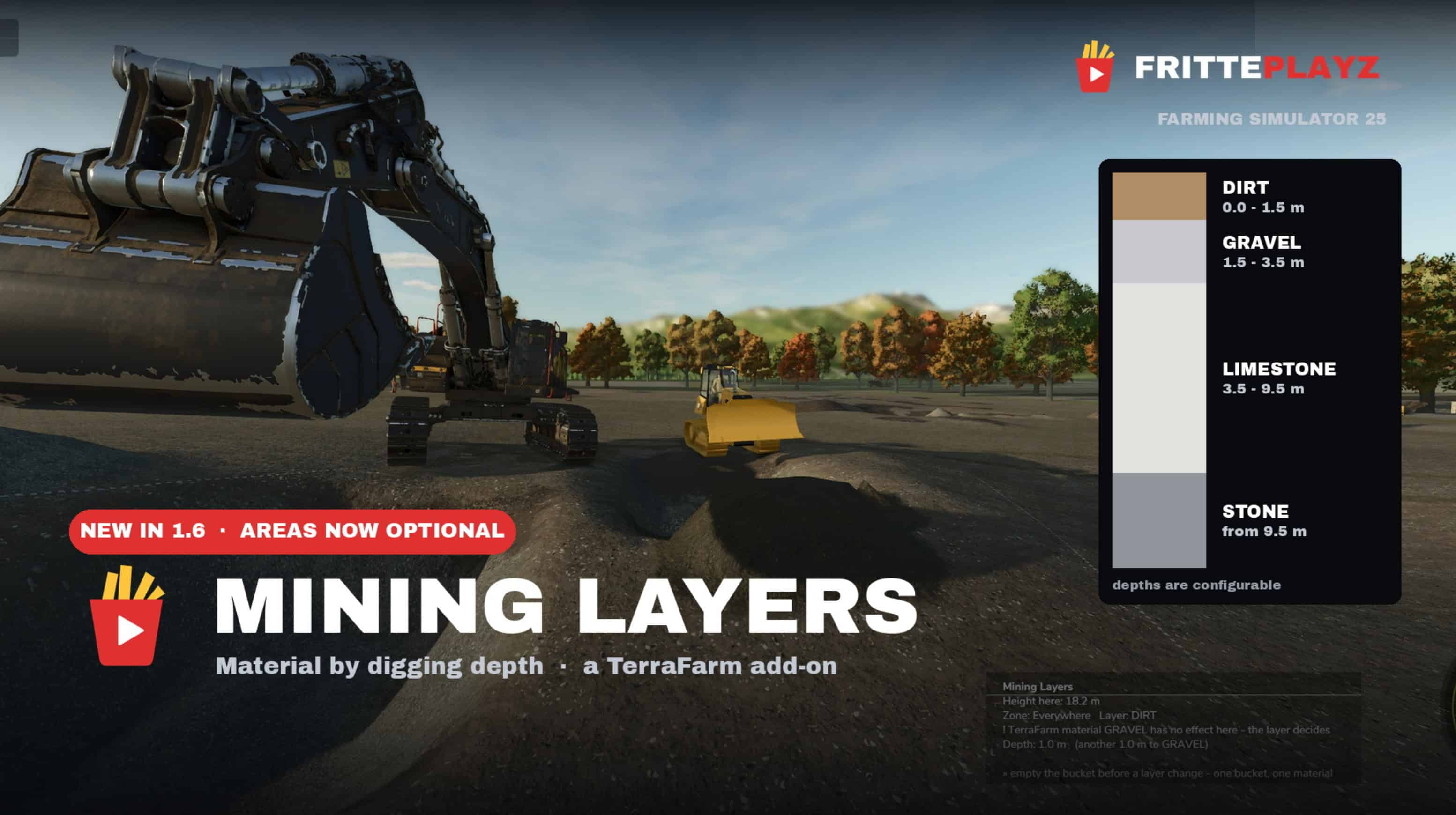
Mining Layers – TerraFarm add-on V1.7.2
Mining Layers makes the excavated material depend on how deep you dig, instead of picking it from a dropdown. Dig down and it changes: topsoil, then gravel, then paydirt, then rock. Works on any map — no map editing, no prepared mining map needed. Just draw a TerraFarm area around your future pit and start digging. FEATURES – Material by digging depth, layer boundaries in meters below the original surface – Geology per pit — every area can have its own layer stack – Spoil piles remember what you dumped on them, so you can’t dump gravel and pick it back up as paydirt. Dig below a pile’s base and you’re back in geology – Automatic pit floor, tilted reference plane on slopes, waterline clamping – In-game menu page with a graphical layer editor and the full manual (English/German) – Mountain bonus: on steep slopes paydirt sits near the surface — hauling up the mountain gets rewarded REQUIREMENTS – Requires TerraFarm by scfmod – Do not rename its folder — it has to stay FS25_0_TerraFarm for load order. You also need at least one machine with a TerraFarm configuration. GOOD TO KNOW Areas that have a material assigned behave like plain TerraFarm with no layers — useful for construction sites and levelling. Path areas are never affected. No TerraFarm files are modified or shipped. PC/Mac only, since it’s a script mod. Built and tested on Yukon Valley. Bug reports and feedback are welcome on GitHub — please include your log.txt and the map you play on. A FrittePlayz project. Not affiliated with scfmod or GIANTS Software. Install instructions 1. Download TerraFarm by scfmod first Keep the folder name FS25_0_TerraFarm, do not rename it (load order depends on it). 2. Download FS25_MiningLayers.zip 3. Put both ZIP files — unpacked, as they are — into your mods folder: Windows: DocumentsMy GamesFarmingSimulator2025mods Linux (Steam/Proton): /steamapps/compatdata/2300320/pfx/drive_c/ users/steamuser/Documents/My Games/FarmingSimulator2025/mods/ 4. Start the game and enable BOTH mods in the mod selection of your savegame. 5. In game: draw a TerraFarm area (polygon) around the spot where you want your pit, leave the material fields on “Not set”, and start digging. That’s the whole setup. Settings and layers: ESC menu → Mining Layers. The full manual is in there too. Config file: modSettings/FS25_MiningLayers/miningLayers.xml

No More Gear Shifting v1.0
Tired of FS25 automatic gear mode, dropping your speed while cruising trying to work fields? Tired of the back and forth of speed/rpms? Yeah so was I. This is a true automatic transmission, that works universally with every vehicle in a game save. No individual xml editing. Just drop it in your mods folder, and every vehicle will have D,N,R, with no gear shifting or rpm loss. Think of it like CVT. Report any bugs or issues in the comments and i can get them addressed asap. Enjoy!
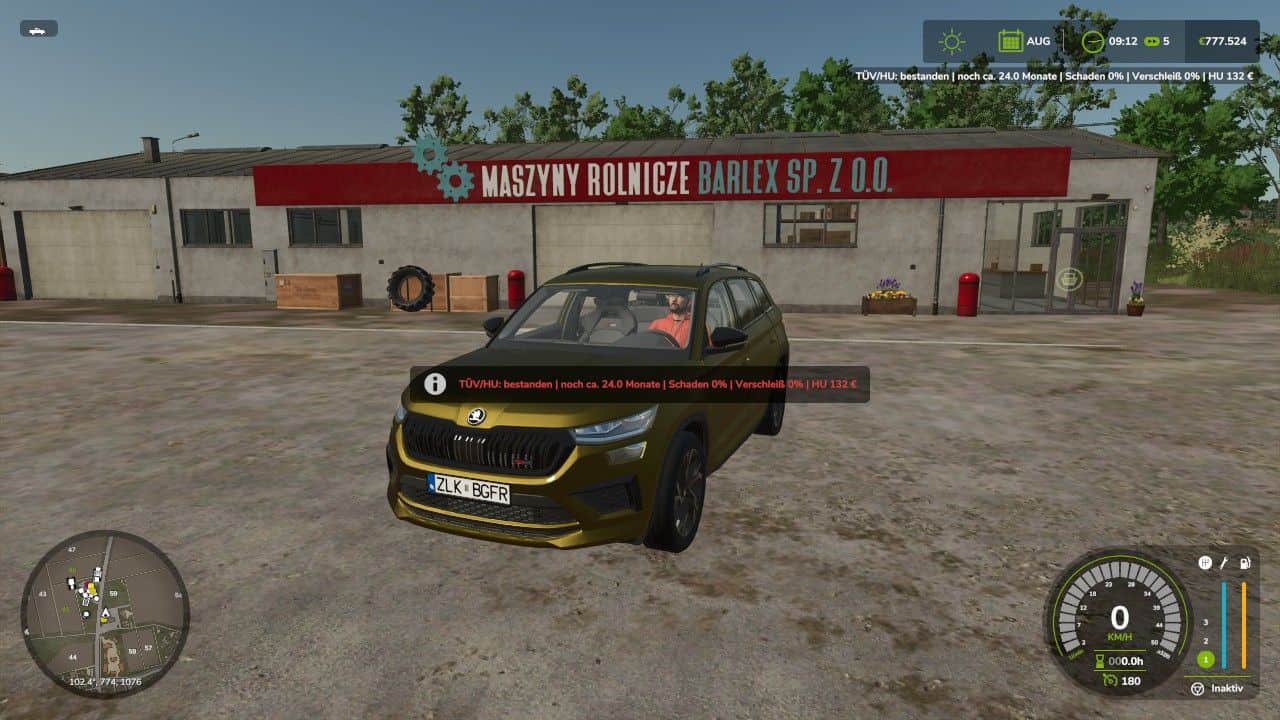
TÜV/HU System BETA 3 v0.8.6.0
With the TÜV/HU System from ScriptHub Modding, Farming Simulator 25 gets its own vehicle inspection system. Vehicles can be inspected regularly. Among other things, the script takes the current vehicle damage and wear into account. After a successful inspection, the vehicle receives a new inspection validity period of 24 in-game months. Features of the current beta: – T – Perform TÜV/HU inspection – Y – Display current TÜV/HU status – Inspection validity period of 24 in-game months – Inspection of vehicle damage and wear – Possible results: passed, minor defects or failed – Reinspection after a failed inspection – Vehicle-dependent inspection costs – Inspection costs are displayed in the status – Inspection data saved per vehicle – Support for standard and many mod vehicles – Basic multiplayer support available – Vehicle must be stationary for the inspection – Engine must be switched off during the inspection The current Beta 0.8 is based on the previous stable LS25 version and continues to be tested for compatibility, savegame behavior and various vehicles. Note: The script is still in the beta phase. Errors or problems may therefore still occur. In case of problems, please include the `log.txt` file. Planned for upcoming versions: actual TÜV inspection stations, workshop/trigger support, more warnings before the inspection expires and additional configuration options. BETA 3 Version 0.8.6.0 – Key bindings revised – Custom key bindings from the LS25 controls menu are now reliably taken into account – T and Y are now only the default bindings – Built-in T/Y keyboard fallback removed – After rebinding, the old default keys no longer trigger additionally – Reduced misleading `failed to attach specialization` messages in the log – Specialization is now additionally checked after being added – Savegame logic unchanged – Check logic unchanged – Network logic unchanged – German, English and French still included – Preparation for further features in Beta 0.9.0
Einstellbare Entladegeschwindigkeit V1.1.0.0
Einstellbare Entladegeschwindigkeit V1.1.0.0 Fügt dem Shop eine neue Konfiguration hinzu, mit der Sie die Geschwindigkeit der Entladeausrüstung ändern können. Die Modifikation ändert die Entladegeschwindigkeit von Geräten und Werkzeugen, die den dischargeNode verwenden, mit dem Parameter emptySpeed. Verfügbare Optionen: 0,5x, 0,75x, 1x, 1,5x, 2x, 3x, 5x, 10x. Beispiel: Wenn der Mähdrescher eine Standard-Entladegeschwindigkeit von 450 l/s hat, führt die Auswahl von 10x zu einer Geschwindigkeit von 4500 l/s. Die Einstellung wird beim Kauf oder Austausch von Geräten in einem Geschäft/einer Werkstatt ausgewählt. V1.1.0.0 Kompatibilität mit Mähdreschern, die eine nicht standardmäßige Entladekonfigurationsstruktur verwenden, wurde behoben. Feste Erkennung bei Mähdreschern mit zusätzlichen Konfigurationen, einschließlich John Deere X9 und Claas Lexion. Verbesserte automatische Erkennung von Entladekonfigurationen. Tags: Claas LexionDie EinstellungDie ModifikationJohn Deere X9

Adjustable unloading speed V1.1
Adds a new configuration to the store, which allows you to change the speed of unloading equipment. The mod changes the unloading speed of equipment and tools that use dischargeNode with the emptySpeed parameter. Available options: 0.5x, 0.75x, 1x, 1.5x, 2x, 3x, 5x, 10x. Example: – If the combine has a standard unloading speed of 450 l/sec, selecting 10x will result in a speed of 4500 l/sec. – The setting is selected when purchasing or changing equipment in a store/workshop. V1.1.0.0 – Fixed compatibility with combines using a non-standard unloading configuration structure. – Fixed detection on combines with additional configurations, including John Deere X9 and Claas Lexion. – Improved automatic detection of unloading configurations.
Realistisches 4×4-Traktionssystem V1.1.0.0
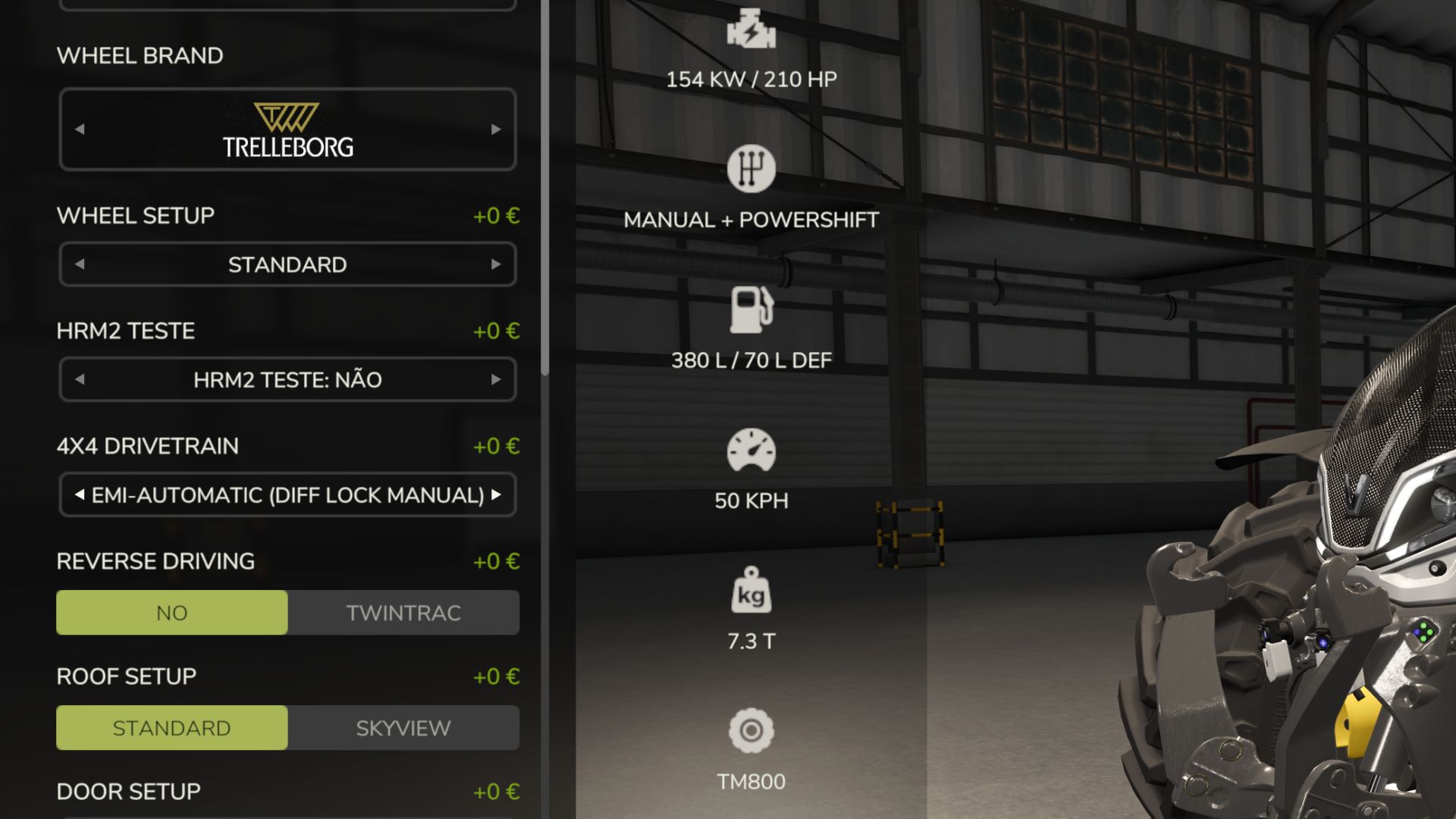
Realistisches 4×4-Traktionssystem V1.1.0.0 Übernehmen Sie die volle Kontrolle über die Traktion Ihres Traktors – schalten Sie den Allradantrieb ein, sperren Sie das Differenzial und lassen Sie das System auf tatsächlichen Radschlupf reagieren, nicht nur auf eine Tastenkombination. Diese Modifikation fügt kompatiblen Fahrzeugen (Traktoren, Lastwagen, Mähdreschern, Pkw) ein vollständig zuschaltbares 4×4-Traktionssystem hinzu: Die Vorderachse kann nach Bedarf ein- und ausgeschaltet werden, und eine Differenzialsperre kann aktiviert werden, die den Wendekreis gegen maximale Traktion in Schlamm, Schnee oder bei schweren Lasten eintauscht. Merkmale Echtzeit-Schlupferkennung der Hinterräder – die Automatikmodi reagieren auf die tatsächliche Schlupfphysik der Räder, nicht nur auf die Geschwindigkeit. Vier Fahrmodi, die jedem Fahrzeug ab Werk zugeordnet sind: Manuell – Sie haben immer die Kontrolle Halbautomatisch – schaltet sich bei tatsächlichem Schlupf ein, manuelle Übersteuerung jederzeit möglich Auto – gleiche Logik, abgestimmt auf Fahrzeuge mit werkseitig eingebautem Allradantrieb (CVT/IVT-Antriebe) Intelligent – stufenloses, proportionales Ein- und Ausschalten nach Fendt-Art (kein hartes Ein-/Ausschalten) Native Reifendrucksimulation beim Einschalten – keine Abhängigkeit von anderen Mods Bildschirm-HUD mit Live-Status, Position über das In-Game-Einstellungsmenü einstellbar Keine XML-Änderungen an den Fahrzeugen erforderlich – das System integriert sich automatisch in jedes kompatible Fahrzeug. V1.1.0.0 Der Fendt Vario Grip Smart bleibt vorerst unverändert. Weitere Details zur Funktionsweise folgen. Neue Funktionen Automatische Differenzialsperre In den Fahrmodi „Auto“ und „Smart“ schaltet sich die Mitteldifferenzialsperre bei starkem Radschlupf nun automatisch ein und aus, allerdings nur bei niedriger Geschwindigkeit (niemals auf der Straße). In den Modi „Halbautomatisch“ und „Manuell“ ist weiterhin die Tastenkombination Strg+K erforderlich. Shop-Upgrade: Halbautomatisch Automatisch Traktoren, die als „Halbautomatisch“ konfiguriert sind, bieten nun im Shop unter „Anpassen“ eine neue Option. Gegen eine Gebühr können Sie das jeweilige Gerät auf vollautomatisches Verhalten (inklusive automatischer Differenzialsperre) aufrüsten. Diese Funktion wurde hinzugefügt, da vielen Spielern der Unterschied zwischen halbautomatischen und vollautomatischen Traktoren nicht bewusst war. Die Option ist nun eindeutig gekennzeichnet. Halbautomatisch (Differenzialsperre manuell) kostenlos, Standard Automatische (automatische Differenzialsperre) kostenpflichtige Aufrüstung Bekannte Probleme Es gibt einige Dinge, die möglicherweise angepasst oder korrigiert werden müssen. Nicht alle Fahrzeuge entsprechen den tatsächlichen oder annähernd tatsächlichen Spezifikationen. Dies wurde nicht ausführlich mit anderen Mods, einschließlich Mod-Traktoren oder Wartungsskripten (mit Ausnahme meiner eigenen Wartungsmod), getestet, daher ist die Kompatibilität mit anderen Mods noch nicht vollständig bestätigt. Behebt Ausgenommen sind drei Traubenvollernter mit unabhängigen hydraulischen Radmotoren (ERO Grapeliner Serie 7000, New Holland Braud 9070L, Gregoire GL) – diese Fahrzeuge sind konstruktionsbedingt immer allradgetrieben (vier unabhängige Hydraulikmotoren, kein mechanisches Differenzial zum Umschalten), daher gilt die Modifikation nicht mehr für sie sowie für Kräne und Kettenfahrzeuge. Raupenfahrzeuge und Kettenfahrzeuge erhalten kein 4×4-System mehr. Dokumentation Der tatsächliche Unterschied zwischen den Modi „Halbautomatisch“ und „Automatisch“ wurde in den Hinweisen des HUD im Spiel, den Konfigurationskommentaren und der Readme-Datei verdeutlicht: Beide schalten den Allradantrieb automatisch basierend auf dem tatsächlichen Radschlupf ein/aus; der eigentliche Unterschied besteht darin, dass nur „Automatisch“ (und „Smart“) auch das Differenzial automatisch sperren. Kompatibilität Nur Einzelspielermodus. Keine Änderungen an der Speicherkompatibilität; bestehende Installationen können direkt aktualisiert werden. Tags: Fahrzeugen TraktorenHalbautomatisch DifferenzialsperreModi HalbautomatischNeue Funktionen
Wetterwürfel V2.6.9.9
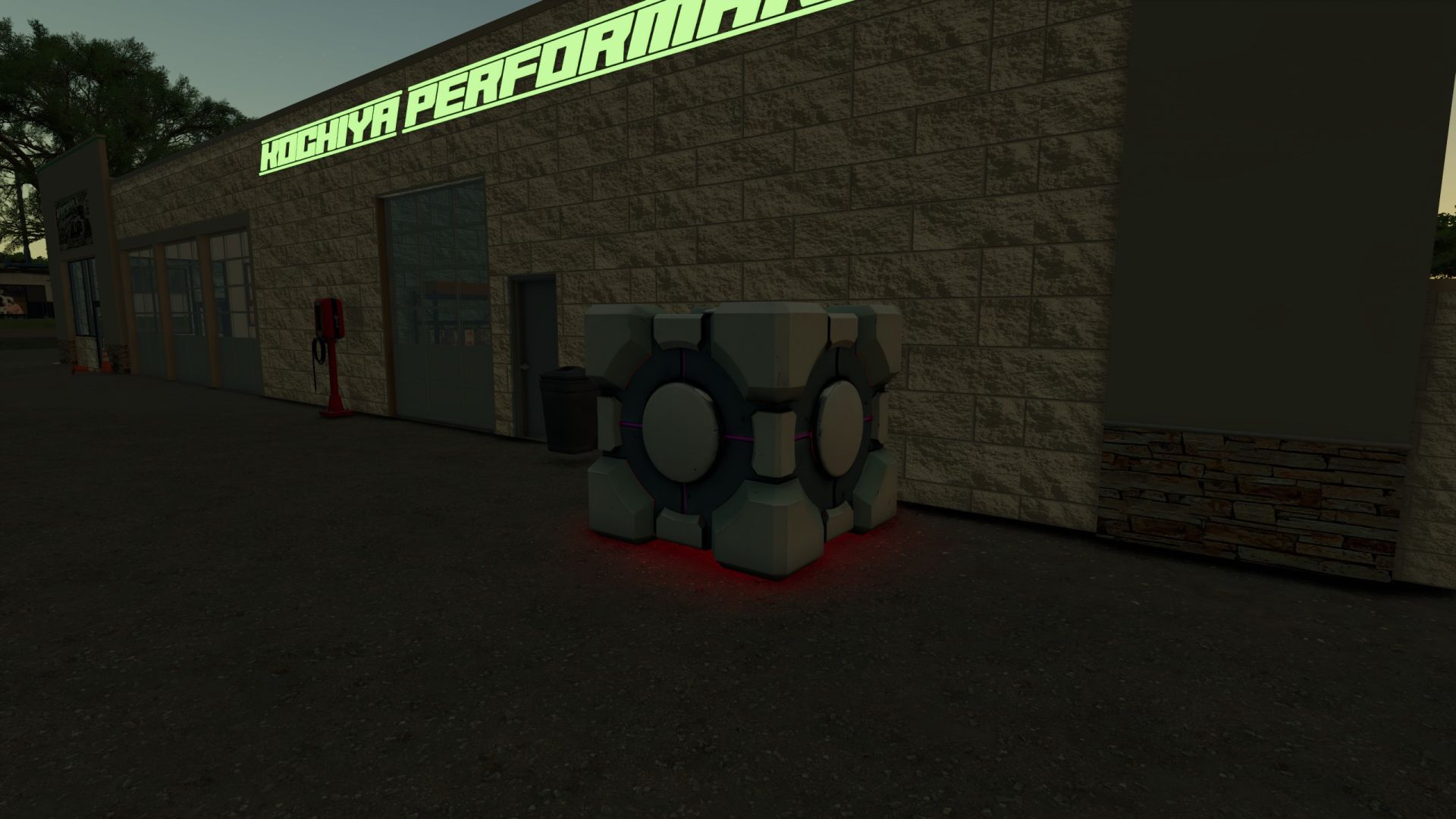
Wetterwürfel V2.6.9.9 Die Wettervorhersage für Ihren Bauernhof auf einen Blick! Haben Sie jemals aus dem Fenster geschaut und gedacht: „Hmm… soll ich heute ernten, das Feld düngen oder vielleicht in Panik geraten, weil es gleich regnen wird?“ Der Wetterwürfel ist hier, um zu helfen! Diese einfache und praktische Wetterstation ermöglicht es Ihnen, die aktuellen Wetterbedingungen direkt von Ihrem Bauernhof aus zu überprüfen. Keine komplizierten Maschinen, kein riesiger Wetterturm, keine teure Ausrüstung – nur ein unauffälliger Würfel, der friedlich auf Ihrem Grundstück steht und Ihnen zuverlässig anzeigt, was draußen vor sich geht. Platzieren Sie den Wetterwürfel dort, wo es Ihnen am besten passt: in der Nähe Ihres Bauernhauses, Ihrer Werkstatt, Ihres Geräteschuppens, Ihres Feldhauptquartiers oder direkt neben den Maschinen, die Sie unbedingt vor Beginn des Regens hätten wegräumen sollen. Egal, ob Sie Ihren nächsten Feldeinsatz planen, sich auf veränderte Bedingungen vorbereiten oder einfach nur neugierig sind, welches Wetter der Landwirtschafts-Simulator Ihnen heute präsentiert – der Wetterwürfel bietet Ihnen eine eigene Wetterstation für Ihren Bauernhof. Merkmale Zeigt Wetterinformationen an Kompaktes Würfeldesign Lässt sich überall auf Ihrem Bauernhof einfach platzieren. Nützlich für die Planung Ihrer täglichen landwirtschaftlichen Tätigkeiten Passt natürlich in die Nähe von Bauernhöfen, Werkstätten und Gerätebereichen. Eine einfache und praktische Ergänzung für jeden Bauernhof Leuchtet im Dunkeln Der Wetterwürfel verurteilt deine Entscheidungen in der Landwirtschaft nicht. Er lügt dich nicht an und erzählt dir nicht, dass es Kuchen gibt. Es zeigt Ihnen lediglich das Wetter an. Tags: Der WetterwIhrem BauernhofIhren BauernhofMaschinen
- 15 per page
- 30 per page
- 45 per page
- 60 per page
-
See more per page
Bigger pages, fewer clicks - and no ads anywhere.
Go Pro