Farming Simulator 25 mods
79,365 results- 15 per page
- 30 per page
- 45 per page
- 60 per page
-
See more per page
Bigger pages, fewer clicks - and no ads anywhere.
Go Pro
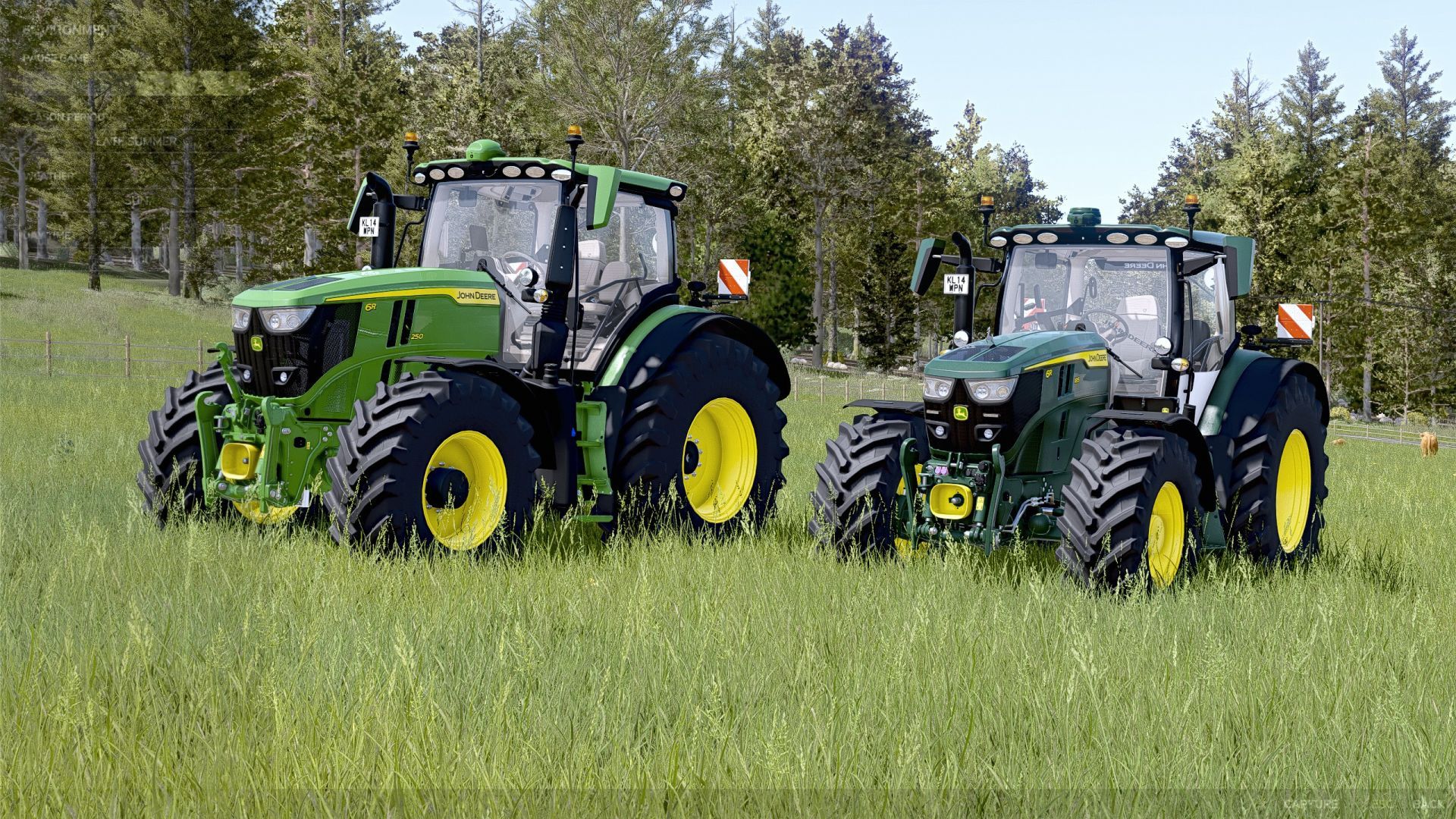
John Deere 6R Pack SLM V1.1
John Deere 6R Pack SLM V1.1 A pack containing a beautiful John Deere 6R ! John Deere 6R 2022 Price: from €268,000 Power: from 281 – 301 hp Top speed: 51 km/h Configurations: Tires Front loader console Main color Wheel color Roof Interior Seat Interactive Control Functions: Light cycle Windscreen wipers Swivel seat Hide camera Hide crop counter Right/Left turn signals Left door Rear window Steering column Hood opening Front fenders Passenger seat Lowerable front axle Side mirrors Hide Starfire lights Sunroof Cruise control GPS John Deere 6R Medium Frame Price: from €182,000 Power: from 192 – 234 hp Top speed: 51 km/h Configurations: Tires Front loader console Main color Rim color Roof Interior Etc. Interactive Control – See for yourself! It has a lot of features – try it out! V1.1.0.0 The exhaust smoke was reset to the standard values. The exhaust particles now comply with the original FS25 standard again. Author: DirtDevil99 Report bugs in the comments and help modders improve this mod. Always check the comments, you can find a solution. DOWNLOAD MOD
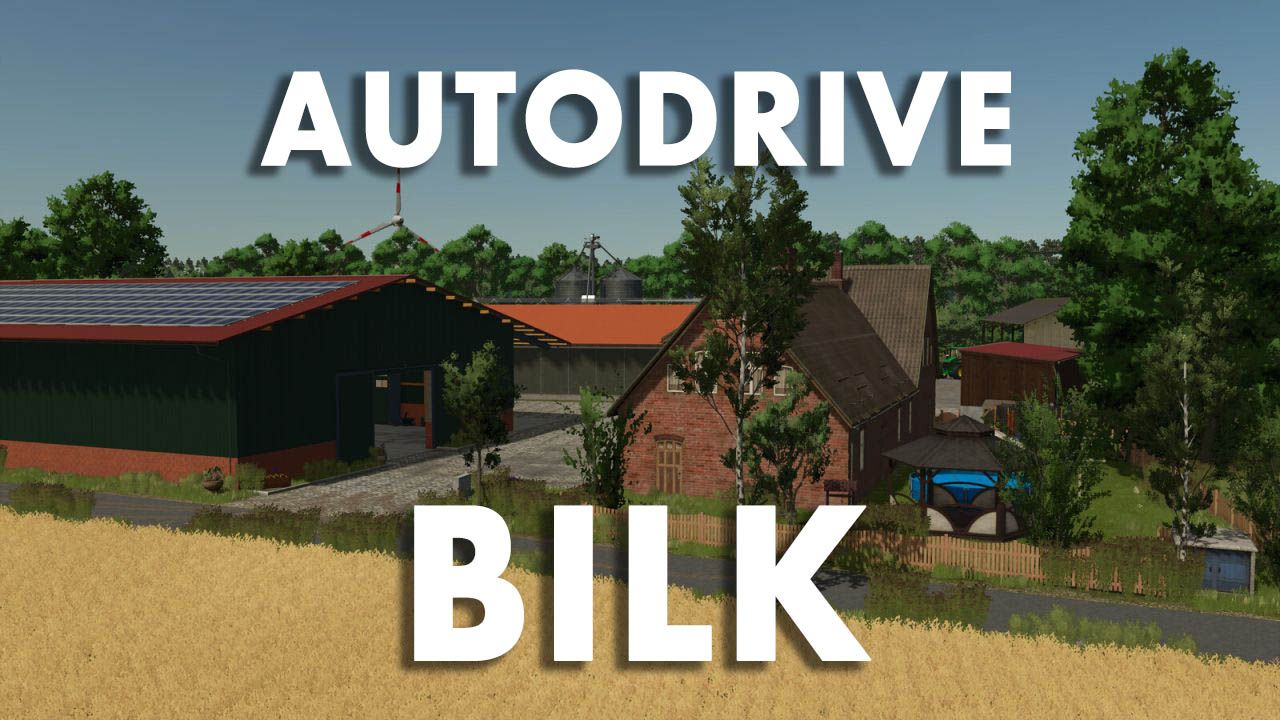
AutoDrive Bilk FS25
AutoDrive course for the "Bilk" map, completely self-driven and tested. Designed for larger tractor-trailer combinations like the Fendt 1052 + Fliegl ASW 391. Includes roads, field access points, production facilities, and points of sale. Enjoy! AutoDrive course for Bilk Good morning! Thank you for your interest in my AutoDrive course for the beautiful map "Bilk" . Having been able to use countless mods thanks to this website, it's now time to give something back. I personally drove the entire course myself and then tested it extensively. I used a Fendt 1052 tractor with a Fliegl ASW 391 as a reference vehicle . Why this particular combination? Quite simply: it's one of the tractor-trailer combinations I've used most frequently in my game and will likely use regularly on this map as well. At the same time, the size of the combination provides a good basis for creating sufficiently spacious routes even for larger machines. I can't recommend combine harvesters with dual wheels here, partly because I haven't tested that scenario. installation Copy the included .xmlfiles into the folder of the respective save game. Back up any existing AutoDrive configuration beforehand, just to be safe. Replace existing files if necessary. Start the game and drive off. The corresponding save game folder is usually located at: Dokumente\My Games\FarmingSimulator2025\savegameXX When creating a new game save, the automatic course creation feature of AutoDrive should not be used if this course is subsequently to be imported. Information on the route network When creating the course, I tried to keep as many different vehicle combinations in mind as possible. However, since my reference vehicle combination is relatively large, long, and wide, there are a few special considerations: Vehicle size and curves Some curves and field entrances are designed for my aforementioned vehicle combination and are therefore driven in with a correspondingly generous amount of clearance. With significantly smaller vehicles – for example, a compact tractor with a small cultivator – AutoDrive may take an unnecessarily large line. This is intentional and, conversely, ensures that larger vehicles can also navigate the route with minimal problems. Field entrances and field work I created the course the way I play myself: I let AutoDrive bring my vehicle combination to the respective field entrance, take over there myself, work the field and then reactivate AutoDrive on the road. Some field entrances are therefore designed as one-way streets . Therefore, my recommendation is: After working in the fields, drive back onto the road and only activate AutoDrive there. Sometimes the system gets a little confused, causing AutoDrive to pick the wrong waypoint. Try enabling developer mode and have a look around. Narrow field entrances Some field entrances on the Bilk are quite narrow. For larger vehicles, I've therefore sometimes set the target points so that the vehicle comes to a stop sideways or across the field. This is not a bug, but is intended to prevent AutoDrive from attempting to drive with a large trailer into areas where there simply isn't enough space. Several access roads to a field Many fields have two or even more possible access points. In most cases, I limited myself to what I considered the most conveniently located entrance. However, for some larger fields or special local conditions, I included additional access points. Some of these routes lead through forests or along smaller side roads. I found some of these access routes simply too beautiful or interesting not to include in the route network. Sales outlets and production facilities Space is also very limited at some retail outlets and production facilities. Where a safe automatic entry and exit with my reference vehicle combination was not practically possible, I therefore simply set a target point in front of or on the respective site. In some cases, the site must be exited in reverse after unloading. A biomass power plant is one example of this . With a smaller tractor-trailer combination – for example, a John Deere 6820 with a Kröger trailer of approximately 29 m³ – forward travel should be possible in some sections. However, I haven't created a separate course for smaller combinations. Course test After completion, I drove the route network again in detail. In doing so, I deliberately chose some rather unusual routes or routes that make little sense in normal gameplay, in order to test as many combinations of track sections as possible. The goal was, in particular, to find the following errors: unconnected points on the route incorrectly set directions of travel problematic intersections Collisions unfavorable curves Unattainable goals other errors in the route network As things stand, the network should be fully functional. Most traffic signs and similar objects on the map do not have collision detection. Therefore, I largely ignored them when entering the map and navigated the route accordingly. Should you nevertheless discover collisions, unconnected points, incorrect directions, problematic destinations or other errors , I would appreciate a constructive comment with the most precise possible indication of the affected area.
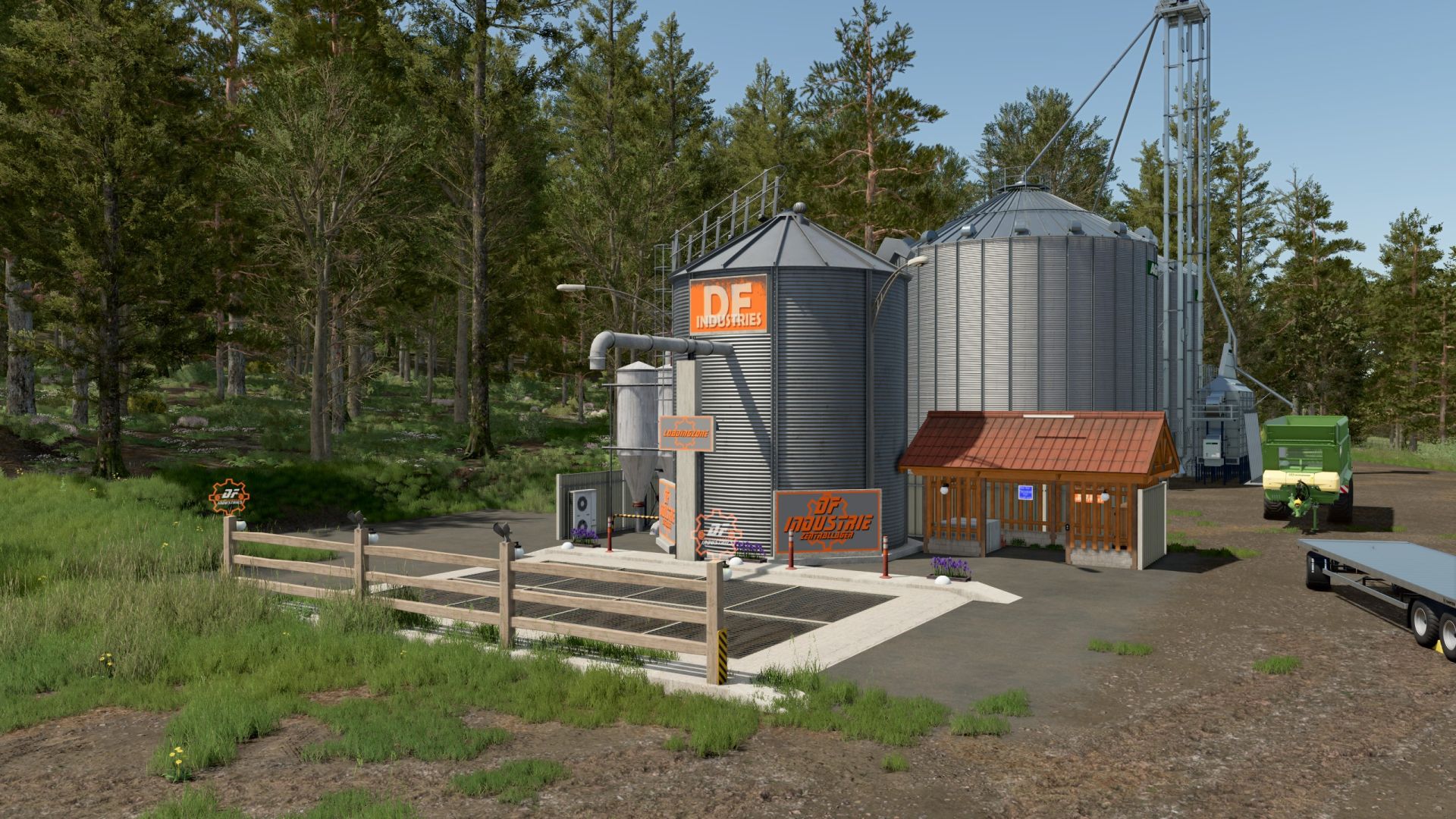
DF Industrie Central Warehouse (with clothing trigger) v1.1
DF Industrie Central Warehouse (with clothing trigger) v1.1 After countless hours of work in the GIANTS Editor and various XML adjustments, I present to you my personal masterpiece: The DF Industrial Central Warehouse. This project arose from the desire to completely gut a visually unappealing silo from the game, remove old data clutter, and rebuild it as a modern, clean farm center. The centerpiece of the mod is the completely reworked industrial silo with elegant corrugated metal textures, a drive-on ramp with a large unloading grid and the unmissable “DF Industries” logo, which is beautifully illuminated at night. The mod runs flawlessly and includes a practical convenience feature: A specially defined trigger combination in the modDesc allows you to change your outfits directly on the area via an integrated wardrobe function! Features at a glance: Multifunctional farm silo: For all standard fruits and products. Incredible volume: A gigantic 800,000,000-liter capacity for extremely large operations. High-speed loading station: Extremely accelerated loading at up to 4,000 L/s. Integrated clothing trigger: Change outfits directly on site without additional buildings. High-end night lighting: Fully illuminated ramp, floor spotlights and illuminated company logos for an exceptional atmosphere during night shifts. Completely clean: Faulty textures and all old data clutter have been completely removed. The mod has been thoroughly tested, loads without errors, and the Log.txt is 100% clean (TestRunner approved). Changelog (Version history) Version 1.0.0.0 (Internal Release) First basic version of the silo with a new ramp and revised corrugated metal textures. Integration of the decorative wooden cabin and the night lighting. Version 1.1.0.0 (Current Release Version) – The Masterpiece A critical XML error in modDesc.xml has been completely fixed. Unloading now works perfectly! Clothing trigger (wardrobe) successfully integrated, tested in-game and equipped with error-free physics flags. Added full German, English and French translations for the shop category. Store and icon images completely recreated in high resolution and optimized for the LS25 shop. Faulty textures and all old data clutter have been completely removed from the mod files. The mod is 100% log error-free! Author: SG_MODS Report bugs in the comments and help modders improve this mod. Always check the comments, you can find a solution. DOWNLOAD MOD
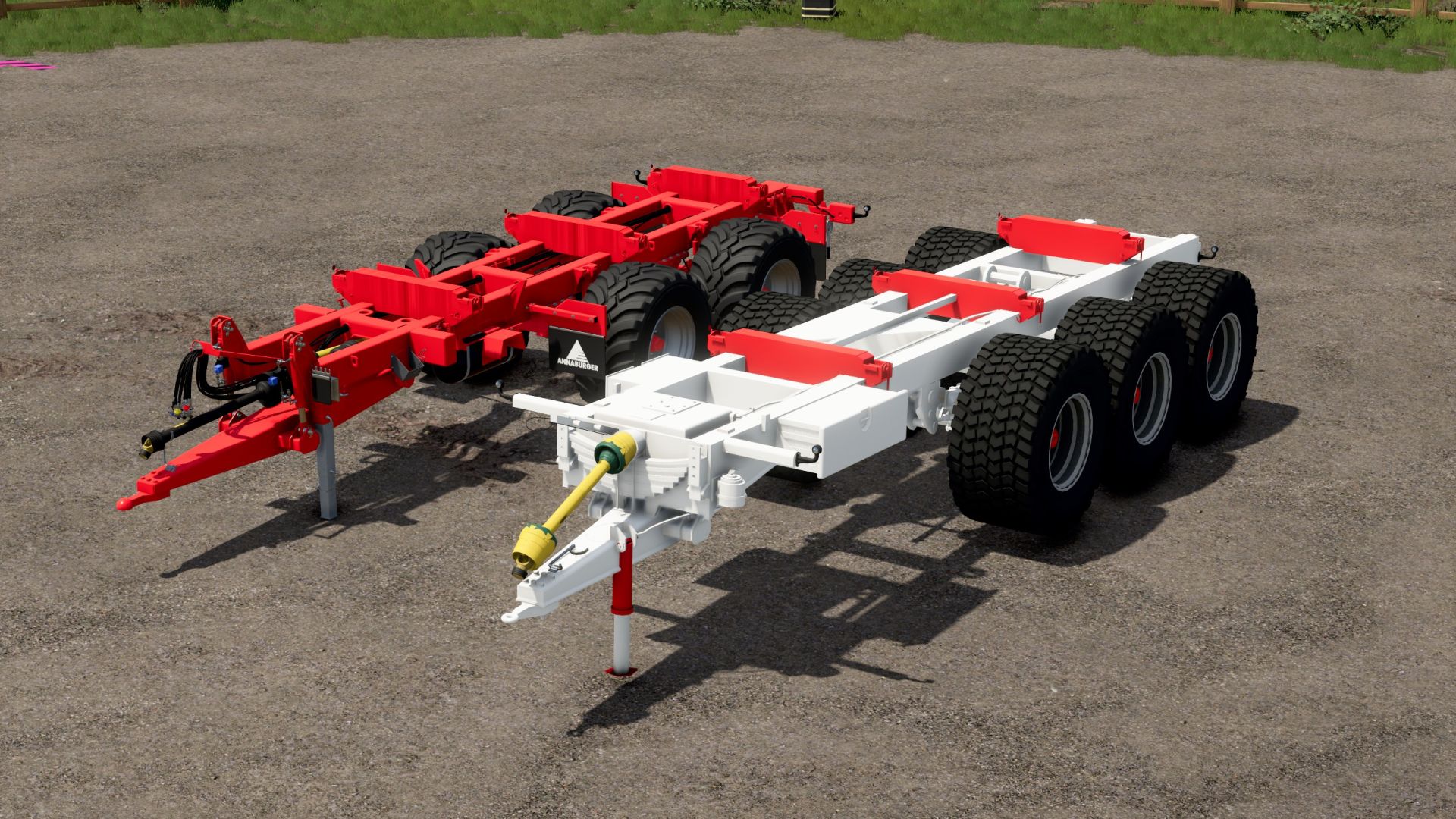
SM Holmer Trailer FS25
SM HOLMER — Trailers for Interchangeable Modules: Set of two- and three-axle trailers for use with HOLMER GB 25 and MB 35 modules with a tractor. The set includes: - Two-axle trailer — €16,000. - Three-axle trailer — €24,000. Features: - Choice of coupling type on the three-axle trailer for connecting to various implements. - Steering axles for improved maneuverability. - Height-adjustable drawbar. - Option to change the color. Available in the shop in the category for implements with interchangeable bodies.
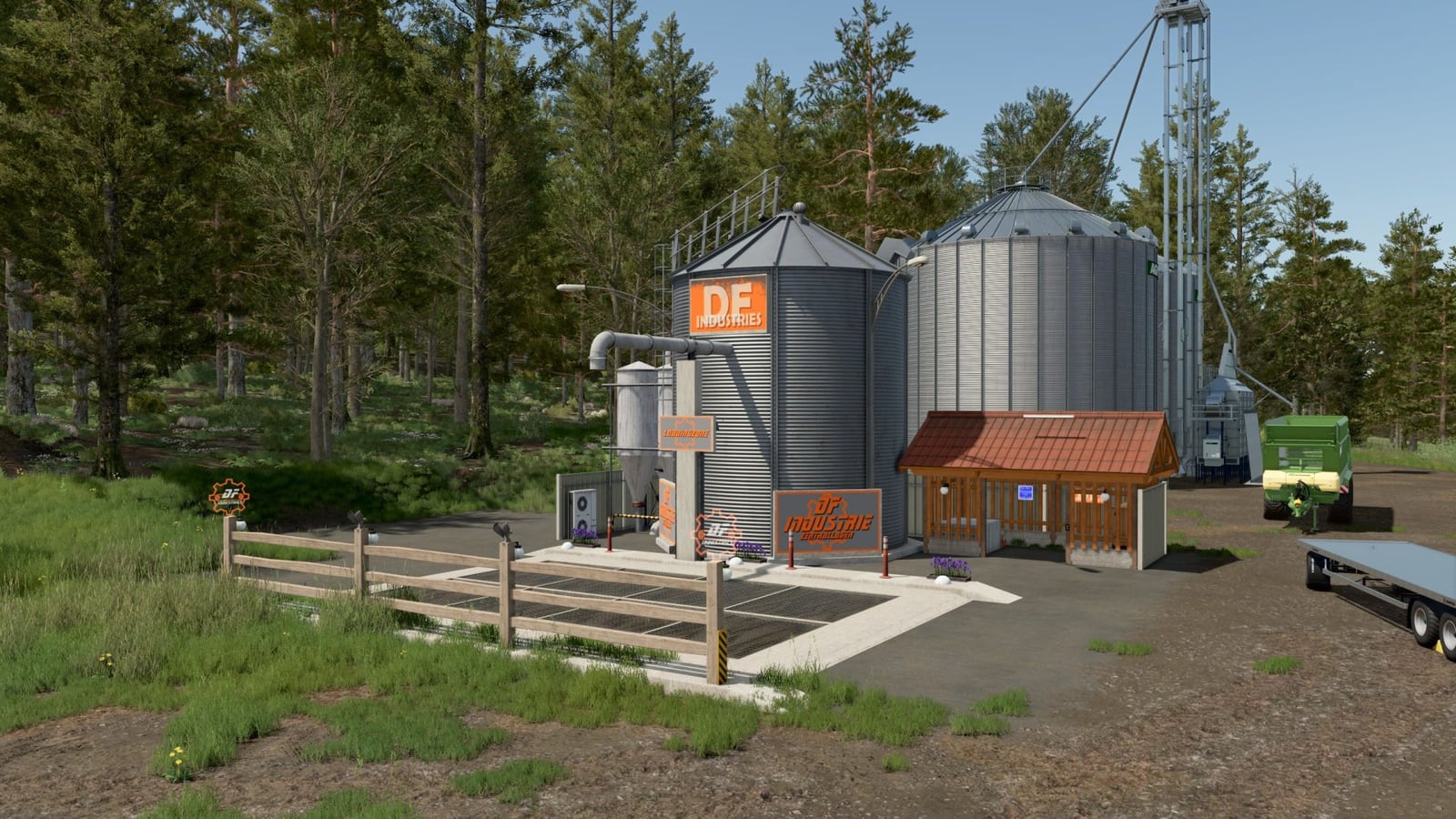
DF Industrie Central Warehouse v1.1.0.0 – with clothing trigger V1.0.0.0
The DF Industrial Central Warehouse is a rebuilt farm center with a multifunctional silo, an integrated clothing trigger, a drive-on ramp with a large unloading grid, and night lighting. The mod has been thoroughly tested, loads without errors, and the Log.txt is 100% clean (TestRunner approved). Features Multifunctional farm silo for all standard fruits and products. Integrated clothing trigger for changing outfits directly on site without additional buildings. Drive-on ramp with a large unloading grid. Corrugated metal textures and an illuminated “DF Industries” logo. Fully illuminated ramp, floor spotlights, and illuminated company logos for night shifts. Faulty textures and all old data clutter have been completely removed. Specifications Capacity: 800,000,000 liters Loading speed: up to 4,000 L/s Changelog Version 1.0.0.0 (Internal Release) First basic version of the silo with a new ramp and revised corrugated metal textures. Integration of the decorative wooden cabin and the night lighting. Version 1.1.0.0 (Current Release Version) A critical XML error in modDesc.xml has been completely fixed. Unloading now works perfectly. Clothing trigger (wardrobe) successfully integrated, tested in-game and equipped with error-free physics flags. Added full German, English and French translations for the shop category. Store and icon images completely recreated in high resolution and optimized for the LS25 shop. Faulty textures and all old data clutter have been completely removed from the mod files. The mod is 100% log error-free.
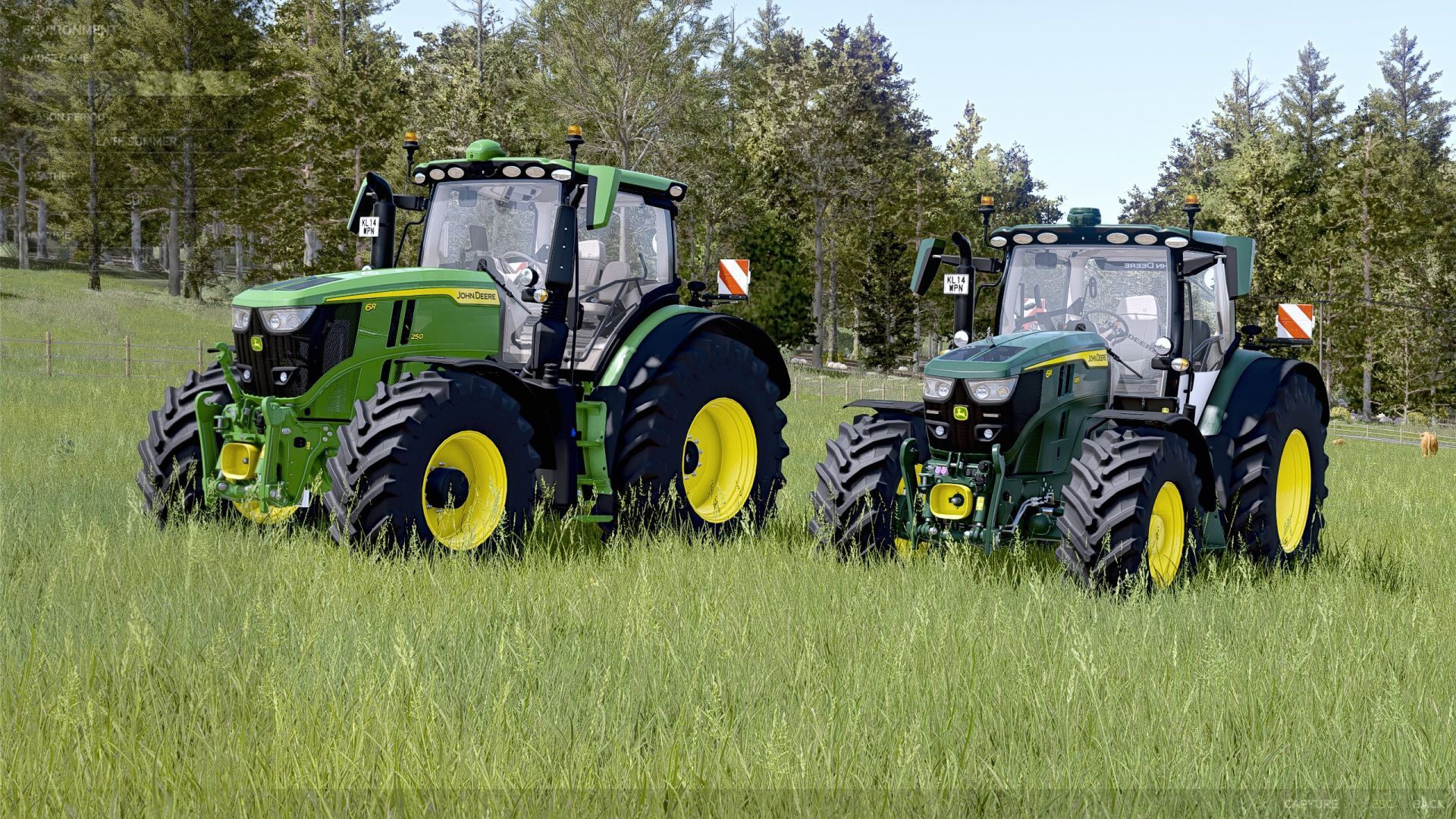
John Deere 6R Pack SLM FS25
A pack containing a beautiful John Deere 6R ! John Deere 6R 2022 Base: Price: from €268,000 Power: from 281 - 301 hp Top speed: 51 km/h Configurations: Tires Front loader console Main color Wheel color Roof Interior Seat Interactive Control Functions: Light cycle Windscreen wipers Swivel seat Hide camera Hide crop counter Right/Left turn signals Left door Rear window Steering column Hood opening Front fenders Passenger seat Lowerable front axle Side mirrors Hide Starfire lights Sunroof Cruise control GPS John Deere 6R Medium Frame Base: Price: from €182,000 Power: from 192 - 234 hp Top speed: 51 km/h Configurations: Tires Front loader console Main color Rim color Roof Interior Etc. Interactive Control - See for yourself! It has a lot of features - try it out! The exhaust smoke was reset to the standard values. The exhaust particles now comply with the original FS25 standard again. The John Deere 6R Pack has since been extensively revised and is now largely free of errors. Since the issues in question did not occur during my own tests, I was initially unable to understand what was causing them. It was only after receiving a screenshot that I was able to specifically identify the problems and make the necessary adjustments. So, if you find anything else, please let me know so it can be fixed. The John Deere 6R Pack has now been completely revised and is error-free. All vehicles and their implements work correctly. The in-game log is completely clean and contains no errors, warnings or other relevant error messages. 1.6.0.0 🚜 John Deere 6R Pack – The long-awaited update is finally here! 🌟 After a long wait, it is finally here – the long-awaited update for the John Deere 6R Pack is available! 🎉 In addition to several bug fixes, new features have been added and the stickers have been redesigned. 🟢 John Deere 6R Extra Large 🌌 Starry sky added 🛠️ Bugs fixed 🎨 Stickers rearranged 🟢 John Deere 6R Large 🚜 RDA added 🛠️ Bugs fixed 🎨 Stickers rearranged Have fun with the update and always drive safely! 💚 Thank you very much for your support and patience! 🙌 🌌 Starry sky – John Deere 6R Large Unfortunately, the starry sky effect is not yet available for the John Deere 6R Large version, as all slots are currently occupied. As soon as a suitable solution for the slot allocation has been found, the starry sky will of course also be added to the Large version. ⭐ We are working on it and hope to make the feature available to you as soon as possible! 💚:fan: 🟢 John Deere 6R Small – Temporarily removed The John Deere 6R Small has been temporarily removed from the pack with this update. We decided to completely rebuild and revise the Small model so that it looks even better and runs more smoothly. 🛠️💚 We would rather take a little more time so that we can then present you with an improved version. The Small will of course return as soon as it is finished! 🚜✨ Thank you very much for your understanding and patience! 🙌 Version 1.0.0.5 John Deere 6r Extra Large disc sticker config revised Vehicles dirt added Version 1.0.0.4 Sticker fixed Version 1.0.0.3 Newly added John Deere 6r Small 110-150 (thanks to Hackerek for the release) Roller blinds improved Bug fixed PLEASE ACTIVATE THE DYNAMIC CAMERA, WITHOUT IT THE INTERIOR VIEW WILL NOT WORK Version 1.0.0.2 Bug fixed Rear roller blind animated Cab pulled through the blender again New IC functions Lights on roof config (185) Roller Blinds Front Added (Both)6R 250 front and rear
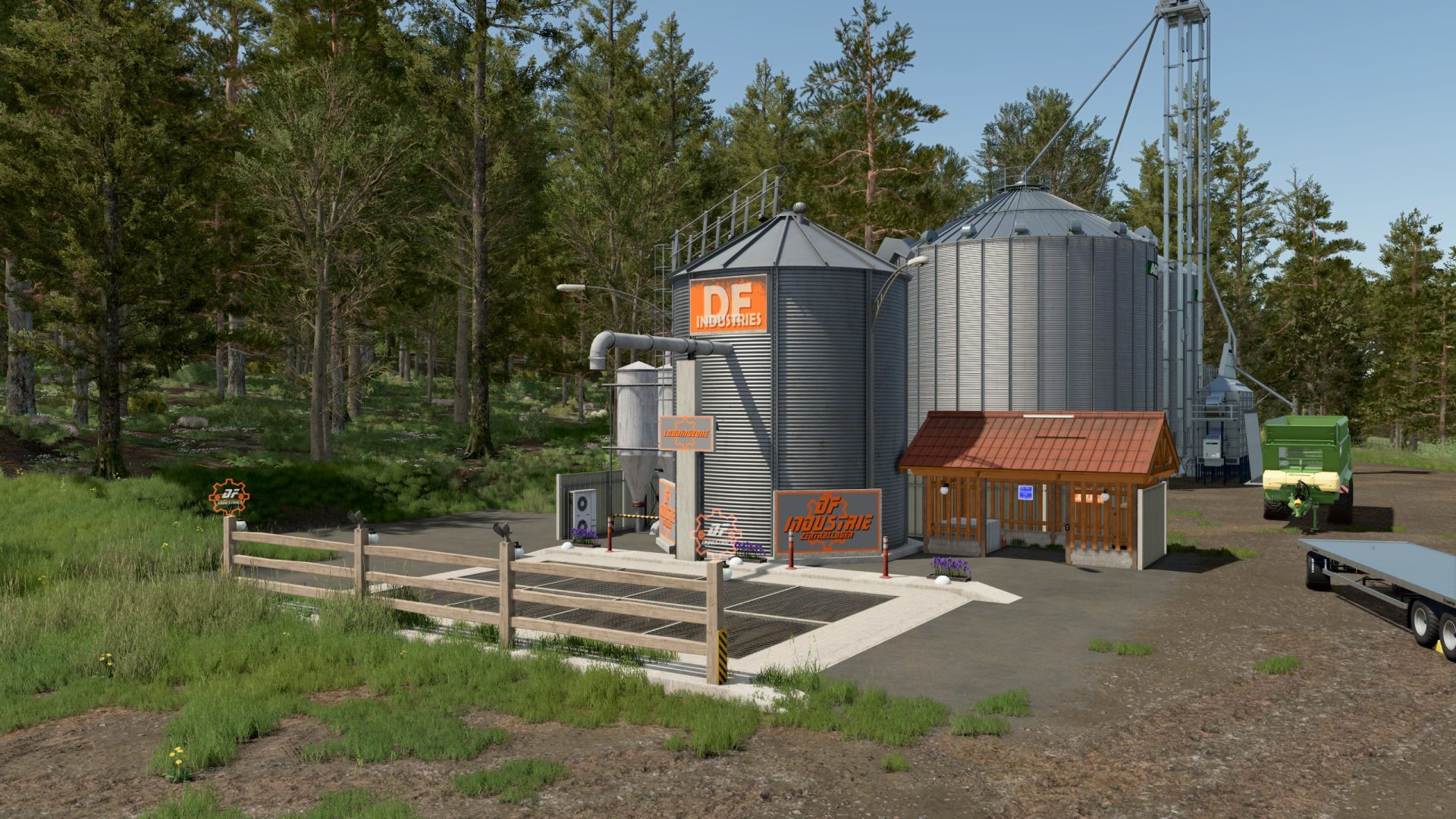
DF Industrie Central Warehouse v1.1.0.0 – with clothing trigger FS25
After countless hours of work in the GIANTS Editor and various XML adjustments, I present to you my personal masterpiece: The DF Industrial Central Warehouse. This project arose from the desire to completely gut a visually unappealing silo from the game, remove old data clutter, and rebuild it as a modern, clean farm center. The centerpiece of the mod is the completely reworked industrial silo with elegant corrugated metal textures, a drive-on ramp with a large unloading grid and the unmissable "DF Industries" logo, which is beautifully illuminated at night. The mod runs flawlessly and includes a practical convenience feature: A specially defined trigger combination in the modDesc allows you to change your outfits directly on the area via an integrated wardrobe function! Features at a glance: Multifunctional farm silo: For all standard fruits and products. Incredible volume: A gigantic 800,000,000-liter capacity for extremely large operations. High-speed loading station: Extremely accelerated loading at up to 4,000 L/s. Integrated clothing trigger: Change outfits directly on site without additional buildings. High-end night lighting: Fully illuminated ramp, floor spotlights and illuminated company logos for an exceptional atmosphere during night shifts. Completely clean: Faulty textures and all old data clutter have been completely removed. The mod has been thoroughly tested, loads without errors, and the Log.txt is 100% clean (TestRunner approved). 🔄 Changelog (Version history) Version 1.0.0.0 (Internal Release) First basic version of the silo with a new ramp and revised corrugated metal textures. Integration of the decorative wooden cabin and the night lighting. Version 1.1.0.0 (Current Release Version) – The Masterpiece A critical XML error in modDesc.xml has been completely fixed. Unloading now works perfectly! Clothing trigger (wardrobe) successfully integrated, tested in-game and equipped with error-free physics flags. Added full German, English and French translations for the shop category. Store and icon images completely recreated in high resolution and optimized for the LS25 shop. Faulty textures and all old data clutter have been completely removed from the mod files. The mod is 100% log error-free!

Crop Insurance FS25
Protect your crop investment with **Midwest Ag Insurance**, a dedicated crop insurance management system designed for realistic farm management. Midwest Ag Insurance brings policy management, covered-loss notifications, manual claim filing, claim review, and indemnity payouts into one streamlined system. There are 2 files when you click download now, one is the mod, the other is a pdf with instructions on policy purchasing and claim submission along with other policy information. --- ## 🚜 V1 Features - Crop insurance policies - 50%, 60%, 70%, and 80% coverage options - Coverage tied to the life of the current crop year - Policy countdown toward the start of the applicable crop's harvest season - **Hail coverage** - Covered-loss claim notifications - Manual claim submission through the **Submit Claim** wizard - Field selection and claim review - Claim determination and indemnity processing - Claim history - $500 minimum payout threshold - Coverage-specific indemnity factors - Dedicated **Midwest Ag Insurance** interface -Live insured value updating --- ## 📋 How to File a Claim When the system identifies a potential covered loss: **1. Claim Notification** The system notifies you that a claim may be available. **2. Submit Claim** Select **Submit Claim** to open the claim wizard. **3. Select the Field** Choose the field associated with the potential loss. **4. Review the Claim** Review the information presented by the claim wizard. **5. Submit** Submit the claim for processing. Approved claims are processed according to the policy's coverage and applicable V1 claim rules. --- ## 🌩️ V1 Covered Event ### **HAIL** Hail is the **only documented covered weather event in Version 1.0.0.0**. Future versions may expand the insurance system with additional loss events and more advanced claim calculations. --- ## 📊 Coverage Levels | Coverage | V1 Indemnity Factor | |---|---:| | 50% | 50% | | 60% | 60% | | 70% | 70% | | 80% | 80% | Coverage level and loss-event severity are separate components of the V1 claim calculation. --- ## 💰 Claim Processing Claims are **not automatically paid** when a covered event occurs. A covered event makes a potential loss **claim-eligible**. The player must submit the claim through the claim wizard before the claim can be reviewed and processed. Claims that fall below the **$500 minimum payout threshold** are denied. --- ## 🏢 Midwest Modding Studio **Midwest Ag Insurance** is a Midwest Modding Studio product and part of a broader agricultural management ecosystem for Farming Simulator. Version 1 focuses on providing a straightforward foundation for crop insurance while leaving room for future expansion. **MIDWEST MODDING STUDIO** *Agricultural Systems • Simulation • Technology* --- ## 📦 Version Information **Mod:** Midwest Ag Insurance **Studio:** Midwest Modding Studio **Game:** Farming Simulator 25 **Version:** 1.0.0.0 > **V1 is intentionally focused. Hail is the only documented covered weather event at release.** **There are a few known issues that are cosmetic and one gameplay issue. The cosmetic issue: when loading into your game, you open the insurance menu and all the text will be scrambled. Just exit the menu, then reopen and it will be fine. This will be addressed in a future update. Also, as of now it will allow you to purchase insurance on fields not owned by you, this will also be addressed in the next update.**

NDMM Sprayer System V1.11.0.31
A detailed sprayer mixing system for Farming Simulator 25, designed to mix water, herbicides and optional additives into ready-to-use spray solutions. Includes multiple chemical pallets, AMS and adjuvant options, hose reel equipment and several crop-specific spray recipes for a more realistic spraying setup.
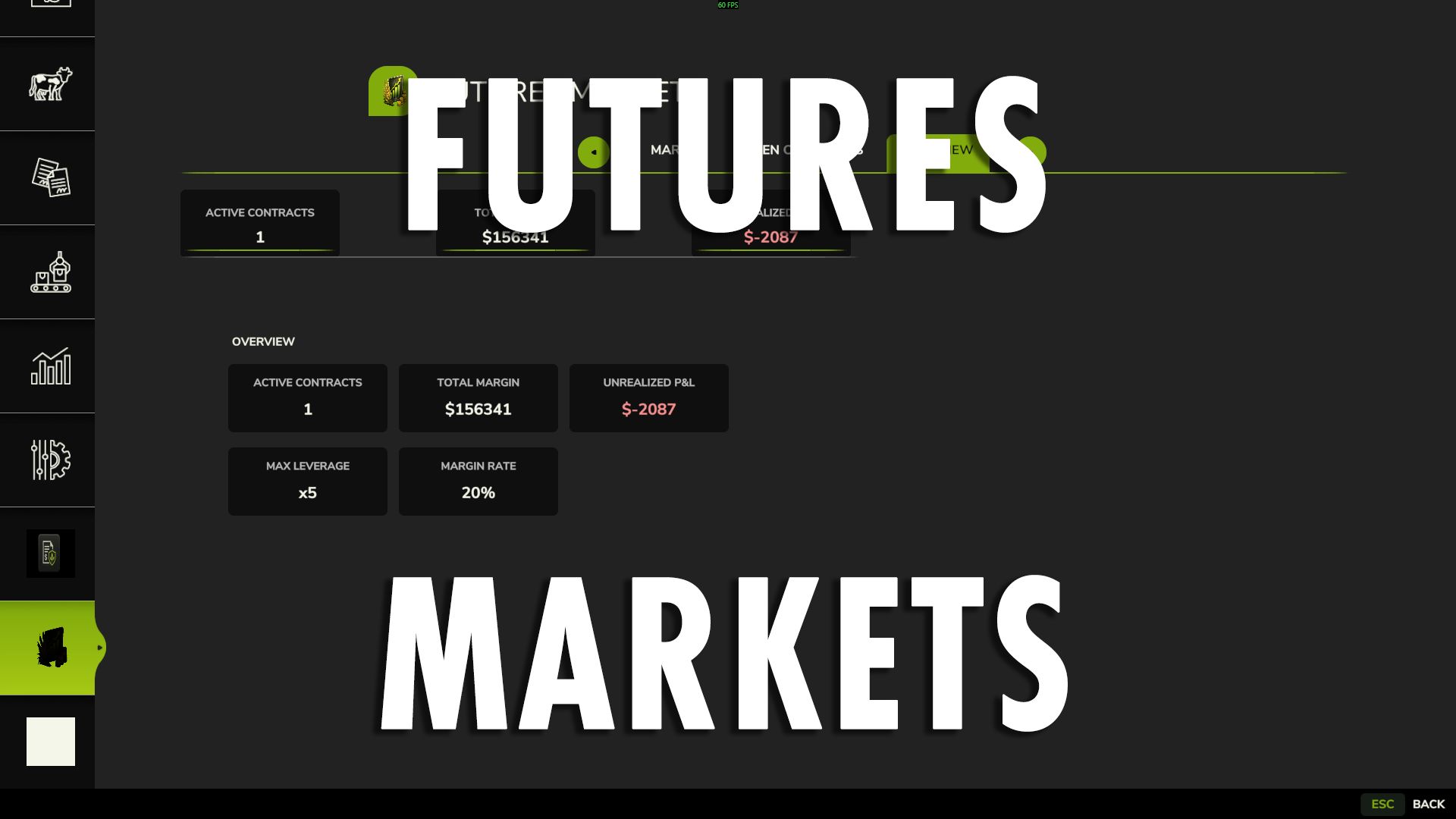
FUTURES MARKET FS25
Bring commodity futures trading directly to your farm with Futures Market, a fully integrated financial trading system built for Farming Simulator 25. Futures Market lets you trade simulated commodity contracts directly through the game's native interface. Take LONG or SHORT positions, use leverage, manage margin and unrealized P&L, and let contracts settle automatically at the end of their term. This is financial futures trading, not a physical delivery or crop-sales contract. Your crops remain yours to grow, harvest, store, and sell normally. ## 📈 WHAT IT DOES Futures Market creates a simulated commodity market where tracked products continuously fluctuate in price. Use the market to: • Speculate on commodity price movements • Take LONG positions when expecting prices to rise • Take SHORT positions when expecting prices to fall • Use futures as a hedge against physical crop price risk • Manage leveraged positions through a margin system • Monitor open contracts and unrealized P&L • Close positions early or allow them to settle automatically ## 🌽 DYNAMIC COMMODITY MARKET The market is designed to dynamically discover producible fill types rather than relying on a fixed list of supported crops. This allows the market to work with the commodities available in your game and map environment instead of requiring every product to be manually added to the mod. ## 💰 MARGIN & LEVERAGE Futures Market uses a 20% margin system and supports leverage of up to 5×. You are not paying the full notional value of the position when opening a contract. Instead, the required margin is committed against the position. Leverage increases your market exposure, but it also increases the impact of price movement on your position. ## ↕️ LONG & SHORT LONG Take a LONG position when you expect the commodity price to increase. If the market rises, the position gains value. If the market falls, the position loses value. SHORT Take a SHORT position when you expect the commodity price to decrease. If the market falls, the position gains value. If the market rises, the position loses value. SHORT positions can also be used to hedge physical production against falling commodity prices. ## 🌾 USING FUTURES TO HEDGE Futures Market can be used alongside normal farming operations. For example: You expect to harvest a large corn crop later in the season, but you're concerned that corn prices could fall before you sell it. You can open a SHORT corn futures position. Your physical corn is still harvested and sold normally. The futures position exists separately and produces a financial gain or loss based on the simulated market movement. The goal of the hedge is to offset some of the financial impact of a declining commodity price. No physical crop is delivered through the futures contract. ## ⚠️ MARGIN CALLS Positions are monitored against their available margin. If a position moves too far against the account, the margin system can trigger an automatic force-close. Leverage can increase potential gains, but it also increases potential losses. ## 📅 CONTRACT TERMS & SETTLEMENT Every contract has a defined term. At the end of the contract term, the position automatically settles. You can also close an open position manually before the contract reaches its expiration. ## 🖥️ NATIVE GIANTS UI Futures Market is integrated directly into the game's native menu system. The dedicated Futures Market interface includes: MARKET • Live commodity prices • Market movement • Available commodities OPEN CONTRACTS • Active positions • Direction • Quantity • Leverage • Margin • Unrealized P&L • Contract expiration OVERVIEW • Active contracts • Total margin • Unrealized P&L A guided order wizard walks you through: Direction → Commodity → Size & Leverage → Review & Confirm No external applications or tools are required. ## 🌐 MULTIPLAYER & DEDICATED SERVER Futures Market is designed for multiplayer and dedicated-server environments. Trading actions are server-authoritative, including opening and closing positions, keeping shared-farm trading synchronized between players. ## 💾 SAVEGAME PERSISTENCE Open futures positions are saved with the game. Your contracts, trading information, and active positions survive a save and reload. ## 📊 IMPORTANT TO UNDERSTAND Futures Market is a simulated financial market inside Farming Simulator 25. It is not connected to the real Chicago Board of Trade, CME, or any external financial market. Contracts do not represent physical crop deliveries. Your normal farming operation remains completely separate from your futures positions.
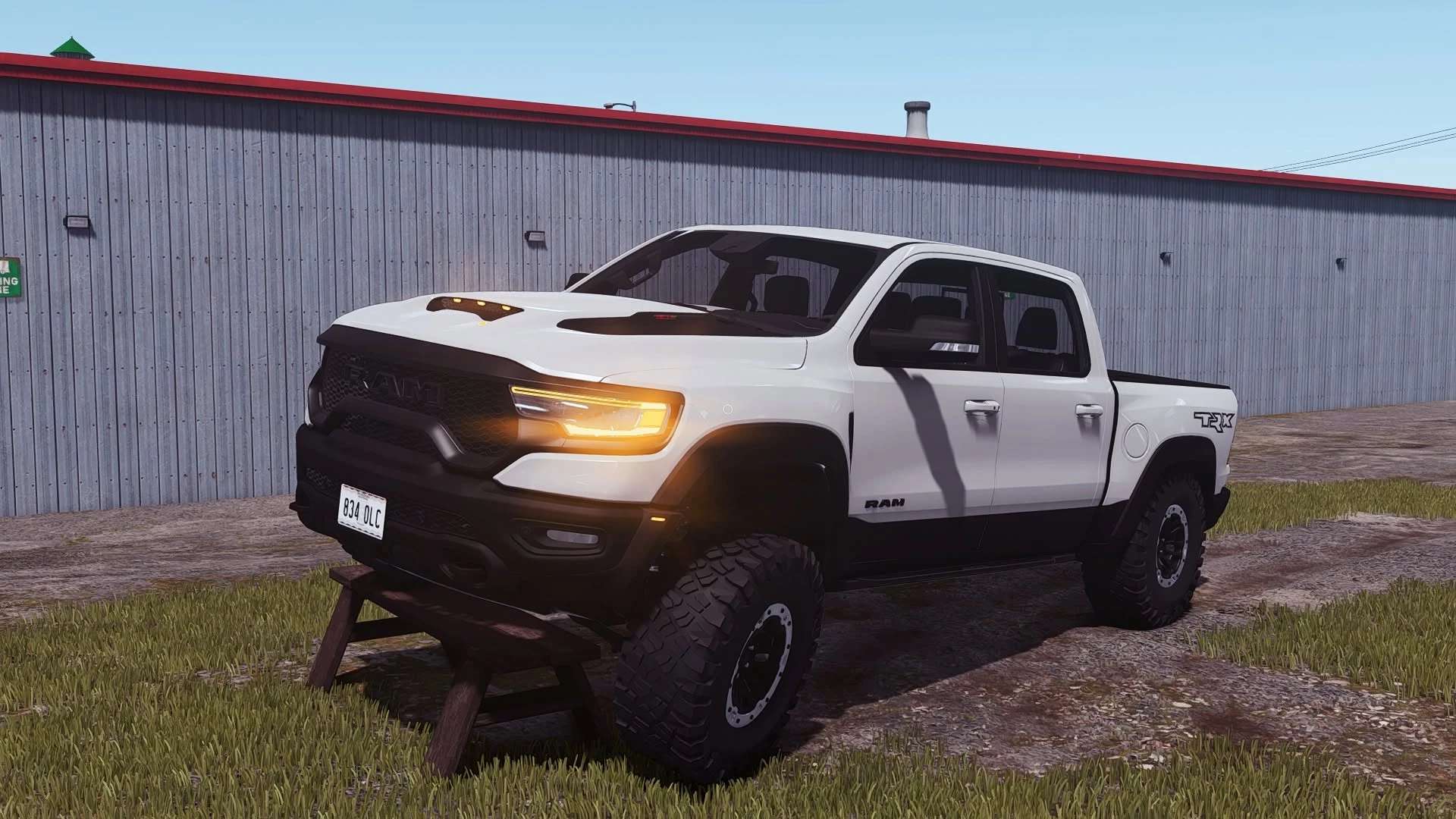
2022 Dodge RAM TRX v1.1.0.1
2022 Dodge RAM TRX v1.1.0.1 Update V1.1.0.1 Added new sounds Added back the door animations Added IC support Added the “trailerCar” attacher type Specifications: Brand: Dodge Model: TRX Price: 78 500$ HP: 702 Configurations: Exterior Color Bumpers Color Front Grill Color Front Emblem Color Rim Color Trim (Plastic or Painted) Bumpers (Plastic or Painted) Rack Lightbars “For Sale” sign Hitch DRL Lights color Animations: Tailgate Interior animations(pedals, needles,levelers, light switches and more) Doors and Hood animations will be added when the IC come out. Additional Features: Custom wear/dirt for all parts including rims/tires Dynamic Suspension Custom sounds Factory Exterior Colors “Cast Shadows” on all lights License Plates Tension Belts Goosneck hitch (just drive near the trailer/plow and it will attach) Author: E55 Modding Report bugs in the comments and help modders improve this mod. Always check the comments, you can find a solution. DOWNLOAD MOD
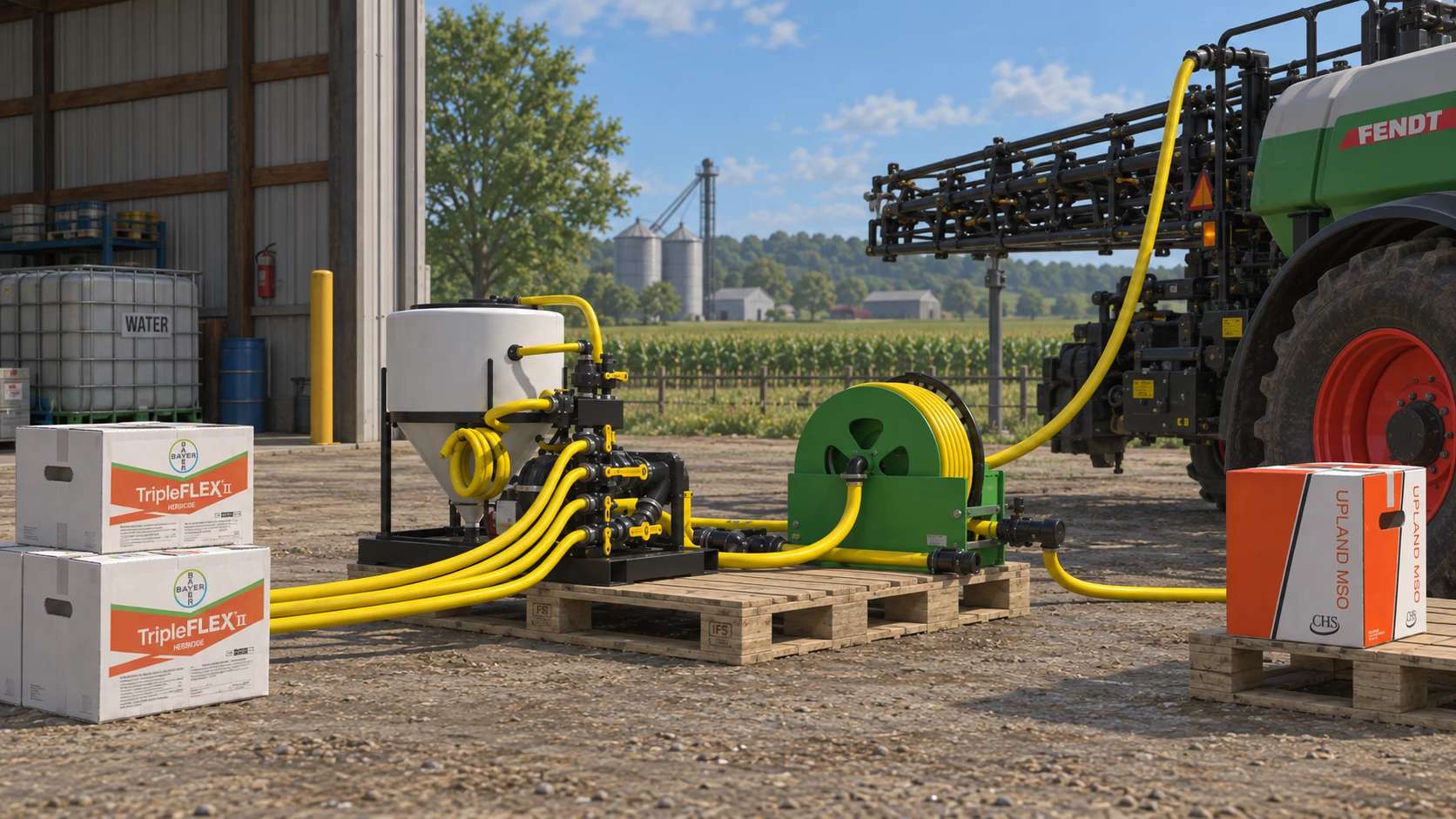
NDMM SprayerSystem v1.0
NDMM SprayerSystem v1.0 A detailed sprayer mixing system for Farming Simulator 25, designed to mix water, herbicides and optional additives into ready-to-use spray solutions. Includes multiple chemical pallets, AMS and adjuvant options, hose reel equipment and several crop-specific spray recipes for a more realistic spraying setup. Author: - Report bugs in the comments and help modders improve this mod. Always check the comments, you can find a solution. DOWNLOAD MOD
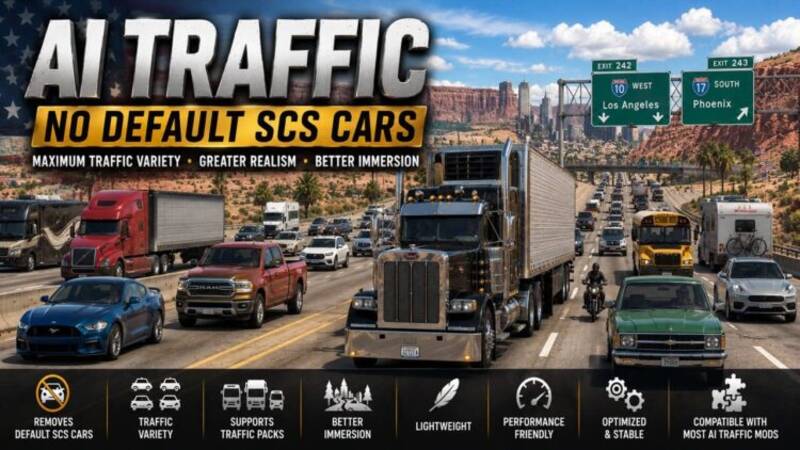
AI Traffic - No Default SCS Cars
This mod removes all default SCS cars from the AI traffic pool. Once these vehicles are removed, the game will rely on other installed car traffic packs and vehicle mods to populate the roads, ensuring they appear more frequently in traffic and creating a much more diverse and immersive driving experience. Features: Removes all default SCS cars from AI traffic Allows other car traffic mods to populate the roads Improves realism, traffic variety, and immersion Ideal companion for car traffic packs and vehicle mods Lightweight configuration mod with no performance impact Clean, optimized, and stable for long gameplay sessions Compatible with most AI car traffic pack mods
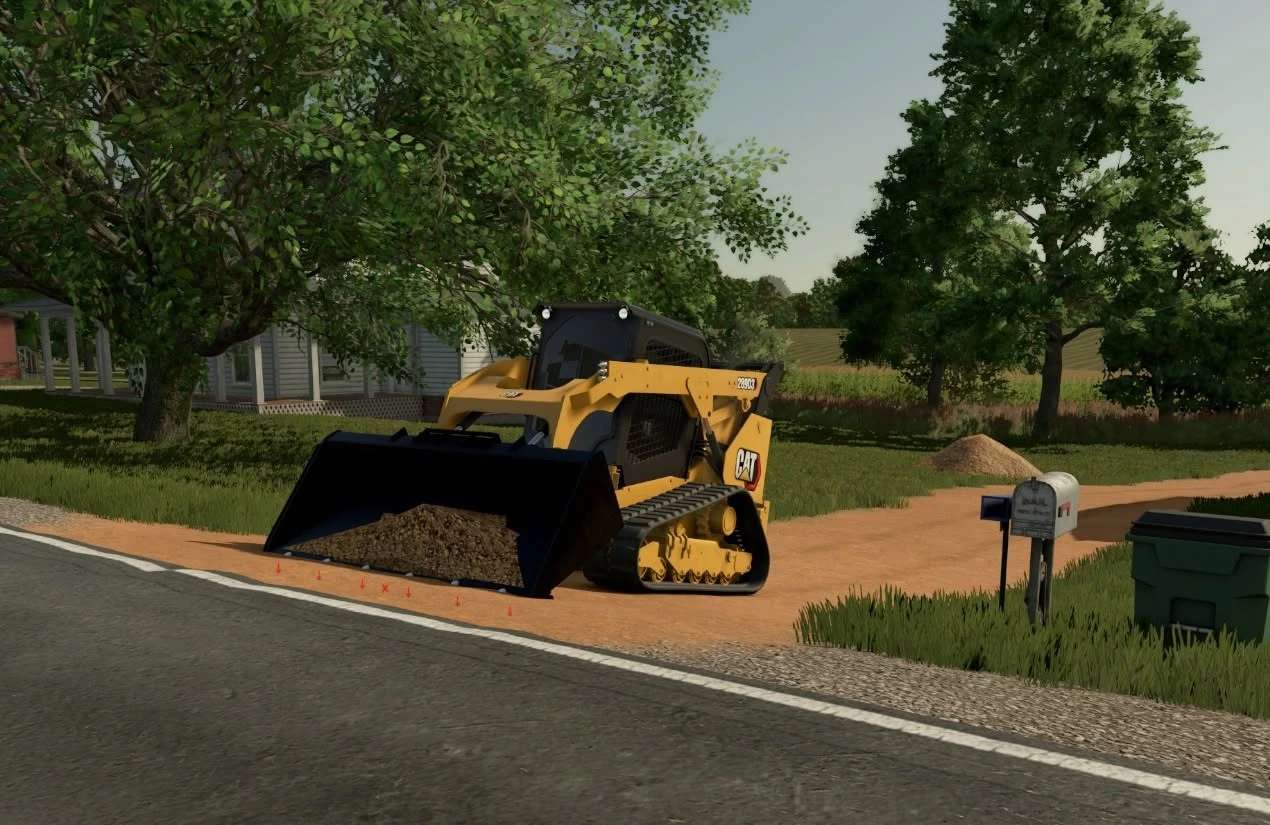
CAT 289 v2.0
CAT 289 v2.0 Price 70,000$ Configuration:tint, weight, gen Author: SS Monkey Report bugs in the comments and help modders improve this mod. Always check the comments, you can find a solution. DOWNLOAD MOD
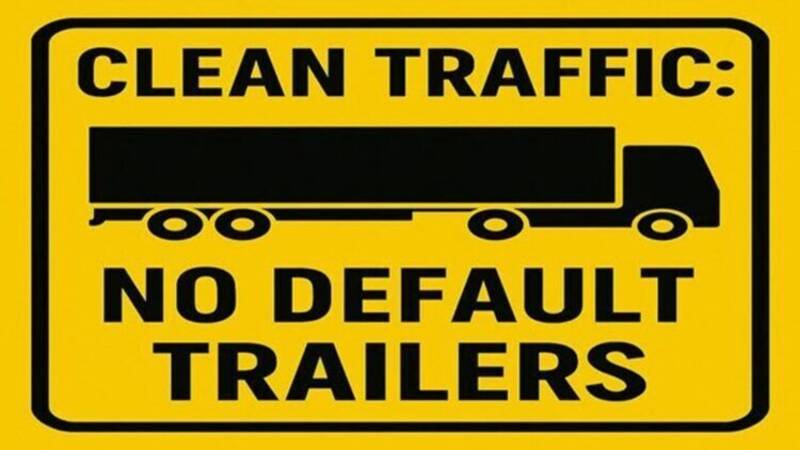
Clean Traffic - No Default SCS Trailers
Tired of the same default SCS trailers clogging up the roads? This mod is your solution! Clean Traffic - No Default SCS Trailers strips nearly all SCS-made trailers from AI traffic, making room for custom trailer packs and a much more immersive trucking experience. Features: Removes almost all default SCS trailers from AI traffic Perfect companion for AI trailer packs like Real Company Packs Adds variety, realism, and better visuals to the highways Clean code, optimized for performance Compatible with all trailer pack mods Installation: Drop the .scs file into your ATS mod folder and activate it in the Mod Manager, placing it below other trailer mods. Important: Finish any active job before activating this mod, as it will reset the economy and cancel ongoing deliveries. At least one AI trailer pack must be active for this mod to function. Warning: Avoid re-uploads by unauthorized users – always download from the original source.
- 15 per page
- 30 per page
- 45 per page
- 60 per page
-
See more per page
Bigger pages, fewer clicks - and no ads anywhere.
Go Pro