Farming Simulator 25 mods
79,365 results- 15 per page
- 30 per page
- 45 per page
- 60 per page
-
See more per page
Bigger pages, fewer clicks - and no ads anywhere.
Go Pro

HB Goose Stable V1.0
HB Goose Stable is a Farming Simulator 25 Animal Care mod from Sumro Gaming, and this page is written to explain the release before a player opens the download source. HB Goose Stable adds a standalone HofBergmann goose stable for Farming Simulator 25 with geese, grain feeding, water, straw, and manure heap support. It is made for players who want a small poultry-style animal yard focused on geese instead of only standard chickens. The stable holds up to. HB Goose Stable is a Sumro Gaming goose husbandry placeable for Farming Simulator 25, created for players who want a dedicated goose yard instead of using only the standard chicken setup. The mod adds a standalone HofBergmann-style goose stable with a fenced animal area, visible geese, food marker, animal marker, straw support, water support, and manure heap support. It fits old farm. For HB Goose Stable, the important question is not only whether the file exists, but what the mod changes, when it is useful, and how safely it can be tested on a real save. HB Goose Stable focuses on this feature set: Adds a standalone goose stable placeable for up to 30 geese, Supports grain feeding, straw bedding, water, and manure heap gameplay, and Fits HofBergmann-style farms, roleplay saves, and dedicated poultry yards. It adds a dedicated goose husbandry with a fenced yard, grain feeding, water, straw, manure support, and visible goose activity. The useful test is to watch the animal area during normal chores, because animal-care mods should improve the yard without making feeding, bedding, water, or output handling confusing. Because HB Goose Stable is being documented for FS25 players, the description keeps the practical gameplay result beside the technical ZIP details instead of leaving visitors with only a title and button. It is best tested on an animal-focused save where feeding routines, visible animals, care triggers, and output areas can be watched across more than one in-game hour. The 3 screenshots on this page show HB Goose Stable in-game, which helps players compare the mod visually before opening the download source. A good way to judge HB Goose Stable is to repeat the same job before and after enabling it, then compare the result in normal farm conditions. For HB Goose Stable, the strongest signs to check are the feature behavior, the saved game after reload, and whether the rest of the mod folder still works cleanly. The download button opens the external source page listed for this mod, so players should check that page before adding the file to a save. Install HB Goose Stable by keeping FS25_HB_GooseStable.zip packed as a ZIP and placing it in Documents/My Games/FarmingSimulator2025/mods. Enable HB Goose Stable from the savegame mod list, load a backup save first, and avoid keeping old copies of the same file in the active mods folder. No separate required-mod list is shown for HB Goose Stable, so the normal approach is to install FS25_HB_GooseStable.zip by itself and then test it with the rest of the active mod folder. HB Goose Stable: This animal-care script should be tested carefully with other livestock, feeding, dirt, barn, pasture, and husbandry mods, because two systems can sometimes update the same animal area or daily routine. HB Goose Stable multiplayer status is listed as Supported. The active gameplay logic is written in Lua, the scripting language Farming Simulator 25 uses for script mods. Lua is chosen because the game loads it directly through modDesc.xml, and using one main scripting language keeps the mod lighter, easier to update, and safer beside other scripts. For HB Goose Stable, compatibility testing should include the map, any mods that touch the same gameplay area, and a save-and-reload check before the setup is trusted on a long-running farm. HB Goose Stable: Test it by loading the animal area, feeding or bedding where relevant, waiting through normal time, checking outputs or markers, then saving and reloading the same placeable. While testing HB Goose Stable, change only one thing at a time and write down the map name, game version, mod version, and other active scripts that affect animal care gameplay. If the first test looks good, save the game, exit to the menu, reload the save, and repeat the same action once more. For HB Goose Stable, that second pass helps catch restore problems, missing XML paths, delayed script errors, and visual changes that only appear after reload. HB Goose Stable: If an animal marker, feed plane, food type, pallet, manure area, or visible animal does not appear, test with only this mod and the map enabled before blaming the save. The final recommendation for HB Goose Stable is to use it as a focused FS25 improvement, keep one active version, and check the download source whenever an update appears. The public file name for this release is FS25_HB_GooseStable.zip, and the page lists version 1.0.0.0. If HB Goose Stable improves the exact job you repeat on your farm and the log stays clean, it is a safer candidate for a main save than a mod added only from a screenshot. HB Goose Stable current public version is v1.0.0.0. Keep only one copy of FS25_HB_GooseStable.zip in your active Farming Simulator 25 mods folder. HB Goose Stable: This animal-care script should be tested carefully with other livestock, feeding, dirt, barn, pasture, and husbandry mods, because two systems can sometimes update the same animal area or daily routine.

HB Doghouse V1.0
HB Doghouse is a Farming Simulator 25 Animal Care mod from Sumro Gaming, and this page is written to explain the release before a player opens the download source. HB Doghouse adds a standalone HofBergmann doghouse for Farming Simulator 25 with farm dogs and purchasable dog food. It gives the yard a small animal-care placeable with a doghouse, dog food bowl, dog food fill type, and room for two dogs. The mod is built for players who. HB Doghouse is a Sumro Gaming farm animal placeable for Farming Simulator 25, made for players who want dogs to feel like part of the yard instead of only background decoration. The mod adds a standalone HofBergmann-style doghouse with a fenced sleeping area, visible dogs, a dog food setup, and a dedicated doghouse hotspot. It is a small mod, but it adds. For HB Doghouse, the important question is not only whether the file exists, but what the mod changes, when it is useful, and how safely it can be tested on a real save. HB Doghouse focuses on this feature set: Adds a standalone doghouse placeable with room for two dogs, Includes DOGFOOD fill type support and a purchasable dog food pallet, and Adds Labrador Retriever and Border Collie dog variants for livelier farmyards. It adds a small farm doghouse with visible dogs, dog food support, and a yard detail that fits roleplay farms. This type of mod is strongest when the player can see a better daily routine around the barn, pen, marker, food trigger, or animal movement area. Because HB Doghouse is being documented for FS25 players, the description keeps the practical gameplay result beside the technical ZIP details instead of leaving visitors with only a title and button. It is best tested on an animal-focused save where feeding routines, visible animals, care triggers, and output areas can be watched across more than one in-game hour. The 3 screenshots on this page show HB Doghouse in-game, which helps players compare the mod visually before opening the download source. A good way to judge HB Doghouse is to repeat the same job before and after enabling it, then compare the result in normal farm conditions. For HB Doghouse, the strongest signs to check are the feature behavior, the saved game after reload, and whether the rest of the mod folder still works cleanly. The download button opens the external source page listed for this mod, so players should check that page before adding the file to a save. Install HB Doghouse by keeping FS25_HB_Doghouse.zip packed as a ZIP and placing it in Documents/My Games/FarmingSimulator2025/mods. Enable HB Doghouse from the savegame mod list, load a backup save first, and avoid keeping old copies of the same file in the active mods folder. No separate required-mod list is shown for HB Doghouse, so the normal approach is to install FS25_HB_Doghouse.zip by itself and then test it with the rest of the active mod folder. HB Doghouse: This animal-care script should be tested carefully with other livestock, feeding, dirt, barn, pasture, and husbandry mods, because two systems can sometimes update the same animal area or daily routine. HB Doghouse multiplayer status is listed as Supported. The active gameplay logic is written in Lua, the scripting language Farming Simulator 25 uses for script mods. Lua is chosen because the game loads it directly through modDesc.xml, and using one main scripting language keeps the mod lighter, easier to update, and safer beside other scripts. For HB Doghouse, compatibility testing should include the map, any mods that touch the same gameplay area, and a save-and-reload check before the setup is trusted on a long-running farm. HB Doghouse: Test it by loading the animal area, feeding or bedding where relevant, waiting through normal time, checking outputs or markers, then saving and reloading the same placeable. While testing HB Doghouse, change only one thing at a time and write down the map name, game version, mod version, and other active scripts that affect animal care gameplay. If the first test looks good, save the game, exit to the menu, reload the save, and repeat the same action once more. For HB Doghouse, that second pass helps catch restore problems, missing XML paths, delayed script errors, and visual changes that only appear after reload. HB Doghouse: If an animal marker, feed plane, food type, pallet, manure area, or visible animal does not appear, test with only this mod and the map enabled before blaming the save. The final recommendation for HB Doghouse is to use it as a focused FS25 improvement, keep one active version, and check the download source whenever an update appears. The public file name for this release is FS25_HB_Doghouse.zip, and the page lists version 1.0.0.0. If HB Doghouse improves the exact job you repeat on your farm and the log stays clean, it is a safer candidate for a main save than a mod added only from a screenshot. HB Doghouse current public version is v1.0.0.0. Keep only one copy of FS25_HB_Doghouse.zip in your active Farming Simulator 25 mods folder. HB Doghouse: This animal-care script should be tested carefully with other livestock, feeding, dirt, barn, pasture, and husbandry mods, because two systems can sometimes update the same animal area or daily routine.

HB Chicken Stable Farm V1.0
HB Chicken Stable Farm is a Farming Simulator 25 Animal Care mod from Sumro Gaming, and this page is written to explain the release before a player opens the download source. HB Chicken Stable Farm adds a standalone HofBergmann-style poultry stable for Farming Simulator 25 with chickens, ducks, wild ducks, geese, quails, chick delivery, and egg pallet output. It is made for players who want a bigger poultry yard with more animal variety than a simple chicken pen. The. HB Chicken Stable Farm is a Sumro Gaming poultry husbandry placeable for Farming Simulator 25, built for players who want a busy farmyard with more life than a basic chicken coop. The mod adds a standalone HofBergmann-style poultry stable and gives the farm a dedicated place for chickens, ducks, wild ducks, geese, and quails. It is useful for roleplay saves, old farm. For HB Chicken Stable Farm, the important question is not only whether the file exists, but what the mod changes, when it is useful, and how safely it can be tested on a real save. HB Chicken Stable Farm focuses on this feature set: Adds a standalone poultry stable for chickens, ducks, wild ducks, geese, and quails, Supports chick delivery, straw, water, food, manure support, and egg pallet output, and Includes two stable layouts for roleplay farms and HofBergmann-style poultry yards. It adds a larger poultry stable for chickens, ducks, wild ducks, geese, quails, chick delivery, and egg pallet output. The useful test is to watch the animal area during normal chores, because animal-care mods should improve the yard without making feeding, bedding, water, or output handling confusing. Because HB Chicken Stable Farm is being documented for FS25 players, the description keeps the practical gameplay result beside the technical ZIP details instead of leaving visitors with only a title and button. It is best tested on an animal-focused save where feeding routines, visible animals, care triggers, and output areas can be watched across more than one in-game hour. The 3 screenshots on this page show HB Chicken Stable Farm in-game, which helps players compare the mod visually before opening the download source. A good way to judge HB Chicken Stable Farm is to repeat the same job before and after enabling it, then compare the result in normal farm conditions. For HB Chicken Stable Farm, the strongest signs to check are the feature behavior, the saved game after reload, and whether the rest of the mod folder still works cleanly. The download button opens the external source page listed for this mod, so players should check that page before adding the file to a save. Install HB Chicken Stable Farm by keeping FS25_HB_ChickenStableFarm.zip packed as a ZIP and placing it in Documents/My Games/FarmingSimulator2025/mods. Enable HB Chicken Stable Farm from the savegame mod list, load a backup save first, and avoid keeping old copies of the same file in the active mods folder. No separate required-mod list is shown for HB Chicken Stable Farm, so the normal approach is to install FS25_HB_ChickenStableFarm.zip by itself and then test it with the rest of the active mod folder. HB Chicken Stable Farm: This animal-care script should be tested carefully with other livestock, feeding, dirt, barn, pasture, and husbandry mods, because two systems can sometimes update the same animal area or daily routine. HB Chicken Stable Farm multiplayer status is listed as Supported. The active gameplay logic is written in Lua, the scripting language Farming Simulator 25 uses for script mods. Lua is chosen because the game loads it directly through modDesc.xml, and using one main scripting language keeps the mod lighter, easier to update, and safer beside other scripts. For HB Chicken Stable Farm, compatibility testing should include the map, any mods that touch the same gameplay area, and a save-and-reload check before the setup is trusted on a long-running farm. HB Chicken Stable Farm: Test it by loading the animal area, feeding or bedding where relevant, waiting through normal time, checking outputs or markers, then saving and reloading the same placeable. While testing HB Chicken Stable Farm, change only one thing at a time and write down the map name, game version, mod version, and other active scripts that affect animal care gameplay. If the first test looks good, save the game, exit to the menu, reload the save, and repeat the same action once more. For HB Chicken Stable Farm, that second pass helps catch restore problems, missing XML paths, delayed script errors, and visual changes that only appear after reload. HB Chicken Stable Farm: If an animal marker, feed plane, food type, pallet, manure area, or visible animal does not appear, test with only this mod and the map enabled before blaming the save. The final recommendation for HB Chicken Stable Farm is to use it as a focused FS25 improvement, keep one active version, and check the download source whenever an update appears. The public file name for this release is FS25_HB_ChickenStableFarm.zip, and the page lists version 1.0.0.0. If HB Chicken Stable Farm improves the exact job you repeat on your farm and the log stays clean, it is a safer candidate for a main save than a mod added only from a screenshot. HB Chicken Stable Farm current public version is v1.0.0.0. Keep only one copy of FS25_HB_ChickenStableFarm.zip in your active Farming Simulator 25 mods folder. HB Chicken Stable Farm: This animal-care script should be tested carefully with other livestock, feeding, dirt, barn, pasture, and husbandry mods, because two systems can sometimes update the same animal area or daily routine.

HB Cat Zone V1.0
HB Cat Zone is a Farming Simulator 25 Animal Care mod from Sumro Gaming, and this page is written to explain the release before a player opens the download source. HB Cat Zone adds a standalone HofBergmann-style farm cat zone for Farming Simulator 25, with visible farm cats and purchasable cat food for animal-care roleplay. Use it when you want small living details around the yard instead of only large livestock buildings. The mod gives players a dedicated. HB Cat Zone is a Sumro Gaming animal-care placeable for Farming Simulator 25, made for players who want their farmyard to feel more alive with small daily details. The mod adds a standalone HofBergmann-style cat zone with visible farm cats and purchasable cat food, so the area can work as more than simple decoration. It suits roleplay farms, village yards, older farm. For HB Cat Zone, the important question is not only whether the file exists, but what the mod changes, when it is useful, and how safely it can be tested on a real save. HB Cat Zone focuses on this feature set: Adds a standalone farm cat zone for visible cats around the yard, Includes purchasable cat food for a simple animal-care routine, and Fits HofBergmann-style farms, roleplay saves, and lived-in animal yards. It adds a dedicated farm cat area with visible cats and a simple cat food routine for livelier yards. This type of mod is strongest when the player can see a better daily routine around the barn, pen, marker, food trigger, or animal movement area. Because HB Cat Zone is being documented for FS25 players, the description keeps the practical gameplay result beside the technical ZIP details instead of leaving visitors with only a title and button. It is best tested on an animal-focused save where feeding routines, visible animals, care triggers, and output areas can be watched across more than one in-game hour. The 4 screenshots on this page show HB Cat Zone in-game, which helps players compare the mod visually before opening the download source. A good way to judge HB Cat Zone is to repeat the same job before and after enabling it, then compare the result in normal farm conditions. For HB Cat Zone, the strongest signs to check are the feature behavior, the saved game after reload, and whether the rest of the mod folder still works cleanly. The download button opens the external source page listed for this mod, so players should check that page before adding the file to a save. Install HB Cat Zone by keeping FS25_HB_CatZone.zip packed as a ZIP and placing it in Documents/My Games/FarmingSimulator2025/mods. Enable HB Cat Zone from the savegame mod list, load a backup save first, and avoid keeping old copies of the same file in the active mods folder. No separate required-mod list is shown for HB Cat Zone, so the normal approach is to install FS25_HB_CatZone.zip by itself and then test it with the rest of the active mod folder. HB Cat Zone: This animal-care script should be tested carefully with other livestock, feeding, dirt, barn, pasture, and husbandry mods, because two systems can sometimes update the same animal area or daily routine. HB Cat Zone multiplayer status is listed as Supported. The active gameplay logic is written in Lua, the scripting language Farming Simulator 25 uses for script mods. Lua is chosen because the game loads it directly through modDesc.xml, and using one main scripting language keeps the mod lighter, easier to update, and safer beside other scripts. For HB Cat Zone, compatibility testing should include the map, any mods that touch the same gameplay area, and a save-and-reload check before the setup is trusted on a long-running farm. HB Cat Zone: Test it by loading the animal area, feeding or bedding where relevant, waiting through normal time, checking outputs or markers, then saving and reloading the same placeable. While testing HB Cat Zone, change only one thing at a time and write down the map name, game version, mod version, and other active scripts that affect animal care gameplay. If the first test looks good, save the game, exit to the menu, reload the save, and repeat the same action once more. For HB Cat Zone, that second pass helps catch restore problems, missing XML paths, delayed script errors, and visual changes that only appear after reload. HB Cat Zone: If an animal marker, feed plane, food type, pallet, manure area, or visible animal does not appear, test with only this mod and the map enabled before blaming the save. The final recommendation for HB Cat Zone is to use it as a focused FS25 improvement, keep one active version, and check the download source whenever an update appears. The public file name for this release is FS25_HB_CatZone.zip, and the page lists version 1.0.0.0. If HB Cat Zone improves the exact job you repeat on your farm and the log stays clean, it is a safer candidate for a main save than a mod added only from a screenshot. HB Cat Zone current public version is v1.0.0.0. Keep only one copy of FS25_HB_CatZone.zip in your active Farming Simulator 25 mods folder. HB Cat Zone: This animal-care script should be tested carefully with other livestock, feeding, dirt, barn, pasture, and husbandry mods, because two systems can sometimes update the same animal area or daily routine.

HB Old Farm Cow Barn V1.0
HB Old Farm Cow Barn is a Farming Simulator 25 Animal Care mod from Sumro Gaming, and this page is written to explain the release before a player opens the download source. HB Old Farm Cow Barn adds a compact 30-cow dairy barn with milk, straw, manure, slurry, hand milking, milk cans, and upgrade equipment for FS25. HB Old Farm Cow Barn is a Sumro Gaming animal husbandry placeable for Farming Simulator 25, built for players who want a smaller, older dairy setup instead of a huge modern shed. The mod adds a standalone old farm cow barn converted from Hof Bergmann style assets and prepared as a clean FS25 ZIP. It holds 30 cows, so it fits village. For HB Old Farm Cow Barn, the important question is not only whether the file exists, but what the mod changes, when it is useful, and how safely it can be tested on a real save. HB Old Farm Cow Barn focuses on this feature set: Adds an old farm cow barn placeable for 30 cows, Supports milk, straw, manure, and slurry dairy workflows, and Includes hand milking, milk cans, milk tank, and milking robot extension items. It uses the mod features on this page to improve animal care gameplay without adding unnecessary menus or heavy systems. Animal-care pages should explain the exact routine because a small placeable or script can become important when it is used every in-game day. Because HB Old Farm Cow Barn is being documented for FS25 players, the description keeps the practical gameplay result beside the technical ZIP details instead of leaving visitors with only a title and button. It is best tested on an animal-focused save where feeding routines, visible animals, care triggers, and output areas can be watched across more than one in-game hour. The 3 screenshots on this page show HB Old Farm Cow Barn in-game, which helps players compare the mod visually before opening the download source. A good way to judge HB Old Farm Cow Barn is to repeat the same job before and after enabling it, then compare the result in normal farm conditions. For HB Old Farm Cow Barn, the strongest signs to check are the feature behavior, the saved game after reload, and whether the rest of the mod folder still works cleanly. The download button opens the Google Drive file prepared for this page, so the player should download the ZIP and keep the file name unchanged. Install HB Old Farm Cow Barn by keeping FS25_HB_CowHusbandryOldFarm.zip packed as a ZIP and placing it in Documents/My Games/FarmingSimulator2025/mods. Enable HB Old Farm Cow Barn from the savegame mod list, load a backup save first, and avoid keeping old copies of the same file in the active mods folder. No separate required-mod list is shown for HB Old Farm Cow Barn, so the normal approach is to install FS25_HB_CowHusbandryOldFarm.zip by itself and then test it with the rest of the active mod folder. HB Old Farm Cow Barn: This animal-care script should be tested carefully with other livestock, feeding, dirt, barn, pasture, and husbandry mods, because two systems can sometimes update the same animal area or daily routine. HB Old Farm Cow Barn multiplayer status is listed as Not specified. The active gameplay logic is written in Lua, the scripting language Farming Simulator 25 uses for script mods. Lua is chosen because the game loads it directly through modDesc.xml, and using one main scripting language keeps the mod lighter, easier to update, and safer beside other scripts. For HB Old Farm Cow Barn, compatibility testing should include the map, any mods that touch the same gameplay area, and a save-and-reload check before the setup is trusted on a long-running farm. HB Old Farm Cow Barn: Test it by loading the animal area, feeding or bedding where relevant, waiting through normal time, checking outputs or markers, then saving and reloading the same placeable. While testing HB Old Farm Cow Barn, change only one thing at a time and write down the map name, game version, mod version, and other active scripts that affect animal care gameplay. If the first test looks good, save the game, exit to the menu, reload the save, and repeat the same action once more. For HB Old Farm Cow Barn, that second pass helps catch restore problems, missing XML paths, delayed script errors, and visual changes that only appear after reload. HB Old Farm Cow Barn: If an animal marker, feed plane, food type, pallet, manure area, or visible animal does not appear, test with only this mod and the map enabled before blaming the save. The final recommendation for HB Old Farm Cow Barn is to use it as a focused FS25 improvement, keep one active version, and check the download source whenever an update appears. The public file name for this release is FS25_HB_CowHusbandryOldFarm.zip, and the page lists version 1.0.0.0. If HB Old Farm Cow Barn improves the exact job you repeat on your farm and the log stays clean, it is a safer candidate for a main save than a mod added only from a screenshot. HB Old Farm Cow Barn current public version is v1.0.0.0. Keep only one copy of FS25_HB_CowHusbandryOldFarm.zip in your active Farming Simulator 25 mods folder. HB Old Farm Cow Barn: This animal-care script should be tested carefully with other livestock, feeding, dirt, barn, pasture, and husbandry mods, because two systems can sometimes update the same animal area or daily routine.

Cow Feeding Lineup V1.7.2
Cow Feeding Lineup is a Farming Simulator 25 Animal Care mod from Sumro Gaming, and this page is written to explain the release before a player opens the download source. Cow Feeding Lineup is a Farming Simulator 25 script mod for players who want cleaner dairy barns. It keeps visible cows aligned around feeding-place nodes, so the herd appears gathered along the feed line instead of standing randomly around the building. This gives cow areas a tidy, realistic. Cow Feeding Lineup is an original Sumro Gaming Animal Care mod for Farming Simulator 25. It is made for players who want clearer animal-care routines, better farmyard life, and more useful livestock feedback. The main purpose is simple: Cow Feeding Lineup is a Farming Simulator 25 script mod for players who want cleaner dairy barns. It keeps visible cows aligned around feeding-place. For Cow Feeding Lineup, the important question is not only whether the file exists, but what the mod changes, when it is useful, and how safely it can be tested on a real save. Cow Feeding Lineup focuses on this feature set: Improves visual presentation around cow feeding areas, Helps keep cow food lineup behavior predictable, and Best suited for realistic dairy farm layouts. It works around cow barn feeding-place nodes so visible cows stay closer to the feed line and the shed looks organised during feeding. The benefit is visual order around dairy feeding spaces. Cows gathering around the feed line can make a barn feel active and tidy without changing the entire livestock system. Because Cow Feeding Lineup is being documented for FS25 players, the description keeps the practical gameplay result beside the technical ZIP details instead of leaving visitors with only a title and button. It is best tested on an animal-focused save where feeding routines, visible animals, care triggers, and output areas can be watched across more than one in-game hour. The 3 screenshots on this page show Cow Feeding Lineup in-game, which helps players compare the mod visually before opening the download source. A good way to judge Cow Feeding Lineup is to repeat the same job before and after enabling it, then compare the result in normal farm conditions. For Cow Feeding Lineup, the strongest signs to check are the feature behavior, the saved game after reload, and whether the rest of the mod folder still works cleanly. The download button provides the ZIP file directly from this website, and the ZIP should stay packed when it is placed in the Farming Simulator 25 mods folder. Install Cow Feeding Lineup by keeping FS25_CowFeedingLineup.zip packed as a ZIP and placing it in Documents/My Games/FarmingSimulator2025/mods. Enable Cow Feeding Lineup from the savegame mod list, load a backup save first, and avoid keeping old copies of the same file in the active mods folder. No separate required-mod list is shown for Cow Feeding Lineup, so the normal approach is to install FS25_CowFeedingLineup.zip by itself and then test it with the rest of the active mod folder. Cow Feeding Lineup: This animal-care script should be tested carefully with other livestock, feeding, dirt, barn, pasture, and husbandry mods, because two systems can sometimes update the same animal area or daily routine. Cow Feeding Lineup multiplayer status is listed as Single-player only. The active gameplay logic is written in Lua, the scripting language Farming Simulator 25 uses for script mods. Lua is chosen because the game loads it directly through modDesc.xml, and using one main scripting language keeps the mod lighter, easier to update, and safer beside other scripts. For Cow Feeding Lineup, compatibility testing should include the map, any mods that touch the same gameplay area, and a save-and-reload check before the setup is trusted on a long-running farm. Cow Feeding Lineup: Test it by loading the animal area, feeding or bedding where relevant, waiting through normal time, checking outputs or markers, then saving and reloading the same placeable. While testing Cow Feeding Lineup, change only one thing at a time and write down the map name, game version, mod version, and other active scripts that affect animal care gameplay. If the first test looks good, save the game, exit to the menu, reload the save, and repeat the same action once more. For Cow Feeding Lineup, that second pass helps catch restore problems, missing XML paths, delayed script errors, and visual changes that only appear after reload. Cow Feeding Lineup: If an animal marker, feed plane, food type, pallet, manure area, or visible animal does not appear, test with only this mod and the map enabled before blaming the save. The final recommendation for Cow Feeding Lineup is to use it as a focused FS25 improvement, keep one active version, and check the download source whenever an update appears. The public file name for this release is FS25_CowFeedingLineup.zip, and the page lists version 1.7.2.0. If Cow Feeding Lineup improves the exact job you repeat on your farm and the log stays clean, it is a safer candidate for a main save than a mod added only from a screenshot. Cow Feeding Lineup current public version is v1.7.2.0. Keep only one copy of FS25_CowFeedingLineup.zip in your active Farming Simulator 25 mods folder. Cow Feeding Lineup: This animal-care script should be tested carefully with other livestock, feeding, dirt, barn, pasture, and husbandry mods, because two systems can sometimes update the same animal area or daily routine.

Rear Independent Tractor Brakes V1.0
Rear Independent Tractor Brakes is a Farming Simulator 25 Vehicle Tools mod from Sumro Gaming, and this page is written to explain the release before a player opens the download source. Rear Independent Tractor Brakes gives tractors separate control over the two rear wheel brakes, making tight field work, yard manoeuvres, headland turns, and implement positioning much easier. The mod is made for tractors only and automatically looks for the rear left and rear right wheels on supported machines. Rear Independent Tractor Brakes is an original Sumro Gaming Vehicle Tools mod for Farming Simulator 25. It is made for players who want more convenient vehicle handling, service behavior, and everyday yard movement. The main purpose is simple: Rear Independent Tractor Brakes gives tractors separate control over the two rear wheel brakes, making tight field work, yard manoeuvres, headland turns, and implement. For Rear Independent Tractor Brakes, the important question is not only whether the file exists, but what the mod changes, when it is useful, and how safely it can be tested on a real save. Rear Independent Tractor Brakes focuses on this feature set: Gives tractors separate left, right, and both rear brake modes, Uses Alt+B, Alt+V, and Alt+N for quick brake toggles, and Supports multiplayer with important brake physics handled server-side. It gives tractors separate left, right, and both rear brake controls, helping tight yard manoeuvres, headland turns, loader work, narrow gates, and trailer alignment feel more controlled. The value appears during tight turns, loader yard movement, and trailer positioning. It is a control mod, so a player should judge it by how naturally the brake keys fit their driving habit. Because Rear Independent Tractor Brakes is being documented for FS25 players, the description keeps the practical gameplay result beside the technical ZIP details instead of leaving visitors with only a title and button. It fits farms with regular driving, yard work, trailer alignment, field turns, service routines, and tight spaces where vehicle behavior matters every few minutes. The 3 screenshots on this page show Rear Independent Tractor Brakes in-game, which helps players compare the mod visually before opening the download source. A good way to judge Rear Independent Tractor Brakes is to repeat the same job before and after enabling it, then compare the result in normal farm conditions. For Rear Independent Tractor Brakes, the strongest signs to check are the feature behavior, the saved game after reload, and whether the rest of the mod folder still works cleanly. The download button provides the ZIP file directly from this website, and the ZIP should stay packed when it is placed in the Farming Simulator 25 mods folder. Install Rear Independent Tractor Brakes by keeping FS25_RearIndependentTractorBrakes.zip packed as a ZIP and placing it in Documents/My Games/FarmingSimulator2025/mods. Enable Rear Independent Tractor Brakes from the savegame mod list, load a backup save first, and avoid keeping old copies of the same file in the active mods folder. No separate required-mod list is shown for Rear Independent Tractor Brakes, so the normal approach is to install FS25_RearIndependentTractorBrakes.zip by itself and then test it with the rest of the active mod folder. Rear Independent Tractor Brakes: This vehicle script should be tested with tractors, trailers, cruise control, braking, servicing, and any vehicle-control mods already installed in the active mod folder. Rear Independent Tractor Brakes multiplayer status is listed as Supported. The active gameplay logic is written in Lua, the scripting language Farming Simulator 25 uses for script mods. Lua is chosen because the game loads it directly through modDesc.xml, and using one main scripting language keeps the mod lighter, easier to update, and safer beside other scripts. For Rear Independent Tractor Brakes, compatibility testing should include the map, any mods that touch the same gameplay area, and a save-and-reload check before the setup is trusted on a long-running farm. Rear Independent Tractor Brakes: Test it with an empty vehicle, a loaded trailer, a workshop visit, and a save reload before relying on it during a paid contract or busy harvest. While testing Rear Independent Tractor Brakes, change only one thing at a time and write down the map name, game version, mod version, and other active scripts that affect vehicle tools gameplay. If the first test looks good, save the game, exit to the menu, reload the save, and repeat the same action once more. For Rear Independent Tractor Brakes, that second pass helps catch restore problems, missing XML paths, delayed script errors, and visual changes that only appear after reload. Rear Independent Tractor Brakes: If a vehicle reacts oddly, test a base-game tractor or trailer first, then add modded vehicles back one at a time. The final recommendation for Rear Independent Tractor Brakes is to use it as a focused FS25 improvement, keep one active version, and check the download source whenever an update appears. The public file name for this release is FS25_RearIndependentTractorBrakes.zip, and the page lists version 1.0.0.0. If Rear Independent Tractor Brakes improves the exact job you repeat on your farm and the log stays clean, it is a safer candidate for a main save than a mod added only from a screenshot. Rear Independent Tractor Brakes current public version is v1.0.0.0. Keep only one copy of FS25_RearIndependentTractorBrakes.zip in your active Farming Simulator 25 mods folder. Rear Independent Tractor Brakes: This vehicle script should be tested with tractors, trailers, cruise control, braking, servicing, and any vehicle-control mods already installed in the active mod folder.

Improved Dirt Textures V1.0
Improved Dirt Textures is a Farming Simulator 25 Mud & Ground mod from Sumro Gaming, and this page is written to explain the release before a player opens the download source. Improved Dirt Textures is a visual replacement mod for Farming Simulator 25. It installs only three custom non-metallic dirt texture images while the mod is enabled: dirt_diffuse.dds, dirt_normal.dds, and dirt_specular.dds. These files are copied into the same base-game folder where the texture set works when installed manually: data/shared/detailLibrary/nonMetallic. Improved Dirt Textures is an original Sumro Gaming Mud & Ground mod for Farming Simulator 25. It is made for players who want stronger ground realism, clearer terrain feedback, and more believable field movement. The main purpose is simple: Improved Dirt Textures is a visual replacement mod for Farming Simulator 25. It installs only three custom non-metallic dirt texture images while the. For Improved Dirt Textures, the important question is not only whether the file exists, but what the mod changes, when it is useful, and how safely it can be tested on a real save. Improved Dirt Textures focuses on this feature set: Replaces the non-metallic dirt diffuse, normal, and specular texture images while active, Backs up the original base-game dirt texture files before replacing them, and Restores the original dirt textures after the mission or game closes. It installs custom non-metallic dirt texture images while the mod is active, backs up the original base-game dirt textures first, and restores the base-game dirt texture set after the mission or game closes. This category is visual and gameplay-facing at the same time, so stability, frame rate, and the game log matter as much as the first screenshot. Because Improved Dirt Textures is being documented for FS25 players, the description keeps the practical gameplay result beside the technical ZIP details instead of leaving visitors with only a title and button. It belongs on realism saves where terrain feel matters, especially maps with wet yards, soft field edges, muddy tracks, forestry routes, or heavier vehicle movement. The 5 screenshots on this page show Improved Dirt Textures in-game, which helps players compare the mod visually before opening the download source. A good way to judge Improved Dirt Textures is to repeat the same job before and after enabling it, then compare the result in normal farm conditions. For Improved Dirt Textures, the strongest signs to check are the feature behavior, the saved game after reload, and whether the rest of the mod folder still works cleanly. The download button opens the external source page listed for this mod, so players should check that page before adding the file to a save. Install Improved Dirt Textures by keeping FS25_ImprovedDirtTextures.zip packed as a ZIP and placing it in Documents/My Games/FarmingSimulator2025/mods. Enable Improved Dirt Textures from the savegame mod list, load a backup save first, and avoid keeping old copies of the same file in the active mods folder. No separate required-mod list is shown for Improved Dirt Textures, so the normal approach is to install FS25_ImprovedDirtTextures.zip by itself and then test it with the rest of the active mod folder. Improved Dirt Textures: This mud and ground script can overlap with traction, tire-track, field-damage, soil, weather, or visual dirt mods, so add it to a backup save first and test normal driving conditions. Improved Dirt Textures multiplayer status is listed as Supported. The active gameplay logic is written in Lua, the scripting language Farming Simulator 25 uses for script mods. Lua is chosen because the game loads it directly through modDesc.xml, and using one main scripting language keeps the mod lighter, easier to update, and safer beside other scripts. For Improved Dirt Textures, compatibility testing should include the map, any mods that touch the same gameplay area, and a save-and-reload check before the setup is trusted on a long-running farm. Improved Dirt Textures: Test it on a short route that includes road, field edge, yard surface, and soft ground so the change can be judged in more than one condition. While testing Improved Dirt Textures, change only one thing at a time and write down the map name, game version, mod version, and other active scripts that affect mud & ground gameplay. If the first test looks good, save the game, exit to the menu, reload the save, and repeat the same action once more. For Improved Dirt Textures, that second pass helps catch restore problems, missing XML paths, delayed script errors, and visual changes that only appear after reload. Improved Dirt Textures: If the ground looks wrong or traction changes too much, disable other mud, dirt, tire, field damage, weather, or terrain mods and compare the same route again. The final recommendation for Improved Dirt Textures is to use it as a focused FS25 improvement, keep one active version, and check the download source whenever an update appears. The public file name for this release is FS25_ImprovedDirtTextures.zip, and the page lists version 1.0.0.0. If Improved Dirt Textures improves the exact job you repeat on your farm and the log stays clean, it is a safer candidate for a main save than a mod added only from a screenshot. Improved Dirt Textures current public version is v1.0.0.0. Keep only one copy of FS25_ImprovedDirtTextures.zip in your active Farming Simulator 25 mods folder. Improved Dirt Textures: This mud and ground script can overlap with traction, tire-track, field-damage, soil, weather, or visual dirt mods, so add it to a backup save first and test normal driving conditions. To start download click the filename. To open archive files use one of these programs: WinRAR, 7-Zip, WinZip. Some mod archives may need to be extracted before the mods will work.

Improved Wheat Textures Second V1.0.0.1
Improved Wheat Textures Second is a Farming Simulator 25 Field & Crop mod from Sumro Gaming, and this page is written to explain the release before a player opens the download source. Improved Wheat Textures Second replaces the normal FS25 wheat foliage with a more realistic wheat plant texture set while the mod is enabled. When a map loads, the mod first restores the bundled original wheat files, then installs the supplied wheat XML, I3D, shape file, growth-stage textures, LOD. Improved Wheat Textures Second is an original Sumro Gaming Field & Crop mod for Farming Simulator 25. It is made for players who want more realistic crop and field reactions during normal field work. The main purpose is simple: Improved Wheat Textures Second replaces the normal FS25 wheat foliage with a more realistic wheat plant texture set while the mod is enabled. For Improved Wheat Textures Second, the important question is not only whether the file exists, but what the mod changes, when it is useful, and how safely it can be tested on a real save. Improved Wheat Textures Second focuses on this feature set: Replaces wheat foliage visuals with improved XML, I3D, shape, growth-stage, LOD, and distance texture files while active, Restores bundled original wheat files after the mission or game closes normally, and Supports common local wheat foliage paths so base maps and many mod maps can use the same improved wheat look. It installs a full improved wheat foliage texture set while the mod is active, including wheat XML, I3D, shapes, growth-stage textures, LOD textures, and distance textures, then restores the bundled original wheat files after the mission or game closes. This wheat texture release is mainly for players who want wheat fields to look stronger across growth stages and from distance without manually copying files into the game data folder. Because Improved Wheat Textures Second is being documented for FS25 players, the description keeps the practical gameplay result beside the technical ZIP details instead of leaving visitors with only a title and button. It is best used on active crop saves where the player can compare field behavior before and after the mod during drilling, spraying, harvest, or headland work. The 3 screenshots on this page show Improved Wheat Textures Second in-game, which helps players compare the mod visually before opening the download source. A good way to judge Improved Wheat Textures Second is to repeat the same job before and after enabling it, then compare the result in normal farm conditions. For Improved Wheat Textures Second, the strongest signs to check are the feature behavior, the saved game after reload, and whether the rest of the mod folder still works cleanly. The download button opens the external source page listed for this mod, so players should check that page before adding the file to a save. Install Improved Wheat Textures Second by keeping FS25_ImprovedWheatTexturesSecond.zip packed as a ZIP and placing it in Documents/My Games/FarmingSimulator2025/mods. Enable Improved Wheat Textures Second from the savegame mod list, load a backup save first, and avoid keeping old copies of the same file in the active mods folder. No separate required-mod list is shown for Improved Wheat Textures Second, so the normal approach is to install FS25_ImprovedWheatTexturesSecond.zip by itself and then test it with the rest of the active mod folder. Note: Do not enable FS25_ImprovedWheatTexturesSecond together with Improved Wheat XML or another wheat foliage/XML replacement mod. Use only one wheat foliage replacement mod in the same savegame. Improved Wheat Textures Second multiplayer status is listed as Supported. The active gameplay logic is written in Lua, the scripting language Farming Simulator 25 uses for script mods. Lua is chosen because the game loads it directly through modDesc.xml, and using one main scripting language keeps the mod lighter, easier to update, and safer beside other scripts. For Improved Wheat Textures Second, compatibility testing should include the map, any mods that touch the same gameplay area, and a save-and-reload check before the setup is trusted on a long-running farm. Improved Wheat Textures Second: Test it through the relevant field state or crop stage, then drive, harvest, or reload to confirm the normal FS25 workflow still behaves as expected. While testing Improved Wheat Textures Second, change only one thing at a time and write down the map name, game version, mod version, and other active scripts that affect field & crop gameplay. If the first test looks good, save the game, exit to the menu, reload the save, and repeat the same action once more. For Improved Wheat Textures Second, that second pass helps catch restore problems, missing XML paths, delayed script errors, and visual changes that only appear after reload. Improved Wheat Textures Second: If crop visuals or field states do not match expectations, remove other crop, tramline, texture, precision, or destruction mods and check the same field again. The final recommendation for Improved Wheat Textures Second is to use it as a focused FS25 improvement, keep one active version, and check the download source whenever an update appears. The public file name for this release is FS25_ImprovedWheatTexturesSecond.zip, and the page lists version 1.0.0.1. If Improved Wheat Textures Second improves the exact job you repeat on your farm and the log stays clean, it is a safer candidate for a main save than a mod added only from a screenshot. Improved Wheat Textures Second current public version is v1.0.0.1. Keep only one copy of FS25_ImprovedWheatTexturesSecond.zip in your active Farming Simulator 25 mods folder. Note: Do not enable FS25_ImprovedWheatTexturesSecond together with Improved Wheat XML or another wheat foliage/XML replacement mod. Use only one wheat foliage replacement mod in the same savegame. To start download click the filename. To open archive files use one of these programs: WinRAR, 7-Zip, WinZip. Some mod archives may need to be extracted before the mods will work.


Bergisch Land FS 25 V1.0.0.0
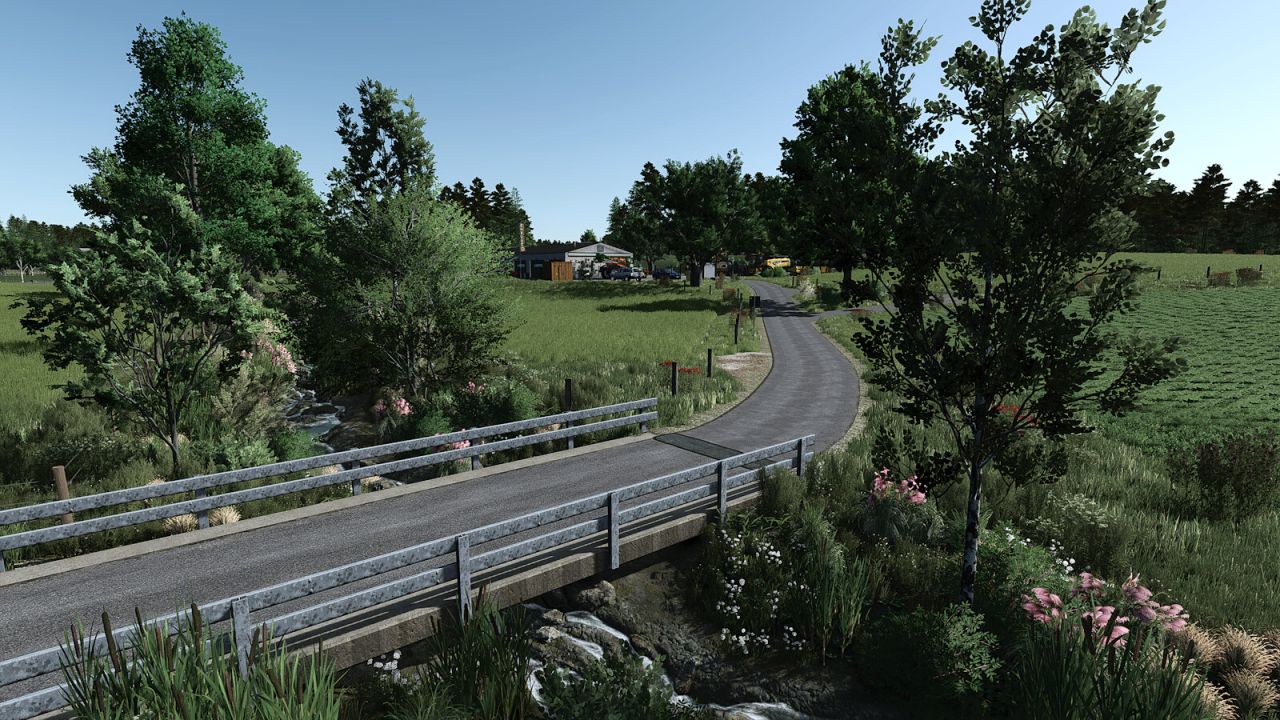
Bergisch Land FS 25 V1.0.0.0 Willkommen im Bergischen Land in Nordrhein-Westfalen! Diese Karte ist keine 1:1-Nachbildung, sondern eine Darstellung der charakteristischen Merkmale der Region. So fühlt es sich beim Spielen an, als wäre man irgendwo im Bergischen Land. Sie erwartet eine ausgewogene Mischung aus Wiesen, Ackerland und dazwischenliegenden Waldflächen. Das Gelände bietet sowohl steile Anstiege als auch flachere Abschnitte und sorgt so für eine abwechslungsreiche Topografie. Auf der Karte enthalten: 5 Bauernhöfe unterschiedlicher Art und Größe Verschiedene Verkaufsstellen Mehrere Gebäude, die speziell für diese Karte im traditionellen Fachwerkstil errichtet wurden. 8 Weiden für Kühe Kaufbare Baugrundstücke zur Gründung Ihres eigenen Bauernhofs 138 Felder und Wiesen mit einer Größe von 0,2 ha bis 4,2 ha Eine maßgeschneiderte Bodenkarte für die Präzisionslandwirtschaft Mehrfrucht Erhöhte Bodenneigungen Stoppelvernichtung Vorbereitung für die CCM-Produktionsverpackung Spezialisierter Obstanbau (Äpfel, Kirschen, Birnen, Pflaumen) Viel Spaß beim Landwirtschaften im Bergisch Land! Erforderliche Mods: Moderne Holzscheune Alte Scheune mit Unterstand Fachwerkscheune Kleiner Bunkersilo Platzierbare Hecken Alter Geräteschuppen Kleingetreide-Silos-Packung Bauernhof-Dekorationspaket Packplane Bodenwaage Wiesenzaun Alter Misthaufen Kauf von Gülle und Kalk Altes Strukturpaket Schuppenpaket Multifunktionale Schuppen Gartenparzelle Automatischer Getreideprobenehmer Modernes Haus-Set Kleiner Saal Kuhzäune Kuhstall mit Garage Mittelgroße Garage Getreidehalle Kraftstofftank 5000 l Werkstatttisch Lagerregal Dorfladen Wiesenzaun-Paket Kleiner Schuppen Bauernhäuser Haus im alten Stil Lizard Silo Pack Brennholzproduktion Kleinheizkraftwerk Geräteschuppen Garage mit Kuhstall Schlammtanks Kleines Sägewerk Freiluftgarten Lagerung alter Paletten und Ballen durch Zimmerleute Kleine alte Kuhweide Pallegney Gebäude-Paket Schuppen mit Hühnerstall Kuhstall 29×16 Gärsilo Schweinestall mit Scheune Dreiseitiger Bauernhof Werkstatt Holzpelletfabrik Kuhstall Omas Hofladen Alter Schuppen Ballenlagerung Scheune mit Kuhstall Echsenkälberhütten Wasserhahn- und Wassertankset Scheunen Doppelstab-Mattenzaun-Set Alte Getreidemühle Moderner Kuhstall Apfelbaum Kompostproduktionspaket Wandmontierter Styhl Hochdruckreiniger Cowshed Pack Eifel-Bauernhof Holzspäneproduktion Misthaufen Frachthalle Polnische Weide für Kühe Silo-Systempaket Calf Hut Pack Kuhstall aus Metall Altes Fachwerkhaus Selbstbaubarer Holzschuppen Polnischer Garten Platzierbare Wettereffekte Garage aus Ziegelsteinen Selbstgebaute große Garage Kleiner Hühnerstall BR Tags: Bergischen LandDiese KarteErforderliche ModsViel Spa
- 15 per page
- 30 per page
- 45 per page
- 60 per page
-
See more per page
Bigger pages, fewer clicks - and no ads anywhere.
Go Pro