Farming Simulator 25 mods
79,365 results- 15 per page
- 30 per page
- 45 per page
- 60 per page
-
See more per page
Bigger pages, fewer clicks - and no ads anywhere.
Go Pro


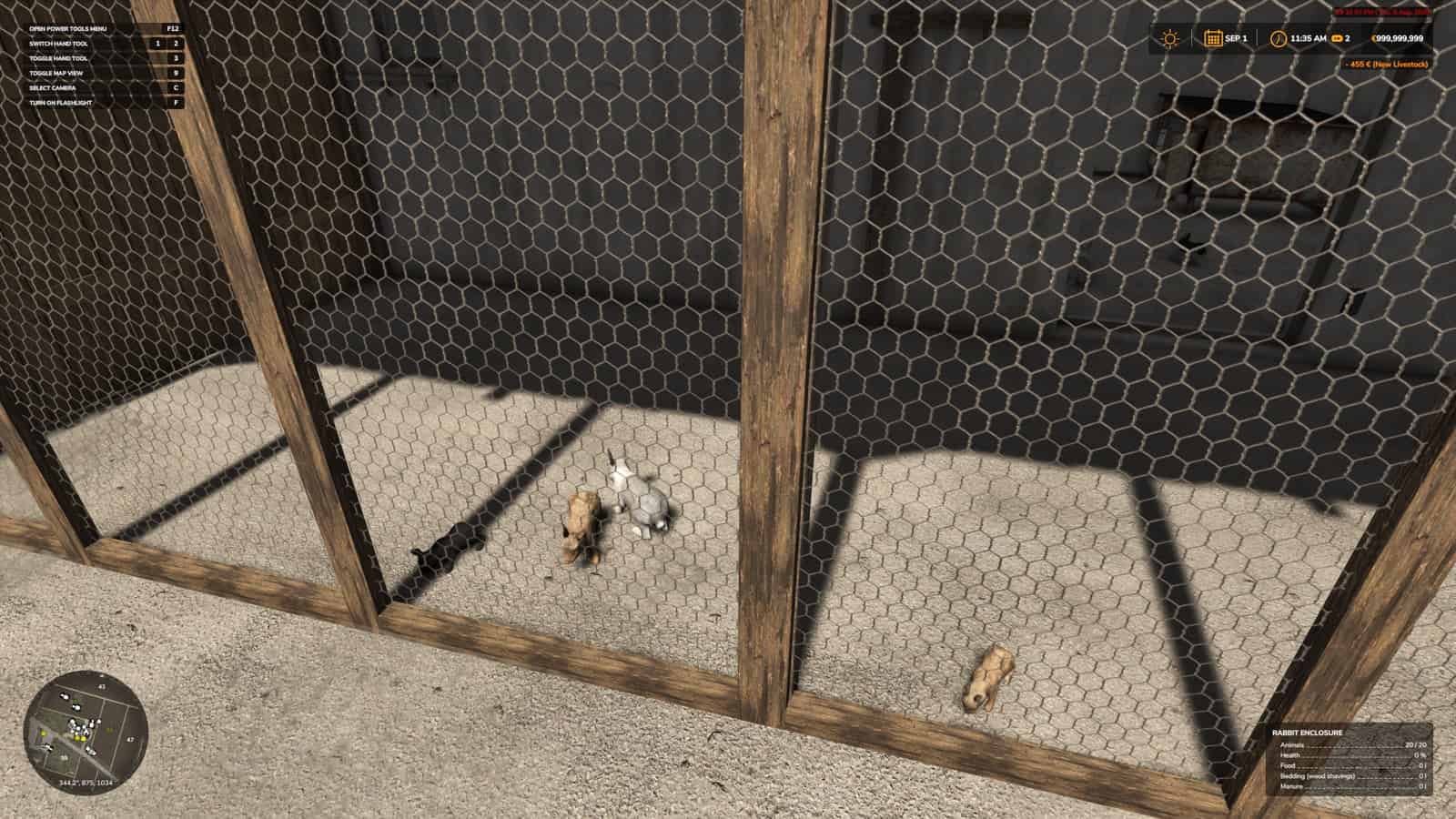
Rabbit Hutch V1.0
HB Rabbit Hutch is a standalone HofBergmann rabbit hutch for Farming Simulator 25, with rabbits, hay and vegetable feeding, automatic water, and wood-shavings bedding. Features Adds a standalone rabbit enclosure placeable for up to 20 rabbits. Supports hay feeding plus lettuce and carrot vegetable feeding. Includes automatic water. Includes wood-shavings bedding. Includes visible rabbits and a small-animal care workflow. Hay and Vegetable Feeding Workflow Place or enable the mod, watch the animal area during feeding, and confirm that outputs, food, bedding, and markers still behave normally after a reload. It is best tested on an animal-focused save where feeding routines, visible animals, care triggers, and output areas can be watched across more than one in-game hour. Use the same map, save, vehicle, field state, and time of day so the change from HB Rabbit Hutch is easy to see. Installation and Setup Use the Download ZIP button and download the ZIP from the linked external file source for this release. Keep the package name unchanged before placing it in the FS25 mods folder. Keep FS25_HB_RabbitHutch.zip packed as a ZIP. Place FS25_HB_RabbitHutch.zip in Documents/My Games/FarmingSimulator2025/mods. Enable HB Rabbit Hutch from the savegame mod list. Load a copied save before using it on the farm you care about. For terrain, animal, or vehicle behavior scripts, test on a backup save first. No separate required-mod list is shown for HB Rabbit Hutch. Install FS25_HB_RabbitHutch.zip by itself and then test it with the rest of the active mod folder. Compatibility Notes This animal-care script should be tested carefully with other livestock, feeding, dirt, barn, pasture, and husbandry mods, because two systems can sometimes update the same animal area or daily routine. Check the animal menu, the placeable trigger, visible animals, feed levels, water, straw, manure, slurry, pallets, and any special food type the mod adds. The active gameplay logic is written in Lua, the scripting language Farming Simulator 25 uses for script mods. Lua is chosen because the game loads it directly through modDesc.xml, and using one main scripting language keeps the mod lighter, easier to update, and safer beside other scripts. For HB Rabbit Hutch, the first minute after loading is not enough; the mod should still behave after saving, quitting, and loading again. Testing Notes Load the animal area. Feed or bed the rabbits where relevant. Wait through normal time. Check outputs or markers. Save and reload the same placeable. Change one thing at a time. Write down the map name, game version, mod version, and the other active mods that touch animal-care routines. After the first successful test, save, quit to the menu, load the same save again, and repeat the feature once more. If the same action works before and after reload, HB Rabbit Hutch has passed a more useful test than a quick menu check. If an animal marker, feed plane, food type, pallet, manure area, or visible animal does not appear, test with only this mod and the map enabled before blaming the save. If something is wrong, test with only the map, this ZIP, and required animal files before adding other livestock mods back into the folder. Changelog HB Rabbit Hutch current public version is v1.0.0.0. The public file name is FS25_HB_RabbitHutch.zip. Keep only one copy of FS25_HB_RabbitHutch.zip in your active Farming Simulator 25 mods folder. Multiplayer: Supported.
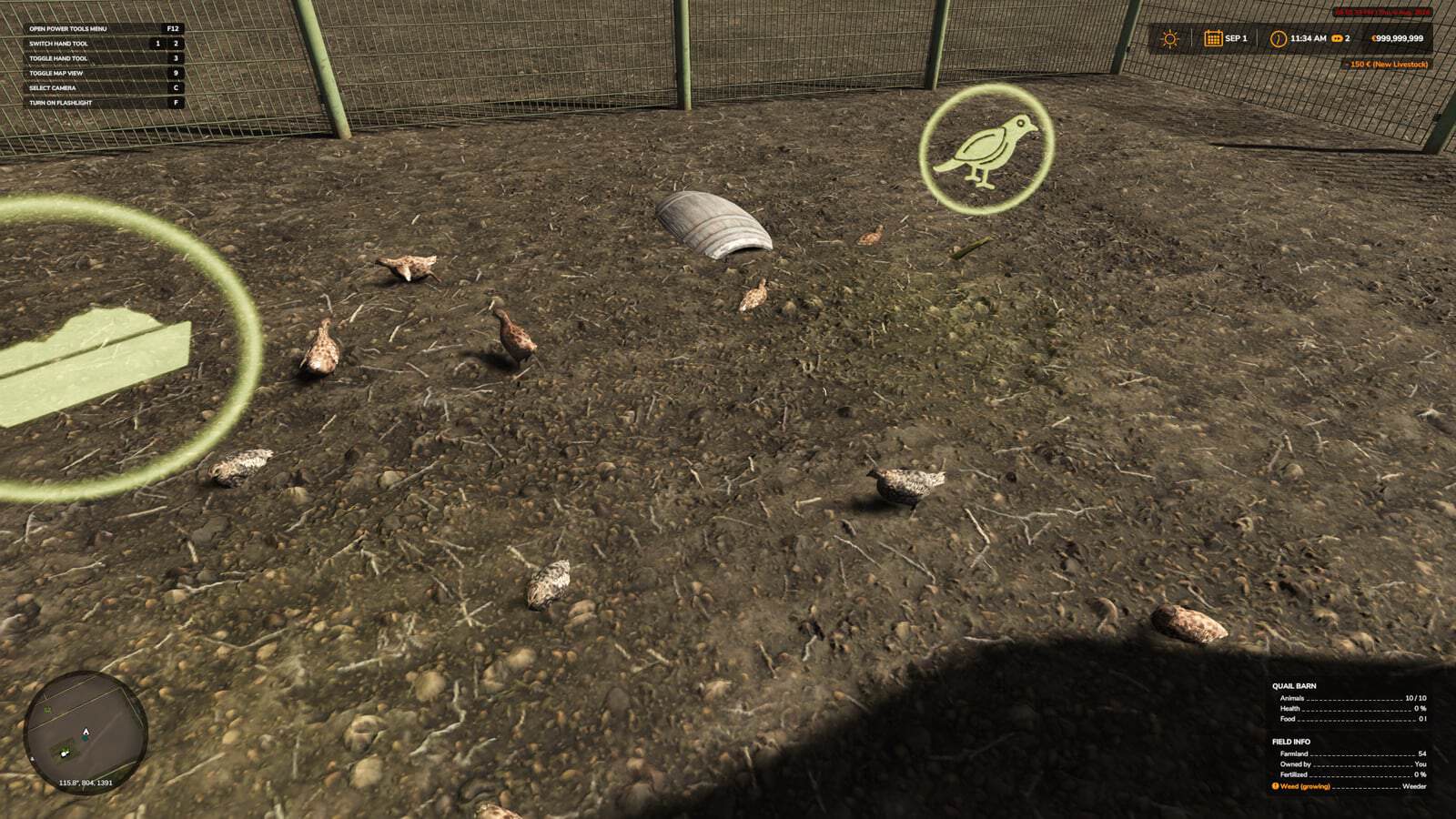
HB Quail Stable Farm V1.0
HB Quail Stable Farm is an Animal Care release for Farming Simulator 25. It adds a standalone HofBergmann-style quail barn with custom quails, 500 liter grain feeding, and quail egg basket output for up to 10 quails. Features Adds a standalone quail barn placeable for up to 10 quails. Supports grain feeding with wheat, rye, barley, maize, and sorghum. Produces quail eggs through basket pallet output for compact poultry farms. Includes custom quail animals. Multiplayer: Supported. Quail Stable Setup Testing Keep FS25_HB_QuailStableFarm.zip packed as a ZIP and place it in Documents/My Games/FarmingSimulator2025/mods. Enable HB Quail Stable Farm from the savegame mod list, then load a copied save before using it on the farm you care about. No separate required-mod list is shown for HB Quail Stable Farm, so install FS25_HB_QuailStableFarm.zip by itself and then test it with the rest of the active mod folder. Test it by loading the animal area, feeding or bedding where relevant, waiting through normal time, checking outputs or markers, then saving and reloading the same placeable. While testing, change one thing at a time and write down the map name, game version, mod version, and the other active mods that touch animal-care routines. After the first successful test, save, quit to the menu, load the same save again, and repeat the feature once more. Compatibility Notes This animal-care script should be tested carefully with other livestock, feeding, dirt, barn, pasture, and husbandry mods, because two systems can sometimes update the same animal area or daily routine. Check the animal menu, the placeable trigger, visible animals, feed levels, water, straw, manure, slurry, pallets, and any special food type the mod adds. The active gameplay logic is written in Lua, the scripting language Farming Simulator 25 uses for script mods. Lua is chosen because the game loads it directly through modDesc.xml. When another mod touches the same feature as HB Quail Stable Farm, test them together on a copied save before moving both into the main farm. If an animal marker, feed plane, food type, pallet, manure area, or visible animal does not appear, test with only this mod and the map enabled before blaming the save. If something is wrong, test with only the map, this ZIP, and required animal files before adding other livestock mods back into the folder. How To Install HB Quail Stable Farm Download the ZIP file and keep the package name unchanged. Move the ZIP file into Documents/My Games/FarmingSimulator2025/mods. Start Farming Simulator 25 and enable the mod in your savegame mod list. For terrain, animal, or vehicle behavior scripts, test on a backup save first. Changelog HB Quail Stable Farm current public version is v1.0.0.0. Keep only one copy of FS25_HB_QuailStableFarm.zip in your active Farming Simulator 25 mods folder.
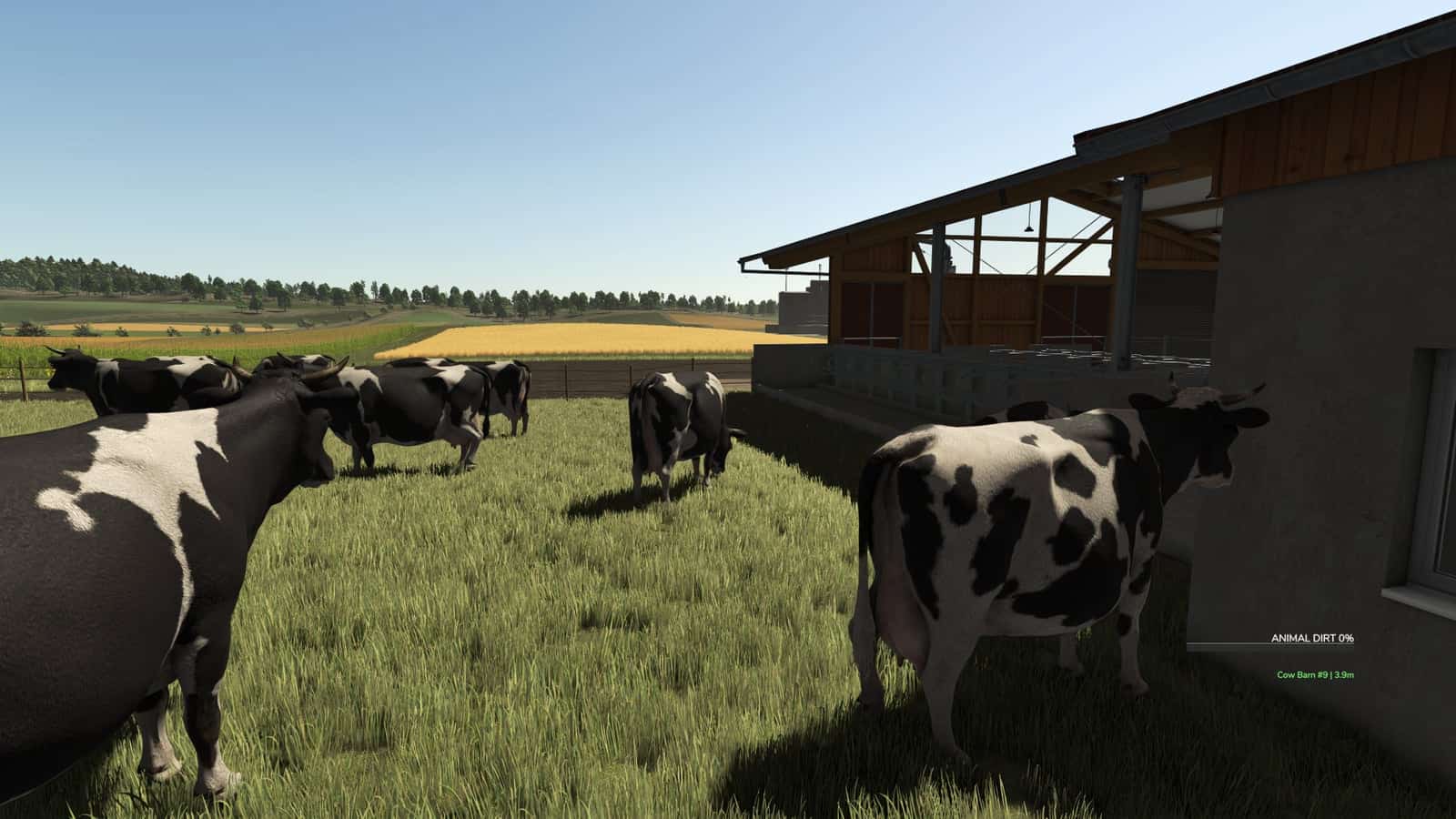
Animal Dirt HUD V1.0
Animal Dirt HUD displays the dirt percentage of the nearest animal on the HUD for Farming Simulator 25. It works best together with the Animal Dirt Wash dirt system. Features Displays nearby animal dirt percentage in the HUD. Works best together with the Animal Dirt Wash dirt system. Simple information overlay for animal-care farms. How To Install Animal Dirt HUD Keep FS25_Animal_Dirt_HUD.zip packed as a ZIP. Place FS25_Animal_Dirt_HUD.zip in Documents/My Games/FarmingSimulator2025/mods. Start Farming Simulator 25 and enable the mod in your savegame mod list. Load a copied or backup save before using it on the farm you care about. For terrain, animal, or vehicle behavior scripts, test on a backup save first. No separate required-mod list is shown for Animal Dirt HUD. Install FS25_Animal_Dirt_HUD.zip by itself and then test it with the rest of the active mod folder. Testing Notes Test it by loading the animal area, feeding or bedding where relevant, waiting through normal time, checking outputs or markers, then saving and reloading the same placeable. Change one thing at a time and write down the map name, game version, mod version, and the other active mods that touch animal-care routines. After the first successful test, save, quit to the menu, load the same save again, and repeat the feature once more. This can reveal delayed script errors, restore problems, missing paths, or save-only issues. Compatibility Notes Test this animal-care script carefully with other livestock, feeding, dirt, barn, pasture, and husbandry mods, because two systems can sometimes update the same animal area or daily routine. Check the animal menu, the placeable trigger, visible animals, feed levels, water, straw, manure, slurry, pallets, and any special food type the mod adds. The active gameplay logic is written in Lua, the scripting language Farming Simulator 25 uses for script mods. The game loads it through modDesc.xml. If an animal marker, feed plane, food type, pallet, manure area, or visible animal does not appear, test with only this mod and the map enabled before adding other livestock mods back into the folder. Changelog Animal Dirt HUD current public version is v1.0.0.0. Keep only one copy of FS25_Animal_Dirt_HUD.zip in your active Farming Simulator 25 mods folder. Multiplayer: Single-player only.
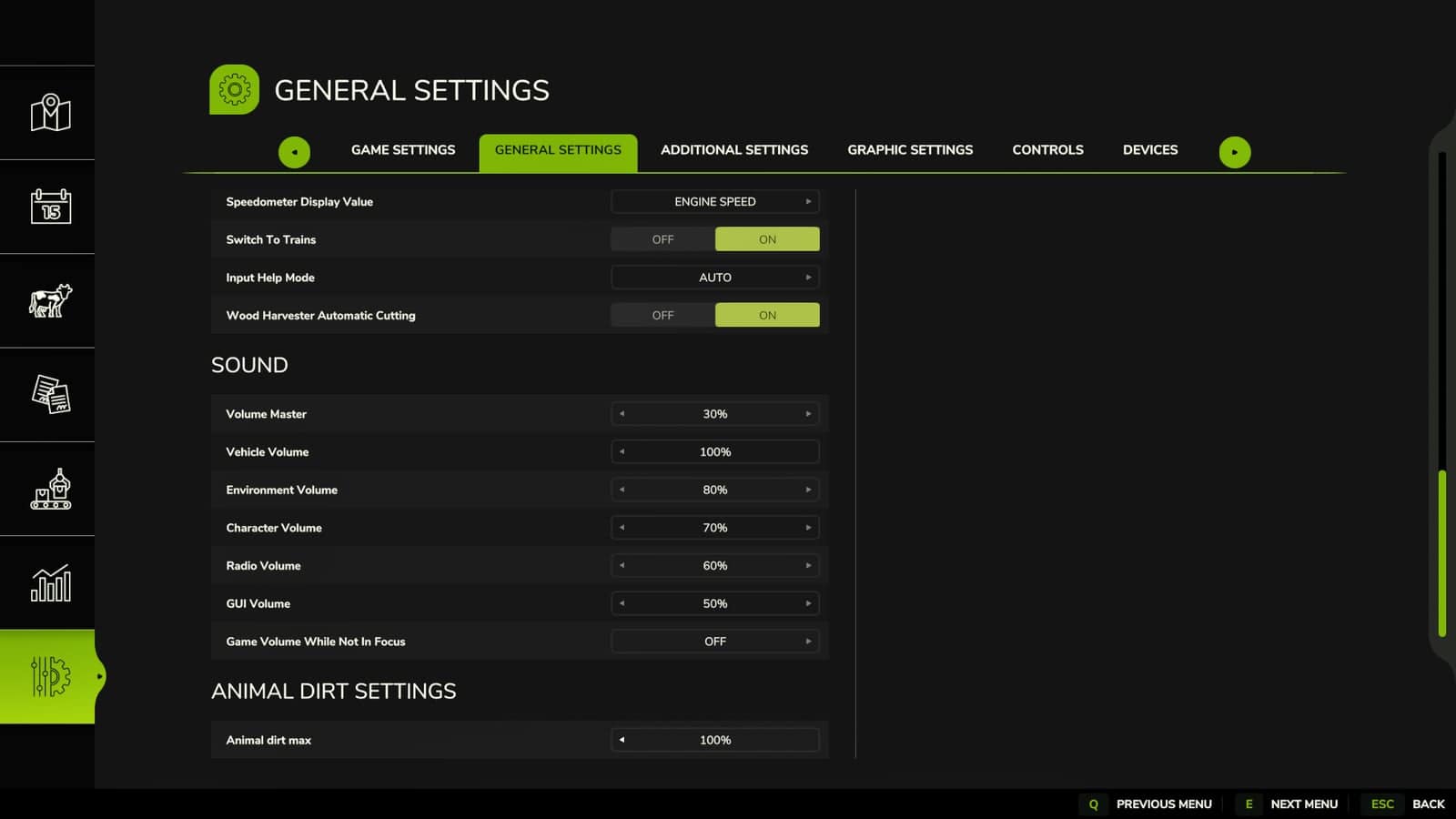
Animal Dirt Settings V1.0
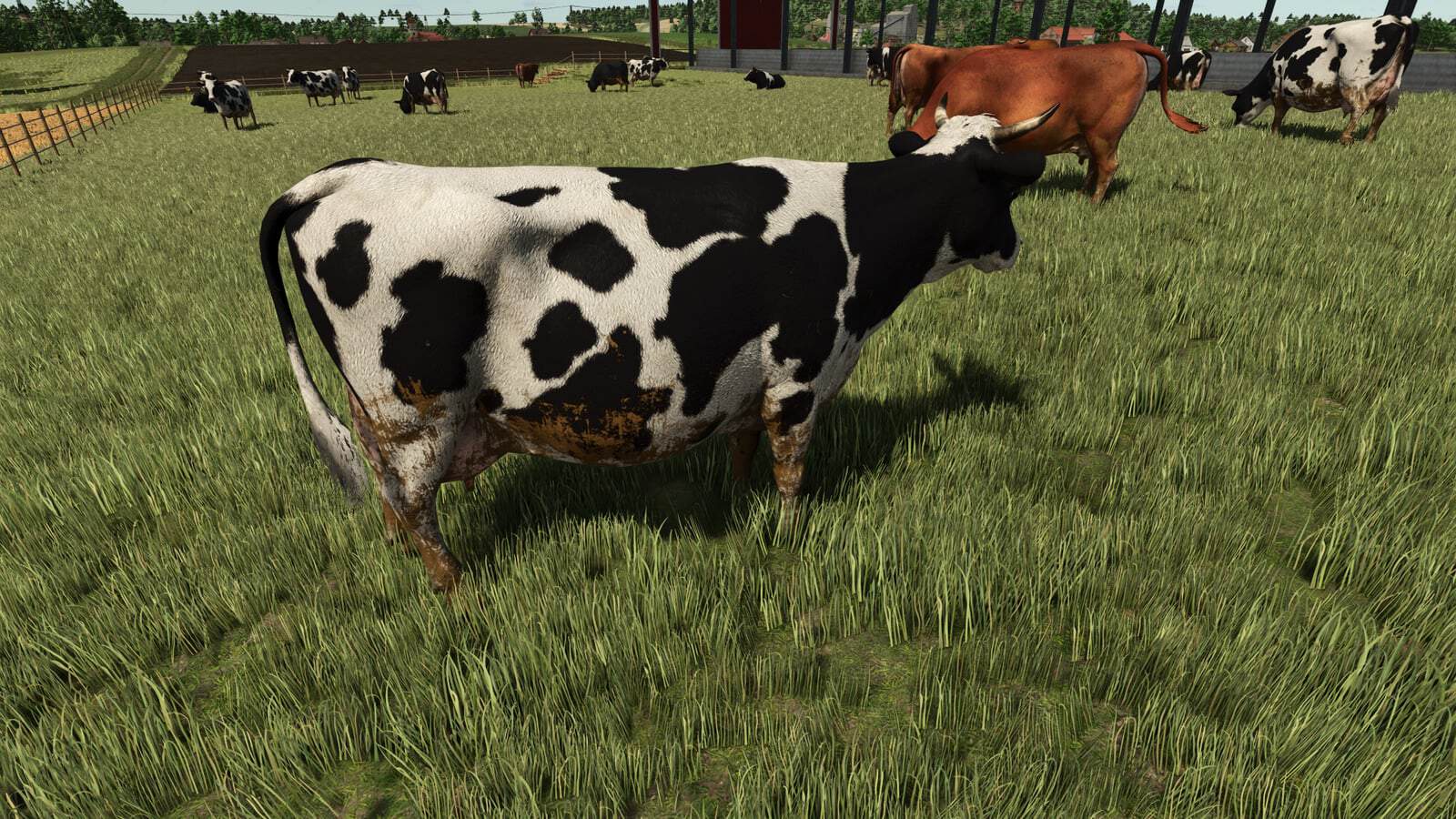
Animal Dirt Settings is a Farming Simulator 25 script that lets you decide in the game settings menu how dirty animals are allowed to become. When it rains, manure and dirt wash off the animals, and they get cleaned. Features Configurable animal dirt limit from the game settings menu. Useful companion mod for animal cleaning and realism setups. Lightweight script focused on animal-care gameplay. Specifications Game: Farming Simulator 25. Public file name: FS25_AnimalDirtSettings.zip. Listed version: 1.0.0.0. Multiplayer: Supported. Script language: Lua. Script descriptor: modDesc.xml. How To Install Animal Dirt Settings Download the ZIP file. Keep FS25_AnimalDirtSettings.zip packed as a ZIP. Place it in Documents/My Games/FarmingSimulator2025/mods. Start Farming Simulator 25 and enable Animal Dirt Settings from the savegame mod list. Load a copied save before using it on the farm you care about. For terrain, animal, or vehicle behavior scripts, test on a backup save first. No separate required-mod list is shown for Animal Dirt Settings. Install FS25_AnimalDirtSettings.zip by itself and then test it with the rest of the active mod folder. Livestock Care Testing Place or enable the mod, watch the animal area during feeding, and confirm that outputs, food, bedding, and markers still behave normally after a reload. Test it on an animal-focused save where feeding routines, visible animals, care triggers, and output areas can be watched across more than one in-game hour. Compare Animal Dirt Settings in the exact job already performed on the farm instead of judging it from a separate test scene. Animal Dirt Setting Troubleshooting Test this animal-care script carefully with other livestock, feeding, dirt, barn, pasture, and husbandry mods, because two systems can sometimes update the same animal area or daily routine. Check the animal menu, the placeable trigger, visible animals, feed levels, water, straw, manure, slurry, pallets, and any special food type the mod adds. The active gameplay logic is written in Lua, the scripting language Farming Simulator 25 uses for script mods. Lua is loaded directly through modDesc.xml. When another mod touches the same feature as Animal Dirt Settings, test them together on a copied save before moving both into the main farm. Testing Notes Load the animal area, feed or bed where relevant, wait through normal time, check outputs or markers, then save and reload the same placeable. While testing, change one thing at a time and write down the map name, game version, mod version, and the other active mods that touch animal-care routines. After the first successful test, save, quit to the menu, load the same save again, and repeat the feature once more. If an animal marker, feed plane, food type, pallet, manure area, or visible animal does not appear, test with only this mod and the map enabled before blaming the save. If something is wrong, test with only the map, this ZIP, and required animal files before adding other livestock mods back into the folder. Compatibility Notes This animal-care script should be tested carefully with other livestock, feeding, dirt, barn, pasture, and husbandry mods, because two systems can sometimes update the same animal area or daily routine. Changelog Animal Dirt Settings current public version is v1.0.0.0. Keep only one copy of FS25_AnimalDirtSettings.zip in your active Farming Simulator 25 mods folder.
Animal Dirt Wash V1.0
Animal Dirt Wash is an Animal Care release for Farming Simulator 25. Animals naturally get dirty over time and can be cleaned using the wash brush: select the brush and use the right mouse button to spray near animals. Features Adds animal dirt cleaning with a wash brush workflow. Designed for realistic cattle, sheep, pig, and animal-care playthroughs. Pairs well with Animal Dirt HUD and Animal Dirt Settings. Supports animal dirt buildup over time and cleaning with the wash brush. The page includes 2 screenshots of Animal Dirt Wash in-game. Multiplayer: Single-player only. How To Install Animal Dirt Wash Download the ZIP file. Keep FS25_AnimalDirtWash.zip packed as a ZIP. Move the ZIP file into Documents/My Games/FarmingSimulator2025/mods. Start Farming Simulator 25 and enable the mod in your savegame mod list. Load a copied or backup save before using it on the farm you care about. For terrain, animal, or vehicle behavior scripts, test on a backup save first. Required mods: No separate required-mod list is shown for Animal Dirt Wash. Install FS25_AnimalDirtWash.zip by itself and test it with the rest of the active mod folder. Compatibility and Testing Test this animal-care script carefully with other livestock, feeding, dirt, barn, pasture, and husbandry mods, because two systems can sometimes update the same animal area or daily routine. Check the animal menu, the placeable trigger, visible animals, feed levels, water, straw, manure, slurry, pallets, and any special food type the mod adds. The active gameplay logic is written in Lua, the scripting language Farming Simulator 25 uses for script mods. Lua is loaded directly through modDesc.xml. When another mod touches the same feature as Animal Dirt Wash, test them together on a copied save before moving both into the main farm. Test it by loading the animal area, feeding or bedding where relevant, waiting through normal time, checking outputs or markers, then saving and reloading the same placeable. While testing, change one thing at a time and write down the map name, game version, mod version, and the other active mods that touch animal-care routines. After the first successful test, save, quit to the menu, load the same save again, and repeat the feature once more. If an animal marker, feed plane, food type, pallet, manure area, or visible animal does not appear, test with only this mod and the map enabled. If something is wrong, test with only the map, this ZIP, and required animal files before adding other livestock mods back into the folder. Changelog Animal Dirt Wash current public version is v1.0.0.0. Keep only one copy of FS25_AnimalDirtWash.zip in your active Farming Simulator 25 mods folder.
МОД MX Manubal V60
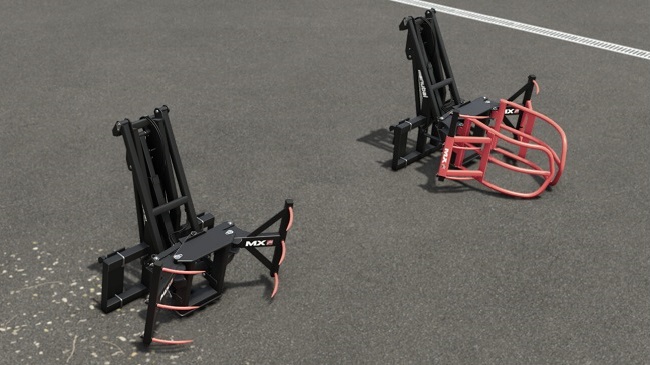
MX Manubal V60 — это захват для тюков, предназначенный для работы с круглыми тюками и их штабелирования в высоту до шести ярусов благодаря исключительному вылету стрелы вперед. Экспериментальная функция: захват для обернутых рулонов оснащен динамическим креплением с системой поддержки, что улучшает фиксацию рулона во время движения телескопической стрелы. - Цена: 3 800 $ АВТОР МОДА: Univers Simu Modding АВТОР МОДА: Univers Simu Modding
- 15 per page
- 30 per page
- 45 per page
- 60 per page
-
See more per page
Bigger pages, fewer clicks - and no ads anywhere.
Go Pro