Farming Simulator 25 mods
79,365 results- 15 per page
- 30 per page
- 45 per page
- 60 per page
-
See more per page
Bigger pages, fewer clicks - and no ads anywhere.
Go Pro
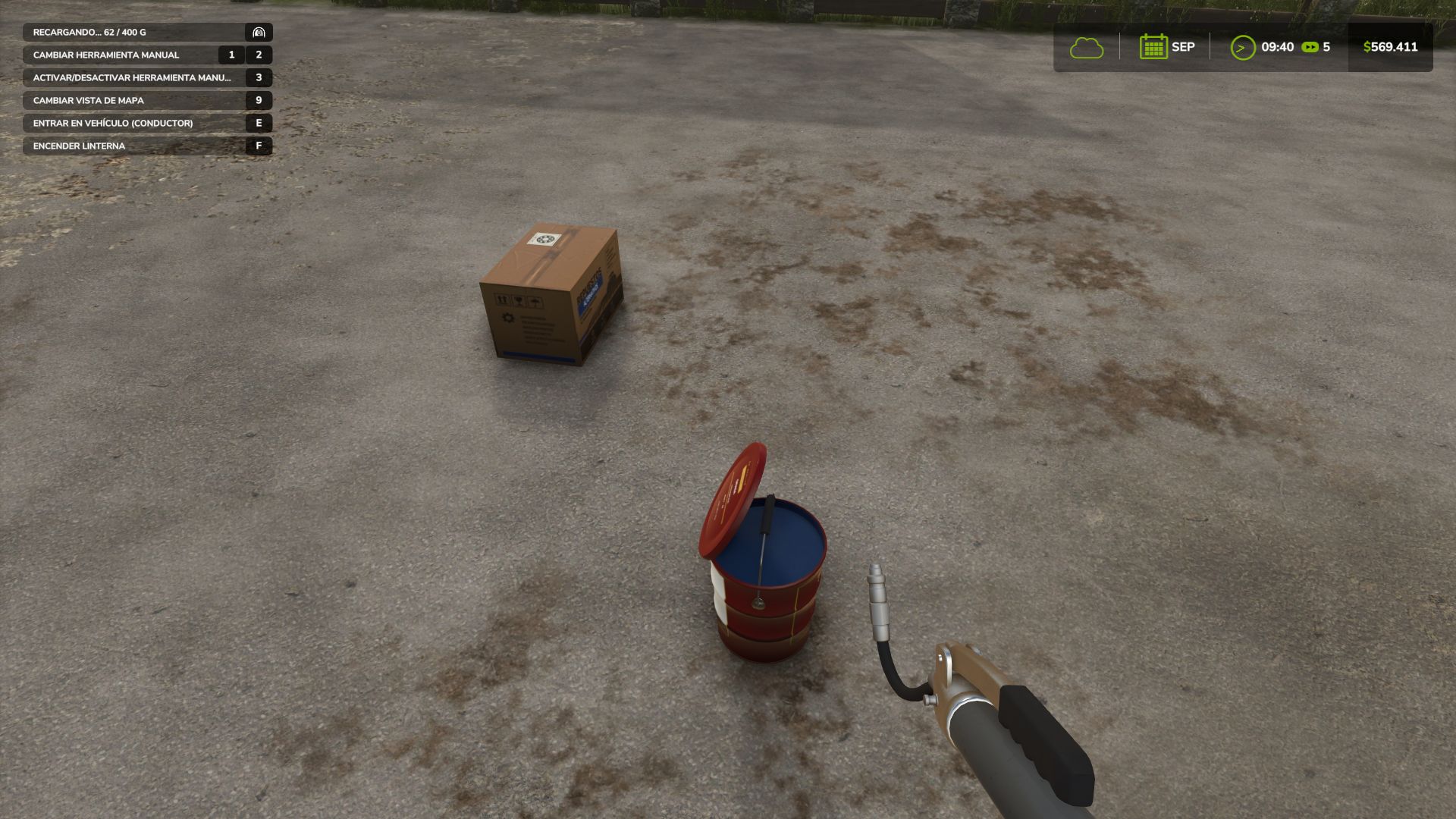
Implement Maintenance FS25
Does your seeder work a thousand hours without anyone changing a bearing or adding grease? No real machine can withstand that. This mod introduces realistic implement maintenance: machines require lubrication, wear through use, can break if neglected, and must be repaired using spare parts, time, and money. It works automatically with ANY towed or non-motorized implement from the base game or other mods, detecting its components. No configuration required. 🛢️ REAL LUBRICATION Use a grease gun with standard or premium lithium EP2 grease. Premium grease provides longer lubrication intervals. Lubrication is based on actual working hours. Long-term storage can also require lubrication before returning to service. ⚙️ WEAR BY SYSTEM Four individual systems are simulated: • Wear Parts • Bearings and Transmission • Hydraulic Circuits • Wheels/Tires Each has its own lifespan. Wear progresses through operation and increases faster when the machine is dirty or lubrication has expired. Condition also affects normal machine wear and resale value. 💥 REAL BREAKDOWNS Machines can suffer minor, serious, or critical failures. Depending on the failed component, an implement may stop working, fail to lower or deploy, operate at reduced speed, or become immobilized. The more worn the machine, the greater the risk of failure. 🧰 FIELD REPAIRS A toolbox allows temporary emergency repairs of serious failures in the field, letting you continue working with limitations. Critical failures require a workshop. 🏭 YOUR OWN WORKSHOP Place a workbench with a service bay on your farm for diagnosis and repairs. Repairs can use STANDARD or faster EXPRESS service and take from hours to several days. Repairing a failure does not remove the machine's existing wear. 🔩 PHYSICAL SPARE PARTS Diagnosis displays operating hours, wear of all four systems and required spare parts. Servicing requires physical wear, bearing, hydraulic or tire kits. A complete service history is stored for every machine. 🏷️ OEM OR AFTERMARKET Replacement parts are available as OEM or aftermarket. Aftermarket parts are cheaper but have shorter lifespans and may have a greater risk of premature failure. 🖥️ SUPPLIER PORTAL Use the ordering computer to purchase spare parts and select their quality and quantity. Delivery takes several days, with parts physically delivered for use in your workshop. ⚙️ FEATURES • Automatic support for base-game and mod implements • Realistic lubrication and working-hour tracking • Four independent wear systems • Minor, serious and critical breakdowns • Emergency field repairs • Workshop diagnosis and repairs • Physical spare parts and supplier ordering • OEM and aftermarket parts • Maintenance history and savegame support • Multiplayer and Dedicated Server compatible • Deadlines adapt to game month length • English, Spanish, German, French and Italian • Compatible with Agricultural Financial System (GN Realism) Major update from the published 1.0.1.0. Everything below is new or changed; anything not mentioned remains unchanged. 🔧 **NEW HAND TOOLS** · Adjustable wrench and cross wrench, available in the store (Tools), reusable. · Mechanical work is now performed with the correct tool **IN HAND**: the tool animates, the ratchet sounds, and the progress bar advances while holding the trigger near the implement. Without the correct tool, the work pauses. · The adjustable wrench is used for wear parts, bearings and hydraulics; the cross wrench is used for wheel nuts. 💲 **PRICES** · Workbench: from $18,500 to $8,500 (daily maintenance from $25 to $10). · Purchase Terminal: from $24,000 to $3,500 (daily maintenance from $30 to $5). · Tools: adjustable wrench $1,500, cross wrench $1,900. 🏭 **WORKBENCH** · New table-style diagnosis: one row per system with its pictogram, color-coded status, wear, installed part (OEM / Aftermarket), remaining service life, required parts and quantity, required tool, available stock and verdict. · Maintenance service is performed in work stages, with the correct tool in hand and within 2.5 m of the implement, from any side. The stages take longer than before (actual work, not a single click). · With the tool in hand and the implement in the service bay, the trigger can also start the service. · Replacing the bearing kit leaves the assembly properly lubricated: the lubrication interval is reset to zero. · More tolerant spare-parts supply zone. · On-screen prompt when approaching the workbench: what to do with the bench (position implement, open diagnosis, cancel service). 🛢️ **GREASE GUN & GREASE TUB** · The grease tub now has a LID: it can be opened and closed with its own action, and remains in the state you left it. With the lid closed, the grease gun cannot load, and the screen tells you so. · New refilling system: aim at the tub opening, hold the trigger and grease is transferred gradually, with the amount shown on screen and the plunger rod coming out of the barrel in short pulls. The operation can be interrupted without losing the transferred amount. · Greasing action reworked: the lever now actually opens and closes on each pump, with sound. · On-screen prompts: refill available, refilling, lubricating, tub closed. · When grease runs out, in addition to the warning you can hear the dry-metal squeal while continuing to work without lubrication. 💥 **BREAKDOWNS** · Field failure (Level 1) is now a real breakdown: it has a functional consequence, can be repaired in the field and generates its own work order, with low cost and short duration. · The consequence is always determined by the failed component, including critical failures. · Hydraulic leak (field or serious failure): the implement can keep working, but folding, lifting and lowering operate at one quarter speed, with hissing and a warning. Ruptured hydraulic system (critical): no pressure, no folding, lifting or tipping. · Progressive failure risk with wear, with no thresholds: a new part almost never fails, while a worn part is increasingly likely to fail. · Spare-part reliability recalibrated: aftermarket parts have a higher chance of having a manufacturing defect, while original parts can also fail, but much less often. · Each component has its own failure sound (metal breaking, bearing rattling, hose bursting, escaping air), while a critical failure adds a heavy impact sound and triggers the onboard warning. · The message tells you what failed, what you lost, and what you can do. 🧰 **EMERGENCY REPAIR (TOOLBOX + TOOL)** · No longer a single click: the toolbox must be placed next to the implement, the tool required by the failed component must be held in hand, and the repair takes about 12 seconds. · Emergency repair availability is determined by the component and failure type, not severity alone: wear parts and hydraulics can always be repaired; bearings and wheels can be repaired up to serious failure; the chassis can never be repaired in the field. · Operating margin depends on the component (2 to 4 hours). A second repair on the same failure lasts 60% as long, and there is no third repair. · With an active emergency repair, the workbench recognizes the outstanding repair: it opens the work order for the pending definitive repair, showing the correct component, budget and estimated time. 🖥️ **PURCHASE TERMINAL** · The catalog shows the pictogram for the selected system and the delivery time matches the time shown in the purchase-order list (same calculation, same format). · On-screen prompt when approaching: open the supplier portal, orders in transit, or no workbench within range. · Interface sound when opening the catalog and diagnosis. 📖 **INTEGRATED GUIDE** · New 17-step guide (Alt+H, rebindable) explaining every component, tool, breakdown and consequence, using the actual values from the mod. 🖼️ **INTERFACE & TEXT** · Implement information panel always shows damage, with highlighted alerts for lubrication, breakdowns, provisional repairs and depleted parts. · Work order layout corrected (rows no longer overlap). · Terminology unified across all five languages (workbench, purchase terminal, emergency repair, definitive repair, maintenance service, purchase order). · German localization now includes correct accents. ✅ **1.0.1.0 FIXES RETAINED** · The game's standard repair system does not apply to implements managed by the mod (clear warning shown to the player). · Working speed limits are respected by the tractor (the harrow no longer runs at 32 km/h), with additional limits from breakdowns / worn tires / emergency repairs also respected while towing. · With Agricultural Financial System installed, purchase orders use the available credit margin. Compatible with savegames from 1.0.x: no new game required. Multiplayer and dedicated server supported. The standard game repair (workshop / dealer) no longer applies to implements maintained by this mod: it charged money without clearing breakdowns or wear. A clear message now points you to the workbench. Fixed: implements could work faster than their rated working speed (e.g. a disc harrow at 32 km/h). The speed limit only returned one of the two values the game expects, so the tractor ignored it. Breakdown / worn-tyre / patch speed caps now also apply while towing. Fixed: with Agricultural Financial System installed, the credit-margin check for parts orders silently fell back to the cash balance. It now uses the AFS margin.
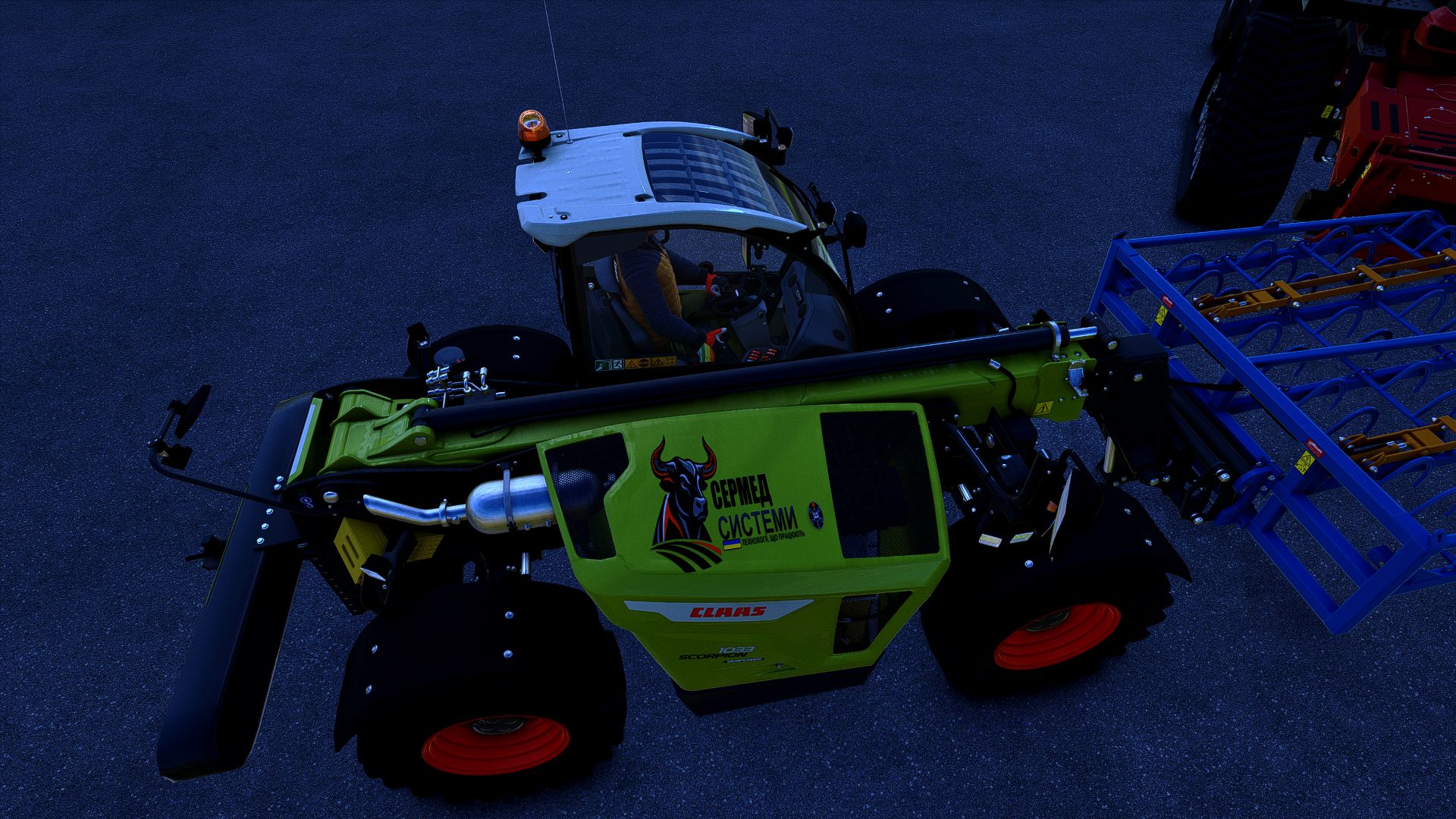
Vehicle Flags (Store Configurator) FS25
Vehicle Flags — flags for vehicles in FS25 The mod adds three independent sets of animated flags to controllable vehicles. Features: - Choose a country flag, a custom image, or both flags. - Separate settings for sets 1, 2 and 3. - Adjust the position, rotation, flag size and pole height. - Ability to use different custom images in each set. - Configuration in the shop and workshop. How to add a custom flag 1. Prepare an image with a 2:1 aspect ratio. The recommended size is 1024×512 or 512×256. 2. Save it in PNG, JPG or DDS format, for example my_farm.png. 3. After launching the game with the mod for the first time, open the “Documents” folder — it is usually located on drive C. Then go to: Documents → My Games → FarmingSimulator2025 → modSettings → FS25_VehicleFlags 4. Place the images directly in this folder, without subfolders or archives. 5. In the shop or workshop, open the flag settings and select the desired set. 6. In the custom flag selection option, switch between images by their file names. 7. Enable the custom flag or both flags, adjust the position and confirm the changes. You can add multiple images. If the new files do not appear in the list, close and reopen the flag settings window. Multiplayer: identical images with identical names must be located in the specified folder on the server and on all players’ computers. Images are not transferred automatically. Version: 1.0.0.0 Fixed a bug with flag rotation when two flags are mounted on the vehicle Fixed a bug that caused equipment to become pinned to the ground after re-entering the game.
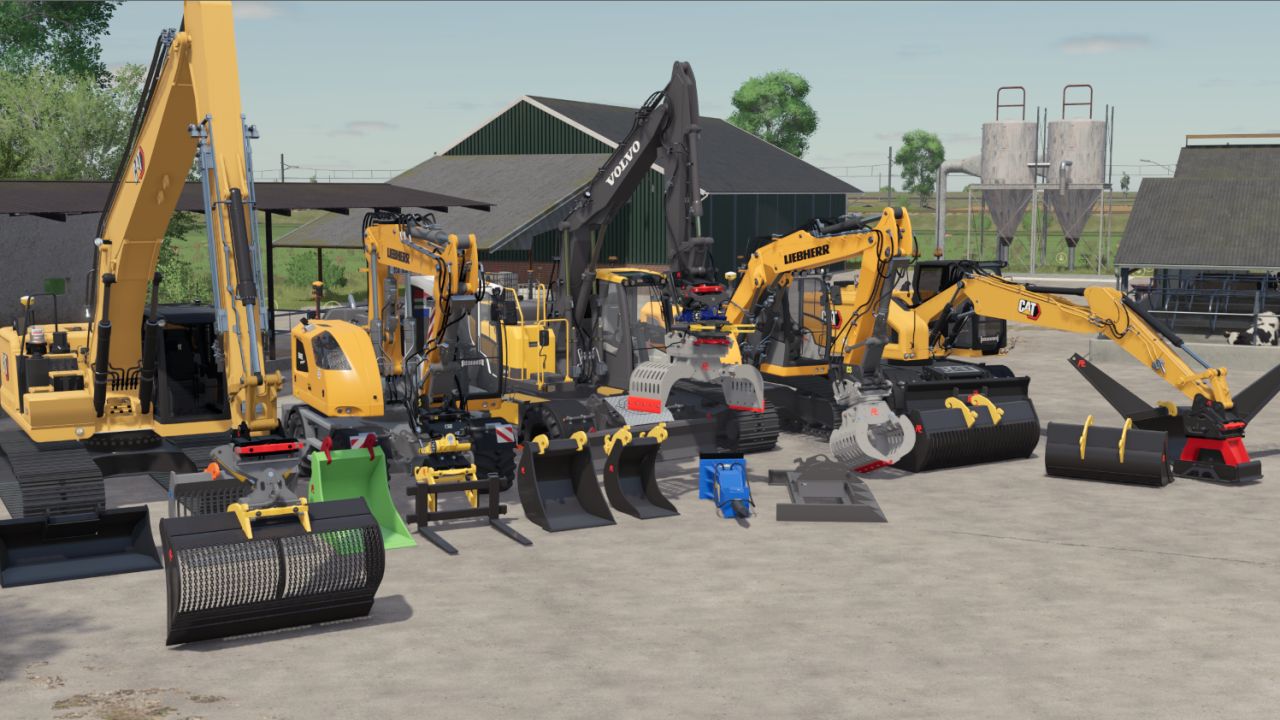
PLADDET Ground set + Gripper FS25
In collaboration with PLADDET we can release this unique set for you! with Terrafarm incl Eurosteel ready!! This set has a wide choice of containers the set includes a gripper SMP tiltrotator CW30 tilting piece chain box profile box rubbish bin ditch buckets tilting container CW10 link from eurosteel (terrafarm ready) https://www.kingmods.net/nl/fs25/mods/77384/eurosteel-pack We would like to thank https://www.pladdet.nl/nl/ for making this possible! improved version. the biggest errors and warnings have been removed! there are a few extra nice features included! extra sorting grapple fixed vibration block for decoration on the bin trailer or project sliding window everything can be colored bin collisions fixed so they can be removed, except for 2.
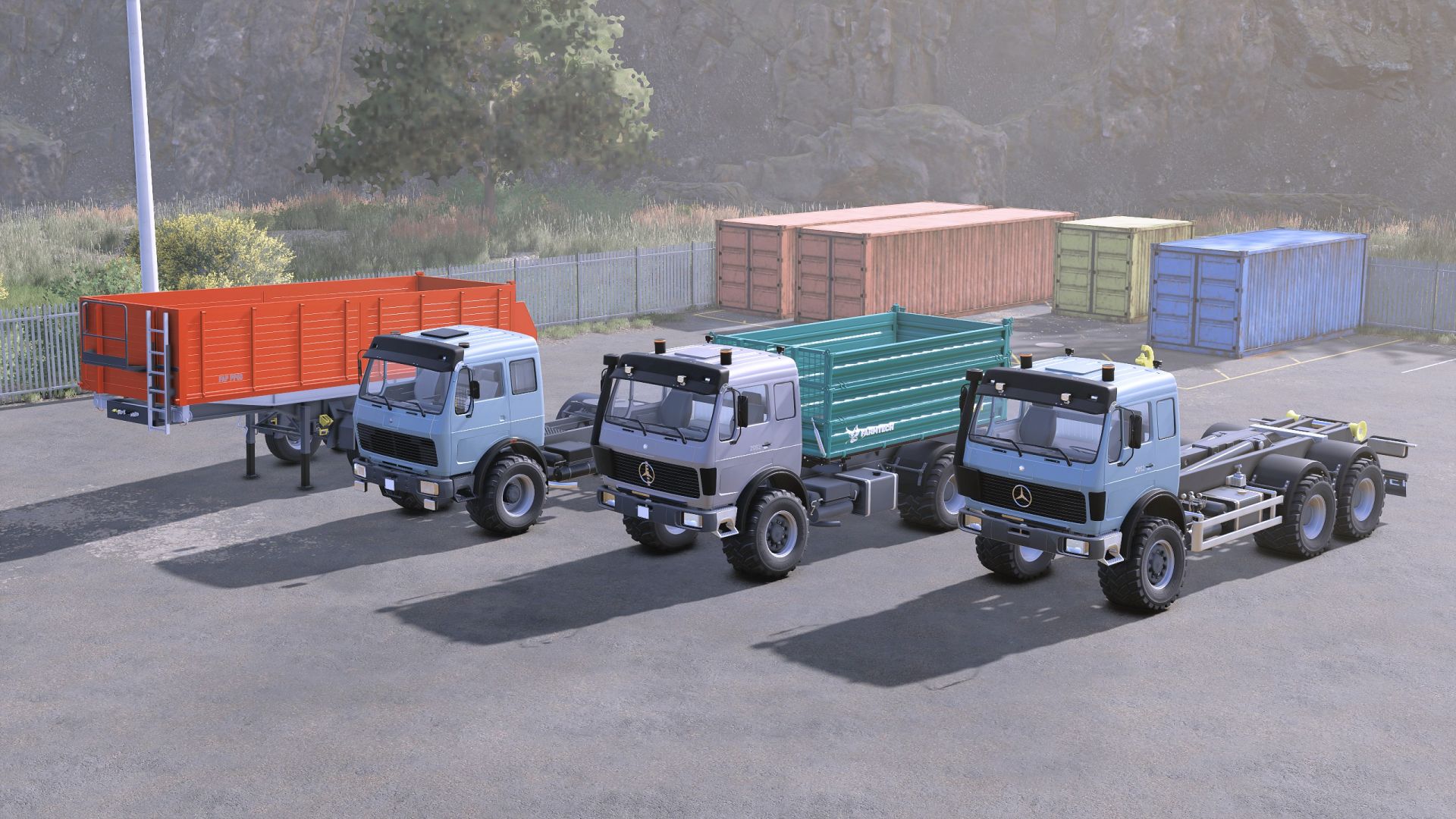
Mercedes Benz NG Pack FS25
Mercedes-Benz NG model pack, directly converted from FS19 with updated materials, sounds, animations, and attributes, and an upgrade from SimpleIC to Interactive Control for FS25, containing the following vehicles Mercedes-benz NG 1835 Category: Trucks Price: $15,000 Power: 354 hp Max. speed: 90 kph Lizard Trailer PP60 Category: Trailers Price: $10,000 Capacity: 48,100 Mercedes-benz NG TDK900 Category: Trucks Price: $162,000 Power: 320 hp Capacity: 12,000 Mercedes-benz NG ITRunner Category: Trucks Price: $162,000 Power: 320 hp - New engine sound; thanks to husky0914 for the contribution - Fixed the position of the right taillight on the semi-truck - Fixed the license plates on all trucks and corrected the position on the TDK900 version - Adjusted the transmission on all trucks for better performance and RPM - Adjusted the torque for all engine configurations - Added the license plate to the ITRunner version (front) and added the missing rear beacon - Fixed the Interactive Control points for the doors, which were previously static and now follow the door - Increased the modDesc version to match patch 1.13
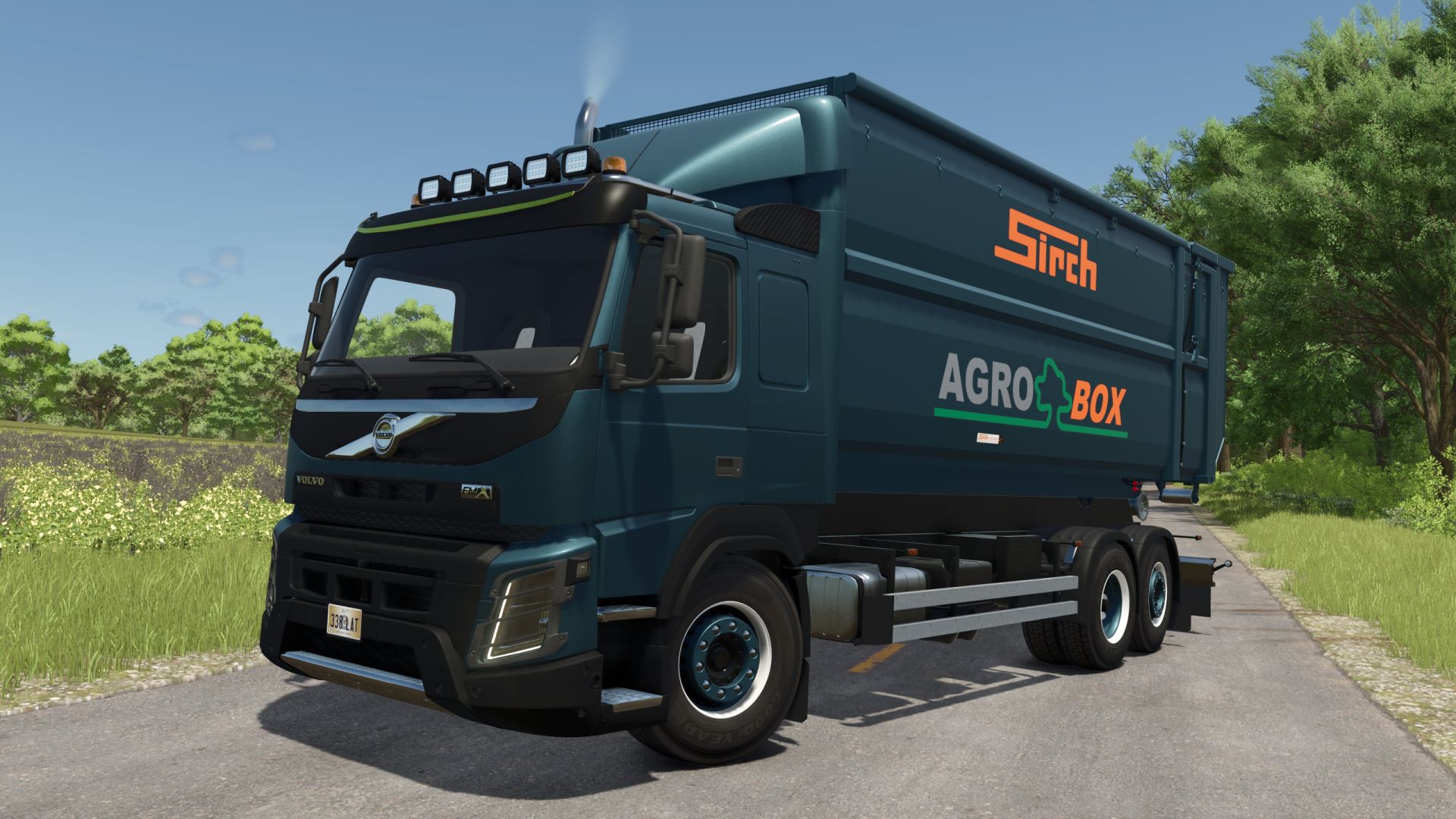
Volvo FMX FS25
Volvo FMX hook lift - Price: 62.350 $ - Top Speed: 90/100 KMH - Power: 285/550/650 HP - Body Color Configuration - Trailer Hitch Configuration - Rim Color Configuration - Wheels Configuration - Exhaust Configuration - Front Extra Light Configuration - Cabine Type Configuration - Added exhaust configuration. - New wheel configurations added. - Headlight protection configuration added. - Rear fenders improved.
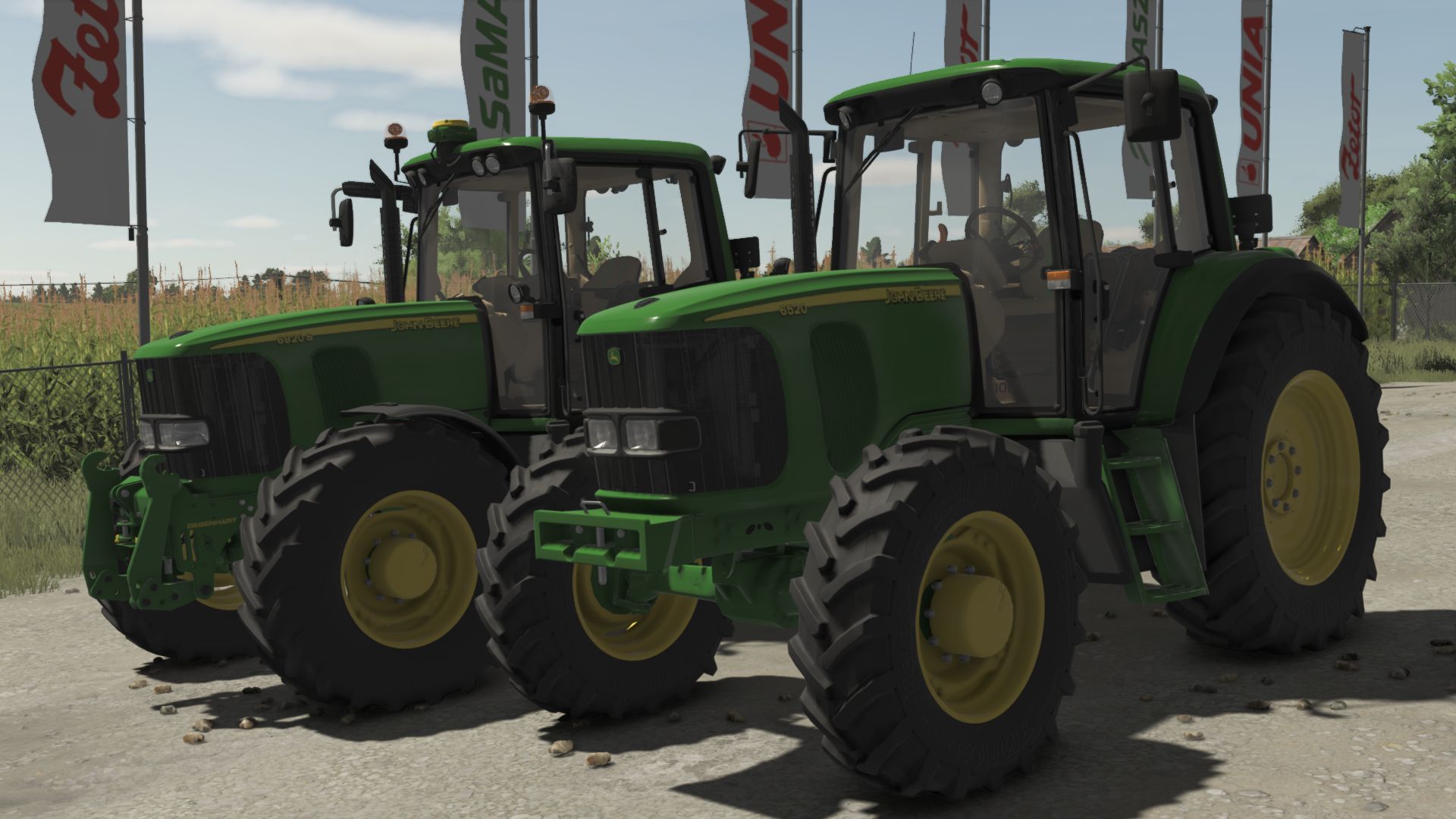
John Deere 6020 Premium Series FS25
Motor Configuration (6520P-6620P-6820P-6920P-6920S) (With PowerQuad,PowerQuad2,AutoQuad w/out F gear,AutoQuad w F gear,AutoPower and CommandArm AutoPower Transmission) (Fully animated transmissions) Wheel brand Configuration (Trelleborg-Mitas-Continental-Michelin-BKT-Vredestein-Nokian) Wheels Configuration (Standard-Wide-Wide2-Wide+weights-Twin Back Wheels-Narrow-Narrow Twin Back Wheels-Narrow Twin Wheels) Front Attacher Configuration (Bracket-300kg-500kg-700kg-900kg-1000kg-1150kg-Front hydraulic) Cabine Worklights Configuration (Standard-Additional Front-Additional 2-Additional Front+Additional 2-Additional Front+Additonal Back-All) TLS and SCV Pairs Configuration (3 SCV Pairs-4 SCV Pairs-TLS+3 SCV Pairs-TLS+4 SCV Pairs) Bonnet Lights and Front Window Configuration (Standard-Premium Lights-Front Window-Premium Lights+Front Window) Fenders Configuration (No-Front-Front+Wide Back) Beacons and Mirrors Configuration (No-Left-Left+Electric Mirrors-Right-Right+Electric Mirrors-Both-Both+Electric Mirrors) StarFire Configuration (SF3000-SF6000-SF3000+Monitor-SF6000+Monitor) Reverser and Cabine Controls Configuration (Magnetic Reverser-Magnetic Reverser+PTO Control-Magnetic Reverser+Premium Controlls-Electric Reverser+Standard-Electric Reverser+PTO Control-Electric Reverser+Premium Controlls) Roof Configuration (Standard-Standard openable-Panoramic-Panoramic openable) Front loader configuration (No-Yes-Yes+Tool Box-Yes+Shield-Yes+Tool Box+Shield) Mod is ready for Precision farming (Crop sensors configuration ready) and Interactive Control! - Increased modDesc version - Color corrected - Increased modDesc version - Fixed John Deere Frontloader attaching problem - Fixed CommandArm gearbox freezing game problem
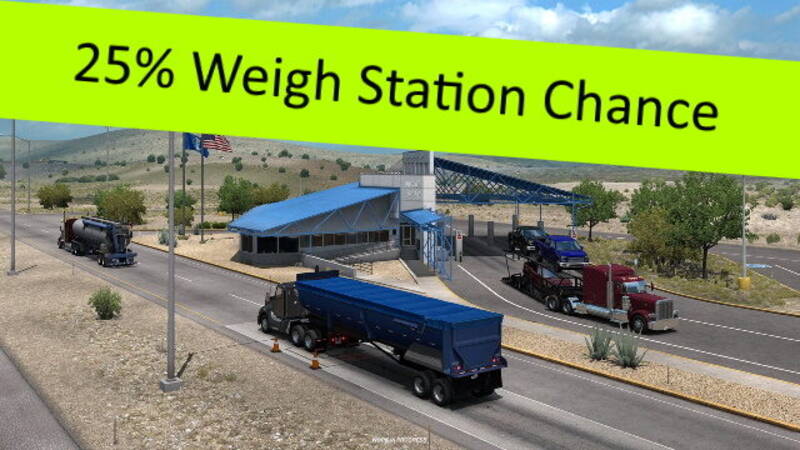
25% Weighstation Chance
Decreases the weighstation frequency so you only have to pull in 25% of the time. Originally created as a 0% version for personal use, the options were later expanded to give players better control over this time-intensive feature. Settings range from completely disabled up to a mandatory 100% pull-in rate. The default ATS setting is 60%. Check out the collection for additional options between 0 and 100%.
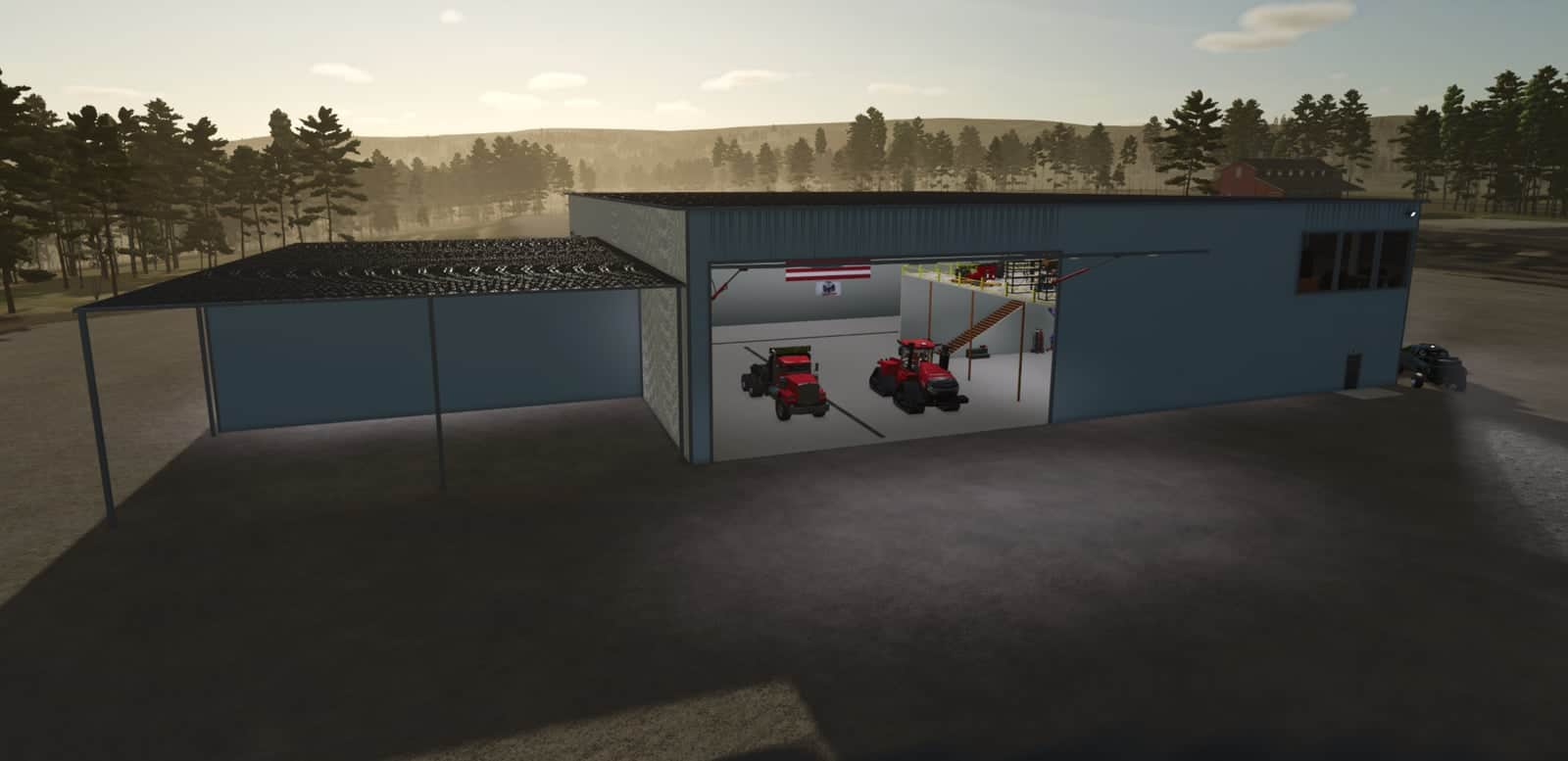
Large Work Shop & Storage Facility V1.0
A versatile workshop and storage placeable designed for passenger vehicle maintenance and storing large equipment and machinery. Features Fully functional workshop with interactive vehicle lifts capable of accommodating a variety of vehicle sizes. Interactive second-floor office above the workshop. Large oversized storage bays for trucks, trailers, implements, and other equipment. Full-length wash bay for cleaning vehicles and machinery. Covered lean-to storage area for additional sheltered storage. Exterior lighting for use after dark. YOU NEED: FS25_TH_DesignKit mod in order to change the color.
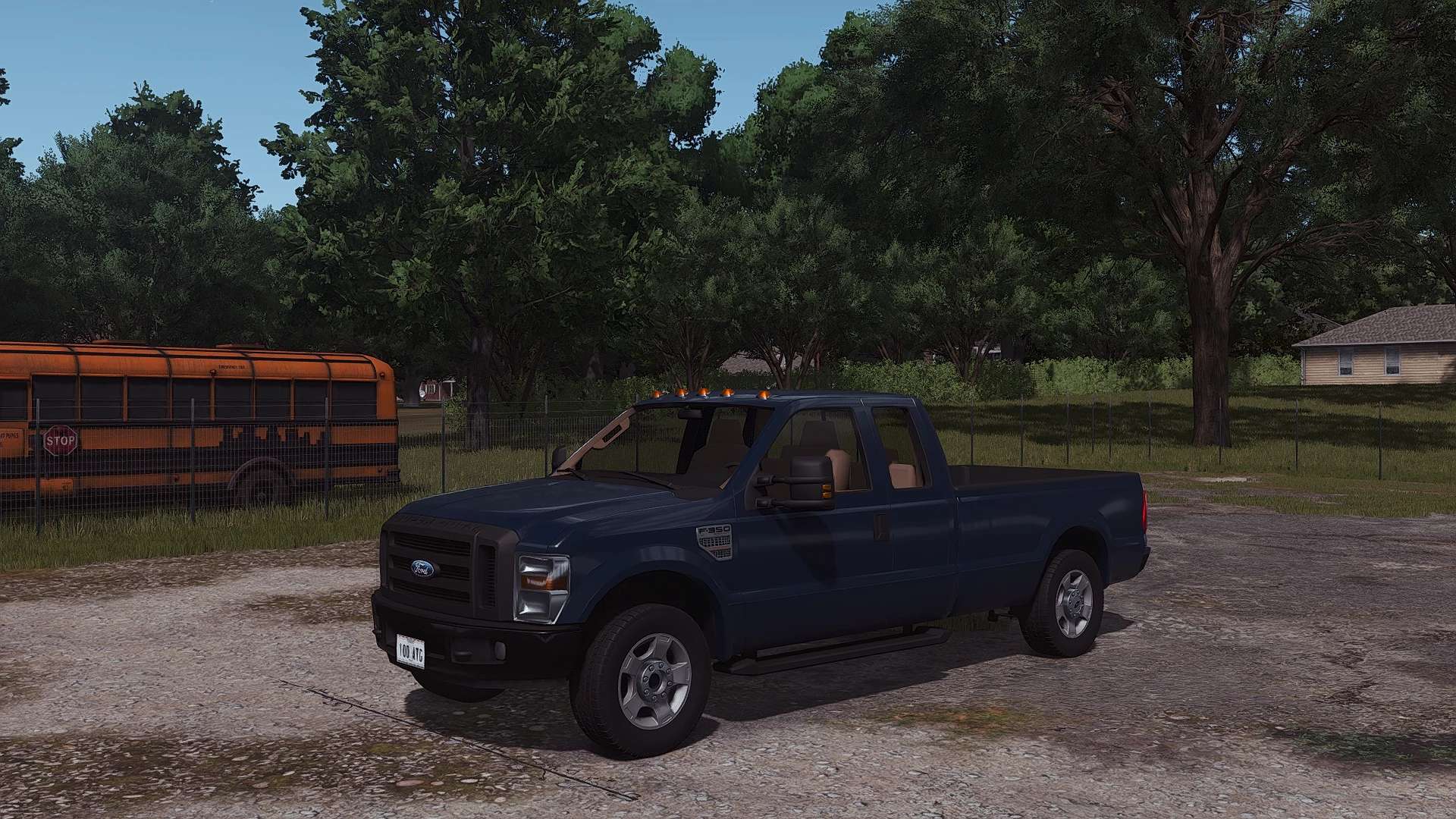
2008 Ford F-350 V1.0
2008 Ford F-350 V1.0 Specifications: Brand: Ford Model: F-350 HP: 300 Year: 2008 Price: 18000$ Configurations: Exterior Color Front Bumper Color Back Bumper Color Front Grill Color Bed Type (Pickup, AR Frame) Front Bumper (Painted or Not) Back Bumper (Painted or Not) Front Grill (Painted or Not) Beacon “For Sale” Sign Animations: Doors Tailgate Interior animations (pedals, needles, shifter, etc) Additional Features: FS25 Standards (material system, wetness, lights) Tension belts License plates Custom dirt and wear Factory Exterior colors Custom sounds Plow mount Goosneck hitch(drive to the trailer and it will attach) Compatible with: https://farmingsimulator25mods.com/snow-plow-mount-v1-0/ https://farmingsimulator25mods.com/c30-farm-truck-v1-0/ Author: CrowneX Report bugs in the comments and help modders improve this mod. Always check the comments, you can find a solution. DOWNLOAD MOD
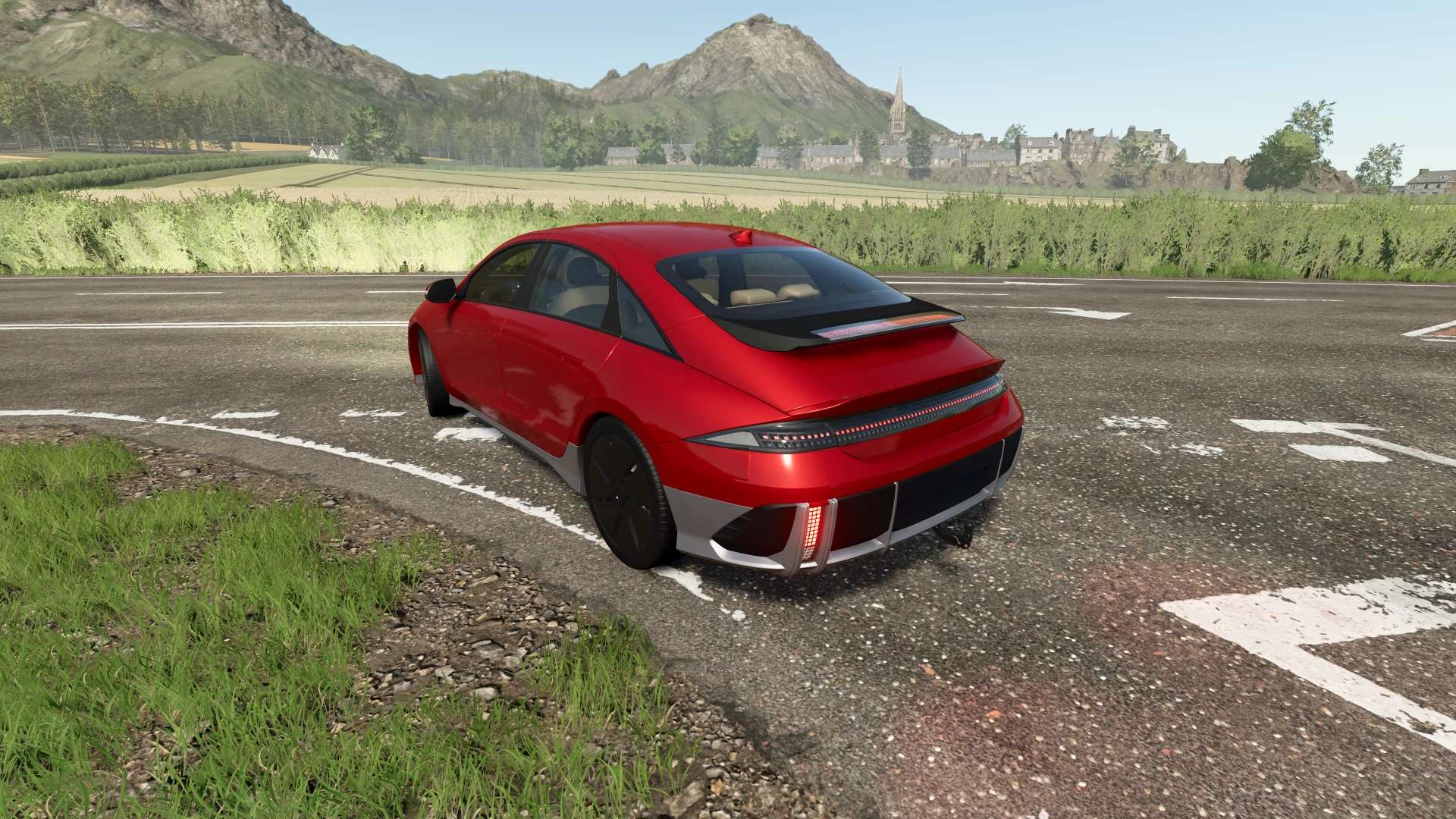
Hyundai Ioniq 6 2022 V1.0
Hyundai Ioniq 6 2022 V1.0 Characteristics: Selectable body color. Selectable 2 Tone color. Selectable caliper color. Selectable interior color. Selectable Rim color. Selectable Rim color 2. Supports license plates. Interactive Control Support. Trailer Hitch. Price: $44.000 Engine: Standar 151HP Extended 229HP Total AWD 325HP Author: MCMODS Report bugs in the comments and help modders improve this mod. Always check the comments, you can find a solution. DOWNLOAD MOD
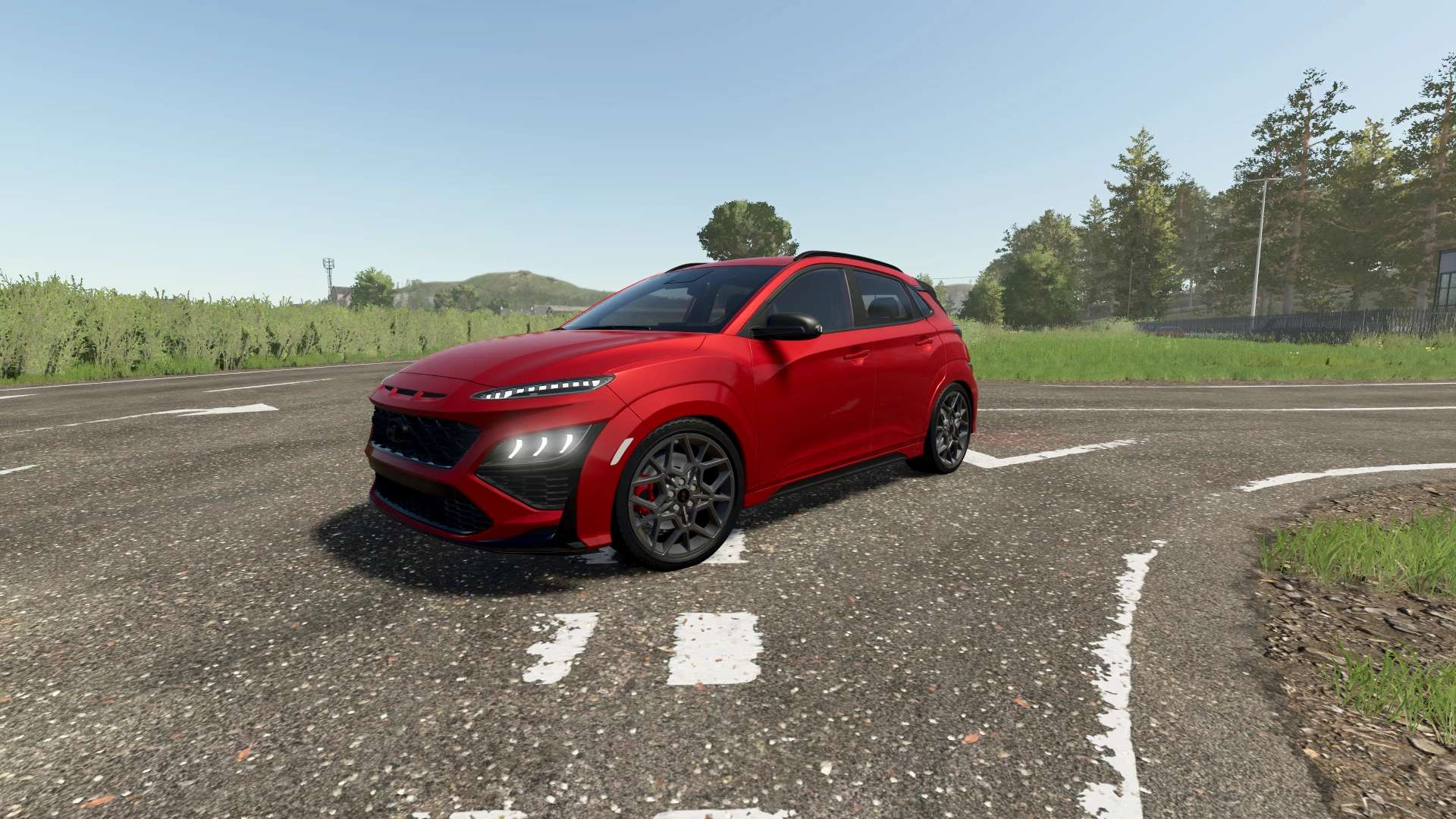
Hyundai Kona N 2022 V1.0
Hyundai Kona N 2022 V1.0 Characteristics: Selectable body color. Selectable Stripes color. Selectable caliper color. Selectable interior color. Selectable Rim color. Selectable Rim color 2. Supports license plates. Interactive Control Support. Trailer Hitch. Price: $35.000 Engine: 2.0L I4 T 276HP 8 SPEED Auto. Custom Sound Author: MCMODS Report bugs in the comments and help modders improve this mod. Always check the comments, you can find a solution. DOWNLOAD MOD
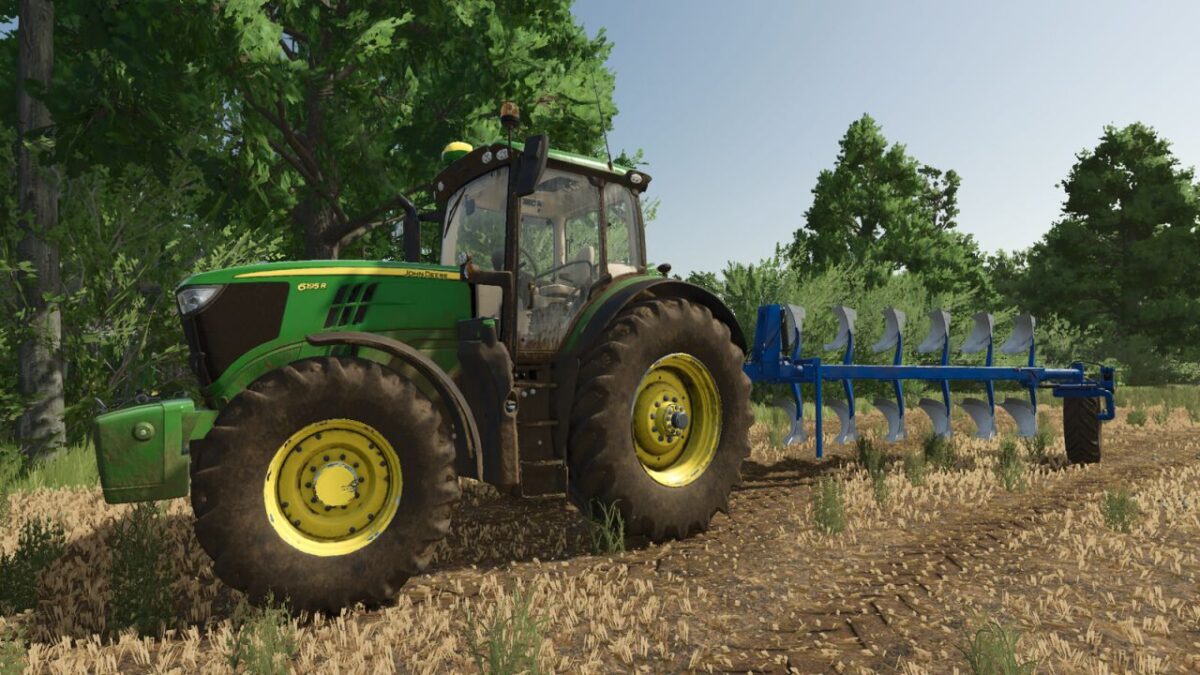
John Deere Rims (Prefab) v 1.0
Includes John Deere rims and hubs. The folder includes Michelin tires that fit the rims perfectly.
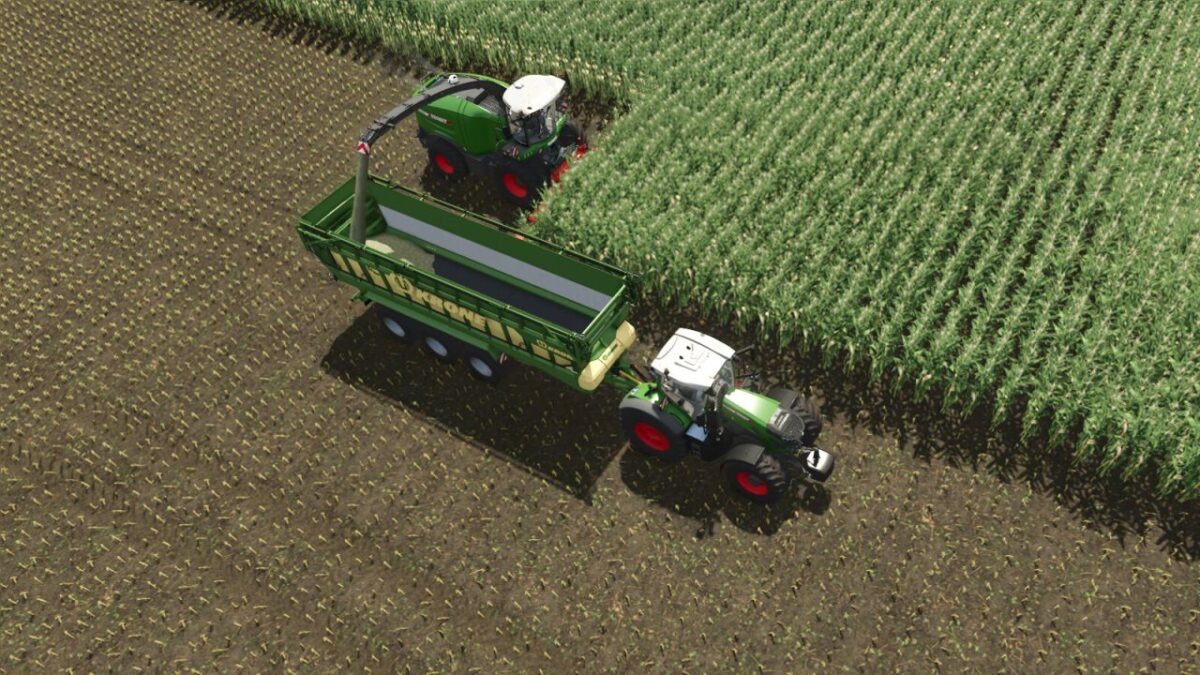
Trailer Load from Rear v 1.0
This script changes the filling behavior during forage harvesting so that the trailer is filled from back to front.

Draw Distance v 1.0
Extends the existing Object Draw Distance option in the Graphics settings with additional draw-distance presets. Presets: – Base Game – Enhanced (200%) – Extended (250%) – High (300%) – Very High (400%) – Ultra (600% objects/LOD and foliage) – Extreme (1000% objects; foliage limited to 600%) Base Game keeps Farming Simulator’s own configured draw-distance values. The selected Draw Distance setting is stored in the standard modSettings directory and is shared across career saves. Console commands: – ddInfo – ddPreset [1-7] – ddSet object lod terrain ground foliage foliageLod – ddFoliage percent [optional LOD percent] – ddReset The ddFoliage command supports experimental values from 10% to 1500%. Values above the currently reserved foliage capacity usually require one save reload and may increase memory use or cause instability on some maps. Higher presets can significantly reduce performance and increase video-memory usage, especially on large or highly detailed maps. Ground displacement/detail distance is not exposed to Lua in the current game build and remains controlled by the base game.

Job Queue v 1.0
Queue several jobs for one vehicle. When the hired helper finishes, the next entry on the list starts on its own – field after field. An entry is either field work or a drive to a spot you click, so a drive placed on the yard as the last entry is what brings the machine home at the end. The panel also names the job the helper is on right now, so a machine already out working does not read as idle. A queue set up behind work already under way starts by itself, in either order: whether the helper was hired first and the fields queued behind them, or the fields were queued first and a helper hired the ordinary way afterwards. The helper still cannot change implements, so every queued field is worked with whatever is attached. Hotkeys: Left Alt + Q – open the queue panel (rebindable in the controls menu)
- 15 per page
- 30 per page
- 45 per page
- 60 per page
-
See more per page
Bigger pages, fewer clicks - and no ads anywhere.
Go Pro