Farming Simulator 25 mods
78,019 results- 15 per page
- 30 per page
- 45 per page
- 60 per page
-
See more per page
Bigger pages, fewer clicks - and no ads anywhere.
Go Pro
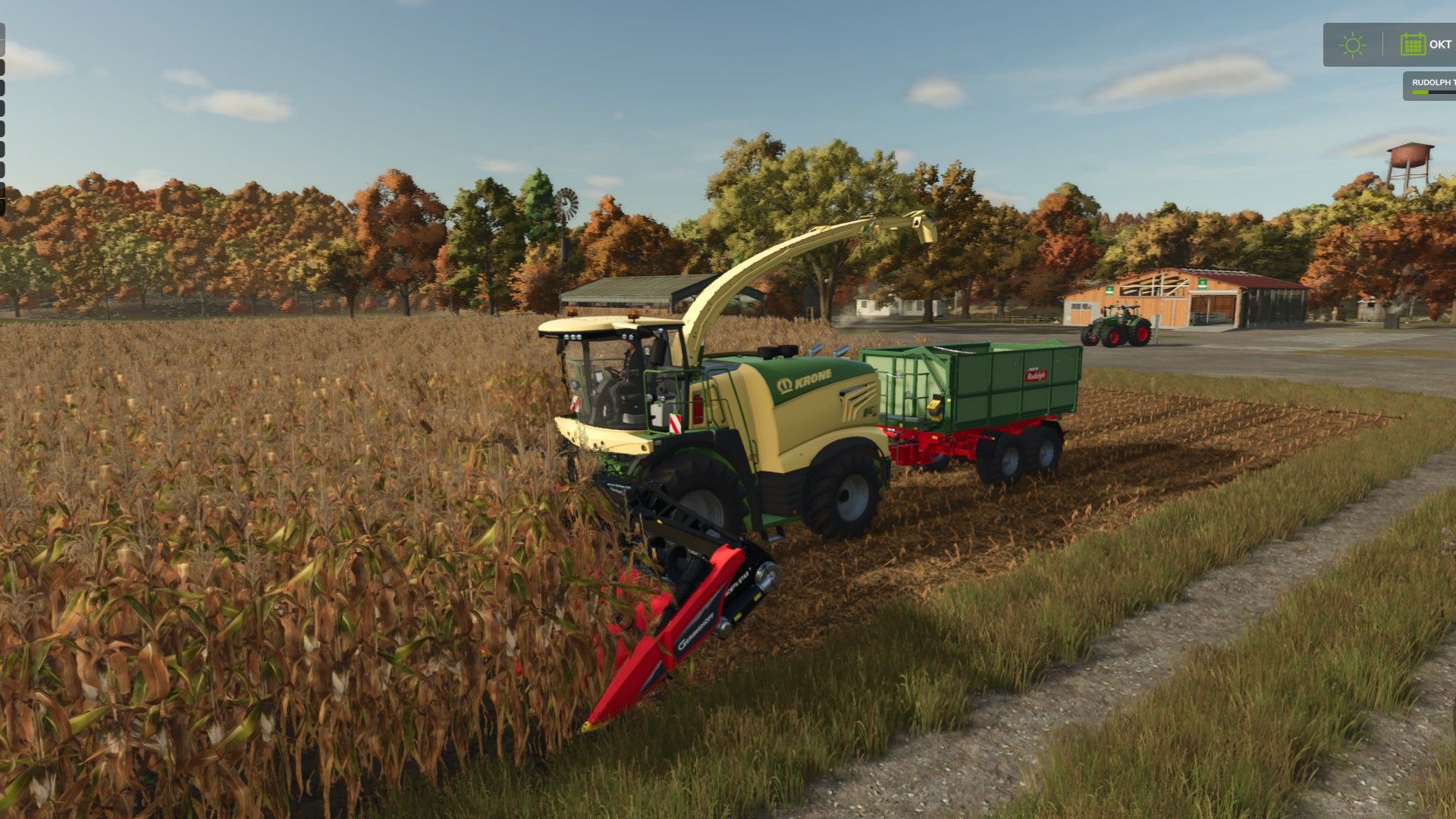
Corn cob silage V1.0
Corn cob silage V1.0 Singleplayer only for now!!! This mod adds ear corn harvesting and ear corn silage (ECS) to Farming Simulator 25. The entire process—from harvesting and ensiling to feeding—is fully integrated into the existing game. FS25 – Ear Corn Silage V1.0 This mod adds ear corn harvesting and ear corn silage (ECS) to Farming Simulator 25. The entire process—from harvesting and ensiling to feeding—is fully integrated into the existing game. Everything has been tested using standard (base-game) buildings and machinery! Additional Information Includes custom fill types, HUD icons, and trailer fill planes for fresh ear corn and finished ear corn silage. Compatible with standard forage harvesters and standard bunker silos. No BGA (biogas plant) processing included. No additional vehicles or silos required. Version 1.0 – PC / Singleplayer Multiplayer and server play are not currently supported. Harvesting and Headers The mod includes two dedicated corn headers for ear corn harvesting: GERINGHOFF NorthStar 1230 FB – 9m working width Capello Diamant 8 – 6m working width Both headers are compatible with all five standard forage harvesters from the base game (CLAAS, Fendt, John Deere, KRONE, and New Holland). Ear corn is harvested from standard corn crops, yielding approximately 45% of the volume typically obtained from standard forage harvesting. Ensiling Freshly harvested ear corn can be stored in the base game’s standard bunker silos and fermented into ear corn silage. No additional, specialized silos are required. Standard ensiling of chopped material remains possible. Feeding cows and cattle The finished husklage (maize cob silage) can be fed in two ways: Direct feeding: Husklage can be fed on its own, achieving a feed efficiency of 90%. Total Mixed Ration (TMR): Husklage can be processed in a standard feed mixer wagon, combined with hay and straw, to create a complete TMR with 100% feed efficiency. Husklage-based TMR – Mixing ratio Feed component Recommended proportion Permissible range Husklage 40% 15–65% Hay 45% 25–75% Straw 15% 5–30% Mineral feed 0% 0–7% Total 100% The mixing ranges are intentionally broad, so precise, exact-measure dosing is not required. Mineral feed is optional. The total mixture must add up to 100%. Standard TMR production remains fully functional. The mixer wagon automatically detects the type of silage!! You cannot use both types of silage at the same time; the mixer wagon must be empty first! I am looking for people with the expertise to make a mod script compatible with multiplayer and dedicated servers! Please write to me in the comments or leave a message! Author: Willi Raster Report bugs in the comments and help modders improve this mod. Always check the comments, you can find a solution. DOWNLOAD MOD

Field Health – Crop Diseases & Pests V1.0
Field Health – Crop Diseases & Pests V1.0 Field Health: Crop Diseases & Pests Your fields finally come alive! Field Health adds crop diseases and pests to Farming Simulator 25, and you deal with them just like on a real farm. The mod combines realism with a relaxed, casual style of play: the threats are based on real diseases and pests found in Poland, yet everything stays simple to use and never turns the game into boring agronomy. How does it work? – Each of your fields with a growing crop can get one disease and one pest per season (from sowing to harvest). NPC fields never get sick. – There are 44 threats: 24 diseases (e.g. powdery mildew, septoria, rust, fusarium, potato late blight) and 20 pests (e.g. aphids, cereal leaf beetles, pollen beetles, Colorado potato beetles, corn borers). Each one attacks only its own crops, at the right growth stage and time of year. Rare threats appear rarely, common ones more often. – Your farming affects the risk: crop rotation, plowing, liming, mulching stubble, fertilizing and weed control all matter. The weather counts too, since warmth and moisture favour diseases. Take care of your fields and they get sick less often. – A threat starts as small, irregular patches that grow over time and can spread to a neighbouring field. It only destroys the crop at its strongest stage, so you have time to react. How to cure it? One spray is all it takes! Fungicide cures diseases, insecticide kills pests. A single pass of the sprayer with the right product cleans the field and protects it until harvest. The products work like herbicide in any sprayer, and the AI helper sprays only the fields that need it. Crop protection products The shop offers 1 l bottles plus 5 l and 20 l canisters of fungicide and insecticide. Every container has its own 3D model, a realistic label and tuned physics, and you can choose between two brands: Opryskex and MST. The products are concentrated: a single bottle makes hundreds of litres of spray mixture. Where can you see your fields’ health? – on the map in the menu (the “Crop protection” page with several layers: protection, diseases, pests and their types), – on the minimap (switch layers with LAlt + \, rebindable in the controls), – in the field info box and the farmland box, – in notifications about new and severe threats. Lots of settings The mod has more than 20 options you can change in the game menu, without editing any files: disease and pest chances, influence of farming and weather, how fast threats develop and spread, patch size, spreading to neighbouring fields, crop losses, protection threshold and duration, product usage, shop prices, threats on meadows and fodder crops, notifications and much more. Make the mod a gentle extra or a real challenge, or switch the whole system off at any time. Also included: – Precision Farming support (nitrogen, pH and soil type affect the risk), – support for onions from the Highlands Fishing DLC, – full in-game help (ESC > Help > Field Health) with tables of all threats, – Polish and English, – multiplayer support (only the admin can change the settings), – safe saving: the mod keeps its data in its own files, so your savegame still works after removing it. Licences and credits – “fertilizer Bottle” model by shabanimate (Sketchfab), licensed under CC BY 4.0. – “#6 Plastic Canister” model by hoxsvl (Sketchfab), licensed under CC BY 4.0. – Barlow fonts, licensed under the SIL Open Font License 1.1. – Idea taken from the “Crop Diseases” mod by BMP. – Huge thanks to the whole MST crew (Mafia Solec Team), and especially to Bronczek and Jankus, for giving me this idea and for becoming the most dangerous “pests” in FS history! Author: MatrikSky Report bugs in the comments and help modders improve this mod. Always check the comments, you can find a solution. DOWNLOAD MOD
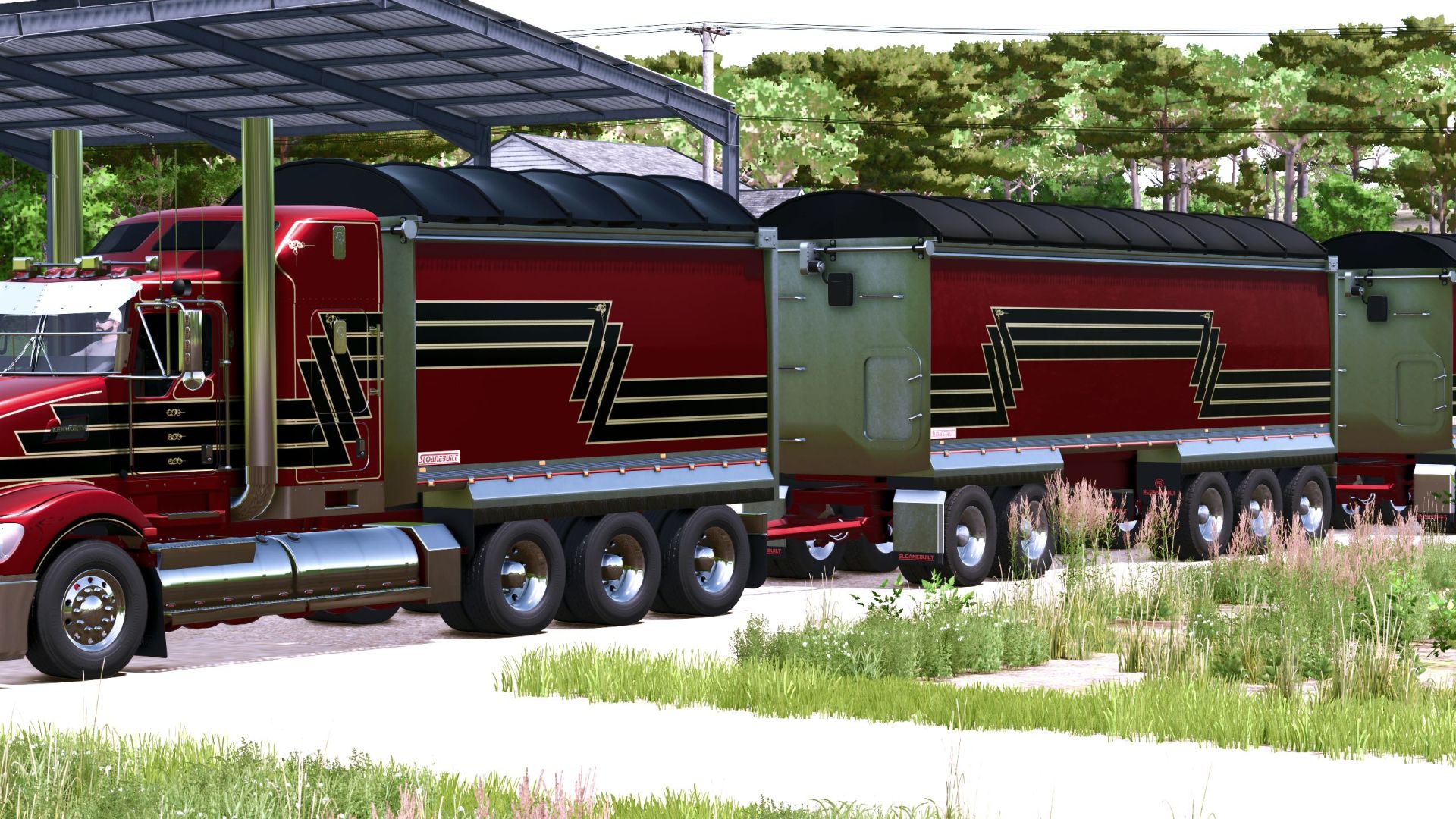
Sloanebuilt tipper bins V1.0
Sloanebuilt tipper bins V1.0 Introducing the Sloanebuilt tipper and dog pack. AR Truck bin with fenders for stand dual axle and tri axle. Works with all of my current Kenworth truck releases, Kenworth T900, K108, and T609. I will be updating all the trucks soon with a new rear bumper that will have sloanebuilt logos to go with this pack. Paint and skin options. Standard capacity is 25,000 liters. there are also unrealistic capacities and no weight. Animated tarp, rear door and grain door. Suited for bulk materials. 4 axle dog Bin. Same animations and paint schemes as AR Truck bin. Stock Capacity is 50,000 liters with real weight. Same unrealistic capacity options as AR Truck Bin. 5 axle dog Bin. Same animations and paint schemes as AR Truck bin. Stock Capacity is 80,000 liters with real weight. Same unrealistic capacity options as AR Truck Bin. Found in Semi-trailers Category Required mods: Kenworth T609 Kenworth K108 Kenworth T900 Legend Author: Carver02 Report bugs in the comments and help modders improve this mod. Always check the comments, you can find a solution. DOWNLOAD MOD
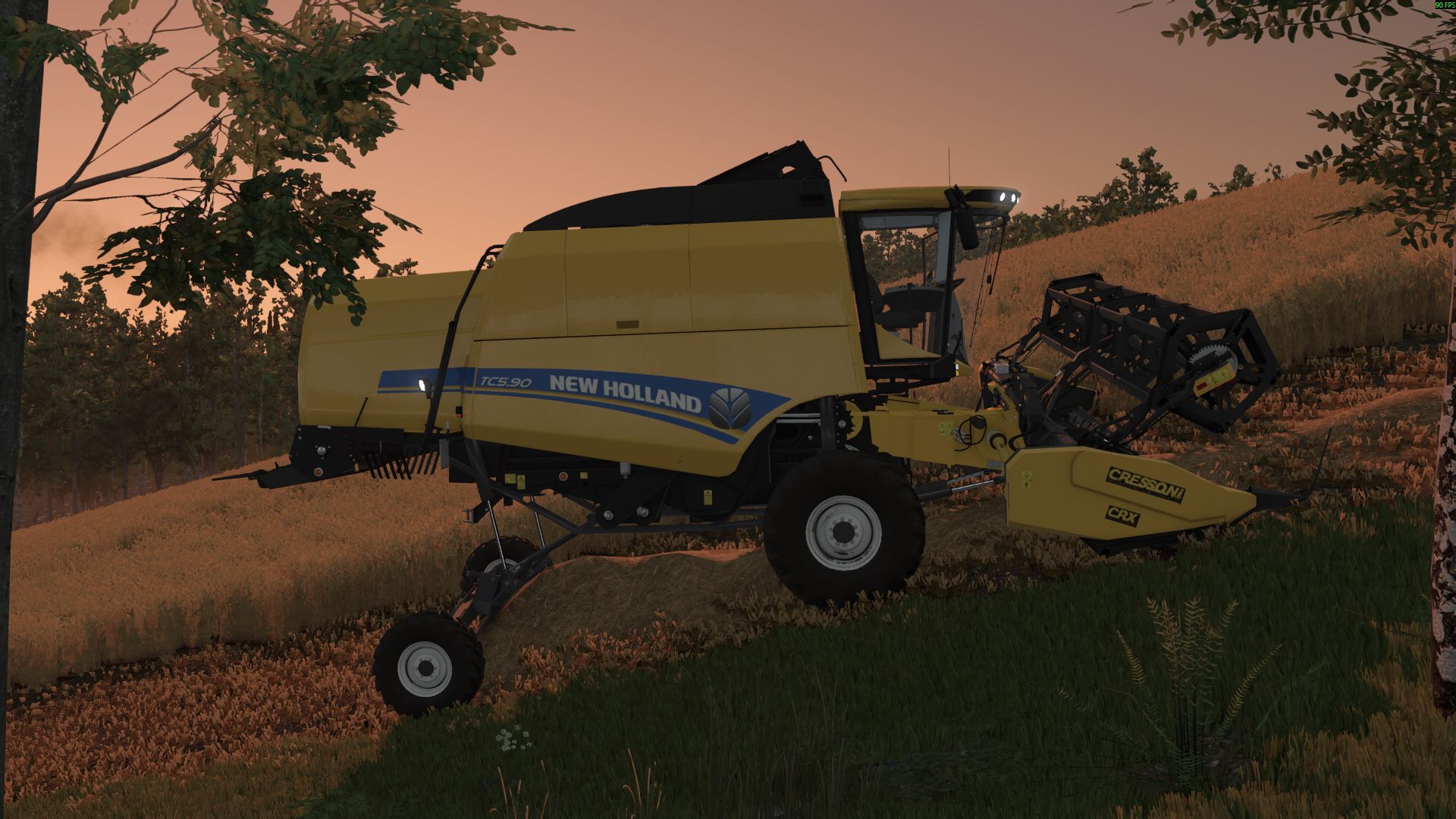
New Holland TC 5.90 V1.0
New Holland TC 5.90 V1.0 New Holland TC 5.90 Hillside: Engine power: 258HP Fuel tank: 220 l Grain tank: 6400 l Maximum speed: 40 kph Price: $150,000 Required mods: Cressoni CRX Series Author: Razvan2004 Report bugs in the comments and help modders improve this mod. Always check the comments, you can find a solution. DOWNLOAD MOD

FS25 Agricultural Terminal V1.1.0.0
FS25 Agricultural Terminal V1.1.0.0 Bring a real onboard terminal into your machines’ cab, just like the ones used by John Deere, CLAAS, Fendt, and Trimble. This terminal works alongside you: it lifts implements at the headland, turns automatically, switches sections off, maps your coverage, and alerts you when something goes wrong. Everything uses actual in-game data, with no made-up numbers. How to get it Purchase it from the shop as another piece of equipment. When buying or customizing a tractor, combine harvester, or self-propelled machine, select “Agricultural Terminal: Yes” ($10,000). Annual license: $2,000 per machine, charged monthly ($166.67) as an operating cost, just like real guidance and section-control licenses. Existing machines start without a terminal. You can add one at the dealership through the customization menu. Features Automatic headland turns: At the amber line, the terminal raises and switches off implements, reduces speed to the headland setting, turns toward the next pass (U-turn or bulb turn), lowers the implements again, and restores working speed when the guidance system locks onto the new line. If you touch the steering wheel, control returns to you. Headland navigation: The guidance system follows the corners automatically, slows down at each one, and stops the cruise control and displays an alert when the headland loop closes over an area that has already been worked. Field coverage map: Displays the coverage map for each field, with overlaps highlighted in red. Includes a 3D view, heading-up or north-up orientation, and zoom controls. Maps are saved with your game save. Automatic section control: Uses the coverage map, with 0%, 50%, or 100% overlap settings and adjustable look-ahead. Displays the applied rate in L/ha or kg/ha. Harvesting: Displays grain tank fill level, yield, grain flow, header load, and estimated time until the grain tank is full. With REQUEST UNLOADING, the tractor pulling the grain cart receives an alert with an alarm, showing each combine’s fill level and distance, similar to Machine Sync. Tractor systems: Engine, fuel level and remaining range, AdBlue, traction and wheel slip, differential lock, automatic PTO, and hydraulics (lowering and raising speed, maximum lift height, and valve flow rate). Implement controls: Side view showing the actual lift position and top view showing the sections. Raise, activate, fold, markers, reversing, covers, working depth, and baler controls. Work counters and history: Area covered, working time, fuel consumption, L/ha, ha/h, distance, and average speed. Alert center with ACKNOWLEDGE: Fuel reserve, AdBlue and battery warnings, full grain tank, parking brake, malfunctions, excessive wheel slip, low product levels, and more. Features and compatibility Works on any map with base-game and modded machinery, without editing any XML files. Everything can be configured directly from the terminal: size and position for each machine (inside the cab or outside), map appearance, touch controls available only while stationary, beeps, and alarms. Terminal language: English, Español, Deutsch, Français. Compatible with multiplayer and dedicated servers. Work records, maps, and unloading requests are shared with all players. A grain cart belonging to another farm can receive unloading requests if contractor permissions are enabled. If you use Real Fuel Consumption, Realistic Diesel Start, Realistic Brakes, or Variable Working Depth, the terminal can display their data. These mods are optional. Default key bindings Left Alt + T: Open/close the terminal Left Alt + C: Touch mode (mouse cursor) Left Alt + P: Next page Left Alt + H: Headland sequence Left Alt + X: ISB — implement stop Tip The guidance system uses the game’s built-in Steering Assist, so create your guidance line in the field first. Then set AUTO HEADLAND to “Raise and Turn” and let the terminal handle the headlands. V1.1.0.0 CHANGELOG 1.1.0.0 changes compared to 1.0.0.0 (the previous version on KingMods) This update also includes version 1.0.1.0, which was not published on its own. NEW: 3D MONITOR IN THE CAB New 3D monitor that is installed in the cab of any tractor or combine from the terminal settings (3D MONITOR sheet), on a console arm or a pillar mount. No vehicle XML has to be edited. The monitor belongs to the machine and is synchronized: in multiplayer every player sees it. It switches on with the ignition and boots like a real one (5 seconds: terminal name, “Starting system”, loading bar and boot sound). It shows the whole terminal, every page, on its own large screen made to be read from the seat: large bold text, large buttons and fewer items per page. New setting “Monitor view”: Large (its own screen) or Like the 2D. New setting “Monitor text” (Normal, Large, Extra large) for the Like the 2D view. It is used with the 2D terminal, with the keys, or by clicking it with the mouse in touch mode (Left Alt + C). Every touch makes a sound. Five backlit physical buttons: screen off, day / night, home, settings and next page. Backlit GN REALISM brand when the ignition is on. Matte screen (the sun no longer washes it out) and a dimmer light theme. Placement: – and + buttons for near / far, left / right, down / up, tilt, turn and roll, with a fine or coarse step; holding a button keeps moving. IN FRONT button puts it in front of the view. Size up to twice as large. The last position is remembered per machine model. WORK page: the map uses the whole height and shows the same ground as the 2D, with the tractor low in the map looking ahead. The map moves smoothly every frame. The 3D MONITOR sheet warns when the game’s upscaling (FSR, DLSS or XeSS) is on, because then the monitor is drawn at a lower resolution and looks blurrier. Machines without a cab camera show “No cab camera” and cannot install it. 2D TERMINAL New arrow button on the frame: next page. Backlit GN REALISM brand on the frame. New setting “Fixed in the cab”: with the cab camera the terminal stays at one point of the cab. New setting “Visible without game HUD” (on by default): the terminal stays visible when the game HUD is hidden. With the terminal closed, warnings and unload requests are announced by the game, with sound. AI HELPER AND HEADLAND With the game helper or any AI job driving, the terminal no longer controls anything: headland, turn, sections, PTO, differential lock, hydraulic settings or reversible plough turning. It only watches and records the work. This fixes the helper getting stuck at the headland. With the AI driving, the hydraulics go back to the game’s values (lift and lower times, full lift range, animation speed) and the terminal does not draw its headland line. The automatic headland management (raise, slow down and turn) now only works with the game’s steering assist on, as on real terminals. The log notes when the AI starts and stops driving. PERFORMANCE Fixed the FPS drop with several worked fields: the coverage map only processes what is on screen. Consecutive coverage strips of the same pass are drawn joined (up to 5 times fewer pieces on the map). New console command taPerf: writes to the log what the terminal costs per frame. taMonitor: test of the monitor brightness and text size. MULTIPLAYER AND COVERAGE The server sends the new coverage to all players every second, and when leaving a machine the player gets the server’s record. New setting “Shared coverage”: the map also shows what the other machines of the farm worked with the same kind of work, and section control switches off over it. SOUNDS New sounds: warnings by severity (information, caution, fault), doorbell for unload requests and monitor boot. KEYS (CHANGED) Next page: Left Alt + P is now Left Alt + S (Alt + P opened the game’s character creation). ISB (stop the implements): Left Alt + X is now Left Alt + I (Alt + X reset the bale counter). If you had saved the old keys, change them in Controls. TRANSLATIONS All new texts in English, Spanish, German and French. UPDATING FROM 1.0.0.0 Replace the zip. The savegame stays the same: work, maps and history are kept. Credits:GN Realism Tags: AIHUDPTOVariable Working Depth
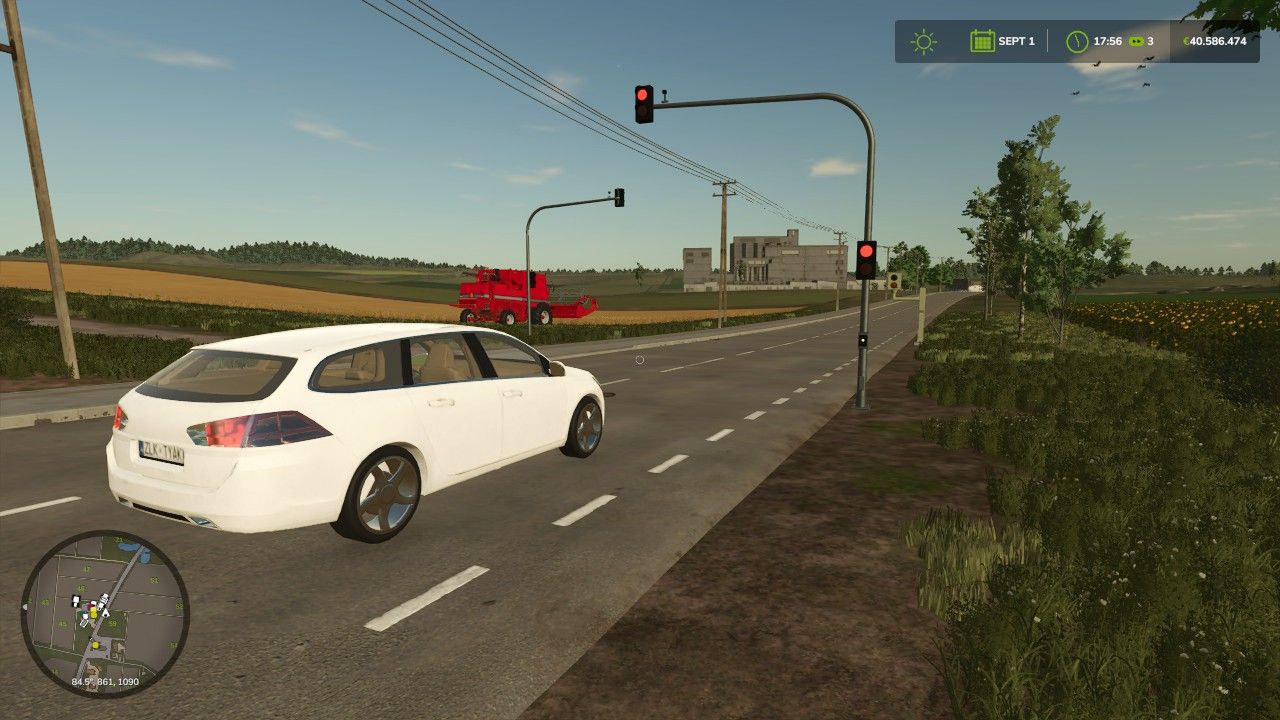
Kleine orange-rote Ampel V1.1.0.0
Kleine orange-rote Ampel V1.1.0.0 V1.1.0.0 KI-Stoppbereich bei Rot hinzugefügt Verkehrsfreigabe bei vollständig ausgeschalteter Ampel Die Barriere bleibt auch im ausgeschalteten Zustand während der gelben Phase aktiv. Die ScriptHub-Modding-Konstruktionskategorie ist optional integriert. Die praktischen Tests der KI-Funktion im Spiel stehen noch aus. Kleine orange-rote Ampel Eine kompakte orange-rote Ampel für den Landwirtschafts-Simulator 25. Perfekt geeignet für: Kreuzungen Ausgänge der Feuerwache und der Geschäfte Zufahrtsstraßen Baustellen Straßen- und Kartenbau Die Ampel kann frei platziert werden und eignet sich besonders für Spieler, die ihre Karte mit kleinen, realistischen Verkehrsdetails aufwerten möchten. FS25 | Platzierbar | Dekoration / Verkehr Tags: Die AmpelDie Barriere
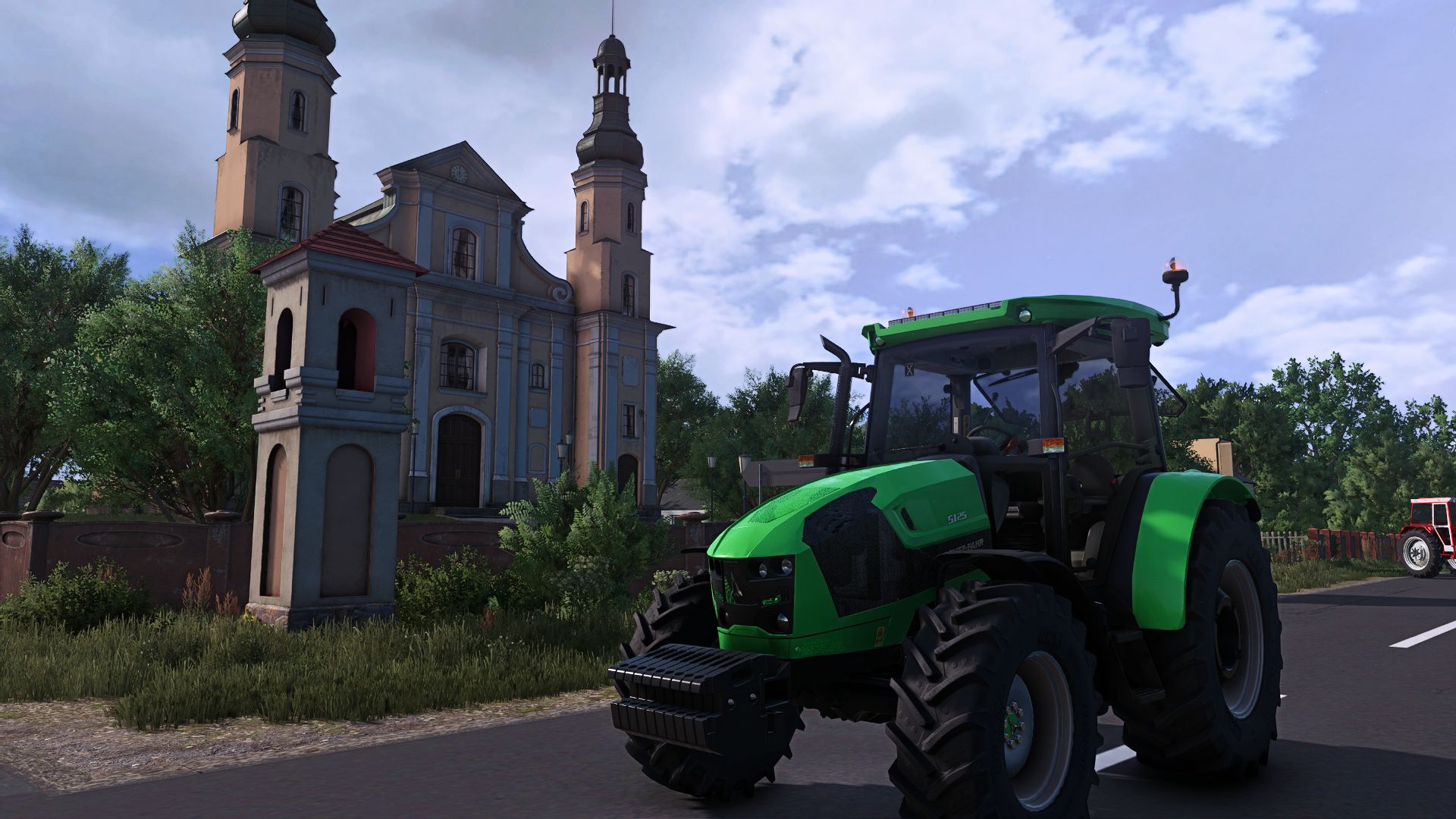
Deutz Fahr 5G Series V1.0
Deutz Fahr 5G Series V1.0 Deutz-Fahr 5G Series Base Price: 71000 $ Engine Configurations: 5090G-5100G-5110G 5125(NOTG) Specifications: Main color option. Design color option. Animated doors. Tire Configurations: Trelleborg Michelin Mitas BKT Required mods: Interactive Control Author: SemyH Report bugs in the comments and help modders improve this mod. Always check the comments, you can find a solution. DOWNLOAD MOD
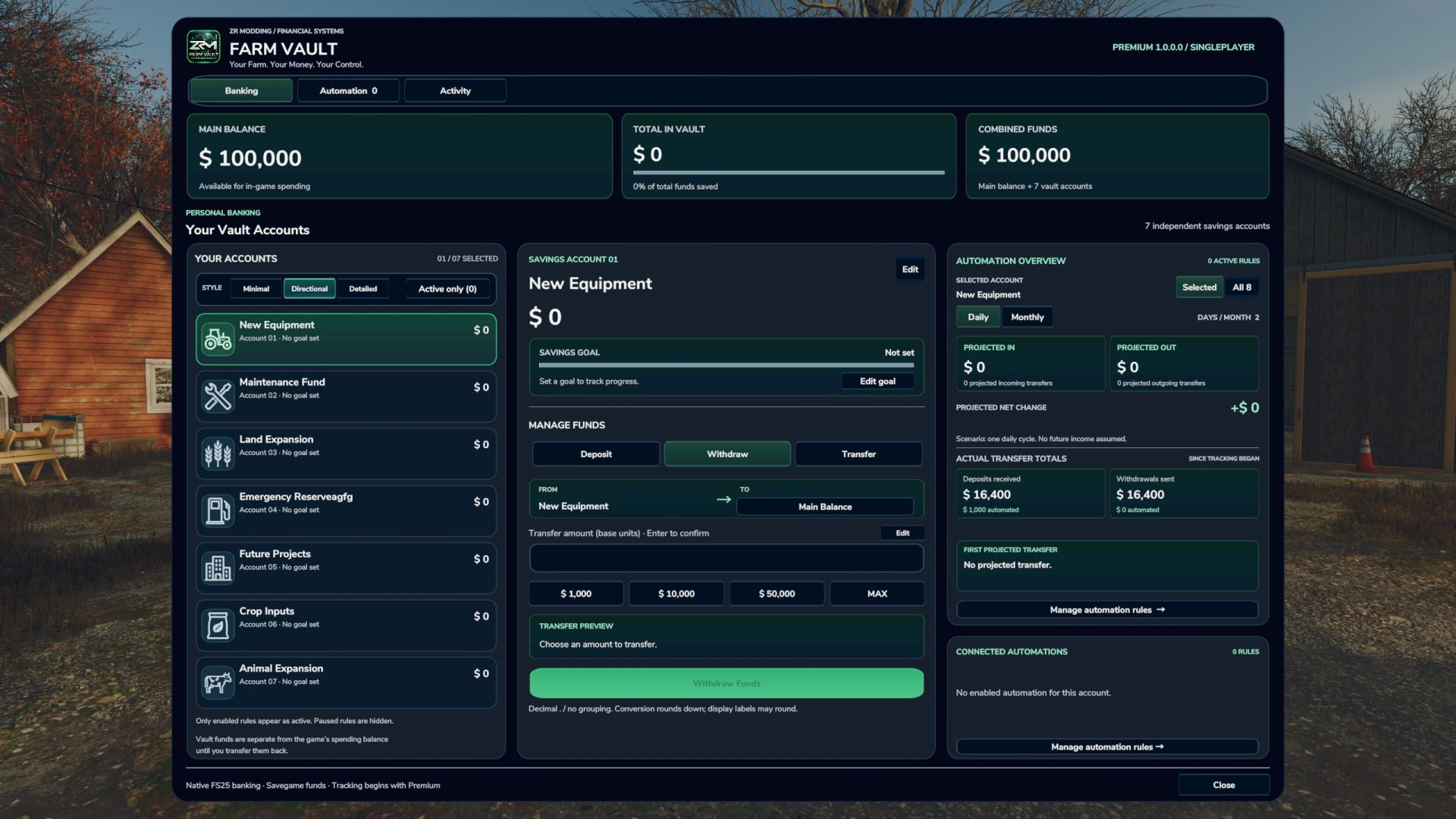
Farm Vault Premium FS25
Farm Vault Premium Your Farm. Your Money. Your Control. Farm Vault Premium brings a customizable banking and savings system to Farming Simulator 25. Organize money for machinery, maintenance, land expansion, projects, companies, or anything else your farm needs. Features - 7 Independent Savings Accounts: Create your own financial structure. - Fully Customizable Accounts: Rename accounts, choose from 80 unique icons, set individual savings goals, and select different display styles. - Easy Money Management: Deposit, withdraw, or transfer funds directly between accounts. - Quick Amounts: Customize preset amounts for faster transfers. - Daily & Monthly Automation: Automatically move fixed amounts or percentages between accounts and your Main Balance. - Activity History: Track transactions with in-game dates and timestamps. - Savegame Support: Accounts, balances, settings, and history are stored separately for each savegame. How to Use Assign a key to "Farm Vault: Open menu" in your game's control settings. Open Farm Vault, customize your accounts, deposit money, and create optional automation rules to manage your finances automatically. Additional Currencies Compatibility Compatible with the separate Additional Currencies mod! Additional Currencies is optional and not required. Farm Vault works independently, but also supports its currency system. Converted amounts may round down due to FS25's underlying currency calculations. Always check the transfer preview. [Important Information] Platform: PC / Singleplayer only. Installation: Place `FS25_FarmVault.zip` directly in your FS25 mods folder without extracting it. Uninstalling: Transfer your Vault funds back to Main Balance and save before removing the mod. Back up your savegame before updating. If you encounter any bugs or issues with Farm Vault Premium, please let me know in the comments! I'll be happy to investigate and work on a fix. Thanks for your support! 💚 Official Distribution & Permissions Farm Vault Premium is officially released EXCLUSIVELY on KingMods.net by ZR Modding. Any uploads or listings on other websites are NOT official releases and are NOT authorized by Me. Reuploading, redistributing, or publishing this mod elsewhere without explicit permission from Me is prohibited. Version: 1.0.0.0 Author: ZR Modding
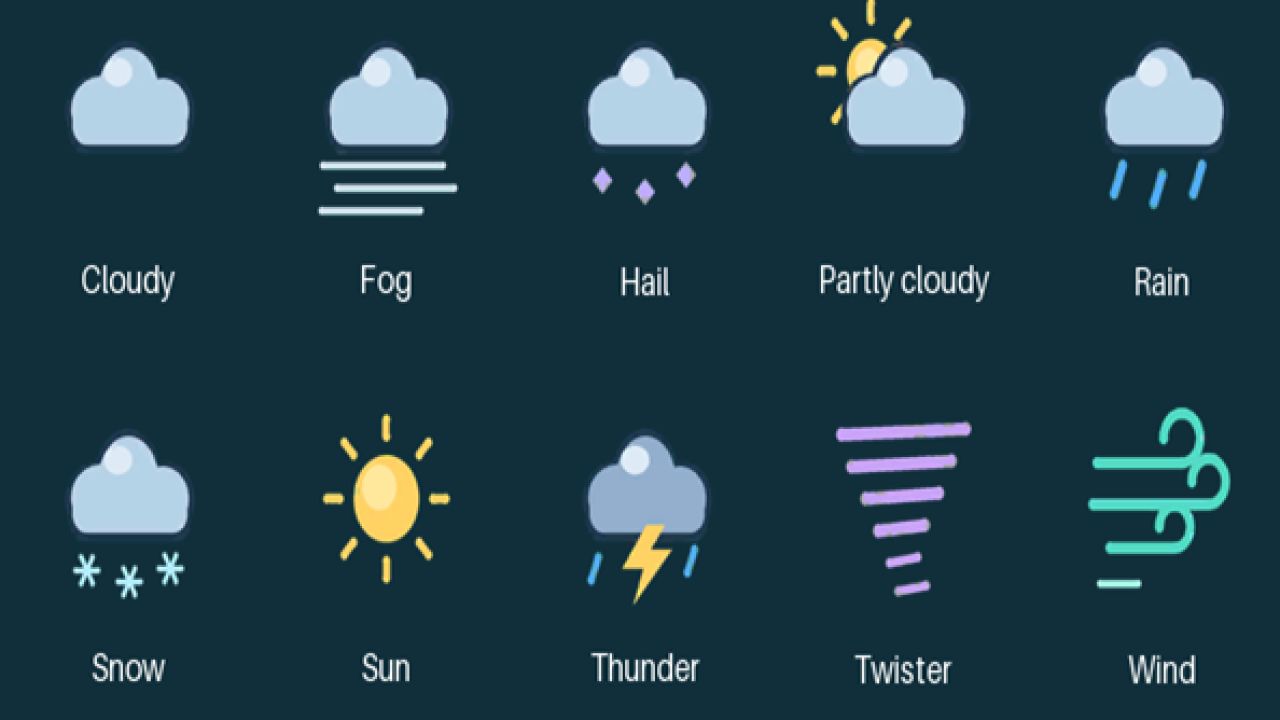
Colored Weather Icons V1.0.0.1
Colored Weather Icons V1.0.0.1 New Colored Weather icons. Author: Showgunn84 Report bugs in the comments and help modders improve this mod. Always check the comments, you can find a solution. DOWNLOAD MOD
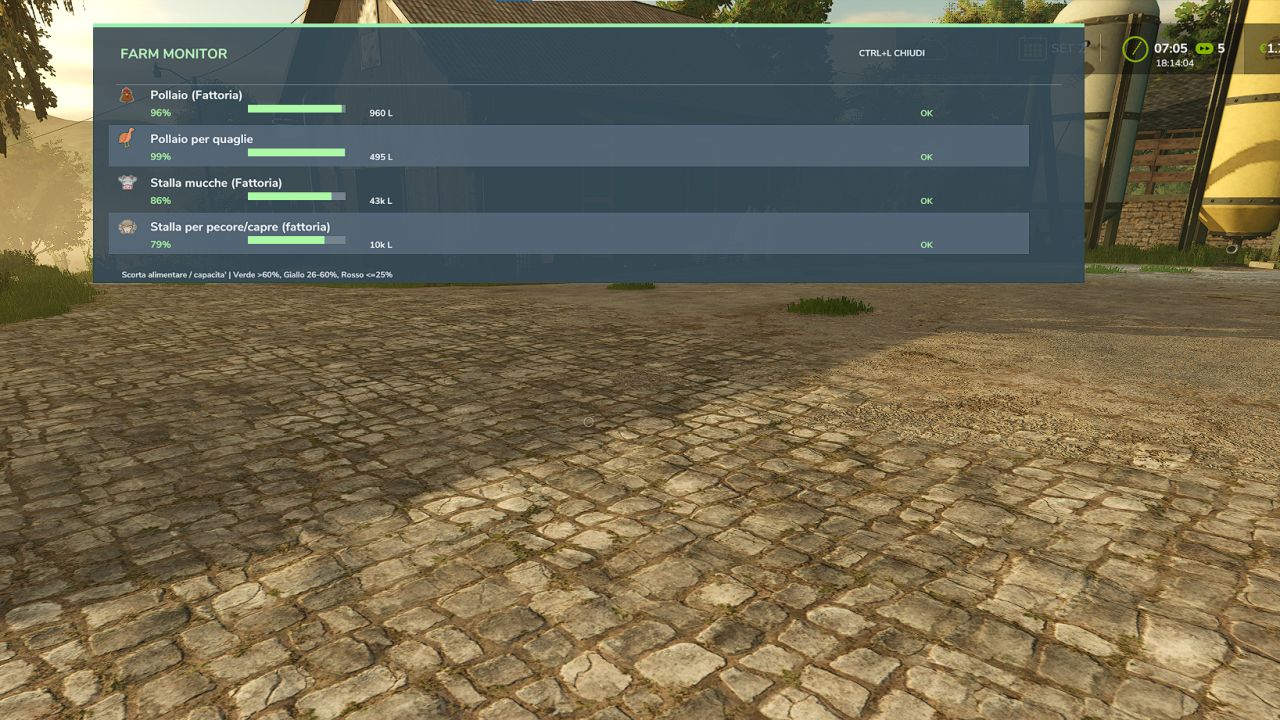
Farm Monitor FS25
Farm Monitor is a mod for Farming Simulator 25 that allows you to quickly monitor the feed level of your animal husbandries directly during gameplay, without having to constantly open the animal menu. The mod offers two display modes: - Compact mode: displays only the animal icons and feed percentage at the top center, taking up very little screen space. - Window mode: displays a more complete overview with the animal husbandry name, feed percentage, visual bar, available supply and overall status. The display can be opened and closed using the Alt+L key combination. Main features: - quick monitoring of feed levels at animal husbandries - compact and unobtrusive HUD - detailed window that can be opened when needed - dynamic colors: - green = good level - yellow = attention - red = critical - displays only animal husbandries with animals - support for multiple animal types, including dedicated icons - ideal for quickly checking whether a husbandry needs to be replenished
Noli P15-23 V1.0
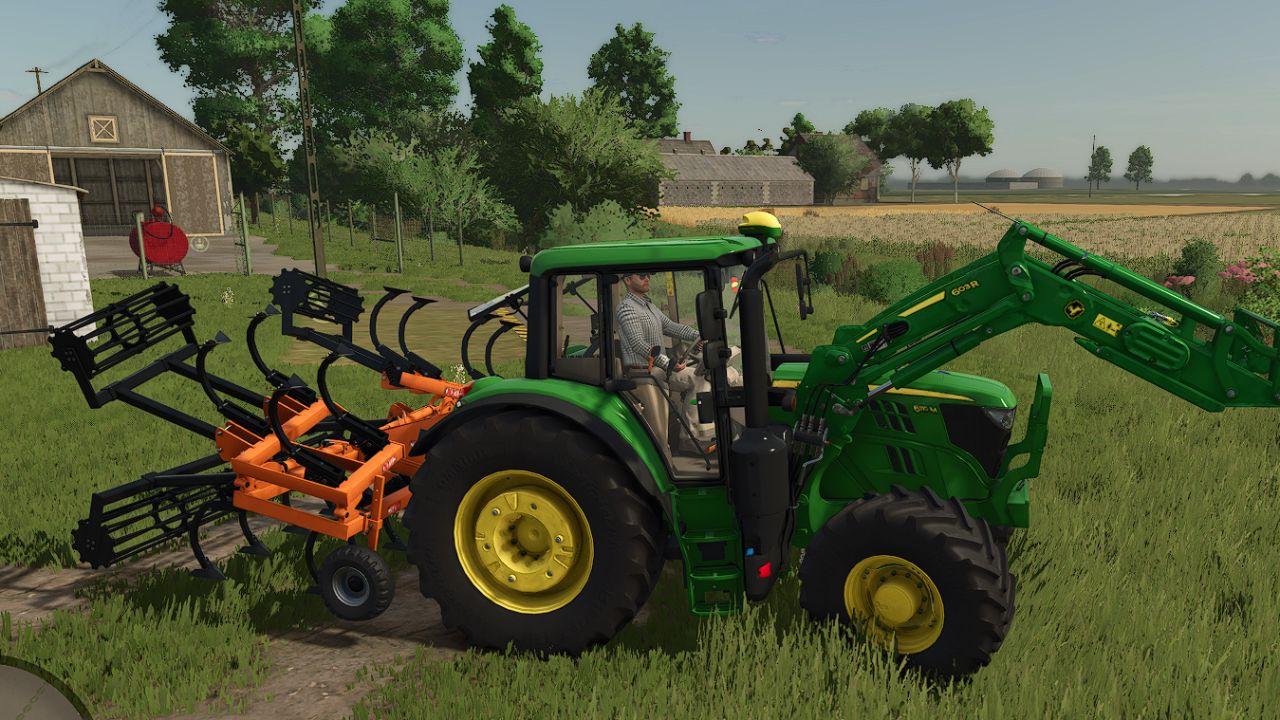
Noli P15-23 V1.0 Noli P15: Price: 9000 $ Required power: 110 hp Working width: 3.8 m Max. working speed: 17 kph Noli P19: Price: 10000 $ Required power: 150 hp Working width: 4.8 m Max. working speed: 17 kph Noli P23: Price: 11000 $ Required power: 195 hp Working width: 5.8 m Max. working speed: 17 kph Converted FS22 Mod Author: jesusjn10, Langreomodding Report bugs in the comments and help modders improve this mod. Always check the comments, you can find a solution. DOWNLOAD MOD
MZKT-7930 S-25 V1.0
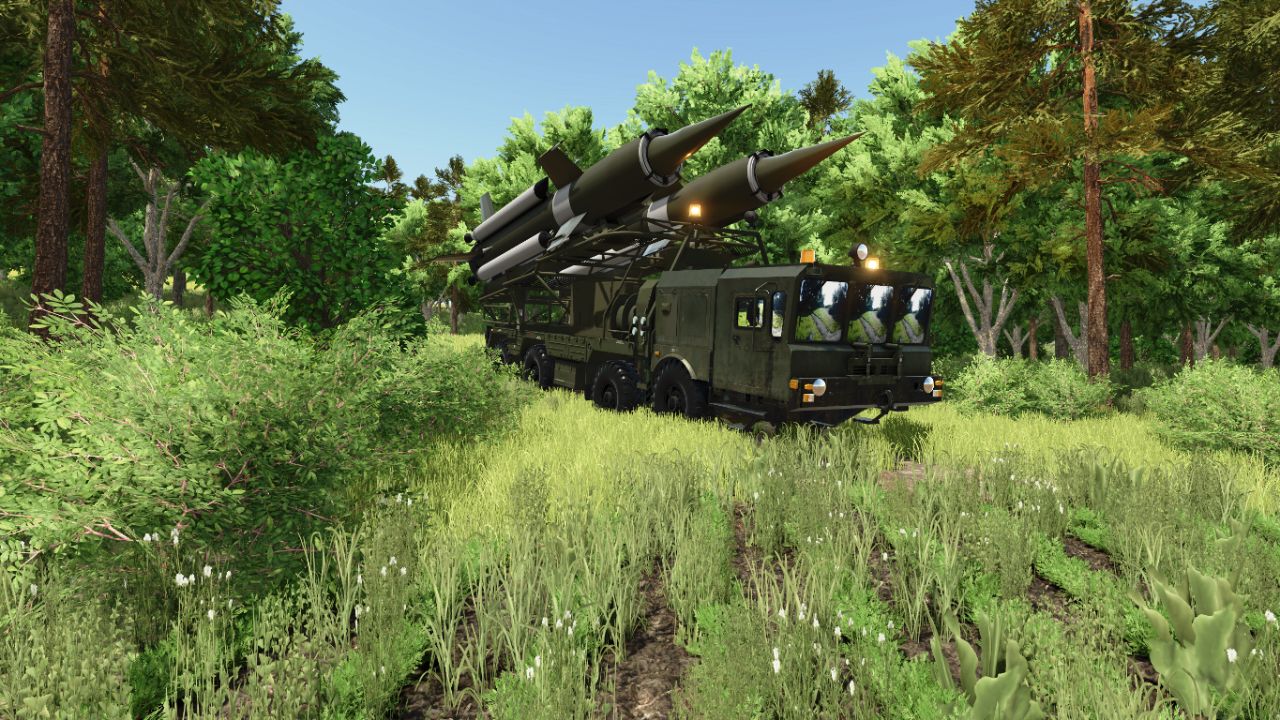
MZKT-7930 S-25 V1.0 MZKT-7930 S-25 (8×8 Heavy Tactical Missile Launcher System): Technical and Operational Analysis Detailed Technical CharacteristicsHigh-Mobility MZKT-7930 8×8 Chassis: Built upon the multi-axle all-wheel-drive platform developed by the Minsk Wheeled Tractor Plant, engineered to transport extremely heavy payloads across rugged terrain and unpaved roads. Heavy Caliber Dual Missile Launcher: Integrates a tilting framework mounted on the rear deck that carries and elevates two large long-range missiles equipped with cruciform stabilization fins. Low-Profile Forward Cab: Features a wide, armored front cabin equipped with panoramic windshields and tactical lighting tailored for heavy route navigation and nighttime deployments. High-Torque Diesel Power & Multi-Axle Distribution: Powered by a high-torque diesel engine paired with a reinforced transmission system, guaranteeing structural stability during transport and pre-launch maneuvers. Tactical Utility and Operational DoctrineLong-Range Tactical Strike & Deterrence: Engineered to deliver heavy firepower and neutralize strategic targets, fortified installations, or critical infrastructure over extended distances. Strategic Mobility (“Shoot-and-Scoot”): Wheeled configuration allows high-speed movement across highways and field tracks, minimizing exposure to counter-battery fire. Air Defense Network Integration: Operates as a decisive component within missile batteries, coordinating seamlessly with radar systems and mobile command posts. Author: karl zu Report bugs in the comments and help modders improve this mod. Always check the comments, you can find a solution. DOWNLOAD MOD
Realistisches 4×4-Traktionssystem V2.0.0.1
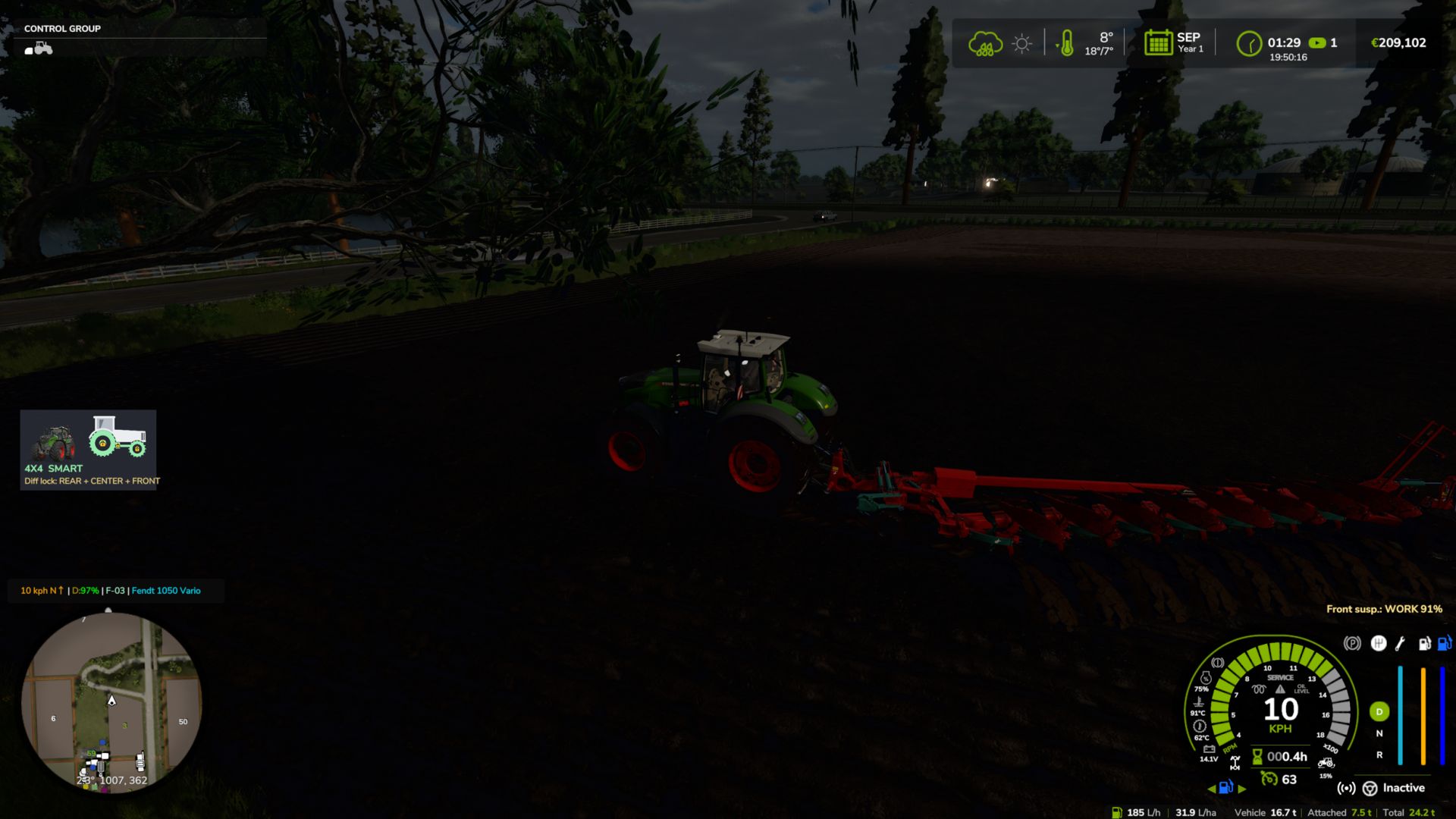
Realistisches 4×4-Traktionssystem V2.0.0.1 Mehrspielermodus in Entwicklung, spielbar, kann aber Fehler enthalten. Übernehmen Sie die volle Kontrolle über die Traktion Ihres Traktors – schalten Sie den Allradantrieb ein, sperren Sie das Differenzial und lassen Sie das System auf tatsächlichen Radschlupf reagieren, nicht nur auf eine zugewiesene Taste. Diese Modifikation fügt kompatiblen Fahrzeugen (Traktoren, Lastwagen, Mähdreschern, Pkw) ein vollständig zuschaltbares 4×4-Traktionssystem hinzu: Die Vorderachse kann je nach Bedarf zu- oder abgekoppelt werden, und eine Differenzialsperre kann aktiviert werden, die den Wendekreis zugunsten maximaler Traktion in Schlamm, Schnee oder bei schwerer Arbeit verringert. Merkmale Echtzeit-Schlupferkennung der Hinterräder – die Automatikmodi reagieren auf die tatsächliche Schlupfphysik der Räder, nicht nur auf die Geschwindigkeit. Vier Fahrmodi, die jedem Fahrzeug standardmäßig zugewiesen sind: Manuell – immer die Kontrolle Halbautomatisch – greift bei tatsächlichem Radschlupf ein, manuelle Steuerung ist jederzeit möglich Automatik — die gleiche Logik, angepasst an Fahrzeuge mit werkseitig eingebautem automatischem Allradantrieb (CVT/IVT-Getriebe). Intelligent – kontinuierliches, proportionales Ein- und Ausschalten nach Fendt-Art (ohne abruptes Ein-/Ausschalten). Native Reifendrucksimulation während der Fahrt – keine Abhängigkeit von anderen Mods Bildschirm-HUD mit Echtzeitstatus und anpassbarer Position im Spiel-Einstellungsmenü Keine XML-Änderungen an den Fahrzeugen erforderlich – das System integriert sich automatisch in alle kompatiblen Fahrzeuge. V2.0.0.1 Behoben: Ein wiederholter Lua-Fehler im Log („FourWDTractionSystem.lua:2518: Ungültiges Argument #3 für 'format'“) trat bei Fahrzeugen mit permanentem Allradantrieb oder ohne Allrad-Geschwindigkeitsbegrenzung auf (z. B. 6×4-Lkw, Radlader, Sattelzugmaschinen). Vielen Dank an Patrik Vendelberger für den Hinweis. Tags: Behoben EinDie VorderachseDiese ModifikationVielen Dank
MZKT-7930 Heavy Tactical Recovery Vehicle V1.0
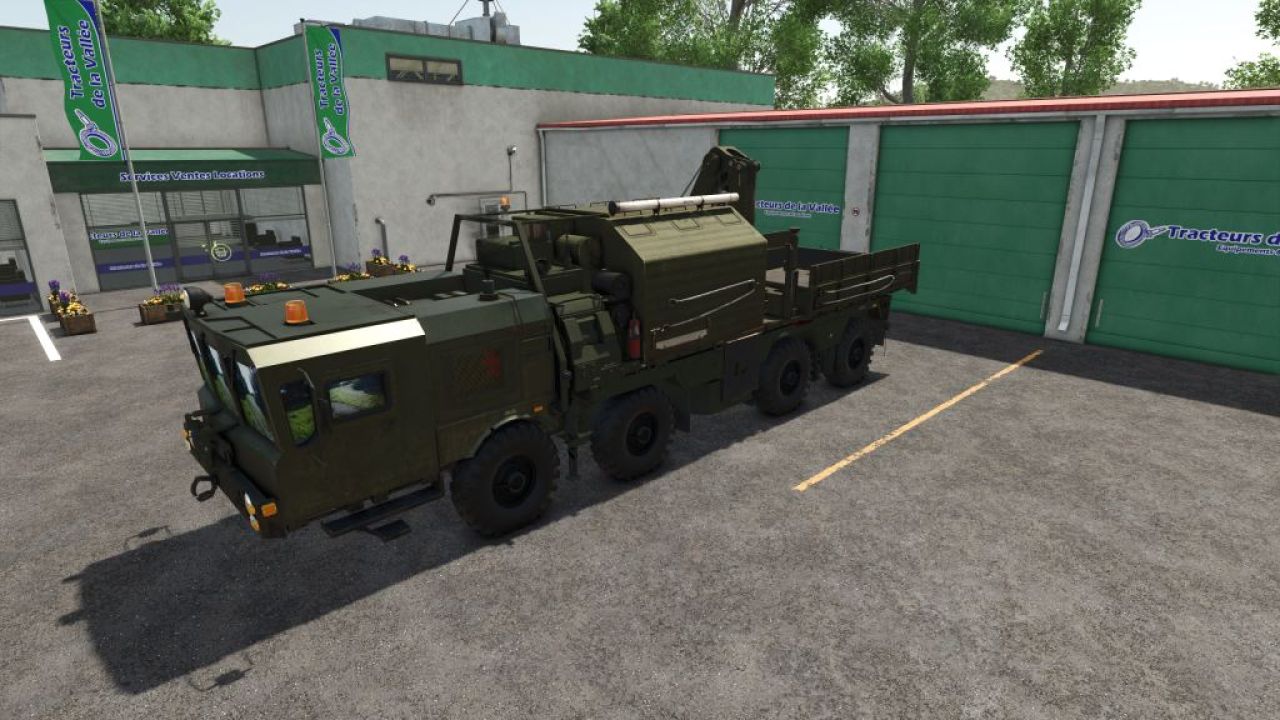
MZKT-7930 Heavy Tactical Recovery Vehicle V1.0 MZKT-7930 Heavy Tactical Recovery Vehicle (8×8 Rescue & ARV Platform): Technical and Operational Analysis Detailed Technical Characteristics High-Mobility MZKT-7930 8×8 Chassis: Built upon the heavy-duty all-wheel-drive multi-axle platform developed by the Minsk Wheeled Tractor Plant, engineered to transport massive payloads across extreme off-road environments. Heavy Recovery & Crane Module: Features a specialized rear superstructure equipped with a high-capacity hydraulic articulated crane and field repair equipment for recovery operations. Hydraulic Stabilization Systems: Outfitted with deployable hydraulic outrigger legs on the sides and rear to ensure a stable baseline during heavy lifting and recovery pulls. Split Forward Cabin: Features a wide, low-profile front cabin configuration with panoramic visibility, optimized to accommodate technical recovery crews and field maintenance gear. Tactical Utility and Operational Doctrine Recovery & Field Maintenance: Purpose-built to winch, extract, tow, and recover stuck, disabled, or overturned combat vehicles, launcher platforms, and heavy logistics trucks. Combat Engineering & Logistics Support: Clears blocked transit routes and assists with heavy component replacement on forward deployed units. All-Terrain Operational Access: The 8×8 drive configuration ensures full access through deep mud, snow, and rugged terrain where standard recovery trucks cannot operate. Simulation and Modding Significance Advanced Load & Crane Dynamics: Models the physical behavior of suspended loads, weight distribution during towing maneuvers, and hydraulic outrigger deployment kinematics. Complete Support Ecosystem: Serves as the essential recovery component that rounds out the heavy missile carriers, radar nodes, and supply fleets in your collection. Author: karl zu Report bugs in the comments and help modders improve this mod. Always check the comments, you can find a solution. DOWNLOAD MOD
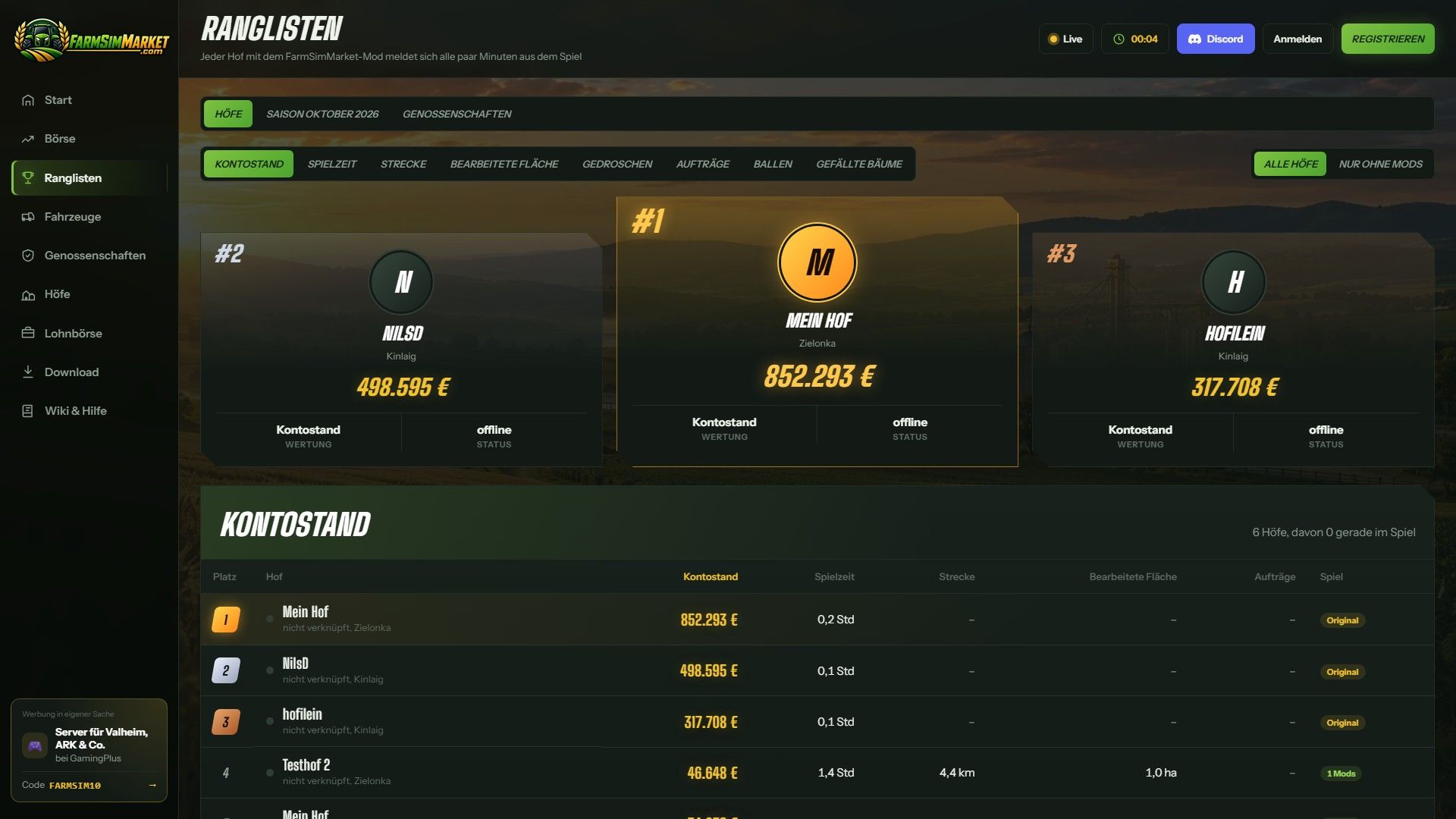
FarmSimMarket – Spielermarkt & Ranglisten BETA 7 v1.0.0.0
FarmSimMarket – Spielermarkt & Ranglisten BETA 7 v1.0.0.0 OFFENE BETA – Handle mit echten Spielern statt nur mit dem Spiel! FarmSimMarket verbindet deinen Bauernhof mit farmsimmarket.com – einem Marktplatz für alle LS25-Spieler. WAS DIE MODIFIKATION TUN KANN – Spielermarktplatz: Verkaufen oder kaufen Sie Feldfrüchte, Milch, Paletten, Ballen und Fahrzeuge von anderen Spielern – direkt im Spiel (ESC → FarmSimMarket) oder auf der Website. – Markt-Tablet (Strg+T): Preise, Ihre Angebote und Neuigkeiten am Bildschirmrand, während Sie weiterspielen – sogar im Fahrzeug. – Kein zusätzlicher Bau erforderlich: Die gekauften Waren werden in Ihre bestehenden Silos und Lagereinrichtungen eingelagert oder erscheinen als Paletten/Ballen im Abladebereich des Geschäfts. – Bestenlisten & Farmprofil: Vergleiche deine Farm mit anderen Spielern. – Vertragsmarktplatz: Auftragsarbeiten veröffentlichen oder annehmen – mit Zugriffsberechtigungen auf gemeinsam genutzten Servern. – Multiplayer- und dedizierte Server, gemietete Server (G-Portal, Nitrado …) über die Serverbrücke. SO GEHT'S LOS 1. Entpacken Sie die ZIP-Datei nicht; legen Sie sie in den Mods-Ordner und aktivieren Sie sie in Ihrem Spielstand. 2. Erstellen Sie ein Konto auf farmsimmarket.com und geben Sie den Code aus dem Spiel ein. 3. Zum Handeln starten Sie den kleinen FarmSimMarket-Helfer (farmsimmarket.com/download, Windows, keine Installation erforderlich). OFFENE BETA – BITTE LESEN FarmSimMarket befindet sich noch in einer sehr frühen Entwicklungsphase. Die meisten Funktionen sind zwar vorhanden, es kann aber gelegentlich zu Fehlern kommen oder etwas funktioniert ab und zu nicht. Erstellen Sie daher vor Ihrem ersten Handel eine Sicherungskopie Ihres Spielstands. Was noch nicht funktioniert oder kaum getestet wurde: – Nur für PC (Windows) – keine Konsolen; das Hilfsprogramm läuft nur unter Windows. – Der Handel funktioniert nur mit dem Helfer oder der Serverbrücke (ohne diese bleiben die Waren an ihrem Platz; es geht nichts verloren). – Der Mehrspielermodus und die Zugriffsberechtigungen für den Vertragsmarktplatz wurden kaum getestet. – Gemietete Server über die Serverbrücke werden noch getestet. – Die Preise bewegen sich anfangs kaum – sie entstehen durch den Handel der Spieler. Die Website ist derzeit nur auf Deutsch verfügbar. Einen Fehler gefunden? Bitte melde ihn auf Discord im Kanal #fehler-melden mit einer kurzen Beschreibung und der Datei log.txt. BETA 7 Version 0.32€ großes Update (Mod + Website) NEU – Das Lieferlager kann ausgewählt werden: Im ESC-Menü legen Sie fest, in welches Silo, welchen Schuppen, welchen Stall oder welche Produktionsstätte die gekauften Waren zuerst geliefert werden – von dort aus erfolgen auch zuerst die Verkäufe. – Zuckerrübenschnitzel können nun auf dem Markt gehandelt werden. – Genossenschaftsverträge: Eine Genossenschaft liefert oder kauft als Ganzes ein – ihre Mitglieder teilen sich die Menge, und der liefernde Betrieb erhält den entsprechenden Betrag. GEÄNDERT Das Spielgeld ist unbegrenzt: Es gibt keine Kontostandsprüfung mehr, Geld-Mods sind erlaubt und Geld zählt nicht mehr für Bestenlisten oder Erfolge. Im Gegenzug sinkt das Tageslimit mit steigendem Guthaben (höchster Kontostand der letzten 30 Tage), und Sie können innerhalb von 24 Stunden maximal ein Viertel des verfügbaren Angebots pro Ware kaufen – so kann niemand den Markt leer kaufen. Die Registrierung ist jetzt nur noch mit dem Verknüpfungscode aus dem Spiel möglich. Tags: BETAEntpacken SieErstellen SieNEU
- 15 per page
- 30 per page
- 45 per page
- 60 per page
-
See more per page
Bigger pages, fewer clicks - and no ads anywhere.
Go Pro