Farming Simulator 25 mods
77,956 results- 15 per page
- 30 per page
- 45 per page
- 60 per page
-
See more per page
Bigger pages, fewer clicks - and no ads anywhere.
Go Pro

FS25 Helper Profiles
FS25 Helper Profiles Give your farm a consistent team of workers and choose who takes the next AI job. Helper Profiles expands the standard helper roster to 20 permanent worker slots (A-T), with a clear status overlay and a two-tab Helper Management screen. Manage your team: – Choose which workers are available for hire in each savegame. – Switch individual workers ON or OFF roster, enable all workers, or disable the others while keeping your selected worker and any active workers. – OFF-roster workers are excluded from selection, the overlay and new hires. Their saved appearance bindings and HelperPayroll assignments are retained when they return. – Active workers cannot be switched OFF, and at least one worker must remain ON roster. Choose who works next: – Cycle through available workers using a shortcut. – Prefer Selected mode hires your chosen worker when free, falling back to another available worker when needed. – First Free mode hires the first available worker in roster order. – See your selected worker, the next worker expected to be hired, and which helpers are available or active in an automatically sized table. – The overlay pages between A-J and K-T, can be shown or hidden, and offers configurable position, size and appearance. Personalise your helpers with optional companion mods: – AvatarSwitcher lets you bind saved appearance presets to individual helpers through the Appearances tab. Bindings are saved separately for each savegame. – HelperPayroll adds a read-only role display to the overlay and roster screen. Manage roles, pay rates and wages in HelperPayroll. – Helper Profiles works without either companion mod; custom appearance bindings and payroll role information require the corresponding mod. Default keyboard controls: – Semicolon (;): cycle workers. – Shift + ;: switch hiring mode. – Right Ctrl + ;: open Helper Management (Appearances and Helper Roster tabs). – Right Alt + ;: show or hide the overlay. Controls can be reassigned in the game’s control settings. Single player only. Not compatible with Hired Helper Tool or conflicting helper-roster expansion mods. Helper Profiles disables itself for the session when an incompatible roster owner is detected.

FS25 MultiTask Mowers
FS25 MultiTask Mowers Adds three selectable modes to compatible grass mowers: normal mowing, mowing with a central windrow, and mowing with direct hay production in a central windrow. When several front and rear mowers are working together, their active cutting areas are treated as one group. The windrow is centered across the complete working width and deposited behind the rearmost active mower. Its width adapts to the amount of material, while the native ground system controls its height. Forage harvester headers and mowers with an internal fill unit are excluded. Compatible with manual work and AI systems that use the standard mower specialization. Controls: Ctrl+N, configurable in the controls menu. F1 displays the selected mode instead of the original work mode.
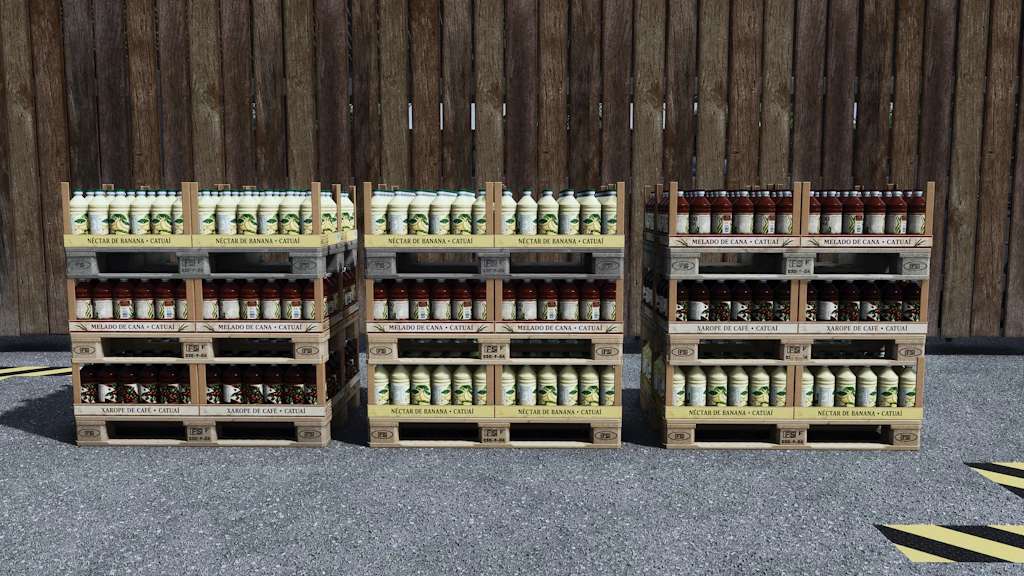
CatuaiBeverages v1.0
CatuaiBeverages v1.0 Produce coffee syrup, banana nectar and sugarcane syrup. Ideal for supplementing your beverages and bakes! Category: Production Sites Price: $95,000 Daily upkeep: $40 Inputs COFFEEPACKED SUGAR WATER Output COFFEE SYRUP Inputs BANANABOX SUGAR WATER Output BANANA NECTAR Inputs SUGARCANE WATER Output SUGARCANE SYRUP Requires Beans & Alpacas for coffee and banana inputs. Author: VeteranModding Report bugs in the comments and help modders improve this mod. Always check the comments, you can find a solution. DOWNLOAD MOD

FS25 Disaster Control
FS25 Disaster Control Adds new settings that lets you enable or disable each disaster (hail, twister) individually, instead of only the base game’s global “on / visuals only / off” switch.

FS25 Camera Motion
FS25 Camera Motion Adds smooth camera movement effects and refines player and vehicle camera behavior, including sway and responses to acceleration, braking, cornering and uneven terrain. Features: – Customize 4 profiles for vehicle and player cameras, in first and third person. – Adjust movement strength with one slider or fine-tune individual effects in advanced mode. – Enable natural head movement in the cab and leaning in first person. – Set camera offsets per vehicle. Settings are saved automatically. Hotkeys: – Press F9 to open settings. – Press or hold the first side mouse button (Mouse 4) to lean, depending on your settings. Other mods that modify vehicle or player cameras may interfere with camera effects. For more info or bug reports, visit GitHub (modnext/cameraMotion).

FS25 CLAAS Lexion 8000 Series v2.0.0.1
FS25 CLAAS Lexion 8000 Series v2.0.0.1 CLAAS Lexion 8000 Series Shop Category: Combine Harvesters Price: $494,265 – $642,870 Engine Power: 549 PS – 790 PS Top Speed: 25 – 40 km/h Grain Tank Capacity: 13,500 L, 15,000 L, 18,000 L Reel Lengths: XL – 7XL Model Year: 2023 Country of registration: EU + US Engine configurations: – Lexion 8600 (598 PS) – Lexion 8700 (646 PS) – Lexion 8800 (700 PS) – Lexion 8900 (790 PS) Important notes! – When using the tire pressure regulation system in the Terra Trac configuration, it is important to note that the field pressure on the front axle must not fall below 2.2 bar. To do this, set the field pressure to 2.2 bar in the VTP Mod settings (Ctrl + Alt + U). In the next update of the VTP Mod, belt drives will be completely excluded. Thanks to HotShotPepper for this. Configurations: – Tire configurations (Standard, Terra Trac, RDA) – Tire pressure regulation system – GPS (Fieldscanner, Star Fire) – Rotating lights (Rotating, Stroboscopic) – Fleet number (1–9) – Rear stickers (Warning, Agricultural Supply) – Side decals (agribusiness) – Straw chopper width – Reflectors (red, yellow, orange) – Lexion Evolution and Pios Grain – Marker light for unloaders (controllable via IC on the seat armrest) – Flags (various countries) – Special design (Agrar Lübbersruh, 500000) Animations via Interactive Control (36 IC points): – Entry step – Door – Window – Blinds – Steering wheel – Side doors (front [right, left], rear [right, left]) – Tailgate – Rear ladder – Upper side door – Engine hood – Radiator grille – Mirror folding – Straw chopper (road mode/field mode) Features: – 4 functional cameras (rear, hitch, pipe, grain tank) – Functional RDA display (with tire pressure configuration) – 2 different Cebis screens (road mode, field mode) – Dark and light screen modes (DBL) – Custom LED lights + turn signals – Realistic sounds – Cab lighting Credits: Thanks to Dachhau Agrar for providing the Hella LED pack. A big thank you goes to RAZER_GAMINGHR for providing his sound pack for the Lexion. Thanks to B3N for the John Deere RTK receivers, and to Floydy for the 500000 design. Thanks to AgroTonho for sharing his flags. The Mercedes-Benz DLC is required to display the cameras. Compatible with Interactive Control, Variable Tire Pressure, and Dashboard Live. Changelog (Hotfix) 2.0.0.1: – Fixed a bug with the grain tank cover on the 18,000-liter grain tank – Fixed the collision with the pipe Changelog 2.0.0.0: – Added US version – Pipe lengths (XL–7XL) – 15,000-liter grain tank – Added flags (countries) – Added designs (Agrar Lübbersruh, 500,000) – Added new tire sizes and rims – Added sieve animation – Straw chopper controllable via IC for field and road driving – Mirrors can be folded in and out via IC – Added dust animation for inclined conveyor extraction – Added light in the grain tank – Expanded unloading animation – Sounds adjusted – Exit ladder animation can be set to manual or automatic – Minor model changes – Field scanner configurable (JD GPS) – Second PTO connection added (cover controllable via IC) – Various bugs fixed – Reflector colors are now controlled via the color settings – CLAAS green can now also be changed

FS25 Grow Now v2.0.0.0
FS25 Grow Now v2.0.0.0 Press a button to advance the growth of your crops, or trees. – There are 2 methods for crop growth as of version 2.0.0.0. — Method 1 (new) : You can stand in a field or planted area of a field and it will only advance that area, and instantly.* — Method 2 : All crops in the map are advanced in growth with a slight delay (as per previous version of mod).** Note: Some crops take two stages (button presses) per visual state advance. * Player must be at least 1 meter from the edge of the desired area for it to be detected. ** Seasonal growth setting will be changed to “off” (option 2) when used. -Default Button for current crop : Backspace -Default Button for all crops : Left Shift + Backspace -Default Button for trees : Left alt + Backspace Change Log v2.0.0.0 – Added the new feature where you can individually advance a planted area of crop which you are standing in. – Added the new feature to advance tree growth.
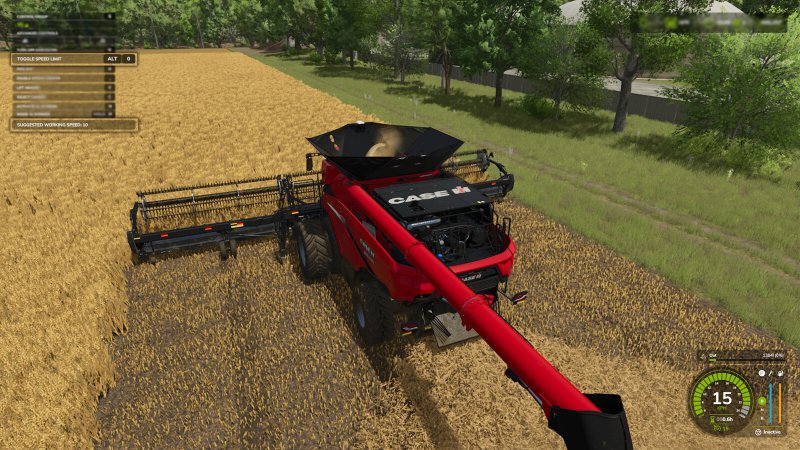
FS25 Real Speed Limit v1.0.5.0
FS25 Real Speed Limit v1.0.5.0 Real Speed Limit gives players the ability to disable the speed limit given to tools so they can use the cruise control speed instead. Each vehicle can have the limit disabled individually. By default the limit remains active. Useful for large fields. Horsepower and mass will still limit top speed. *Note that ai helpers will be able to drive faster than the player, due to them having cheat/unreal physics (vanilla method which is intended to prevent ai issues). Default Key: Left Alt + 0 Change Log v1.0.5.0 – Vehicles speed limit override ‘state’ is now saved with your game.

FS25 Indoor Camera Position v1.0.1.0
FS25 Indoor Camera Position v1.0.1.0 Allows the player to change the position of the indoor vehicle camera. The mouse wheel changes the position up and down. Hold the Left Shift key while using the mouse wheel to move the camera forward and backwards. Hold the Left Ctrl key while using the mouse wheel to move the camera left and right. To reset to center easily: Press the middle mouse button (press on the mouse wheel) to reset the up and down position. Hold the Left Shift key and press the middle mouse button to reset the forward and backward position. Hold the Left Ctrl key and press the middle mouse button to reset the left and right position. Change Log v1.0.1.0 -Prevented adjustment happening from mouse while in menus.
Scania S Abschleppwagen v1.0.0.0
Scania S Abschleppwagen v1.0.0.0 Geschwindigkeit 90 km/h Motorkonfigurationsoptionen: 520 – 861 PS Optionen zur Lackierungskonfiguration Konfigurationsoptionen für Räder Konfigurationsoptionen für Felgenmarken Optionen zur Dachgestaltung Konfigurationsoptionen für Fensterleisten Konfigurationsoptionen für Steinschlagschutz Bullbar-Konfigurationsoptionen Optionen für die Konfiguration des unteren Grills Konfigurationsoptionen für Sonnenschutz Zubehör-Konfigurationsoptionen Optionen für die Innenkonfiguration des Backboards Konfigurationsoptionen für die Frontgrillbeleuchtung Konfigurationsoptionen für die Seitenschweller Viele Farbkonfigurationsoptionen Tags: PS
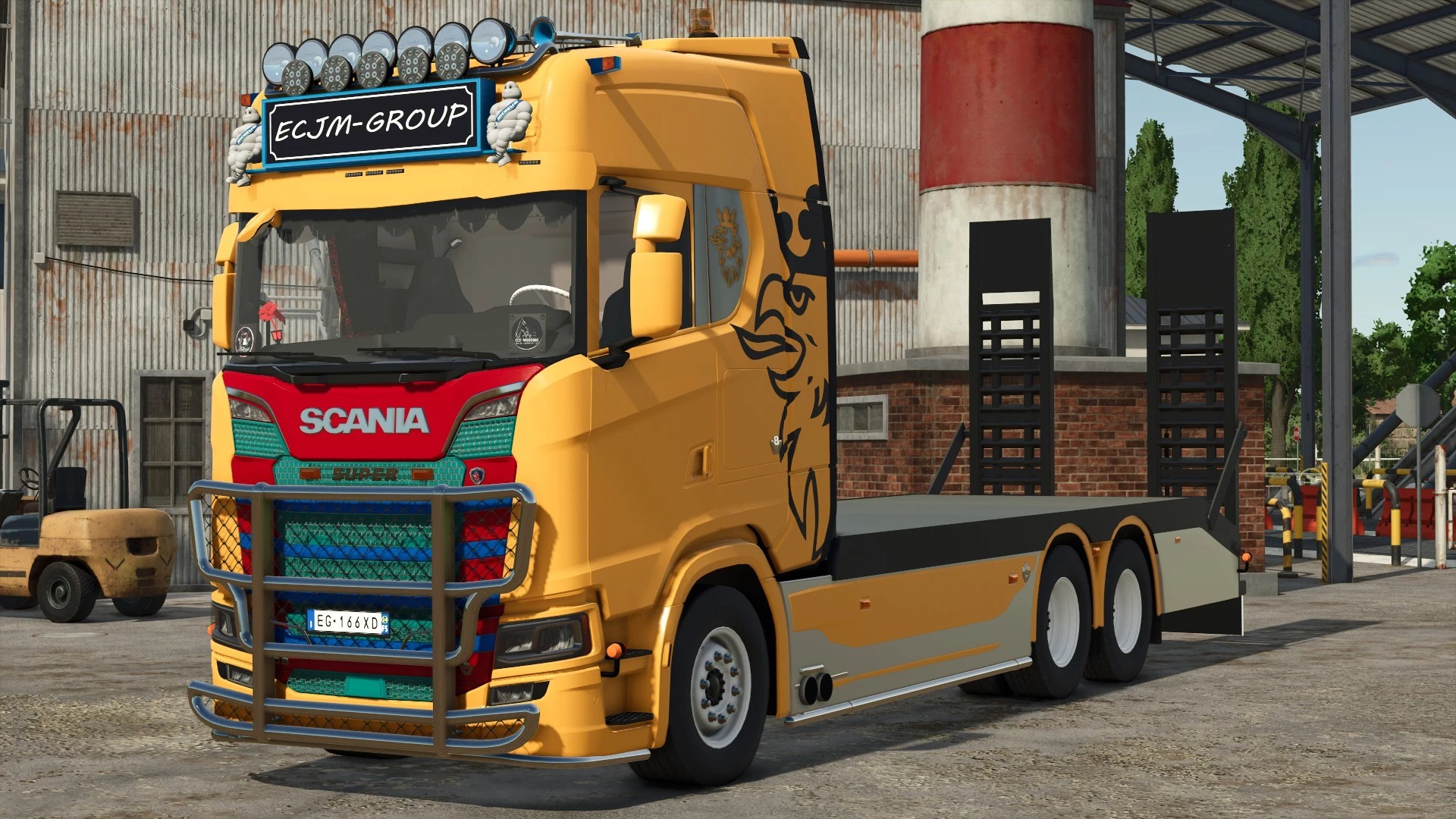
Scania S Recovery Truck v1.0
Scania S Recovery Truck v1.0 Speed 90 km/h Engine Configuration Options: 520 – 861 hp Livery Configuration Options Wheels Configuration Options Wheels Brand Configuration Options Roof Design Configuration Options Window Trim Configuration Options Stone Guard Configuration Options Bullbar Configuration Options Bottom Grill Configuration Options Sunshield Configuration Options Accessories Configuration Options Backboard Interior Configuration Options Beacons Front Grill Configuration Options Sideskirt Configuration Options Many Colors Configuration Options Author: ECJM Beunbaas Report bugs in the comments and help modders improve this mod. Always check the comments, you can find a solution. DOWNLOAD MOD
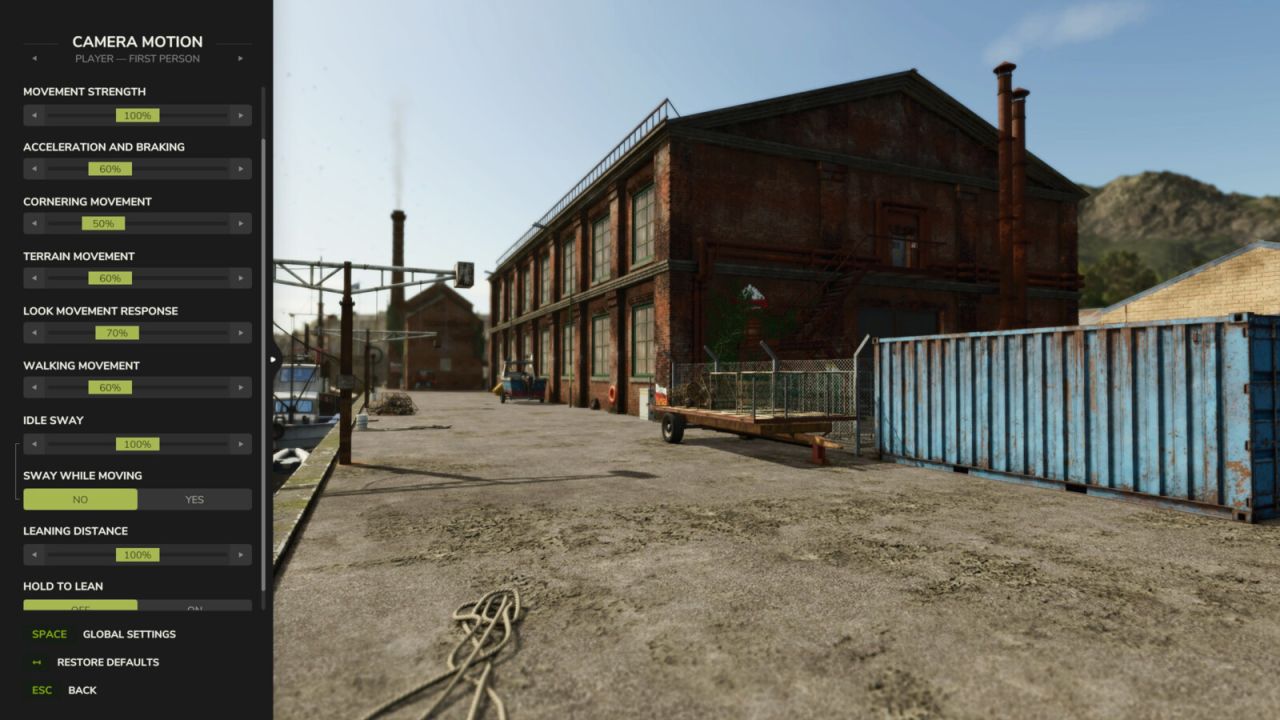
Kamerabewegung V1.0.0.0
Kamerabewegung V1.0.0.0 Fügt flüssige Kamerabewegungseffekte hinzu und verfeinert das Kameraverhalten von Spieler und Fahrzeug, einschließlich Schwankungen und Reaktionen auf Beschleunigung, Bremsen, Kurvenfahrten und unebenes Gelände. Merkmale: – Erstellen Sie 4 Profile für Fahrzeug- und Spielerkameras in der Ego- und Third-Person-Perspektive. – Die Bewegungsstärke lässt sich mit einem Schieberegler anpassen oder einzelne Effekte können im erweiterten Modus feinjustiert werden. – Ermöglicht natürliche Kopfbewegungen in der Fahrerkabine und das Neigen in der Ich-Perspektive. – Kamera-Offsets pro Fahrzeug festlegen. Einstellungen werden automatisch gespeichert. Tastenkombinationen: – Drücken Sie F9, um die Einstellungen zu öffnen. – Drücken oder halten Sie die erste seitliche Maustaste (Maus 4), um sich zu neigen, je nach Ihren Einstellungen. Andere Mods, die die Fahrzeug- oder Spielerkameras verändern, können die Kameraeffekte beeinträchtigen. Tags: Andere ModsIhren EinstellungenMaustaste MausSie F9
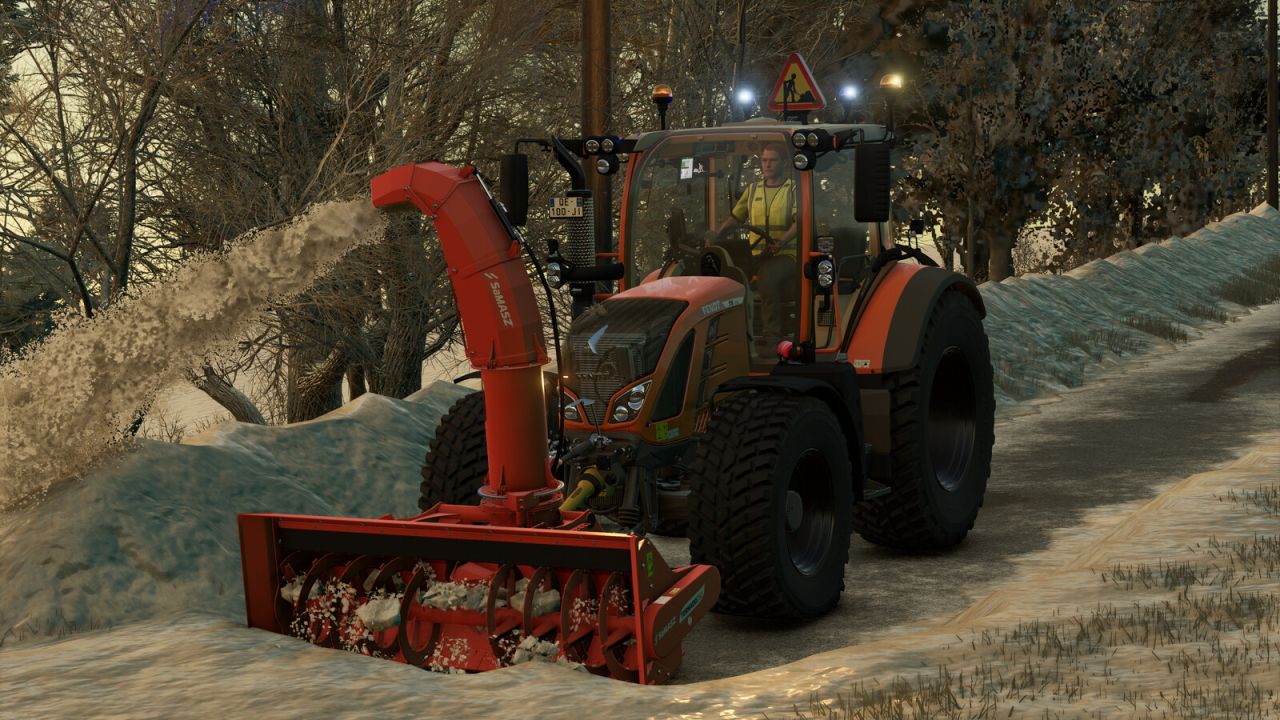
FS25 Fendt Vario 500 Municipal V1.0.0.0
FS25 Fendt Vario 500 Municipal V1.0.0.0 Discover the Fendt Vario 500 in its ‘Municipal’ edition. Ideal for all your public works, road maintenance, mowing and snow clearance in Farming Simulator 25. Specially modified to meet the requirements of local authorities, this tractor is equipped to ensure the safety of your workers and other road users. With its advanced warning equipment, it is ready to tackle any urban or road worksite. Features: Advanced safety warning system: addition of a triangular illuminated “Roadworks” sign (AK50 type) mounted on the roof, ideal for securing your work areas. Work lighting: customised lighting configuration with the addition of orange rotating beacons and blue strobe lights for maximum visibility day and night. Municipal styling: municipal orange paintwork. Fendt styling: Fendt green paintwork. Ready for work: Equipped with a front linkage and compatible with front loaders for easy attachment of snow ploughs, sweepers or brush cutters. Suspension: softer suspension at the front and rear. Technical specifications: Base price: 152,500 $. Power: 131 – 171 hp. Top speed: 31 mp/h. Manual actions: Opening/closing: left door, right door and rear window. Configurations: – Municipal. – Rotating beacons. – Flash LEDs. – Construction site LEDs. – Blue rotating beacons. Recommended configurations: Tyre brand: Nokian Tyres. Wheel configuration: Municipal. Municipal: Yes. Rotating beacons: LEDs 1. Flash LEDs: All. Blue rotating beacons: Snow clearance. Credits:romaain Tags: Farming Simulator 25Fendt VarioMunicipal YesNokian Tyres
Katastrophenmanagement V1.0.0.0
Katastrophenmanagement V1.0.0.0 Fügt neue Einstellungen hinzu, mit denen Sie jede Naturkatastrophe (Hagel, Tornado) einzeln aktivieren oder deaktivieren können, anstatt nur den globalen Schalter des Basisspiels "Ein / Nur Grafik / Aus". Tags: Naturkatastrophe Hagel
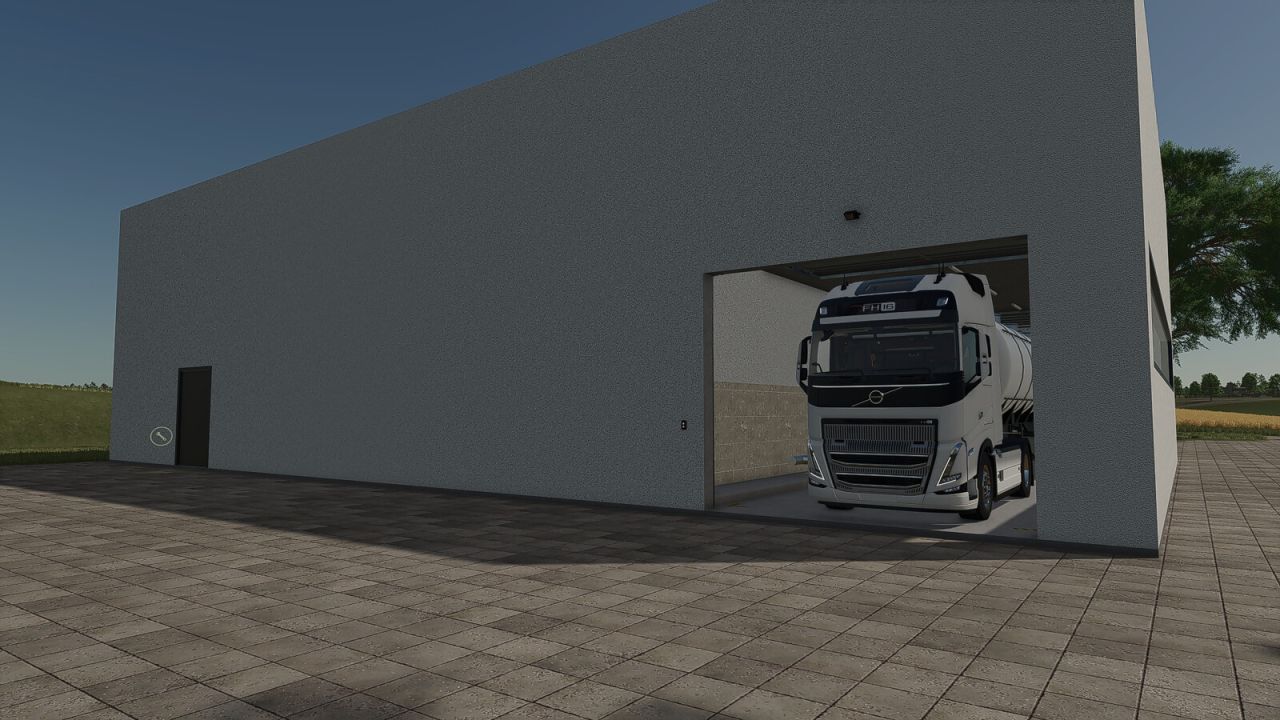
Big Dairy V1.0
Big Dairy V1.0 This large dairy facility offers ample space for professional milk processing and is ideally suited for larger farms, production sites, and industrial areas. A key feature of this dairy is that both the intake point and the pallet spawn point are located entirely inside the building. This allows raw materials to be delivered under cover and finished goods to be collected directly within the hall. The dairy utilizes all standard recipes from the base game. Features Large dairy facility with a spacious interior Intake point located inside the building Pallet spawn point inside the hall Weather-protected delivery and collection Ample space for larger vehicles and combinations Illuminated interior Includes all standard base game recipes Category: Factories Price: $360.000 Daily maintenance costs: $40 Author: [SeBa-Modding] Sebimodding Report bugs in the comments and help modders improve this mod. Always check the comments, you can find a solution. DOWNLOAD MOD
- 15 per page
- 30 per page
- 45 per page
- 60 per page
-
See more per page
Bigger pages, fewer clicks - and no ads anywhere.
Go Pro