Farming Simulator 25 mods
79,169 results- 15 per page
- 30 per page
- 45 per page
- 60 per page
-
See more per page
Bigger pages, fewer clicks - and no ads anywhere.
Go Pro
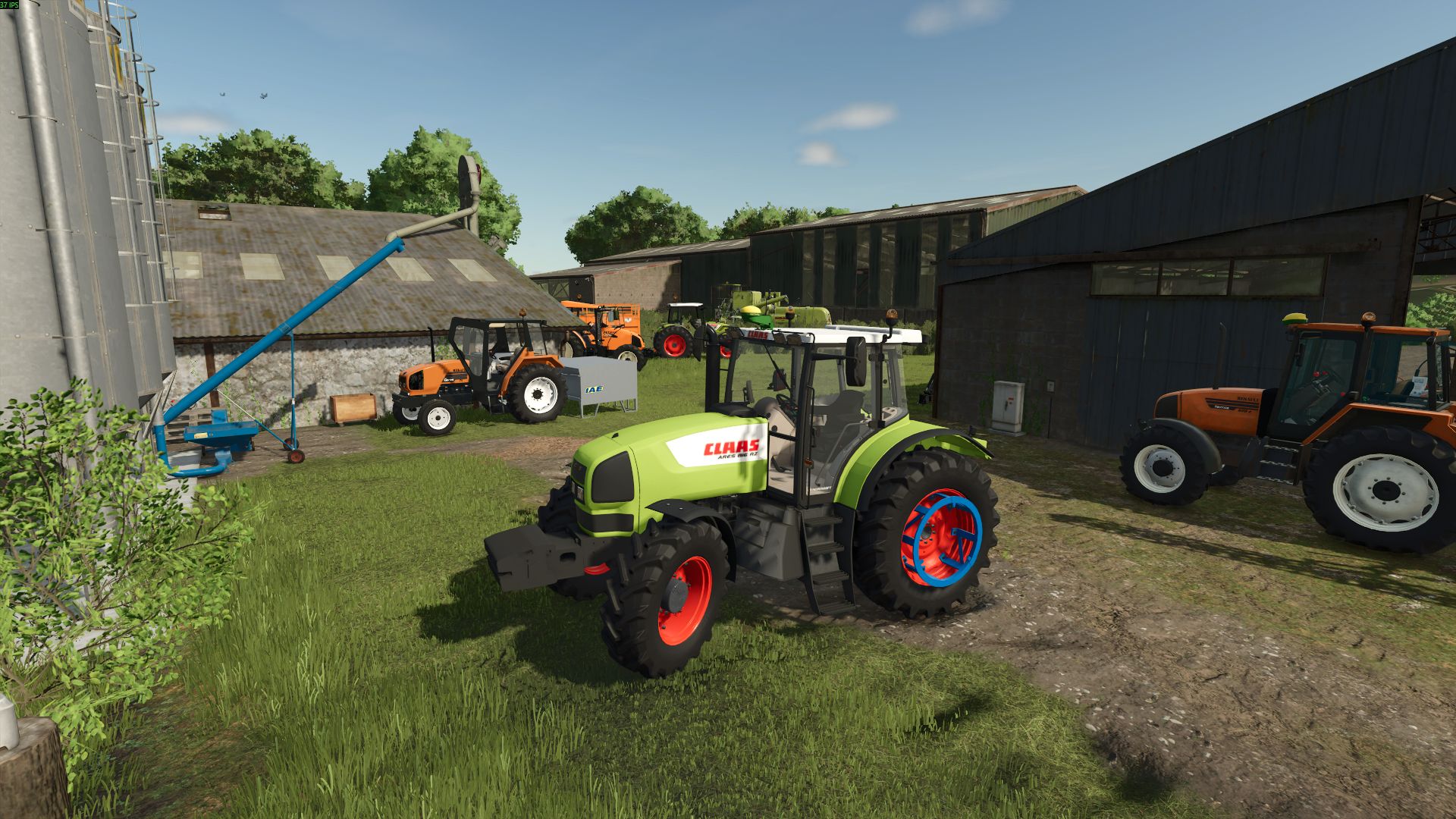
Claas Ares 800 Series FS25
Hello, here is V1 of the Claas Ares 800, derived from the Renault Ares 700/800. Conversion of the mod by: (https://www.kingmods.net/fr/profil/zaikosyt-emilienctl), from whom I requested permission. Engine configurations: -816 -826 -836 Among the Trelleborg wheels, a mixed version exists with a perforated wheel at the front and a solid wheel at the rear. If you like it, I will take the time to make it for other brands. -Color correction of the rear hoses -Added a configuration with Somac (only the 610/620 for now) -Correction of the dashboard indicator lights -Improvements to the rear hose supports (not yet the final version, just whiter) -Added a wheel weight configuration next to each existing configuration -Added a Trelleborg mixed wheel configuration in the wide version Corrections made: - Front hood headlight now visually functional - Wheel color configurators added and working without strange colors (Manual Paint mod no longer required) - Removed the GPS options that were not working - John Deere steering wheel functional (no longer white) - Added a horn - Chrome Claas hood logo (instead of the incorrectly loaded white one) - Fixed the front weight configuration (lifting arms with PTO), which caused the tractor to lift for no reason - Removed the weight configuration (without weight), which caused a hole in the chassis
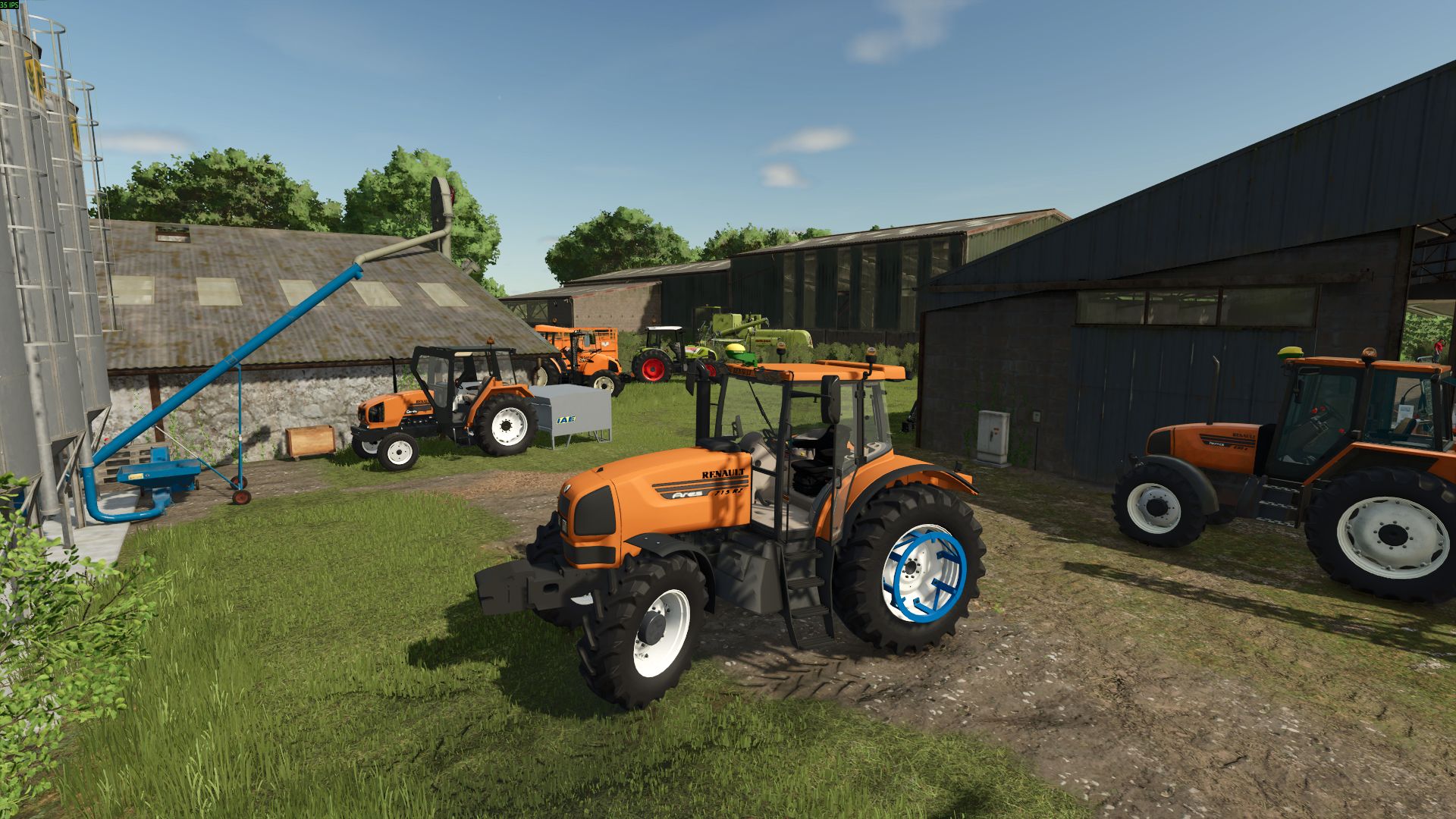
Renault Ares 700/800 Series FS25
Hello, here is a converted version of the Ares 700 mod Mod converted from: (https://www.kingmods.net/fr/profil/zaikosyt-emilienctl), who gave me permission to work on a conversion. Available configurations: Ares: 696 Ares: 715/725/735 Ares: 815/816/825/826/836 IC: Functional -Correction to the color of the rear hoses -Added a configuration with somac (only the 610/620 for now) -Correction to the dashboard indicator lights -Improvement of the rear hose supports (not the final version but whiter) -Added wheel weight configurations next to each existing wheel configuration -Added the mixed Trelleborg version with wide tires Corrections made: - Front hood headlights are now visually functional - Wheel color configurators added and working without strange colors (the ManualPaint mod is no longer needed) - Non-functional GPS configurations removed - Functional John Deere steering wheel (no longer white) - A horn added - Front weight configuration repaired (lifting arms with PTO), which was causing the tractor to lift for no reason - Weightless configuration removed, as it was causing a hole in the chassis - 3D decals for the 816/826/836/696 repaired (blur and hole in the text). Only the Ares remains to be repaired among these versions -Fixed non-functional weight configurations -Added store icon
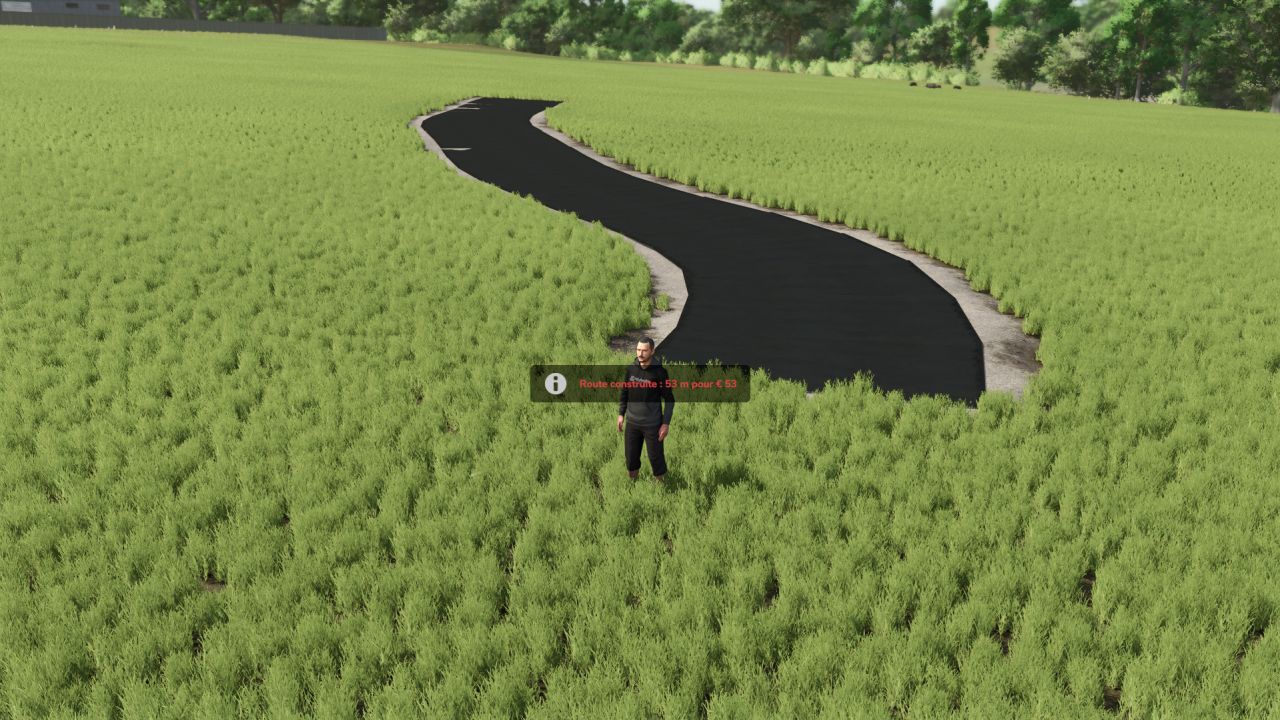
Road Builder FS25
Road Builder – FS25 Tired of dirt paths? Build your own paved roads directly in-game, wherever you want on the map! Features Road follows the natural terrain with minimal earthwork Flat turns, without circuit-style banking Adjustable width from 3 to 8 m Grass, stones and fields are automatically removed beneath the road Realistic cost: €1 per metre Can be removed with 75% refunded Roads are saved with the game Multiplayer compatible (landscaping rights required) Controls (in road mode) Alt+R: activate / exit road mode Alt+E: place a point Alt+X: remove the last point Alt+Z: change the width Alt+B: build Alt+V: change the texture Alt+Delete (press twice): delete the nearby road Good to know When a road is deleted, the terrain remains levelled and the ground is repainted with grass. It is not possible to build through a building. Credits The road geometry is inspired by XPModder's SplineToRoad script (Spline-Road-Toolkit). Many thanks to him for sharing his work with the community: without him, this mod would not exist. Have fun everyone, and feel free to leave your feedback and screenshots of your finest roads New: choose the surface with Alt+V (6 surfaces): dark or light asphalt dark or light asphalt with road markings (edge lines and a dashed center line) dirt path gravel path Dirt and gravel paths at €0.50/m Bug fixed in multiplayer/server mode Short video trying to explain the functions of the road construction mode

Courseplay: Unload Me FS25
Courseplay: Unload Me enables Courseplay unloader tractors to automatically track, match speed, and unload combines driven manually by the player on the go. Features: Unload player-driven combines on the move without hiring Courseplay AI for the combine. Unloader automatically matches combine speed and aligns trailer under the pipe. Unfolding the combine pipe automatically summons the nearest idle Courseplay tractor. Folding the pipe acts as a dismiss command: the tractor safely steers away and departs. Starting to drive after calling while stopped won't strand the tractor; it chases and catches up. Right Shift + U: manually summon the nearest unloader on demand. Right Shift + I: toggle advance auto-call when tank reaches 80% capacity. Requires Courseplay for FS25. Author: exekx GitHub: https://github.com/exekx/FS25_CourseplayPlayerUnload Issues / Bug Tracker: https://github.com/exekx/FS25_CourseplayPlayerUnload/issues - Headland Turn Waiting & Space Clearance: Unloader tractors cleanly stop in place at the end of the swath during combine turn maneuvers, leaving 100% of the headland completely free for the harvester to maneuver without collisions or crowding. - Deep Multi-Factor Turn Detection: Dynamically detects headland turns across several physical parameters: cutter/pickup lifted status (getIsLowered), active crop flow through feeding slots (loadingDelaySlots, isChopperFilling, isDischarging), steering lock, yaw rate, and reversing. - Instant Turn Completion & Seamless Follow: The moment the player lowers the header onto the new row or centers steering, the turn state ends instantly with zero delay. The unloader smoothly rejoins the combine at turn speed without freezing or deadlocking on opposite headings. - Swath & Windrow Side Selection: When picking up swaths with pickups, unloaders intelligently maintain the side of approach or respect manual Courseplay offset (+X left, -X right). - Courseplay Chopper Turn Safety Guards: Intercepts Courseplay's internal chopper turn states (startChopperTurn, handleChopper180Turn, handleChopperHeadlandTurn) to ensure unloaders never get trapped looking for non-existent AI fieldwork waypoints (temporary course --/--). - GIANTS Engine Bug Safety Guard: Integrated an engine patch preventing repeating LUA console error spam (AIVehicleUtil.lua:337: attempt to index nil with 'getAttachedImplements') whenever unloaders tow trailers or implements lacking rear hitches (e.g. Krampe SB 30/60). - Forage Harvester (Chopper) Safe Standoff: Unloaders maintain a safe 5m rearward standoff distance behind the chopper cab directly under the discharge spout. - Dynamic Lateral Clearance: Unloader path now dynamically adapts to any attached cutter/header width (from small 4m headers up to huge 15.2m+ cutters), ensuring safe distance from wide headers while centering the trailer directly under the discharge spout. - Headland Turnaround Fix: Unloaders route exclusively behind the combine, eliminating any risk of driving out in front of the header during turns. - Instant Manual Re-Call (Right Shift + U): Re-dispatches already assigned unloaders to your machine's updated position after field-edge turns. - Realistic Rear Approach Distance: Unloader tractors maintain a comfortable 5-7m safety gap behind the combine's rear bumper during approach instead of tailgating. - Collision System Tuning: Fixed false collision stops against the player combine and wide headers. - Courseplay Offset Compatibility: Full integration with Courseplay's in-game "Combine offset X/Z" setting for fine manual adjustments. - Full NEXAT & Modular Carrier Support (NexCo module): Added full compatibility for wide-span carriers with right-side discharge pipes. Fixed pipe offset calculations so the trailer aligns directly under the spout without lagging behind. - Anti-Collision & Smooth Parallel Approach: Eliminated sharp steering turns into the harvester. Unloaders now approach smoothly and strictly parallel to the machine (maximum 4° convergence angle) with guaranteed safety clearance from tracks, wheels, and the cab. - Accurate Standstill Alignment: When a combine stops with a full tank, the unloader pulls up precisely under the spout and comes to a full stop without creeping or drifting into the combine. - Bug Fixes & Improvements: Fixed the Lua error "attempt to call missing method getAIDirectionNode" on vehicles lacking AI specialization. Unified reference node architecture for 100% stable tracking on standard combines, forage harvesters, and attached implements.

Manual Hydraulic Control v 1.1
Manual Hydraulic Control allows you to raise and lower the hydraulic lifts manually, just like in real life, and to hold them at any height. This is useful, for example, when a shed entrance is too low: the implement can be lowered slightly so that you can drive through. The mod also enables a more active style of play: for example, a plow can be fully lowered and will then plow. The base-game “V” key for raising and lowering remains available, so both control styles can be combined. Stepless, manual height adjustment of the hydraulics via keypress (hold to move, release to stop). Control always applies to the hydraulics selected with the “G” key (front or rear). The working state (e.g., for plowing or cultivating) is set automatically as soon as the implement touches the ground, and released again when it is lifted. The original automatic raise/lower function remains fully usable. Controls are only active while the engine is running. While lifting manually, the engine speed is raised slightly because the hydraulics need power, just like on a real tractor. Additionally, the automatic lift when attaching an implement is disabled, so the implement stays at its current height. This function can be toggled on or off via a key at any time. The setting applies from the next attaching operation onwards. Default controls (customizable in the menu): – Numpad 8 = Raise – Numpad 2 = Lower – Numpad 5 = Toggle automatic lift on attach on/off

Shop Sounds v 1.1
Stop buying tractors you have never heard. Shop Sounds plays the real engine sound right in the shop: start the engine, rev it to full throttle, put it under load and compare vehicles back to back – before you spend a single euro. ENGINE SOUND PREVIEW IN THE SHOP Always wanted to know how a tractor sounds before you buy it? Now you can. Select a vehicle and the engine starts on its own, or press to switch it on and off. It is the vehicle’s own engine sound from the game, not a generic sample. Don’t want the automatic preview? Switch it off with – Shop Sounds remembers your choice. REV IT UP AND PUT IT UNDER LOAD Idle sounds nice, but what does it sound like when it has to work? Rev from idle to full throttle with [,] and [.], add or take away engine load with and . Geared tractors even shift through the gears while you rev, just like on the field. CVT tractors stay smooth. COMPARE ENGINE SOUNDS BACK TO BACK Tired of going back to the list after every vehicle? Press / and jump straight to the previous or next vehicle without leaving the configuration screen – with the automatic preview on, the next engine is already running. Implements and trailers without an engine are included too, so you can browse the whole category. WORK SOUNDS FOR HARVESTERS Want to hear the threshing unit, not just the engine? Press on harvesters and other machines with a work sound – the engine pulls up to working speed like in the field. SIT IN THE CAB AND HEAR IT FROM INSIDE Together with the Shop Vision mod you can take a seat in the cab right in the shop. Shop Sounds switches to the inside sound: the outside engine sound steps back and the vehicle’s own cab sounds take over. Click the engine start IC point in the cab and the engine starts – Shop Sounds takes care of the whole sound. WORKS WITH YOUR SOUND MODS With More Motor Sounds installed, you hear every engine sound variant live in the shop as you click through it. With Tire Sound installed, press to preview the tire sound – a simplified example; the real mod fine-tunes the sound to row-crop or dual tires while driving, which the shop cannot reproduce. Too loud or too quiet? [-] and [=] set the preview volume and it stays that way. And on the Fendt Katana with DashboardLive installed, there is a little easter egg waiting for you. No settings needed. Works in single-player and multiplayer. Hotkeys (shop configuration screen): Engine on/off Automatic sound preview on/off [,] [.] Rev down / up Less / more load Previous/next vehicle Machine work sound on/off Tire sound on/off (with Tire Sound) [-] [=] Quieter / louder (German keyboard: [ß] [´]) All functions can also be clicked in the button bar at the bottom. Version 1.1: * Works together with the new Shop Vision mod: interior cab sound in the cab view, engine start via the IC point in the cab, the button bar adapts to the Shop Vision buttons and is hidden with the menu * Engine sound layers now play at the same volume and pitch as in the game * Fixed: the game could freeze for up to a minute when switching vehicles in the shop * Fixed: a constant humming driving sound on some harvesters (e.g., CLAAS Jaguar)
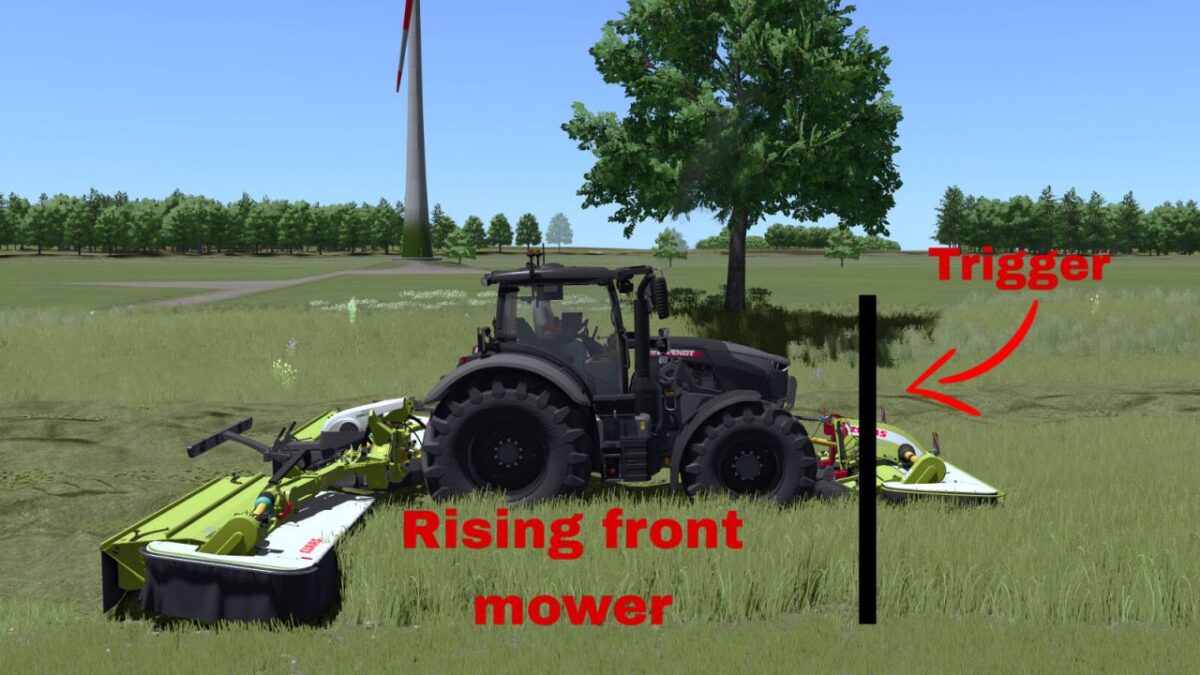
Linked Hydraulics v 1.0
Linked Hydraulics synchronizes front and rear mower hydraulics by working position. Lower or raise the front mower first. The compatible rear mower will perform the same action automatically when it reaches the same working position. Usage: Left Alt + K – Toggle Linked Hydraulics. Left Alt + J – Move the rear mower lowering lead forward. Left Alt + N – Move the rear mower lowering lead backward. Tap J/N for precise 0.10 m adjustment or hold the key for continuous adjustment. The lowering lead is useful for mowers that lower slowly. It only affects lowering; raising always uses 0.00 m lead. A temporary line shows the adjusted lowering position and disappears after 3 seconds. All key bindings can be changed in the controls menu. Linked Hydraulics is disabled by default.
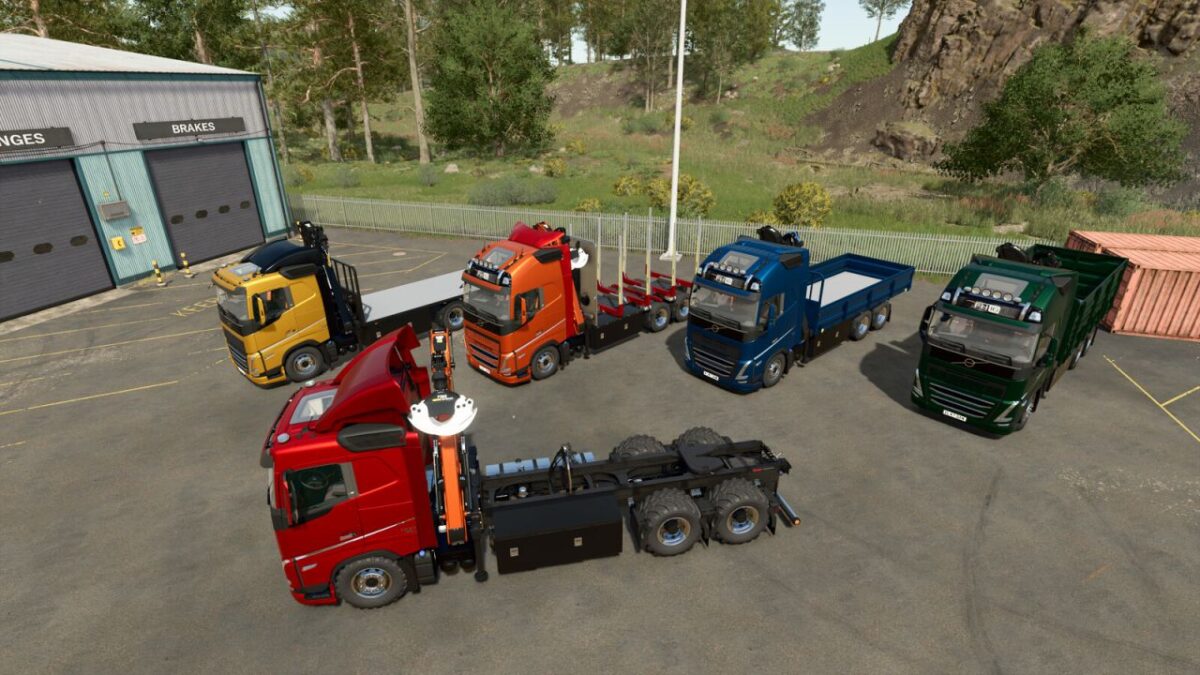
Volvo FH16 v 1.0.0.5
Configurations: Semi-Truck Semi-Truck with crane ($35 000). Wood transporter with crane ($53 000). Flatbed with crane ($55 000). Drop-side platform with crane ($62 000). Extended drop-side platform with crane ($70 000). The crane requires separate purchase of interchangeable modules from the store: a log grapple and a hook for loading pallets and big bags. Modules can be placed in the truck’s side boxes (U – select box, Y – open/close box). The truck is equipped with a hitch. New tuning settings are available. Crane Operation Features with Hook: To detach the hook, trailer, or big-bag: Ctrl+Q. To attach a trailer or big-bag, you must switch to the truck (G key). The Highlands Fishing Expansion DLC is required to work with pallets. VOLVO FH16 MULTICUSTOM TRUCK Categories: Trucks, Wood Transport Power: 600 – 780 hp Max. speed: 90 kph Capacity: 12 000 – 24 000 liters Price: $182 000 PALFINGER EPSILON FG53 Log Grapple Category: Misc Price: $4500 PALFINGER EZ1598 Crane Hook Category: Misc Price: $500 Version 1.0.0.5: * Fixed the hook functionality when handling big bags * Door functionality has been reworked (RB + A for the Gamepad)
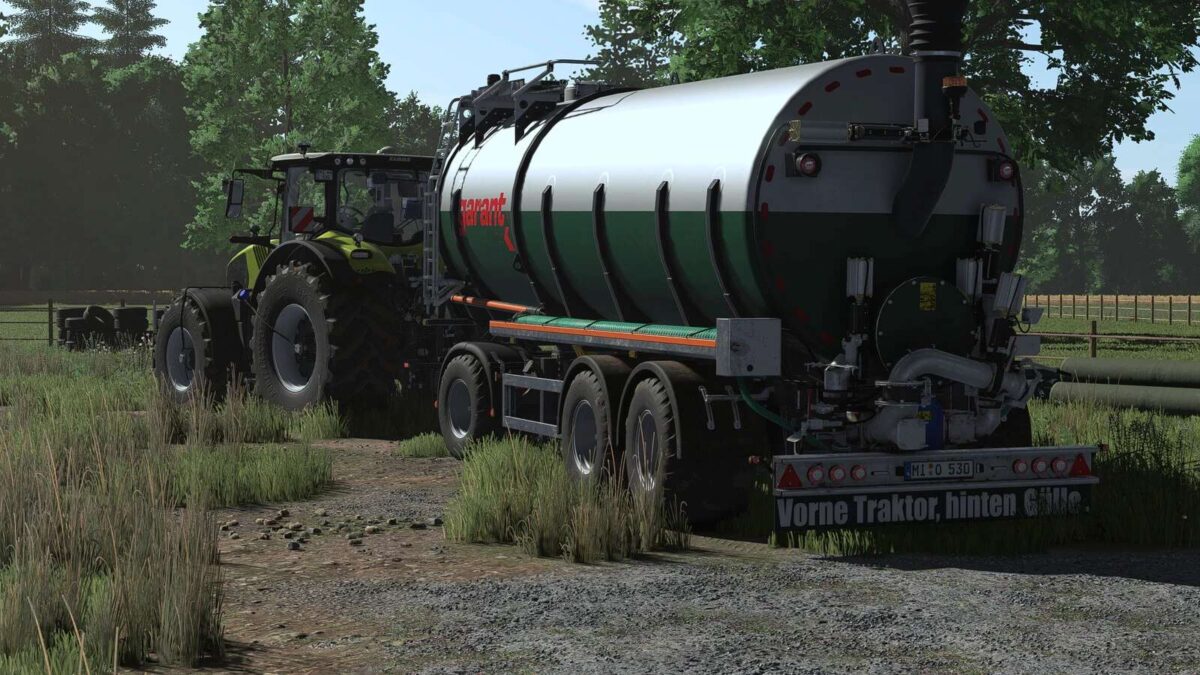
Kotte TSA 25000 v 1.0
– Category: Slurry Transport – Price: $95,500 – Capacity: 25,000 liters – Weight: 6.8 tons Configurations and Features: – Selectable slurry and water configuration – Custom tires installed – Beacon light configuration – Reflectors available in 3 color options – Color selection available – Tank with 2-color design for improved appearance – Logos on the mud flaps – Logos from Kotte Landtechnik, Zunhammer and Joskin – RDA script installed – PTG system added – Krampe Dolly 10L – Price: $18,500 – Weight: 4,5 tons – RDA script installed – PTG system added – Tires configured – Color selection added

Manual Machine Hydraulics Control v 1.0
Manual, stepless linkage and implement folding control. Numpad +: raise | Numpad -: lower Numpad *: unfold | Numpad /: fold Manual linkage and folding can be enabled independently in the game settings. With manual linkage enabled, an attached implement stays at its current height. Controls require a running engine. PLEASE NOTE When using semi-mounted machines and combine harvesters with headers, it is advisable to also use the default V button, so that the machine can adapt to the ground. For tractors with manual gear changes, the Numpad + and Numpad – keys can be assigned simultaneously to change gears. If manual lifting or lowering does not work, change the modifier or gearbox function assignments in the game’s control settings.
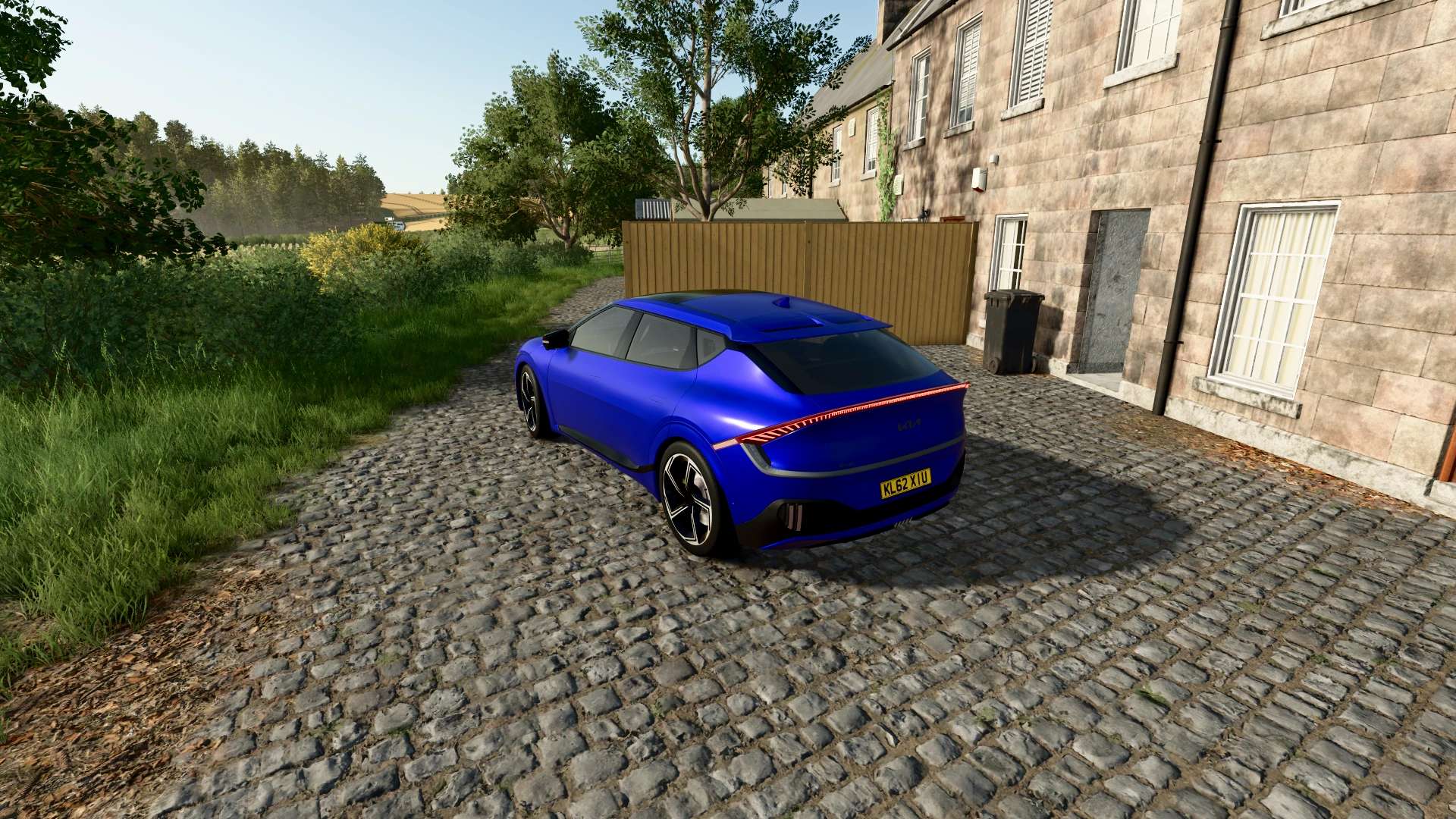
KIA EV6 GT 2023 V1.0.0.0 FS25
Farming Simulator 22 Mods · October 2, 2026 Characteristics: Selectable Body color. Selectable caliper color. Selectable Interior color. Supports license plates. Interactive Control Support. Price: $61.000. Engine: Electric 576 HP

Dig With Anything V1.0.25.0
Grapples take from the barge, hold, dump into the truck — and lose material when you slew too fast. Every tool shows up on the equipment list with its own icon, an ESC page with a store image, manufacturer and mod name, and a reload chip. Automatic grapple detection reads a machine’s i3dMappings — most clamshell grapples work without hand-tuning. This is gameplay you see in the truck bed, not a script running in the background. FS Modworks / FrittePlayz

DPW 1800 AutoLoad Ballen/Quader V1.0
The DBW 1800 is a versatile and robust trailer for Farming Simulator 25. With its detailed model, various configuration options, and realistic appearance, it is ideal for daily use on the farm. Features: Detailed, high-quality model Multiple tire options Realistic lighting Functional components High-quality textures and materials Realistic handling Suitable for various agricultural tasks


- 15 per page
- 30 per page
- 45 per page
- 60 per page
-
See more per page
Bigger pages, fewer clicks - and no ads anywhere.
Go Pro