Farming Simulator 25 mods
79,169 results- 15 per page
- 30 per page
- 45 per page
- 60 per page
-
See more per page
Bigger pages, fewer clicks - and no ads anywhere.
Go Pro
Realistische Betriebsstunden & Abschreibung BETA v0.9.0.0
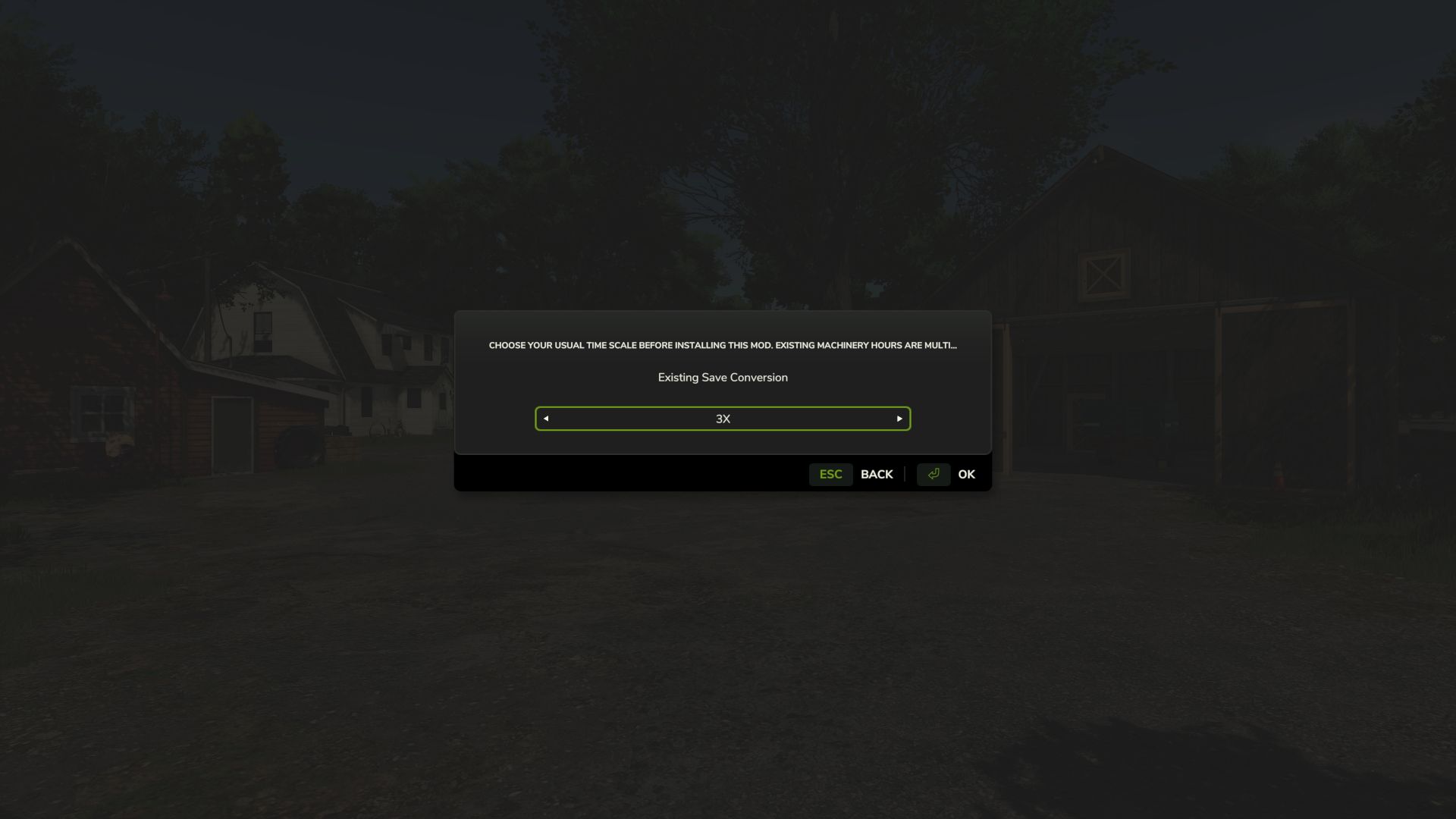
Realistische Betriebsstunden & Abschreibung BETA v0.9.0.0 Realistische Betriebsstunden & Abschreibung – ÖFFENTLICHE BETA VERSION 0.9.0.0 – ÖFFENTLICHE BETA Realistic Hours & Depreciation wurde entwickelt, um den Maschinenbesitz im Farming Simulator 25 realistischer zu gestalten, indem Betriebsstunden, Maschinenabschreibung, Wiederverkaufswerte, der Gebrauchtmaschinenmarkt und der visuelle Lackverschleiß überarbeitet werden. Anstatt dass die Maschinenstunden unabhängig von der Spielzeit ansteigen, skalieren die Betriebsstunden jetzt mit der von Ihnen gewählten In-Game-Zeitgeschwindigkeit. Wenn Sie beispielsweise mit dreifacher Zeitgeschwindigkeit spielen, werden für jede tatsächliche Stunde Maschinenbetrieb etwa drei Betriebsstunden hinzugefügt. Dadurch spiegeln die Maschinenstunden den Zeitablauf auf Ihrem Bauernhof besser wider. Realistische Maschinenabschreibung Maschinen verlieren nicht mehr hauptsächlich aufgrund ihres Alters an Wert. Die Fahrzeugwerte werden anhand einer Kombination aus folgenden Faktoren berechnet: – Maschinenzeitalter – Gesamtbetriebsstunden – Durchschnittliche jährliche Nutzung – Gesamtnutzungsgrad Das bedeutet, dass ein älterer Traktor mit wenigen Betriebsstunden einen deutlich höheren Wert behalten kann als ein anderer Traktor gleichen Alters, der stark beansprucht wurde. Ebenso verliert eine relativ neue Maschine, die bereits eine sehr hohe Betriebsstundenzahl erreicht hat, schneller an Wert als ein wenig genutztes Exemplar. Die Geräte verwenden ihre eigenen Abschreibungsberechnungen, wobei das Alter einen größeren Einfluss hat und die Betriebsstunden eine geringere Auswirkung haben. Realistischere Gebrauchtmaschinen Der Markt für gebrauchte Maschinen wurde ebenfalls überarbeitet. Gebrauchte Maschinen können nun in wesentlich vielfältigeren und realistischeren Kombinationen erscheinen: – Alter – Öffnungszeiten – Preis – Abschreibung Sie finden hier sowohl relativ neue Maschinen, die bereits viele Betriebsstunden absolviert haben, als auch ältere Maschinen, die nur gelegentlich zum Einsatz kamen. Alter, Betriebsstunden und Preis gebrauchter Maschinen werden miteinander verknüpft, damit der Wert die tatsächlich gekaufte Maschine besser widerspiegelt. Konvertierung bestehender Spielstände Die Modifikation kann auch zu einem bestehenden Spielstand hinzugefügt werden. Beim erstmaligen Laden eines bestehenden Spielstands, in dem die Mod aktiviert ist, können Sie in einem einmaligen Einrichtungsfenster den Zeitrahmen auswählen, den Sie normalerweise vor der Installation der Mod verwendet haben. Die bestehenden Betriebsstunden der Maschinen werden dann umgerechnet, um sie besser an das neue System anzupassen. Diese Konvertierung muss nur einmal pro bestehendem Spielstand durchgeführt werden. Brandneue Spielstände erfordern diese Konvertierung nicht. Reduzierter Lackverschleiß Der sichtbare Lackverschleiß wurde deutlich reduziert. Traktoren und Maschinen mit hoher Betriebsstundenzahl sollten nicht länger unrealistischerweise den größten Teil ihres Lacks verlieren, nur weil sie eine große Anzahl von Betriebsstunden angesammelt haben. Mechanische Schäden, Wartungs- und Reparaturkosten bleiben von den Kosten für sichtbaren Lackverschleiß getrennt. Leasing Das Leasingverfahren wurde so angepasst, dass es mit dem neuen gestaffelten Betriebsstundensystem korrekt funktioniert. Obwohl die angezeigten Maschinenstunden entsprechend Ihrer Spielzeitskala ansteigen, verhindert die Modifikation, dass dies zu einer fehlerhaften Multiplikation der normalen stündlichen Leasinggebühren führt. Hauptmerkmale – Die Betriebszeiten skalieren mit der Spielzeitgeschwindigkeit – Einmaliges Konvertierungssystem für bestehende Spielstände – Realistischere Maschinenabschreibung – Abschreibung basierend auf Alter, Betriebsstunden und durchschnittlicher jährlicher Nutzung – Separate Abschreibungsberechnungen für Fahrzeuge und Geräte Ältere Maschinen mit geringer Betriebsstundenzahl können einen deutlich höheren Wert behalten. – Stark beanspruchte Maschinen verlieren schneller an Wert. – Realistischere Angaben zu Alter und Betriebsstunden gebrauchter Maschinen – Realistischere Preise für gebrauchte Maschinen – Größere Vielfalt auf dem Gebrauchtmaschinenmarkt – Deutlich reduzierter sichtbarer Lackabrieb Die Leasingkosten bleiben trotz reduzierter Betriebszeiten ausgeglichen. – Entwickelt zur Unterstützung von Basisspiel- und kompatiblen Mod-Maschinen – Mehrspielerunterstützung WICHTIG – ÖFFENTLICHER BETATEST Dies ist eine BETA-Version und wurde speziell für öffentliche Tests auf KingMods hochgeladen. Version 0.9.0.0 ist nicht als endgültige Version gedacht. Der Zweck dieser Beta-Version besteht darin, mehr Spielern die Möglichkeit zu geben, die Mod vor der Veröffentlichung der vollständigen Version 1.0.0.0 in verschiedenen Spielständen, Maschinen, Karten, Mehrspielerumgebungen und Mod-Kombinationen zu testen. Obwohl die Modifikation bereits während der Entwicklung getestet wurde, ist es unmöglich, jede mögliche Kombination von Maschinen und anderen Mods zu testen. Dedizierte Server Beim Hinzufügen der Mod zu einem bestehenden Spielstand auf einem dedizierten Server wird empfohlen, den Spielstand zuerst in einem lokal gehosteten Mehrspielerspiel zu öffnen, in dem diese Mod aktiviert ist. Schließe die einmalige Auswahl der historischen Zeitskala ab, speichere das Spiel und lade den Spielstand anschließend auf den dedizierten Server hoch. Neue Spielstände erfordern diesen Konvertierungsschritt nicht. Beta-Warnung Da es sich um eine Testversion handelt, wird empfohlen, vor der Installation der Mod eine Sicherungskopie aller wichtigen Spielstände anzulegen. Bitte beachten Sie, dass das Auffinden und Melden von Problemen der eigentliche Zweck dieser Beta-Version ist. Ihr Feedback hilft dabei, die Mod zu verbessern, verbleibende Fehler zu beseitigen und Realistic Hours & Depreciation für die endgültige Veröffentlichung und Einreichung beim GIANTS ModHub vorzubereiten. Vielen Dank an alle, die die Software herunterladen, testen und Probleme melden. Tags: Brandneue SpielstDer ZweckRealistic Hours DepreciationVERSION
Krone EasyCut isoBUS Siebanlage (Fertigteil) V1.0.0.3
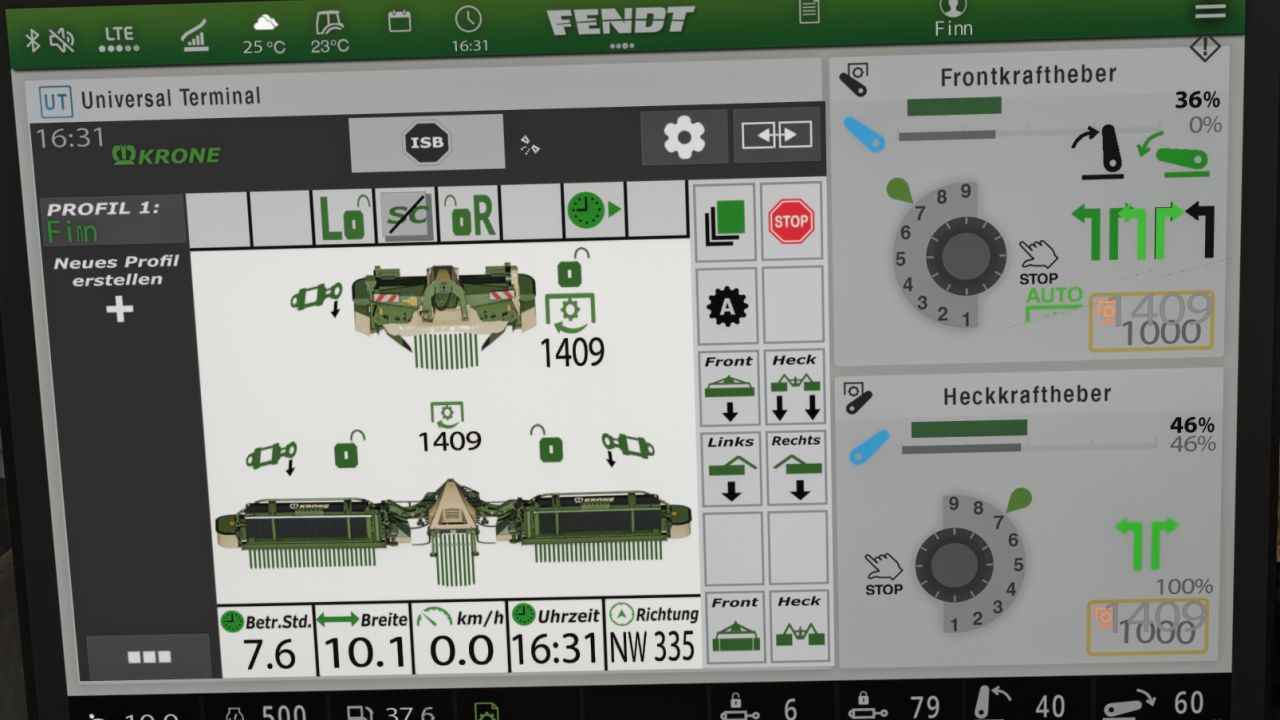
Krone EasyCut isoBUS Siebanlage (Fertigteil) V1.0.0.3 Krone EasyCut isoBUS Sieb (Fertigteil) Hiermit übermittle ich Ihnen meinen Krone EasyCut isoBUS-Bildschirm. Er zeigt alle wichtigen Informationen für Rasenmäher an. Das Sieb ist für den Krone EasyCut Rasenmäher vorgesehen, kann aber auch für andere Rasenmäher verwendet werden. Für die Installation selbst habe ich Anweisungen sowie den entsprechenden Eintrag für die XML-Datei des Geräts beigefügt. Falls Ihnen Fehler auffallen, würde ich mich sehr freuen, wenn Sie mich darüber informieren, damit ich sie beheben kann. V1.0.0.3 Vorbereitet für das kommende Terminal-Fertigteil Erforderliche Mods: Dashboard Live Tags: Das SiebDashboard LiveErforderliche ModsFalls Ihnen Fehler
Samson Güllewagen-isoBUS-Sieb (Fertigteil) V1.0.0.1
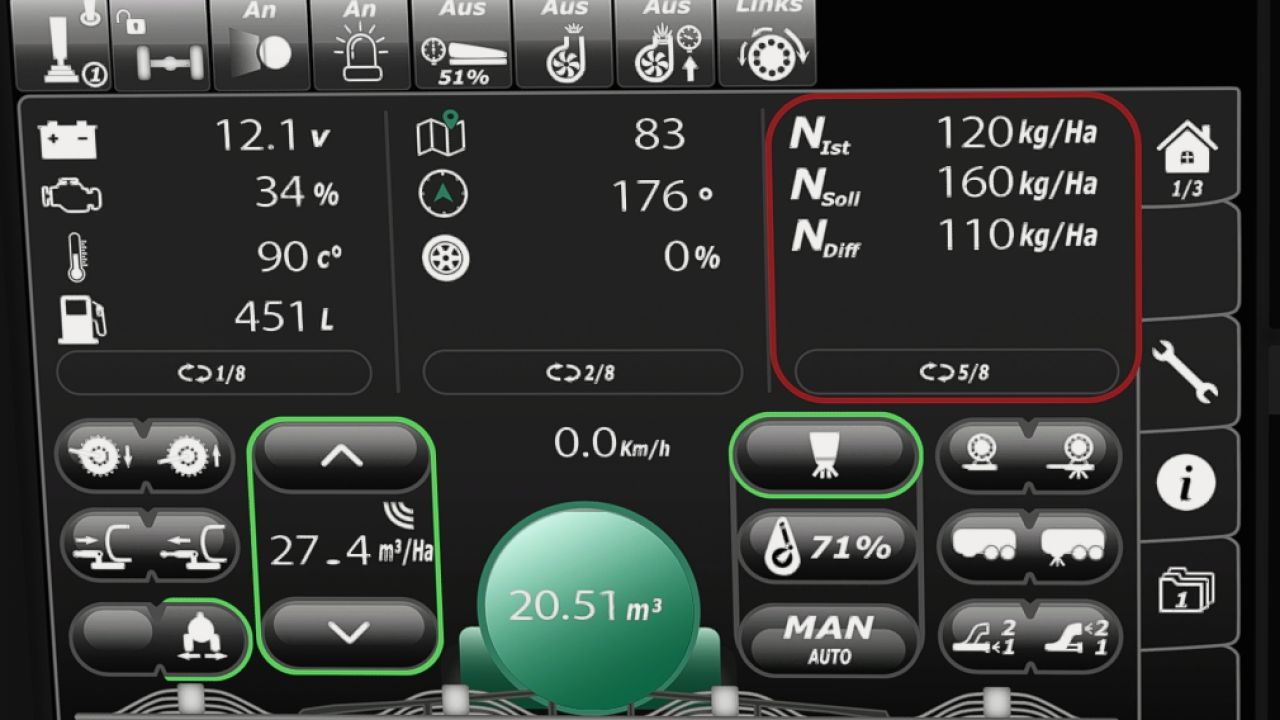
Samson Güllewagen-isoBUS-Sieb (Fertigteil) V1.0.0.1 Ich stelle Ihnen den ISOBUS-Bildschirm meines Samson-Gülletransporters zur Verfügung. Alle wichtigen Informationen für Gülletransporter werden dort angezeigt. Das Sieb ist für einen Samson-Gülletanker vorgesehen, kann aber auch für andere Gülletanker verwendet werden. Ich habe eine Anleitung für die Installation selbst sowie den entsprechenden Eintrag für die XML-Datei des Geräts beigefügt. Falls Ihnen Fehler auffallen, würde ich mich sehr freuen, wenn Sie mich darüber informieren, damit ich sie beheben kann. V1.0.0.1 Vorbereitet für das kommende Terminal-Fertigteil Erforderliche Mods: Dashboard Live Tags: Das SiebDashboard LiveErforderliche ModsFalls Ihnen Fehler
Automatic Service Station V1.0.0.1
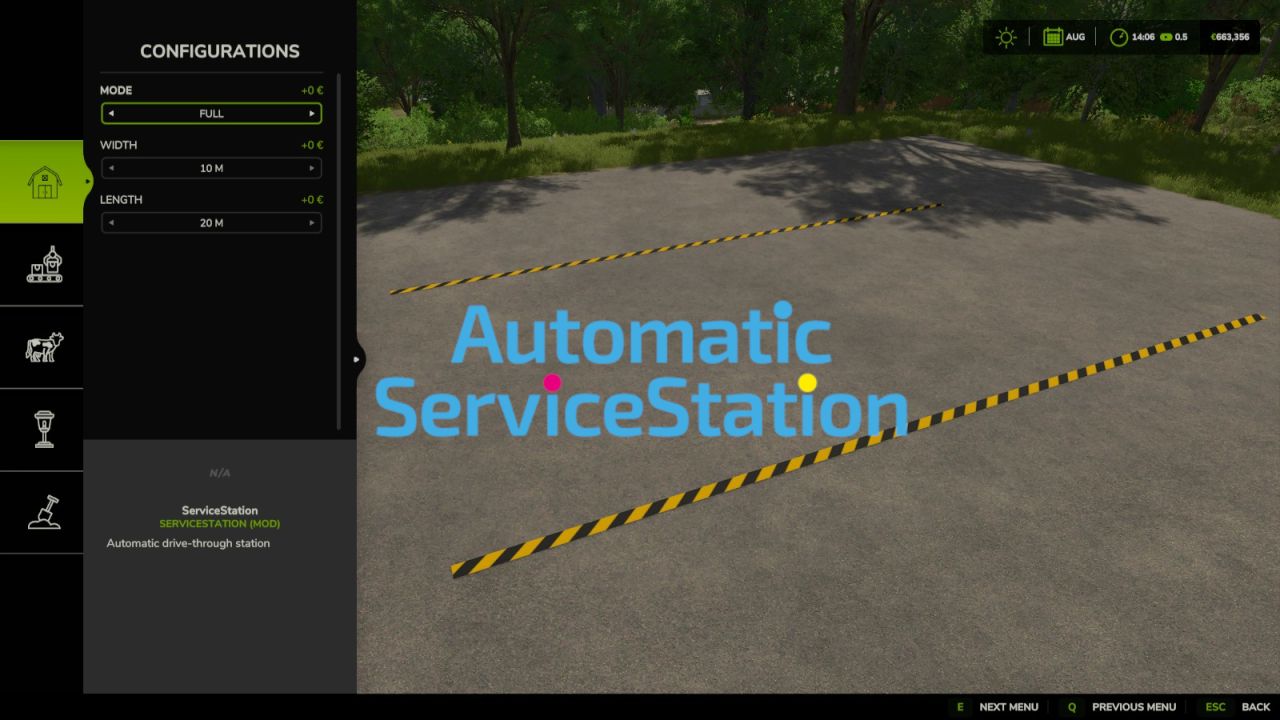
Automatic Service Station V1.0.0.1 Category: Miscellaneous Price: $45,000 Daily upkeep: $50 Customizable ServiceStation for washing, repairs, painting, refueling, and charging. The size can be adjusted to fit your yard perfectly. Modes: Full (Washing, repairs, painting, refueling, and charging) Service (Repairs and painting) Refuel (refueling and charging) Wash (washing) Size: Width 2–20 meters Length 0.5–40 meters The settings for price, minimum requirement, and fill rate (% and immediate) can be adjusted in modSettings. AutoDrive is supported. V1.0.0.1 Fixed servicing newly attached vehicles inside an active station trigger. Fixed AutoDrive availability and vehicle-specific refueling state. Fixed charging information for multiplayer clients. Added robust settings validation and the missing AutoDrive XML schema entry. Author: BLU3COW Report bugs in the comments and help modders improve this mod. Always check the comments, you can find a solution. DOWNLOAD MOD
48m Schuppen V1.1.0.0
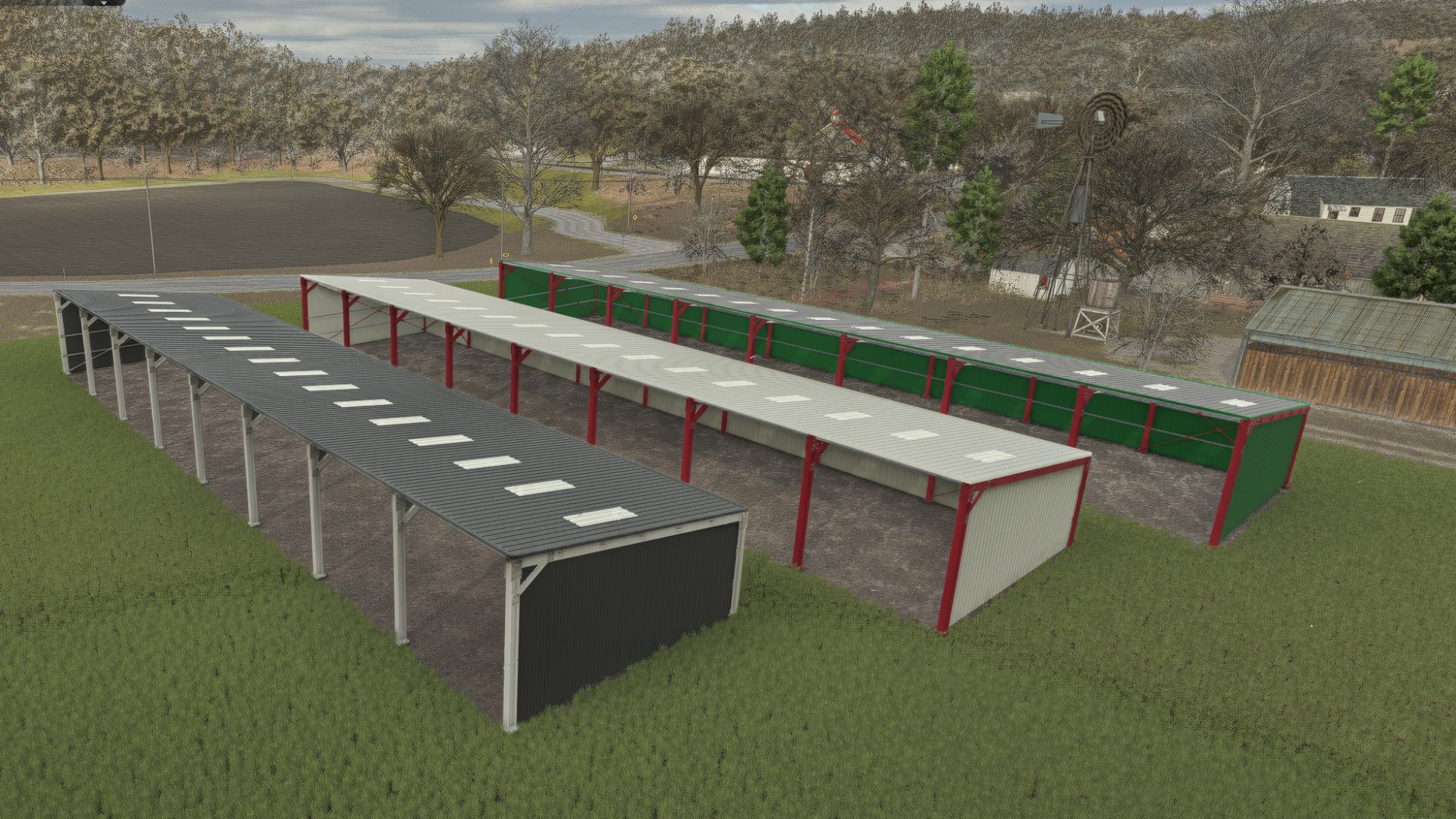
48m Schuppen V1.1.0.0 Konfigurierbarer 48 m Schuppen (Farbe und Verkleidung) 8 Felder à 6 m mit 18 Pfosten und deren Betonfundamenten. Pultdach, offene Vorderseite und drei verkleidete Seiten, ohne Markise. 16 lichtdurchlässige Dachpaneele. 14 Neonlichter, der Schalter befindet sich am vorderen rechten Pfosten. Die Farben für Dach, Fassadenverkleidung und das gesamte Tragwerk können separat individuell angepasst werden. Der Preis beträgt 72.000 €. Viel Spaß beim Spielen! V1.1.0.0 Konfigurierbar (Farbe und Verkleidung) Tags: Der PreisDie FarbenSchuppen FarbeViel Spa
Vehicle Flags (Store Configurator) V1.1.2
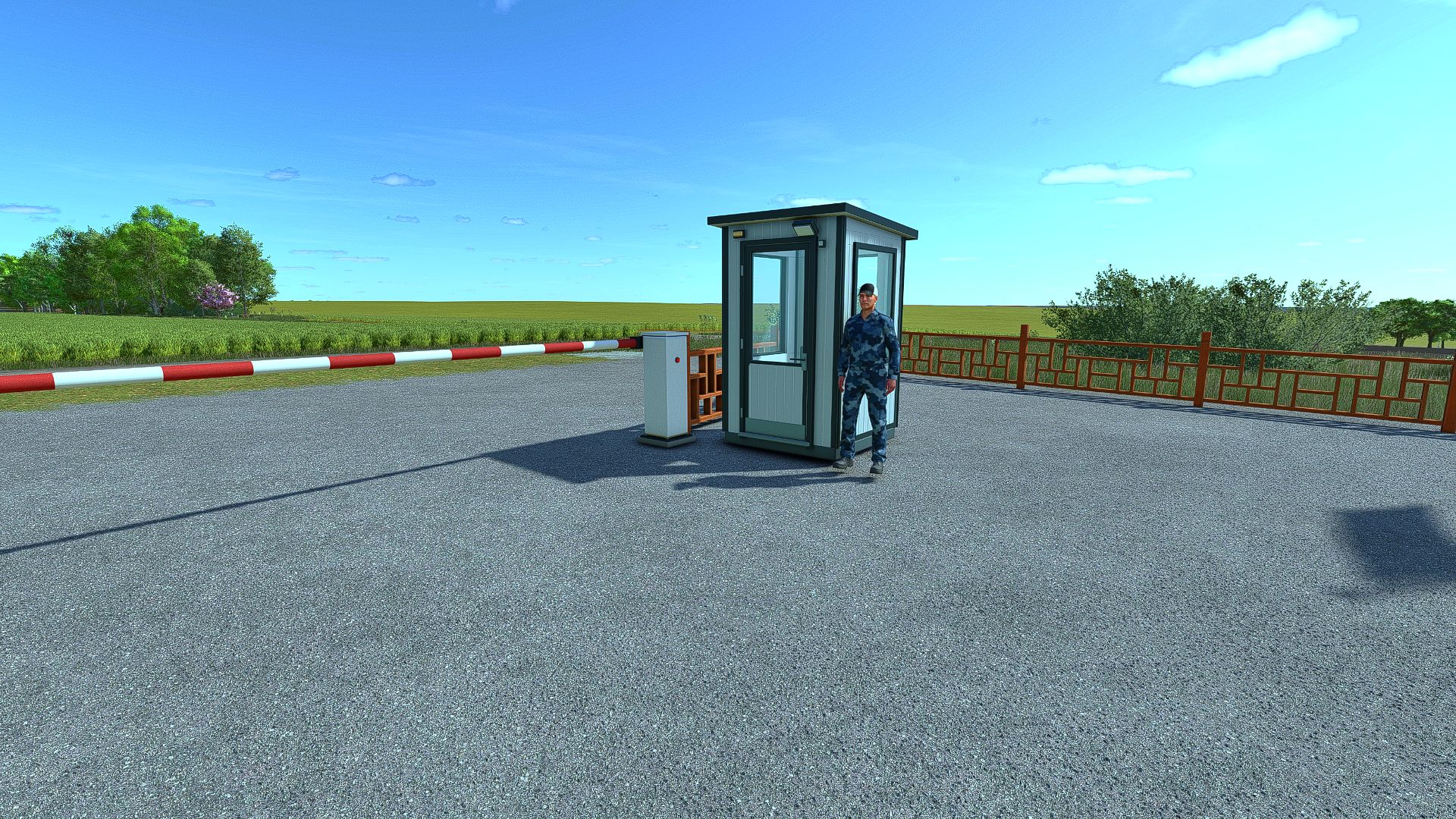
Vehicle Flags (Store Configurator) V1.1.2 Vehicle Flags — flags for vehicles in FS25 The mod adds three independent sets of animated flags to controllable vehicles. Features: – Choose a country flag, a custom image, or both flags. – Separate settings for sets 1, 2 and 3. – Adjust the position, rotation, flag size and pole height. – Ability to use different custom images in each set. – Configuration in the shop and workshop. How to add a custom flag 1. Prepare an image with a 2:1 aspect ratio. The recommended size is 1024×512 or 512×256. 2. Save it in PNG, JPG or DDS format, for example my_farm.png. 3. After launching the game with the mod for the first time, open the “Documents” folder — it is usually located on drive C. Then go to: Documents → My Games → FarmingSimulator2025 → modSettings → FS25_VehicleFlags 4. Place the images directly in this folder, without subfolders or archives. 5. In the shop or workshop, open the flag settings and select the desired set. 6. In the custom flag selection option, switch between images by their file names. 7. Enable the custom flag or both flags, adjust the position and confirm the changes. You can add multiple images. If the new files do not appear in the list, close and reopen the flag settings window. Multiplayer: identical images with identical names must be located in the specified folder on the server and on all players’ computers. Images are not transferred automatically. Version: 1.0.0.0 V1.1.2.0 Added a guardhouse with a guard. There is also a floodlight on the building, as well as the option to change the barriers to either left or right. Author: sermed Report bugs in the comments and help modders improve this mod. Always check the comments, you can find a solution. DOWNLOAD MOD
Horsch Grubber isoBUS Screen (Prefab) V1.0.0.4
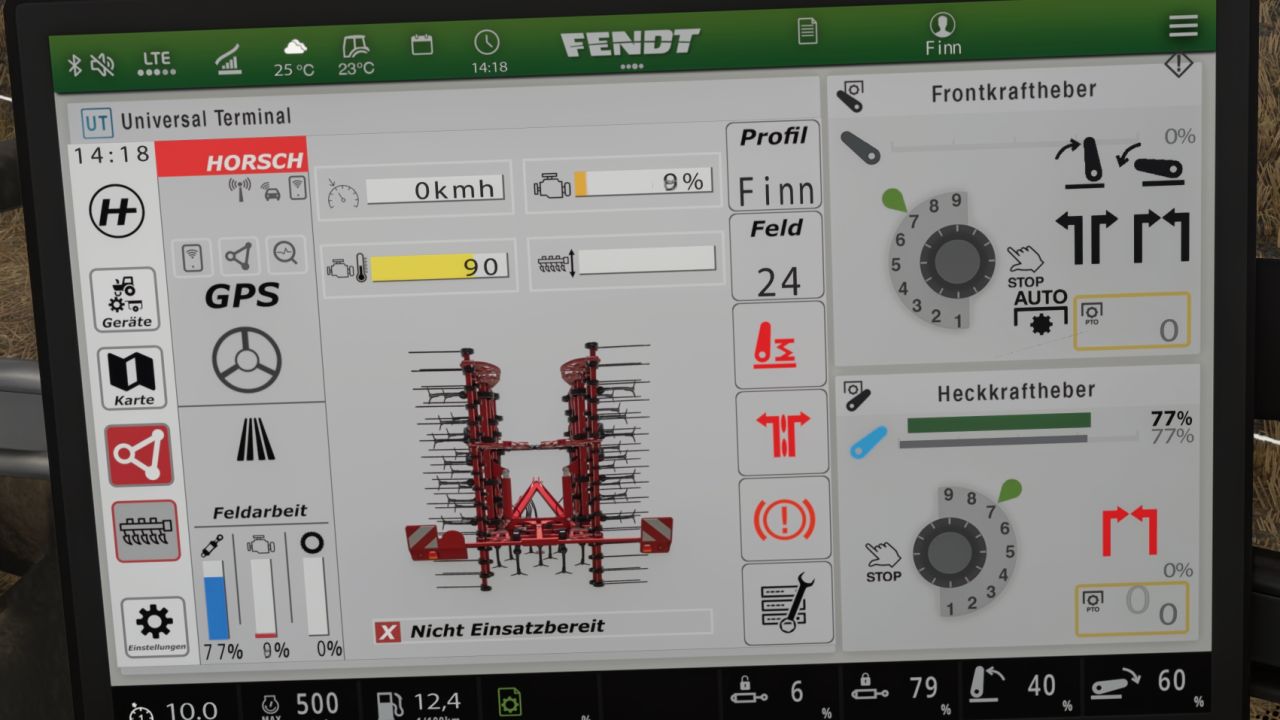
Horsch Grubber isoBUS Screen (Prefab) V1.0.0.4 Horsch Cultivator ISOBUS Screen (Prefab) I am providing you with my Horsch cultivator ISOBUS screen. It displays all the important information for a cultivator. The screen is intended for a Horsch Finer 6SL cultivator, but it can also be used for other cultivators. I have included instructions for the installation itself, as well as the corresponding entry for the implement’s XML. If you notice any bugs, I would be very grateful if you could let me know so that I can fix them. V1.0.0.4 Prepared for upcoming Terminal Prefab Required mods: Dashboard Live Author: DerFinn Report bugs in the comments and help modders improve this mod. Always check the comments, you can find a solution. DOWNLOAD MOD
Claas Disco isoBUS Screen (Prefab) V1.0.0.2
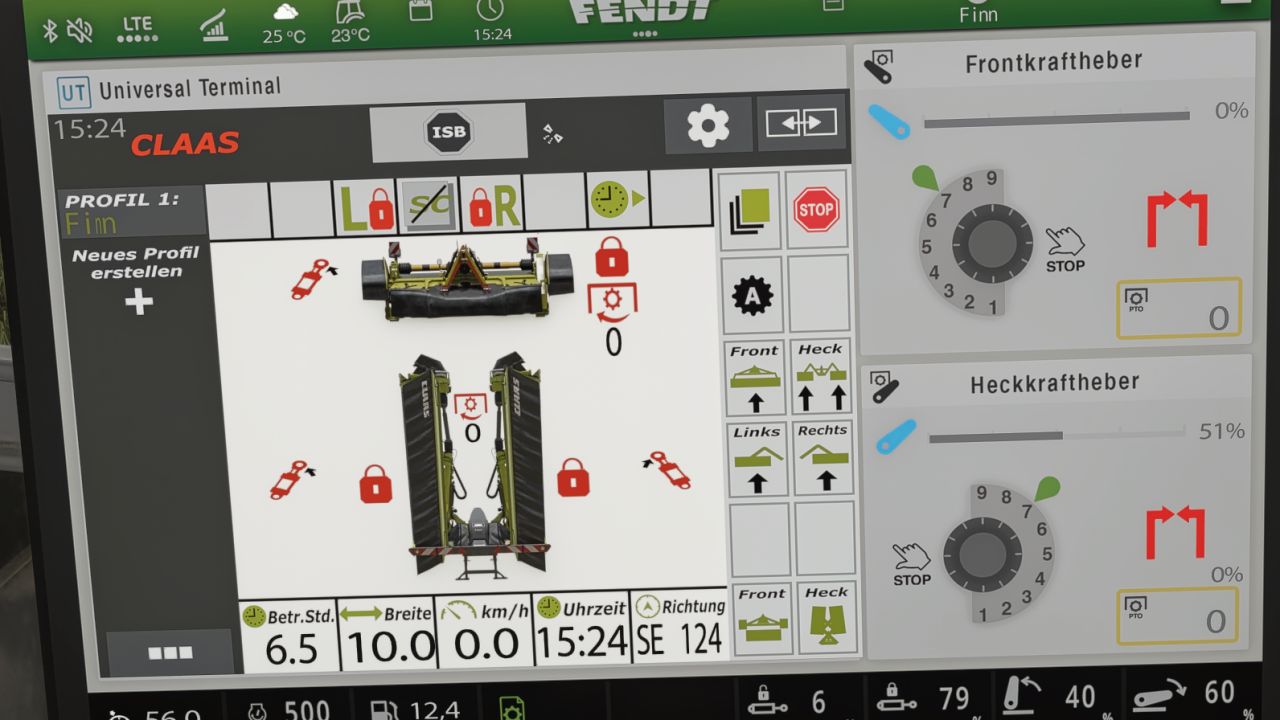
Claas Disco isoBUS Screen (Prefab) V1.0.0.2 I am making my Claas mower ISOBUS screen available to you. It displays all the important information for mowers. The screen is intended for a Claas Disco mower, but it can also be used for other mowers. I have included instructions for the installation itself, as well as the corresponding entry for the implement’s XML file. If you notice any bugs, I would be very grateful if you let me know so that I can fix them. V1.0.0.2 Prepared for upcoming Terminal Prefab Required mods: Dashboard Live Author: DerFinn Report bugs in the comments and help modders improve this mod. Always check the comments, you can find a solution. DOWNLOAD MOD
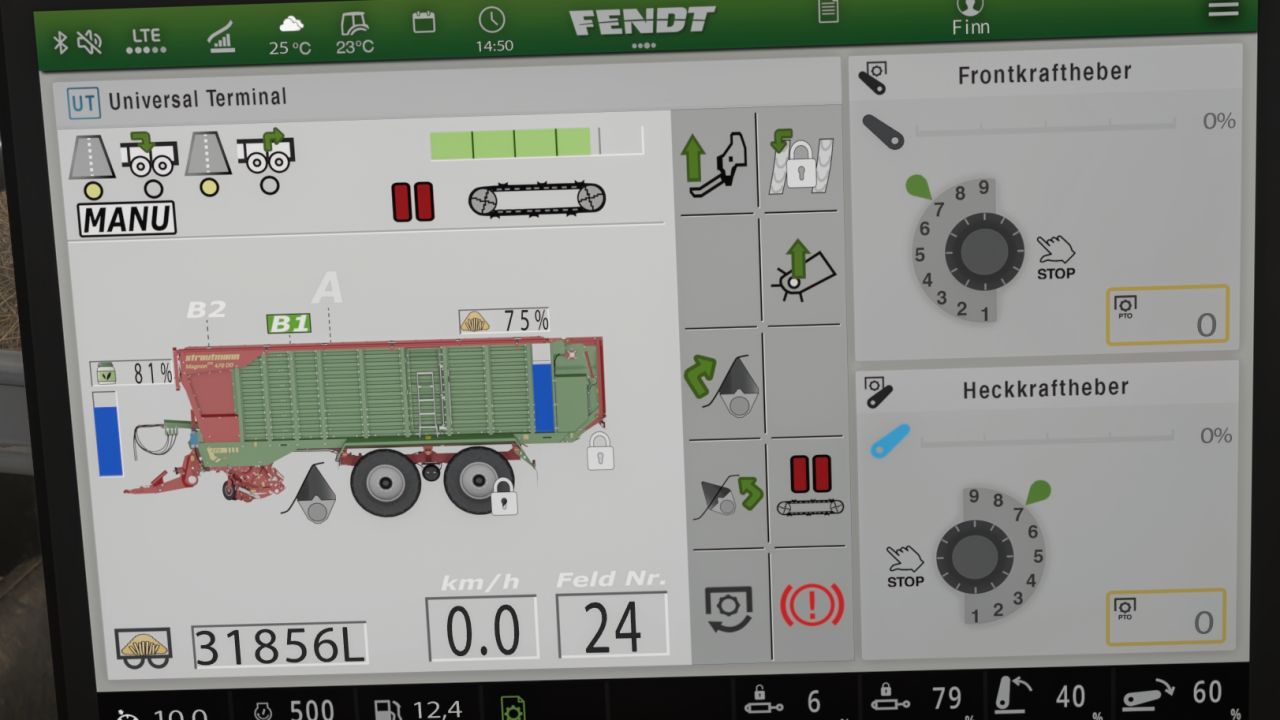
Strautmann Magnon 430 CFS isoBUS Screen (Prefab) V1.0.0.4
Strautmann Magnon 430 CFS isoBUS Screen (Prefab) V1.0.0.4 I am making my Strautmann forage wagon isoBUS screen available to you. All important information for forage wagons is displayed there. The screen is intended for a Strautmann Magnon 430 CFS forage wagon, but it can also be used for other forage wagons. For the installation itself, I have included instructions and the corresponding entry for the implement’s XML. If you notice any bugs, I would be very grateful if you could let me know so that I can fix them. V1.0.0.4 Prepared for upcoming Terminal Prefab Required mods: Dashboard Live Author: DerFinn Report bugs in the comments and help modders improve this mod. Always check the comments, you can find a solution. DOWNLOAD MOD
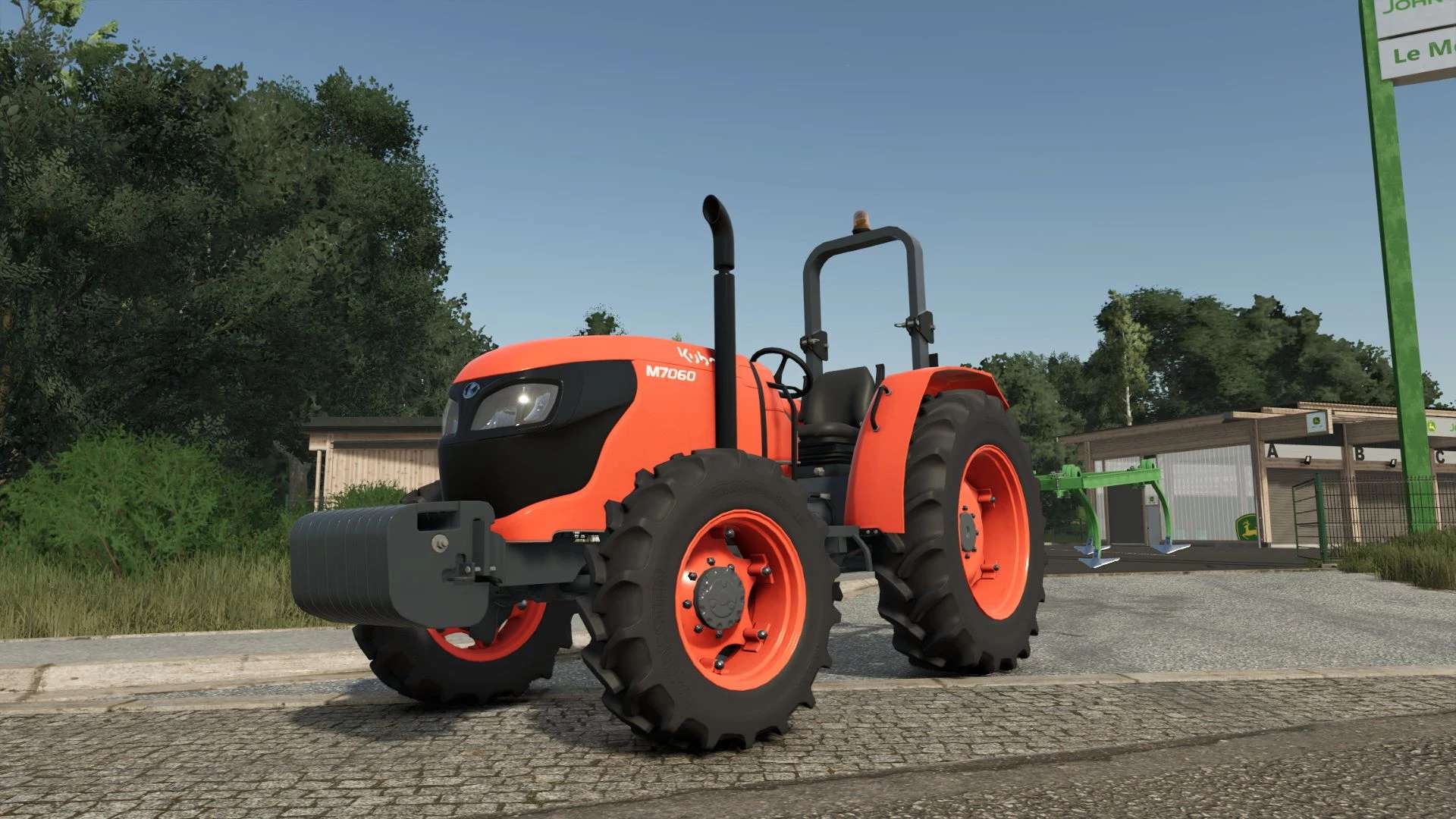
Kubota M7060 & M5001 Paket v1.0.0.8
Kubota M7060 & M5001 Paket v1.0.0.8 V1.0.0.8 Warnungen im Protokoll wurden mit der neuen Version behoben. Entdecken Sie die Kraft und Zuverlässigkeit der legendären Kubota M5001-Serie und des robusten M7060, die jetzt originalgetreu für den Landwirtschafts-Simulator 25 nachgebildet wurden! Diese vielseitigen Kubota-Nutzfahrzeugtraktoren vereinen Kraft, einfache Mechanik und außergewöhnliche Leistung – ideal für den täglichen Einsatz auf dem Bauernhof. Sowohl die Baureihen M5001 als auch M7060 zeichnen sich durch ihr authentisches Design und die offene Ausführung ohne Kabine aus. Diese ist perfekt für spezielle Kulturen wie Weinberge, Obstplantagen, Olivenhaine und schmale Reihenbestände geeignet, wo optimale Sicht, geringe Höhe und maximale Wendigkeit gefragt sind. Hauptmerkmale: Leistungsstarker und effizienter Motor: Die äußerst zuverlässigen Kubota-Dieselmotoren bieten ein hervorragendes Drehmoment für schwere Arbeiten. Vielfältige Konfigurationsmöglichkeiten: Unterschiedliche Spurbreiten, Reifentypen (Standard-, Industrie- oder Feldreifen), einstellbare Gewichtsballastierungen und Getriebeoptionen. Volle Kompatibilität: Vorbereitet für Frontlader, Heckanbaugeräte und alle Arten von landwirtschaftlichen Anbaugeräten. Hochdetailliertes offenes Cockpit/Station: Vollständig animierter Innenraum mit realistischem Lenkrad, Pedalen, Hebeln, Instrumententafel und Bedienelementen, sogar in der Version ohne Cockpit, wo die freiliegende Mechanik besser zur Geltung kommt. Realitätsnahes Design: Hochwertige Texturen, originale Kubota-Sounds und flüssige Animationen sorgen für ein immersives Erlebnis. Ob für schwere Arbeiten auf dem offenen Feld mit der M5001-Serie oder für präziseres und wendigeres Arbeiten mit dem M7060 – diese Traktoren werden in FS25 zu den unverzichtbaren Arbeitstieren Ihres Hofes. Robust, zuverlässig und bereit für jede Herausforderung! Tags: Baureihen M5001Entdecken SieUnterschiedliche SpurbreitenVolle Kompatibilit
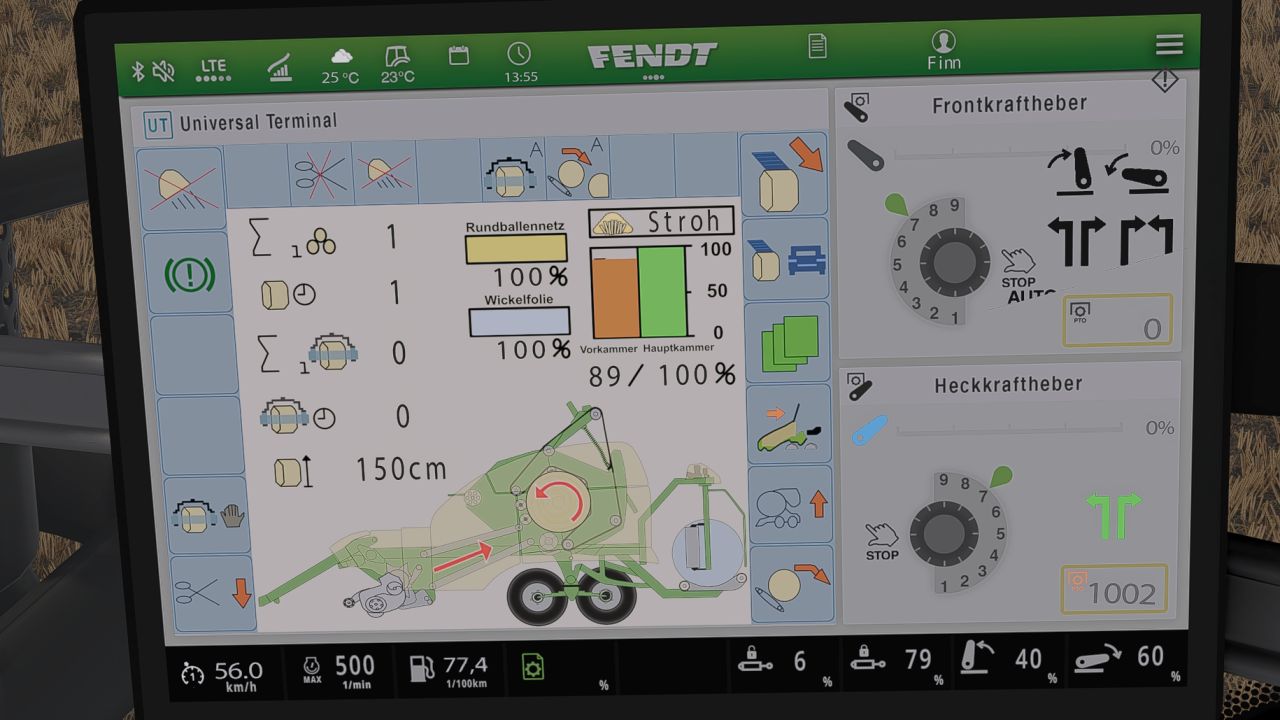
Krone Ultima isoBUS Screen (Prefab) V1.0.0.7
Krone Ultima isoBUS Screen (Prefab) V1.0.0.7 Krone Ultima isoBUS Screen – Prefab I hereby provide you with my Krone Ultima isoBUS Screen. It displays all the important information for a baler-wrapper combination. The screen is of course intended for a Krone Ultima, but it can also be used with other balers. However, changes to the XML will probably be necessary, as the fill types differ from one baler to another. For the installation itself, I have included instructions as well as the corresponding entry for the implement’s XML. If you notice any bugs, I would be very grateful if you let me know so that I can fix them. I hope you have fun with my Krone Ultima Screen! V1.0.0.7 Prepared for upcoming Terminal Prefab Required mods: Dashboard Live Author: DerFinn Report bugs in the comments and help modders improve this mod. Always check the comments, you can find a solution. DOWNLOAD MOD
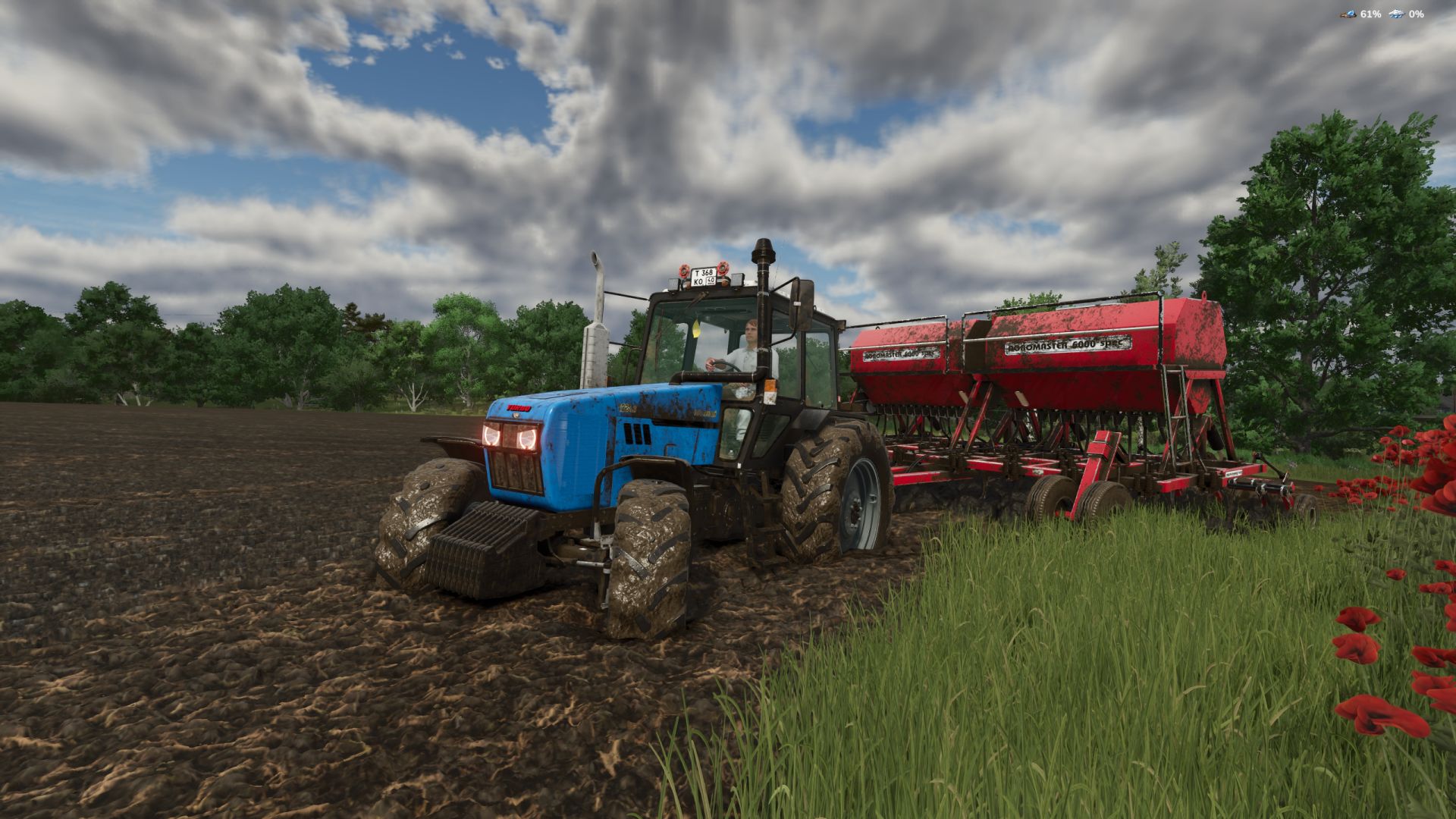
Mud System Physics V1.3.5
Mud System Physics V1.3.5 Mud System Physics is an advanced physics mod for Farming Simulator 25 that completely rethinks how equipment interacts with the soil during rainy weather. What does the mod do? The mod adds a dynamic dirt system that affects: – Wheel behavior – Surface grip – Visual effects – Vehicle cross-country ability – Condition of fields and soil Every trip in the rain or on a damp field is a risk of getting stuck, and not just a pretty picture… Key features!!! “Real” mud physics Dirt is calculated from humidity in real time! Wheels can: – slip – Lose grip – Get stuck in the mud The heavier the equipment, the higher the risk of getting stuck Interaction with fields Mud behaves differently on different types of field soil, for example, plowed fields are the most viscous! Possibility of removing vegetation in deep mud (optional) Flexible settings! The mod is fully customizable through the game menu: – turn on/off the mud system – strength of the viscosity effect – influence of rain – visual effects – removal of vegetation – And much more. (there are more than 20 different knobs and switches) TIRE PUNCTURE SYSTEM AND TIRE PRESSURE AND MUCH MORE… Have a nice game! I prohibit using the mod code outside the system. As well as distribution to other sites, not via the author’s link! V1.3.5.0 – Added a script for compatibility with the mod (Real Physics Tire Wear) – Added a warning window if two tire wear mods are used alongside the dirt mod. In this case, you need to choose only one tire wear mod to avoid conflicts. – Network-related fixes. (Let us know your feedback.) – Experimentally added mechanics for dirt particles flying off the wheels when they are cleaned. (More precisely, from the mudMesh itself.) – Fixed the outline of the punctured wheel. (Invisible nested parts are no longer outlined.) Author: BMProd Report bugs in the comments and help modders improve this mod. Always check the comments, you can find a solution. DOWNLOAD MOD
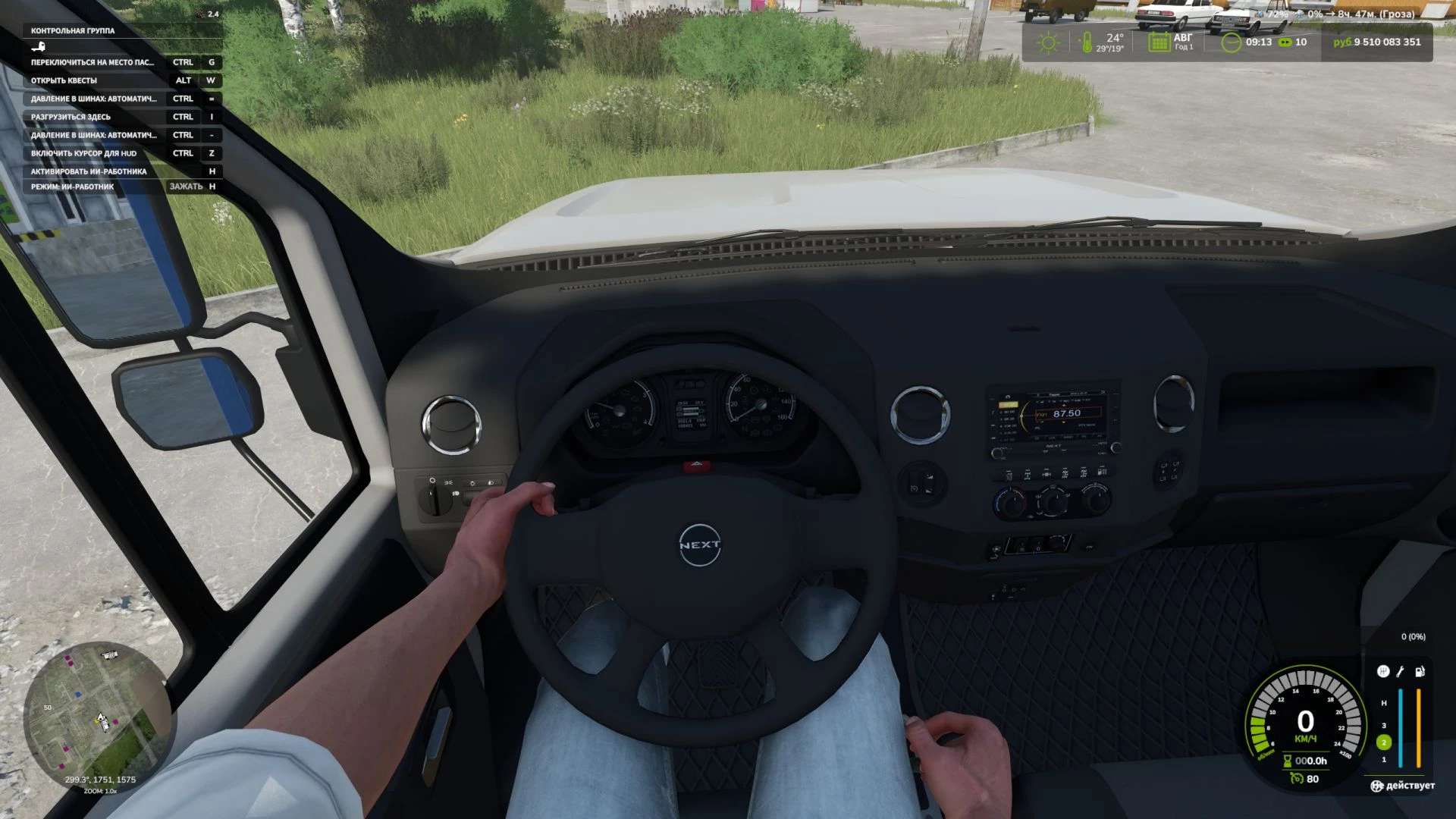
First-Person-Spielerkörper v1.0.7.0
First-Person-Spielerkörper v1.0.7.0 Die Erweiterung „First-Person Player Body“ fügt in Farming Simulator 25 eine „vollständige“ Charakterdarstellung im Ego-Modus hinzu. V1.0.7.0 Neue Einstellungen für die Mod hinzugefügt: Sichtfeld speichern Stellen Sie den Lenkraddrehwinkel in der Fahrerkabine bei allen Fahrzeugen auf 150 Grad ein. (Dies verhindert ein Verdrehen der Hände.) Durch Drücken von RCTRL + R können Sie den Lenkwinkel für jedes Fahrzeug separat einstellen. Beim Blick nach unten sieht der Spieler nun seinen animierten Körper, Beine und Arme, während die Bewegungen der Spielfigur korrekt zusammen mit der Kamera dargestellt werden. Der Kopf bleibt hinter der Kamera, sodass er die Sicht nicht behindert, trägt aber dennoch zur Schattenbildung bei. Die Mod verbessert außerdem die Ego-Perspektive in Fahrzeugen. Bei Verwendung der Innenraumkamera wird das standardmäßige sitzende Fahrermodell angezeigt. Die Kamera kann der Augenanimation und den Bewegungen der sitzenden Figur folgen. Die Mod-Einstellungen umfassen: Zu Fuß – Sichtbarkeit des Spielerkörpers. – Seitliche Kamerabewegung. In Fahrzeugen – Sicht auf den Fahrerkörper. – Kameraposition — Standard oder Augenhöhe. – Die Kamera folgt den Bewegungen des Fahrers. Tags: Bei VerwendungDie ModFarming SimulatorStellen Sie
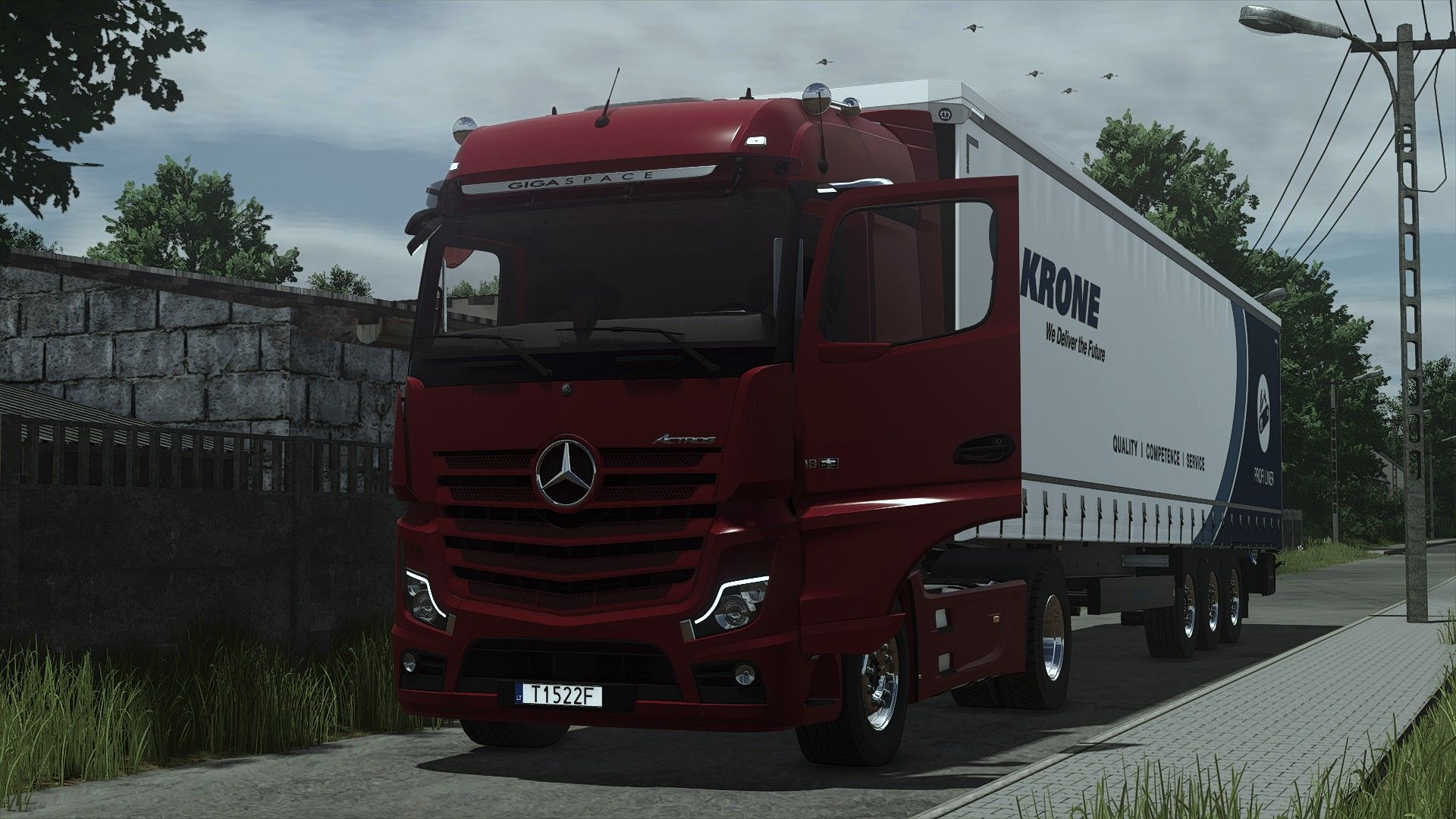
Mercedes-Benz Actros 2020 V1.0.0.3
Mercedes-Benz Actros 2020 V1.0.0.3 V1.0.0.3 LEDbar-Konfiguration hinzugefügt Konvertiert von FS22 Farbkonfigurationen Preis: 128000 Interaktive Steuerung mit Soundmodifikator Passagiersitze für Mehrspieler V1.0.0.2 Neue Mod-/Shop-Symbole (FS25-Version) Erforderliche Mods: Interaktive Steuerung Fahrzeugjahre Tags: Erforderliche ModsInteraktive Steuerung
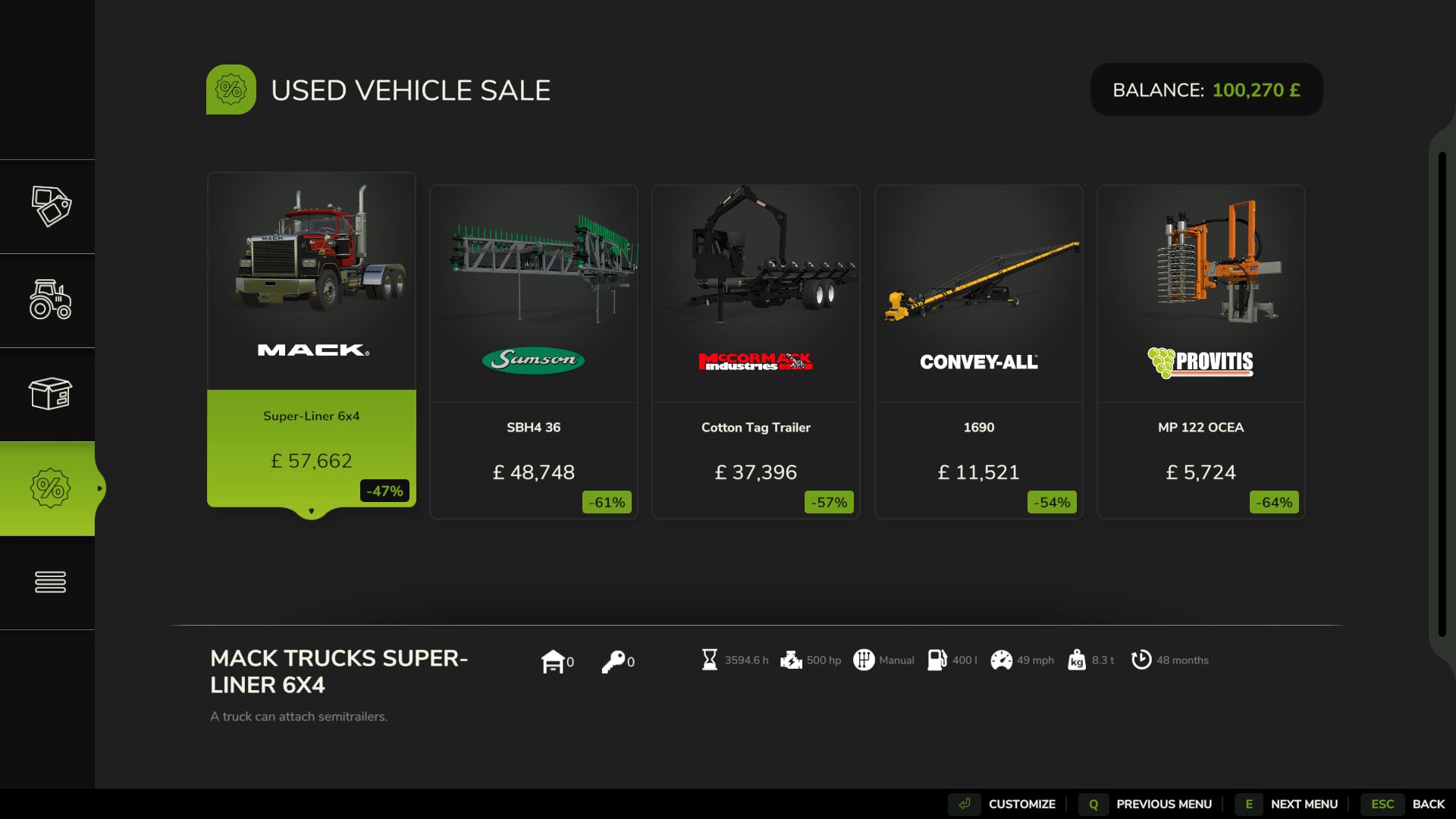
Realistic Hours & Depreciation BETA v0.9
Realistic Hours & Depreciation BETA v0.9 Realistic Hours & Depreciation – PUBLIC BETA VERSION 0.9.0.0 – PUBLIC BETA Realistic Hours & Depreciation is designed to make machinery ownership in Farming Simulator 25 more realistic by overhauling operating hours, machinery depreciation, resale values, the second-hand machinery market and visual paint wear. Instead of machinery hours increasing independently from the game clock, operating hours now scale with your selected in-game time speed. For example, when playing at 3x time speed, approximately 3 operating hours will be added for every real hour that the machine is being used. This allows machinery hours to better represent the passage of time on your farm. Realistic Machinery Depreciation Machinery no longer loses value based mainly on age alone. Vehicle values are calculated using a combination of: – Machinery age – Total operating hours – Average annual usage – Overall level of use This means an older tractor with low hours can retain considerably more value than another tractor of the same age which has worked heavily. Likewise, a relatively new machine that has already accumulated very high hours will depreciate faster than a lightly used example. Implements use their own depreciation calculations, where age has a greater influence and operating hours have a smaller effect. More Realistic Used Machinery The second-hand machinery market has also been reworked. Used machinery can now appear with much more varied and realistic combinations of: – Age – Operating hours – Price – Depreciation You may find relatively new machines that have already worked a large number of hours, as well as older machinery that has only seen occasional use. The age, operating hours and price of used machinery are linked together so that the value better reflects the machine you are actually buying. Existing Savegame Conversion The mod can also be added to an existing savegame. When first loading an existing save with the mod enabled, a one-time setup window allows you to select the time scale you normally used before installing the mod. Existing machinery operating hours are then converted to better match the new system. This conversion only needs to be completed once for each existing savegame. Brand-new savegames do not require this conversion. Reduced Paint Wear Visual paint wear has been significantly reduced. High-hour tractors and machinery should no longer unrealistically lose most of their paint simply because they have accumulated a large number of operating hours. Mechanical damage, maintenance and repair costs remain separate from visual paint wear. Leasing Leasing has been adjusted to work correctly with the new scaled operating-hour system. Although the displayed machinery hours increase according to your game time scale, the mod prevents this from incorrectly multiplying the normal hourly leasing charges. Main Features – Operating hours scale with the in-game time speed – One-time conversion system for existing savegames – More realistic machinery depreciation – Depreciation based on age, hours and average annual usage – Separate depreciation calculations for vehicles and implements – Older low-hour machinery can retain significantly more value – Heavily used machinery depreciates faster – More realistic second-hand machinery ages and operating hours – More realistic used machinery pricing – Greater variety within the used machinery market – Significantly reduced visual paint wear – Leasing costs remain balanced despite scaled operating hours – Designed to support base-game and compatible modded machinery – Multiplayer supported IMPORTANT – PUBLIC BETA TEST This is a BETA version and has been uploaded to KingMods specifically for public testing. Version 0.9.0.0 is not intended to be considered the final release. The purpose of releasing this beta is to allow more players to test the mod across different savegames, machinery, maps, multiplayer environments and mod combinations before the full 1.0.0.0 release. Although the mod has already been tested during development, it is impossible to test every possible combination of machinery and other mods. Dedicated Servers When adding the mod to an existing dedicated-server savegame, it is recommended to first open the savegame in a locally hosted multiplayer game with this mod enabled. Complete the one-time historical time-scale selection, save the game, and then return the savegame to the dedicated server. New savegames do not require this conversion step. Beta Warning As this is a testing version, keeping a backup of any important savegames before installing the mod is recommended. Please remember that finding and reporting problems is the entire purpose of this beta release. Your feedback will help improve the mod, eliminate remaining bugs and prepare Realistic Hours & Depreciation for its eventual full release and submission to the GIANTS ModHub. Thank you to everyone who downloads, tests and reports issues. Author: isaaccovington Report bugs in the comments and help modders improve this mod. Always check the comments, you can find a solution. DOWNLOAD MOD
- 15 per page
- 30 per page
- 45 per page
- 60 per page
-
See more per page
Bigger pages, fewer clicks - and no ads anywhere.
Go Pro