Farming Simulator 25 mods
79,169 results- 15 per page
- 30 per page
- 45 per page
- 60 per page
-
See more per page
Bigger pages, fewer clicks - and no ads anywhere.
Go Pro

Mazda 3 Sedan 2005 1.48
Mazda 3 Sedan 2005 - this a new model converted from game GTA V HQ model sound own original wheel Dealer_Mazda Credits: YAHIA ABID
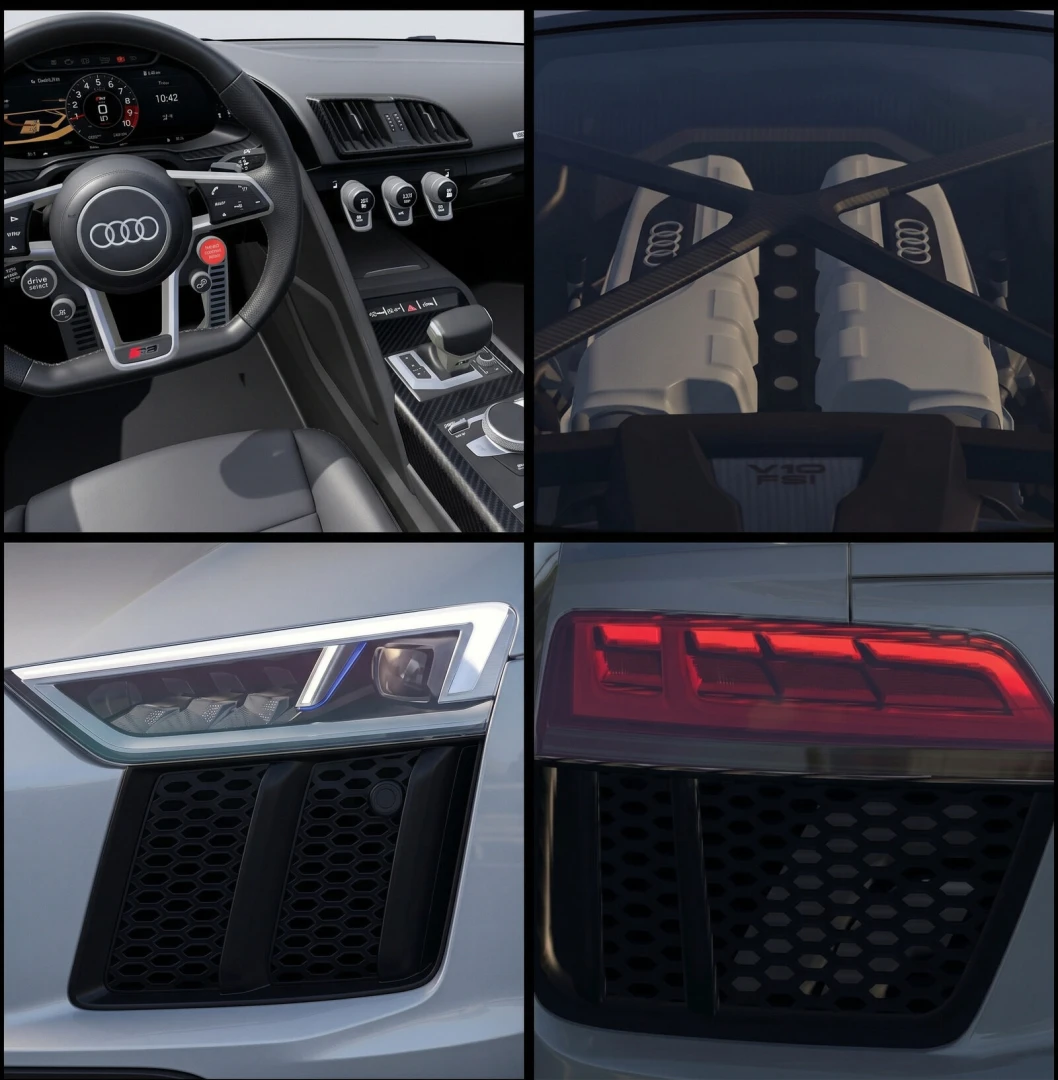
Audi R8 V10 plus (Type 4S) v1.1
Audi R8 V10 plus (Type 4S) - A naturally aspirated V10 right behind your head, quattro all-wheel drive and a redline at 8,700 rpm – the R8 is the last of its kind. This mod brings the V10 plus to ETS2 with real figures, its own sound and a full configurator. Drivetrain • 5.2 F...

BMW M340i xDrive (G20) v1.2
BMW M340i xDrive (G20) - Features - B58 3.0 l inline-6 turbo: 374 hp (275 kW), 500 Nm from 1,850 to 5,000 rpm - xDrive all-wheel drive - Realistic inline-6 sound - 8-speed automatic, works best with “Improved Car Automatic Transmission v1.2” by Deppelover - Realistic headli...
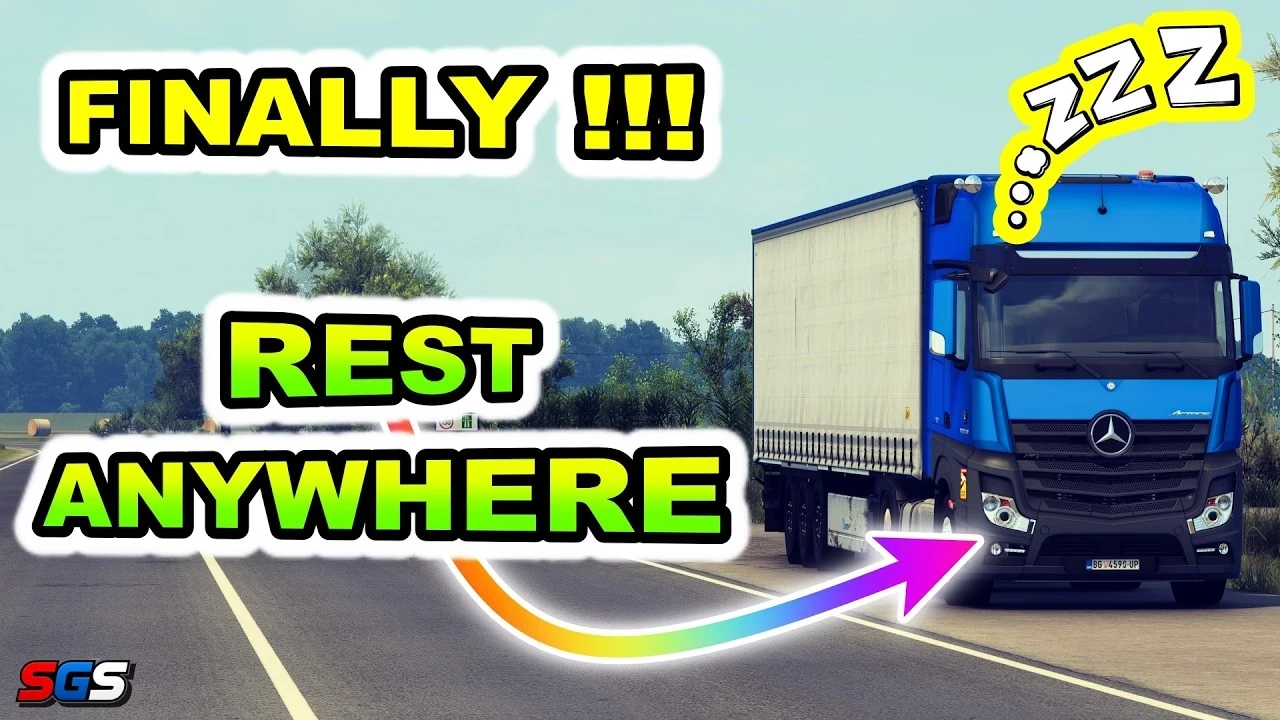
Rest Anywhere v1.4
Rest Anywhere - The plugin keeps your driving hours under EU rules, lets you rest anywhere you can safely stop, asks you to check that the load is secured, and hands you a consignment note to sign. Credits Gelex
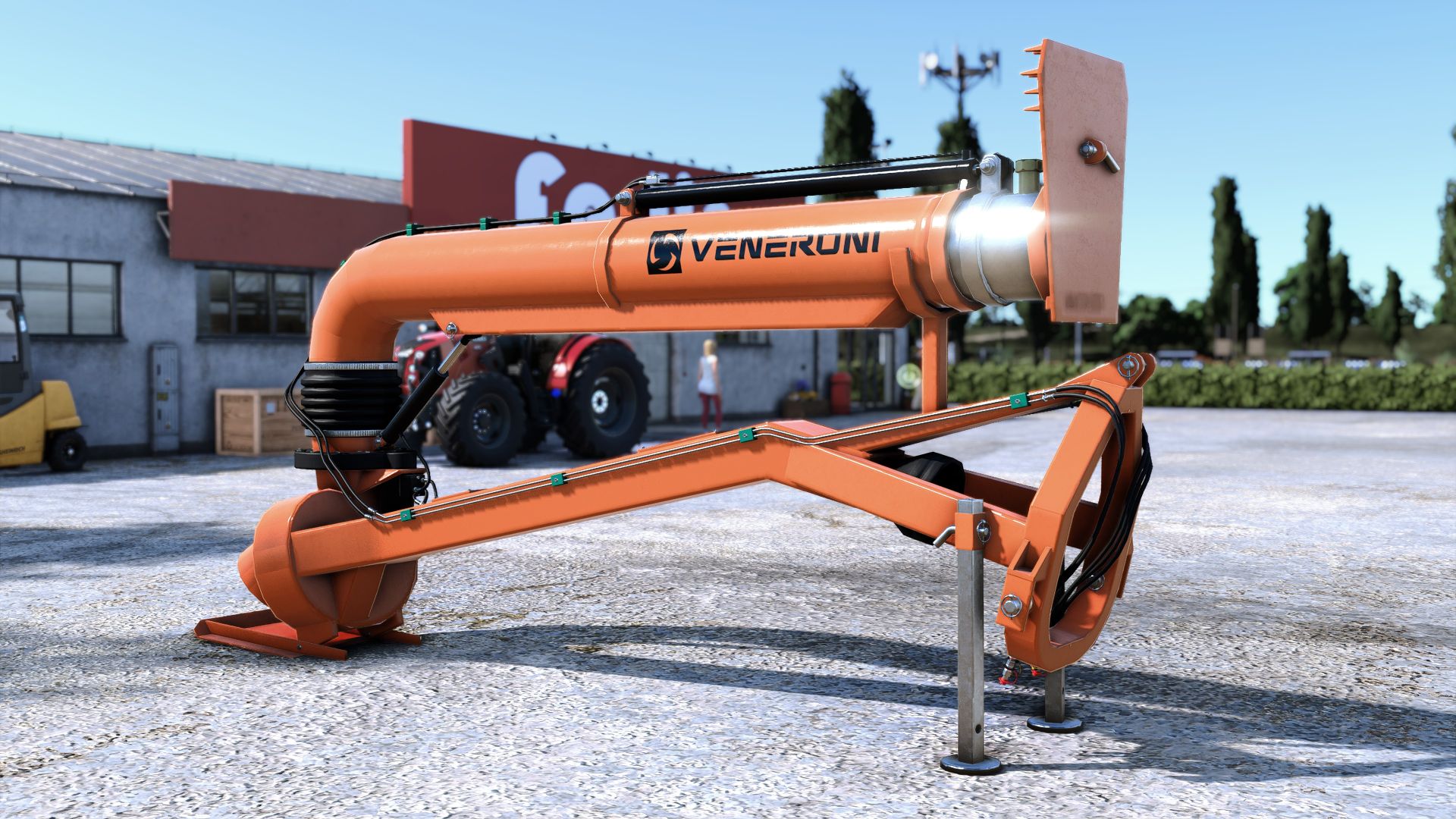
Veneroni irrigation turbine FS25
Veneroni irrigation turbine, to irrigate your water-thirsty fields.💧 This is the Beta version by RL Modding, whom I thank (and we thank) for giving me permission to publish it. 👍️😃 It has been converted, fixed and adapted through scripts so that it can work with REALISTIC WEATHER (it must be updated to version 1.2.1 on GitHub), with REALISTIC SOIL & WATER MANAGEMENT, with Precision Farming, and also without any mod installed. Everything happens automatically. Soon it will also be adapted to fill rice fields with water. Without any additional mod, it will simply perform "fertigation". With Precision Farming added, it will perform fertigation, providing both pH and nitrogen to the soil. But if you also add RW or RWSM, it will do its real job with water. (for example, RW's optimal moisture point will finally be stabilized 😎) How it works: It needs water for irrigation, so it must be immersed in a canal/pond/river next to your owned field. I recommend the "Natural Water Rivers And Ponds Pack" mod, which you can find on the ModHub, so you can dig the canal and put water in it. It must be unfolded; remove the front lock and open it. Once immersed (the impeller must be slightly below the water level, otherwise a warning will appear), start the turbine and it will do everything automatically. It is slow in all 4 modes, so leave it working while you take care of other things (I am considering making it even slower in future updates). It will only irrigate the field onto which it sprays water (unlike the RWSM hose reel, for practical gameplay/script reasons). WARNING: Do not use it with RW and RWSM together, obviously. If the message "you do not have access to this land" appears, ignore it, leave it working and it will irrigate anyway (it will probably always appear). The water effect is currently like this; it may be changed in the future. It requires at least 90 hp, just like the real model. Have fun! matteRVF New: RICE FIELDS: as promised, it now irrigates rice fields too. Aim the jet at one of your rice fields and the turbine will flood it automatically, just like the in-game pump. It fills at the same speed, up to the water level required by the crop at its current growth stage (rice and long-grain rice). Obviously, the turbine must draw water from a canal next to the rice field, so if you don't have one, create one. An information panel has been added at the top center of the screen for every active turbine, showing the field number and area: in a rice field: water level, target and remaining time. with Realistic Weather: where the jet reaches and the humidity compared to the ideal level. with RWSM: how much of the field is at the correct humidity. with fertigation: how much has been fertilized and how much remains. It does not cover the RWSM weather panel and can be moved with the mouse: press the mouse wheel, drag with the left button, then press the mouse wheel again. New water effect: the jet no longer passes through the deflector plate. It falls onto it, flows between the teeth and descends in many small waterfalls down to the ground, or to the water in the rice field. They always fall straight down, even when the pipe is tilted, and create a nice splash where they touch the ground. Theoretically, the turbine is sitting on the ground, so unless you raise the arm, you will not see much of it... but it is there. It may be updated if I find another way to improve its appearance. Fertigation (without Realistic Weather and without RWSM): field recognized in its entirety: the whole field is always covered, including the edges. It does not spill over onto neighboring fields and also works on large fields, up to approximately 200 hectares. Timed operation: the turbine starts where the water falls and advances across the field at a constant rate, basically 4 minutes per hectare. From activation, the panel shows the percentage completed and the remaining time. Areas that are already done do not take any time, and if you turn it off, it resumes from where it left off when turned back on. Without Precision Farming: double application rate, so the field reaches 100% in a single pass. FS25 allows only one fertilization per growth stage: if part of the field has already been fertilized at this stage, the panel will notify you. Improvements Realistic Weather: humidity also increases with accelerated time. Every area reached by the jet reaches the ideal humidity for its crop and remains there while the turbine is on, only on your fields. The "You do not have access to this land" warning no longer appears; if you see it, there really is a boundary issue somewhere. I think that's everything. Have fun! - remember that to use it with Realistic Weather, you need the latest version 1.2.1.0 available on GitHub -
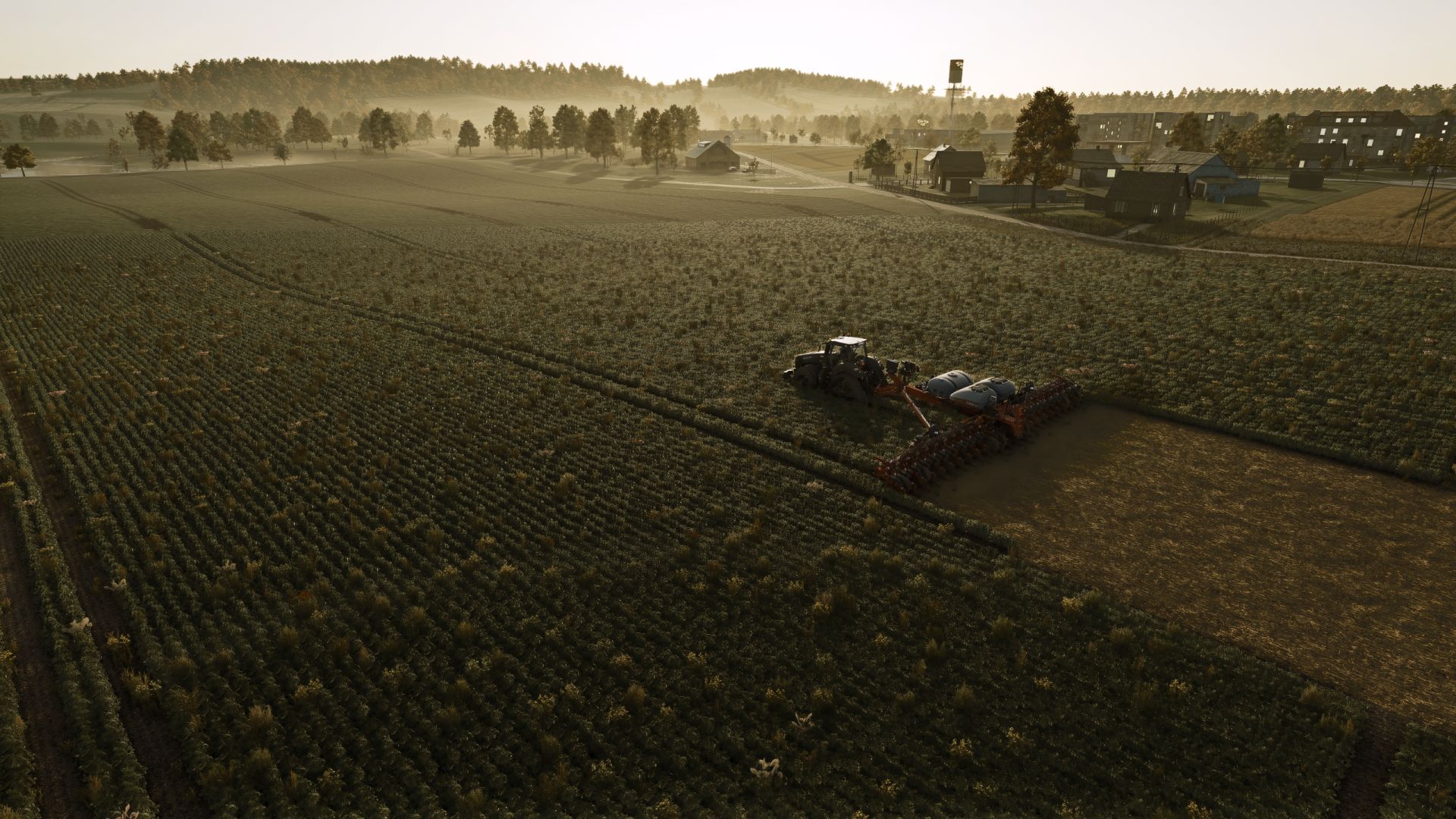
Case IH Early Riser 2150 Series FS25
Case IH Early Riser 2150 Series for FS25 Original mod: Custom Modding FS25 rework, unified series architecture and gameplay balancing: feataXe The Case IH Early Riser 2150 Series combines three complete planter configurations in one store package. The 12R, 16R and 24R each load their own model-specific XML and I3D, preserving the geometry, folding behavior, working width, power requirement and available equipment of each machine. SmartBox: SmartBox is an optional 55,000 $ functional package available on all three models. Without SmartBox, the Early Riser operates with the normal planter crop package. With SmartBox enabled, all standard seeder crops are added to the planter crop set, allowing one machine to cover the full standard Seeder + Planter crop range. Models: - 12R: 12 rows, 9.14 m working width, 155 hp required, base price 109,500 $ - 16R: 16 rows, 12.19 m working width, 230 hp required, base price 149,500 $ - 24R: 24 rows, 18.29 m working width, 320 hp required, base price 209,500 $ - Working speed: 14 kph - Direct planting support on all three models Seed and fertilizer systems: - Bulk Fill seed system: 3,523 l - On-row hopper system: 1,071 l - 12R / 16R on-row liquid fertilizer configuration: 1,514 l - 24R on-row liquid fertilizer configuration: 2,271 l - Bulk Fill + liquid fertilizer: 3,523 l seed + 1,514 l liquid fertilizer - 16R extended liquid fertilizer configuration: 3,523 l seed + 3,028 l liquid fertilizer Available equipment: - Wheels or Lizard S-TECH 012P track system - Wing weights - Ridge markers on 12R and 16R - Hydraulic oil cooler - Bulk Fill scales - Supplemental buckets - Chassis numbers 1-18 - Standard Farming Simulator 25 license plate support - Rear attacher on 12R and 16R - Two-point or drawbar hitch selection on 24R - Multiple hopper and liquid-fertilizer layouts with model-specific geometry Fixed track belt animation. Fixed liquid fertilizer loading on track configurations. Improved overall track configuration behavior Fixed liquid fertilizer loading on fertilizer-equipped configurations. Improved collision behavior on the 16-row configuration.
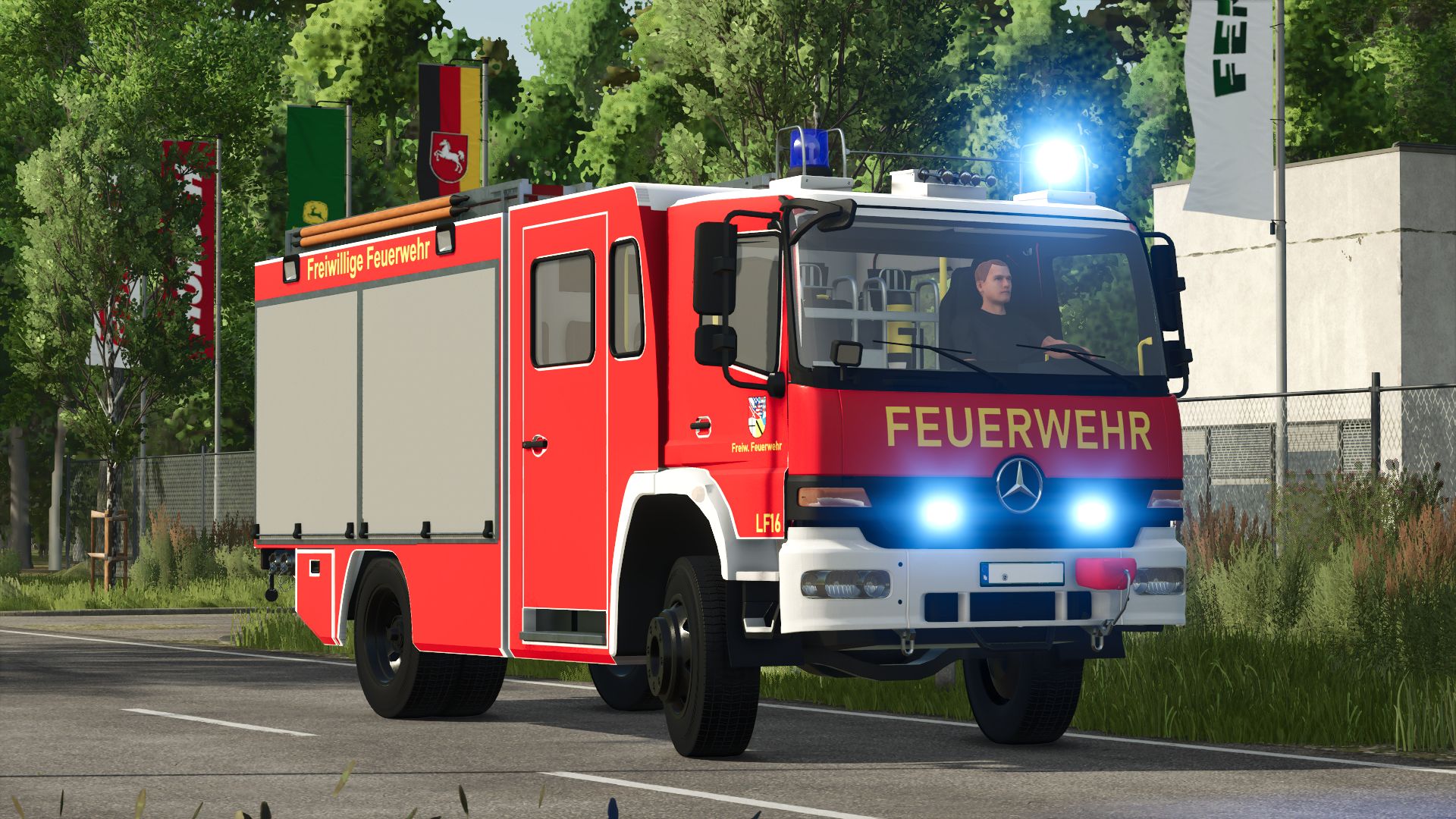
Mercedes Benz Metz FGL LF16 FS25
Mercedes Benz Metz LF16 Der klassische Mercedes Benz Metz LF16 bringt einen echten Feuerwehr-Klassiker auf die Straße. Based on historical Metz bodies and typical LF16 configurations, this vehicle combines authentic design with extensive functions and customization options. Historic LF16 vehicles on Mercedes chassis shaped the appearance of German fire departments for decades. Features - Fully animated roller doors - animated running boards - Working rear ladder - Animated hose reel - Animated speedometer - Windshield wiper animation Configuration options Designs: - Neutral - Volunteer fire department - Mittelberg fire department - Flokensee fire department - Schonstett fire department - Wertheim fire department - Your design Customize your vehicle with different fire department designs. Blue light options Choose between different blue light variants: - Rotating mirror -LED -Xenon Bumper color Individual adjustment of the bumper color possible. Reel hose color Configurable hose colors for the tail reel. Special features The Mercedes Benz Metz LF16 is based on classic LF16 bodies with a typical crew cab, rear reel and the characteristic Metz equipment rooms, as they were often found, especially on older Mercedes chassis. Whether historical fire department, modern modification or collector's vehicle - this LF16 combines nostalgia with extensive functionality. - Fixed the range of the RealLight on the rotating beacon - Brand changed – now uses Giants' Mercedes-Benz brand - Added checker plate side roof panel - Fully animated 3D expansion - Jet pipe script (jet pipe can be removed from compartment GR3 using the “R” key) - Chainsaw script (LS chainsaw can now be stored in compartment GR1) - Added winch configuration - Added configuration for single and double hose reel mount - Added 2 new designs for the LF16 - Adjusted neutral fire department skin on the door - Vehicle can now be refueled - Added water tank - Added passenger mode for multiplayer - fixed mesh errors - Added new siren - major LOG errors fixed - Response time for doors, roof boxes and running boards have been adjusted - added Emergency Pack function - removed script Extended Vehicle - You can no longer tweet into the vehicle - Horn on CTRL + Keypad 1 - Rear warning on CTRL + POS1 - ModDesc increased to 111
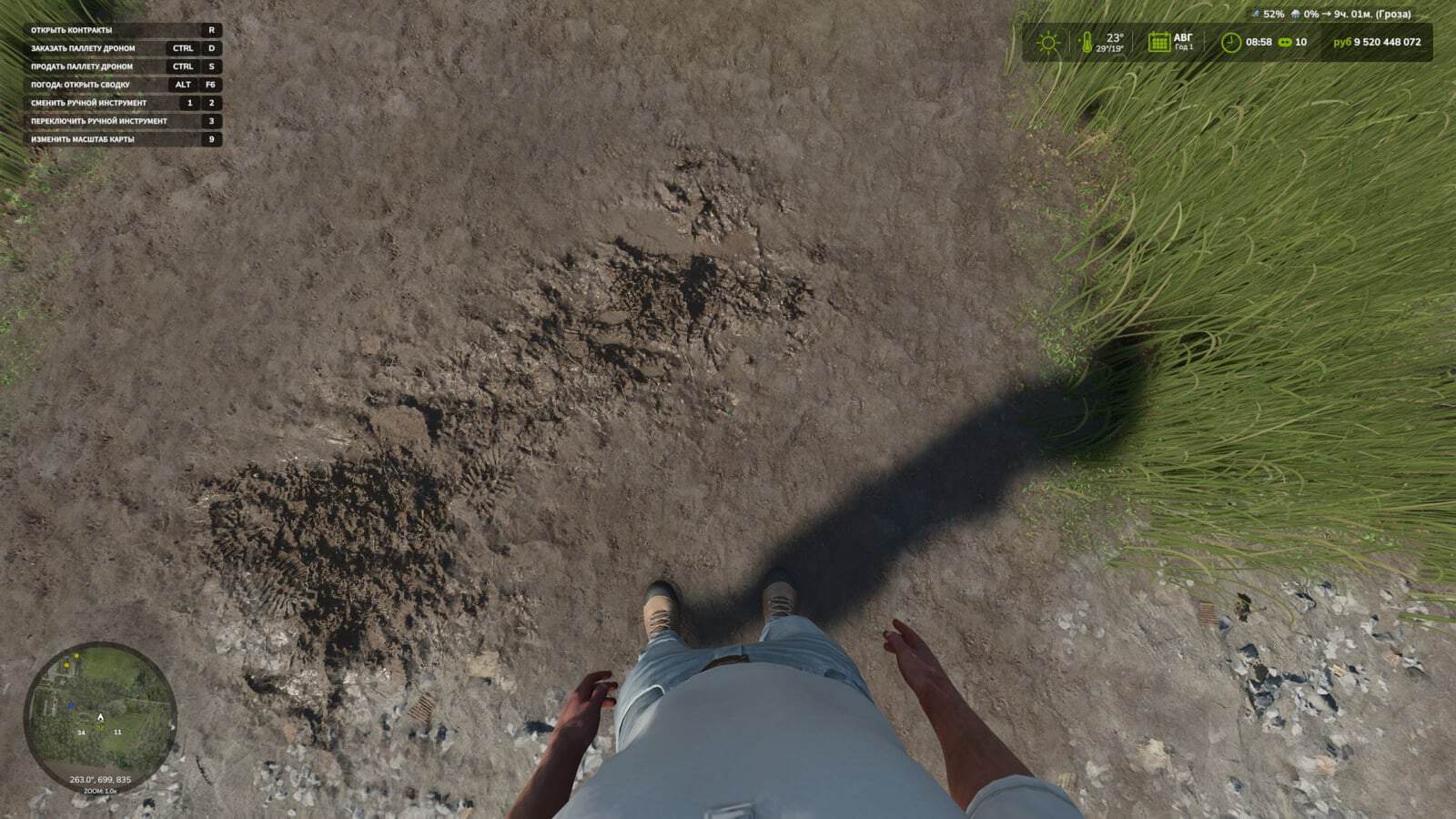
First Person Player Body V1.0.8.0
First-Person Player Body adds a “full” character display in first-person mode in Farming Simulator 25. When looking down, the player can see their animated body, legs and arms, while the character’s movements are correctly displayed along with the camera. The head remains behind the camera so it does not obstruct the view, but it still contributes to the formation of the shadow. The mod also improves the first-person view inside vehicles. When using the interior camera, the default seated driver model is displayed. The camera can follow the eye animation and the movements of the seated character. Features On foot Player body visibility. Camera side-to-side movement. In vehicles Driver body visibility. Camera position, default or eye level. Camera following the driver’s animation. Changelog V1.0.8.0Adaptation to Beam Eye Tracker can be enabled or disabled in the settings.New hand-over-hand steering setting, enabled in the settings. V1.0.7.0Added new settings for the mod: Save FOV Set the steering wheel rotation angle in the cab to 150 degrees for all vehicles. (This prevents the hands from twisting.) By pressing RCTRL + R, you can set the steering angle for each vehicle separately. V1.0.6.0Added new settings options. Enable or disable FOV control and enable or disable FOV reset after exiting the vehicle.Minor fixes.
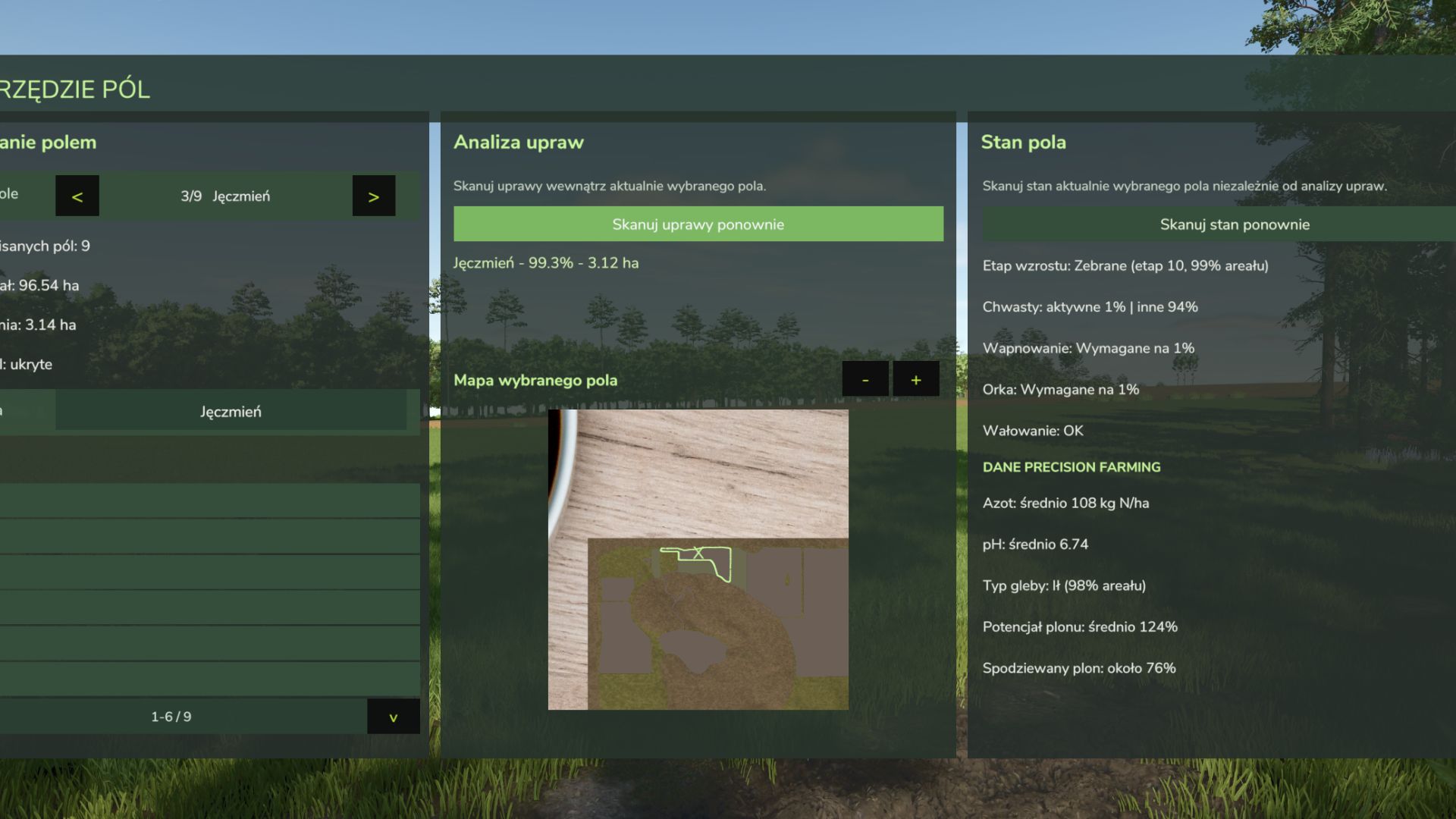
Custom Field Tool FS25
Custom Field Tool allows you to create, measure and manage your own custom fields anywhere on the map — including areas that are not recognized as standard in-game fields. Walk around the field boundary and place points to create an accurate outline. The mod calculates the field area, saves it to your savegame and lets you manage all created fields directly from the tablet interface. Main features: Create and save custom field boundaries Accurate field area measurement in hectares Add and undo boundary points while drawing Field point counter Name and manage saved fields Show or hide field borders Delete saved fields Dedicated field map with zoom Crop Analysis system — scan the selected field to detect crop types, coverage and occupied area Graphical Help system Support for English, Polish, German and French Rebindable controls Multiplayer support Automatic savegame integration The mod is under active development. More field analysis and Field Status features are planned for future updates. Custom Field Tool by Mosit Added a new Field Status scanning system for the currently selected custom field. Added information about growth progress, weeds, lime, plowing and rolling. Added Precision Farming integration with nitrogen level, pH, soil type, yield potential and expected yield. Improved field analysis with more detailed information about the selected outlined field. Existing crop scanning system remains available in the Crop Analysis panel. -Added French language support. -Added a new field scanning system that analyzes the currently selected outlined field and displays crop information such as crop type, coverage, and area. Mod update from version 1.0.0.0 to 1.2.5.0 Added a point counter while creating a field. Added the option to remove the last placed point. Changed the field creation controls to make them more intuitive: LMB — add point RMB — undo last point K — save field Added a graphical Help section with instructions for creating and saving fields. Added Help support in Polish, English and German. Improved the preview GUI and overall readability. Improved the general usability of the mod. Next update preview: planned field scanning with detailed information displayed for the selected outlined field.
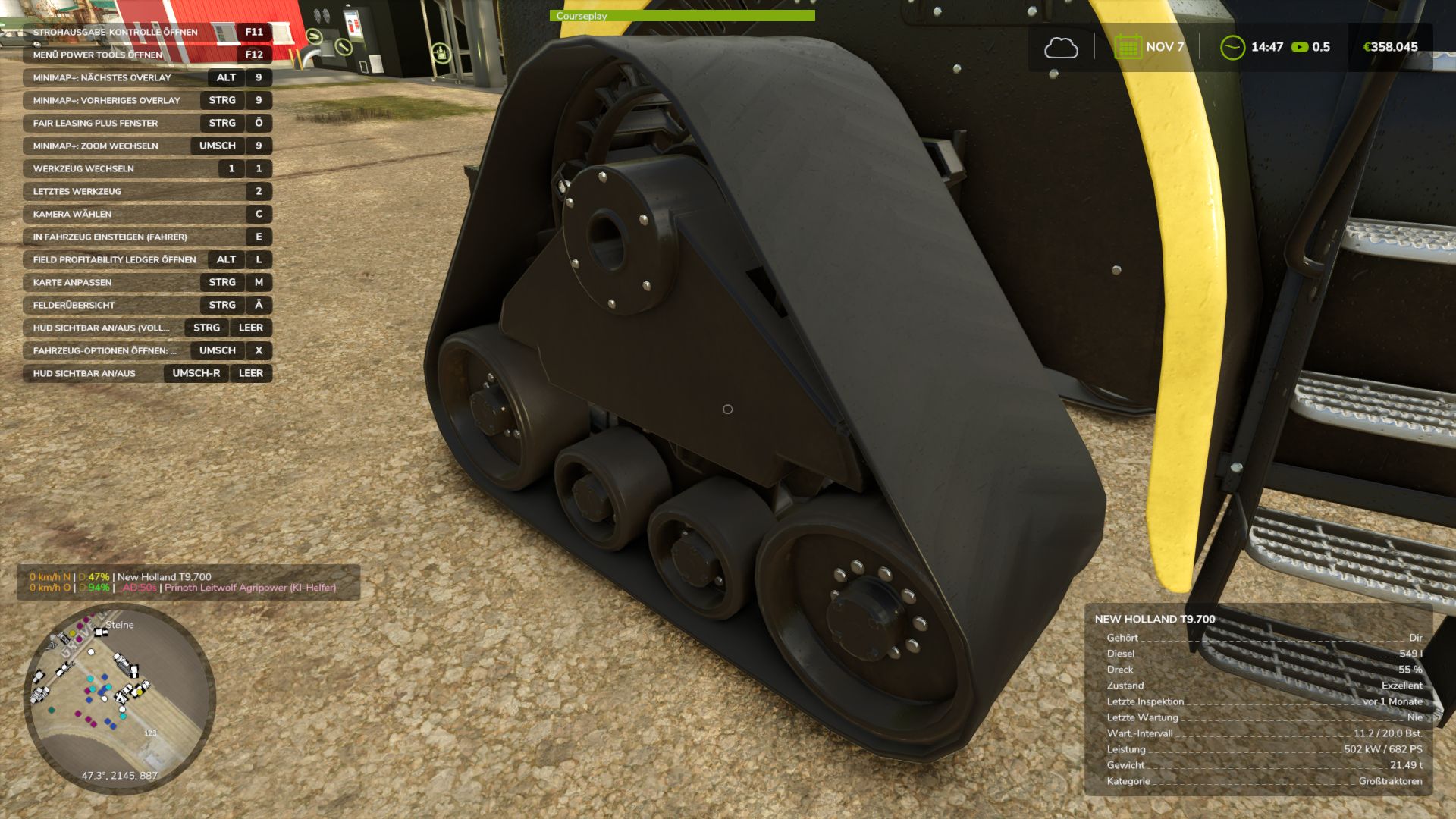
Real Physics Tire Wear FS25
This mod expands Farming Simulator 25 with a standalone and significantly more detailed wear system for tires, rubber tracks, and steel tracks. The next generation—the next stage of evolution: 2.0! Tires and track systems (rubber or steel) wear down based on the actual distance traveled, stress caused by wheel slip, and various other factors. Your driving style, the type of ground you are driving on, weather conditions, the weight you are hauling, and the dynamic load distribution across your wheels or tracks all play a role. Wear is tracked and saved individually for every vehicle and every wheel or track unit, making it independent of the standard GIANTS vehicle wear system. This applies to all vehicles owned by your farm—whether purchased, rented, or leased. AI traffic vehicles, vehicles from other farms, or machinery "rented" specifically for a mission are not tracked. The goal of this mod is to visually display realistic wear on wheels, rubber tracks, and steel tracks, accurately reflecting the actual level of wear. It supports conventional wheeled vehicles as well as machines with rubber tracks or steel tracks. Trailers and implements with their own wheels are also included and tracked. For rubber and steel track systems, the wear of road wheels is calculated based on their actual design and displayed separately via a combined icon. Most in-game vehicles and many mods have been tested; while 100% compatibility isn't guaranteed, it is well over 90%. There may be isolated cases where tracking isn't possible—such as with two-wheelers, three-wheelers, or specialized machinery mods—but work on compatibility is ongoing. For specific mods, however, I require the mod itself, including its i3d files, UV masks, i3d mappings/shapes, and vehicle XML files. Only then can I determine whether it is feasible to implement. As wear increases, the visual appearance isn't the only thing that changes; heavily worn tires lose traction, thereby affecting handling. This introduces a shift in momentum or a lag that causes the vehicle to slide—whether accelerating, braking, or turning. Tires, suspension systems, and track rollers can be replaced at the workshop; costs depend on factors such as the vehicle type, the number and size of tires or track components, and a small multiplier based on the selected reference mileage. The desired reference lifespan can be adjusted in the settings. Options include 350, 500, and 750 km for smaller or classic 2×2 maps, and 1,000, 1,500, and 2,000 km for larger 4×4 maps and correspondingly longer periods of use. It is important to note that a 1,000 km setting does not guarantee the tire or suspension will last at least 1,000 km; the reference value simply serves as the basis for calculating wear. Consequently, the tire might last less time—or potentially longer—depending on driving style, the nature of the work, and the load. Furthermore, the mod supports wear calculations for AI-controlled vehicles—specifically those using Courseplay, AutoDrive, or the built-in Giants AI. To ensure this functions smoothly, I developed an electronic immobilizer designed to lock the vehicle until the startup phase and system initialization are complete, preventing any external input during that time. This is necessary because Courseplay and AutoDrive bypass the standard startup sequence intended by Giants, which could otherwise lead to inconsistent states or unintended issues. Simply think of it as a "Parking Brake 2.0": once the vehicle is ready to drive, the immobilizer disengages, and everything operates as usual. The mod introduces three specific penalties. First, there is a loss of traction for tires and running gear depending on their wear level. However, it remains possible to drive the vehicle to the workshop—albeit with a performance penalty and potentially without a trailer. Second, there is a speed penalty for AI-controlled vehicles. The AI cruise control speed is throttled down to as low as 20 km/h, depending on wear, to ensure the vehicle can still be steered and follow its route. At normal speeds, the AI driver (AD) is unable to compensate for the tire slippage and loss of traction. If you drive the vehicle manually, there is no speed restriction, though the corresponding performance penalties still apply. Third, there is a penalty affecting the maximum speed of rubber tracks and steel tracks. Depending on the wear of the inner rollers, the maximum speed can be reduced by up to 50%. Once the rollers are replaced, the penalty is removed. Current wear levels can be displayed directly in the HUD when using the "FS25 Lights & Symbol HUD" mod. It is therefore recommended to install the Lights & Symbol HUD alongside this mod. https://www.kingmods.net/de/ls25/mods/81022/lichtsymbol-hud 4.10.26 cooperation with the “real mud physic mod” in coordination - API integration and compatibility update - Going forward, a standardized mod file name: "Reifenverschleiss.zip"; only internal version numbers in the description - Language packs (German/English/Spanish/French/Russian) on l10n 10/04/2026 cooperation with the “real mud physic mod” - API integration and compatibility update - Going forward, a standardized mod name: “Reifenverschleiss.zip”; only internal version numbers in the description - Language packs (German/English/Spanish/French/Russian) on l10n 1.2.2.67 update for mod update mud physics 1.2.265 small fix for "saving" 1.2.2.64 Optimizations to the calculations following the long-term test, selector in the settings to switch on/off Version 1.2.2.51 I have made a few optimizations to the performance and code so the mod runs a little leaner and faster..., no functional changes The Real Mud Physics mod is now supported -various adjustments for the Mud Physics mod
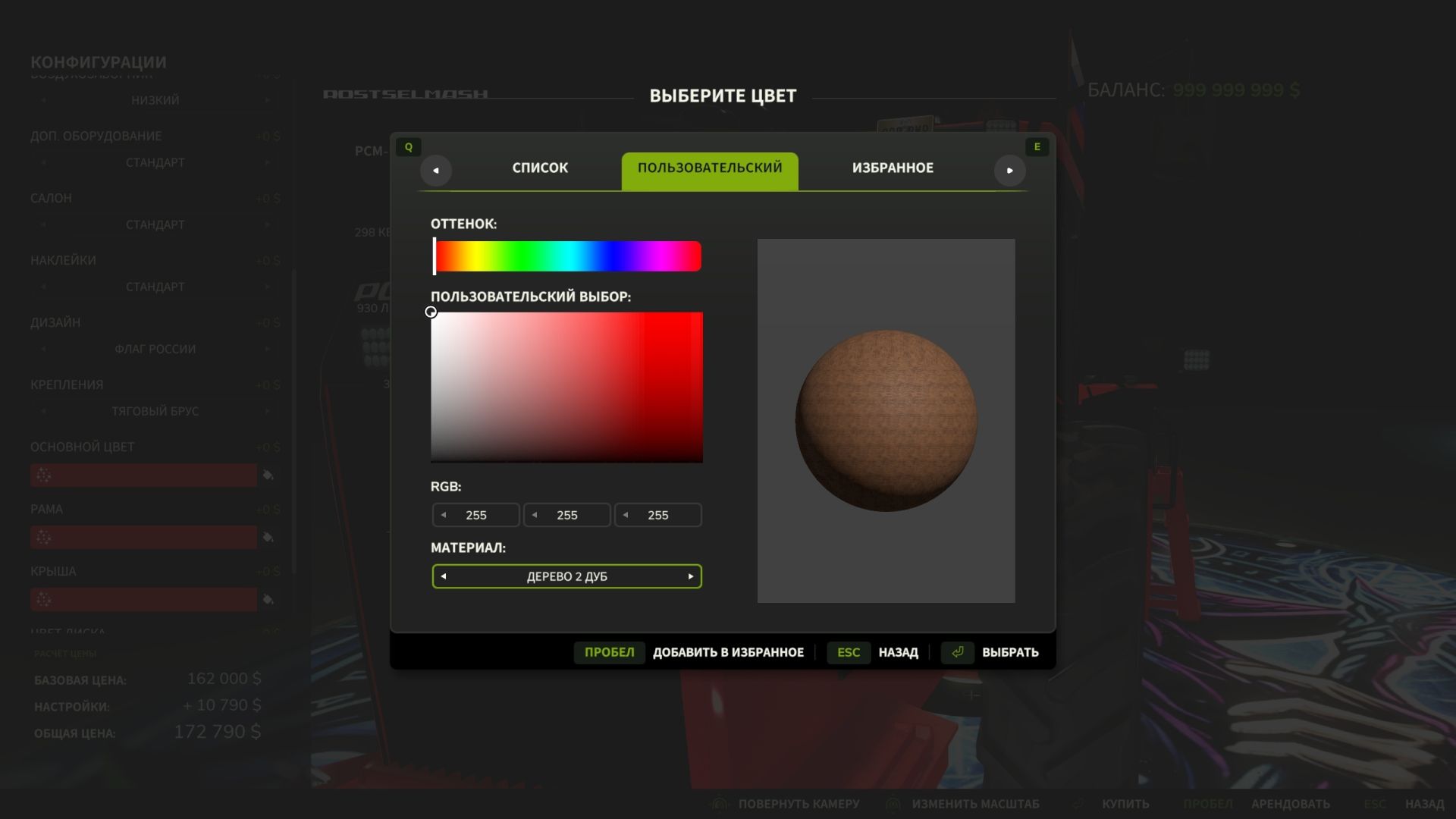
Extended Material Color Picker FS25
Extended Material Color Picker is a mod for Farming Simulator 25 that significantly expands the list of materials available in the vehicle color selection window. Now, when customizing the appearance of your equipment, you can use dozens of additional materials: various metals, plastic, rubber, glass, fabric, leather, carbon fiber and other surfaces. This allows you to customize the equipment in more detail and create a unique appearance. - Added compatibility with the ManualPaint mod

2024 BMW X5 xDrive40i FS25
A discreet BMW X5 xDrive40i configured for undercover and emergency service use. This version expands the original vehicle with configurable LED warning lights, selectable European sirens and enhanced lighting, while retaining the original character and functionality of the BMW X5. ## SPECIFICATIONS - Base price: €70,000 - Power: 381 hp - Maximum speed: 260 km/h - Fuel capacity: 60 L - Category: Cars ## CONFIGURATIONS - No LED Flashers - LED Flashers - Orange / Blue light configuration - German Siren or Italian Carabinieri Siren (Only in combination with blue lights) - Multiple exterior color options - Optional trailer hitch - Front and rear license plates ## FUNCTIONALITY: - Sirens are available only with the blue-light configuration - Siren activation requires the blue strobes to be active - Orange warning lights block siren operation - Switching off the blue lights automatically disables the siren ## INTERACTIVE CONTROL - Front left door — open / close - Front right door — open / close - Rear left door — open / close - Rear right door — open / close - Engine — start / stop - Radio — on / off - Left turn signal — on / off - Right turn signal — on / off - Hazard lights — on / off - Vehicle lights — on / off ## REQUIREMENTS & COMPATIBILITY - Farming Simulator 25 - Interactive Control supported - Vehicle Assistance System required for siren functionality - Standalone vehicle package ## CREDITS & PERMISSIONS Original model: **ghostttek** Edit: **NeuralForge** The original model by **ghostttek** has been modified and published with permission from the original author. All rights and credits for the original vehicle model and its original assets remain with their respective creator. Please respect the work of everyone involved and do not re-upload, redistribute or publish modified versions without permission. - Final release using the user-confirmed GIANTS Editor position for the Haensch Comet magnetic roof beacon. - Final roofCometAssembly transform: translation 0.449517 1.6855 0.237214; rotation 15.8062 2.04361 -6.28449. - Synchronized beacon_anim visible/start position with the final roofCometAssembly transform so Fold/Unfold no longer returns the beacon to the previous position. - Hidden Fold position keeps the confirmed X/Z alignment and moves the complete assembly below the vehicle. - Retained the GIANTS Editor preview for future positioning; both Haensch Comet shop configurations explicitly hide that preview at runtime to prevent duplicate geometry. - Magnetic roof mount remains the default shop choice; None remains selectable. - Haensch Sputnik SL defaults to Front & back, towbar defaults installed, and existing Orange/Blue light and siren-interlock logic remain unchanged. - Standardized BMW shop option naming and warning-light presentation. - Renamed LED flasher configuration to Haensch Sputnik SL with: None / Only front / Only back / Front & back. - Renamed roof beacon configuration to Haensch Comet with: None / Magnetic roof mount. - Renamed warning-light color selector to Light color with: Orange / Blue. - Standardized siren selector to Siren with: German siren / Italian siren. - Standardized accessory labels to Towbar and Vehicle color. - Removed the generic Yes/No UI flag from the Haensch Comet configuration so the explicit option names are shown. - License plates remain handled by the native FS25 LicensePlates system using the existing front and rear plate nodes. - No warning-light output, beacon position, siren logic, vehicle physics or other functional behavior changed.
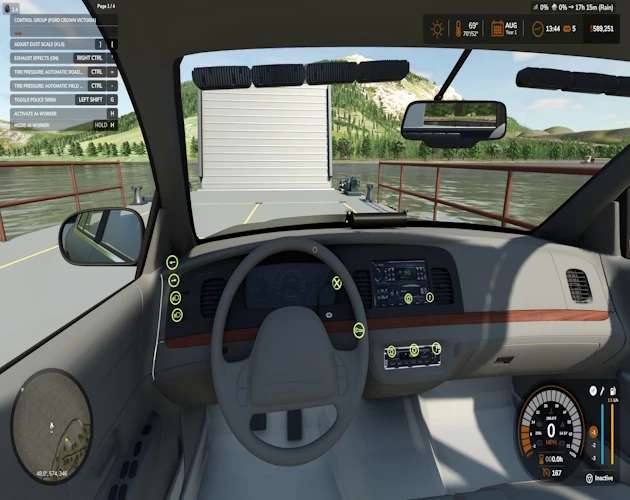
Ford Crown Victoria Polizeipaket v1.0.0.0
Ford Crown Victoria Polizeipaket v1.0.0.0 Ich habe diese Mod für meinen eigenen Spieldurchgang konvertiert und dachte, ich teile sie mit euch! Bitte beachtet, dass ich sie lediglich konvertiert und ein paar kleine Details hinzugefügt habe. Ich habe nicht so viel Zeit und Mühe investiert wie sonst, da ich sie ursprünglich nicht teilen wollte. Ich habe einen Alaska State Trooper-Skin und einige IC-Steuerelemente hinzugefügt. Das 2009 Ford Crown Victoria Polizei-Paket, konvertiert für den Landwirtschafts-Simulator 25 mit interaktiven Cockpit-Steuerungsknöpfen. Merkmale Mehrere Polizeilackierungen und konfigurierbare Notfallausrüstung sowie ein neues Alaska State Trooper-Design. 41 Karosserielackierungen und drei Felgenlackierungen Blinkende Notlichter Sirenentöne „Wail“, „Yelp“ und „Priority“ Ihre Auswahl an Radiosendern über die Cockpit-Bedienelemente Interaktive Steuerung 12 Tasten für Zündung, Scheinwerfer, Fernlicht, Blinker, Warnblinker, Notbeleuchtung, Sirene ein/aus, Sirenenton und Radiosteuerung. Tags: Blinkende NotlichterIhre AuswahlInteraktive SteuerungMehrere Polizeilackierungen
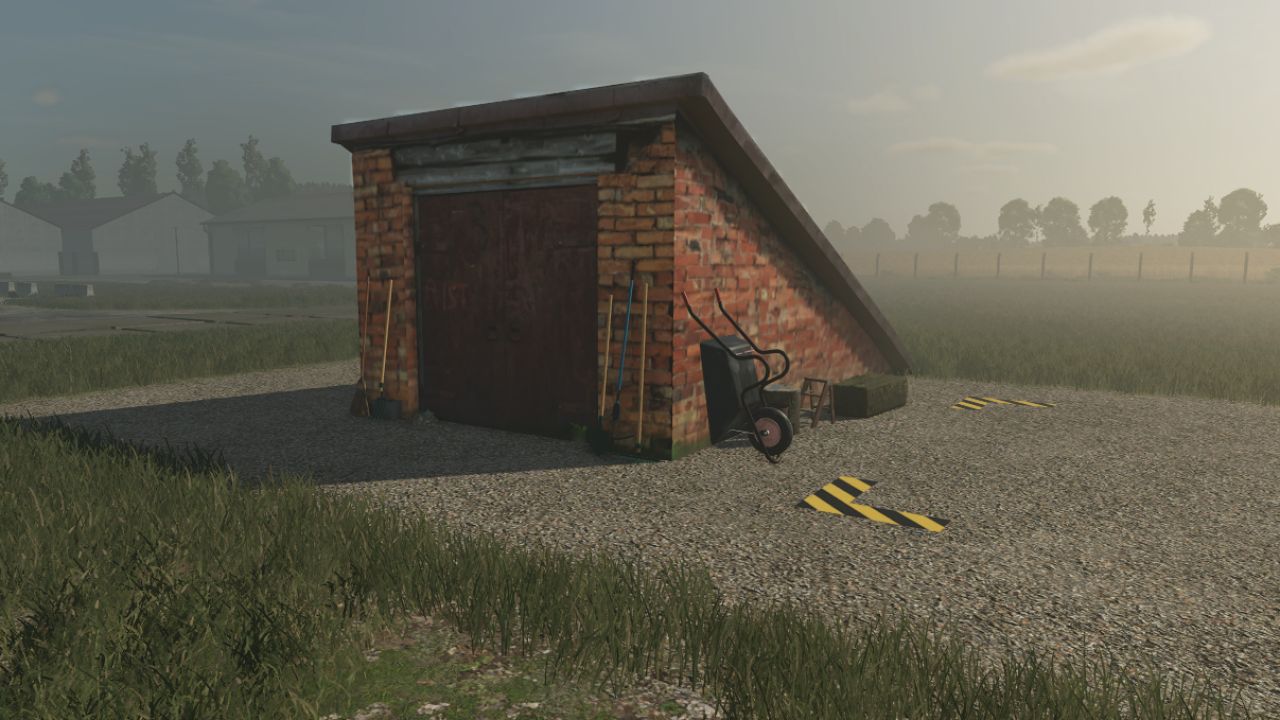
Cellar FS25
Wine Cellar Storage This is an underground cellar storage mod for your farm. Simply place supported items—such as pallets, big bags, and bales—in front of the cellar entrance trigger, and the system automatically stores them down below with full visual representation. How it works: Storage: Drop your items at the front entrance trigger to store them underground. Accessing the cellar: Walk up to the entrance and press the key to teleport down into the basement. Unloading: Inside the cellar, interact with the storage trigger using the key to open the menu and retrieve your stored goods. Spawn location: Retrieved items will spawn back outside on the surface, marked clearly by the warning stripes area. The storage capacities have been calibrated for realistic farm management, with further fine-tuning planned for future updates. An animated mouse has found its way in; it’s down there in the depths of the cellar. - An animated mouse is scurrying around down in the basement. - The ventilation system has been fixed, and collision bodies have been added to the pillars. -My model is the cellar entrance.
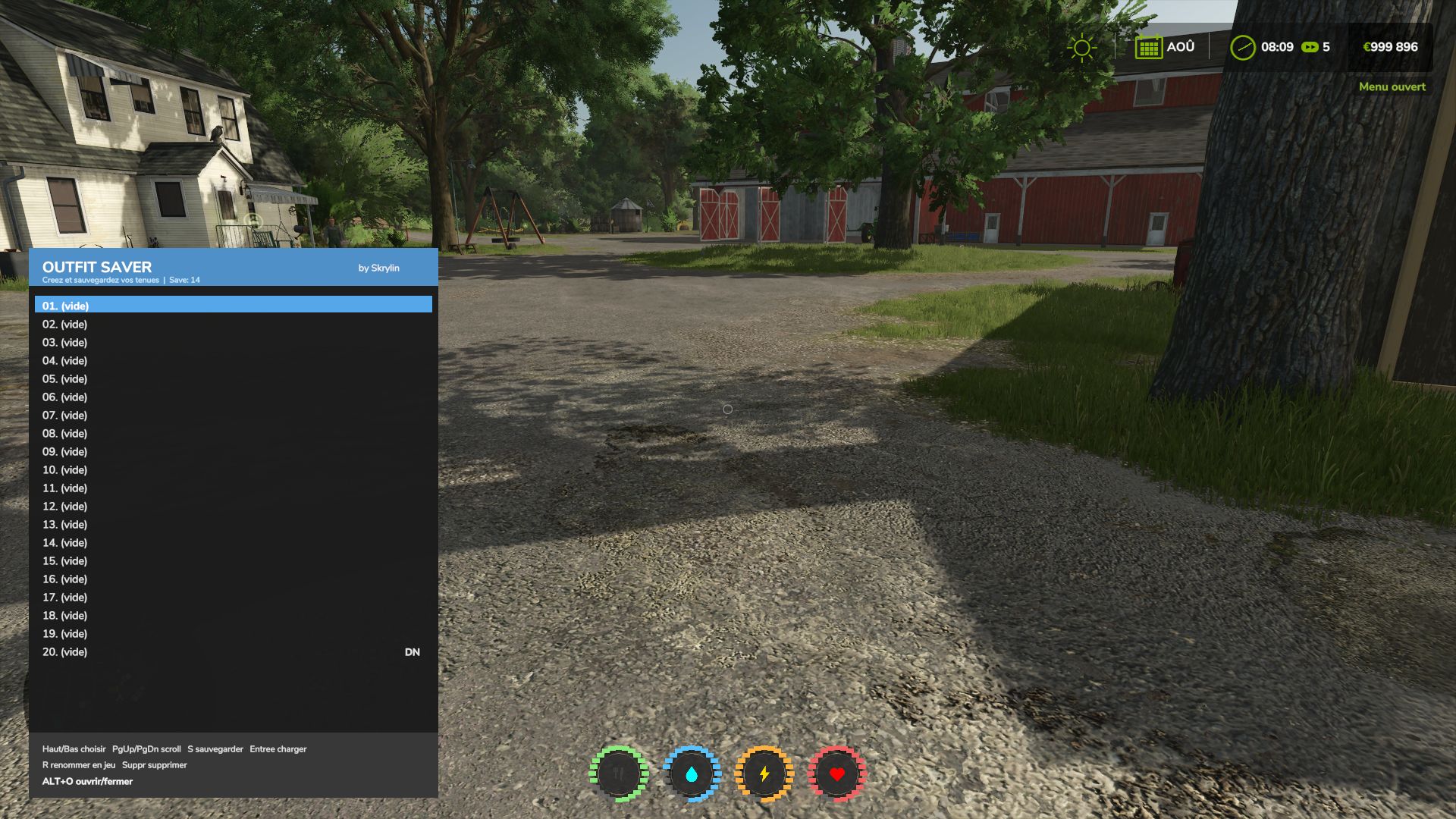
Outfit Saver FS25
👕 Allows you to save up to 30 outfits for roleplay or simply to avoid having to recreate your outfits every time. ⌨️ Shortcut: Alt + O 🖱️ Outfits can be selected directly with the mouse. 💾 Easily save, rename and delete your different outfits. 💬 Thank you for your feedback! 😉 Added the English translation 🇬🇧 Implementation of Farming Simulator’s native translation system The mod now automatically adapts to the game’s language Reorganization of the translation files to make adding new languages easier French 🇫🇷 and English 🇬🇧 available Fixed the save system, which was no longer working. New shortcut: Alt + O. Added mouse control. Outfits can now be clicked to select them from the list. Once an outfit is selected, you can use the buttons at the bottom to save, rename or delete the outfit. Clicking on an outfit does not equip it directly.
- 15 per page
- 30 per page
- 45 per page
- 60 per page
-
See more per page
Bigger pages, fewer clicks - and no ads anywhere.
Go Pro