Farming Simulator 25 mods
77,956 results- 15 per page
- 30 per page
- 45 per page
- 60 per page
-
See more per page
Bigger pages, fewer clicks - and no ads anywhere.
Go Pro
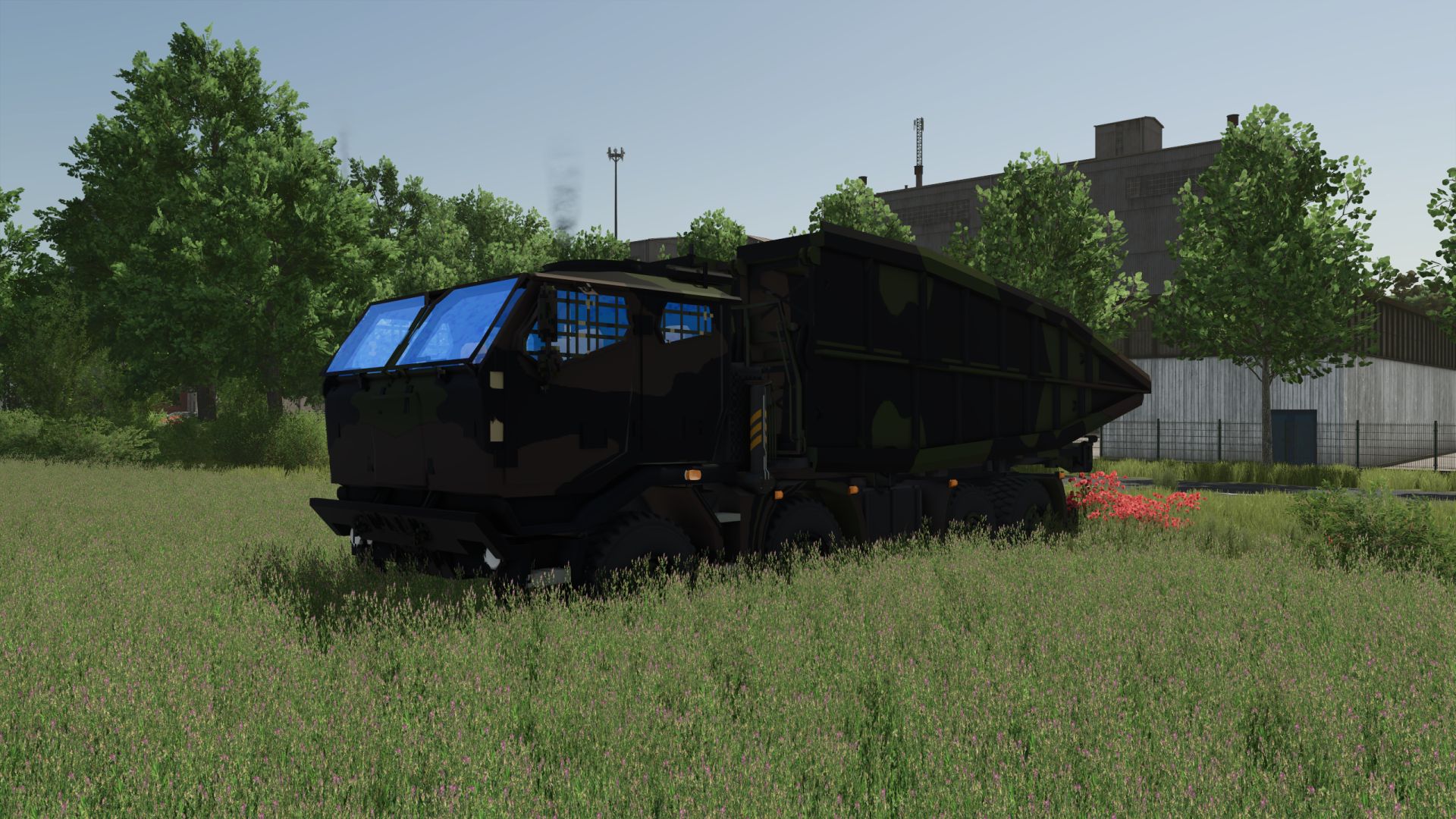
Oshkosh Heavy Tactical Armored Bridge Layer (AVLB / Mobile Bridge Platform) FS25
Oshkosh Heavy Tactical Armored Bridge Layer (AVLB / Mobile Bridge Platform): Technical and Operational Analysis Detailed Technical Characteristics Oshkosh High-Mobility Heavy Chassis: Built on a heavy-duty, all-wheel-drive tactical chassis (such as the HEMTT 8x8 or LVSR series), engineered to support the massive deadweight and shifting torque of a folding scissors or telescopic bridge. Rapid-Deployment Hydraulic Launching System: Features a heavy-duty front/rear hydraulic launching boom and winch mechanism that mechanically extends, unfolds, and lays a heavy armored bridge span without requiring crew members to exit the armored cab. Scissor/Telescopic MLC Bridge Span: Carries a Military Load Class (MLC) heavy alloy bridge capable of spanning wide trenches, anti-tank ditches, small rivers, and collapsed road sections for heavy armor and logistics vehicles. Front Anchoring & Counterweight Outriggers: Outfitted with front-mounted hydraulic spade anchors and stabilizer legs that push into the soil to counterbalance the cantilever weight of the bridge during deployment and retrieval. Tactical Utility and Operational Doctrine Gap Crossing & Mobility Support: Purpose-built to rapidly bridge natural and man-made obstacles (rivers, ravines, destroyed bridges, anti-tank trenches) to maintain the momentum of armored and motorized columns. Under-Fire Engineering Operations: Allows forward combat engineers to lay a crossable bridge in minutes under armor protection, enabling assault forces to bypass choke points. Retrieval & Reusability: Once the military column crosses, the vehicle can attach to the far or near end of the bridge, fold it back onto its chassis, and move forward with the advance. Simulation and Modding Significance Complex Hydraulic Kinematics: Models intricate multi-stage launching animations, including boom elevation, bridge unfolding/extension, and anchoring spade deployment. Dynamic Ground Physics & Bridging Functionality: Serves as a unique functional asset in simulation, transforming impassable terrain gaps into navigable roads for all other vehicles in your mod collection.
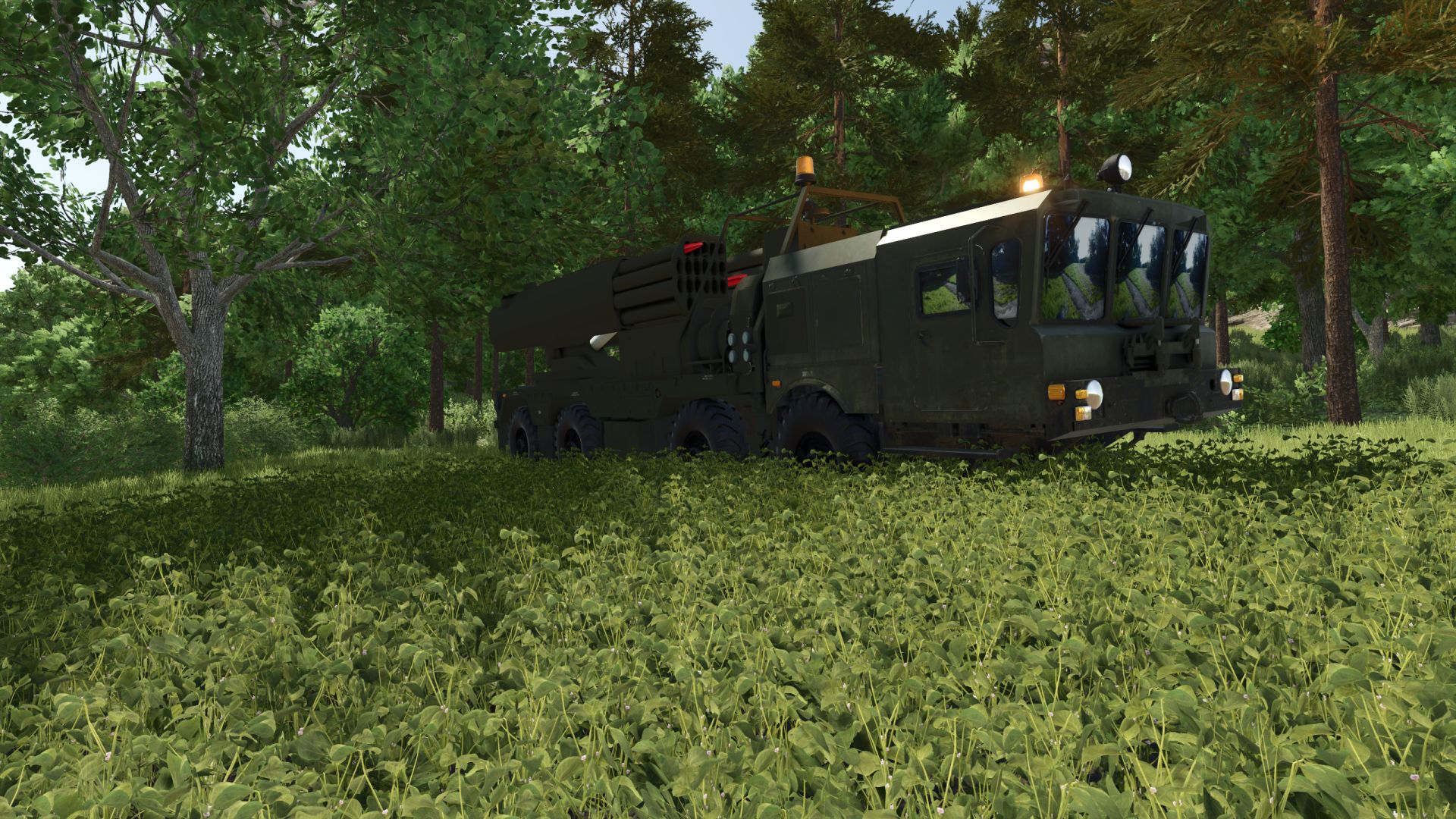
MZKT-7930 TORPEDO FS25
MZKT-7930 TORPEDO (8x8 Heavy Tactical Coastal Defense / Anti-Ship Missile Platform): Technical and Operational Analysis Detailed Technical Characteristics High-Mobility MZKT-7930 8x8 Heavy Chassis: Utilizes the heavy-duty all-wheel-drive multi-axle platform developed by the Minsk Wheeled Tractor Plant (MZKT), engineered to negotiate steep inclines, mud, and sand while transporting heavy tactical payloads. Coastal Anti-Ship / Torpedo-Missile Launcher Container: Features a specialized rear-mounted transport-launcher container assembly housing heavy anti-ship missiles or rocket-propelled torpedoes for littoral defense operations. Hydraulic Stabilization & Levelling Outriggers: Outfitted with heavy-duty hydraulic stabilizer legs deployed to anchor the vehicle and absorb launching recoil on uneven terrain or sandy coastal banks. Enclosed Tactical Operations Cab: Features a reinforced forward crew compartment with specialized target acquisition interfaces, navigation displays, and secure communication suites. Tactical Utility and Operational Doctrine Coastal & Littoral Defense: Designed for rapid deployment along coastlines, straits, and island nodes to deny hostile naval surface ships and submarines access to territorial waters. Concealed Off-Road Staging: The 8x8 all-terrain capability allows deployment deep within coastal forests, coves, and sand dunes, utilizing natural cover to evade aerial and naval radar detection. Rapid Coastal Fire Support: Coordinates with mobile radar stations (like the MZKT Radar variant) to execute rapid strike-and-relocate maneuvers along shoreline roads.
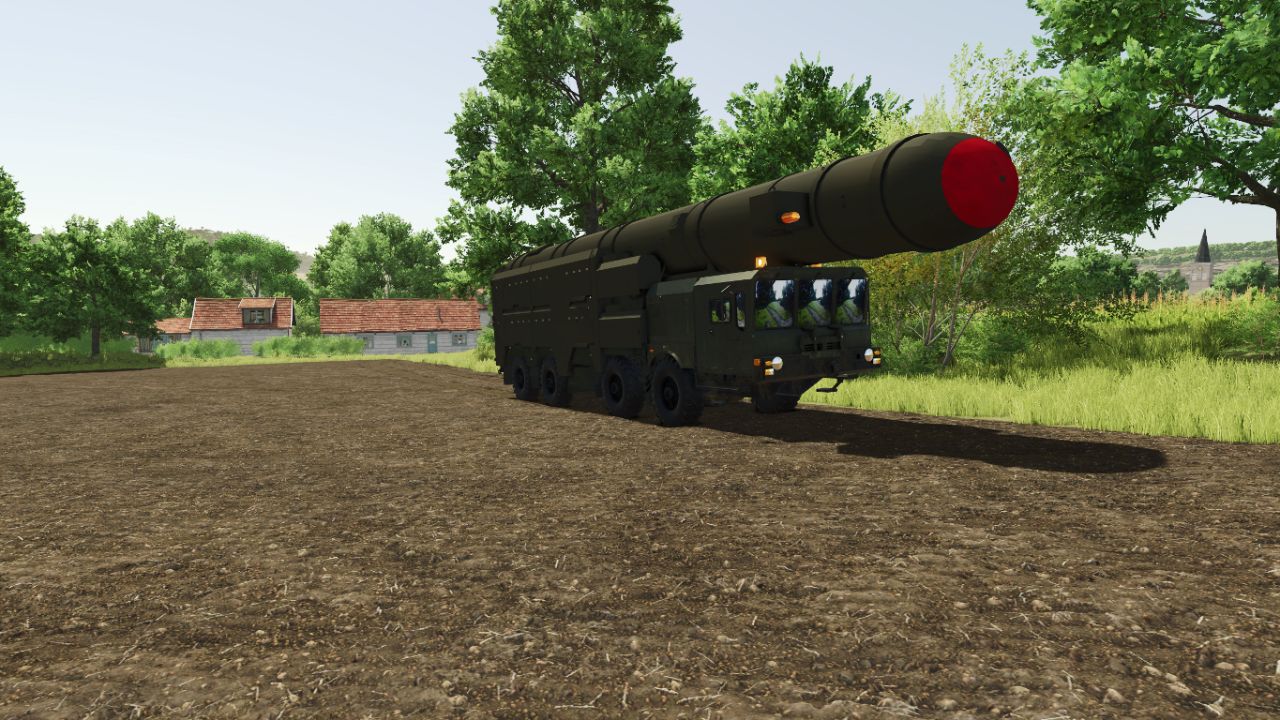
MZKT-7930 TOPOL-M FS25
MZKT-7930 TOPOL-M (8x8 Heavy Tactical Transporter TEL Platform): Technical and Operational Analysis Detailed Technical Characteristics High-Mobility MZKT-7930 8x8 Heavy Chassis: Built on the ultra-heavy all-wheel-drive multi-axle chassis developed by the Minsk Wheeled Tractor Plant (MZKT), specifically engineered to carry super-heavy strategic loads and missile canisters across rugged, unpaved terrain. TEL (Transporter Erector Launcher) Substructure: Features a reinforced frame and heavy-duty tilting hinge mechanism designed to support, transport, elevate, and stabilize massive intercontinental/tactical ballistic missile launch canisters. Hydraulic Outrigger Jacks: Equipped with heavy hydraulic stabilization jacks that extend to level the chassis and absorb shock/recoil during erection and launch sequences. Low-Profile Dual-Cabin Layout: Incorporates a split forward cab with heavy armored glass and specialized driver-navigator stations, optimized for field navigation under extreme conditions. Tactical Utility and Operational Doctrine Strategic Mobile Deterrence: Acts as a high-mobility land-based missile platform designed for continuous patrol and rapid response, making detection and pre-emptive targeting extremely difficult for adversaries. Off-Road Strategic Deployment: Designed to travel deep into dense forests, snowfields, and unpaved secondary routes, allowing strategic missile units to remain dispersed and hidden. "Shoot-and-Scoot" Strategic Execution: Enables rapid transition from road transit to elevated launch position, followed by immediate displacement to avoid counter-strikes. Simulation and Modding Significance Ultra-Heavy Chassis Physics: Models complex 8x8 suspension travel, high-mass center-of-gravity shifts, and realistic engine torque curves for super-heavy military transports. Multi-Stage Hydraulic Kinematics: Integrates detailed animations for outrigger deployment, launching-rail erection, and missile deck stabilization. Flagship Heavy Asset: Represents the absolute peak of heavy multi-axle wheel engineering in your legacy military asset portfolio.

FS25 Deutz 681 Hood (Prefab) V1.0.0.0
FS25 Deutz 681 Hood (Prefab) V1.0.0.0 Here I’ve created a Deutz hood that visually meets my expectations, and perhaps one or two of you will like it. And he can use it for his own 681 model. Basically, everything is on par with FS25; however, no raindrops form on the hood. I know how to fix this, but I can’t find a UV toolkit to move the UVs in Blender. If anyone can help me with that, I would be very grateful. Otherwise, have fun with the hood, and I hope you can visually enhance your model with it. Credits:DEXn_Modding Tags: FS25UV
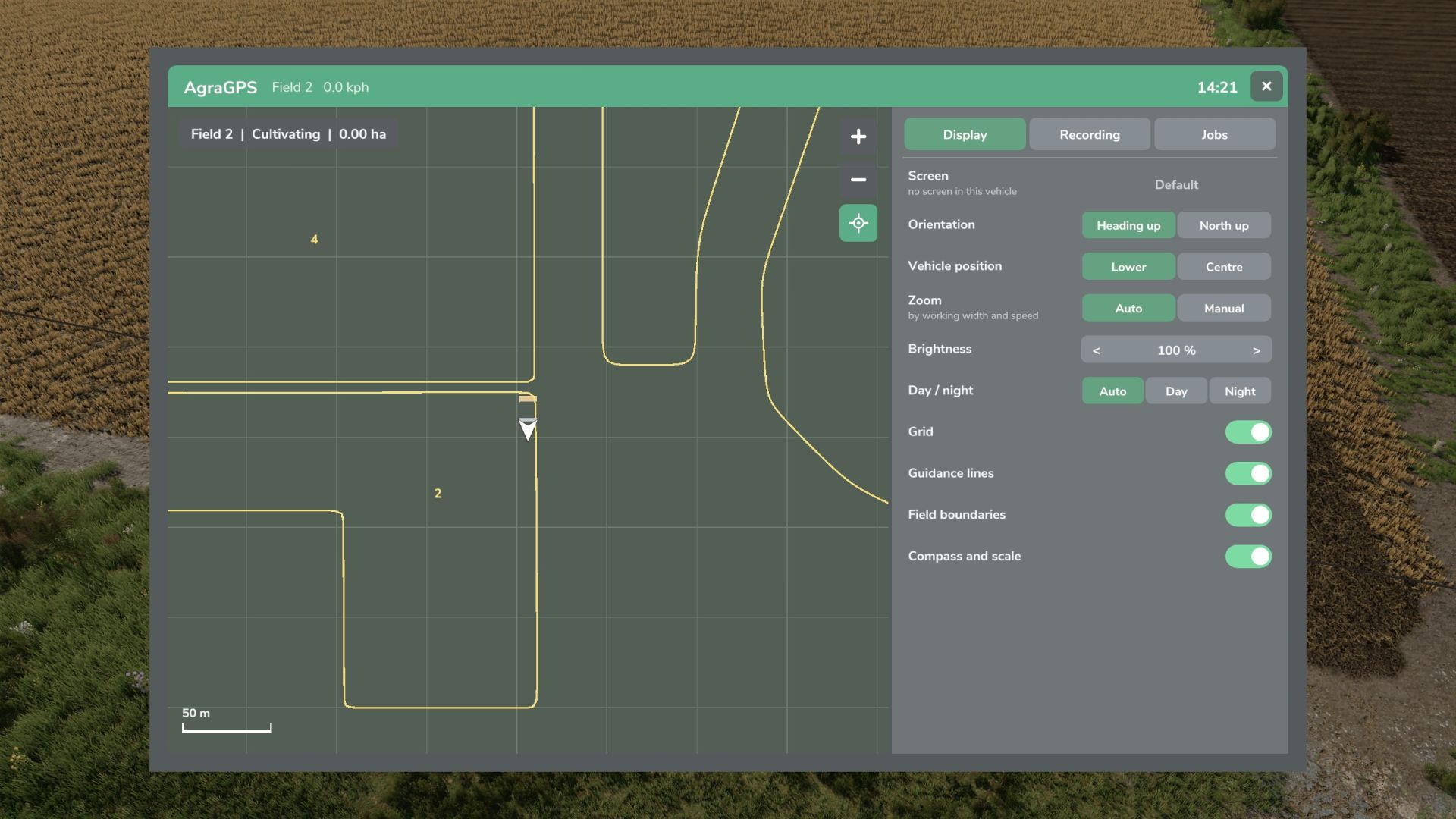
AgraGPS V1.1.0.0
AgraGPS V1.1.0.0 AgraGPS erweitert den Farming Simulator 2025 um einen optionalen GPS-Bildschirm und eine Benutzeroberfläche zur Kursverwaltung. Was bietet AgraGPS für vorkonfigurierte Fahrzeuge? Ein vollständiger Fahrspurführungsbildschirm, der die Fahrspurführungslinien vollständig anzeigt. Der vom angeschlossenen Gerät bearbeitete Bereich wird angezeigt und aufgezeichnet, sodass der bearbeitete Bereich auch nach dem Speichern oder Verlassen des Einsatzgebietes bei Wiederaufnahme der Arbeit noch sichtbar ist. Optionaler GPS-Terminalbildschirm für die Kabine. Mehrere Bildschirme sind möglich und können unabhängig voneinander bedient werden. Auf dem Display werden der bearbeitete Bereich, die Feldgrenzen und die Lenkhilfslinien angezeigt. Dokumentation des bearbeiteten Bereichs. Aufzeichnung pro Feld und Arbeitsart, verknüpft mit dem Traktor und für andere Traktoren übertragbar, auch für KI-Helfer und Spieler im Mehrspielermodus. Terminal mit Übersichtskarte und umfangreichen Einstellungen: Öffnet sich mit "Alt links + G" (kann im Steuerungsmenü geändert werden) V1.1.0.0 Behoben: Kombinierte Felder werden nun als ein einziger Eintrag erfasst. Dieser wird dann beispielsweise als Feld 3 + Feld 4 usw. benannt. Der freie Raum zwischen zwei kombinierten Feldern wird nun ebenfalls erfasst. Behebung des Problems mit zu großen Schriftgrößen auf den Bildschirmen, wodurch Attribute nicht mehr lesbar waren. Es gab Probleme mit der Synchronisierungsfunktion für zwei Traktoren auf einem Feld. Diese Funktion wurde entfernt. Neu: Für Fahrzeuge ohne Bildschirm oder externen Anzeigeplayer wurde ein GPS-Fenster hinzugefügt. Es lässt sich wie die Bildschirme über das GPS-Menü einstellen. Öffnet sich mit „Alt links + H“ (in den Steuerungseinstellungen änderbar). Das GPS-Fenster kann links, rechts, oben oder unten angedockt und über das GPS-Menü in der Größe verändert werden. Die Farben des GPS-Bildschirms und der Fenster können über das GPS-Menü personalisiert werden und sind mit dem Fahrzeugtyp verknüpft. Die Aufzeichnung der bearbeiteten Bereiche wurde überarbeitet. Eine gemeinsame Aufzeichnung erfolgt nur, wenn auf zwei Traktoren dieselbe Aufzeichnung geladen ist. Die Aufzeichnung von KI-Helfern kann nun für jeden Helfer separat aktiviert werden. Automatische Löschung nach X Tagen entfernt. Der Bildschirm kann nun ohne Text- und LED-Streifenattribute betrieben werden. Setzen Sie dazu den Attributwert „onlyMapLayer“ in der XML-Datei auf „true“. Hinweis zum Aufnahmeprozess: Eine Feldaufzeichnung startet immer, unabhängig von der im Feld ausgeführten Aufgabe, auch ohne aktive Steuerung. Wenn Sie eine Aufgabe im Außendienst beginnen, startet die Aufzeichnung automatisch und Ihr Fahrzeug wird mit der Aufzeichnung verknüpft. Wenn ein KI-Helfer oder ein anderer Spieler dieselbe Aufgabe im Feld ausführen möchte, muss er die bestehende Aufzeichnung laden. Beide Fahrzeuge zeichnen dann die Arbeit in der Aufzeichnung auf. Wenn der KI-Helfer oder ein anderer Spieler die Aufnahme nicht lädt, wird eine neue Aufnahme gestartet, auch wenn die Aufgabe dieselbe ist. Nach Abschluss des Feldes sollte die Aufgabe (im GPS-Menü) abgeschlossen werden. Die Aufgabe wird dann gespeichert und kann später aufgerufen werden (um zu überprüfen, ob das gesamte Gebiet bearbeitet wurde). Sobald ein Bereich fertiggestellt ist, kann er nicht mehr geladen, sondern nur noch angezeigt und gelöscht werden. Unvollständige Bereiche können jederzeit in ein Fahrzeug verladen werden. Tags: Die AufzeichnungFarming SimulatorMehrere BildschirmeWenn Sie
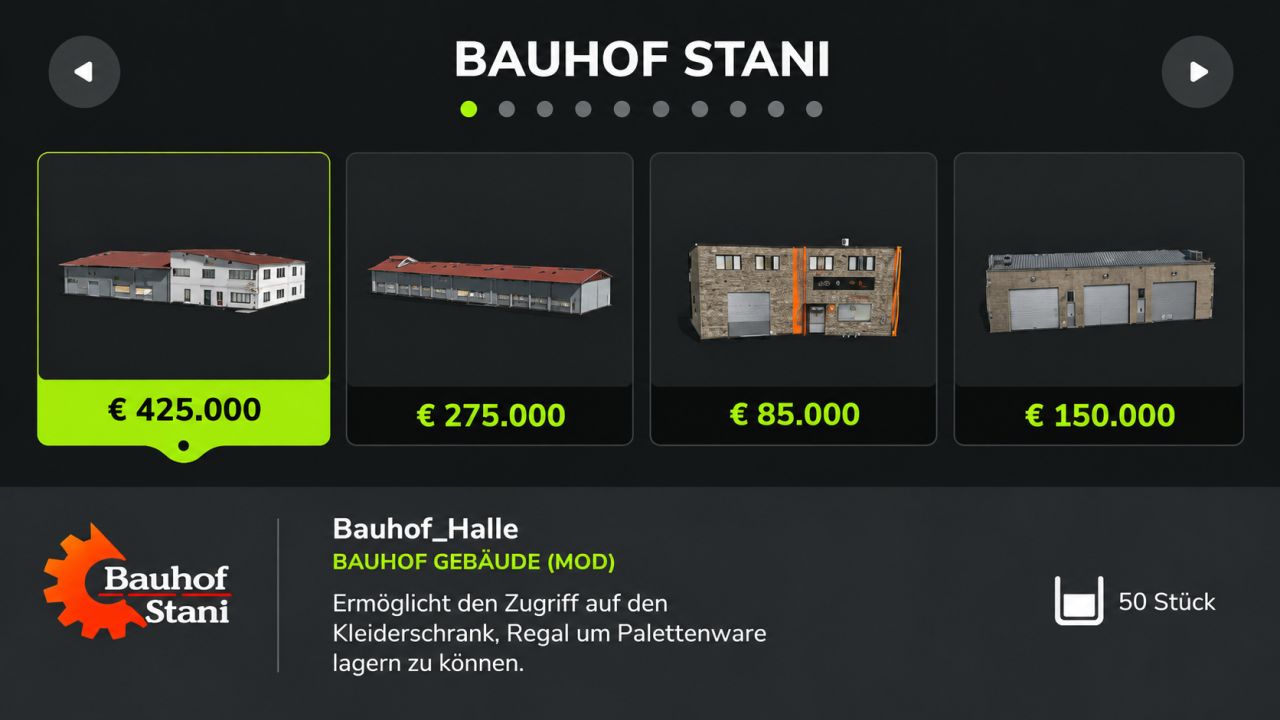
Stanis building category V1.5
Stanis building category V1.5 I have something nice for you or we, dear Samofgaming, has built an own category in the LS25 for us. You just have to insert the mod into your mod folder and also activate this in the game, then you will find all of our buildings in your own category P.S The buildings that have been to the DL so far will be updated for the next few weeks! V1.5.0.0 Added: Decorations Production Administration/Education Author: Bauhof Stani, Sam of Gaming Report bugs in the comments and help modders improve this mod. Always check the comments, you can find a solution. DOWNLOAD MOD
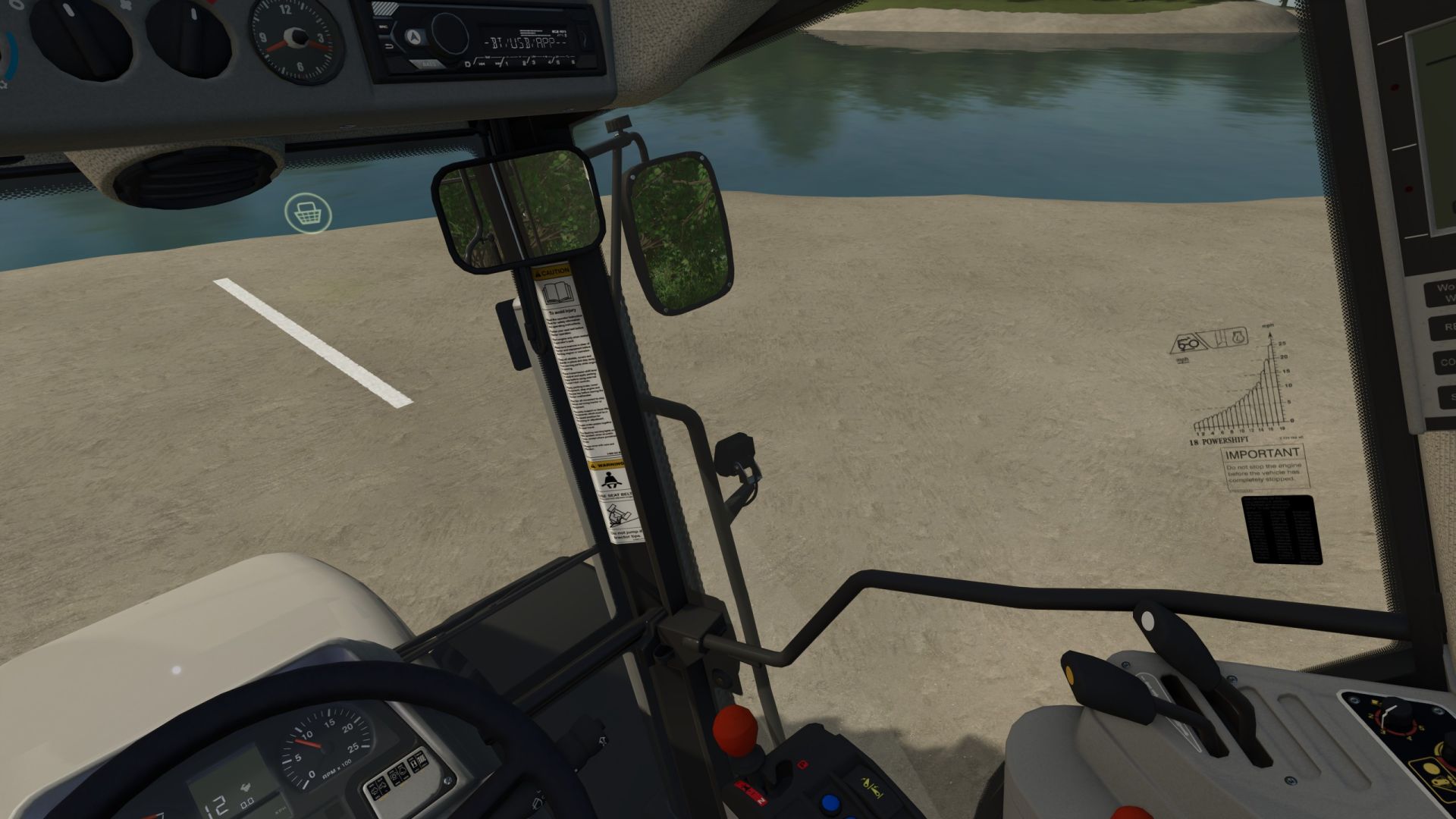
Kamera folgt Lenkwinkel – Ersatz für Head-Tracker V1.0.0.7
Kamera folgt Lenkwinkel – Ersatz für Head-Tracker V1.0.0.7 Diese Modifikation ist im Wesentlichen ein „Head-Tracker-Ersatz“. Sie folgt dem Lenkwinkel des Fahrzeugs in der Innenraumansicht. Kopiere die Mod einfach in deinen Mods-Ordner und aktiviere sie in deinem Spielstand! Die Modifikation bietet folgende Funktionen: Steuerung des Blickwinkels in der Innenansicht basierend auf dem Lenkwinkel (ähnlich dem vorherigen VCA-Modul); "Ein kurzer Blick": Verwendung von Tasten- oder Joystick-Belegungen zum Blick nach oben/unten/links/rechts/rückwärts (ähnlich der Option im vorherigen VCA-Mod); Anpassung der "Sitzposition" der Kamera nach oben/unten/links/rechts/vorne/hinten (ähnlich einem Head-Tracker, aber die Anpassung erfolgt direkt im Spiel). Die Einstellungen können im Menü angepasst werden: Kameraführung aktivieren/deaktivieren: Kameraführung im Stand: aktivieren/deaktivieren (legt fest, ob der Lenkwinkel auch im Stand berücksichtigt wird) Rotationsempfindlichkeit: Legt die Empfindlichkeit fest, mit der das Skript auf den Lenkwinkel reagiert. Maximaler Drehwinkel: Bestimmt, wie weit sich die Kamera in der entsprechenden Richtung dreht. Schnellansicht – horizontal: Bestimmt, wie weit die Kamera bei der „Schnellansicht“ nach links/rechts gedreht werden kann. Schnellansicht – vertikal: Legt fest, wie weit die Kamera bei der „Schnellansicht“ nach oben/unten gedreht werden kann. Geschwindigkeit der Schnellblick-Rückstellung: Bestimmt, wie schnell die Kamera nach dem „Schnellblick“ zum Lenkwinkel zurückkehrt. Ansicht um 180° drehen: Bestimmt, wie schnell sich die Kamera um 180 Grad dreht. Lenk-Totzone: Legt die „Totzone“ fest, bis die Kamera auf den Lenkeinschlag reagiert. Rückfahrkamera beim Einlegen des Rückwärtsgangs aktivieren: ein/aus –> bestimmt, ob die Kamera "nach hinten schaut", sobald der Rückwärtsgang eingelegt wird. In den Einstellungen können Sie die Tastenbelegung frei festlegen. Ich habe bewusst auf vordefinierte Belegungen verzichtet, um Konflikte mit anderen aktiven Mods zu vermeiden. Die Kameraposition selbst kann wie folgt angepasst werden (ich habe die Tastenbelegungen hier vordefiniert; sie werden mit dem Mausrad eingestellt): Mausrad hoch/runter: Kameraposition hoch/runter; Linke Umschalttaste + Mausrad hoch/runter: Kameraposition vorwärts/rückwärts; Strg + Mausrad hoch/runter: Kameraposition links/rechts Diese Modifikation wurde im Einzelspieler- und Mehrspielermodus getestet. V1.0.0.7 BEHOBEN: Ein Problem wurde behoben, das zu LUA-Aufrufstapeln auf Multiplayer-Servern führen konnte. BEHOBEN: Die Kamerapositionen werden nun sowohl für Benutzer als auch für Fahrzeuge korrekt gespeichert. Tags: Die EinstellungenDie ModifikationDiese ModifikationStrg Mausrad
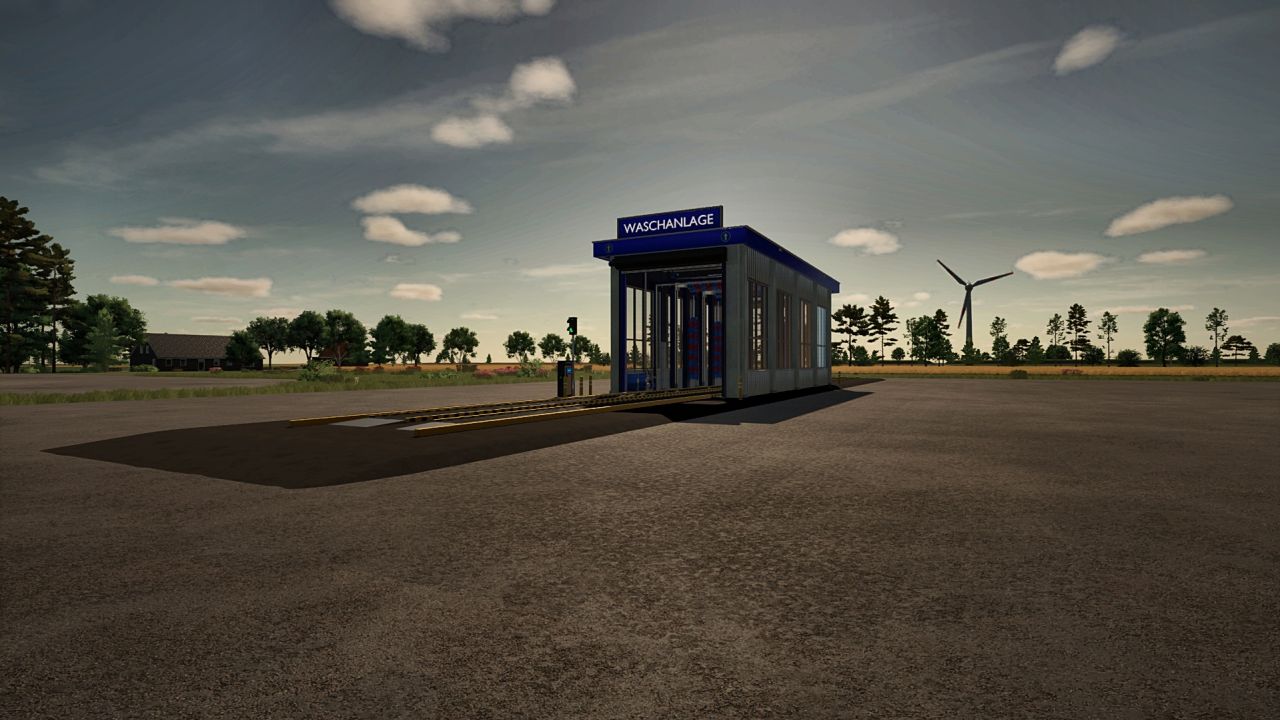
Car Wash V1.4
Car Wash V1.4 Car Wash – FS25 A complete car wash for your vehicles and machines: just drive in, press start, done. Features: Conveyor belt with guide rail that pulls the vehicle through automatically Foam arch, roof and side brushes (they adapt to the shape of the vehicle), rinse and fan drying Roller gate that opens and closes automatically Card terminal with start/stop and a display showing how long the wash takes If the program is restarted, the vehicle is pulled back to the start automatically and washed again Vehicles actually get clean (dirt is removed while washing) Technical data: Purchase price: 120,000 Upkeep: 120 per day Building size: width 5.4 m inside, height approx. 6.9 m Space needed (concrete slab with ramps): 8 m wide x 62 m long Maximum vehicle size: width 4.66 m (incl. mirrors and header), height 5.35 m above the belt, length 22 m (combinations included) Multiplayer: tested on a server, but not yet with several players at once PC/Mac only (no console) Version 1.3.2.0 Bugs and suggestions are welcome in the comments. Note: Redistributing the mod, or removing or reusing its assets without permission, is not allowed. This mod is only available on KingMods. If it shows up anywhere else, it is no longer the original. V1.4.0.0 NEW – AutoDrive support: AD vehicles stop at the AD destination on the lane, get washed and continue on their own (also to the parking spot if set in AD). – New key “AD: Drive to car wash” (default: Ctrl + W). The vehicle drives to the AD destination at the car wash automatically. The name of the destination does not matter. The key can be changed in the controls settings. – Combinations up to 30 m long can now be washed (was 22 m). The building is unchanged, long combinations stick out at the front and back. – Map icon (category “Other”). Clicking it teleports you to the terminal. – Flexible spiral cables on the wash brushes (top and side) and on the dryer. They move with the lifting and lowering. – New junction boxes on the side brushes, turned toward the tower, with a cable from the tower to the box. IMPROVED – Dryer: silver rails with the new shape from the wash portals, more modern junction boxes and conduits to the fans. – Cable mounts at the top of the portals and the dryer redesigned. – Foam arch: pipes held by clamps like on the water arch, new brackets, supports without gaps, protruding parts removed. – Lift drive motors removed, they no longer had a function. FIXED – Dryer towers and posts had no collision. They are solid now. – Flickering on the side brush carriages. RECOMMENDATION FOR AUTODRIVE Place the AD destination (the holding point) exactly at the entrance at the roller door, a little further inside the car wash, but not in front of the roller door. The vehicle stops there and the wash starts reliably. Author: Piet030 Report bugs in the comments and help modders improve this mod. Always check the comments, you can find a solution. DOWNLOAD MOD
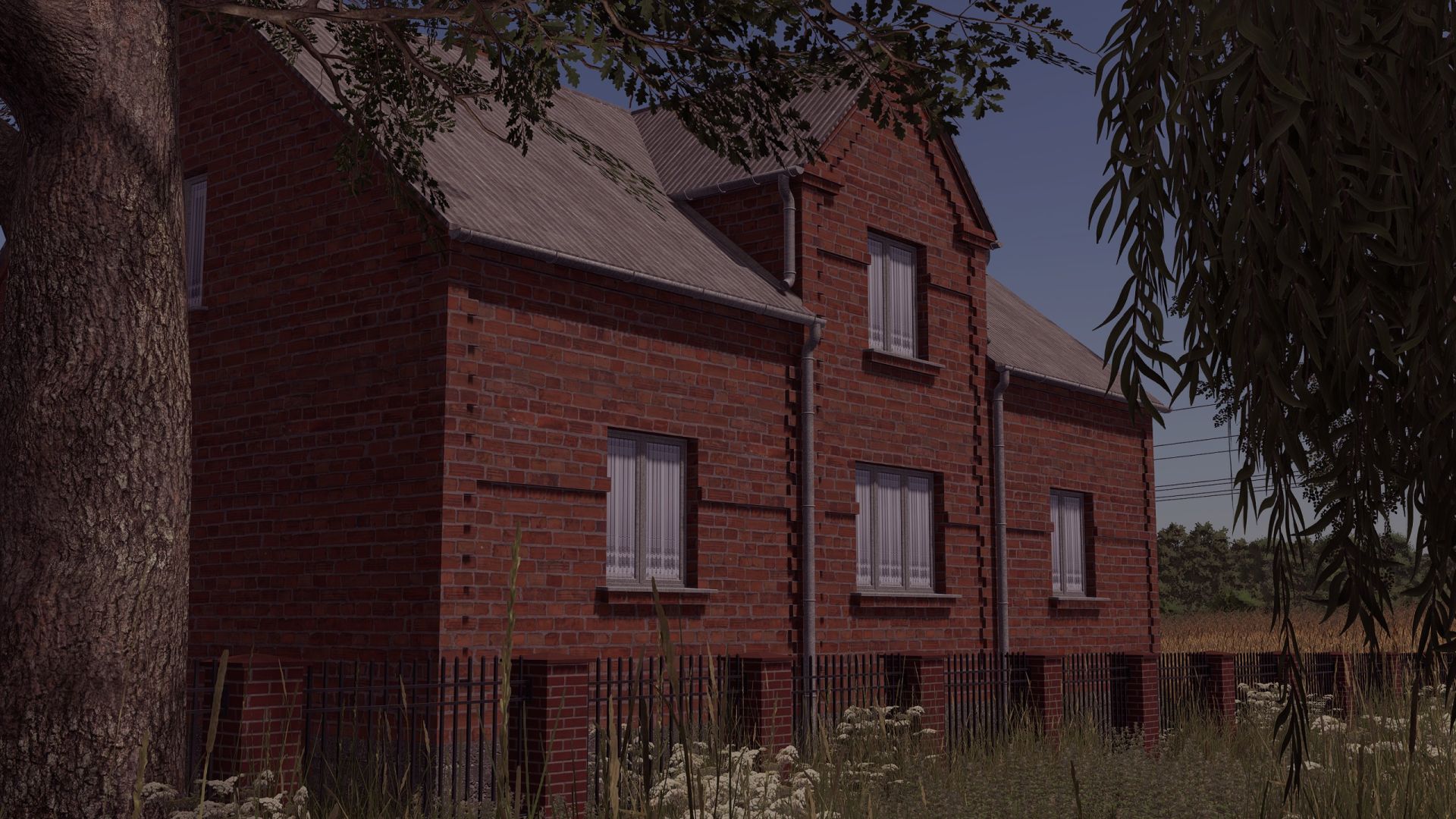
Brick House FS25
House built in red brick with sleeping and changing facilities. Price: 85500$ Daily upkeep: 70$/day converted from FS22 added missing building collision
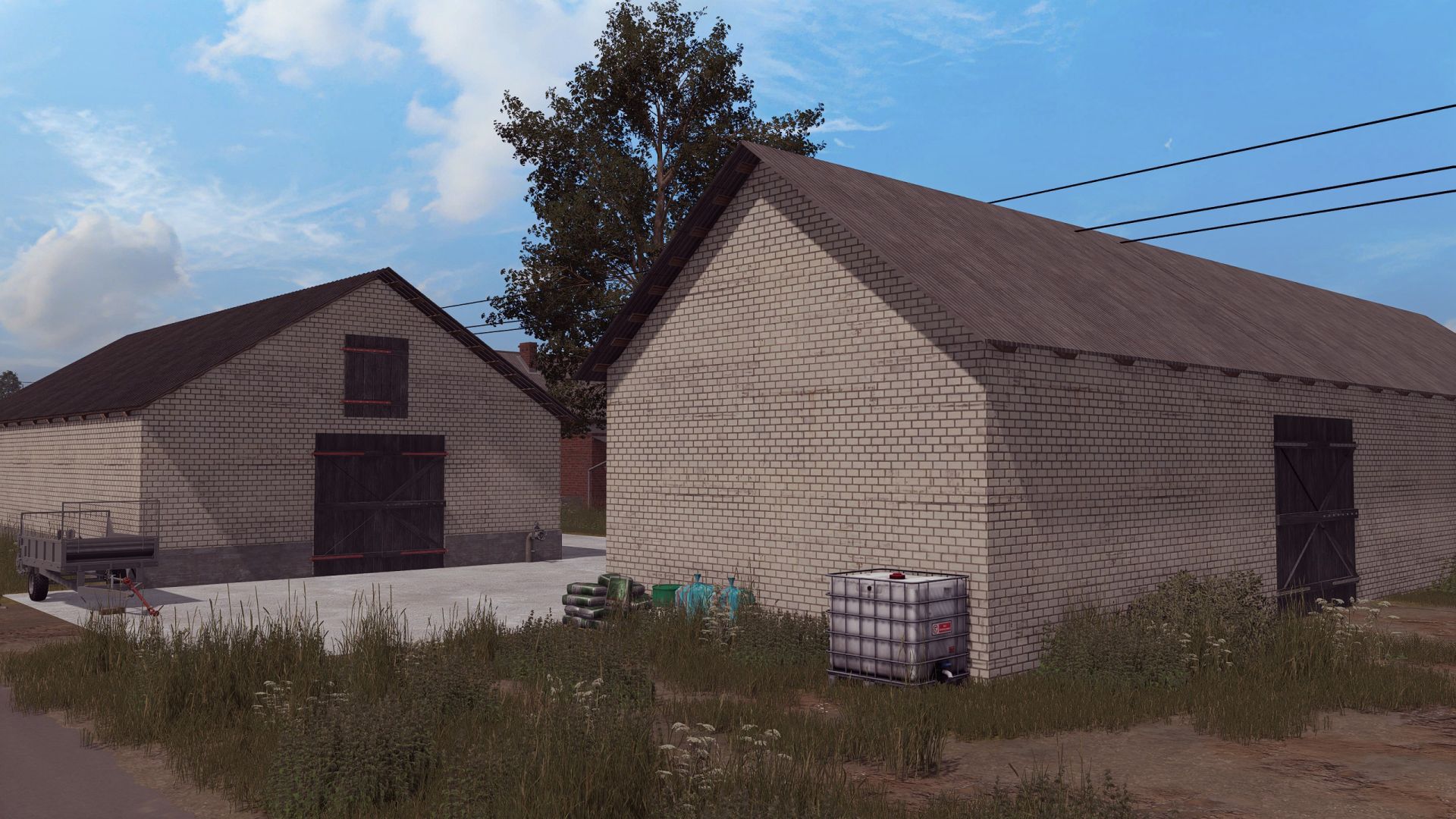
Polish Farm Buildings with Cow Shed FS25
Cow barn -price 50000 -dailyUpkeep 100 Buildings -price 150000 -dailyUpkeep 100 Converted from FS 19 added missing building collision
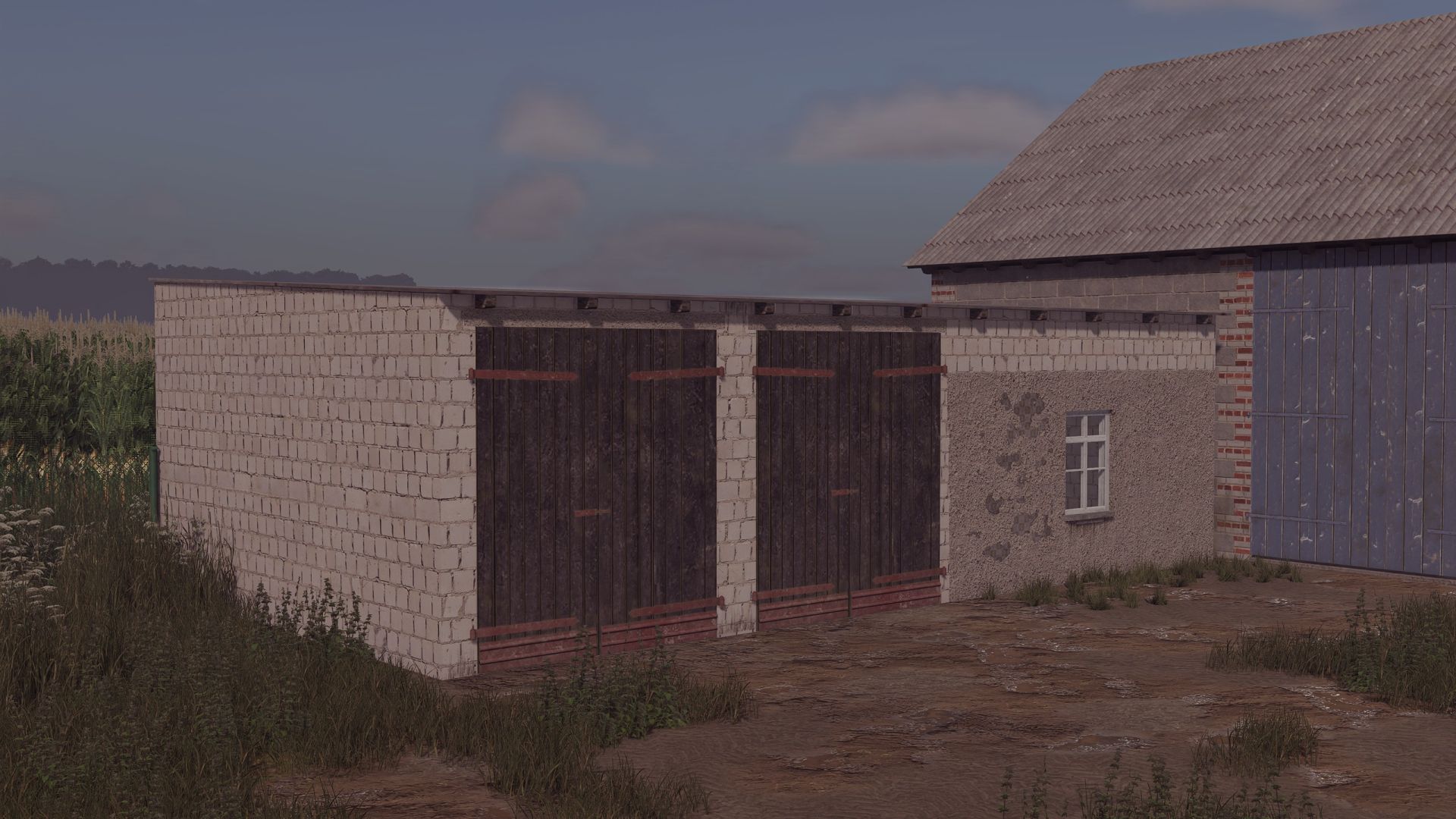
Old Bobcok Garage FS25
Old garage, for agricultural machinery. Price: 20 000$ Daily cost: 10$ converted from FS22 fixed a collision issue
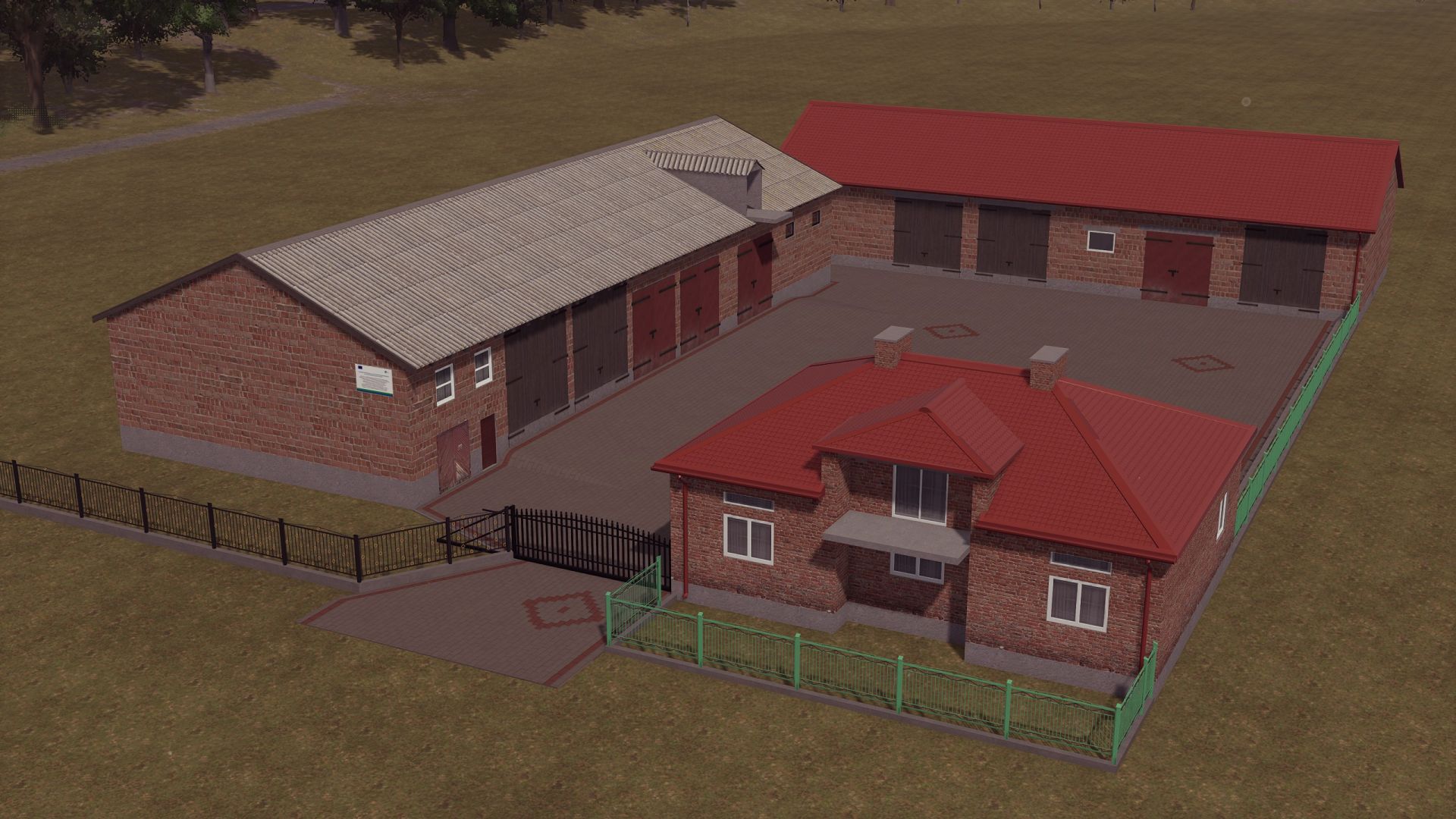
Building with a House FS25
Building (this is a conversion from FS19) Building - Price: €100,000 - Daily cost: €20 fixed an issue with collisions and textures
FarmSimMarket – Player Market & Rankings FS25
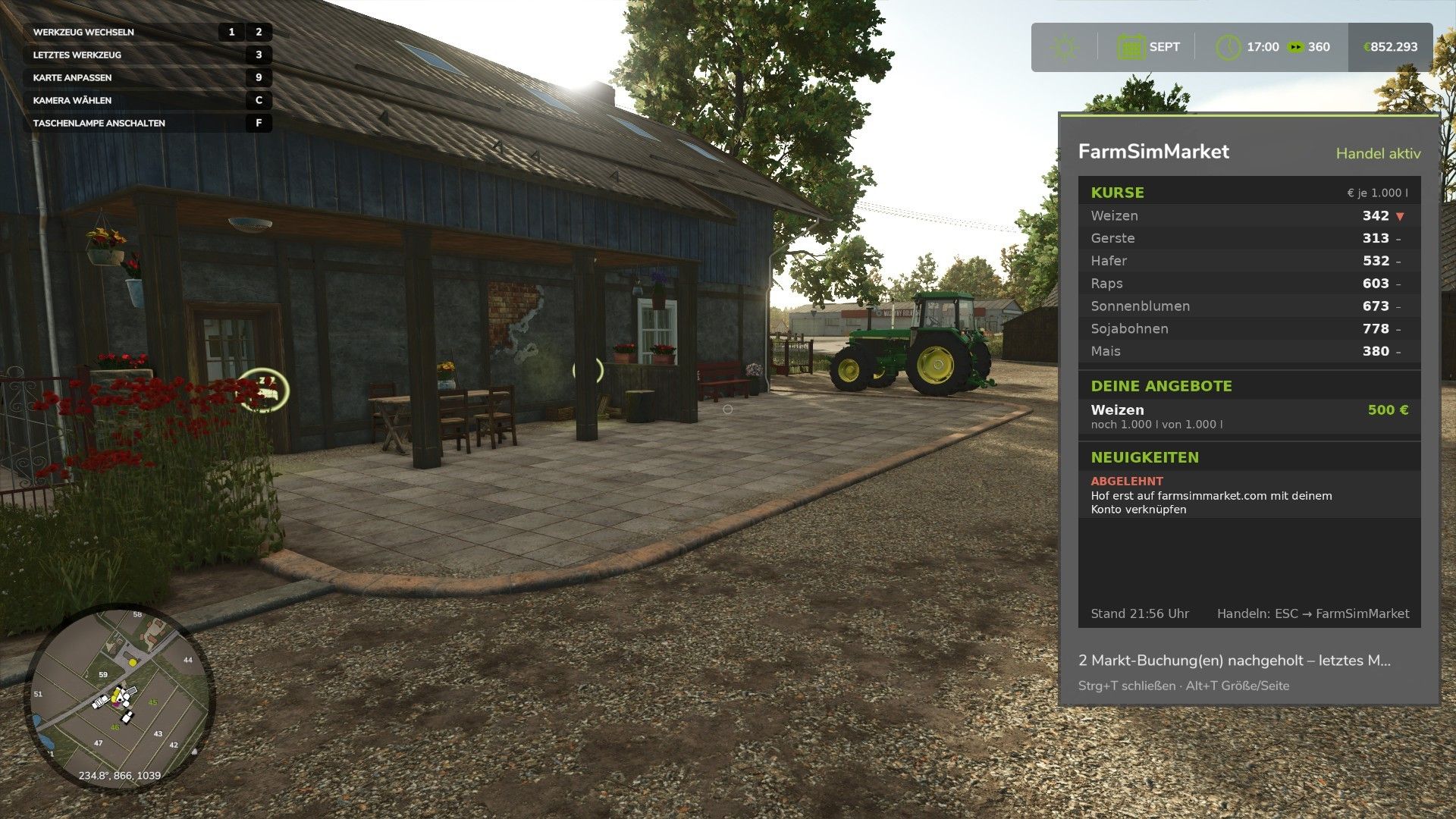
OPEN BETA – Trade with real players instead of only with the game! FarmSimMarket connects your farm with farmsimmarket.com – a marketplace for all LS25 players. WHAT THE MOD CAN DO - Player marketplace: Sell or buy crops, milk, pallets, bales and vehicles from other players – directly in the game (ESC → FarmSimMarket) or on the website. - Market tablet (Ctrl+T): Prices, your offers and news at the edge of the screen while you keep playing – even in a vehicle. - No extra building required: Purchased goods go into your existing silos and storage facilities, or appear as pallets/bales at the shop’s drop-off area. - Leaderboards & farm profile: Compare your farm with other players. - Contract marketplace: Post or accept contract work – with field access permissions on shared servers. - Multiplayer & dedicated servers, rented servers (G-Portal, Nitrado …) via the server bridge. HOW TO GET STARTED 1. Do not unpack the ZIP; place it in the Mods folder and activate it in your savegame. 2. Create an account at farmsimmarket.com and enter the code from the game. 3. To trade, start the small FarmSimMarket helper (farmsimmarket.com/download, Windows, no installation required). ⚠️ OPEN BETA – PLEASE READ FarmSimMarket is still at a very early stage. Most things work, but there may still be occasional errors or something may not work from time to time. Make a backup of your savegame before your first trade. What does not work yet or has barely been tested: - PC (Windows) only – no consoles; the helper only runs on Windows. - Trading only works with the helper or server bridge (without one, the goods remain where they are; nothing is lost). - Multiplayer and the contract marketplace’s field access permissions have barely been tested. - Rented servers via the server bridge are still being tested. - Prices move very little at first – they are generated by player trading. - Website currently available only in German. Found a bug? Please report it on Discord in #fehler-melden with a short description and the log.txt (Documents\My Games\FarmingSimulator2025): https://discord.gg/6squZxh88M Website & helper: https://farmsimmarket.com/download New in 0.33: - New DLC “Beans & Alpacas”: 28 new goods on the market (bananas, coffee cherries, coffee, banana and alpaca products, pigments, resin, paint buckets, iron and copper ore, fungicide), alpacas at the animal market - Quarry rocks and natural wall stones from “Highlands Fishing” - Delivery storage as a selection list in the ESC menu, filter for suitable storage facilities, permanently exclude storage facilities from the market - Delivery storage now detects all storage facilities (including shares of map silos, bulk storage halls and mod storage) - Offers expire after 7 days (reminder one day beforehand, extend them on farmsimmarket.com) - App 0.4.0: Private chat with other players Version 0.32 – major update (mod + website) NEW - Delivery storage can be selected: In the ESC menu, you decide which silo, shed, stable or production facility purchased goods go to first – sales will also be made from there first - Sugar beet pulp can now be traded on the market - Cooperative contracts: A cooperative delivers or purchases as a whole – its members share the quantity, and the farm that delivers gets paid CHANGED - In-game money is unrestricted: No balance is checked anymore, money mods are allowed, and money no longer counts towards any leaderboard or achievement - In return, the daily limit decreases the more money you have (highest balance of the last 30 days), and for each commodity you can buy no more than a quarter of the available supply within 24 hours – so nobody can buy the market empty - Registration is now only possible with the linking code from the game Simply replace the old ZIP in the Mods folder. All information: farmsimmarket.com 0.31.1.0 – New: Pallets and bales in a single-object storage facility (bale and pallet storage) are now counted – you can see them on farmsimmarket.com under Storage. They can be listed after being taken out of storage. New in 0.31: Diesel and liquid lime can now be traded on the exchange – liquid lime requires the “Liquid Lime” mod. Are you missing a product on the exchange? Write it in the “Produkt-Wünsche” channel on our Discord. Fixed in 0.29: - A loan taken out is no longer counted as “Other Income” and no longer triggers a money suspicion - English: Buttons, tabs and headings in the ESC menu sometimes remained in German - Contract work and vehicle sales: Combinations (e.g. Premos with Bale Shredder) could never be picked up — attached equipment is now automatically detached Version 0.28 – New: Stock exchange menu styled like the game's price page (Market & Trade, My Offers, All Offers tabs; list of goods with stock levels and a scrollbar, with the exchange price, Sell option and the cheapest offers to buy for each good). Welcome window on first launch (link farm, money rules, Discord). In-game update notice when a new version of the mod or helper is available. Fixed: Game time on the website now updates live and applies to each farm in multiplayer. All details: farmsimmarket.com/download.php Version 0.27 – New: fully in English when the game is not running in German · Bunker silo as a delivery destination (chaff/silage directly into the selected bunker silo, including multi-compartment bunker silos from DLCs) · Wood from the “Holzlager Silo” mod can be traded · Prize money from events · In-game stock market with mouse-wheel scrolling, commodity icons and bunker silo overview · Bales and pallets directly into your own object storage. Fixed: Goods in silo extensions (e.g. barley) are recognized · Goods now only go into storage facilities that accept them · German/English mixed together · Incorrect money suspicion after sales. Changed: Goods are no longer placed at the shop – purchases are only possible if they fit into your own storage facility.
Farm radios & Proxy chat FS25
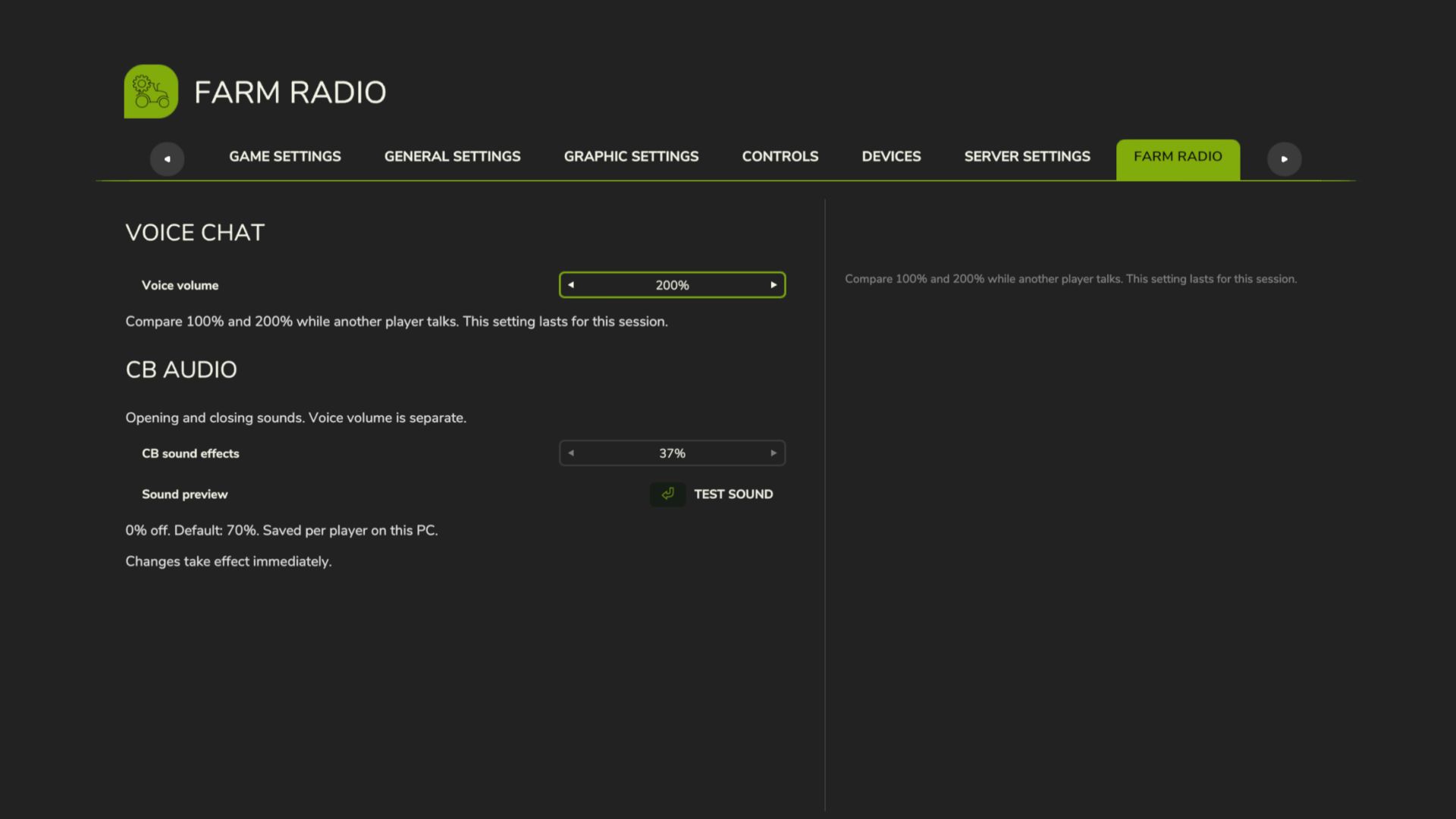
Farm Radio for Farming Simulator 25 Keep your crew connected with farm-based radio communication and proximity voice for Farming Simulator 25 multiplayer. Coordinate with your own farm across the map, contact neighboring farms through the Repeater channel, or speak with players nearby. A compact radio display shows transmission activity, while character animations bring the handheld radio into the game. Getting Started - Install and enable the same mod version on the multiplayer host/server and all participating players. - Enable in-game voice chat and check your microphone settings. - Join a farm to access the Local and Repeater radio channels. Radio Controls - Local — hold Comma (,): Speak to members of your own farm, regardless of distance. - Repeater — hold Forward Slash (/): Speak to players across all farms, including your own. - Proximity voice: Speak with nearby players using the game’s voice activation or normal push-to-talk setting. Radio channels are available only to players assigned to a farm. Players without a farm cannot transmit or receive radio calls. Changing Key Bindings Open Settings → Controls and look under Player for: - Farm Radio (hold) - Repeater Radio (hold) Both controls can be reassigned independently of the game’s normal voice-chat control. Reading the Radio Display - Local highlights in your farm color while you transmit on the Local channel. - Repeater highlights red while you transmit on the Repeater channel. - Your own name and speaker icon match your outgoing channel color. - Incoming calls from your farm highlight the speaking member. - Incoming Repeater calls from another farm display that farm’s name and color. Existing voice mute and block settings remain respected. Test Release Feedback Please report audio issues, vehicle key-binding problems, animation glitches, or incorrect display indicators. Include a short description, your game log, and a screenshot or recording where possible. This build includes an experimental voice-volume increase. The audible result may vary and remains under testing. Boosted volumes, added a menu to adjust volumes in settings.
CCM Bunker Tools V1.0.0.0
CCM Bunker Tools V1.0.0.0 Standardmäßige Bunkersilos erkennen Silage oder CCM automatisch. Wenn nur noch maximal 10 % des Inhalts vorhanden sind, kann der Rest manuell aus dem geöffneten Silo mit *Strg + Entf* endgültig entfernt werden. Erforderlich: CCM Production Pack oder eine Karte mit geeigneten CCM-Fülltypen. Erweitert Standard-Bunkersilos um eine automatische CCM-Erkennung. Die erste gekippte Ladung bestimmt, ob normale Silage oder CCM produziert wird. Nachdem das Silo vollständig geleert wurde, steht die Auswahl wieder zur Verfügung. Wenn der verbleibende Betrag nicht mehr als 10 % beträgt, können Sie den Rest manuell und endgültig aus Ihrem geöffneten Silo entfernen, indem Sie die linke Strg-Taste + Entf drücken. Diese Taste kann frei belegt werden. Mod-Abhängigkeit: Erfordert kompatible CCM-Fülltypen, beispielsweise über das CCM Production Pack von Kastor / DS-Agrarservice. Dies muss separat installiert und im Spielstand aktiviert werden. Erforderliche Mods: CCM Produktionspaket Tags: CCMDiese TasteErforderliche ModsStrg Entf
- 15 per page
- 30 per page
- 45 per page
- 60 per page
-
See more per page
Bigger pages, fewer clicks - and no ads anywhere.
Go Pro