Farming Simulator 25 mods
77,715 results- 15 per page
- 30 per page
- 45 per page
- 60 per page
-
See more per page
Bigger pages, fewer clicks - and no ads anywhere.
Go Pro
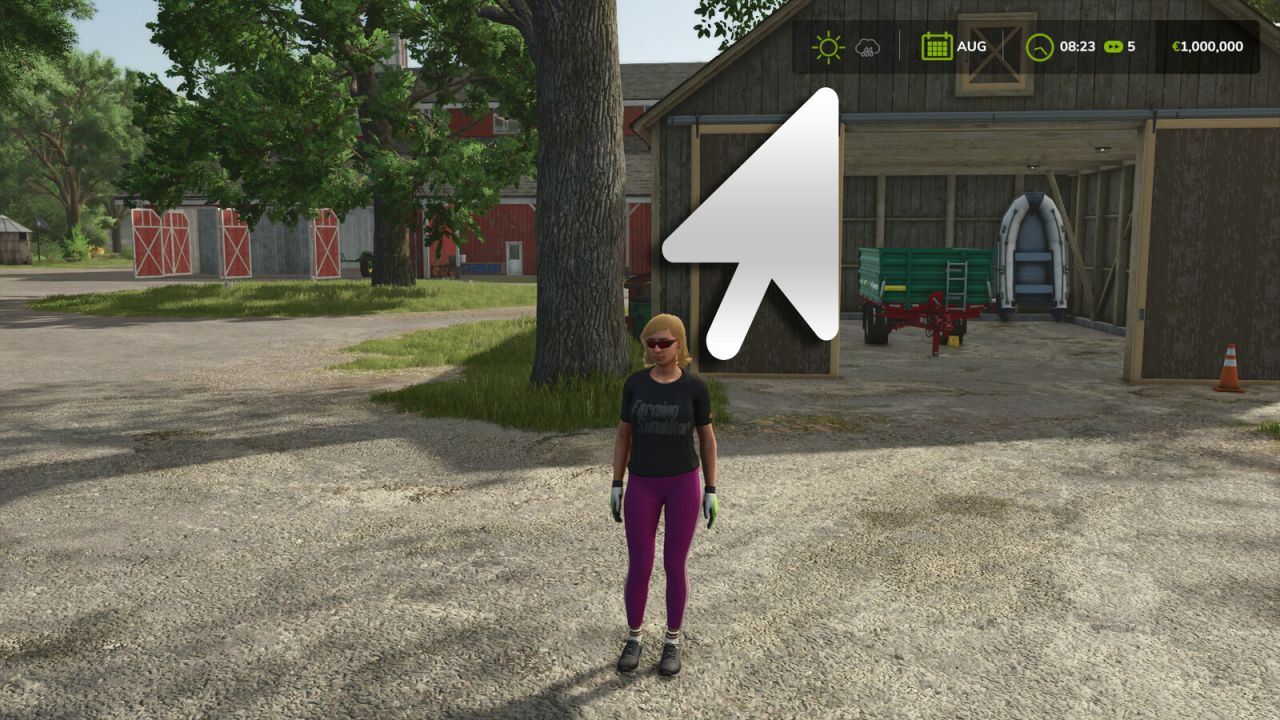
Katastrophenmanagement V1.0.0.0
Katastrophenmanagement V1.0.0.0 Fügt neue Einstellungen hinzu, mit denen Sie jede Naturkatastrophe (Hagel, Tornado) einzeln aktivieren oder deaktivieren können, anstatt nur den globalen Schalter des Basisspiels "Ein / Nur Grafik / Aus". Tags: Naturkatastrophe Hagel
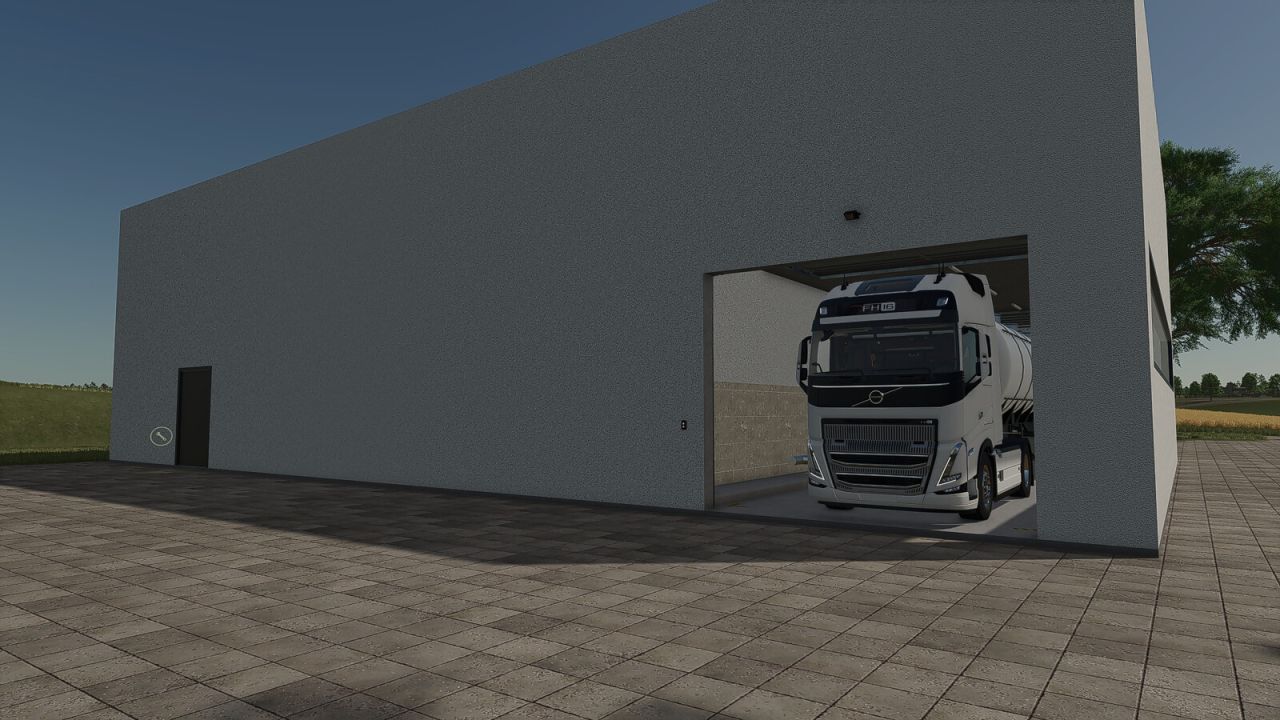
Big Dairy V1.0
Big Dairy V1.0 This large dairy facility offers ample space for professional milk processing and is ideally suited for larger farms, production sites, and industrial areas. A key feature of this dairy is that both the intake point and the pallet spawn point are located entirely inside the building. This allows raw materials to be delivered under cover and finished goods to be collected directly within the hall. The dairy utilizes all standard recipes from the base game. Features Large dairy facility with a spacious interior Intake point located inside the building Pallet spawn point inside the hall Weather-protected delivery and collection Ample space for larger vehicles and combinations Illuminated interior Includes all standard base game recipes Category: Factories Price: $360.000 Daily maintenance costs: $40 Author: [SeBa-Modding] Sebimodding Report bugs in the comments and help modders improve this mod. Always check the comments, you can find a solution. DOWNLOAD MOD
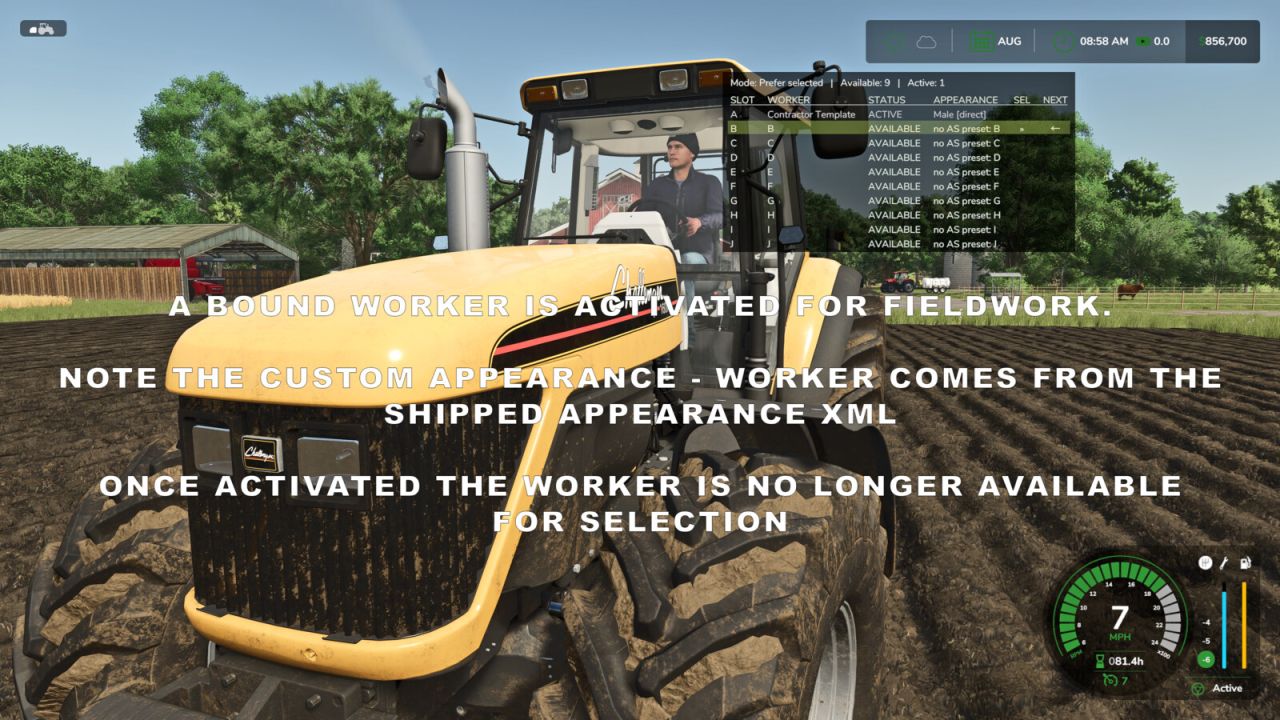
Helferprofile V1.0.0.0
Helferprofile V1.0.0.0 Stelle ein festes Team von Mitarbeitern für deinen Bauernhof zusammen und bestimme, wer den nächsten KI-Auftrag übernimmt. Helferprofile erweitern die Standard-Helferliste auf 20 permanente Arbeiterplätze (AT) mit einer übersichtlichen Statusanzeige und einem Helferverwaltungsbildschirm mit zwei Registerkarten. Leiten Sie Ihr Team: – Wähle in jedem Spielstand aus, welche Arbeiter zur Anstellung verfügbar sind. – Einzelne Arbeiter in den Dienstplan ein- oder ausschalten, alle Arbeiter aktivieren oder die anderen deaktivieren, während der ausgewählte Arbeiter und alle aktiven Arbeiter erhalten bleiben. – Mitarbeiter außerhalb des Dienstplans werden von der Auswahl, der Überlagerung und Neueinstellungen ausgeschlossen. Ihre gespeicherten Erscheinungsbild-Bindungen und HelperPayroll-Zuweisungen bleiben bei ihrer Rückkehr erhalten. – Aktive Arbeiter können nicht deaktiviert werden, und mindestens ein Arbeiter muss im Dienstplan bleiben. Wählen Sie aus, wer als Nächstes arbeitet: – Mithilfe einer Tastenkombination durch die verfügbaren Mitarbeiter navigieren. – Im Modus „Ausgewählten bevorzugen“ wird der von Ihnen gewählte Arbeiter eingestellt, sobald er verfügbar ist. Bei Bedarf wird auf einen anderen verfügbaren Arbeiter zurückgegriffen. – Im Modus "First Free" wird der erste verfügbare Arbeiter in der Reihenfolge der Liste eingestellt. – Sehen Sie in einer automatisch angepassten Tabelle den von Ihnen ausgewählten Mitarbeiter, den nächsten Mitarbeiter, der voraussichtlich eingestellt wird, und welche Helfer verfügbar oder aktiv sind. – Die Overlay-Seiten zwischen AJ und KT können ein- und ausgeblendet werden und bieten eine konfigurierbare Position, Größe und Darstellung. Personalisiere deine Helfer mit optionalen Begleiter-Mods: Mit AvatarSwitcher können Sie gespeicherte Aussehensvoreinstellungen über den Reiter „Aussehen“ einzelnen Helfern zuweisen. Die Zuweisungen werden für jeden Spielstand separat gespeichert. HelperPayroll fügt der Overlay- und Dienstplanansicht eine schreibgeschützte Rollenanzeige hinzu. Verwalten Sie Rollen, Stundensätze und Löhne in HelperPayroll. – Helper Profiles funktioniert ohne die dazugehörigen Mods; benutzerdefinierte Darstellungsbindungen und Gehaltsabrechnungsrolleninformationen erfordern die entsprechende Mod. Standard-Tastatursteuerung: – Semikolon (;): Zyklusarbeiter. – Shift + ;: Einstellungsmodus umschalten. – Rechte Strg + ;: Helferverwaltung öffnen (Registerkarten Erscheinungsbild und Helferliste). – Rechte Alt-Taste + ;: Überlagerung ein- oder ausblenden. Die Steuerung kann in den Steuerungseinstellungen des Spiels neu belegt werden. Nur für Einzelspieler. Nicht kompatibel mit dem „Hired Helper Tool“ oder inkompatiblen Mods zur Erweiterung der Helferliste. „Helper Profiles“ deaktiviert sich für die Sitzung, sobald ein inkompatibler Listenbesitzer erkannt wird. Tags: AJBei BedarfDie SteuerungKT
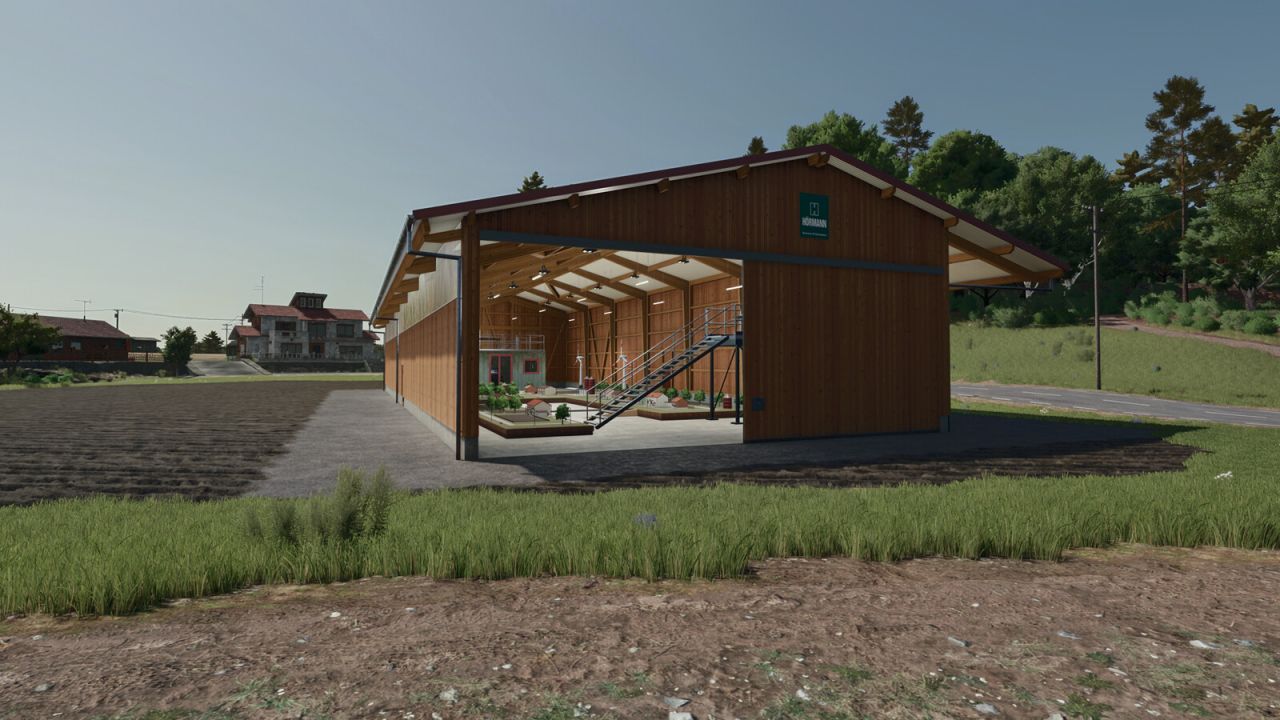
RC World V1.0
RC World V1.0 RC World brings a drivable 1:17 miniature world into a Hörmann hall. Drive the small Fendt and transport maize between two built-in silos with the Fliegl trailer. The layout includes two driver platforms with camera views, a narrow connecting bridge, a recovery ramp and a walk-in container with a sleeping area and simulator rig. Hall, container and diorama lighting can be switched separately. Hörmann RC Hall Shop category: Sheds Price: $45,000 Daily upkeep: $150 Silos: 2 separate storage units, each with a capacity of 100 l of maize only Fendt 700 RC Shop category: Miscellaneous Price: $350 Power: 0.02 hp Maximum speed: 3 kph Drivable and carryable, with an electric motor sound, a cab camera and two platform cameras Fliegl ASW 271 RC Shop category: Miscellaneous Price: $250 Capacity: 2 l of maize RC-Welt lettering The vehicles are purchased separately. The trailer unloads at compatible stationary receiving points; ground unloading and transfer to other vehicles are disabled. Trailer lighting is intentionally disabled. This version focuses on transport. Fields and crops are decorative; cultivation, sowing and harvesting are not included. No additional mods required. Author: fitfueralles Report bugs in the comments and help modders improve this mod. Always check the comments, you can find a solution. DOWNLOAD MOD
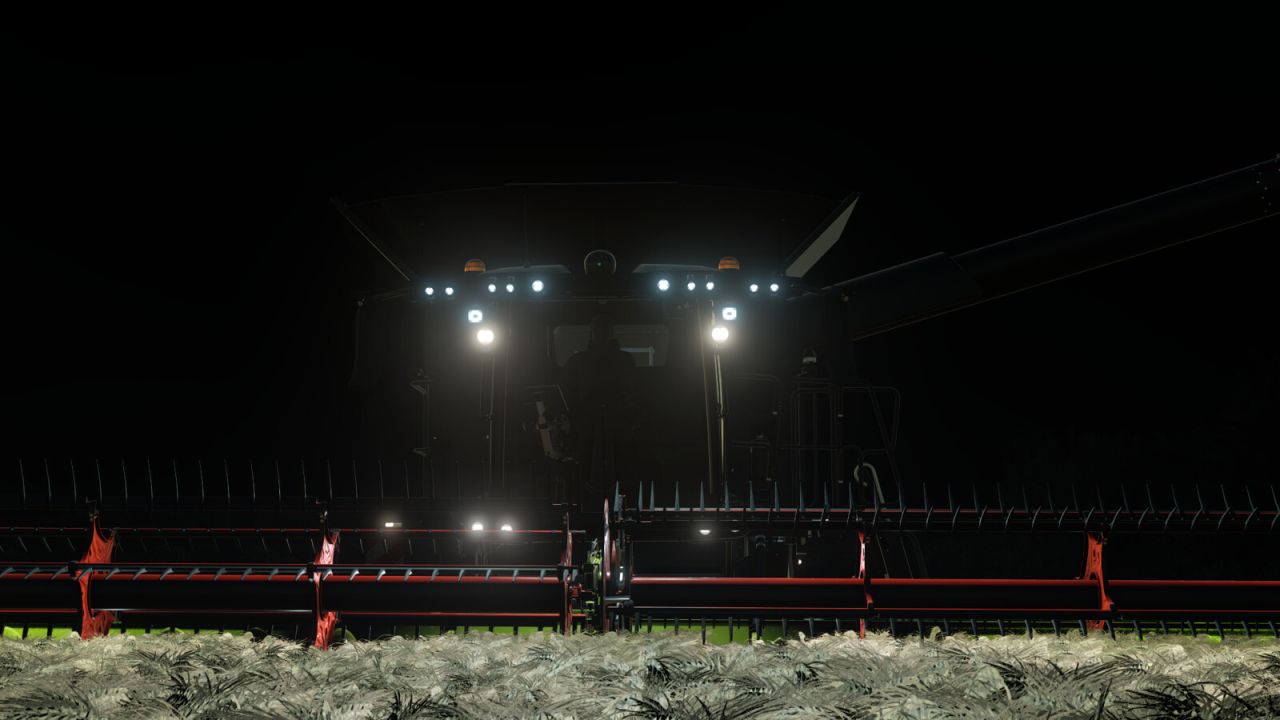
CLAAS Lexion 8000 Serie V2.0.0.1
CLAAS Lexion 8000 Serie V2.0.0.1 CLAAS Lexion 8000 Serie Shop-Kategorie: Mähdrescher Preis: 494.265 $ – 642.870 $ Motorleistung: 549 PS – 790 PS Höchstgeschwindigkeit: 25 – 40 km/h Korntankkapazität: 13.500 l, 15.000 l, 18.000 l Rollenlängen: XL – 7XL Modelljahr: 2023 Registrierungsland: EU + USA Motorkonfigurationen: – Lexion 8600 (598 PS) – Lexion 8700 (646 PS) – Lexion 8800 (700 PS) – Lexion 8900 (790 PS) Wichtige Hinweise! Bei Verwendung des Reifendruckregelsystems in der Terra Trac-Konfiguration ist zu beachten, dass der Reifendruck an der Vorderachse nicht unter 2,2 bar fallen darf. Stellen Sie dazu den Felddruck in den VTP-Mod-Einstellungen (Strg + Alt + U) auf 2,2 bar ein. Im nächsten Update des VTP-Mods werden Riemenantriebe vollständig ausgeschlossen. Vielen Dank an HotShotPepper dafür. Konfigurationen: – Reifenkonfigurationen (Standard, Terra Trac, RDA) – Reifendruckregelsystem – GPS (Fieldscanner, Star Fire) – Rotierende Lichter (rotierend, stroboskopisch) – Flottennummer (1–9) – Aufkleber hinten (Warnung, Landwirtschaftliche Betriebsmittel) – Seitenaufkleber (Agrarwirtschaft) – Breite des Strohhäckslers – Reflektoren (rot, gelb, orange) – Lexion Evolution und Pios Grain – Positionslicht für Entlader (steuerbar über IC an der Sitzarmlehne) – Flaggen (verschiedene Länder) – Sonderausführung (Agrar Lübbersruh, 500000) Animationen über interaktive Steuerung (36 IC-Punkte): – Einstiegsschritt – Tür – Fenster – Jalousien – Lenkrad – Seitentüren (vorne [rechts, links], hinten [rechts, links]) – Heckklappe – Heckleiter – Obere Seitentür – Motorhaube – Kühlergrill – Spiegelklappen – Strohhäcksler (Straßenmodus/Feldmodus) Merkmale: – 4 Funktionskameras (hinten, Anhängerkupplung, Rohr, Getreidetank) – Funktionales RDA-Display (mit Reifendruckkonfiguration) – 2 verschiedene Cebis-Bildschirme (Straßenmodus, Feldmodus) – Dunkler und heller Bildschirmmodus (DBL) – Individuelle LED-Leuchten + Blinker – Realistische Klänge – Kabinenbeleuchtung Vielen Dank an Dachhau Agrar für die Bereitstellung des Hella LED-Pakets. Ein großes Dankeschön geht an RAZER_GAMINGHR für die Bereitstellung seines Soundpakets für das Lexion. Vielen Dank an B3N für die John Deere RTK-Empfänger und an Floydy für das Design 500000. Vielen Dank an AgroTonho für das Teilen seiner Flaggen. Zur Anzeige der Kameras wird das Mercedes-Benz DLC benötigt. Kompatibel mit Interactive Control, Variable Tire Pressure und Dashboard Live. V2.0.0.1 – Ein Fehler bei der Abdeckung des 18.000-Liter-Korntanks wurde behoben. – Kollision mit dem Rohr behoben Tags: ICPSStellen SieVielen Dank
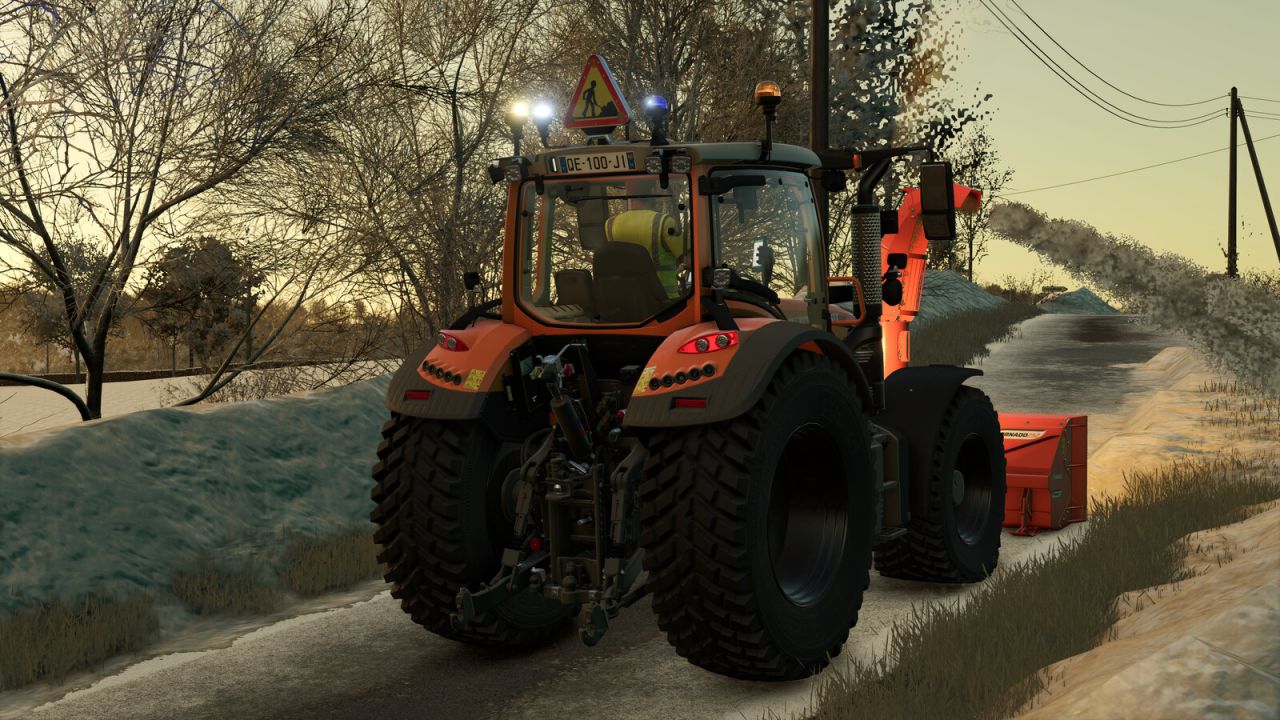
Fendt Vario 500 Kommunal V1.0.0.0
Fendt Vario 500 Kommunal V1.0.0.0 Entdecken Sie die Fendt Vario 500 in ihrer 'Municipal'-Ausführung. Ideal für alle Ihre öffentlichen Arbeiten, Straßeninstandhaltung, Mäharbeiten und Schneeräumung im Landwirtschafts-Simulator 25. Dieser Traktor wurde speziell für die Anforderungen der örtlichen Behörden modifiziert und ist so ausgestattet, dass die Sicherheit Ihrer Mitarbeiter und anderer Verkehrsteilnehmer gewährleistet ist. Mit seiner fortschrittlichen Warnausrüstung ist es bestens gerüstet für jede städtische Baustelle oder Straßenbaustelle. Merkmale: Erweitertes Sicherheitswarnsystem: Hinzufügung eines dreieckigen, beleuchteten Baustellenschildes (Typ AK50), das auf dem Dach montiert ist und sich ideal zur Sicherung Ihrer Arbeitsbereiche eignet. Arbeitsbeleuchtung: Individuell angepasste Beleuchtungskonfiguration mit zusätzlichen orangefarbenen Rundumleuchten und blauen Blitzlichtern für maximale Sichtbarkeit bei Tag und Nacht. Städtische Gestaltung: städtische orange Lackierung. Fendt-Styling: Fendt-Grünlackierung. Einsatzbereit: Ausgestattet mit einer Fronthydraulik und kompatibel mit Frontladern für die einfache Anbringung von Schneepflügen, Kehrmaschinen oder Freischneidern. Federung: weichere Federung vorne und hinten. Technische Spezifikationen: Grundpreis: 152.500 $. Leistung: 131 – 171 PS. Höchstgeschwindigkeit: 31 mph. Manuelle Aktionen: Öffnen/Schließen: linke Tür, rechte Tür und Heckscheibe. Konfigurationen: – Kommunal. – Rotierende Leuchtfeuer. – Blinkende LEDs. – Baustellen-LEDs. – Blaue, rotierende Leuchtfeuer. Empfohlene Konfigurationen: Reifenmarke: Nokian Tyres. Radkonfiguration: Kommunal. Kommunal: Ja. Rotierende Leuchtfeuer: LEDs 1. Blink-LEDs: Alle. Blaue, rotierende Leuchtfeuer: Schneeräumung. Tags: Dieser TraktorFendt VarioPSTechnische Spezifikationen

11kW Wallbox V1.0
This wallbox allows you to charge electric vehicles at your own business premises. Since you use your own electricity, the cost per kWh is just 12 cents. Please note: The unit is designed to be mounted against a wall, so it does not have a back panel. Category: Misc Price: $2,380 Monthly upkeep: $3 To start download click the filename. To open archive files use one of these programs: WinRAR, 7-Zip, WinZip. Some mod archives may need to be extracted before the mods will work.
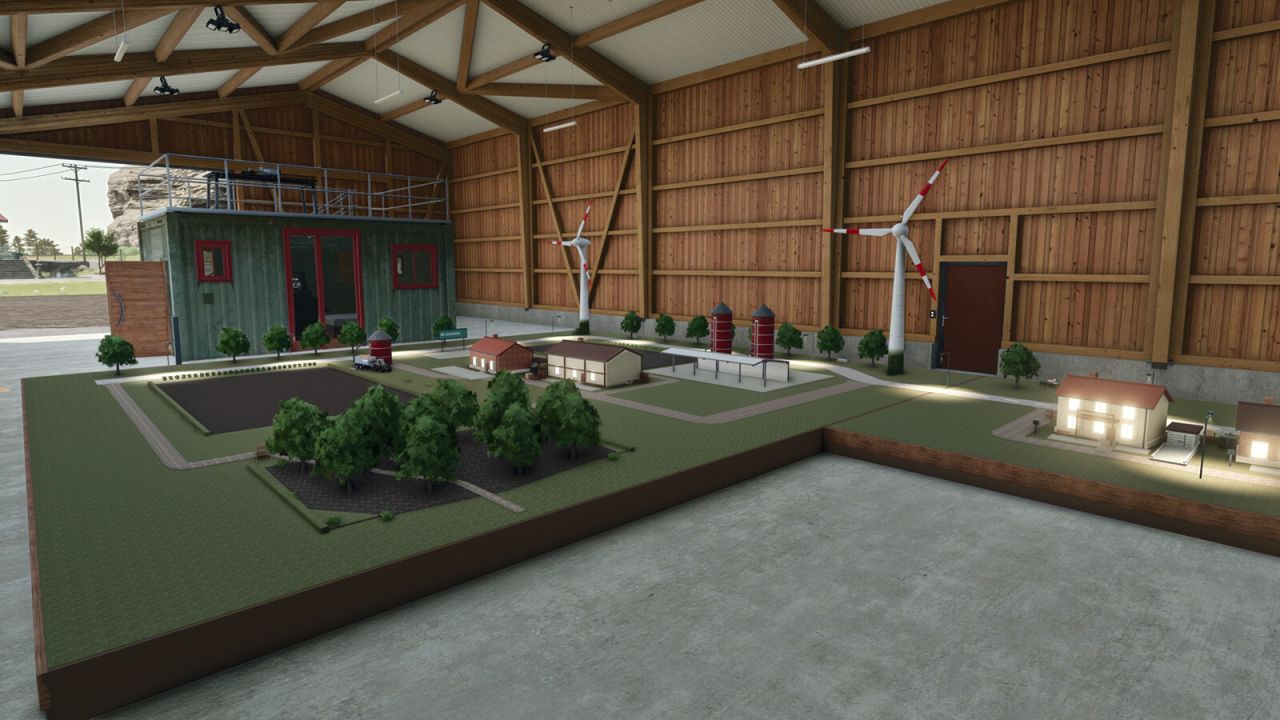
RC World FS25
RC World brings a drivable 1:17 miniature world into a Hörmann hall. Drive the small Fendt and transport maize between two built-in silos with the Fliegl trailer. The layout includes two driver platforms with camera views, a narrow connecting bridge, a recovery ramp and a walk-in container with a sleeping area and simulator rig. Hall, container and diorama lighting can be switched separately. Hörmann RC Hall Shop category: Sheds Price: $45,000 Daily upkeep: $150 Silos: 2 separate storage units, each with a capacity of 100 l of maize only Fendt 700 RC Shop category: Miscellaneous Price: $350 Power: 0.02 hp Maximum speed: 3 kph Drivable and carryable, with an electric motor sound, a cab camera and two platform cameras Fliegl ASW 271 RC Shop category: Miscellaneous Price: $250 Capacity: 2 l of maize RC-Welt lettering The vehicles are purchased separately. The trailer unloads at compatible stationary receiving points; ground unloading and transfer to other vehicles are disabled. Trailer lighting is intentionally disabled. This version focuses on transport. Fields and crops are decorative; cultivation, sowing and harvesting are not included. No additional mods required.

Helper Profiles V1.0
Give your farm a consistent team of workers and choose who takes the next AI job. Helper Profiles expands the standard helper roster to 20 permanent worker slots (A-T), with a clear status overlay and a two-tab Helper Management screen. Manage your team: – Choose which workers are available for hire in each savegame. – Switch individual workers ON or OFF roster, enable all workers, or disable the others while keeping your selected worker and any active workers. – OFF-roster workers are excluded from selection, the overlay and new hires. Their saved appearance bindings and HelperPayroll assignments are retained when they return. – Active workers cannot be switched OFF, and at least one worker must remain ON roster. Choose who works next: – Cycle through available workers using a shortcut. – Prefer Selected mode hires your chosen worker when free, falling back to another available worker when needed. – First Free mode hires the first available worker in roster order. – See your selected worker, the next worker expected to be hired, and which helpers are available or active in an automatically sized table. – The overlay pages between A-J and K-T, can be shown or hidden, and offers configurable position, size and appearance. Personalise your helpers with optional companion mods: – AvatarSwitcher lets you bind saved appearance presets to individual helpers through the Appearances tab. Bindings are saved separately for each savegame. – HelperPayroll adds a read-only role display to the overlay and roster screen. Manage roles, pay rates and wages in HelperPayroll. – Helper Profiles works without either companion mod; custom appearance bindings and payroll role information require the corresponding mod. Default keyboard controls: – Semicolon (;): cycle workers. – Shift + ;: switch hiring mode. – Right Ctrl + ;: open Helper Management (Appearances and Helper Roster tabs). – Right Alt + ;: show or hide the overlay. Controls can be reassigned in the game’s control settings. Single player only. Not compatible with Hired Helper Tool or conflicting helper-roster expansion mods. Helper Profiles disables itself for the session when an incompatible roster owner is detected. To start download click the filename. To open archive files use one of these programs: WinRAR, 7-Zip, WinZip. Some mod archives may need to be extracted before the mods will work.

Field Painter V1.0
Paint real field ground directly in Construction > Landscaping > Painting. Field Painter adds 15 ground-state brushes, including harvested wheat stubble, shallow cultivation, cultivated soil, seedbed, plowed soil, rolled seedbed and ridges. Use the normal painting controls to paint, resize and switch between round and square brushes. The free-mode button rotates the rows by 45 degrees. Painting costs 1.00–2.50 per square metre, depending on the state. Prices are shown on the tiles. It is limited to your own accessible land with landscaping permission. Painting replaces crops and clears weeds, stones and decorative foliage in the brush area. Harvested stubble uses wheat; grass brushes create real grass. The grass-field brush starts young and must grow before harvesting. Sown and planted ground brushes set the soil state only and do not sow a crop. Existing lime and fertilizer levels are retained. Terrain elevation is preserved. PC/Mac script mod. To start download click the filename. To open archive files use one of these programs: WinRAR, 7-Zip, WinZip. Some mod archives may need to be extracted before the mods will work.

MultiTask Mowers V1.0
Adds three selectable modes to compatible grass mowers: normal mowing, mowing with a central windrow, and mowing with direct hay production in a central windrow. When several front and rear mowers are working together, their active cutting areas are treated as one group. The windrow is centered across the complete working width and deposited behind the rearmost active mower. Its width adapts to the amount of material, while the native ground system controls its height. Forage harvester headers and mowers with an internal fill unit are excluded. Compatible with manual work and AI systems that use the standard mower specialization. Controls: Ctrl+N, configurable in the controls menu. F1 displays the selected mode instead of the original work mode. To start download click the filename. To open archive files use one of these programs: WinRAR, 7-Zip, WinZip. Some mod archives may need to be extracted before the mods will work.

Disaster Control V1.0
Adds new settings that lets you enable or disable each disaster (hail, twister) individually, instead of only the base game’s global “on / visuals only / off” switch. To start download click the filename. To open archive files use one of these programs: WinRAR, 7-Zip, WinZip. Some mod archives may need to be extracted before the mods will work.

Camera Motion V1.0
Adds smooth camera movement effects and refines player and vehicle camera behavior, including sway and responses to acceleration, braking, cornering and uneven terrain. Features: – Customize 4 profiles for vehicle and player cameras, in first and third person. – Adjust movement strength with one slider or fine-tune individual effects in advanced mode. – Enable natural head movement in the cab and leaning in first person. – Set camera offsets per vehicle. Settings are saved automatically. Hotkeys: – Press F9 to open settings. – Press or hold the first side mouse button (Mouse 4) to lean, depending on your settings. Other mods that modify vehicle or player cameras may interfere with camera effects. To start download click the filename. To open archive files use one of these programs: WinRAR, 7-Zip, WinZip. Some mod archives may need to be extracted before the mods will work.
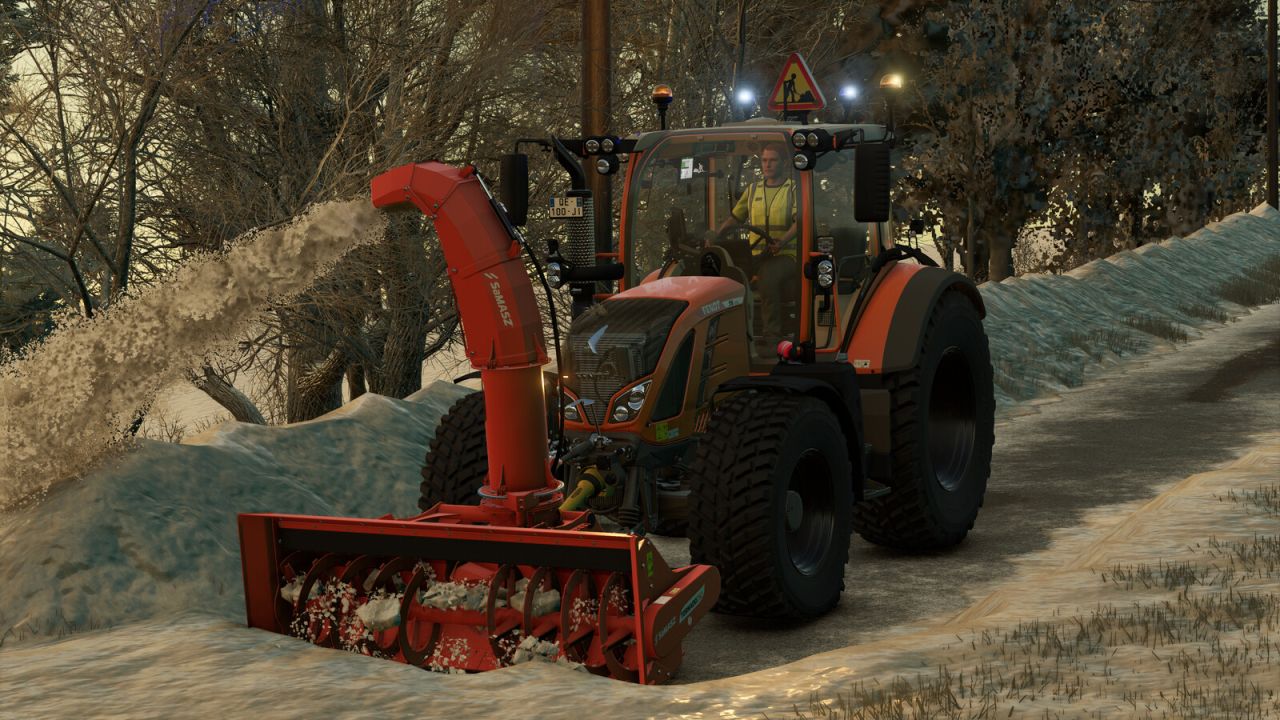
Fendt Vario 500 Municipal FS25
Discover the Fendt Vario 500 in its ‘Municipal’ edition. Ideal for all your public works, road maintenance, mowing and snow clearance in Farming Simulator 25. Specially modified to meet the requirements of local authorities, this tractor is equipped to ensure the safety of your workers and other road users. With its advanced warning equipment, it is ready to tackle any urban or road worksite. – Features: Advanced safety warning system: addition of a triangular illuminated “Roadworks” sign (AK50 type) mounted on the roof, ideal for securing your work areas. Work lighting: customised lighting configuration with the addition of orange rotating beacons and blue strobe lights for maximum visibility day and night. Municipal styling: municipal orange paintwork. Fendt styling: Fendt green paintwork. Ready for work: Equipped with a front linkage and compatible with front loaders for easy attachment of snow ploughs, sweepers or brush cutters. Suspension: softer suspension at the front and rear. – Technical specifications: Base price: 152,500 $. Power: 131 – 171 hp. Top speed: 31 mp/h. - Manual actions: Opening/closing: left door, right door and rear window. - Configurations: - Municipal. - Rotating beacons. - Flash LEDs. - Construction site LEDs. - Blue rotating beacons. Recommended configurations: – Tyre brand: Nokian Tyres. – Wheel configuration: Municipal. – Municipal: Yes. – Rotating beacons: LEDs 1. – Flash LEDs: All. – Blue rotating beacons: Snow clearance.

Economy Scale V1.0
A simple mod that scales all finances in the game based on a given year, or custom factor. Designed with the idea of working alongside Vehicle Years and Through the Years mods. The year can also move forward on its own as you play, stepping on each January so that prices slowly climb over a long save. If Through the Years is installed, the year is taken from that mod automatically, and the Year and Advance Year settings are disabled. A custom factor can still be used instead. Prices can be converted to Euros, GBP or USD. In single player this follows the game’s currency setting automatically. In multiplayer the host or an admin chooses it, separately from each player’s display currency. To start download click the filename. To open archive files use one of these programs: WinRAR, 7-Zip, WinZip. Some mod archives may need to be extracted before the mods will work.
- 15 per page
- 30 per page
- 45 per page
- 60 per page
-
See more per page
Bigger pages, fewer clicks - and no ads anywhere.
Go Pro