Farming Simulator 25 mods
79,027 results- 15 per page
- 30 per page
- 45 per page
- 60 per page
-
See more per page
Bigger pages, fewer clicks - and no ads anywhere.
Go Pro
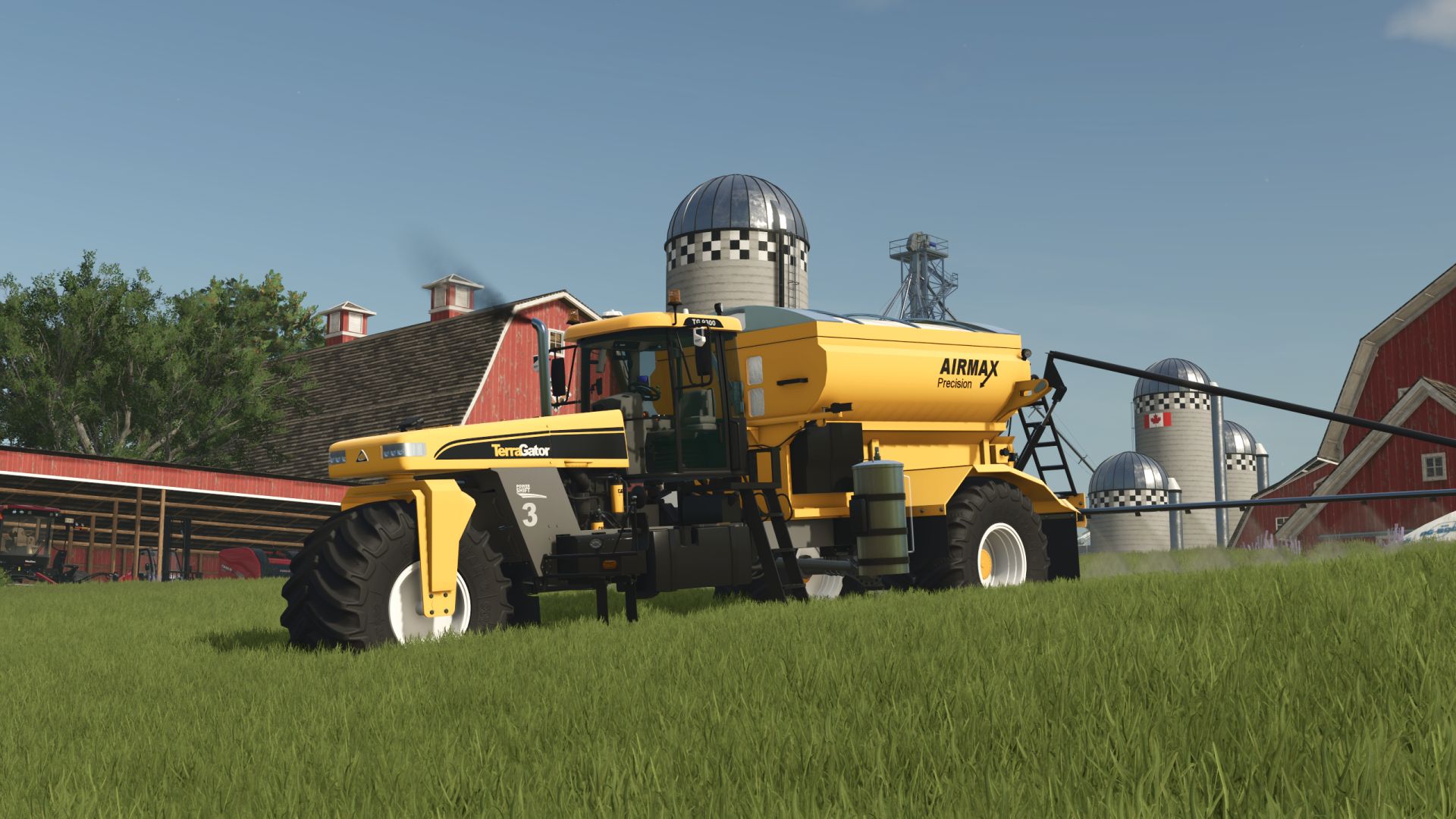
TerraGator 9300 FS25
A storied history of success, with all the tools to take your operation into the future—that’s the TerraGator® liquid application systems specifically designed to give you full control over the four Rs of nutrient management: right source, right rate, right time, and right place. Price: 120.000$ Capacity: 10052.5 l Operating speed: 33km/h Vehicle numbers configuration Precision Farming ready - Improved loading from low-level silos. - Improved lighting; reduced light range. - Various minor improvements.
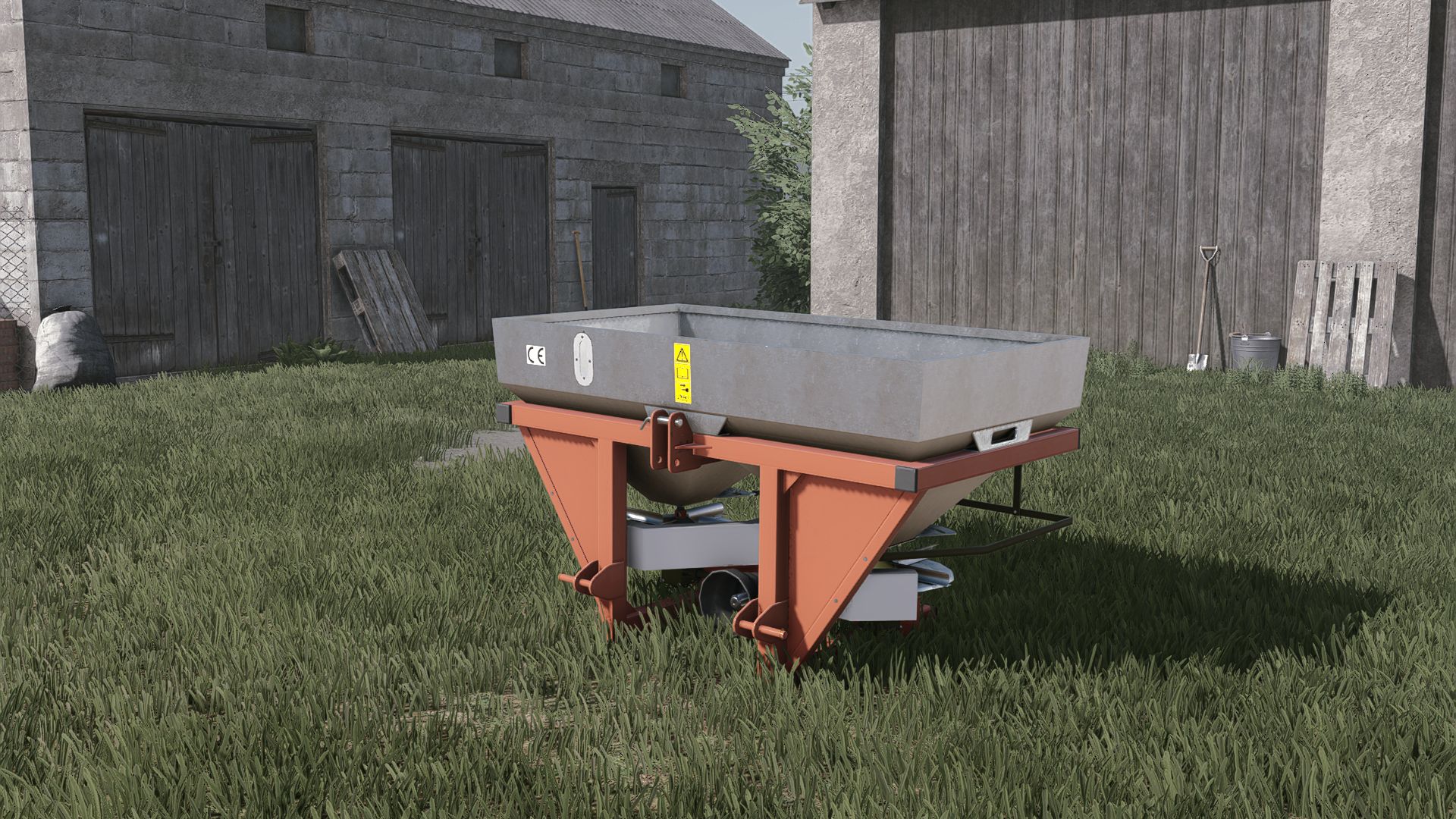
GrassRol 600L FS25
-cost 4500 -working width 18M configurations -capacity -color The spreader now uses FS25 materials The fertilizer inside has been improved Color configurations have been added corrected all errors in the log
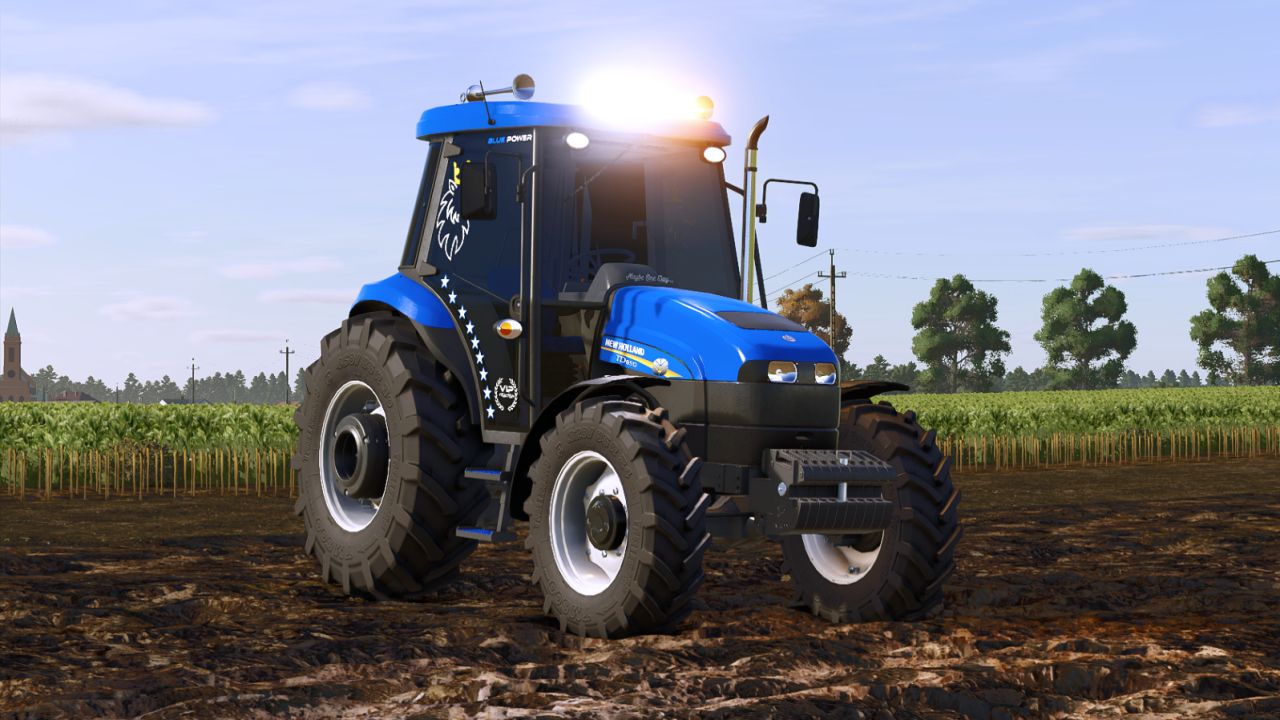
New Holland TD Plus FS25
Price: 20500€ Power: 85HP This mod isn't mine; I just translated it. The errors will be corrected as soon as possible. The blinking light error has been fixed.
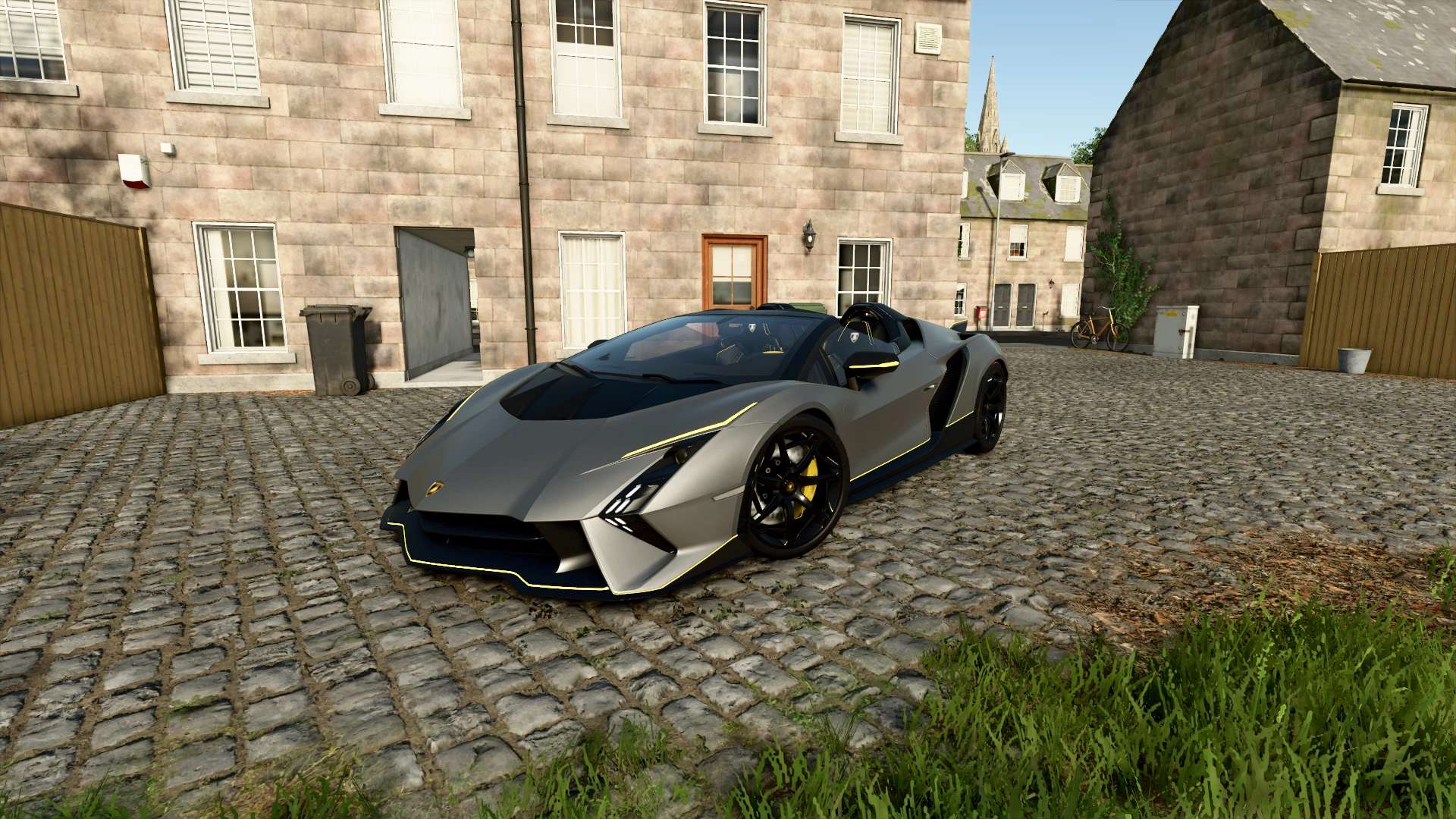
Lamborghini Auténtica 2023 V1.0
Lamborghini Auténtica 2023 V1.0 Characteristics: Selectable Body color. Selectable caliper color. Rims color. Selectable Interior colors. Selectable Seats colors. Selectable Seats colors 2. Supports license plates. Interactive Control Support. Price: $800.000. Engine: 6.5L V12 769HP 7-SPEED. Author: MCMODS Report bugs in the comments and help modders improve this mod. Always check the comments, you can find a solution. DOWNLOAD MOD

John Deere 334/335P V1.0
Keeping the P series going. Both versions have 334 and 335 varients and tons of options. Requires: Tri-State Store Category To start download click the filename. To open archive files use one of these programs: WinRAR, 7-Zip, WinZip. Some mod archives may need to be extracted before the mods will work.
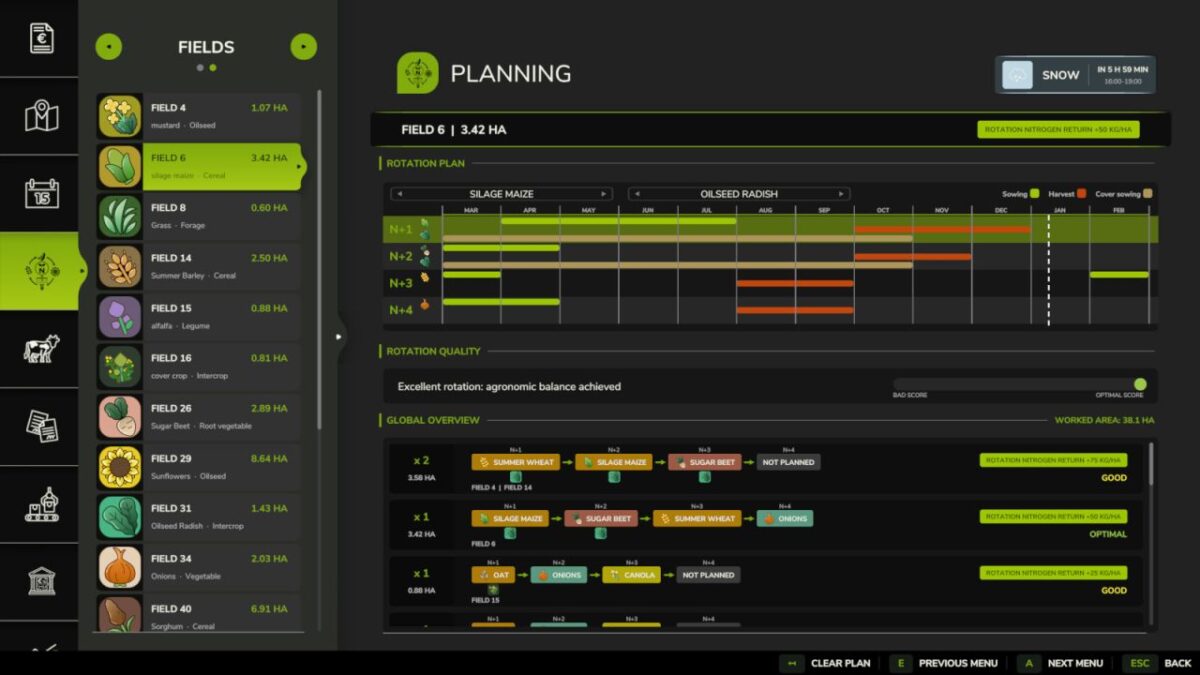
Realistic Crop Rotation v 1.1
V1.1.0.0 Added buckwheat, peanut, sesame and mint to crop rotation Fixed long freezes and low frame rates in the crop rotation menu on some maps and savegames Fixed advice text cut short in some languages Fixed an unnecessary warning when loading a singleplayer game Fixed the current-date marker in the crop rotation calendar Fixed incorrect crop detection on fields with missing boundaries Fixed fungicide and nematicide missing on large maps and long mod lists: the game’s limit of 255 fill types is raised to 511 Make crop rotation matter. Every field remembers its last 4 rotation entries, whether crops or fallow years. Plan what returns, watch the disease risk, and protect a sensitive crop before an outbreak destroys part of it. PLANNING A rotation calendar with a real repeating cycle of 2, 3 or 4 yearly slots, filled with crops or fallow, including the return from the last slot to the first A planned fallow slot adds one full year of spacing before the next sensitive crop; it does not instantly clear the field or guarantee that every disease has disappeared A clear rotation quality rating, tailored advice, and conflicts flagged before you sow Diversity pays: rotate more crops, avoid repeating the same family, and alternate winter and spring sowings Fields sharing a plan are grouped, with combined area, rotation quality and residue DISEASES Nine diseases affect specific crops: sclerotinia, phoma, take-all, septoria, rust, fusarium, late blight, beet cyst nematode and clubroot. How it works: A first outbreak can happen even if the field has never been affected. Favourable weather raises the chance for weather-sensitive diseases. Rust and late blight never remain in the field after the crop. After a real outbreak, sclerotinia, phoma, take-all, septoria, fusarium, beet cyst nematode or clubroot can remain in the field after harvest. The more advanced the outbreak, the greater the risk for a future sensitive crop. A crop that is never infected adds no new disease to the field. This remaining risk falls once per calendar year. Beet cyst nematode and clubroot can become very weak, but they may remain in the field indefinitely. Spacing sensitive crops gives the risk time to fall. The planner warns when a crop returns too soon, and still checks crop-family diversity separately. The Disease Risk map highlights fields where the current crop is more likely to become infected; favourable weather can raise the chance further. An infection starts at a low attack level and progresses each day. It remains hidden until it begins to damage the crop; before then, only the Disease Risk map and preventive advice show that conditions are favourable. Once damage begins, the outbreak appears on the Infected Fields map, field card and on-foot HUD, and a notification is sent. TREATMENTS Fungicide AMISTAR (Syngenta) and nematicide VELUM PRIME (Bayer), sprayed with any compatible sprayer. Protection is measured from the share of the field you spray. Fungicide lowers the chance of an outbreak, slows an active disease and protects sprayed crop from destruction. A smaller outbreak leaves less disease behind for future crops, but spraying does not clean a field that is already affected. Nematicide protects sprayed crop from nematode damage but does not remove nematodes from the field. Neither product restores lost crop, so spray early. Fungicide: used up on the ground you harvest or mow; harvesting ends the active outbreak, but disease may remain for future crops Nematicide: protects sprayed ground for three months per field; spraying again renews protection without removing nematodes No product works against take-all or clubroot. Only rotation keeps them down. NITROGEN RESIDUE A legume destroyed by tillage, not merely harvested, returns real nitrogen, split between the next crop and the one after. With Precision Farming it lands on the nitrogen map; without it the mod adds one fertilizer level. In kg N/ha, next crop then the one after: alfalfa 80 then 50, vetch-rye 60 then 20, clover 50 then 20, soybean 40 then 10, pea 40 then 10, green bean 20 then 5. Cover crops count as an estimated +25 in the planner. IN GAME A dedicated “Crop Rotation” tab in the menu (ESC) Three views on the map: infected fields, disease risk, treated ground Treatment gauge: the share of the field sprayed, the disease status, and how long protection lasts Field card: current crop, growth stage, required soil work, weeds, detected disease and its treatment, nitrogen, pH On-foot HUD and a weather header so you can time your spraying CONSOLE COMMANDS (host or an admin client) rcrDisease : prints active disease, remaining field risk and treatment rcrDiseaseInfect : forces an infection rcrDiseaseTick : runs one cycle, infection roll then progression rcrDiseaseClear : clears active disease and any remaining field risk Valid values: SCLEROTINIA, PHOMA, TAKEALL, SEPTORIA, RUST, FUSARIUM, LATEBLIGHT, BCN, CLUBROOT Singleplayer and multiplayer, with or without Precision Farming. 27 languages.
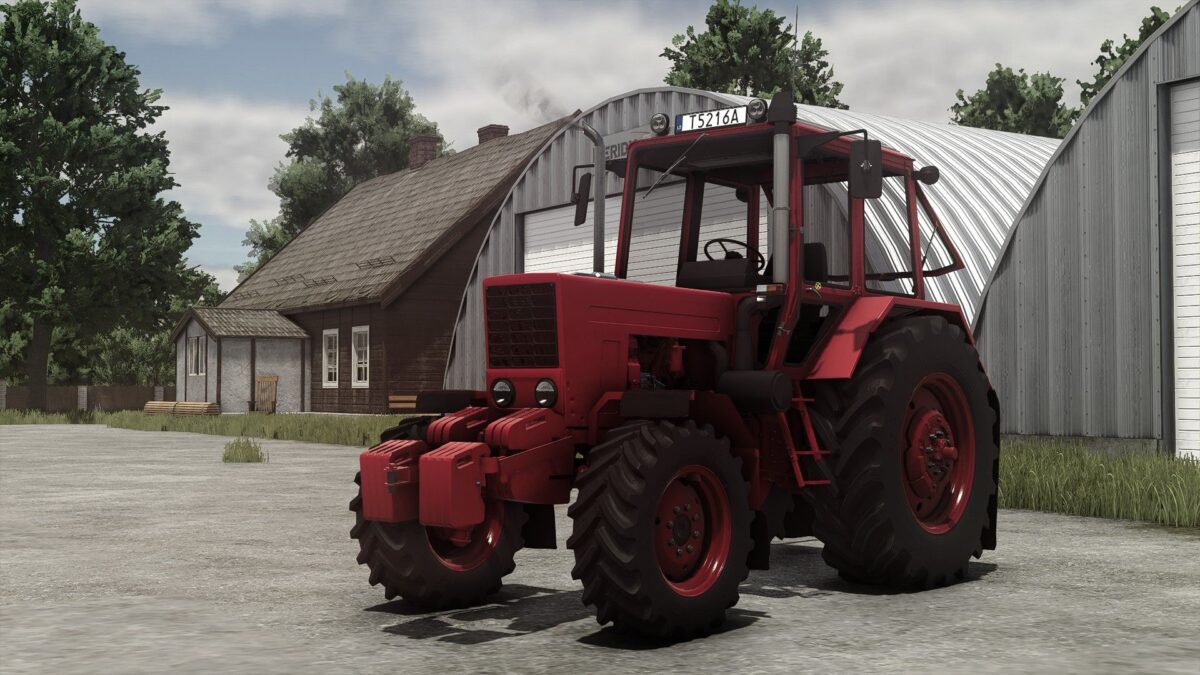
MTZ 82 Turbo v 1.0.0.2
Price: 1500 Speed: 55 Power: 115hp Main color configuration Rims color configuration Interactive control mod support Turbo sounds Version 1.0.0.2: * Stoll frontloader console added * MX frontloader console added
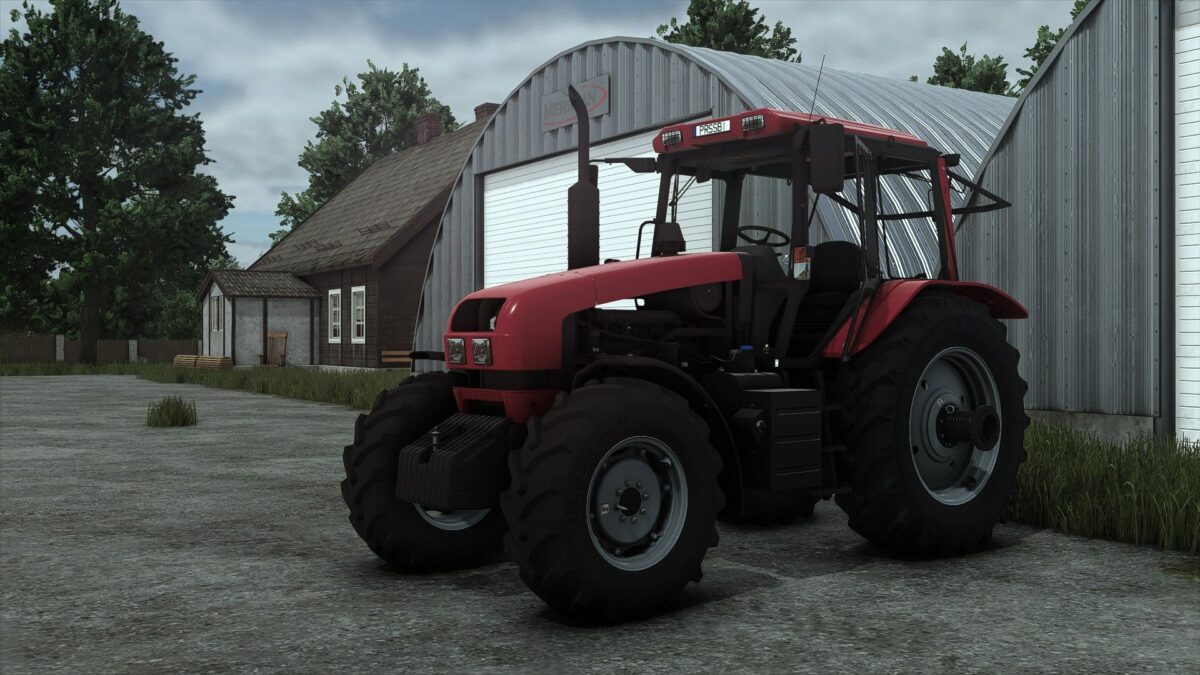
MTZ 1221.3 v 1.0.0.1
Price:12000 Power: 132hp Max speed: 45km/h Configurations: Wheel brand Wheel setup Front weight Lightings Glass design Beacon Light MP LIft Frontloader Main color Rims color Interactive control with sounds modifiers Doors Windows Hood side panels Version 1.0.0.1: * Stoll frontloader console added * MX frontloader console added
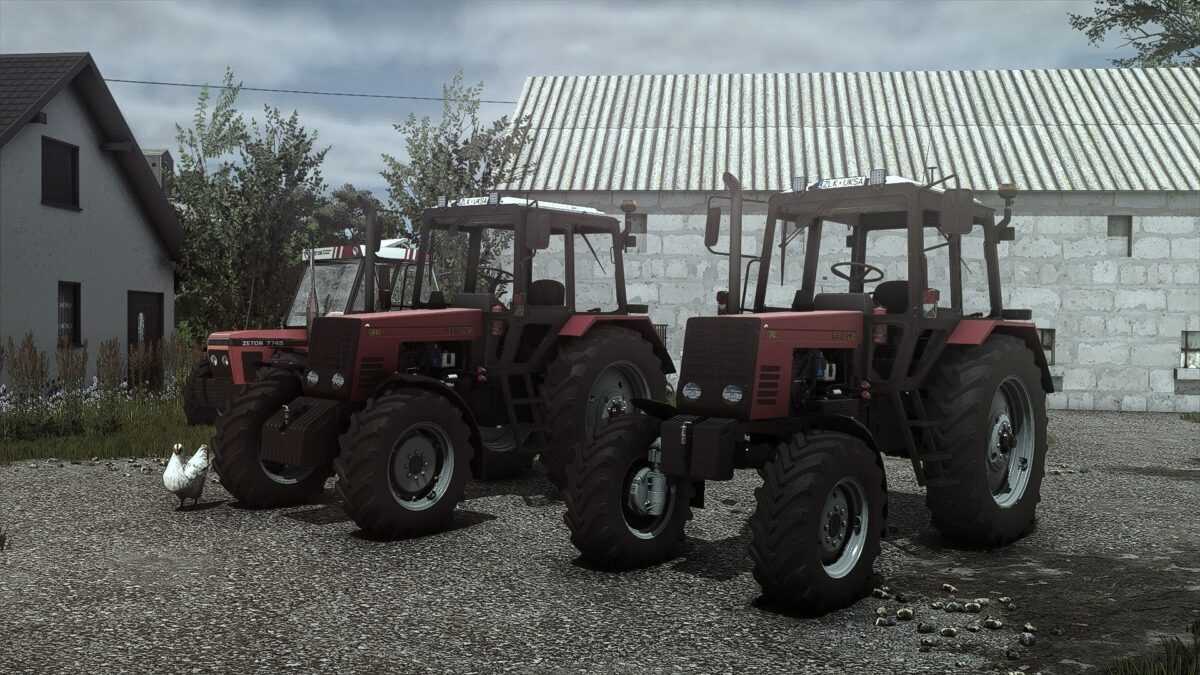
Belarus 820 v 1.0.0.2
Price: 11500 Power: 82hp Max speed: 43km/h Configurations Back hydraulics Wheels Wheels weights Windows tint GPS Module Glass design Front loader Main color Rims color Version 1.0.0.2: * Log issues fixed * Corrected wheels configuration isssue * Replaced Stoll frontloader console with new model * MX frontloader console added * Player position adjusted
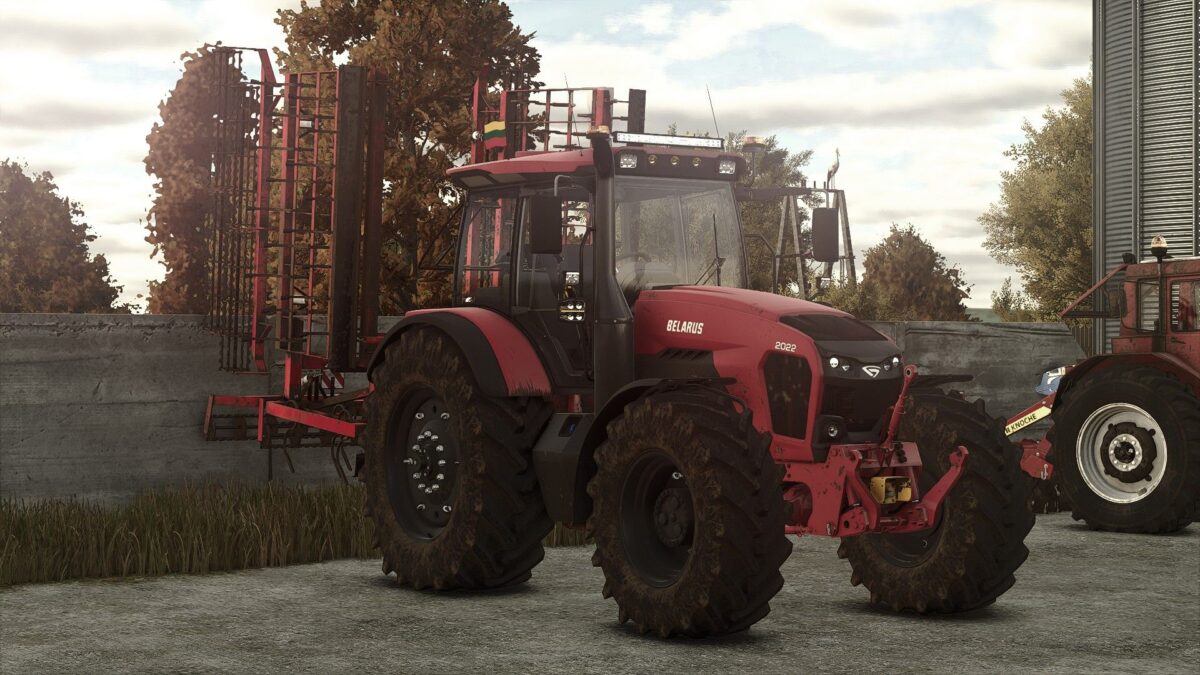
MTZ 2022 v 1.4.0.2
– Performance: 148 kW / 201 PS; – top speed: 40 km / h; – Tank content: 375 liters; – costs: € 61,500; – Selection of the color of the plumage; – selection of the color of the chassis; – Selection of glass color; – Selection of the color of the seat; – Selection of the color of the rim; – Lighthouse configuration; – computer configuration / trimble in panel; – Configuration of the suspension; – Configuration of bikes; – configuration of the license plate; – animated instruments, display, pedals, lever; – Functional lighting equipment; – Functional mirror; – Traces; – becomes dirty and washes; – the effect of aging; – the effect of humidity; – A counterweight is included. Version 1.4.0.2: * New ledbar model * Stoll frontloader console added * MX frontloader console added

Custom HUD Crosshair v 1.0
Customize the crosshair in Farming Simulator 25 to suit your preferences. This mod lets you change the shape, color, transparency and size of the standard crosshair when playing on foot. Mod features: 9 shape options: standard, dot, ring, cross, T-shaped crosshair, corner brackets, diamond, cross with a dot and thin ring. Choose a color from the palette or customize your own shade. Adjust visibility from 0 to 100% — the crosshair can be completely hidden. Change the size from 50 to 300% relative to the standard size. The settings are available in the “Crosshair” section of the game settings menu. The mod also changes the standard crosshair when using a chainsaw and horse brush. Thanks: Helfer B.
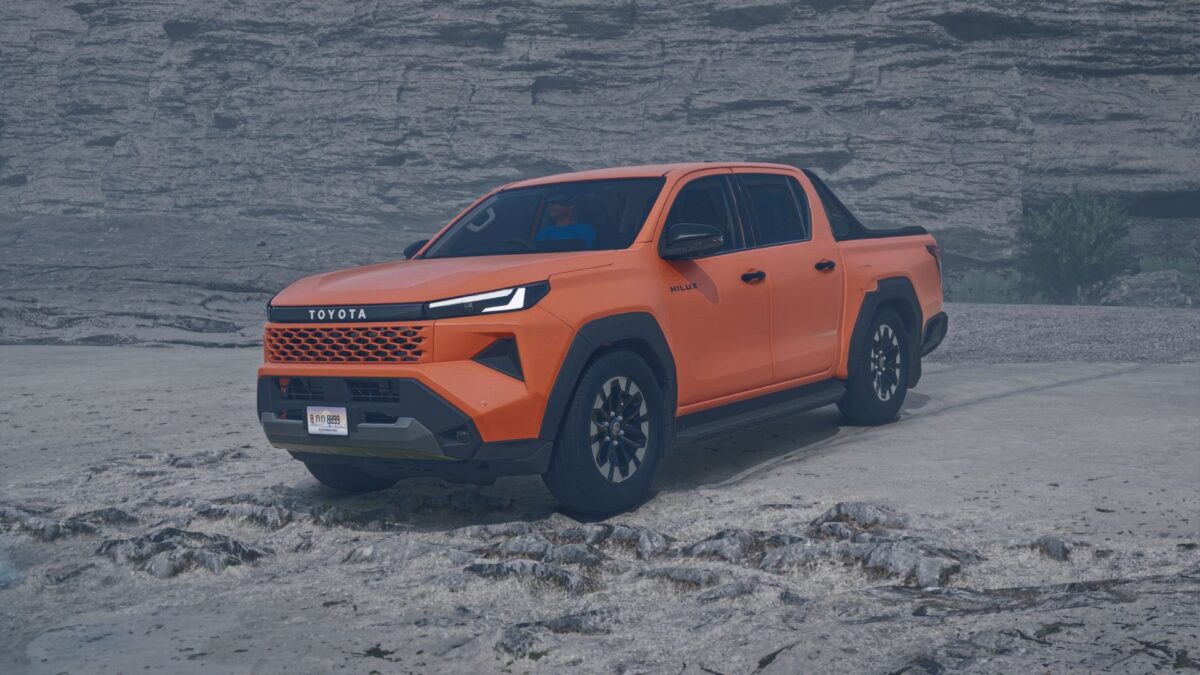
Toyota Hilux Travo v 1.0
Toyota Hilux Travo Spec: Price: $29,000 Power: 148 HP / 109 kW Transmission: Manual Max Speed: 180 km/h Fuel Tank: 78 L Weight: 2.9 Tons Configurations & Features: Engine Setup (2.4 Diesel, etc.) Wheel / Tire Configurations Rollbar Options (Invincible, etc.) Door Trim & Color Options Main & Design Color Selectable Custom License Plate Autoload Supported
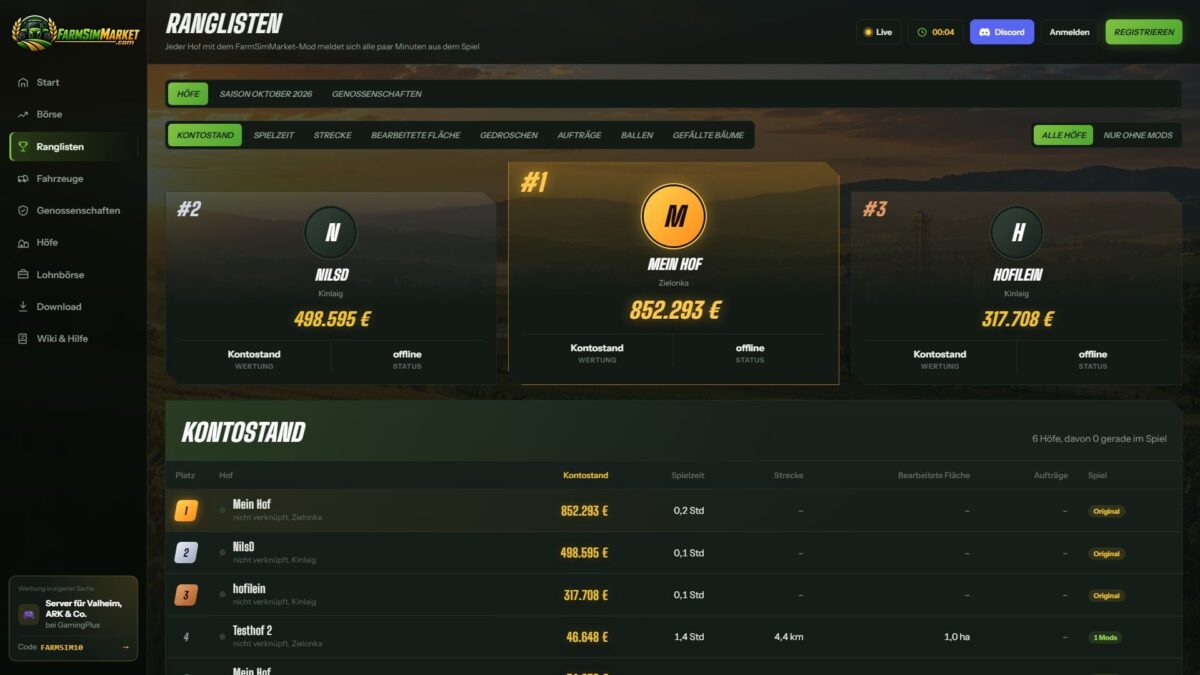
FarmSimMarket – Player Market & Rankings v 0.27
OPEN BETA – Trade with real players instead of only with the game! FarmSimMarket connects your farm with farmsimmarket.com – a marketplace for all LS25 players. WHAT THE MOD CAN DO Player marketplace: Sell or buy crops, milk, pallets, bales and vehicles from other players – directly in the game (ESC → FarmSimMarket) or on the website. Market tablet (Ctrl+T): Prices, your offers and news at the edge of the screen while you keep playing – even in a vehicle. No extra building required: Purchased goods go into your existing silos and storage facilities, or appear as pallets/bales at the shop’s drop-off area. Leaderboards & farm profile: Compare your farm with other players. Contract marketplace: Post or accept contract work – with field access permissions on shared servers. Multiplayer & dedicated servers, rented servers (G-Portal, Nitrado …) via the server bridge. HOW TO GET STARTED 1. Do not unpack the ZIP; place it in the Mods folder and activate it in your savegame. 2. Create an account at farmsimmarket.com and enter the code from the game. 3. To trade, start the small FarmSimMarket helper (farmsimmarket.com/download, Windows, no installation required). OPEN BETA – PLEASE READ FarmSimMarket is still at a very early stage. Most things work, but there may still be occasional errors or something may not work from time to time. Make a backup of your savegame before your first trade. What does not work yet or has barely been tested: PC (Windows) only – no consoles; the helper only runs on Windows. Trading only works with the helper or server bridge (without one, the goods remain where they are; nothing is lost). Multiplayer and the contract marketplace’s field access permissions have barely been tested. Rented servers via the server bridge are still being tested. Prices move very little at first – they are generated by player trading. Website currently available only in German. BETA 2 Version 0.27 New: fully in English when the game is not running in German Bunker silo as a delivery destination (chaff/silage directly into the selected bunker silo, including multi-compartment bunker silos from DLCs) Wood from the Holzlager Silo mod can be traded Prize money from events In-game stock market with mouse-wheel scrolling, commodity icons and bunker silo overview Bales and pallets directly into your own object storage. Fixed: Goods in silo extensions (e.g. barley) are recognized Goods now only go into storage facilities that accept them German/English mixed together Incorrect money suspicion after sales. Changed: Goods are no longer placed at the shop purchases are only possible if they fit into your own storage facility.
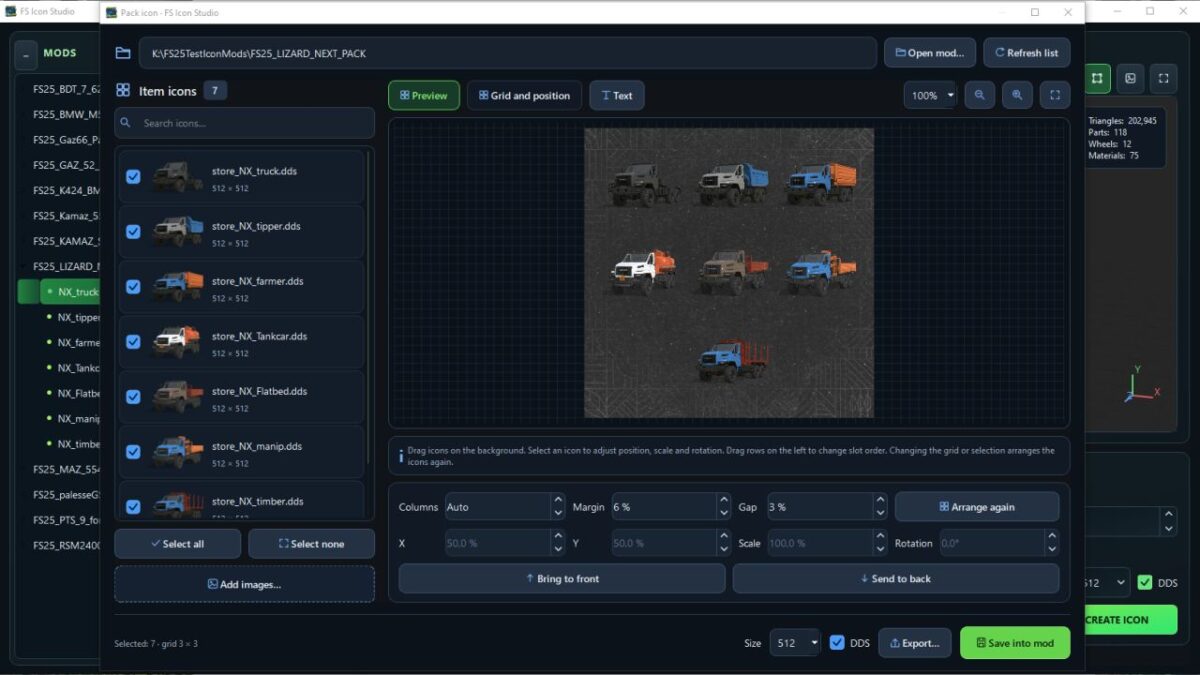
FS Icon Studio v 1.0.3.0
V1.0.3.0 Fixed missing icons in icon pack mode. Added buttons to the camera positioning settings for viewing from different angles. Added a button to enable smooth model rotation in the 3D preview. Optimized the 3D preview code (it is now even smoother and more enjoyable). Configurations in Vehicle Equipment now load translations when available. Fixed issues with white hoses in the 3D preview. Added an option to enable or disable the floor plane. Added the Dark Concrete Floor texture by default. Added the option to select the floor color or assign it a texture. Added an option to enable or disable the floor grid. Improved the settings window interface. Added a sky to the background by default (you can configure everything). FS Icon Studio — a Windows utility that combines vehicle selection, equipment configuration, 3D preview and ready-to-use icon creation in one window. It helps prepare images for the in-game store and a mod cover: choose the required wheels and color, set the camera angle, check the result and save it as PNG or DDS. Features FS22 and FS25 in one application. Separate path settings for the games and GIANTS Editor 9 and 10, with switching between versions. Convenient mod list. Unpacked mods are displayed as a tree with store items. If a mod has no storeItems list, the program suggests the discovered I3D models. Interactive 3D preview. Adjust the camera angle and check supported configurations without launching GIANTS Editor after every change. Equipment selection. Colors, wheels, variants and part visibility from the mod XML. For foldable vehicles, you can choose the folded or unfolded position. Frame settings. Rotation, tilt, scale, lighting, shadows and automatic model centering. (By rotating the 3D model in space.) Rendering through GIANTS Editor. A separate tab displays the frame created with GIANTS tools, using materials and configurations loaded from the game. Two icon types. Store Icon with a transparent background and Mod Icon with a built-in ModHub background. PNG and DDS export. Store Icon uses DDS DXT5 with transparency, while Mod Icon uses DXT1. Render resolution is up to 2048 × 2048; the finished icon size ranges from 128 × 128 to 1024 × 1024. Save directly to the mod. The program uses the icon names and paths from the XML. When replacing files, it can automatically create backups. Save the finished preview. A successful GIANTS frame can be exported without launching the editor again. Settings memory. Paths, selected configurations, frame parameters and export settings are saved between launches. The interface is available in Russian and English. How does FS Icon Studio differ from GIANTS Icon Generator? The official GIANTS Icon Generator is intended for creating mod icons using GIANTS tools. FS Icon Studio uses the same approach for the final render and adds its own workspace for preparing the image. The main difference is two preview stages in one window. First, you select the equipment configuration and camera angle in the interactive OpenGL preview. Then you launch a GIANTS frame to check the materials and final appearance before saving. The Editor is launched on your command. Configuration selection and frame adjustment are also available in the official generator. (Though by entering values.) The studio’s advantage lies in its workflow: the equipment configuration is displayed next to the model, mods and items are available in a tree, FS22 and FS25 are combined in one interface, and the finished frame can be saved without rendering again. Additional convenience comes from reading paths from the XML, backups and saving settings between sessions. The program works with unpacked mods. For the final render, the corresponding installed game and GIANTS Editor are required: version 9 for FS22 or 10 for FS25. The OpenGL preview is intended for preparing the composition; complex shaders and scripted vehicle features should be checked in the “GIANTS Frame” tab.

Wardrobe Clothing Addon v 1.4
What the mod adds: The core framework for character clothing mods. ATTENTION! If you cannot see the new characters and clothing items, click through the tabs and characters. The game may sometimes fail to load additional items immediately. If this happens, switch to the clothing tab, then go back to the face selection and choose a custom face. The new clothing items will appear. Alternatively, when loading the map, do not click Start immediately. Wait 30 seconds for the game to add the new items, then click Start. Version 1.4: * Various fixes for future mods
- 15 per page
- 30 per page
- 45 per page
- 60 per page
-
See more per page
Bigger pages, fewer clicks - and no ads anywhere.
Go Pro