Farming Simulator 25 mods
83,451 results- 15 per page
- 30 per page
- 45 per page
- 60 per page
-
See more per page
Bigger pages, fewer clicks - and no ads anywhere.
Go Pro
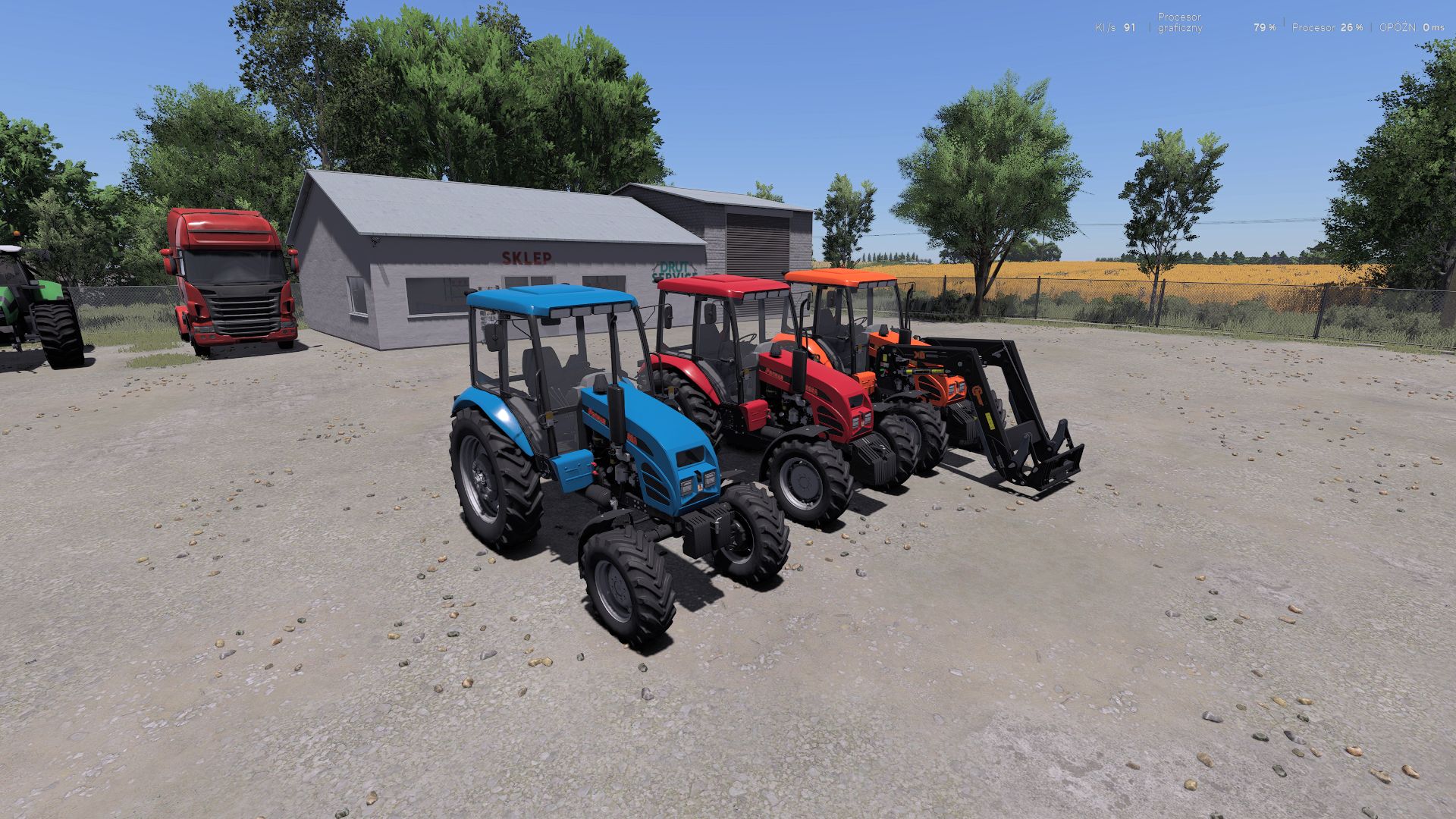
Pronar 82A/82SA/1025A FS25
I'm not the creator of the mod, it's a converter!!! Pronar 82A/82SA/1025A Cost-$26,000 Engine Configuration Power 82/105Km 60kW-77kW Speed 35 km/h Configurations: 1.Front Axles 1.1-Axle without drive – One wheel brand -Small front weight 1.2 Driven axle – Three wheel brands -Large front weight 2. Rear weights 80/160/240kg 3. Warning Lamp 4. Front loader
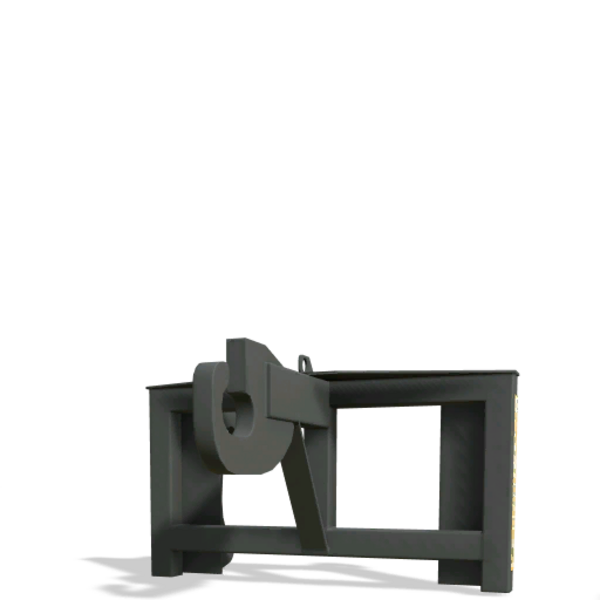
Bressel Und Lade H55
Der Bressel Und Lade H55 wurde von LS22 auf LS25 angepasst und verfügt jetzt über einen integrierten Hakenspunkt.Mit dem H55-Containerhaken können Sie problemlos Abrollcontainer mit einem Frontlader, Radlader oder Teleskoplader bewegen.Preis: 1200 € Der Bressel Und Lade H55 wurde von LS22 auf LS25 angepasst und verfügt jetzt über einen integrierten Hakenspunkt. Mit dem H55-Containerhaken können Sie problemlos Abrollcontainer mit einem Frontlader, Radlader oder Teleskoplader bewegen.
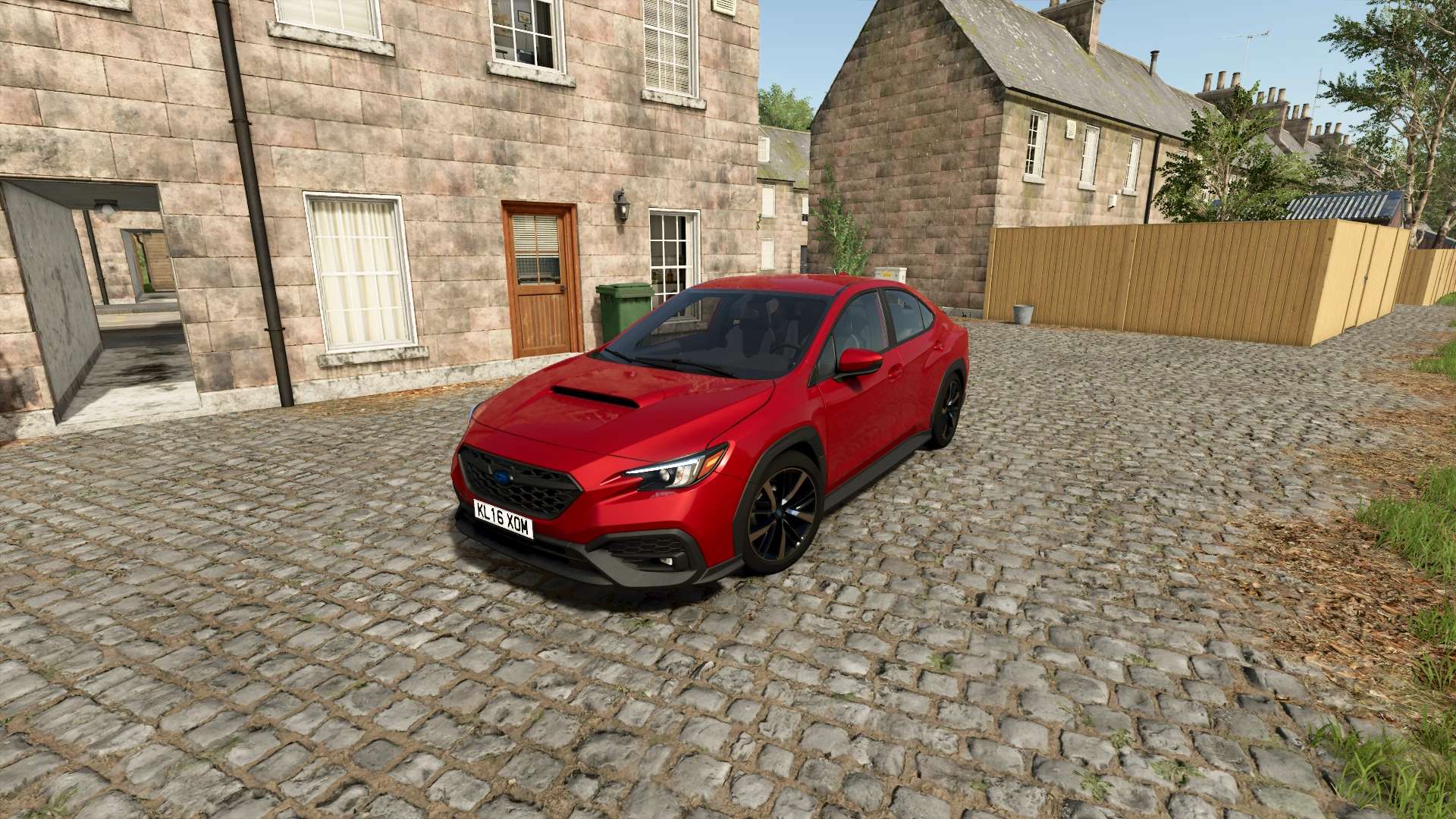
FS25 Subaru Impreza wrx v1.0.0.0
FS25 Subaru Impreza wrx v1.0.0.0 Subaru Impreza WRX 2022 Characteristics: Price:$25.000 Selectable Body color. Selectable Fenders color. Selectable rim color 1. Selectable rim color 2. Selectable Trailer Hitch. Interactive Control support. Supports license plates. Engine:2.4L Boxer 271HP 6 SPEED AUTO Custom Sound. Credits:MCMODS Tags: Interactive ControlSelectable Fenders
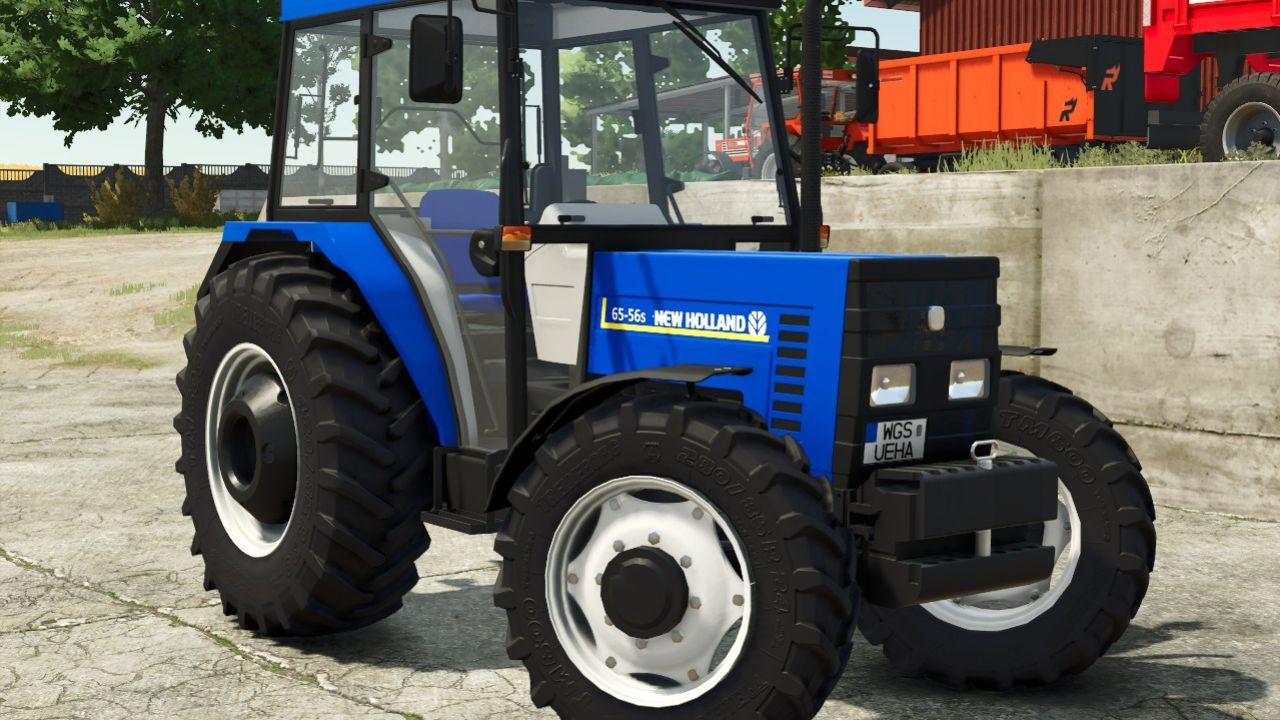
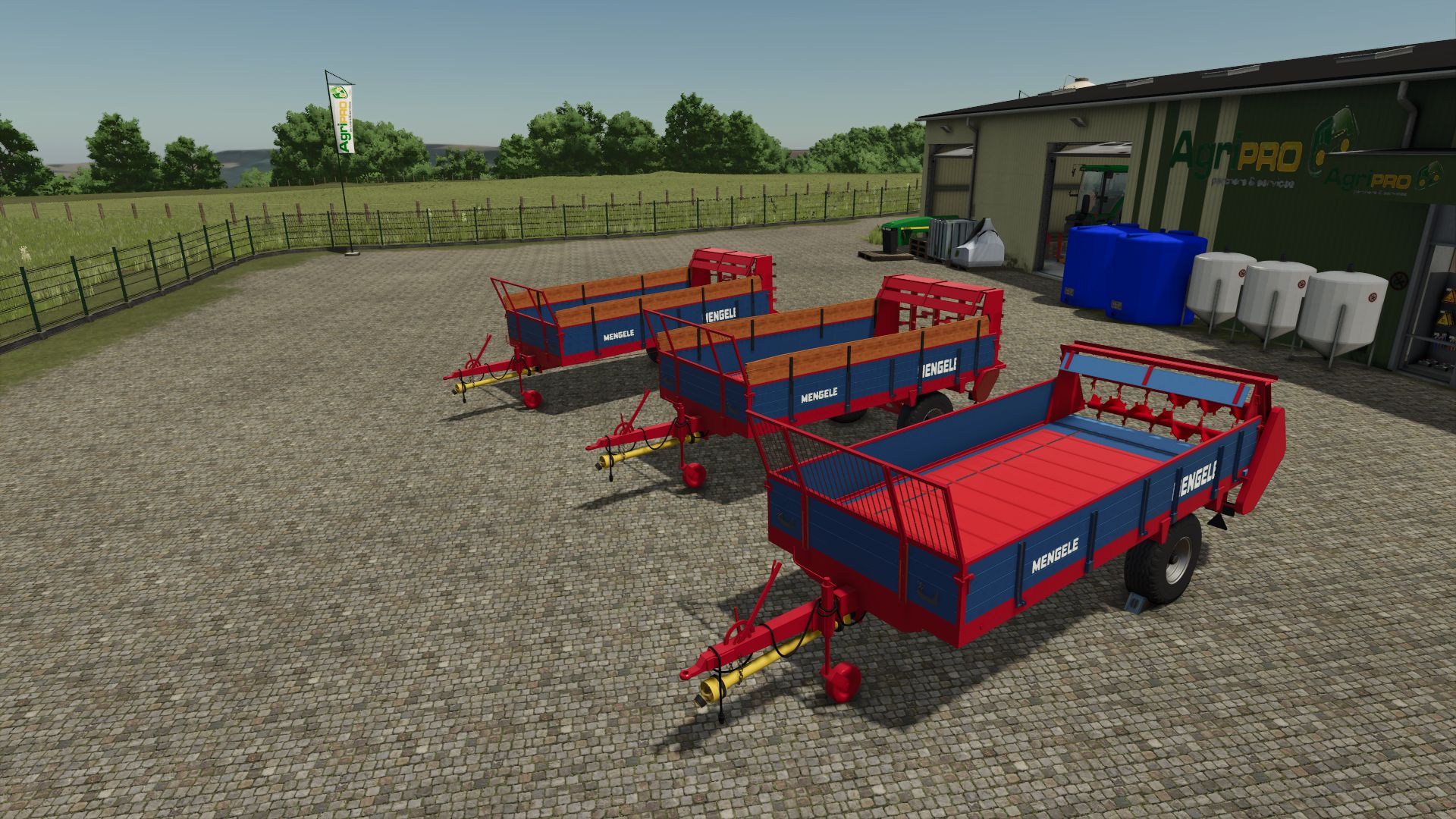
Mengele ES 300V FS25
hello here is the Mengele ES 300V manure dispenser I would like to thank SteirerModding for giving me permission to release it for fs25 perfect for your small or medium farm. option: 4T 4.5T Wooden sideboard standard tire wide tire filling: manure compost Corrected the configuration of the manure dumpster
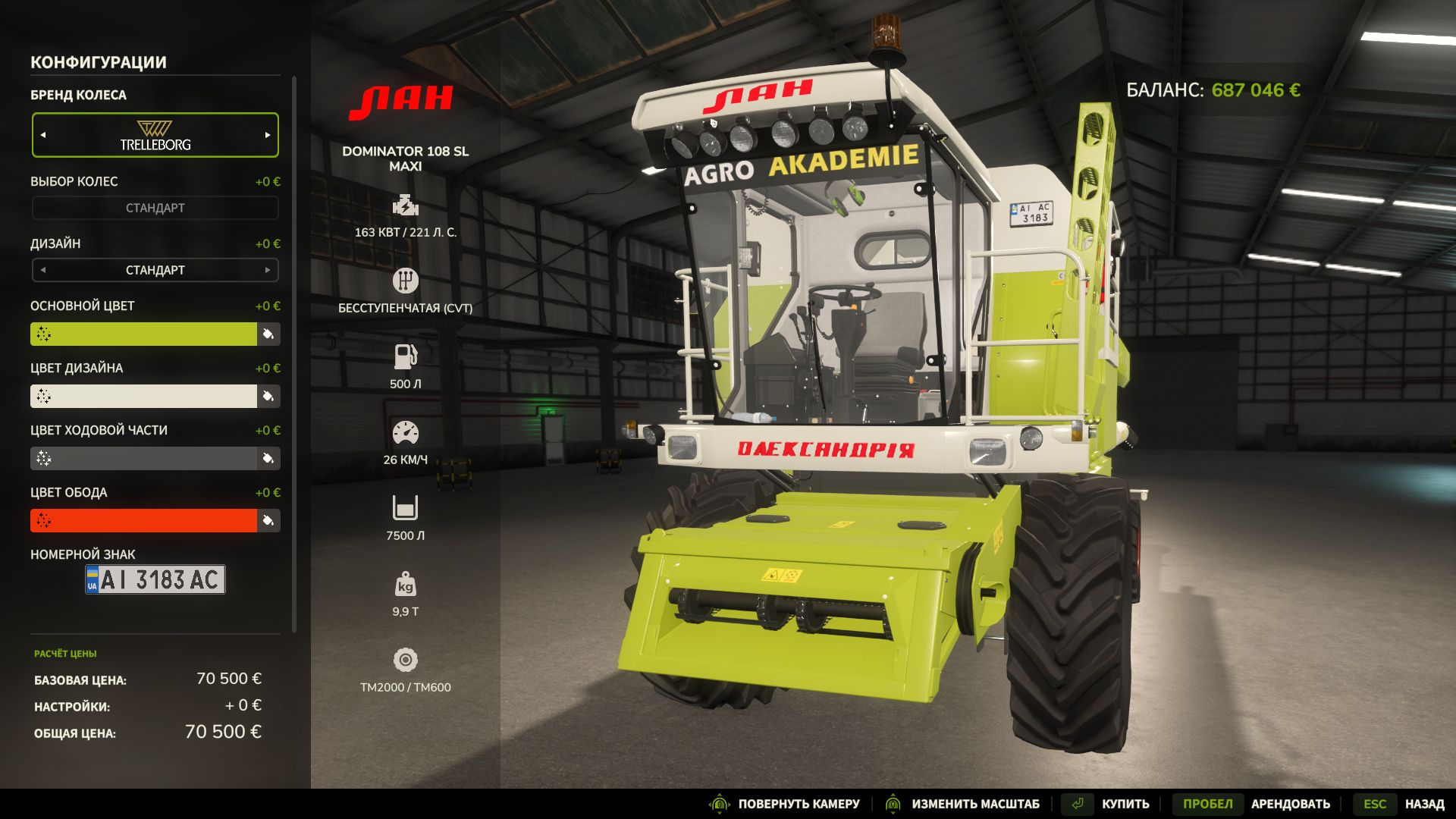
LAN-001 SL / Claas Dominator 108 SL FS25
Ukrainian combines LAN-001 SL Authors: Hispano, Argo_Akademie, Renni - Added new decals - Added Ukrainian translation - Updated icons - Added new logo -Added two passenger variants
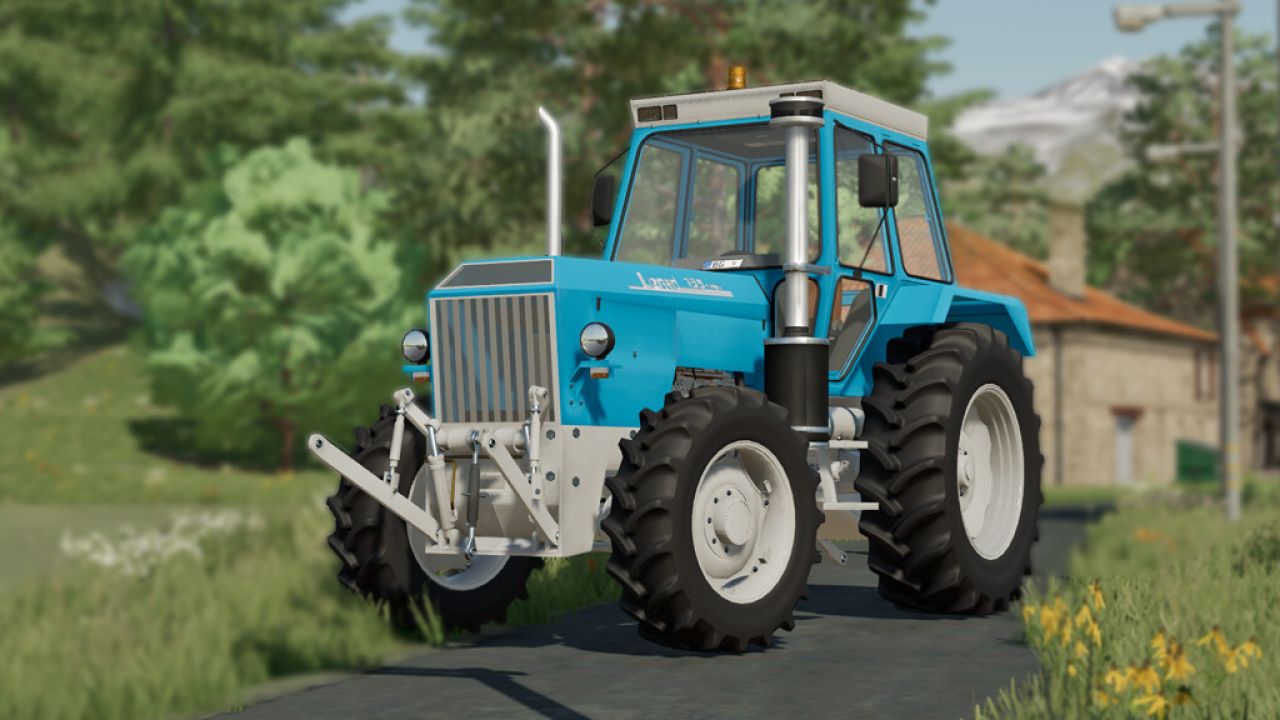
Lizard R120-R135 FS25
Lizard R120 tractor is built in Serbia. It has a 117 hp, or 133 hp engine. - Models: Lizard R120, R135 - Base price: 35.000 $ - Power: 117 hp to 133 hp - Max. speed: 30 kph Configuration: - Front weight: *Standard *60kg front weight *R120kg front weight *180kg front weight *240kg front weight *300kg front weight *360kg front weight *420kg front weight *480kg front weight *3-Point Wheel brand: - Trelleborg - Michelin - Vredestein - Continental - BKT Wheel setup: - Standard - Rear twin wheels Exhaust setup: - Straight Pipe - 45-Degree - 90-Degree Filter setup: - Right - Left - Middle Engine setup: - R120 (117hp) - R135 (133hp) Converted From FS22 Fixed Sound And Wheels

Additional Game Settings V1.0.0.5c
This mod adds a new settings tab to the pause menu. Available functions: – Enable/disable the interface, – Change the interface color (custom colors can be added to the file “…/modSettings/FS25_additionalGameSettings/uiColors.xml”), – Enable/disable the crosshair, – Display a transition effect when switching cameras, – Enable/disable unnecessary informational windows, – Enable/disable blinking notifications, – Enable/disable mouse camera movement in object placement mode, – Enable/disable automatic game save start, – Filter objects in the shop (all/base/mods/DLC), – Toggle lighting from other maps (custom lighting can be added to the folder “…/modSettings/FS25_additionalGameSettings/lighting”), – Smooth camera movements, – Start the vehicle engine by pressing the acceleration key, – Enable/disable depth of field (DoF), – Enable/disable camera collision, – Display the current date (customizable format/position/background/color/font boldness), – Added “Quit to desktop” button. Changelog 1.0.0.5b: The “Exit to Desktop” key now always triggers a notification before exiting the game Fixed a conflict with some mods Changelog 1.0.0.5: – Added tooltips for disabled interface options, – Improved compatibility with some mods. Changelog 1.0.0.4b: Fixed an issue where the month name was displayed incorrectly on the clock (November instead of October) Changelog 1.0.0.4: Fixed the function “Easier engine starting”, which was not working after patch 1.7.0.0 Changelog 1.0.0.3: – Fixed an issue with the unavailable HUD color change option, – Fixed the error “…/AdditionalSettings.lua:1363: attempt to index nil with ‘delete'”. Changelog 1.0.0.2: – Added an option to switch between walking and running mode (press and hold/press), – Added an option to switch between walking and crouching mode (press and hold/press), – Added the ability to choose a custom color for HUDs and the clock, – Fixed clock HUD scaling. Changelog 1.0.0.1: – Added support for version 1.6.0.0 of the game, – Added the ability to change the HUD color for mods: Courseplay, Enhanced Vehicle, Extended Game Info Display.
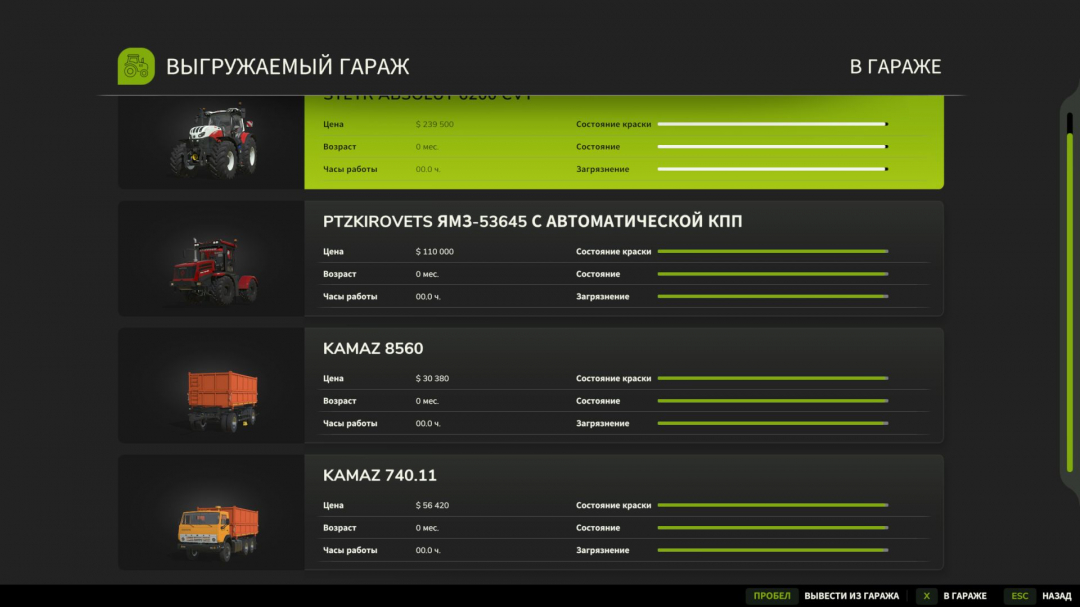
Unload Garage V1.0
This is a functional garage trigger for Farming Simulator 25, allowing you to temporarily remove equipment from the world and store it inside the garage. Vehicles are saved in XML format and can be retrieved at any time via a convenient menu. The mod is especially useful for: - Optimizing the number of vehicles on the map; - Reducing maintenance workload; - Storing rarely used equipment; - Organizing a vehicle fleet on a multiplayer server or in single-player mode. Multiplayer support included. How the mod works: - Set up a garage at the store location. - Drive equipment into the garage trigger. - Press R to open the menu.Select: - Put it in the garage — the equipment will disappear from the world and be stored.To retrieve equipment: - Open the garage menu; - Select a vehicle from the list; - Take it out of the garage. The equipment will reappear at the spawn point near the garage.
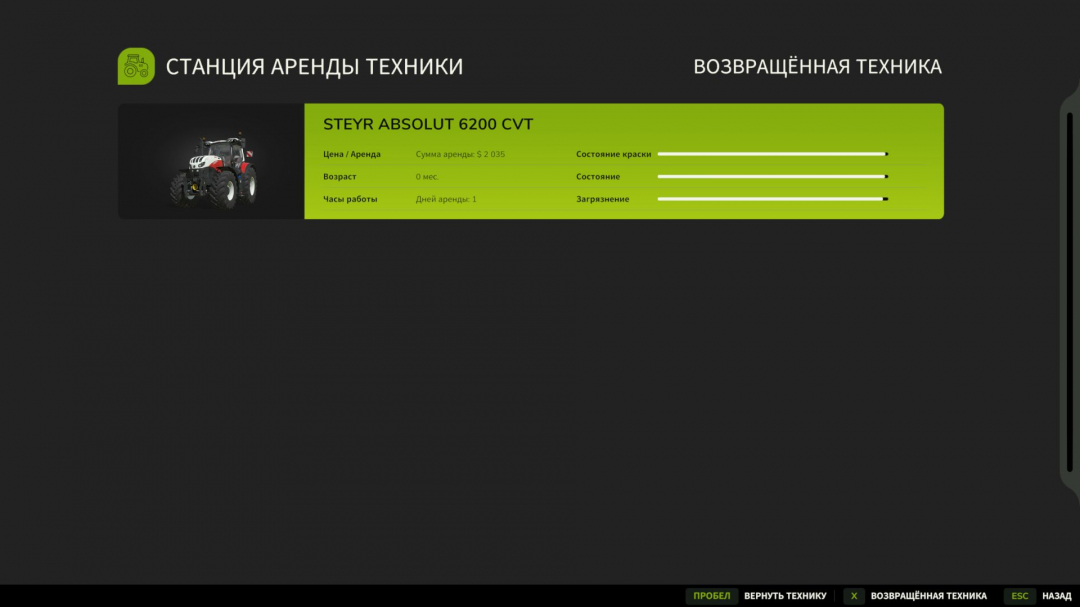
Rental Station V1.0
A mod for Farming Simulator 25 that enables you to rent out your equipment to NPCs and earn passive income. You can assign your machinery to work for others, after which it temporarily disappears from the world and starts generating rental income.
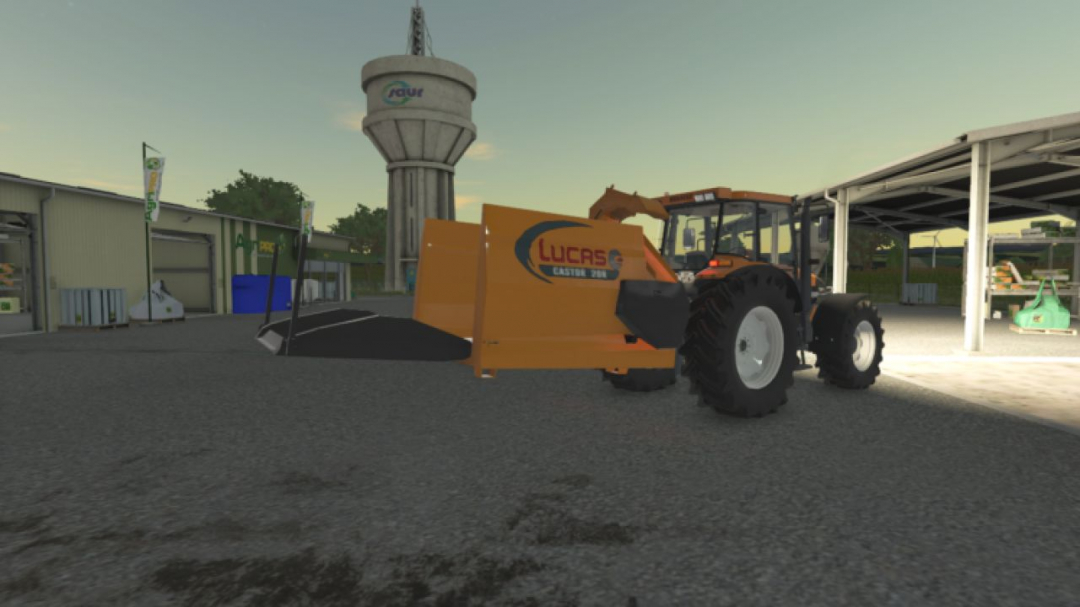
Lucas Castor 20R V1.0
The Lucas brand Castor 20R straw blower is an excellent addition to your farm. Length: 2.7m Width: 2.1m Height: 1.9m Capacity: 4000l Weight: 700kg (empty) Power: 65hp Price: €8,500. If the straw blower is not listed in the straw blower category, it can be found in the 'miscellaneous' category next to the winter equipment. If you encounter any issues, please visit our Discord link in the bio to report problems with the mod. We will resolve them as quickly as possible.

FS25 Auto Arm Positions
FS25 Auto Arm Positions Auto Arm Positions **Save your loader positions once — and recall them whenever you need them. No more fiddling with lift, tilt, and telescoping.** ## What does this mod do? Imagine you’re driving silage into your silo. Each time: – Bucket down → scoop up material – Bucket up → drive to the trailer – Bucket tilted → tipping – Bucket down again Constantly repeating the same movements, constantly adjusting three axes. **With this mod, you save each position once — and recall it at the touch of a button.** Your loader automatically moves into the desired position. Lifting arm, bucket tilt, and even telescopic extension — all at once. Works for: – **Shovels** (silage, manure, bulk materials) – **Pallet forks** – **Bale spikes** – **Forklifts** With **4 modes** and **12 slots per mode** you have up to **48 positions per vehicle**. ## Key assignment | Key | What it does | |——-|—————| | **O** | Switch mode (shovel → pallet forks → bales → forklift → shovel…) | | **Alt + O** | Save current position in active mode | | **Numpad 7** | Move to next saved position | | **Numpad 8** | Move to previous saved position | **Note:** Num Lock must be enabled for Num Lock keys. If the keys don’t respond or conflict with other mods, simply reassign them in the game menu under **Options → Input**. ## Step-by-step: First use ### Example: Loading silage into the trailer with the front loader **1. Select Mode** – Get on the loader (or the tractor with the front loader attached) – Press **O** until the HUD displays: *”Mode: Bucket”* **2. Saving Positions** – Move the shovel to **Loading Position** (at the bottom of the material, slightly tilted) → **Alt + O** → *”Shovel – Slot 1 saved”* – Move the shovel to **Transport Position** (high, slightly tilted back) → **Alt + O** → *”Shovel – Slot 2 saved”* – Move the shovel to **Dump Position** (over a trailer, tilted forward) → **Alt + O** → *”Shovel – Slot 3 saved”* – Move the shovel to **Reverse Position** (medium height, empty) → **Alt + O** → *”Shovel – Slot 4 saved”* **3. Use during operation** – Arrived at the material → **Numpad 7** → Bucket moves to loading position – Material picked up → **Numpad 7** → Bucket automatically lifts – Over trailer → **Numpad 7** → Bucket automatically tilts – Returning to the material → **Numpad 7** → Bucket in reverse position – At the material again → **Numpad 7** → Returns to first position Four keystrokes per cycle instead of constant mast pushing! ## Tips for optimal use ### Separate Slots for Each Vehicle Each vehicle stores its own **slots**. Your front loader tractor and your wheel loader have independent positions. For front loader attachments, the slots are linked to the **loader itself** — you can attach it to a different tractor, and your positions will be retained. ### The correct mode for each attachment When switching between bucket and pallet forks: – Press **O** until the appropriate mode is active – Slots of the respective mode remain saved separately – Switching back with **O** restores the old slots ### Empty slots are skipped. You don’t have to fill all 12 slots. If you only fill slots 1–4, **Numpad 7** will jump back to slot 1 after slot 4 — slots 5–12 will be skipped. ### Overwrite Slot **Alt + O** saves to the next slot in the sequence (1 → 2 → 3 → … → 12 → 1). When all 12 slots are full, slot 1 is overwritten. ### Caution in enclosed spaces: When starting up, **all axes move simultaneously**. If your “High Drop” slot was saved in a hall and you are standing in a low barn, collisions with the ceiling may occur. No problem in open areas. ## Supported Vehicles | Vehicle Type | Status | |————-|——–| | Front loaders on tractors (Bressel & Lade XB190 etc.) | Works | | Wheel loaders (Volvo L120H, JCB etc.) | Works | | Telescopic handlers (Sennebogen G340, JCB Loadall etc.) | Works (incl. telescopic extension) | | Forklifts (Jungheinrich EFG etc.) | Works | | Manure fork, high-tip bucket, grapple attachments | Works | Basically, the mod supports any vehicle that has hydraulic controls in the game. ## Save to Savegame All saved positions are **automatically** saved in the game. They will be restored when you start the game. This applies to each vehicle separately. You don’t need to manually export or save anything. ## Multiplayer **Multiplayer compatible** — the mod can be used on MP servers. – Slots belong to the vehicle, not the player. – If you save slots and another player takes over the loader, they can use the same slots. – When saving on a multiplayer server, the slots are stored in the server’s save file. **Multiplayer Beta Notice:** Saving slots by client players has not been extensively tested. If you encounter any problems, please let us know. ## Installation 1. **Do not extract the ZIP file** 2. Copy it to the FS25 mod folder:`C:\Users\\Documents\My Games\FarmingSimulator2025\mods\` 3. Start the game → load a save game or create a new profile 4. Activate the mod in the mod menu 5. Get on a loader — let’s go! ## FAQ **What happens if I accidentally save to the wrong slot?** Press **Alt + O** repeatedly — the next save operation will go to the next slot. After 12 repetitions, slot 1 will be available again and can be overwritten. Alternatively, you can move the loader to the desired position for that slot and press **Alt + O** at the right time. **Are the claw positions of grippers also saved?** Yes. For gripper tools with an additional claw axis, the claw state is also saved. So, if you save slot 1 with “claw open” and slot 2 with “claw closed,” these states will also be restored when the gripper is moved. **Does this also work if I want to open/close a grabber while the movement is running?** Yes, but it will jerk because the mod is trying to move the claw to the saved value at the same time, and you’re working against it. Let the auto-movement finish first. **Can I change the keys?** Yes, in the game menu under **Options → Input** you can reassign each key. **What if the mod doesn’t do anything on a particular vehicle?** The vehicle probably doesn’t use the standard hydraulic system (cylindered) or doesn’t have any controllable tools. This can happen with very old or exotic mod vehicles.
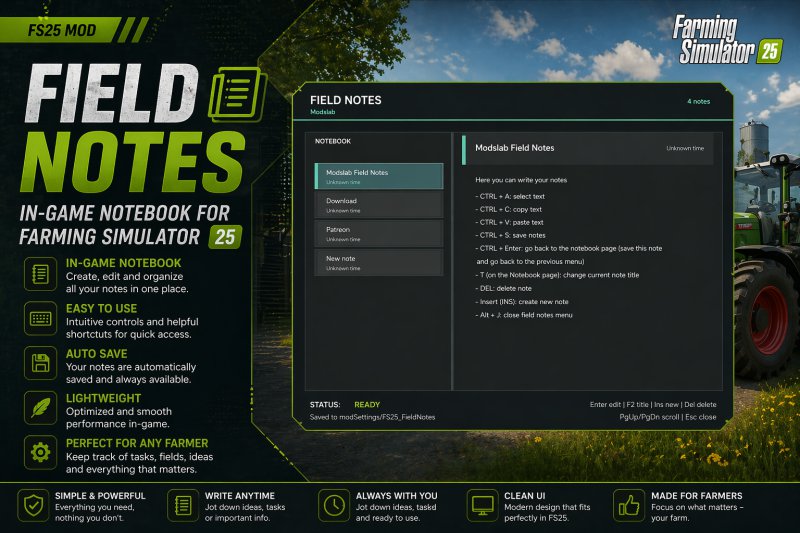
FS25 Field Notes v1.3.0.0
FS25 Field Notes v1.3.0.0 Field Notes adds a separate notebook where you can create and manage your notes. You can: – Create multiple notes; – Write, save, and delete anything you want; – Select, copy, and paste text (basic editor functions). To open, press Alt + J. V1.3.0.0: – Added the ability to place icons next to the note title – Added the ability to create separate task notes. You add tasks, and once you complete them, you tick the checkbox and the text gets crossed out. A convenient daily planner for tracking completed tasks.

FS25 AustriaModding Modern Shed v1.1.0.0
FS25 AustriaModding Modern Shed v1.1.0.0 3 different halls with 5 gates and 2 entrance doors v1.1.0.0 – Warehouse with shelving is now a pallet warehouse for 5000 pallets Hall 1: Standard vehicle hall, price €90,000, 5 gates, 2 doors (left and right), light switches inside Hall 2: Hall with storage shelving, price €93,000, 5 gates, 2 doors (left and right), storage shelving along the long side and on the left and right, light switches inside Hall 3: Hall with office extension for agricultural contractors or other uses, price €95,000, 5 gates, 2 doors (left and right), an office building is attached to the right with office furniture, a TV that can be switched on and off. The trigger for this is to go behind the TV and the trigger should then appear. In the office building, the light in front of the desk by the door is switched on, and the light in the hall is also switched on. A solar system can be selected or not. Textures have been completely changed compared to the LS22 mod. Maintenance is €40 Credits:AustriaModding Sascha Tags: LS22TV
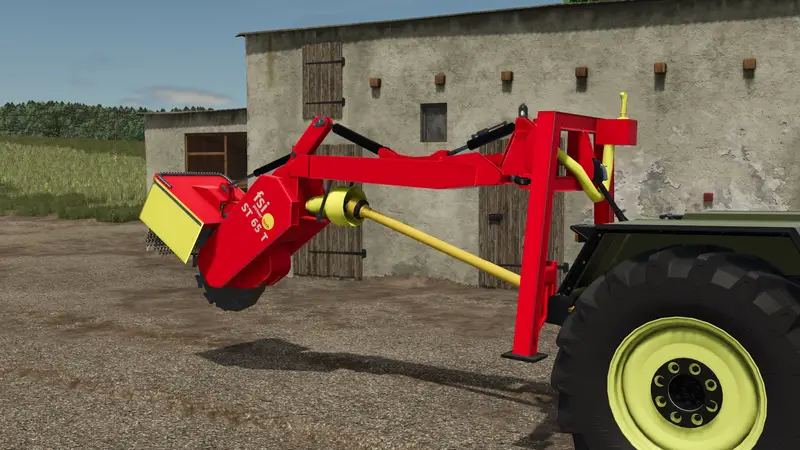
FSI ST 65 T
Der FSI ST 65 T ist ein robuster und effizienter Mulcher, ideal zur Pflege Ihrer Felder. Mit einem Preis von nur 5.000 $ ist er eine erschwingliche Ergänzung für Ihre landwirtschaftlichen Geräte. Der FSI ST 65 T ist ein robuster und effizienter Mulcher, ideal zur Pflege Ihrer Felder. Mit einem Preis von nur 5.000 $ ist er eine erschwingliche Ergänzung für Ihre landwirtschaftlichen Geräte.
- 15 per page
- 30 per page
- 45 per page
- 60 per page
-
See more per page
Bigger pages, fewer clicks - and no ads anywhere.
Go Pro