Farming Simulator 25 mods
78,883 results- 15 per page
- 30 per page
- 45 per page
- 60 per page
-
See more per page
Bigger pages, fewer clicks - and no ads anywhere.
Go Pro

Object Storage Visuals V1.0.1
For farms where storage should not only work, but also look like real work: The GIANTS ObjectStorage stores pallets and bales performance-friendly, but there is still plenty of room above. FS25_ObjectStorageVisuals brings life into ObjectStorage: pallets now stack visibly on top of each other, bales stand tighter and more naturally in the storage area, wrapped bales keep their color, and the ObjectStorage no longer looks as if somebody rented half the storage space to fresh air. Instead of a flat floor parade, you get visibly used height. Instead of floating bales, you get more compact stacks. Instead of empty consumable pallets, you finally get visible content in multiplayer. Variants are easier to recognize as well: different bale twine brands, bale wrap colors or bale net variants are no longer visually merged into the same generic pallet. More visible storage, more used height, less wasted space in ObjectStorage. A PDF documentation for modders is included in the mod. It explains how to prepare custom storages and pallets for the extended visual, SlotTrigger, pallet stacking and capacity functions. FS25_moreWrapColors by is supported automatically. FS25_RounderWrappedRoundbales bales by OlaHaldor are also displayed rounder in storage. The storages from FS25_ObjectBaleStorage by Kastor [D-S-Agrarservice] serve as the reference mod for supported bale functions. The pallets from FS25_compostProduction and FS25_emptyPalletFactory by [Weekend Farmers] serve as reference mods for stackable mod pallets. Prepared storages keep their normal ObjectStorage functionality even without this script. Adding the optional XML blocks does not automatically remove crossplay compatibility from an otherwise crossplay-compatible storage. Scripts and assets of the respective storage remain decisive. To start download click the filename. To open archive files use one of these programs: WinRAR, 7-Zip, WinZip. Some mod archives may need to be extracted before the mods will work.

Auto Leveler – Landscaping Terraformer & Slopes V1.1
Tired of spending hours fighting the default landscaping tool, dealing with bumpy terrain, distorted hills, and endless money wasted trying to flatten an area for your farm? The Auto Leveler completely transforms terraforming in Farming Simulator 25! Instead of manually dragging brushes for hours, simply mark the boundary corners of the desired zone, preview the elevation plane in real time, and press to flatten the entire area in seconds with mathematical perfection. How to Use / Activation Note: To activate the Auto Leveler, enter the Construction Menu and ensure you are on the main overview/selection screen (without any active building or specific landscaping brush selected). Press to open the mod interface and start creating your custom planes or ramps. If you have a building or landscaping tool currently selected, simply press to return to the main construction menu screen, and then press to activate the mod seamlessly. Why use Auto Leveler? – Save Countless Hours: Create large construction pads, yard expansions, and flat building sites in seconds instead of grinding with the manual brush. – 100% Flat & Level: No uneven bumps, glitches, or holes under your sheds, silos, and factories. – Smooth Transition Slopes: Say goodbye to vertical jagged terrain cuts with automatic edge blending (Talude) of 2m, 4m, or 6m. – Perfect 3D Ramp Builder: Connect elevated yards and roads with precise slope percentage readouts and adjustable width. – Financial Control: Real-time area (m²) and estimated cost preview before spending a single dollar. Key Features: – 3D Holographic Plane: Real-time elevation preview with volumetric posts showing the exact target height. – Auto 90°/45° Alignment & Square: Smart magnetic snap and Neon Green guide line to align with Point 1 for flawless rectangles and squares. – Easy Polygon Closing: Click directly on Point 1 or double-click anywhere to lock and close the area. – Realistic Slope Smoothing (Talude): Vertical cut or smooth transitional slopes (2m, 4m, 6m) for natural terrain blending. – 3D Ramp Builder: Start and end heights with adjustable road width (2m to 30m) and real-time slope percentage calculation. – Dynamic Height Control: Raise or lower the entire flat plane or individual ramp points instantly using Up/Down Arrow keys. – Live Financial & Area Telemetry: Real-time m² area calculation and estimated cost preview. – Move & Adjust Points: Press ‘R’ to drag and adjust marked points directly on the ground. Controls: – : Activate / Deactivate Auto Leveler (inside Construction Mode). – : Switch Mode (3D Flat Plane vs. 3D Ramp). – : Toggle Alignment (Free Drawing vs. 90°/45° Orthogonal Snap). – : Toggle Action (Add Points vs. Move/Drag Points). – : Cycle Edge Finish (Vertical Cut, 2m Slope, 4m Slope, 6m Slope). – [Up Arrow] / [Down Arrow]: Increase / Decrease Height. – [+] / [-]: Increase / Decrease Ramp Width. – [Left Click]: Place point on terrain / Click Point 1 to close polygon. – [Double Click]: Quick lock and fix polygon points. – / [Right Click]: Undo last placed point. – : Apply terraforming to the terrain. To start download click the filename. To open archive files use one of these programs: WinRAR, 7-Zip, WinZip. Some mod archives may need to be extracted before the mods will work.
Lanrelas FS25
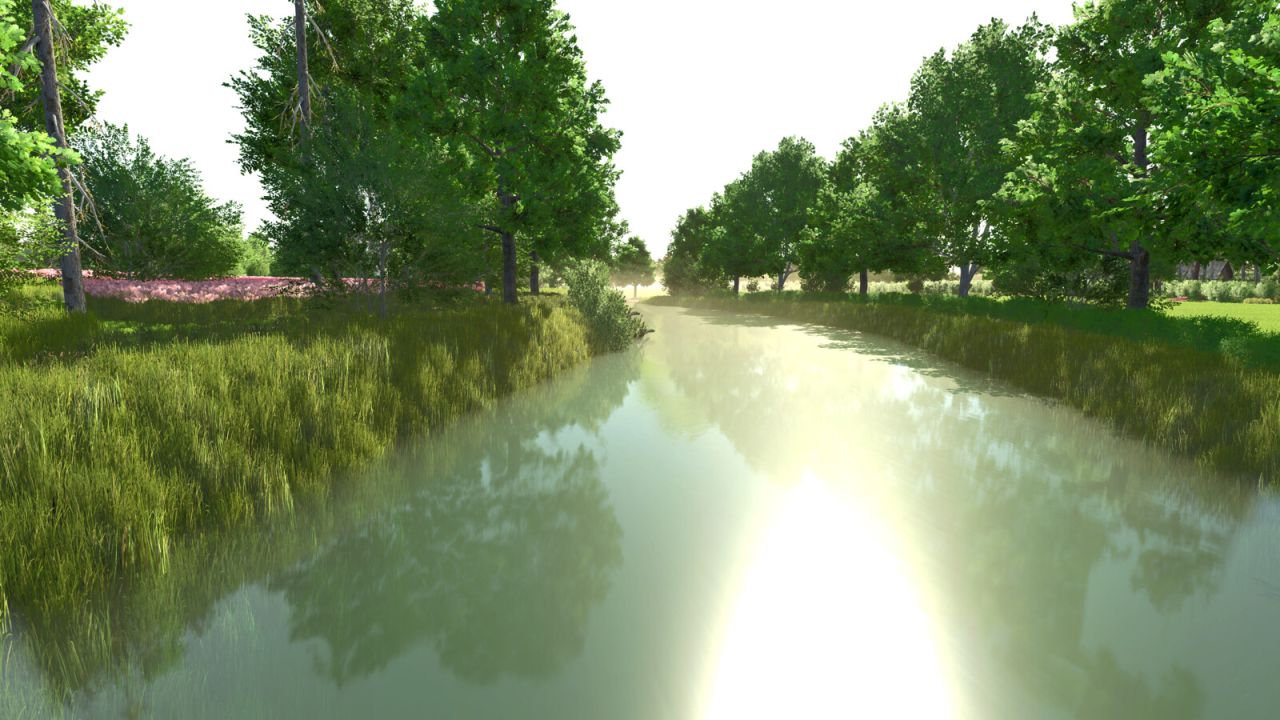
Lanrelas is a French commune located in the department of Côtes-d'Armor in the Bretagne region. This map is a first for me, and through it I hope to successfully immerse you in the atmosphere of my native lands. I did my best to represent my village using the base tools from GIANTS Software. My two main objectives with this map are to let you enjoy the AI “create a job” feature as much as possible without blockages or bugs, and to give you the ability to fully modify the 8 farms available for purchase. Welcome to Lanrelas and have a great time ? Main features: - 1 x BGA - 114 fields (from 0.12 ha to 11.33 ha) - 26 forest areas - Côtes-d'Armor license plates - Fences and farms can be modified in landscaping mode - Areas to clear using a forestry mulcher - Realistic ambient sounds (animals, rivers, forests…) - Animated rivers and aquatic wildlife; you can fish with the Highlands Fishing Expansion DLC - Rare galettes to collect - New NPCs for missions - Map compatible with all DLCs - Travel is simplified thanks to a dedicated AI worker road network - Increased yield for all silage crops. - Graphical correction of crop stubble. - Adjustment of new crops. - Removal of trout from the river. - Adjustment of crop yields. - Update on crop growth stages. - /!\ A new backup is required for the update. - Lanrelas V1 has been thoroughly revised in this version. To increase your tasks in the fields and at the B.GA, as well as to feed your animals, the new map incorporates new crops. - To diversify the diet of your pigs and cows, two new buildings are ready to be purchased in the factory section. - BGA uses new crops. - Improved decoration on the map. - New point of sale. - Removal of modest and poor-quality buildings. - I would like to thank Assassins-Ben for his invaluable support in the deployment of this version 2 of Lanrelas. He is the designer of the new buildings available for animals in this new version. - Thank you to all the contributors to the prefab section of the modhub for their models. - *No save is necessary if you haven't sold the manure from field 6. - Removal of the manure pit occlusion field 6. - Water body modification. *A new backup is required for the update. - New Farmer mode fix. - GPS correction for fields 97 and 114. - Fixed spawn issue with several fields. - Correction of the multi-field limit. - Correction of several bodies of water and ditches. - Correction of the silo in farm 138. - Resumption of workers' routes. - Store spawn fixed. - Point of sale added to the store for vehicles and tools. - Fixed flying collectibles. - Various corrections and additions to decoration and lighting.
Farmland Auctions V1.0.0.2
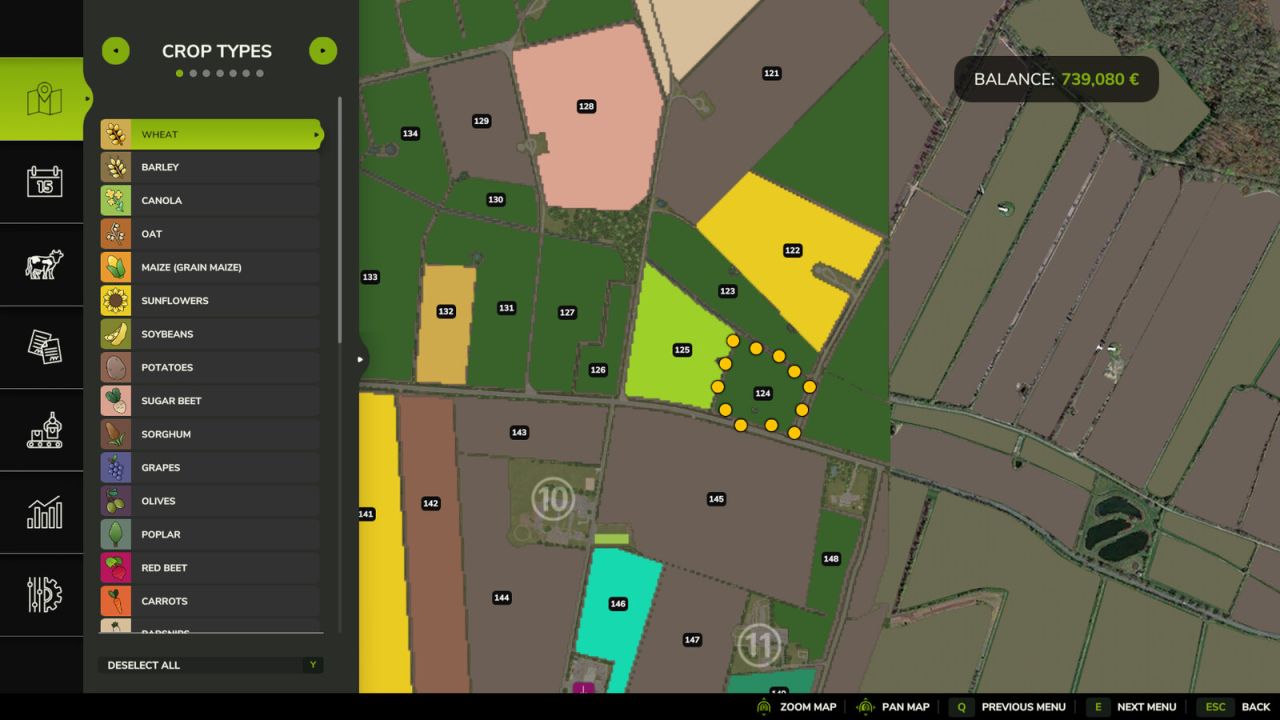
Farmland Auctions V1.0.0.2 This mod adds regular farmland auctions. On auctioned land, bids can be placed directly on the field using the B key. Each new bid increases the current auction price and offers an alternative way to purchase land. Depending on the mod settings, NPC bidders can be enabled or disabled. It is also possible to restrict farmland purchases so that land can only be bought through auctions while a standard purchase is blocked. In multiplayer, farms can bid against each other. Console commands (admin only, open the console with the usual key): – faStartNow -> starts the next auction immediately. A scheduled auction begins right now and keeps its duration. – faStartAuction -> starts an auction right away for a specific farmland. Not possible while another auction is running. – faEndNow -> ends the running auction immediately. The highest bidder gets the land and pays the current price. – faCancelAuction -> cancels the running or scheduled auction without selling the land. – faSetAuctionTime -> sets the minimum and maximum auction duration in hours. Without values it shows the current range. – faSetStartInterval -> sets the minimum and maximum waiting time in hours until the next auction starts. Takes effect for the next auction. Without values it shows the current range. – faSetAuctionOnly [on/off] -> switches the auction-only mode. When active, land can only be bought through auctions. Without a value it toggles the mode. V1.0.0.2 Admin commands are now checked on the server Bids always use the sender’s farm Payment is taken before the land is handed over Standard purchases are now properly blocked during an auction / in auction-only mode Auctions are now also saved when you exit the game Author: SimuTools Report bugs in the comments and help modders improve this mod. Always check the comments, you can find a solution. DOWNLOAD MOD
Platform Headertrailer FS25
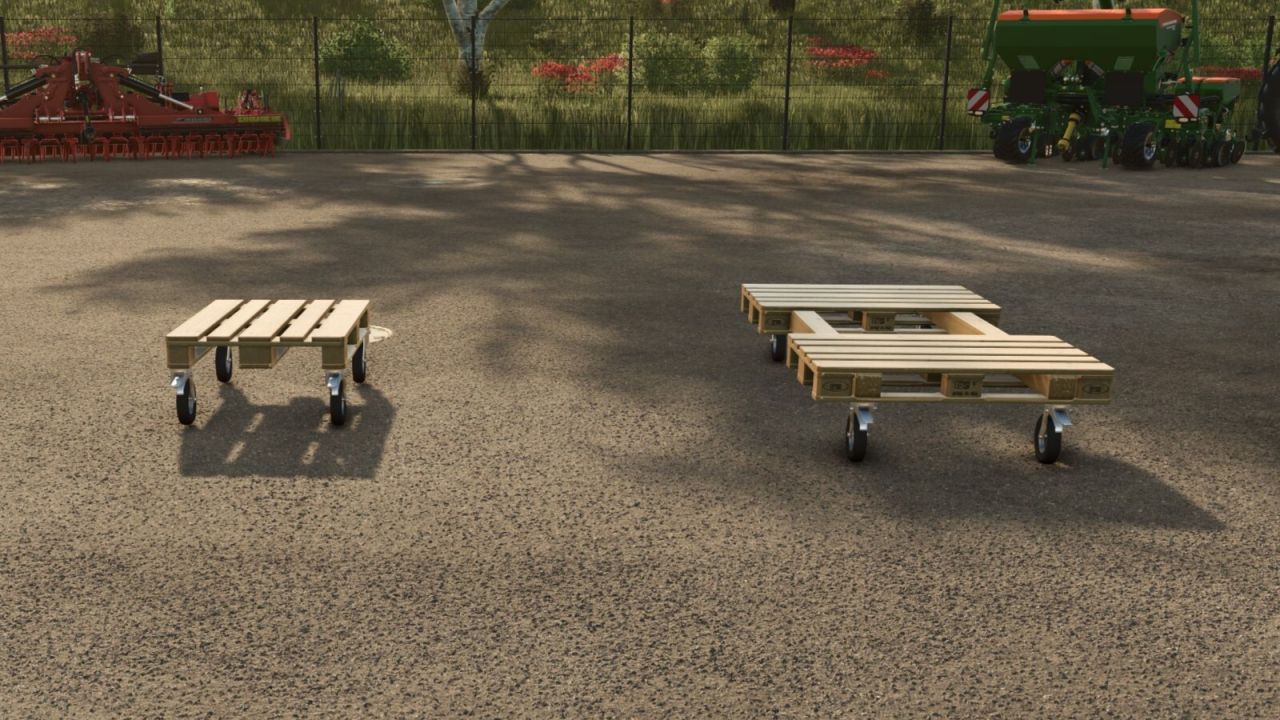
You can get in the platforms to move them. It is possible to secure cutting units or other equipment using tension belts. - Prices adjusted from 3,500 to 350

Better Bale Physics V1.0.0.2
Better Bale Physics improves bale physics in Farming Simulator 25 by reducing unnecessary jitter, slow sliding and the tendency of stacked bales to move apart on their own. The mod automatically detects when a bale has come to rest and then stabilizes very small unwanted movements and rotations. As soon as the bale is lifted, pushed or otherwise moved again, normal physics are immediately restored. This keeps carefully stacked bales much more stable without freezing them in place or making them feel unnaturally attached to the ground. Features Reduces unnecessary bale jitter and movement Stabilizes stacked bales after they have settled Reduces unwanted slow rotation Normal physics remain active when bales are moved Works automatically without additional configuration Supports round and square bales Compatible with base-game and modded bales Suitable for large bale stacks and storage areas No additional HUD or shop configuration required Better Bale Physics provides calmer and more reliable bale behavior, making bale stacking and storage much easier and more enjoyable. Changelog 1.0.0.1 – Added automatic freezing after a placed bale has settled. – Added automatic release when a bale fork or vehicle approaches and when a bale is picked up. – Added rigid tension-belt locking relative to the carrier and release when belts are unfastened. – Prevented freezing while carrying, on vehicles or without stable support. – Added support checks and release of nearby stacked bales during pickup. To start download click the filename. To open archive files use one of these programs: WinRAR, 7-Zip, WinZip. Some mod archives may need to be extracted before the mods will work.
Homemade Weight V1.1
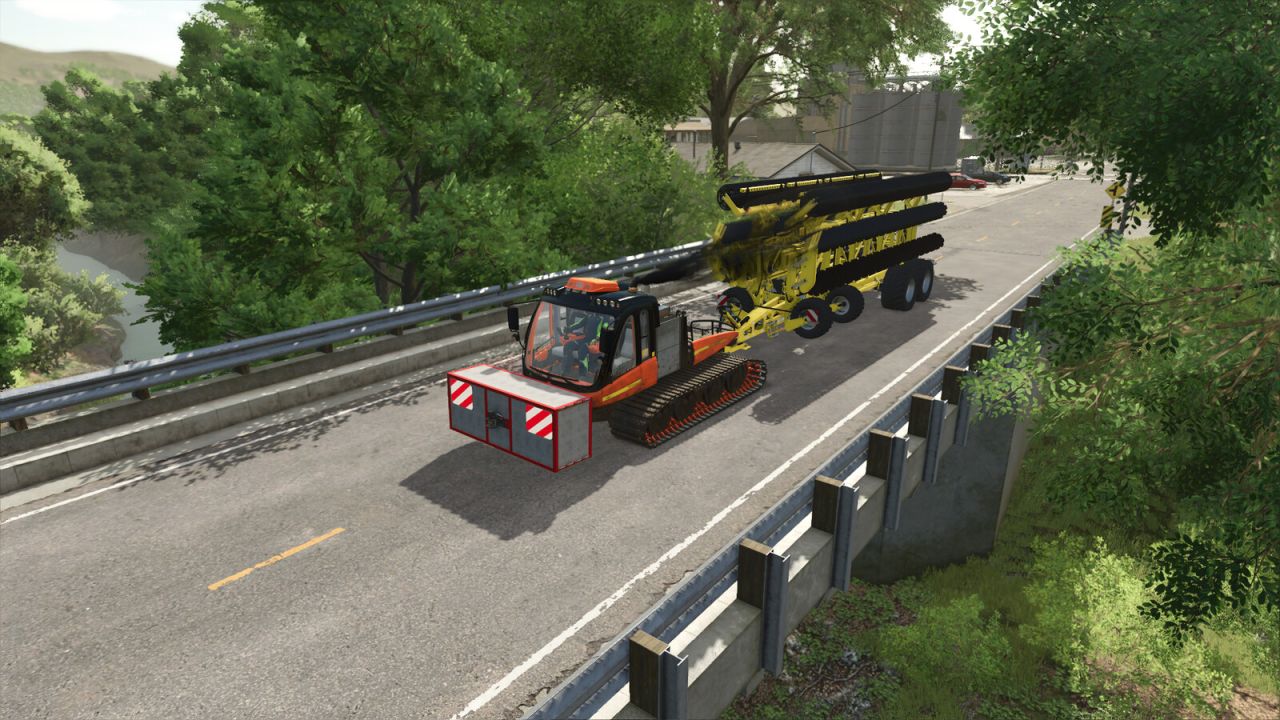
Homemade Weight V1.1 This custom-built weight is designed to stabilize large to very large machines that tow heavy loads. The weight is adjustable from 3.500 kg to 7.500 kg. Shop Category: Weights Price: €1,550 Configurations: Side Marker Lights, Weight (500kg, 1.500kg, 2.500kg, 3.500kg, 4.500kg, 5.500kg, 6.500kg and 7.500kg), work lights Special features: Frame Color V1.1.0.0 Fixed texture issues (wear and dirt) Removed redundant files Fixed minor errors in the XML Added new weight options (500 kg, 1,500 kg, and 2,500 kg) Added work lights as a configuration option Updated for the current patch Author: MTL Modding Team Report bugs in the comments and help modders improve this mod. Always check the comments, you can find a solution. DOWNLOAD MOD
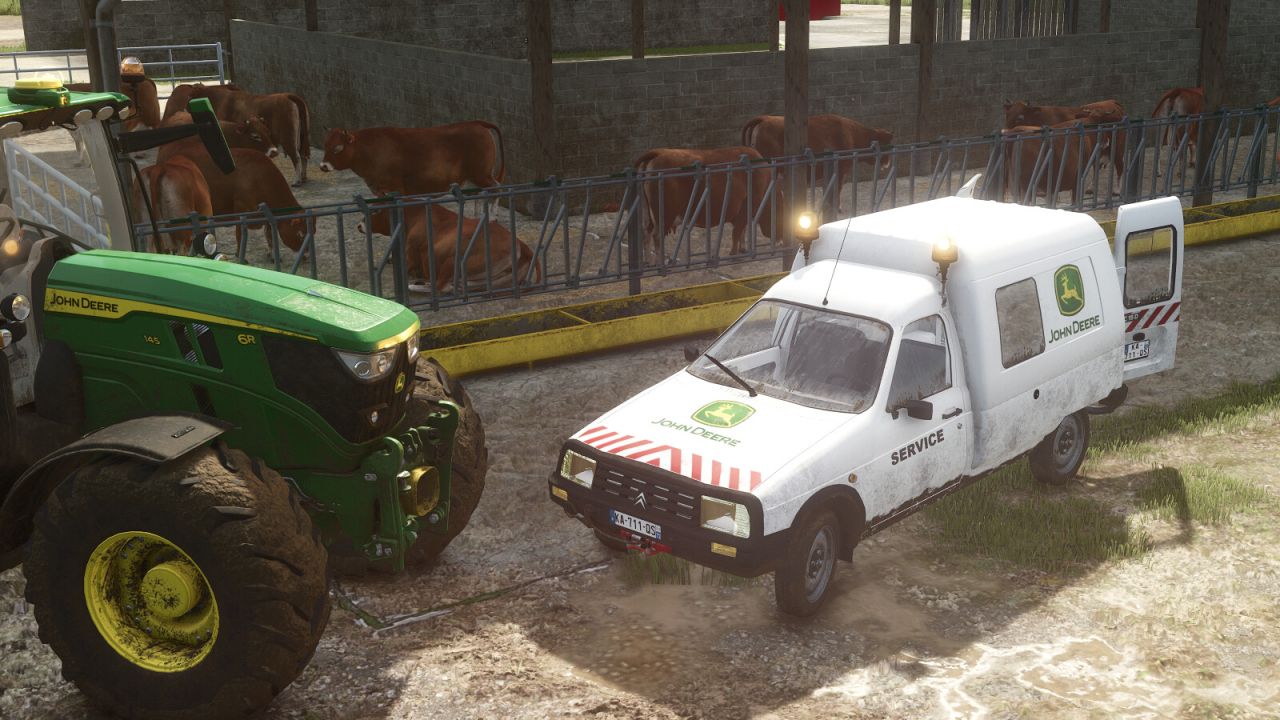
Citroën C15 Utility FS25
Category: Cars & Bikes Price: €13,000 Power: 60 hp Max. speed: 120 kph Fuel Capacity: 47 L The C15 is a lightweight and versatile utility vehicle designed to meet the needs of any farm. Available in multiple versions, it can be configured as a panel van, pickup, service vehicle or livestock transporter. Thanks to its wide range of customization options, it is perfectly suited for agricultural work, maintenance operations, equipment transport and everyday use. Body Configurations - Panel Van with Double Rear Doors - Panel Van with Single Door - Pickup - Pickup with Tarp - Livestock Box Driving Position - Left-hand Drive - Right-hand Drive Wheel Types - Road Tires - Off-road Tires Color Options - Body Color - Exterior Trim Color - Tarp Color - Livestock Box Color - Rim Color Equipment & Options - Side Trim - Roof Racks (Black or Body Color) - Sign Mount with Multiple International Warning Signs - Road Works Triangle - Tool Holder (Chainsaw, Spray Can and Brush) - Front Winch - Safety Markings - Service Decals with Multiple Manufacturer Brands - Rear Hitch - Now compatible with Interactive Control by Vertex Design - Added a collision to the front wall of the livestock box - Adjusted the warning lights
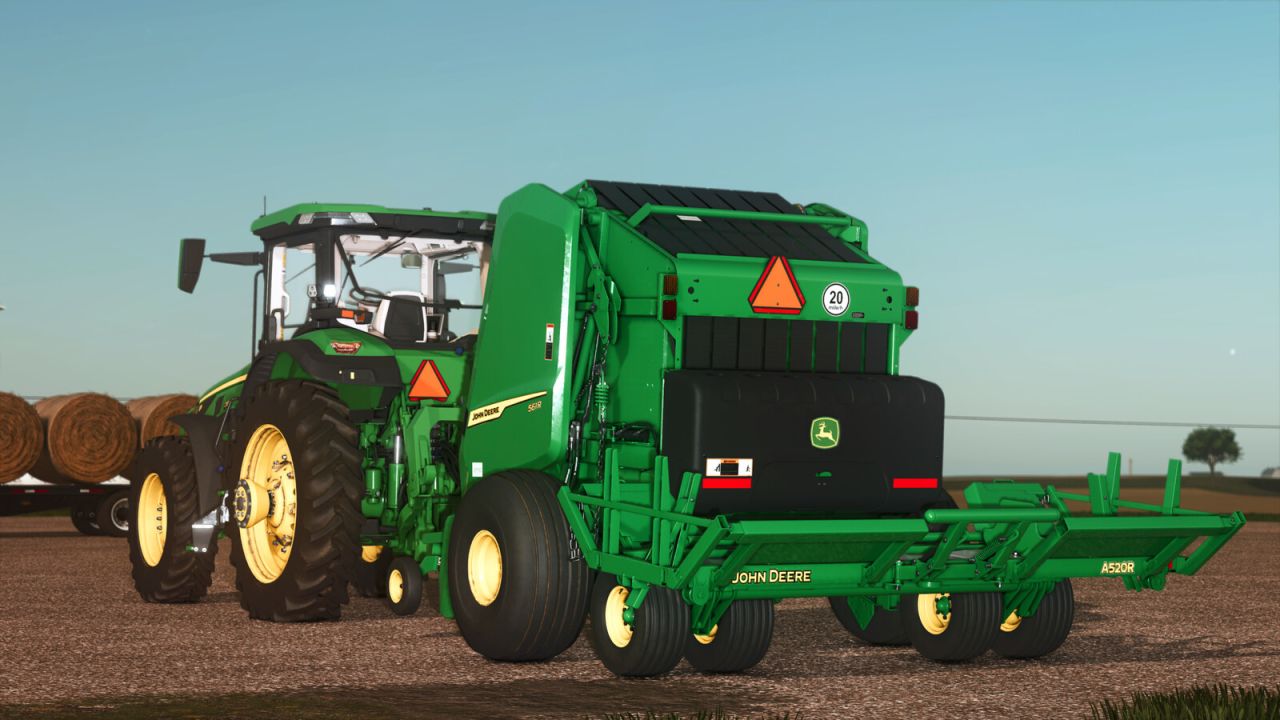
John Deere 561R Premium Round Baler FS25
John Deere 561R Premium Round Baler and A520R Accumulator Engineered for Efficiency. Built for Performance. The John Deere 561R Baler paired with the A520R Accumulator delivers unmatched productivity in the field. Designed for high-output operations, the 561R features cutting-edge bale formation technology, ensuring consistent bale density and shape across every acre. When equipped with the A520R Accumulator, operators can automatically stack and drop bales in groups of up to three — minimizing stops and maximizing efficiency. With ISOBUS compatibility, intuitive controls, and rugged durability, this is the ultimate round baling system for the modern farm. Take control. Bale smarter. Go further with John Deere. Model: 561R Premium Round Baler and A520R Accumulator Size: 81 - 183 cm/32 - 72 in Capacity: Drop 1, 2, or 3 bales at a time Price: $93.000 - $9.900 Power requirement: 100 hp Category: Roundbalers, Transport - Model Year 2025 - Custom wheel configurations - Accumulator ready (compatible with A520R) - Optional silage additives tank - Round bale net wrap selection - Animated maintenance covers and PTO - Manual lift for pickup and rear gate - Precision Farming Ready - Added the option to install a fire extinguisher - Model year - Various visual fixes and improvements - In-game improvements - Bug fixes - Precision Farming ready - Added custom 150 and 180 size bales - Added the Giants Renown Drop Deck and the Demco Steel Drop Deck with added autoloading capability for the custom 561R bales - Added the Giants Anderson Hybrid X compatible with the custom 561R bales that also retains the ability to wrap all the base game bales - Increased the working speed of the baler to 15 MPH per real world feedback - Improved the bale drop animations and the bale handling animations of the accumulator - Added the capability to use Silage Additive on Alfalfa - Added the ability to bale Alfalfa, Corn Stalks, and Soybean Straw on maps where those can be produced - Added the option to choose between decals for MPH and KPH - Added the option to install a slow moving vehicle sign - Various visual fixes and improvements
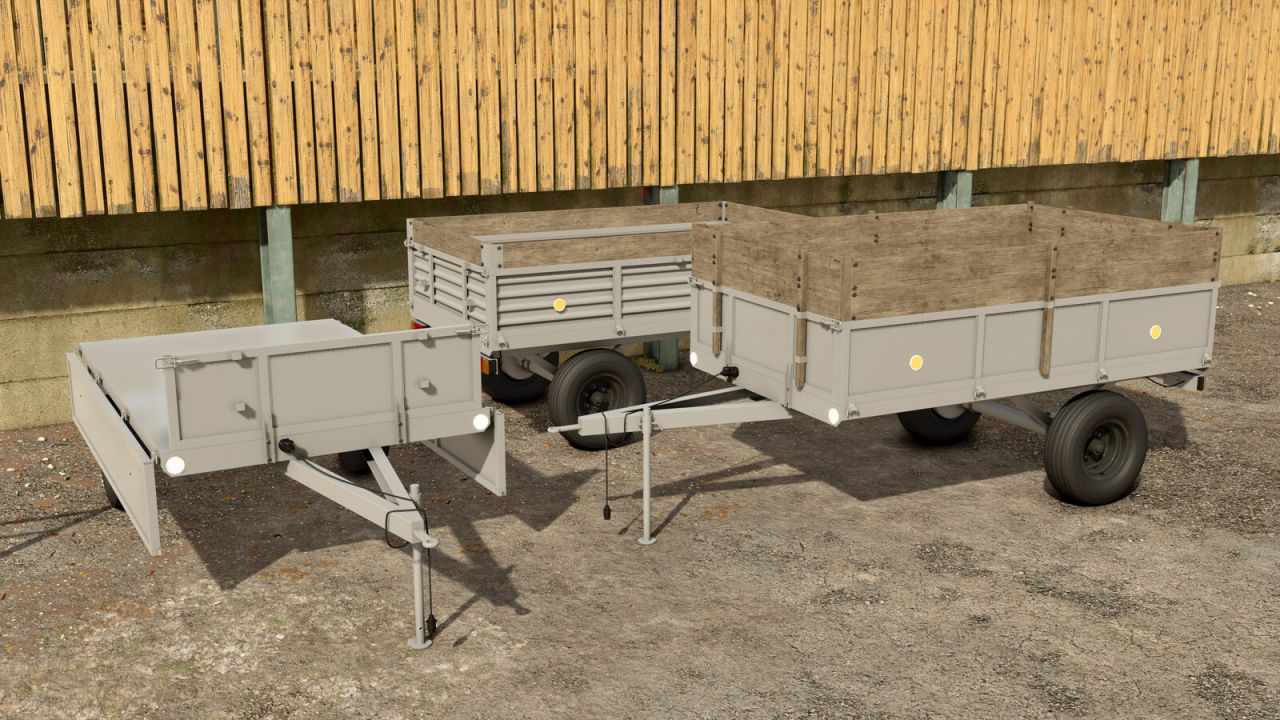
Self-built Trailer FS25
Self-built trailer with multiple configuration options. Category: Trailers Price: 2,250 $ Capacity: 2,500-4,500 L - Improved the wooden plank textures - Added new store and mod icons - added a new extension configuration - added a new wheels configuration - added a new reflectors configuration - relocated the warning triangle - added a side boards configuration - added a rear hitch configuration - new store icon and mod icon
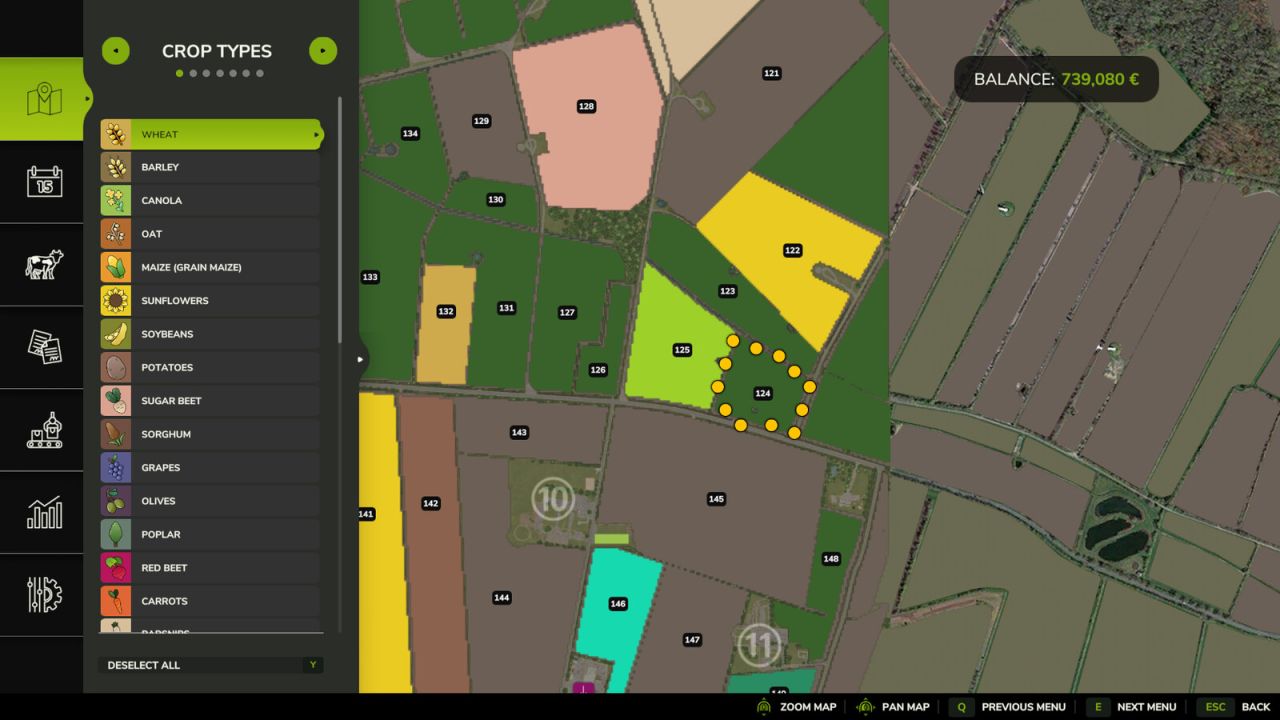
Farmland Auctions FS25
This mod adds regular farmland auctions. On auctioned land, bids can be placed directly on the field using the B key. Each new bid increases the current auction price and offers an alternative way to purchase land. Depending on the mod settings, NPC bidders can be enabled or disabled. It is also possible to restrict farmland purchases so that land can only be bought through auctions while a standard purchase is blocked. In multiplayer, farms can bid against each other. Console commands (admin only, open the console with the usual key): - faStartNow -> starts the next auction immediately. A scheduled auction begins right now and keeps its duration. - faStartAuction -> starts an auction right away for a specific farmland. Not possible while another auction is running. - faEndNow -> ends the running auction immediately. The highest bidder gets the land and pays the current price. - faCancelAuction -> cancels the running or scheduled auction without selling the land. - faSetAuctionTime -> sets the minimum and maximum auction duration in hours. Without values it shows the current range. - faSetStartInterval -> sets the minimum and maximum waiting time in hours until the next auction starts. Takes effect for the next auction. Without values it shows the current range. - faSetAuctionOnly [on/off] -> switches the auction-only mode. When active, land can only be bought through auctions. Without a value it toggles the mode. --Changes 1.0.0.2-- - Admin commands are now checked on the server - Bids always use the sender's farm - Payment is taken before the land is handed over - Standard purchases are now properly blocked during an auction / in auction-only mode - Auctions are now also saved when you exit the game --Fixed multiplayer issues --Fixed timing issue

St. Lawrence V1.0.1.1
St. Lawrence V1.0.1.1 Änderungsprotokoll 1.0.1.1: Kleine Anpassung an Farmlands 3 und 4. Ein Kollisions- und Platzierungsproblem wurde behoben. V1.0.1.0 Flackernde Büsche entfernt (Vielen Dank an MrSealyp für das Feedback!). Versteckte Bäume unterhalb der Kartengrenzen wurden entfernt. Es wurde ein Fehler behoben, der dazu führte, dass Missionsfahrzeuge nicht verfügbar waren. Die landwirtschaftlichen Flächen wurden angepasst, um schmale Landstreifen zu entfernen, die nicht von einem kaufbaren Grundstück abgedeckt werden. Ackerland für Verkaufsstellen, Straßen und Kartenränder kann aus technischen Gründen nicht mehr erworben werden. Das maßgefertigte Kuhsilo ist jetzt erhältlich (Vielen Dank an MrSealyp für das Feedback!). Fluss und Pier hinzugefügt (Vielen Dank für das Feedback von Farmer Cop!). Zusammengeführte Felder 10 und 11. Ästhetische Überarbeitung der verschiedenen Verkaufsargumente. Am Produktexport wurde ein Holzverkaufspunkt eingerichtet. Zusätzliche, einsatzfähige Gabelstapler wurden im Lager und im Produktexportbereich bereitgestellt. Die Objektlager wurden so angepasst, dass Fahrzeuge einfahren können. Geparkte Fahrzeuge hinzugefügt. Individuell gestaltete Gras- und Wiesenmotive. Das HUD wurde aktualisiert, um alle Änderungen widerzuspiegeln. Willkommen in St. Lawrence! Eine fiktive Karte, inspiriert von den langen, schmalen Ackerstreifen Québecs, wo sich die Parzellen senkrecht vom Sankt-Lorenz-Strom erstreckten. Diese Anordnung sicherte jedem Bauern den Zugang zu einer Straße oder einem Flussufer – den wertvollsten Ressourcen für Transport und Handel. Die große Tiefe der einzelnen Parzellen ermöglichte zudem eine effizientere Feldarbeit, da Ochsen oder Pferde lange, gerade Reihen pflügen konnten, ohne häufig wenden zu müssen. Eine kleinere Karte mit großem Gesamteindruck, die 16 Felder zeigt. Die meisten sind 7–8 ha groß, das kleinste etwa 2 ha und das größte etwa 14 ha. (1 ha = 2,471 Acres) Der Start-Milchviehbetrieb wurde speziell für Einzelspieler konzipiert und ist gut ausgestattet, unter anderem mit einem maßgefertigten Gärsilo und einem TMR-Mischer, der direkt mit dem Kuhstall verbunden ist. Die Preise für Ackerland sind erschwinglich. Viele landwirtschaftliche Betriebe verfügen über ein kleines Waldstück, um Ihren forstwirtschaftlichen Bedarf zu decken. Der Hauptfahrzeuggarage wurde ein Auslöser für die Fahrzeugwerkstatt hinzugefügt. Die Karte enthält einen Tierhändler, eine Tankstelle, einen Fahrzeughändler, ein Lagerhaus und einen Exporteur, um all Ihre Bedürfnisse abzudecken. Es beinhaltet keine zusätzlichen Fabriken, sodass Sie diese nach Belieben hinzufügen können. Präzisionslandwirtschaft bereit mit einer individuellen Bodenkarte. Zur Abwechslung wurde Luzerne auf der Karte hinzugefügt. Sie verhält sich genau wie Gras. Viel Erfolg beim Landbau! Tags: Die KarteDie PreiseIhre BedViel Erfolg
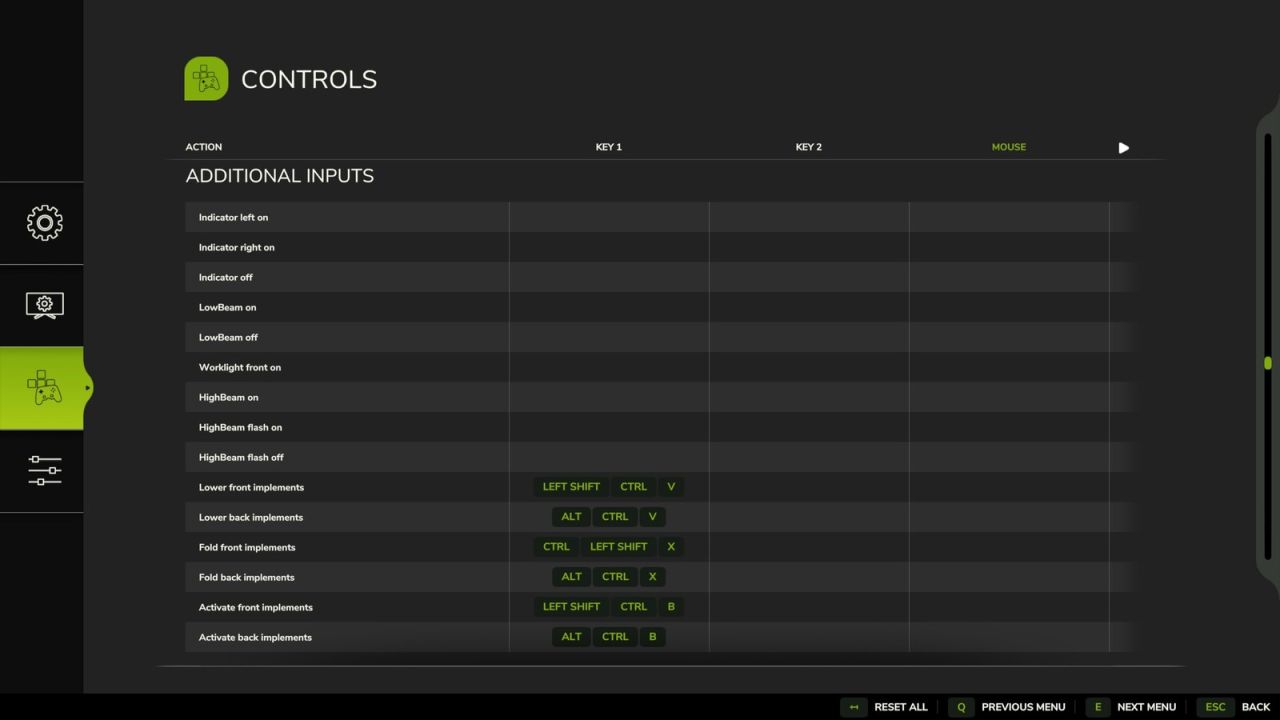
Additional Inputs FS25
Additional Inputs enhances your vehicle control in FS25 by adding explicit keybindings designed for realistic hardware setups, such as the Moza Multi-function Stalks. This mod introduces authentic turn signal logic with comfort blinking (tip blink), discrete controls for headlight and worklight stages, and dedicated inputs to Fold, Lower, and Activate implements independently based on their front or back position without needing to select them first. Features Indicators / TurnSignal Adds explicit inputs for indicating left / right and one for turning them off. Similar how an indicator lever in a car works. Also adds the tip blink / comfort indicators functionality. If after the on signal an off signals follows within 500ms, the tip blink is activated. If the hazard light is on, it has priority. These added inputs cannot turn of the hazard lights. Lights Adds new controls for normal front light on and off, also one for worklight front on. The front light on action will also turn off the work light front. As this works best for me and the Moza Multi function stalks. Translation from Moza Stalk lever turn to FS25 * OFF -> Front lights OFF * parking light -> Front lights ON * Front light -> Worklight Front ON Also adds three additional Inputs related to the High Beam. One to turn the high beam on, one to trigger the high beam flash (and also turn of the High Beam if turned on before) and one to release the flash. Implements Add Fold, Lower, and Activate inputs for implements attached at the front or back. They are not bound to the current selected part of the vehicle. More information regarding setup with Moza Stalks can be found on Github. There you also find a detailed Table describing each input in detail. Please report feedback or issues on Github. GitHub link: https://github.com/VertexDezign/AdditionalInputs * Bump moddesc version for release on Modhub
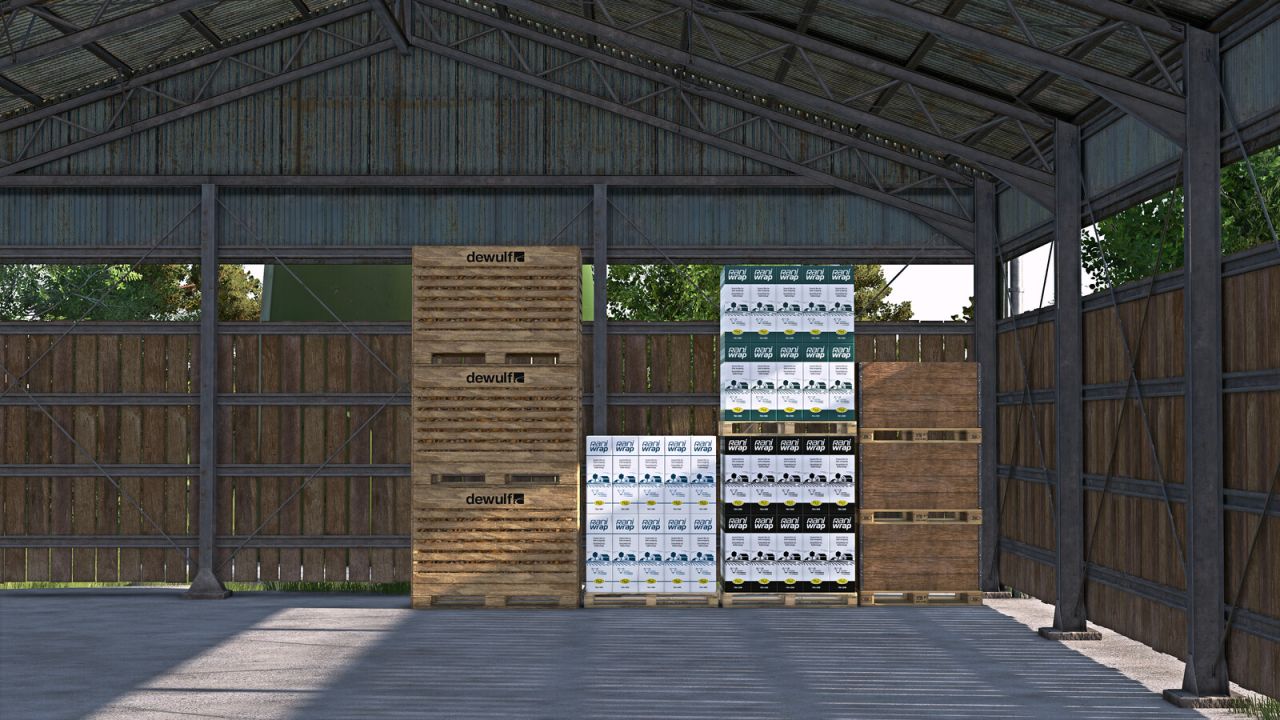
Object Storage Visuals FS25
For farms where storage should not only work, but also look like real work: The GIANTS ObjectStorage stores pallets and bales performance-friendly, but there is still plenty of room above. That ends now. FS25_ObjectStorageVisuals brings life into ObjectStorage: pallets now stack visibly on top of each other, bales stand tighter and more naturally in the storage area, wrapped bales keep their color, and the ObjectStorage no longer looks as if somebody rented half the storage space to fresh air. Instead of a flat floor parade, you get visibly used height. Instead of floating bales, you get more compact stacks. Instead of empty consumable pallets, you finally get visible content in multiplayer. Variants are easier to recognize as well: different bale twine brands, bale wrap colors or bale net variants are no longer visually merged into the same generic pallet. More visible storage, more used height, less wasted space in ObjectStorage. A PDF documentation for modders is included in the mod. It explains how to prepare custom storages and pallets for the extended visual, SlotTrigger, pallet stacking and capacity functions. FS25_moreWrapColors by is supported automatically. FS25_RounderWrappedRoundbales bales by OlaHaldor are also displayed rounder in storage. The storages from FS25_ObjectBaleStorage by Kastor [D-S-Agrarservice] serve as the reference mod for supported bale functions. The pallets from FS25_compostProduction and FS25_emptyPalletFactory by [Weekend Farmers] serve as reference mods for stackable mod pallets. Prepared storages keep their normal ObjectStorage functionality even without this script. Adding the optional XML blocks does not automatically remove crossplay compatibility from an otherwise crossplay-compatible storage. Scripts and assets of the respective storage remain decisive. - ObjectStorage unloading amount now starts at 1 and remembers the last confirmed amount separately for each storage during the current session. - Reworked FS25_RounderWrappedRoundbales storage visuals to use the mod’s exact bale I3D mappings directly. - Lua code optimization.
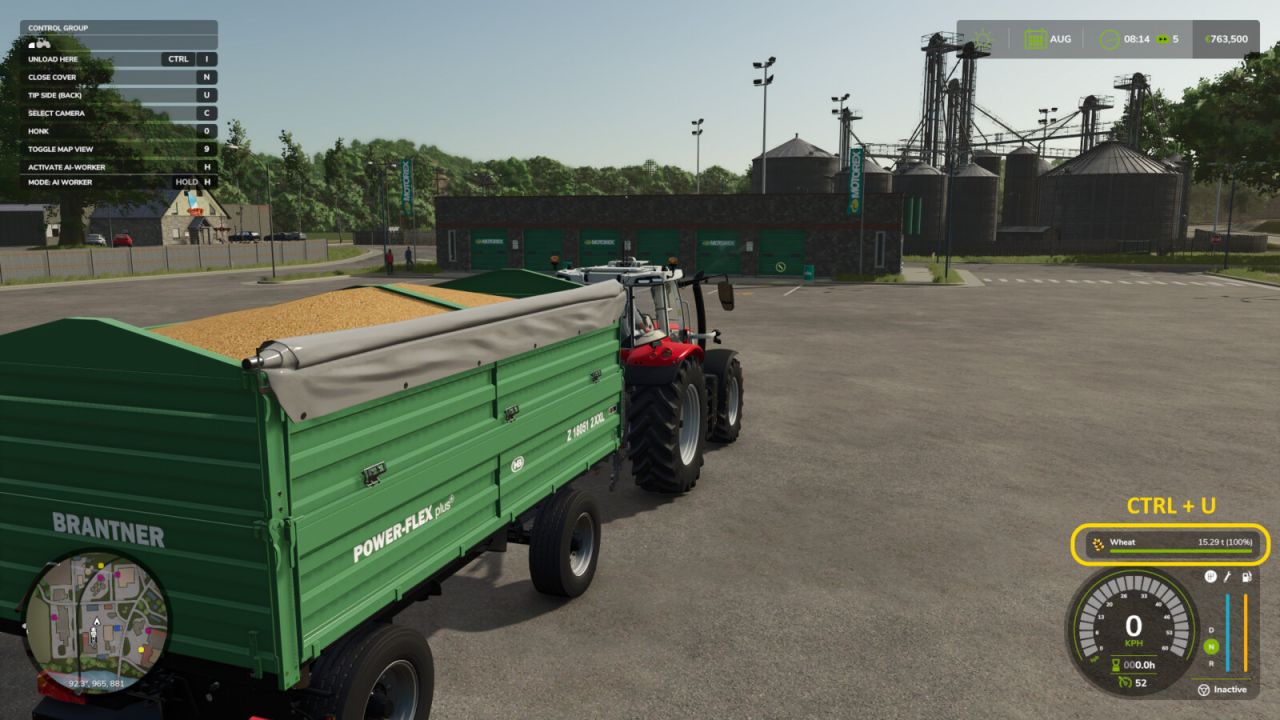
Litres To Tonnes Converter FS25
Litres → Weight Converter Automatically displays your cargo weight in real time in the native fill-level HUD (instead of litres), as soon as you enter a loaded vehicle. Features: - Automatically switches to kg if the load is under 1 tonne - CTRL+U: cycle units tonnes → kg → lbs → litres - Compatible with all mods that add new materials Controls: - CTRL+U: cycle unit (t / kg / lbs / L) - New HUD: Weight is now displayed directly in the native HUD.
- 15 per page
- 30 per page
- 45 per page
- 60 per page
-
See more per page
Bigger pages, fewer clicks - and no ads anywhere.
Go Pro