Farming Simulator 25 mods
78,272 results- 15 per page
- 30 per page
- 45 per page
- 60 per page
-
See more per page
Bigger pages, fewer clicks - and no ads anywhere.
Go Pro
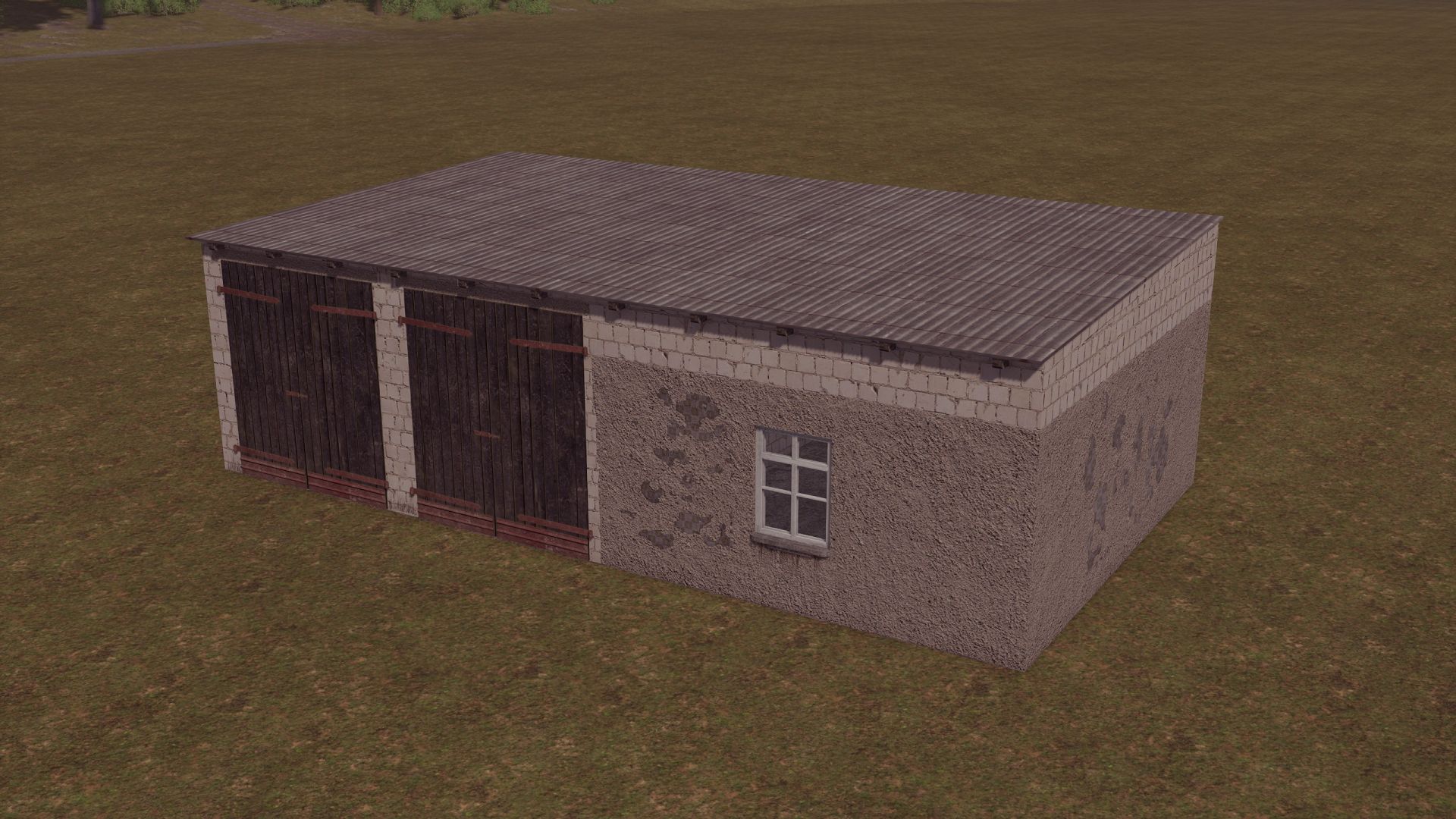
Old Bobcok Garage V1.0
Old Bobcok Garage V1.0 Old garage, for agricultural machinery. Price: 20 000$ Daily cost: 10$ converted from FS22 Author: Tyee, Mateusz, esiok, satan Report bugs in the comments and help modders improve this mod. Always check the comments, you can find a solution. DOWNLOAD MOD
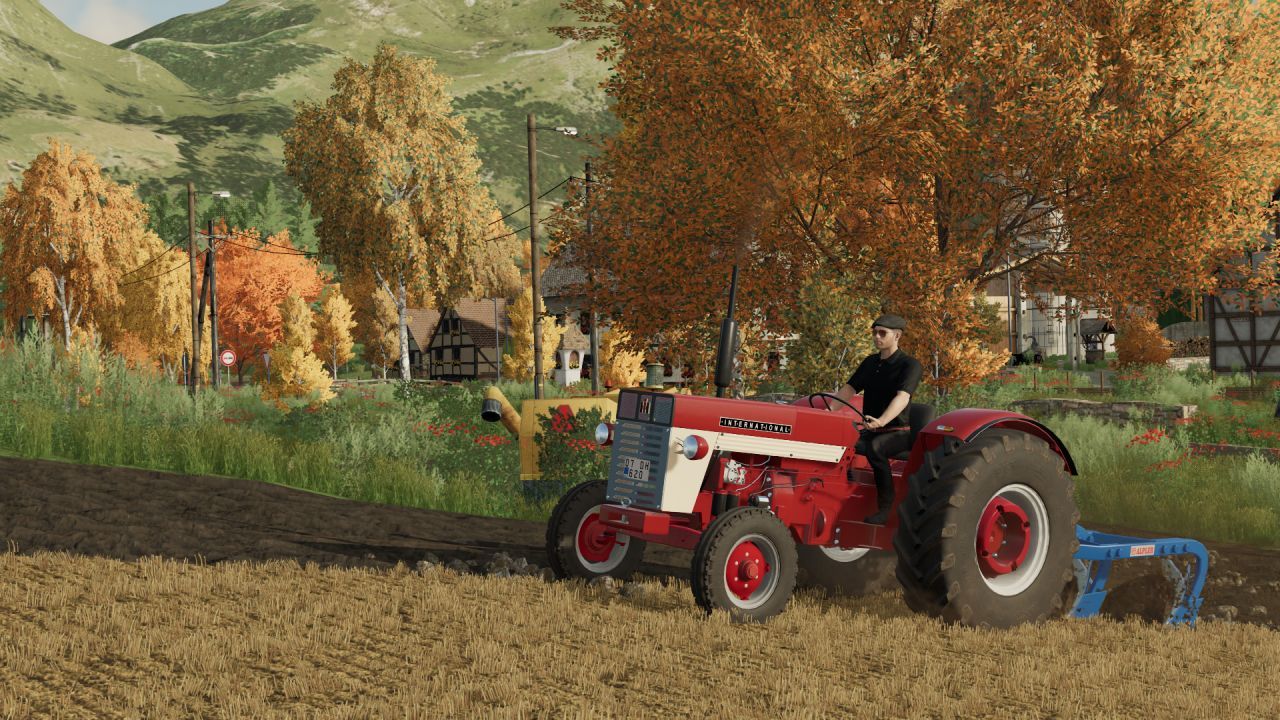
International 654S FS25
INTERNATIONAL 654S: Speed = 42 km/h Power = 55 hp -Price: €15,000 -Cabin Configuration This is a converted mod and functions without any issues (includes cabin, save-game compatibility, etc.). Original owner: SemyH Converter (creator): Harun Mete Bolulu
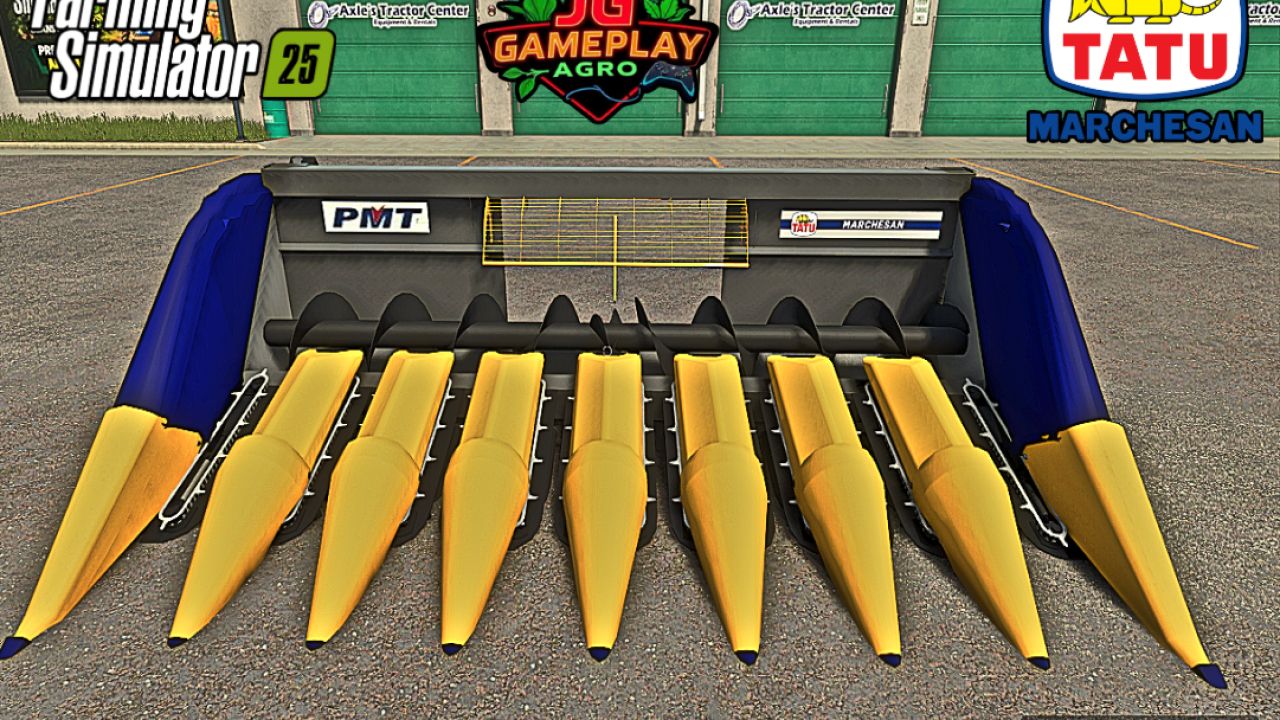
TATU PMT 8 FS25
TATU PMT 8 📋 Specifications - Weight: 2.6 t - Width: 4.1 m - Speed: 11 km/h 💰 Price - Total price: €24,500 Mod converted from FS22 to FS25 by JGGAMEPLAYAGRO Credit: TECH

New Holland TM 7020 (rice farmer) FS25
Brand: New Holland Model: TM 7020 V2. Rim color: White or black. Optional rice farming configuration, stickers, antennas, as well as various types of wheels and dryland configuration. Tractor specifications - Power: 121 kW / 165 HP Credit FARM CENTRO SUL JOÂO PUNTEL - Transmission: Manual + Powershift gearbox - Fuel tank: 218 L - Maximum speed: 60 km/h - Weight: 5.4 t Total price: €78,000 Mod converted from FS22 to FS25 by JGGAMEPLAYAGRO.
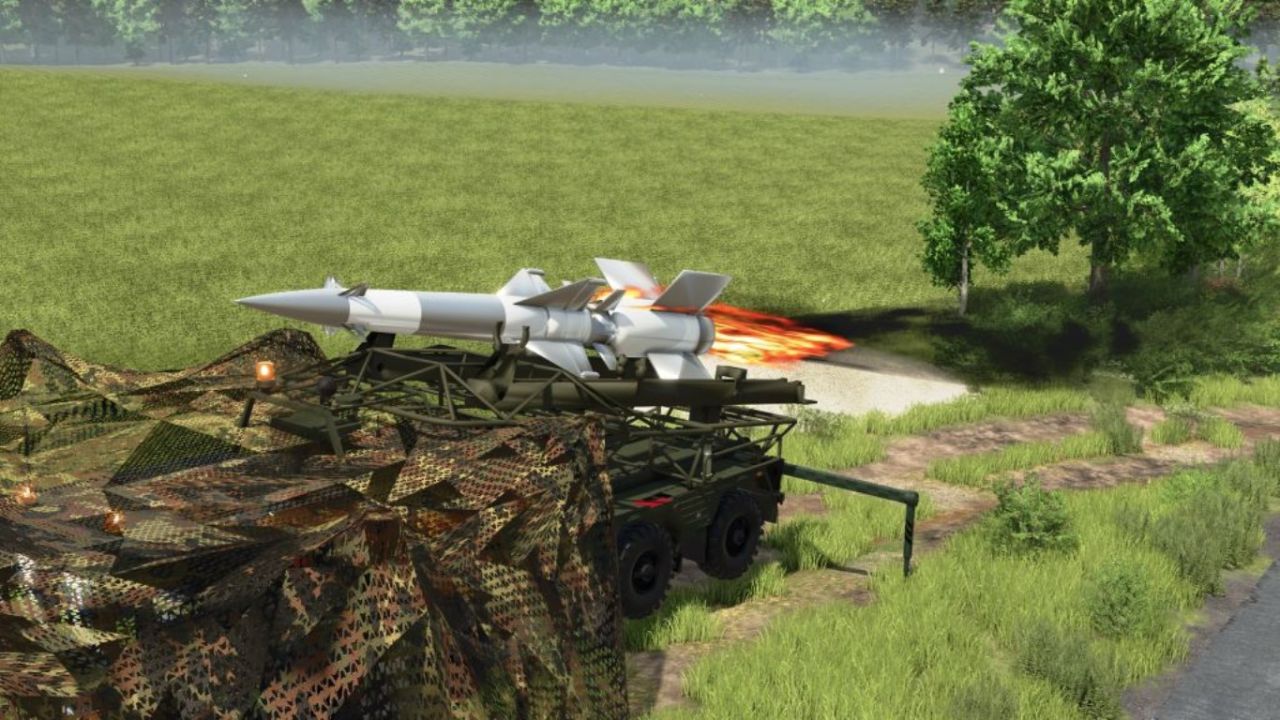
MZKT-7930 S-25 (8×8 Heavy Tactical Missile Launcher System) V1.0
MZKT-7930 S-25 (8×8 Heavy Tactical Missile Launcher System) V1.0 MZKT-7930 S-25 (8×8 Heavy Tactical Missile Launcher System): Technical and Operational Analysis Detailed Technical CharacteristicsHigh-Mobility MZKT-7930 8×8 Chassis: Built upon the multi-axle all-wheel-drive platform developed by the Minsk Wheeled Tractor Plant, engineered to transport extremely heavy payloads across rugged terrain and unpaved roads. Heavy Caliber Dual Missile Launcher: Integrates a tilting framework mounted on the rear deck that carries and elevates two large long-range missiles equipped with cruciform stabilization fins. Low-Profile Forward Cab: Features a wide, armored front cabin equipped with panoramic windshields and tactical lighting tailored for heavy route navigation and nighttime deployments. High-Torque Diesel Power & Multi-Axle Distribution: Powered by a high-torque diesel engine paired with a reinforced transmission system, guaranteeing structural stability during transport and pre-launch maneuvers. Tactical Utility and Operational DoctrineLong-Range Tactical Strike & Deterrence: Engineered to deliver heavy firepower and neutralize strategic targets, fortified installations, or critical infrastructure over extended distances.Strategic Mobility (“Shoot-and-Scoot”): Wheeled configuration allows high-speed movement across highways and field tracks, minimizing exposure to counter-battery fire.Air Defense Network Integration: Operates as a decisive component within missile batteries, coordinating seamlessly with radar systems and mobile command posts.Simulation and Modding SignificanceAdvanced 8×8 Platform Physics: Models the dynamic behavior of heavy independent suspensions, multi-axle traction distribution, and launcher rail elevation kinematics.Strategic Firepower Asset: Represents one of the largest scale assets in your collection, linking up perfectly with MZKT radar units and logistical support trucks. Author: karl zu Report bugs in the comments and help modders improve this mod. Always check the comments, you can find a solution. DOWNLOAD MOD
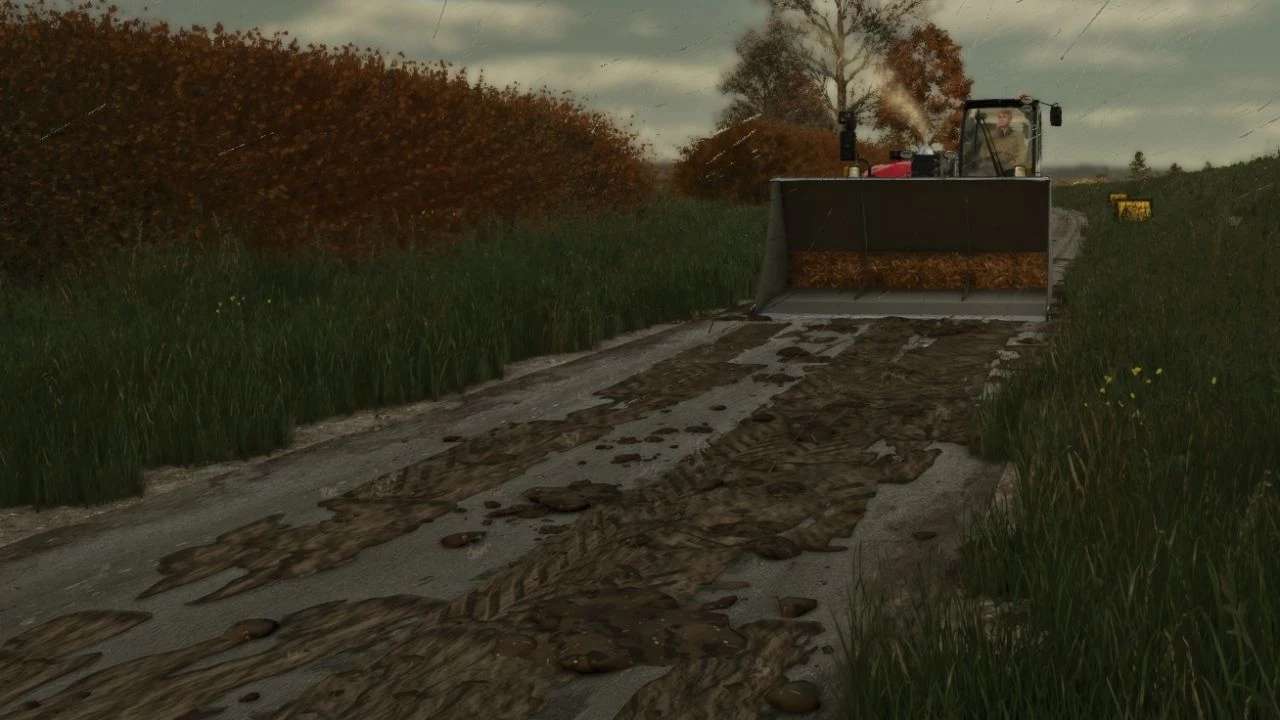
Schlamm auf der Straße v2.7.0.0
Schlamm auf der Straße v2.7.0.0 V2.7.0.0 Multiplayer: Der Schlamm wird jetzt vom Server synchronisiert, sodass jeder Spieler denselben Schlamm auf den Straßen sieht. Spieler, die später einem Server beitreten, sehen nun den ganzen Schlamm, der sich bereits auf den Straßen befindet. Fegen, Eimerkratzen, Regenwaschen und Trocknen sind jetzt für jeden Spieler gleich. Neu: Auf nassen, bearbeiteten Feldern spritzt Schlamm von den Reifen hoch. Neu: Teile in der Nähe der Räder verschmutzen bei Nässe stärker. Die Einstellungsdatei wurde aktualisiert. Alte Einstellungsdateien wurden durch die neuen Standardwerte ersetzt. SCHLAMM AUF DER STRASSE Reifen hinterlassen nur dann Schlamm, wenn sie tatsächlich mit Schlamm bedeckt sind – also dem Schlamm, den das Spiel nach Feldarbeiten auf den Reifen anzeigt. Saubere oder gewaschene Reifen hinterlassen keinen Schlamm. Auf Straßen, Höfen und Wegen hinterlassen schlammige Reifen Reifenspuren und wirbeln Erdklumpen auf. Schnelleres Fahren schleudert die Erdklumpen weiter über die Straße. Die Reifen schütteln den Schlamm während der Fahrt ab, sodass sie sich nach einigen hundert Metern, wenn die Spur allmählich verschwindet, wieder reinigen. Schmierspuren folgen den Bewegungen der Räder in Kurven. Schlamm sammelt sich an: Durch das Überfahren von altem Schlamm wird dieser aufgefrischt und verdickt, und neue Schichten bilden sich darüber. Funktioniert für jedes Fahrzeug und jeden Anhänger mit Rädern, einschließlich KI-gestützter Helfer. AUFRÄUMEN Regen spült den Schlamm von der Straße: Starkregen reinigt ihn in etwa 5 Spielstunden, leichter Regen in etwa einem halben Tag. Bei trockenem Wetter trocknet der Schlamm aus, wird blass und ist nach etwa drei Spieltagen verschwunden. Kehrmaschinen beseitigen den Schmutz: Jede Kehrbürste, die eingeschaltet wird, entfernt den Schlamm, über den sie fährt. Mit einer Schaufel abtragen: Die Schaufel eines Laders, Teleskopladers oder Radladers mit der Kante auf die Straße setzen und vorwärts schieben. Der Schlamm landet in der Schaufel (im Basisspiel als Mist, oder als Schlamm/Erde/Boden, falls eine andere Mod diese Füllart hinzufügt). SCHLAMM AUF DER STRASSE Ein kleines A-förmiges Warnschild „Schlamm auf der Straße“ im britischen Straßenschildstil. Shop: Dekorationen. Preis: 25. GUT ZU WISSEN Der Schlamm wird mit Ihrem Spielstand gespeichert. Multiplayer: Der MUD ist rein visuell und wird auf jedem PC einzeln berechnet, sodass kein zusätzlicher Netzwerkverkehr entsteht. Einstellungen: Die Datei modSettings/FS25_MudOnRoad.xml wird beim ersten Start erstellt. Hier können Sie anpassen, wie lange der Schlamm anhält, wie weit er getragen wird, wie viele Schlammklumpen aufgewirbelt werden, wie viel Schlamm maximal auf der Karte vorhanden sein darf und vieles mehr. -Mehrspieler wird jetzt unterstützt Konsolenbefehle (drücken Sie ~): mudOnRoadLoadTyres – bedeckt deine Reifen mit Schlamm (zum Testen, Einzelspieler oder Host) mudOnRoadClear – reinigt jede Straße mudOnRoadInfo – zeigt an, wie viel Schlamm herumliegt mudOnRoadToggle – schaltet das Abtropfen von Schlamm ein oder aus mudOnRoadBucketInfo – zeigt an, warum Ihre Schaufel Schlamm abkratzt oder nicht. Tags: Auf StraEinstellungen Die DateiMultiplayer Der SchlammPC
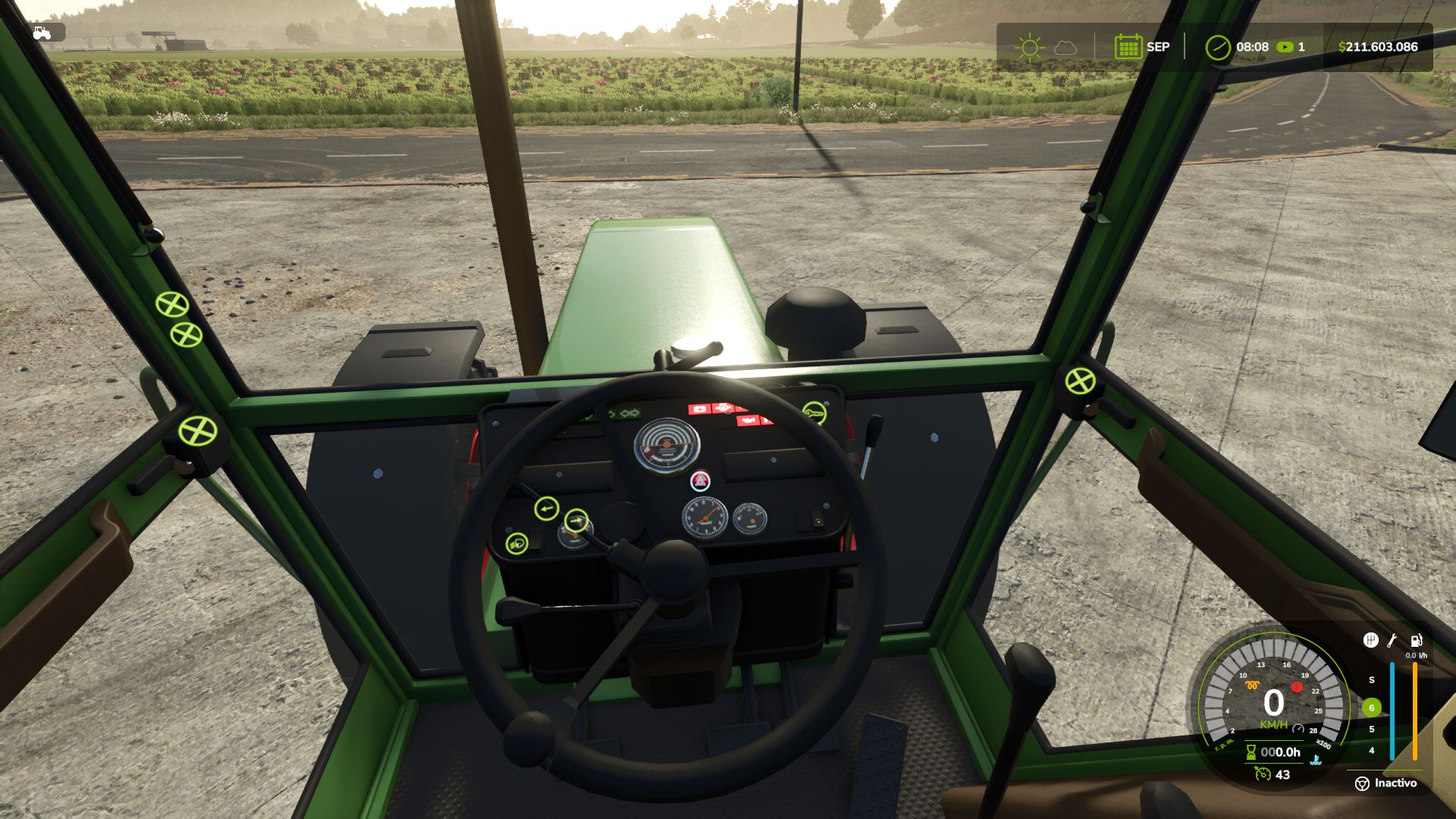
Realistic Diesel Start V1.4.1.1
Realistic Diesel Start V1.4.1.1 Tired of starting an engine with a single key press? Realistic Diesel Start turns ignition into a real diesel sequence, for every motorized vehicle. MULTI-STAGE STARTING Short press of the engine key: ignition ON, the dashboard powers up, with the sound of a real ignition key. Glow plug pre-heating, with a small light next to the speedometer. It depends on the weather AND the engine temperature: in deep winter it takes a while, with a warm engine it is almost instant. Hold the mod clutch (Alt+L) and the engine key to crank. Crank before the glow plugs are ready and it may not start and take slight damage: the starter keeps turning while you hold the key, and insisting can make it catch. After a cold start the engine idles a few seconds before responding to the throttle. The thermometer is blue while cold and fades out at working temperature. COMPRESSED AIR (trucks) HUD pressure gauge. The compressor builds air while the engine runs. Pressure bleeds off while parked: leave the truck sitting and you will have to build air before leaving. Out of air, the spring brakes engage and lock the truck: you don’t lose your brakes, you get stuck. Low-pressure buzzer. With Realistic Brakes, a trailer with air brakes fills from the truck’s air. INTERACTIVE CONTROL The dashboard key follows the same sequence: a click switches the ignition on, holding the click starts the engine. SETTINGS In ESC > Game Settings: clutch to start, and lights without ignition. Console: rdsConfig (damage, air system, timings) and rdsHudPos / rdsHudSinADS / rdsHudReset to move the HUD. COMPATIBILITY Advanced Damage System, Realistic Brakes, Diesel Fuel System (bad fuel makes starting harder, with the same starter sound) and Interactive Control. Keyboard and gamepad. Multiplayer and Dedicated Server. AI workers are not affected. Not compatible with other ignition / cold start mods (Real Ignition, Cold Start System, RVB’s glow plug module): disable them. Credits: the ignition/contact concept was inspired by “Real Ignition” by Guner348. Made with passion for realistic farming simulation. V1.4.1.1 MULTIPLAYER SETTINGS The mod’s settings (Clutch to start, Lights without ignition and the rdsConfig ones: damage, air system, glow plug and compressor times) now belong to the savegame. They are saved with it, the host (or an admin on a dedicated server) chooses them, and they apply to every player, including those who join later. Before, each PC used its own settings: if the host turned off “Clutch to start”, the other players were still asked for the clutch. Existing savegames start with the settings the host already had. The joystick hold time and the glow plug light color stay on each PC. Compatible with savegames from 1.4.1.0 and 1.4.0.0. Multiplayer and Dedicated Server supported. Author: GN Realism Report bugs in the comments and help modders improve this mod. Always check the comments, you can find a solution. DOWNLOAD MOD
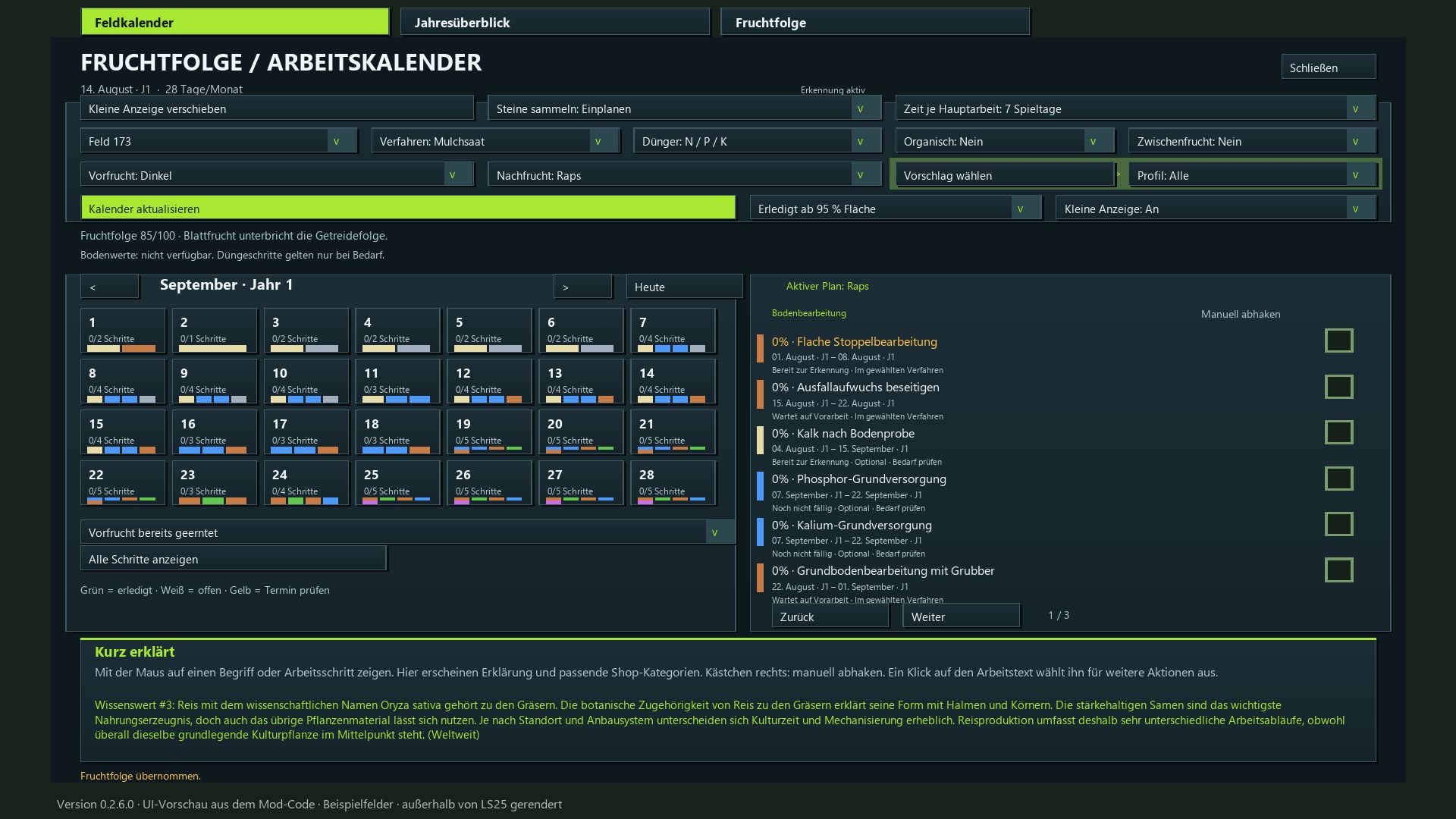
Crop Rotation Calendar BETA 3 v0.2.7
Crop Rotation Calendar BETA 3 v0.2.7 I created this mod to make planning field operations in Farming Simulator more logical and realistic. Each step of the process is presented with its specific purpose, the appropriate equipment, and a sensible sequence—including necessary waiting periods and various cultivation methods. For this reason, I have set a minimum of 7 in-game days per month, providing a playable compromise that allows for multiple work days. If you wish to have more time to manage several fields, I recommend setting the duration to 15–28 days. Plan the next crop and the corresponding tasks for each of your fields—from post-harvest stubble cultivation all the way to the final harvest. The mod integrates crop rotation assessment, a field calendar, an annual overview, equipment recommendations, and automatic progress tracking. Evaluate crop rotation: Earn up to 100 points based on plant families, cultivation intervals, and the known harvest history of each field. Utilize map-specific crops: The mod detects available crops, including supported winter and summer varieties. Follow the cultivation calendar: Sowing and harvest windows are based on your active in-game calendar, including any adjustments made via the “Regional Crop Calendar” mod. Select cultivation profiles: Filter for suitable follow-up crops or choose freely from the entire list. Define cultivation methods: Choose between mulch tillage, plowing, direct seeding, or reduced tillage. Account for periodic plowing: Automatic scheduling based on your game settings and detected requirements; specific, manually selected plowing methods remain available. Plan field operations: Stubble cultivation, volunteer crop management, soil tillage, stone picking, sowing, fertilization, crop care, and harvesting. Incorporate crop protection: Includes weed control and field monitoring (note: does not include a dedicated pest treatment system). Recommended playstyle: A minimum of 7–28 days per month; 15–28 days are recommended for a more relaxed pace. Flexible work windows: 3, 5, 7, or 10 days, depending on the month length, with adjusted waiting periods and buffer times. Track progress: Automatically detect completed field operations or mark them off manually. Optional steps can be flagged as “not applicable.” Visualize volunteer crop growth: Small, randomly distributed patches of crops and weeds, with target coverage increasing from 10% to 40%. Progress is preserved even if the month length setting is changed. Configure fertilization: Choose between combined mineral fertilizer or separate N/P/K applications, plus lime and optional organic fertilizer. No mandatory quantity calculations. Equipment lookup: Access explanations for specific tasks and relevant shop categories directly from the calendar. Comprehensive overviews: View field calendars, annual summaries, and multi-year crop rotations, all color-coded for clarity. Estimate working time: Input field area (in hectares), working width, speed, and efficiency for each individual task. Daily task display: A movable window showing pending tasks for all your planned fields. Instant saving: Mod settings and planning progress are saved automatically. The game save itself is managed through the standard in-game save system. Dedicated tab featuring a 15-step guide on how to use the mod. Multiplayer support: Collaborative planning with server-side synchronization. Available in 18 languages, featuring 350 randomly rotating agricultural facts. Installation: Place the ZIP file into your mods folder and activate it within your save game. This mod does not alter yield parameters or actual fertilization values. The visible volunteer crop growth places crops and weeds directly onto the field. BETA 3 Update 0.2.7.0 Planning adjusted for all month lengths from 7 to 28 game days. Work windows depending on the month length: 7–9 month days → 3 days; 10–14 → 3 or 5 days; 15–28 → 3, 5, 7 or 10 days. Preparation buffer for short months adjusted. The waiting time for volunteer growth remains unchanged and is two game days for seven month days. Changes to the active month length automatically adjust open plans and crop rotation forecasts. Started and completed work, as well as growth progress, are retained. Sowing and harvesting months continue to follow the game calendar. The required machine hours per operation remain unchanged. Manual, description and translations updated. Required mods: Realistic Soil &Fertilizer Regional Crop Calendar Author: Enton1991 Report bugs in the comments and help modders improve this mod. Always check the comments, you can find a solution. DOWNLOAD MOD

My CUMA V1.0
My CUMA: found your agricultural machinery cooperative, just like in real life! Share equipment with other farmers, buy together and borrow machines by the hour. FEATURES – Found your own CUMA (€10,000) and choose its logo from 8 options. – Join one or more CUMAs (up to 4) by paying an entry fee based on the value of the equipment fleet. – Automatically calculated monthly fee: the more members there are, the less each person pays. – Neighboring farmers gradually join your CUMA. – Purchases are decided by a vote among the members. – Borrow a machine from the CUMA: it arrives at the store’s delivery point and you are charged by the hour of use. – 3 starting CUMAs with suitable equipment and members. – Single-player and multiplayer. HOW TO BUY EQUIPMENT FOR THE CUMA 1. Open the “My CUMA” tab in the store, choose your CUMA from the list on the left and click “Join” (or found your own with “Create”). 2. Simply go to the store and choose the vehicle or tool, with its options just like a normal purchase (machines on sale also work). 3. Next to the “Buy” button, click “Propose to CUMA” and confirm. 4. Members vote in the “My CUMA” tab, under the “Purchases up for vote” button: “Vote for” or “Vote against”. 5. If the majority votes in favor, the machine automatically becomes part of the CUMA’s fleet. It is paid for from the shared funds, not from your personal money. HOW TO BORROW A MACHINE In the “My CUMA” tab, choose a machine from the fleet and then select “Borrow”. It appears at the store’s delivery point. When you are finished, select it and click “Return”: you will be charged for the hours of use. Inspired by the “Cuma_partage” mod (CUMA – Shared Equipment) by FarmTV. Code, interface, images and icon completely rewritten. To start download click the filename. To open archive files use one of these programs: WinRAR, 7-Zip, WinZip. Some mod archives may need to be extracted before the mods will work.
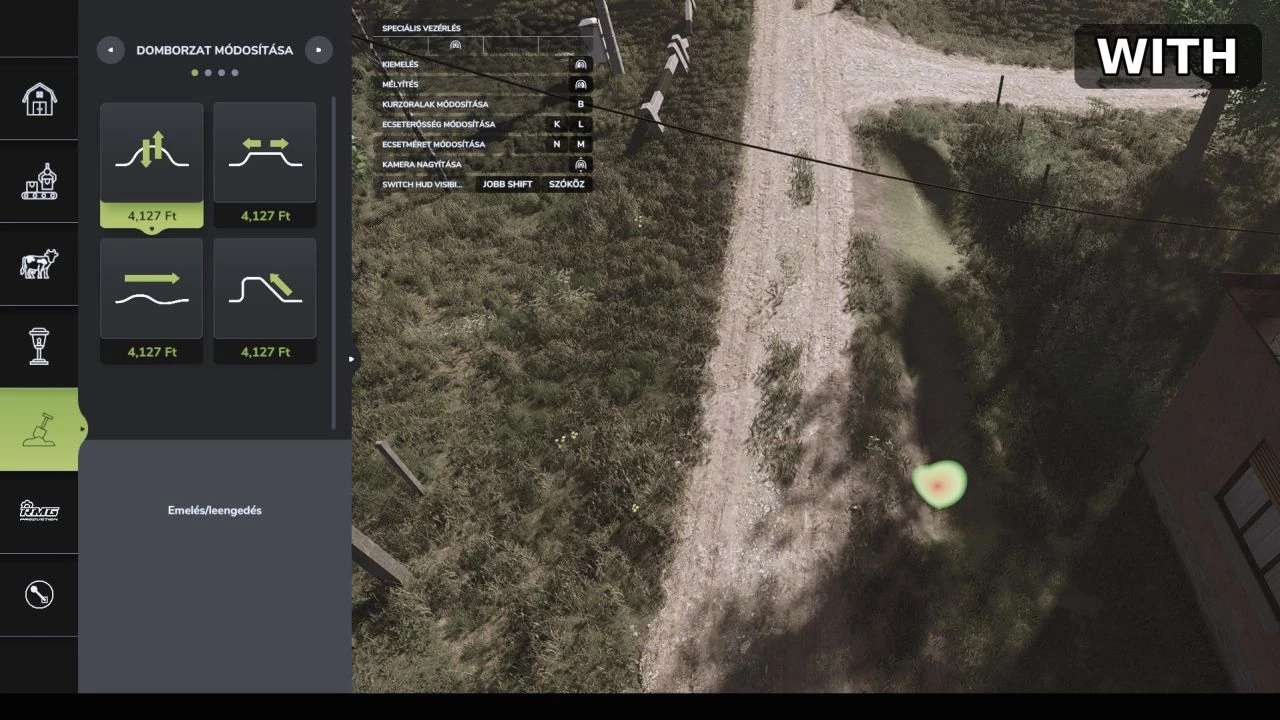
Präzisionsbürste v1.0.0.0
Präzisionsbürste v1.0.0.0 PRÄZISIONSBÜRSTE Kleinere Bürstengrößen für die Landschaftsbauwerkzeuge KURZFASSUNG Fügt den Mal-, Modellier- und Laubwerkzeugen des Landwirtschafts-Simulators 25 zusätzliche, kleinere Pinselgrößen hinzu, um eine viel feinere Landschaftsgestaltung zu ermöglichen. BESCHREIBUNG Wollten Sie schon immer, dass der Landschaftspinsel kleiner wird? Mit dem Präzisionspinsel erhalten Sie zwei zusätzliche Pinselgrößen unterhalb des bisherigen Minimums für die Landschaftswerkzeuge im Baumenü. So können Sie Bodentexturen malen, Gelände formen und Pflanzen mit deutlich mehr Kontrolle platzieren. WAS SIE BEKOMMEN Farbe (Bodenanstrich): zwei neue, kleinere Schritte, 0,125 und 0,25 (der ursprünglich kleinste Schritt war 0,5) Geländemodellierung: zwei neue, kleinere Stufen, 0,5 und 1 (die ursprünglich kleinste Stufe war 2) Laub (Pflanzen): zwei neue kleinere Schritte, 0,125 und 0,25 (der ursprünglich kleinste Schritt war 0,5) Funktioniert mit den normalen Pinselgrößenreglern, sonst ändert sich nichts im Spiel. ANWENDUNG Öffne das Konstruktionsmenü, wähle „Malen“, „Modellieren“ oder „Laub“ und verringere die Pinselgröße schrittweise. Die neuen Schritte folgen direkt auf die bisherigen Mindesteinstellungen. INSTALLATION Kopieren Sie FS25_PrecisionBrush.zip (nicht entpacken) in Ihren Mods-Ordner: Dokumente/Meine Spiele/FarmingSimulator2025/mods Aktiviere anschließend die Mod für deinen Spielstand. Tags: ANWENDUNGBESCHREIBUNGKURZFASSUNGLaub Pflanzen
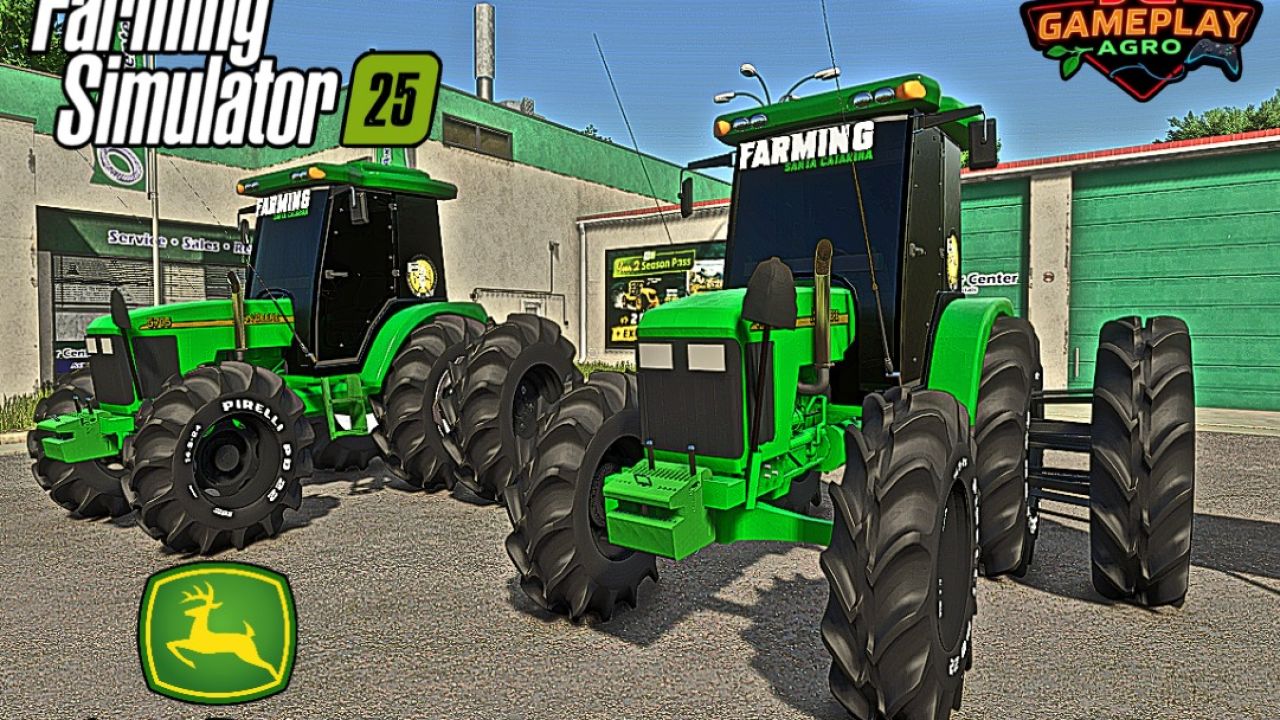
John Deere 5705 with cab (rice farming) FS25
- Brand: John Deere - Model: 5705 Cabinado - Power: 63 kW / 85 HP - Fuel capacity: 265 L - Maximum speed: 42 km/h - Weight: 7.1 tonnes 💰 PRICES - Total price: €25,000 Mod converted from FS19 to FS25 by JGGAMEPLAYAGRO Credits to Tailan - Agro Mods (Tractor), Agro Mods (Tires) and Guilhermy (rice edition).
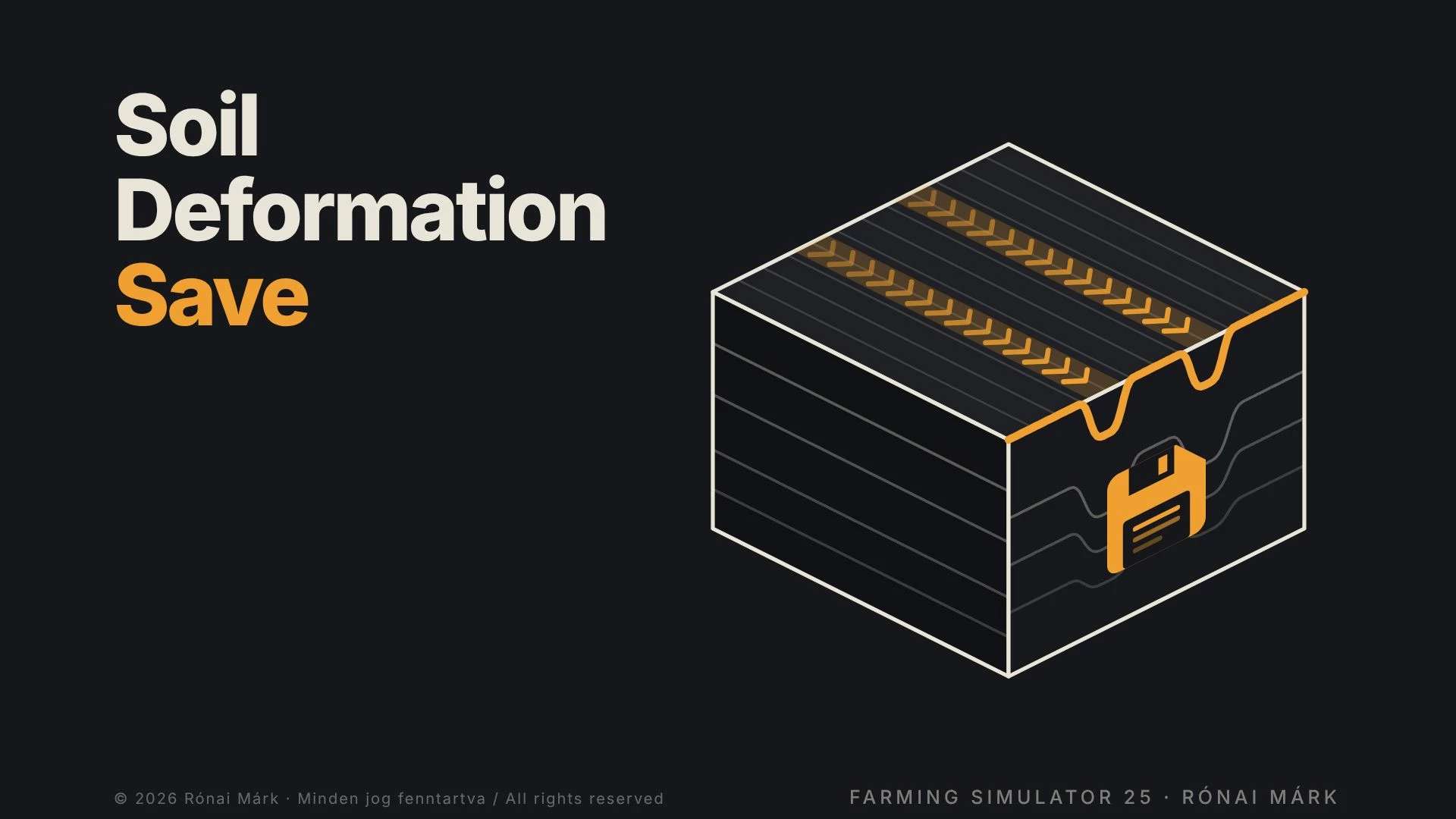
Bodenverformung speichern v1.0.0.0
Bodenverformung speichern v1.0.0.0 Radspuren, Reifenprofilabdrücke und Pflugfurchen verschwinden nicht mehr beim Speichern und Neuladen: Sie bleiben auf Ihren Feldern erhalten, bis der Boden erneut bearbeitet wird. Normalerweise werden beim Speichern und Laden Radspuren, Reifenprofilabdrücke und Pflugfurchen gelöscht. Die Bodenverformungsspeicherung erhält sie: Die Spuren bleiben genau dort auf Ihren Feldern, wo Sie sie hinterlassen haben. WAS ES BEFEHLT Speichert die Spuren jedes Rades auf dem Boden: Traktoren, Anbaugeräte (Scheibeneggen, Walzen, …), Anhänger, Erntemaschinen – sowohl Basisspiel- als auch Mod-Fahrzeuge. Speichert die Tiefe, in die die Räder eingesunken sind, als reale Geländeverformung und rekonstruiert sie beim Beladen im Boden. Die Reifenspuren und die vom Pflug gezogenen Furchen werden ebenfalls erhalten und wiederhergestellt. Keine zeitliche Begrenzung: Die Markierungen bleiben so lange bestehen, bis der Boden erneut bearbeitet wird. WIE MARKEN VERSCHWINDEN (wie in der Realität) Pflug, Grubber, Scheibenegge, Tiefenlockerer, Walzenwalze, Dammformer und Sämaschinen ebnen den Boden an der jeweiligen Stelle. Ein Pflug vergräbt die Furchen früherer Pflüge. Direktsaatgeräte bearbeiten den Boden nicht, daher ebnen sie die Fahrspuren nicht ein (sie entfernen lediglich alte Furchen). INSTALLATION UND VERWENDUNG Kopieren Sie die ZIP-Datei, ohne sie zu entpacken, in den Mods-Ordner des Spiels und aktivieren Sie sie in Ihrem Spielstand. Keine Einstellungen, keine Menüs, keine Meldungen auf dem Bildschirm – es läuft im Hintergrund. Sie können es zu einem bestehenden Spielstand hinzufügen, aber es berücksichtigt keine Markierungen, die vor der Installation vorgenommen wurden: Es zeichnet ab dem Zeitpunkt auf, an dem Sie es aktivieren. Beim Laden der Karte beginnen die Markierungen einige Sekunden nach deren Wiederherstellung, beginnend mit denjenigen, die der Kamera am nächsten sind. Die Daten werden in der Datei soilDeformationSave.xml in Ihrem Speicherordner gespeichert. GUT ZU WISSEN Markierungen werden nur auf Ackerland, nicht auf Straßen, erfasst. Furchen werden nicht wiederhergestellt, wenn seitdem Saatgut angebaut wurde. Die wiederhergestellten Dellen können subtiler und flacher sein als die frischen Spurrillen des Spiels, insbesondere auf Karten mit einem groben Geländeraster (z. B. 1 m). Funktioniert im Einzelspielermodus und auf dem Server/Host. Spieler, die einem Mehrspielerspiel als Clients beitreten, sehen die wiederhergestellten Markierungen nicht. Für den Mehrspielermodus muss die Mod als ZIP-Datei verwendet werden. Bei einer extrem hohen Anzahl von Markierungen werden die ältesten zuerst geglättet (Speicherbegrenzung). Tags: Beim LadenIhrem SpielstandIhren FeldernKopieren Sie
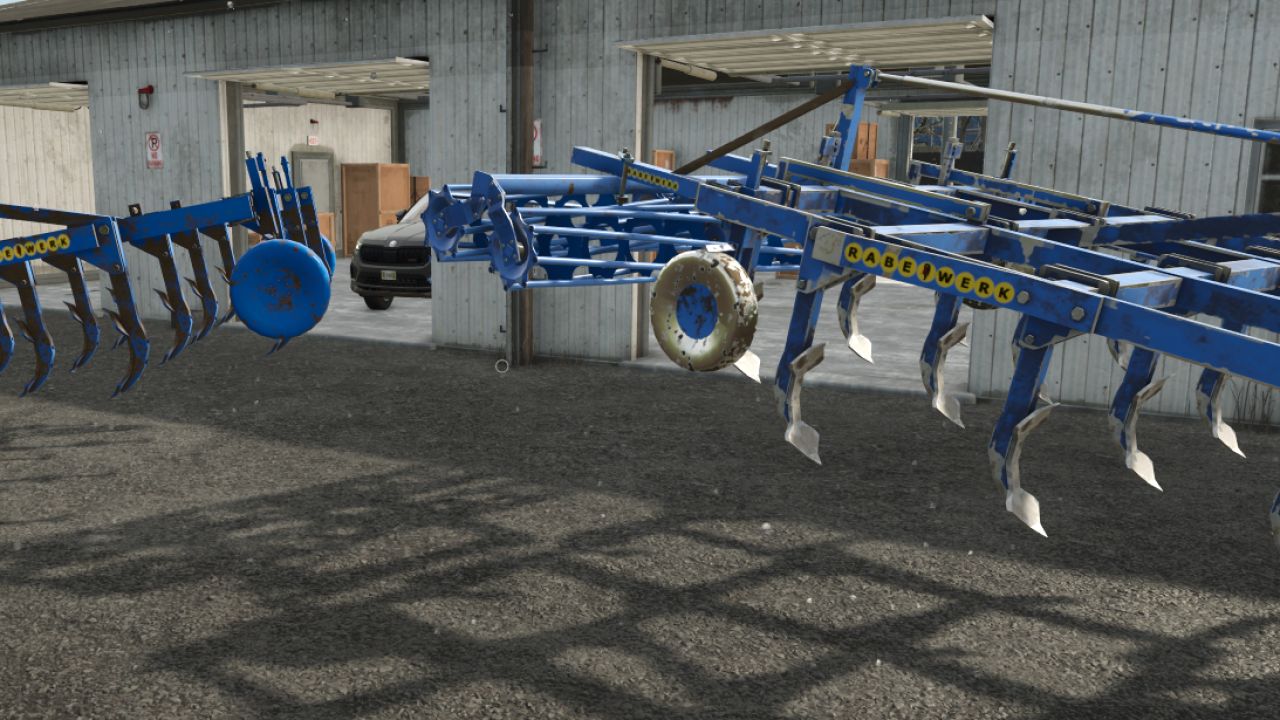
Rabe Sturbock V1.0
Rabe Sturbock V1.0 Price: €6,700 Weight: 1.4T Category: cultivator Width: 3.2m Rear configuration: tube roller, disc or nothing Official Rabe color configuration Author: AGRITARN AMF, Mateusz41, RoroFarming 22 Report bugs in the comments and help modders improve this mod. Always check the comments, you can find a solution. DOWNLOAD MOD
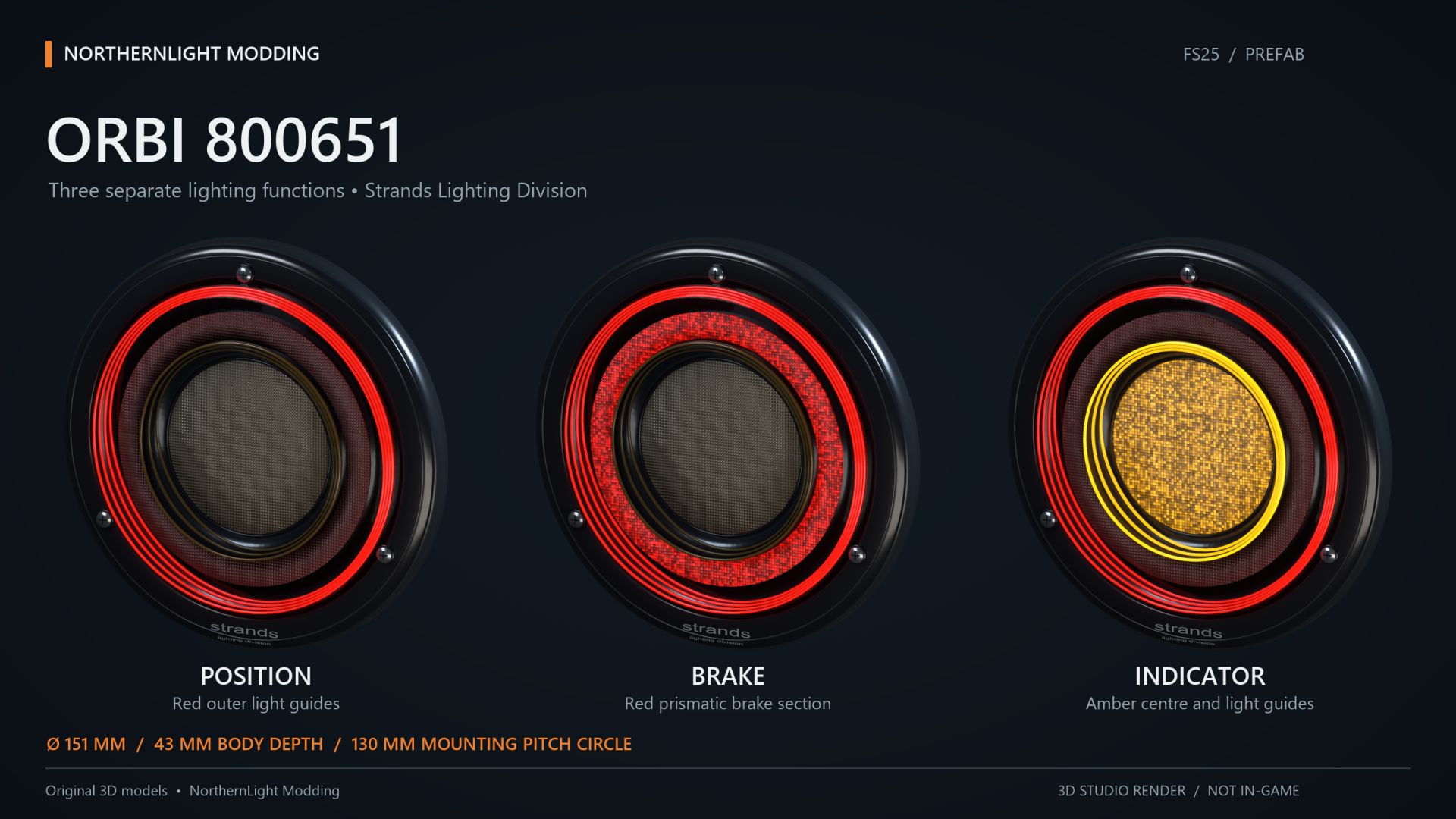
NLM Strands FOR9T Orbi 800651 (Prefab) FS25
NLM Strands FOR9T Orbi 800651 A rear lamp combining red tail lighting, red brake lighting and an amber turn signal. A compact option for the rear lighting of custom vehicle builds. Tail, brake and turn functions connect to their corresponding vehicle controls. Select the correct left or right indicator connection during installation. The supplied XML connects the functions to the vehicle's normal lighting system. No additional Lua script is required. The model includes two detail levels. Dirt masks have been updated using GIANTS data. Models, matching XML and installation guides in English and Swedish are included. This is a Farming Simulator 25 prefab for vehicle modders, requiring installation and configuration using GIANTS Editor and XML. Placing the ZIP in the mods folder does not create a shop item. Author and original model: NorthernLight Modding Product reference: Strands. An independent FS25 interpretation; product names and trademarks belong to their respective owners.
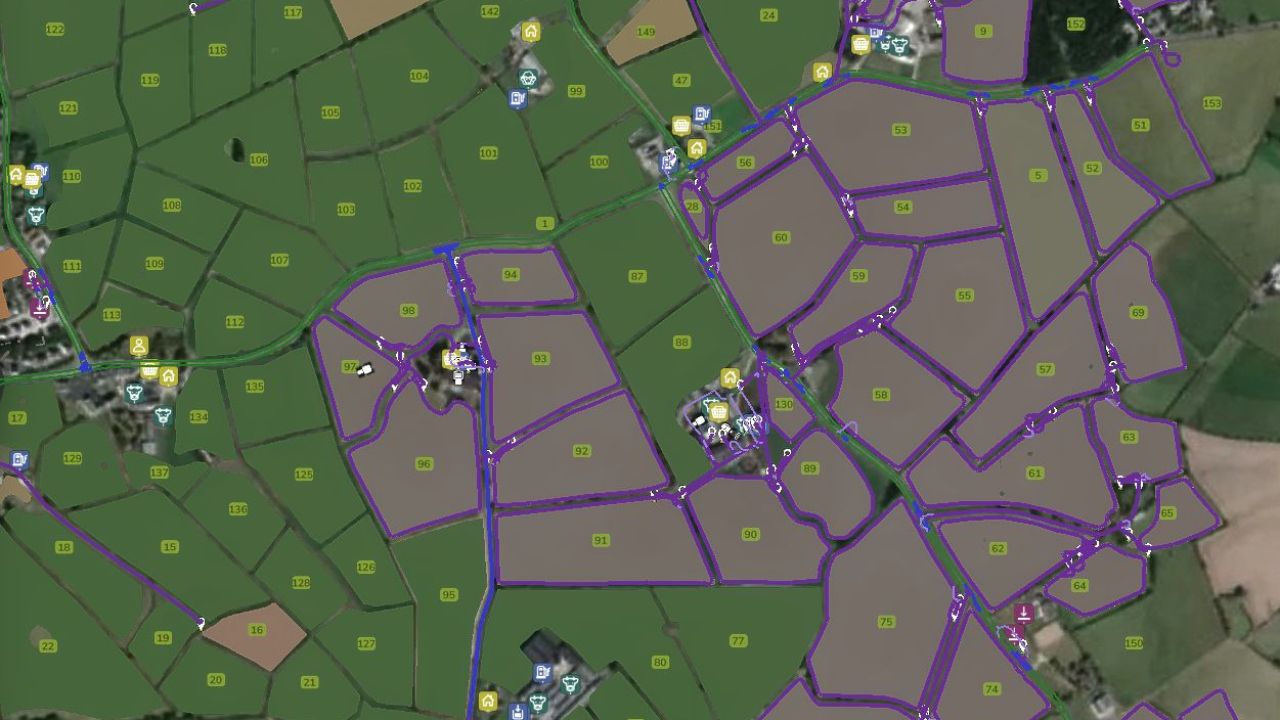
Autodrive Castlereagh FS25
318 Waypoints covering Fields, Farms, Productions and Sell Points. Due to the small layout of farms, no triggers have been mapped. Make note that almost all the points are behind a gate. Course has been made using small tractor and single axle trailer. I've tested small tractor and single axle trailer and mostly routes are working fine. Anything bigger than that, you will probably need to drive it yourself or babysit. Please let me know if you find anything wrong or doesn't work and I will try and get a fix done and new version uploaded.
- 15 per page
- 30 per page
- 45 per page
- 60 per page
-
See more per page
Bigger pages, fewer clicks - and no ads anywhere.
Go Pro