1 / 3
Real Fuel Consumption V1.3.1.0
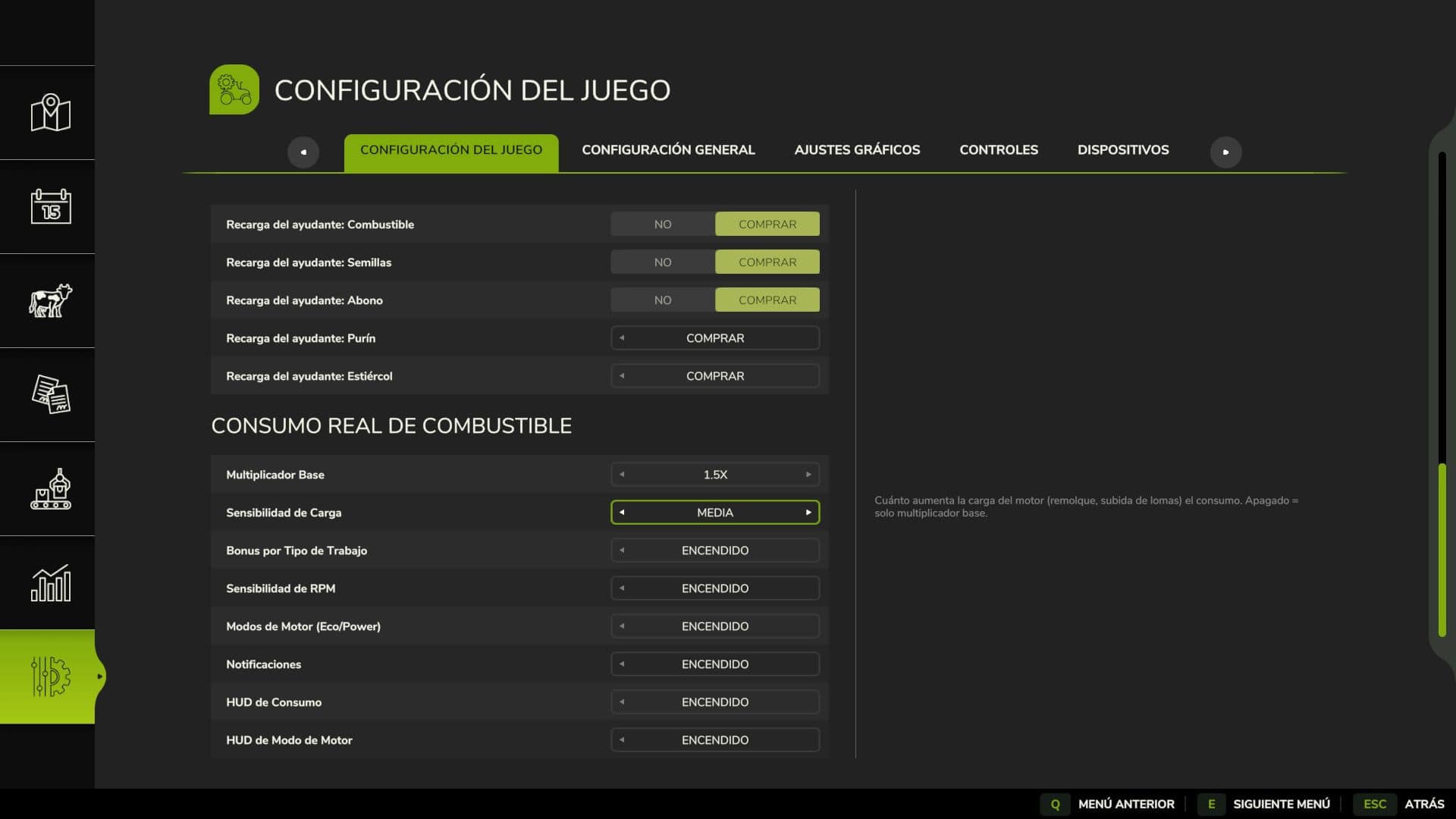
Real Fuel Consumption uses a dynamic system that reads each vehicle’s real state in real time instead of applying a fixed multiplier. Fuel usage changes according to the vehicle’s load, work type and engine RPM. Features Base Multiplier configurable from 1.0x to 3.0x, with 1.5x as the default. Load Bonus: the engine consumes more under real stress, including climbing hills, pulling heavy implements and towing loads. Work Type Bonus: Plowing / Cultivating: +40% Harvesting: +35% Baling: +25% Mowing / Tedding: +20% Spraying / Fertilizing: +15% Sowing: +10% RPM Sensitivity: higher engine RPM means more consumption. All options are configured from the Game Settings menu (ESC), with no commands or unusual keys. Compatible with ALL vehicles and mods. Multiplayer compatible and Dedicated Server. Settings are saved per savegame. For balanced realism, use 1.5x. For a hardcore challenge, use 2.5x or 3.0x with Load Sensitivity set to High. Changelog V1.3.1.0New: fuel report (Ctrl+J inside a vehicle): liters, engine hours, average l/h, ECO/STANDARD/POWER share and estimated cost for that vehicle, both session and total, plus the farm total. It is counted on the server and saved per vehicle, and is dedicated-server ready.Fixed: the l/h readout kept showing the last driving value while the engine was off. It now shows 0.0 l/h whenever the engine is not running. V1.3.0.1The Italian translation was added thanks to user FirenzeIT. V1.3.0.0Critical Fix: a background bug in Fuel Consumption and Top Speed in Power Mode was found and fixed. Power Mode was modifying an internal engine value that the game also uses to calculate real-world fuel consumption and, in some vehicles, top speed. Since each vehicle has its own RPM range, the effect varied: some consumed half the expected fuel, others much more, and some vehicles had their top speed reduced for no apparent reason.Completely Redesigned HUD: the generic colored circle was replaced with a professional icon system integrated into the game’s native speedometer:🍃 ECO – green leaf⏱️ STD – gray speedometer, formerly “Normal” and renamed “Standard” throughout the mod to sound more like a real dashboard⚡ POWER – red lightning boltEach icon has its 3-letter code underneath (ECO/STD/PWR), in the same color, for a third layer of distinction in addition to shape and color, also intended for those who have difficulty distinguishing colors. The icons are positioned right next to the game’s speedometer.The fuel consumption indicator (X.X l/h) was moved and now appears next to the fuel icon already included in the game.Previously, the selected mode (Eco/Standard/Power) reverted to “Standard” every time a saved game was loaded. This has now been fixed.
Visit Original Post
Also posted on
Download Links
Report a problem
Real Fuel Consumption V1.3.1.0
Advertisement
Remove ads