1 / 4
Mouse Click Actions V1.0
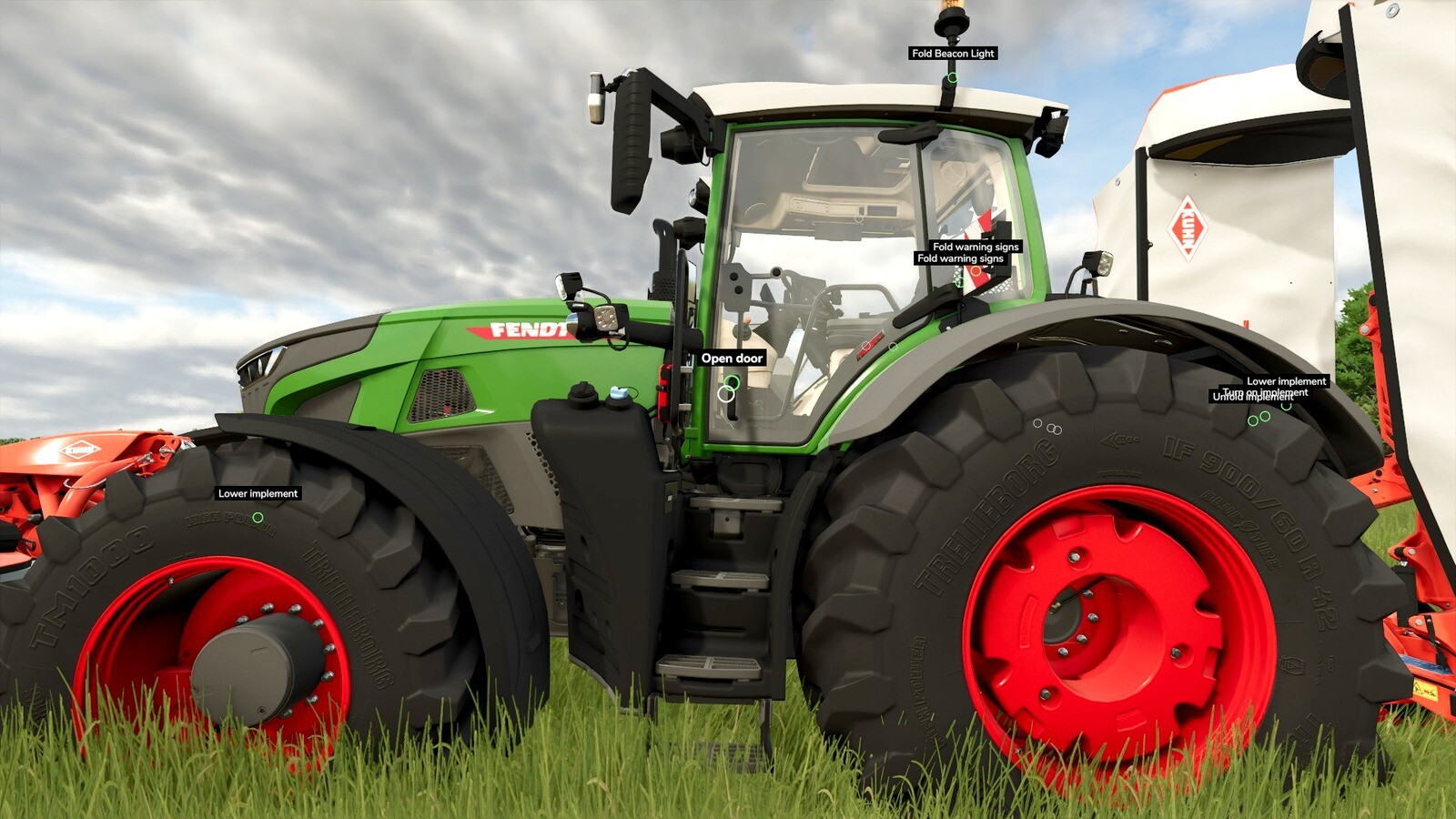
Mouse Click Actions (MCA) makes vehicle interactions in Farming Simulator 25 easy and intuitive. It lets you aim freely with the mouse and trigger actions with a clean, satisfying click.
It works completely standalone and does not require any other mod. When used as the primary interaction mod, MCA provides a full mouse-driven interaction system with hold-to-click, cursor freeing, head-tracking support, and optional labels.
When the Interactive Control (IC) mod is also installed, Mouse Click Actions automatically switches to companion mode: it adds clear on-screen text labels to IC’s interaction points while leaving all interactions to Interactive Control.
How It Works (Primary Mode)
Mouse Click Actions uses a mouse-driven approach: * Hold the interact key (R) to freeze your view in place and free the mouse cursor. * The cursor highlights interaction points clearly – the one under your cursor is emphasized. * Click to trigger actions with satisfying precision. * Scroll the mouse wheel while holding R to zoom in/out for tightly packed controls.
This works both inside the cab and on foot. Releasing R instantly returns you to normal mouse-look or head-tracking.
Mouse Click Actions was designed with head-tracking users in mind (TrackIR, Tobii, opentrack). In the cab, your view follows your head, which is wonderfully immersive but makes aiming for an interaction point tricky. Hold R and the head-tracked view freezes while the mouse cursor is freed: just face the general direction, then move the cursor straight to any control and click, no precise head-aiming required. Scroll the mouse wheel while frozen to zoom in on tightly clustered controls. Release R to resume head tracking.
Interaction mode is only active while holding R, so quick taps of R continue to work normally for other game functions.
Features (Primary Mode) * Works on foot and inside vehicles * Designed for head tracking – freeze view on demand for precise clicks * No accidental activations – actions only trigger on actual clicks * Optional labels for interaction points * Out-of-reach points appear grayed out; empty points stay hidden until relevant (e.g. implement attached) * Fully customizable: labels, colors, backgrounds, and click sound via Settings > General Settings * Full multiplayer support
Compatibility & Notes * Mouse Click Actions reads the same interaction data format as VertexDezign’s Interactive Control, so it supports all vehicles that work with IC. * In companion mode (with IC installed), it adds helpful text labels that automatically respect your Interactive Control visibility settings (always, on hover, or off). * All label options remain available in the settings menu. Primary mode options are grayed out when IC is present.
It works completely standalone and does not require any other mod. When used as the primary interaction mod, MCA provides a full mouse-driven interaction system with hold-to-click, cursor freeing, head-tracking support, and optional labels.
When the Interactive Control (IC) mod is also installed, Mouse Click Actions automatically switches to companion mode: it adds clear on-screen text labels to IC’s interaction points while leaving all interactions to Interactive Control.
How It Works (Primary Mode)
Mouse Click Actions uses a mouse-driven approach: * Hold the interact key (R) to freeze your view in place and free the mouse cursor. * The cursor highlights interaction points clearly – the one under your cursor is emphasized. * Click to trigger actions with satisfying precision. * Scroll the mouse wheel while holding R to zoom in/out for tightly packed controls.
This works both inside the cab and on foot. Releasing R instantly returns you to normal mouse-look or head-tracking.
Mouse Click Actions was designed with head-tracking users in mind (TrackIR, Tobii, opentrack). In the cab, your view follows your head, which is wonderfully immersive but makes aiming for an interaction point tricky. Hold R and the head-tracked view freezes while the mouse cursor is freed: just face the general direction, then move the cursor straight to any control and click, no precise head-aiming required. Scroll the mouse wheel while frozen to zoom in on tightly clustered controls. Release R to resume head tracking.
Interaction mode is only active while holding R, so quick taps of R continue to work normally for other game functions.
Features (Primary Mode) * Works on foot and inside vehicles * Designed for head tracking – freeze view on demand for precise clicks * No accidental activations – actions only trigger on actual clicks * Optional labels for interaction points * Out-of-reach points appear grayed out; empty points stay hidden until relevant (e.g. implement attached) * Fully customizable: labels, colors, backgrounds, and click sound via Settings > General Settings * Full multiplayer support
Compatibility & Notes * Mouse Click Actions reads the same interaction data format as VertexDezign’s Interactive Control, so it supports all vehicles that work with IC. * In companion mode (with IC installed), it adds helpful text labels that automatically respect your Interactive Control visibility settings (always, on hover, or off). * All label options remain available in the settings menu. Primary mode options are grayed out when IC is present.
Download Links
Report a problem
Mouse Click Actions V1.0
Advertisement
Remove ads