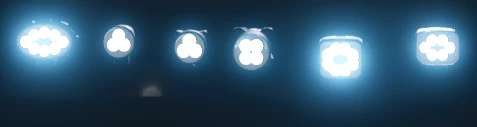
Hella LED v1.0
– Here I’m making my Hella LED prefab file available to you. – This is intended as an installation option and can replace the original files. – I’m not a big fan of pure white lights; I prefer a color balance. – Likewise, I’m not a fan of so-called emissive lights, where only the lens illuminates and the light is merely suggested. – In this version, the LEDs are implemented separately. This means that only the LEDs light up, while neither the frame nor the lens emits any light. – Installation Instructions XML. – Insert the following entry between and in the vehicle’s XML. Code X|X|X” filename=”shared/lights/Hella_LED/hellaWorkingLight05.xml” lightTypes=”Y”/> – Make sure to adjust the `linkNode` value and the `lightTypes` entry according to your desired configuration. i3d Installation Instructions (LS25) – Create a TransformGroup, name it as desired, and ensure it is located at the origin (0|0|0). – Now, place the desired light in this TransformGroup and position the entire TransformGroup at the desired location on the vehicle, trailer, or attachment. – Then, delete the light from the TransformGroup, but note the TransformGroup’s node (top right in the GE). – This node is needed to replace the “XXX” entry in the sharedLight. – Copy the sharedLight entry, adjust it accordingly with your node (XXX) and the desired Y-value, and paste it into the XML between and. – If you have done everything correctly, you will know that the light can be switched on in the game. – If you have done everything correctly, you will know that the light can be switched on in the game. Example Code: – Replace XXX with the corresponding node from the GE and Y with the desired light type. – In most cases, already exists. – You simply need to add the entry `sharedLight` there. – `linkNode=”X>X|X|X”` describes the LinkNode that you can find in the upper right corner of the GE. – Enter this value in place of “XXX”. – The “Y” symbolizes the light type. – Key assignment: (Change the “Y” as desired) – 0 = Parking lights / Low beams (1x F key) – 1 = Rear work lights (2x F key) – 2 = Front work lights (3x F key) – 3 = High beams (Key combination: Ctrl + F) – For any questions, please feel free to contact me on Instagram at Dachau_Agrar or here in the forum.
Download Links
Report a problem
Hella LED v1.0
Advertisement
Remove ads