1 / 3
Park Vehicle FS25
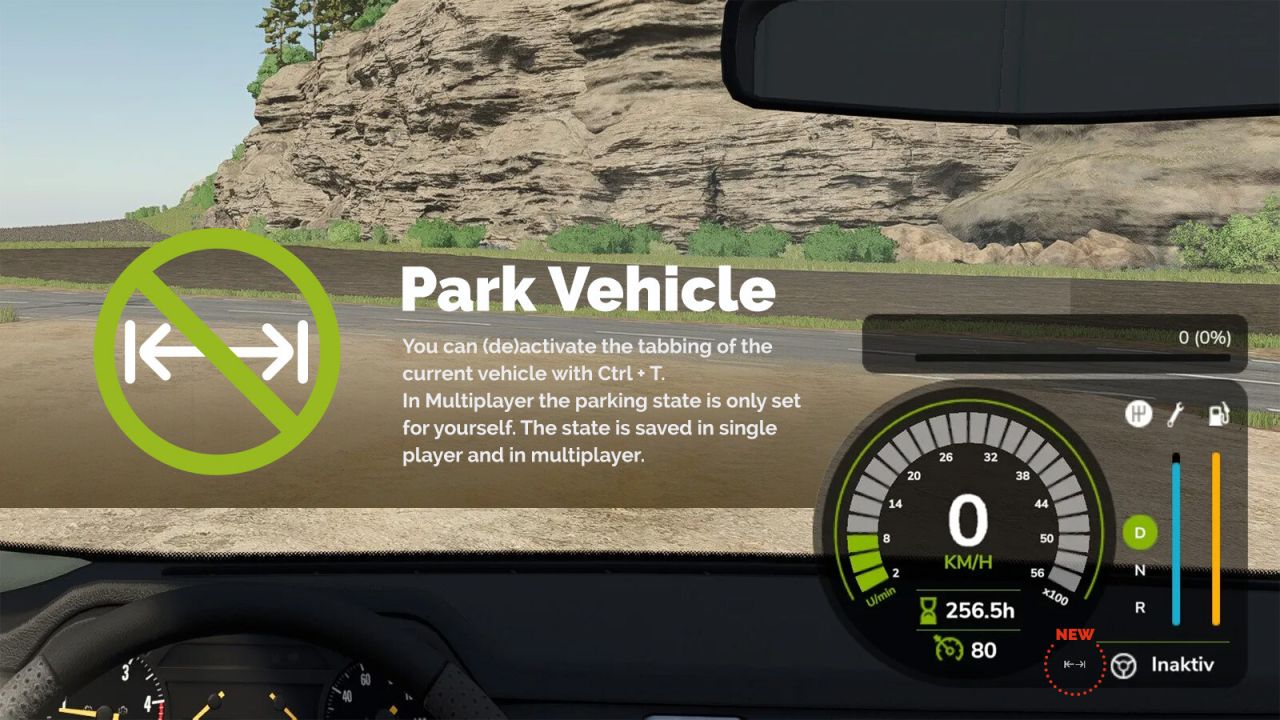
You can (de)activate the tabbing of the current vehicle with Ctrl + T to “park” vehicles. With Shift + Ctrl + T you can activate tabbing again for all your vehicles. In Multiplayer the parking state is only set for yourself. The state is saved in single player and in multiplayer.
* Fixed: Prepared for the removal of the game's deprecated getUniqueUserId() function. The id your parked states are saved under is now stored in modSettings/parkVehicle.xml, so they are kept * Fixed: Parked vehicles are no longer auto-unparked when another player moves them. Only driving the vehicle yourself (or the vehicle it is attached to) unparks it
* Fixed: Vehicles the game marks as non-tabbable (car washes, conveyor belts, pressure washers, ...) could still be tabbed into, and Ctrl+T had no effect on them, in worlds previously played with version 1.0.x. Such savegames are now repaired on load.
* Added: Automatically unpark a vehicle once it has moved a few meters (optional; toggle in General Settings) * Added: Cycle through parked vehicles with Ctrl+Shift+Tab, bypassing the normal Tab restriction * Added: Reposition the parking icon using horizontal/vertical offset fields in General Settings * Fixed: Vehicles that the game intentionally makes non-tabbable (e.g. car washes) are no longer forced into the Tab cycle * Fixed: The parked state is now tied to the game's unique player ID instead of your player name, so players sharing a name no longer share parked vehicles (existing installations keep their current ID) * Fixed: A dedicated server no longer writes a redundant entry to every vehicle's saved parking state
* Fixed: renderOverlay is only allowed in 'draw' callbacks. * Added: Turkish translation
* Fixed: Prepared for the removal of the game's deprecated getUniqueUserId() function. The id your parked states are saved under is now stored in modSettings/parkVehicle.xml, so they are kept * Fixed: Parked vehicles are no longer auto-unparked when another player moves them. Only driving the vehicle yourself (or the vehicle it is attached to) unparks it
* Fixed: Vehicles the game marks as non-tabbable (car washes, conveyor belts, pressure washers, ...) could still be tabbed into, and Ctrl+T had no effect on them, in worlds previously played with version 1.0.x. Such savegames are now repaired on load.
* Added: Automatically unpark a vehicle once it has moved a few meters (optional; toggle in General Settings) * Added: Cycle through parked vehicles with Ctrl+Shift+Tab, bypassing the normal Tab restriction * Added: Reposition the parking icon using horizontal/vertical offset fields in General Settings * Fixed: Vehicles that the game intentionally makes non-tabbable (e.g. car washes) are no longer forced into the Tab cycle * Fixed: The parked state is now tied to the game's unique player ID instead of your player name, so players sharing a name no longer share parked vehicles (existing installations keep their current ID) * Fixed: A dedicated server no longer writes a redundant entry to every vehicle's saved parking state
* Fixed: renderOverlay is only allowed in 'draw' callbacks. * Added: Turkish translation
Download Links
Report a problem
Park Vehicle FS25
Advertisement
Remove ads