1 / 6
Custom Vehicle Shader Prefab V1.0.0.0
Custom Vehicle Shader Prefab V1.0.0.0
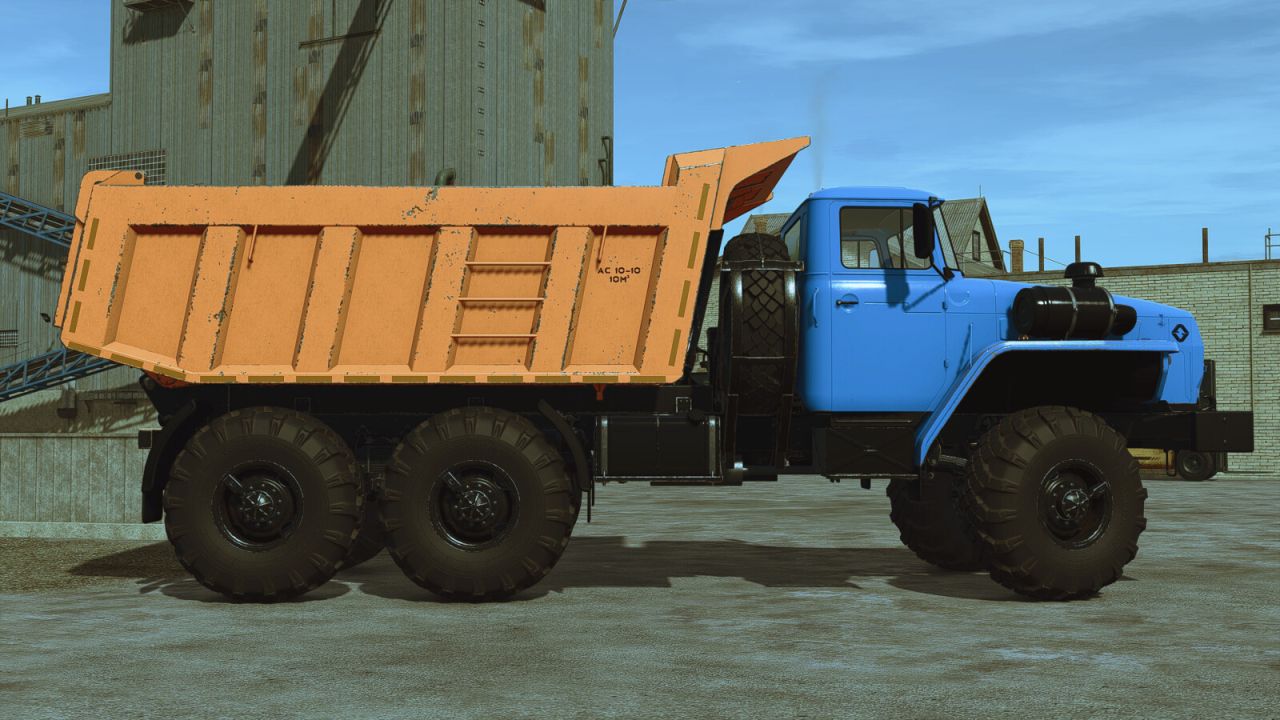
Custom vehicle shader! Replaces standard car wear from normal scuffs with rust!
Custom installation for a personal mod: Custom Vehicle Shader – can be used individually for one mod by manually installing it into the mod you need! Write the path to it in the “mod_name.i3d” file by opening it with any text editor! Instead of the standard filename=”$data/shaders/vehicleShader.xml” change to “filename=”shaders/customVehicleShader.xml”! Attention! The registration path is “filename=”shaders/customVehicleShader.xml” it depends on which directory of your mod you have placed the downloaded folder “shaders”!
Common installation for all standard equipment: Custom Vehicle Shader – can also be installed on all standard tractors, combines, cars, equipment, etc. This installation method will only work on a PC! Attention!!! Save the original file before installing Custom Vehicle Shader vehicleShader.xml or rename it to another name so that you can restore the standard one vehicleShader.xml!!! Installation: move the contents of the downloaded folder “shaders” along the path “C:/Program Files (x86)/Steam/steamapps/common/Farming Simulator 25/data/shaders” rename “customVehicleShader.xml” on “vehicleShader.xml”.
Custom vehicle shader! Replaces standard car wear from normal scuffs with rust!
Custom installation for a personal mod: Custom Vehicle Shader – can be used individually for one mod by manually installing it into the mod you need! Write the path to it in the “mod_name.i3d” file by opening it with any text editor! Instead of the standard filename=”$data/shaders/vehicleShader.xml” change to “filename=”shaders/customVehicleShader.xml”! Attention! The registration path is “filename=”shaders/customVehicleShader.xml” it depends on which directory of your mod you have placed the downloaded folder “shaders”!
Common installation for all standard equipment: Custom Vehicle Shader – can also be installed on all standard tractors, combines, cars, equipment, etc. This installation method will only work on a PC! Attention!!! Save the original file before installing Custom Vehicle Shader vehicleShader.xml or rename it to another name so that you can restore the standard one vehicleShader.xml!!! Installation: move the contents of the downloaded folder “shaders” along the path “C:/Program Files (x86)/Steam/steamapps/common/Farming Simulator 25/data/shaders” rename “customVehicleShader.xml” on “vehicleShader.xml”.
Visit Original Post
Also posted on
Download Links
Report a problem
Custom Vehicle Shader Prefab V1.0.0.0
Advertisement
Remove ads