1 / 3
Hide Help Texts – Declutter your HUD V1.0
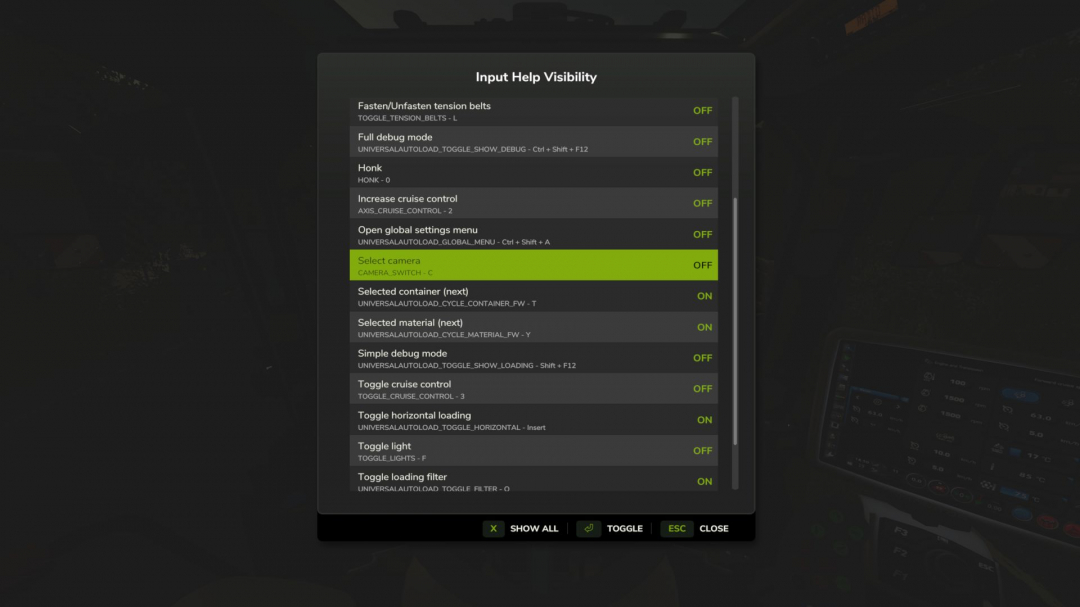
When the game and mods add their own help texts to the HUD, it can quickly become cluttered. Do you really need reminders that pressing F turns on the flashlight or that there's a keybinding to show Courseplay's debug channels? This mod allows you to hide the help texts you don't need, making the important ones more visible. Supports multiplayer. Features - In-game settings dialog (RightShift+H, keybinding configurable) - Toggle help texts ON/OFF individually - Switch between current context and all discovered help texts - Console commands: hhtList to view all, hhtToggle to toggle - Help texts are discovered automatically as you play - Settings persist across sessions in an XML file Usage 1. Install the mod and play normally 2. Press RightShift+H to open settings 3. Toggle unwanted help texts OFF 4. Settings are saved when you close the dialog V1.0.0.0 Available on ModHub German localization added
Download Links
Report a problem
Hide Help Texts – Declutter your HUD V1.0
Advertisement
Remove ads