Farming Simulator 22 mods
50,520 results- 15 per page
- 30 per page
- 45 per page
- 60 per page
-
See more per page
Bigger pages, fewer clicks - and no ads anywhere.
Go Pro


Realistic Weather Lite V1.3.0.1
Realistic Weather Lite V1.3.0.1 Hello everyone! I am releasing a major update for this mod, which is now fully stable, tested, and 100% working. This mod is inspired by the original concept created by Arrow, further developed and optimized to deliver a smooth and immersive weather experience. HOW THE MOD WORKS (Features) Dense & Dynamic Fog: Very thick and rare fog, generated randomly during rain, snow, or cold winter mornings, with a density and height much higher than the base game. Atmospheric Transitions: Climatic changes and realistic effects during bad weather. Advanced Snow Accumulation: Detailed management of snow depth on the ground and random blizzards with significant snowdrifts. Hail & Vehicle Damage: Hailstorms cause wear and visual damage to uncovered vehicles (fully compatible with advanced damage management mods like Advanced Damage System). V1.3.0.1 Removed the snow physics and field slip/traction management to prevent conflicts with the Mud System Physics mod.

Quick Money – Instant $100,000 Hotkey V1.0.0.0
Quick Money – Instant $100,000 Hotkey V1.0.0.0 Press LCtrl + LAlt + M to instantly add $100,000 to your farm. No menus, no console, no savegame editing. Works on any map, singleplayer. Safe to enable/disable anytime — does not touch your savegame files. Hotkey can be changed in game options.

Time Control – Ultra Fast Forward up to 6000x V1.0.0.0
Time Control – Ultra Fast Forward up to 6000x V1.0.0.0 Skip nights and grow crops instantly! LCtrl + LAlt + 9 = faster, LCtrl + LAlt + 8 = slower, LCtrl + LAlt + 0 = back to 1x. Goes far beyond the game’s 120x limit — up to 6000x. Any map, singleplayer, savegame-safe.

Add / Deduct Money V1.0.0.0
Add / Deduct Money V1.0.0.0 Farm Money Manager is a simple utility mod that lets you quickly add or deduct money from your farm without the hassle of closing the game or manually editing savegame files. Easily adjust your farm’s balance with a custom amount directly in-game, saving time and making farm management more convenient. Features: Add or deduct custom amounts Simple and easy-to-use interface No savegame editing required Perfect for testing, roleplay, or correcting your farm’s balance This mod is not server ready as of yet but i am currently working on making it compatible with multiplayer & dedicated servers.
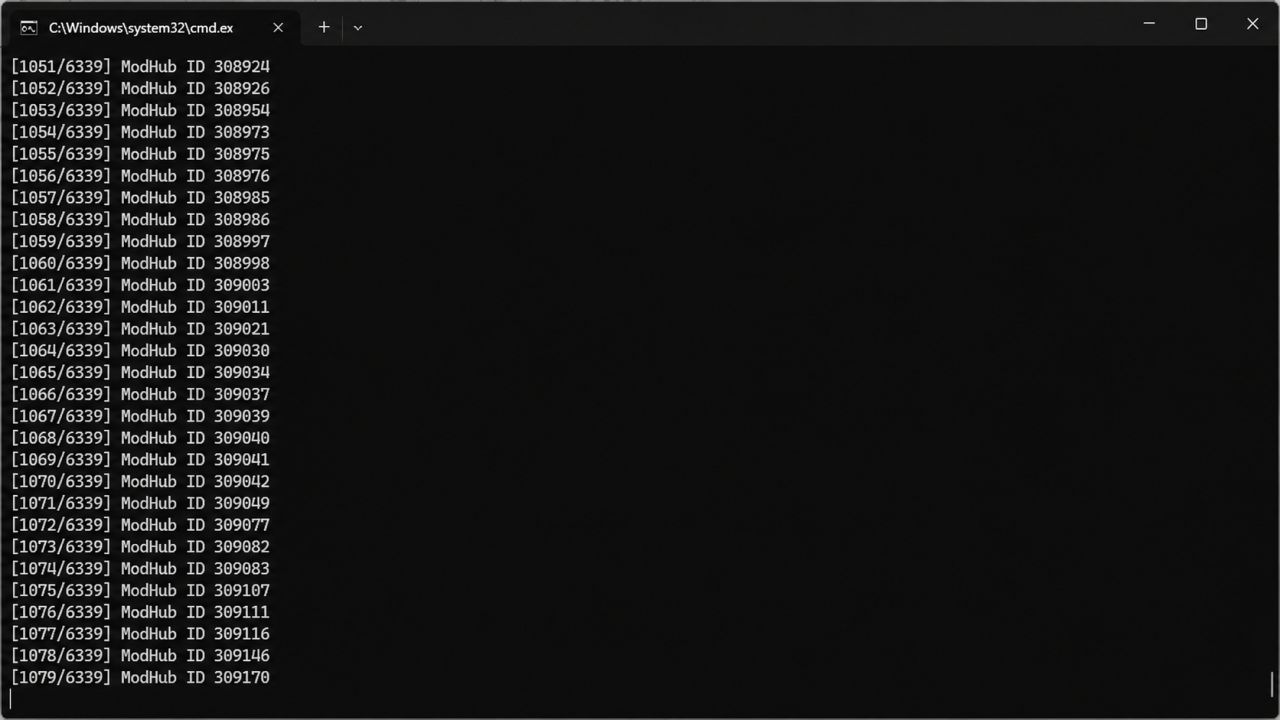
All-Brand ModHub Pack Generator V1.0.2.0
All-Brand ModHub Pack Generator V1.0.2.0 The FS25 All-Brand ModHub Pack Generator creates private dependency packs for equipment manufacturers found on the official Farming Simulator 25 ModHub. Instead of manually searching for and downloading every mod from a specific brand, this tool scans the ModHub catalog, identifies each mod’s manufacturer and exact internal filename, and creates a separate dependency ZIP for each detected brand. When a generated brand pack is enabled on a save, Farming Simulator 25 displays the missing required mods and allows them to be downloaded through the game’s normal ModHub dependency system. Features Creates one dependency pack per manufacturer Scans the official FS25 ModHub catalog Uses exact internal ModHub filenames Supports PC-only and crossplay releases Includes clearly identified multi-brand equipment packs Generates a complete ModHub catalog in CSV format Creates an individual manifest for every brand Can automatically copy generated packs into the FS25 mods folder Saves a catalog cache for quicker future builds Includes refresh options for new and updated ModHub releases Does not redistribute any vehicle or equipment mods Individual Brand Launchers The `BrandLaunchers` folder contains separate files such as: `BUILD_NewHolland_AND_COPY_TO_MODS.bat` `REFRESH_NewHolland_AND_COPY_TO_MODS.bat` `BUILD_JohnDeere_AND_COPY_TO_MODS.bat` `REFRESH_JohnDeere_AND_COPY_TO_MODS.bat` `BUILD_CaseIH_AND_COPY_TO_MODS.bat` `REFRESH_CaseIH_AND_COPY_TO_MODS.bat` The normal `BUILD` launcher uses the saved catalog and rebuilds only the selected brand. The `REFRESH` launcher performs a fresh ModHub scan and then rebuilds only the selected brand. Running an individual brand launcher does not delete or replace packs generated for other brands. Installation 1. Download and extract the generator ZIP into a normal folder. 2. Open the `BrandLaunchers` folder. 3. Run the `BUILD` BAT file for the brand you want. 4. The dependency pack will be generated and copied into: `Documents/My Games/FarmingSimulator2025/mods` 5. Start Farming Simulator 25. 6. Enable the generated brand collection on your save. 7. Download the missing dependencies when prompted by the game. Creating or Updating Brand Launchers Run: `CREATE_OR_UPDATE_BRAND_BATS.bat` This creates or updates individual build and refresh launchers for every manufacturer found in the saved ModHub catalog. Run: `REFRESH_AND_UPDATE_BRAND_BATS.bat` This performs a fresh ModHub scan and recreates the individual brand launchers without building every brand pack. Building Every Brand Run: `BUILD_ALL_BRANDS_AND_COPY_TO_MODS.bat` This generates every detected brand pack and copies them into the FS25 mods folder. Run: `BUILD_ALL_BRANDS_ONLY.bat` This generates every brand pack without copying them into the mods folder. Run: `REFRESH_ALL_BRANDS_AND_COPY_TO_MODS.bat` This performs a fresh ModHub scan, rebuilds every brand pack, and copies them into the mods folder. Important Information This tool does not contain or redistribute any vehicle, implement, map, placeable or script mods. It only creates small dependency packages that reference mods available through the official Farming Simulator 25 ModHub. The generated packs are intended for private PC use and are not designed for submission to the official ModHub. The ModHub catalog can change as mods are added, renamed, updated or removed. Use the refresh launchers periodically to keep your collections current.

Laumetris PTL 12V V1.2.0.0
Laumetris PTL 12V V1.2.0.0 Specifications: Price 12,500 € Capacity 12,500 L Fill Types (Water, Herbicide, Liquidfertilizer) Configurations: Selectable Trelleborg tires (TwinRadial, T404) Selectable Laumetris decals (All, Side, Front and Back, None) Selectable Light protection Selectable Hose Selectable License plate (Squarish, Elongated) Selectable Manure system V1.2.0.0 ModDesc changes DescVersion changed Version changed

Visual Mud Tracks V1.3.6.4
Visual Mud Tracks V1.3.6.4 V1.3.6.4 Big Performance Update: Tillage and groove reset Tillage equipment no longer searches all saved grooves across the entire map. Instead, only the grid cells within the actual workspace are checked. This concerns: active terrain grooves, secured original heights, waiting terrain changes, visible trace cells. This significantly reduces the effort, especially with older save games with many saved tracks. Deferred Recoveries Groove cells under a tire continue to not lift immediately. These cells now end up in a fixed queue. In the past, the entire groove table was regularly searched to find such cells. Only a few entries from the queue are processed per run. Device detection The classification of a device as a cultivator, seed drill, roller, plow, etc. is saved directly on the device. Names, specializations and work areas do not have to be constantly re-examined. The list of relevant devices is only updated approximately every five seconds. Desktop fallback runs every 500 ms instead of 350 ms. A maximum of 24 instead of 48 work surfaces are processed per run. Density map hooks The search for suitable tillage functions does not continue permanently. If three checks in a row find the same stable hook count, the search ends. This eliminates the need to repeatedly search through the engine functions. Mud particles with distance LOD The particles are updated depending on the distance to the camera: controlled vehicle and up to 50 m: full update; 50 to 120 m: approximately every 100 ms; 120 to 200 m: approximately every 250 ms; over 200 m: Particles completely deactivated. Physics, sinking and saved grooves still continue. Only the optical particles are reduced. Storage The complete terrain and groove journal is no longer written in full as XML at short intervals. Full saving occurs during the normal LS25 saving process. This reduces micro-stutters in large track files. However, this also means that if the game crashes before the next regular save, the most recent grooves since the last save may be missing. These messages only appear when debug mode is activated: tire pressure changes per wheel; increase or decrease tire pressure; Initialization of the mud particles. Visual Mud Tracks expands Farming Simulator 25 with a comprehensive simulation of lanes, soil moisture, tire behavior, compaction, fruit destruction, root damage and bogging. This means that vehicles react much more realistically to dry, moist and water-saturated soils. The mod is designed for single player and multiplayer and can work with the **Realistic Water & Soil Management System**. Soil moisture, load capacity and waterlogging not only influence the display, but also tire contamination, sinking, slippage, driving resistance and plant damage. Physical lanes and terrain grooves Tires can permanently lower the terrain and create real grooves in the terrain heightmap. The depth and width of the tracks are calculated individually for each wheel. To be taken into account: Vehicle weight actual wheel load Tire width and tire radius Tire pressure Soil moisture Soil saturation Carrying capacity Speed Wheel slip Cornering Number of previous crossings Trailers, levels and attachments Left and right bike lanes remain separate. The center of the vehicle is not lowered unnecessarily. The grooves have a narrow, steep cross section so that the edge areas do not sink over a large area. Existing tracks can be deepened by further difficult crossings. A maximum depth protects the terrain from extreme deformation. The groove is created directly at the actual wheel contact. There is no delayed post-processing behind the vehicle. Steered, mirror mounted and differently aligned wheels are taken into account. Restoration through tillage Physical lanes can be removed again through appropriate tillage. The following are supported, among others: Plows Cultivator Disc harrows Subsoiler Mulcher Reels Seeders Direct seeding machines Planters The terrain is only reset within the actual work area being worked on. Pending trace calculations and saved visual traces are also removed there. Safe Terrain Journal The mod uses separate savegame files: `visualMudTracksTerrainBackup.xml` `visualMudTracksActiveRuts.xml` `visualMudTracksState.xml` The original terrain height of a cell is saved during the first intervention and is not later overwritten by further passes. Active grooves and recovery information are managed separately. This allows tracks to be reset in a more controlled manner. Interrupted restores can be resumed the next time you start the game. Important note for updates: Before switching from an older version, existing lanes with the old version still installed should be removed using tillage equipment and the score saved. Grooves that have already been permanently written into the terrain height map may otherwise remain. Visible and physical sinking Tires visibly and physically sink on soft and wet surfaces. The sinking is implemented via the effective wheel physics radius. This means that the tires, suspension and ground contact react together. The sinking occurs progressively and not suddenly. On solid ground, the wheel lifts itself out of the ground in a controlled manner. The sinking depth depends on: Soil moisture Saturation Carrying capacity Wheel load Tire width Tire pressure Speed Slip existing track depth Wide tires distribute the load better. Narrow, heavily loaded tires cut deeper. Tire pressure system The tire pressure can be changed while driving. The value is saved for each wheel and synchronized in multiplayer. Low tire pressure: increases the contact area Improves grip on soft ground reduces cutting can make it easier to get out of soft tracks High tire pressure: reduces the contact area increases cutting increases the risk of getting stuck on wet ground may be cheaper on solid ground A compact HUD shows the current pressure in bar and evaluates it in color. Soil moisture HUD and RWSM connection The Soil Moisture HUD shows the current RWSM topsoil value in percent. The display uses the same soil moisture value as the RWSM field info. Values above 100 percent can represent severe waterlogging or waterlogging. RWSM soil moisture affects: Sludge content Tire contamination Particle effects Carrying capacity Sinking depth Tire grip Wheel slip Groove depth Danger of getting stuck Fruit and root damage Increased soil moisture caused by irrigation can also change the soil physics. Tire dirt and mudThe amount of mud is stored individually for each tire. A tire remains dirty after leaving the field and cleans itself depending on the surface. Asphalt cleans quickly Gravel cleans slower Clean dirt roads only slightly high speed throws more mud out of the tread Rain also washes off the tires a light film of dirt may remain The particle effects distinguish between dry earth and wet mud. Included are: fine dry soil particles medium dry soil particles fine wet splashes medium mud particles rare heavy mud lumps The amount of particles depends on wheel rotation, slip, tire width, radius, moisture, sink factor and load capacity. Particles are only generated when there is suitable ground contact. Progressive stuck physics On heavily waterlogged and less stable ground, a vehicle can progressively become stuck. Continuous slippage causes driven wheels to dig in further. At the same time, the transferable grip decreases and the driving resistance increases. To be taken into account: Soil moisture and saturation Carrying capacity Wheel load Tire pressure Slip Speed Engine utilization Engine speed Tensile load Working resistance Duration of exposure Plows, cultivators, disc harrows, subsoilers, seed drills, power harrows and rollers produce different pulling resistances. Working width and working depth influence the power requirement. In extreme conditions, propulsion can be almost completely lost. Lifting or uncoupling an implement immediately reduces the additional load. Controlled reversing can reduce the digging condition and free the vehicle along its own lane. Soil compaction Vehicles compact the top and bottom soil depending on wheel load, soil moisture, slip and number of passes. Included are: Topsoil compaction Subsoil compaction Stronger compaction in wet soil Multiple experiences Additional load due to cornering and slipping Plow sole for frequent plowing Different effects of plow, cultivator and subsoiler Targeted reconsolidation by rolling slow biological recovery Compaction and soil structure can be viewed in the field info. Fruit destruction Plants in the immediate tire area may be damaged or completely removed. The native LS25 fruit destruction is used for this. The damage depends on: Wheel load Tire width Soil moisture Slip Cornering Growth stage Root health Soil structure Number of crossings Young plants react more sensitively. Repeated crossings significantly increase the damage. Normal tires remove plants after several trips over the same spot at the latest. Detected maintenance tires reduce the damage, but do not prevent it completely if the vehicle is driven frequently. Root Health Each contaminated soil cell can receive its own root health value. Root damage occurs due to: high wheel load wet ground strong slip Cornering Multiple crossings unfavorable growth stages compacted soil If root health declines, the risk of visible plant damage increases. below 70 percent: increased sensitivity below 40 percent: further crossings lead to destruction more quickly less than 20 percent: very high risk of failure Root health is saved and can slowly recover biologically. Field info and settings menu The mod expands the field information to include numerous land values, including: Soil compaction Underbody status Root health Soil structure Sink factor Carrying capacity Fruit and root damage The settings menu contains detailed descriptions of all options. High and low values, interactions, performance consequences and save game effects are explained. The menu texts are available in twelve languages: German, English, French, Spanish, Italian, Dutch, Polish, Portuguese, Russian, Czech, Hungarian and Turkish. Multiplayer and performance The crucial physics calculations run on the server side. Tire pressure, contamination and important soil conditions are synchronized. To optimize performance, the mod uses: limited groove points adjustable storage intervals Event and bulk caches sleeping floor cells Reduced refresh rates for removed or inactive areas delayed safe initialization of the particle systems Clean release of particle effects when deleting vehicles V1.3.6.3 Slip reduced in extreme wet conditions. Added all tillage equipment. Required mods: Realistic Water & Soil Management (RWSM)

Develon DD100 V1.0.0.0
Develon DD100 V1.0.0.0 We decided to bring our bulldozer from LS22 over to LS25 and release it. It features color configuration. It also includes some Interactive Control functionality. It’s nothing fancy, but it works and gets the job done! Have fun with it.

Bayern KTW for MAN TGE FS22
KTW skin for the MAN TGE (or VW Crafter). The model is the design of the current KTWs, which are centrally procured throughout Bavaria. The skin is blank, you can (and must) insert logos yourself as you wish Note: The original blue lights are currently not available. Original mod from Ensar: https://modsfire.com/E69l3k8v8P38Sm7

Realistic Brakes V1.1.0.0
Realistic Brakes V1.1.0.0 Realistic braking system for trucks and tractors, designed to add an extra layer of simulation to your game. A companion to Realistic Diesel Start (GN Realism), but it works perfectly on its own too. What’s Included Real Handbrake It’s not a magic button. The braking force depends on the vehicle’s weight (including trailers) and the slope of the terrain. Did you leave a loaded truck on a downhill slope with too much weight for the brake to handle? It’ll roll away on its own, just like in real life. The usual solution: chock it or leave it running. Dynamic Engine Brake Engine braking now depends on the gear you’re in. In a higher gear, you release the accelerator and the vehicle keeps rolling. You downshift, and the engine starts pulling in reverse for real—just like engine braking in a real truck. Reinforced Engine Brake (Jake Brake type) For when the normal engine brake isn’t enough. It activates automatically when you release the accelerator (like a modern retarder), or manually with the B key if you prefer full control—you choose the mode from the game’s Settings menu. It has 3 intensity levels and only works with the engine running, not accelerating, and at sufficient RPM. Brake Fade Brakes now really heat up, and each type of vehicle does so at its own rate: a car with ventilated discs cools down quickly, a tractor with oil-immersed brakes is difficult to overheat, and a loaded truck on a long downhill can reach critical brake fade in just a few minutes if you don’t use engine braking. If you keep them very hot for too long, they’ll be permanently damaged—at that point, there’s no going back without a trip to the garage. Sound Engine braking has its own distinct sound (the classic “swish-swish” of the exhaust during engine braking). And when the brakes enter the alert zone (200°C), you’ll start to hear the brake pads squeal when you press the pedal—another warning, in addition to the HUD, that your brakes are failing. Discreet HUD Brake temperature, efficiency, and parking brake status, with alerts when you enter the alert zone or risk damaging them. All configurable from Game Settings Engine braking mode (automatic/manual), engine braking level, thermal fatigue intensity, show or hide the HUD. No need to touch the console or game files. Compatibility It works seamlessly with Enhanced Vehicle — if you have it installed, the handbrake is controlled by this mod, eliminating any conflicts over vehicle control. If you have Realistic Diesel Start (GN Realism) installed, the air brakes of its compressed air system are automatically integrated with the parking brake. Multiplayer compatible. Notes Mod under active development — please report any bugs or suggestions in the comments. Translated into Spanish, English, German, and French. Created with passion for a realistic farming simulation. V1.1.0.0 Bug Fixes: The AI no longer freezes or pauses while working in the field (cultivator, seeder, etc.) or hauling on the road. Background redesign: AI-driven vehicles are now completely excluded from the brake simulation (temperature, wear, parking brake) ” only the player experiences the full physics. Fixed: A vehicle parked on a slope with the parking brake engaged no longer rolls on its own when loading a saved game. Fixed: The engine brake no longer remains active on the HUD or interferes while the AI is driving. Engine brake Sound issues resolved Handbrake Now it’s actually saved in the game (before it always returned to “engaged”). Enhanced Vehicle Compatibility Sound Volume reduced (it was very intrusive) and converted to OGG (73% smaller file size, no performance warnings). Clean cutoff when disengaging the engine brake previously it would continue playing in the background. It now correctly releases when deleting a vehicle (previously it would accumulate in memory). Updated HUD New icons for parking brake, engine brake, temperature, and malfunction, replacing the text. Earlier temperature warnings, aligned with the actual physics of brake failure. Brake failure is now indicated with the (!) icon. Position and size of each icon adjusted.

Realistic Diesel Start V1.1.0.0
Realistic Diesel Start V1.1.0.0 Tired of starting an engine with a single key press? This mod turns ignition into a realistic sequence, just like a real diesel. MULTI-STAGE STARTING Short press of the engine key: ignition ON (the dashboard powers up). Glow plug pre-heating with a HUD indicator next to the speedometer that changes color as it heats up. Pre-heat time depends on temperature: in deep winter it can take up to 25 seconds; with a warm engine or in summer it’s nearly instant. Hold the key to crank. Crank before the glow plugs are ready and the engine may cough, fail to start, and take slight damage. After a cold start the engine idles for a few seconds before responding to the throttle. COMPRESSED AIR SYSTEM (trucks) HUD pressure gauge showing tank pressure. The compressor builds air while the engine runs (timings calibrated with real truck data). Pressure bleeds off while parked: leave the truck sitting and you’ll need to build air back up before leaving. Realistic air brakes: run out of pressure and the spring brakes engage, locking the truck in place — just like real life, you don’t lose your brakes, you get stuck! Audible low-pressure warning buzzer. FEATURES Keyboard and gamepad compatible. Uses the vanilla engine key, no new keybindings. Multiplayer and dedicated server support. Sounds: low-pressure buzzer, failed-start cough, air release. Configurable via console (`rdsConfig` command): toggle damage, air system, and adjust timings. Repositionable HUD (`rdsHudPos` command). Translated to Spanish, English and German. AI workers are not affected. Made with passion for realistic farming simulation. V1.1.0.0 New Features: The clutch must now be depressed to start the engine (X key, reassignable in Options → Controls). This is solely for starting the engine and has no other function. The engine warms up based on actual RPM/load, not a fixed time — and loses power when cold. Lights and hazard lights no longer turn off automatically when the ignition is switched off. Air pressure gauge and thermometer have been redesigned with realistic icons and more vibrant colors. The HUD now locks automatically to the in-game speedometer at any resolution. Italian translation. Sounds converted to OGG format. Various stability improvements. Credits: OGG sound and Italian translation provided by FirenzeIT. Thank you!

Visual Mud Tracks V1.3.6.3
Visual Mud Tracks V1.3.6.3 Visual Mud Tracks expands Farming Simulator 25 with a comprehensive simulation of lanes, soil moisture, tire behavior, compaction, fruit destruction, root damage and bogging. This means that vehicles react much more realistically to dry, moist and water-saturated soils. The mod is designed for single player and multiplayer and can work with the **Realistic Water & Soil Management System**. Soil moisture, load capacity and waterlogging not only influence the display, but also tire contamination, sinking, slippage, driving resistance and plant damage. Physical lanes and terrain grooves Tires can permanently lower the terrain and create real grooves in the terrain heightmap. The depth and width of the tracks are calculated individually for each wheel. To be taken into account: Vehicle weight actual wheel load Tire width and tire radius Tire pressure Soil moisture Soil saturation Carrying capacity Speed Wheel slip Cornering Number of previous crossings Trailers, levels and attachments Left and right bike lanes remain separate. The center of the vehicle is not lowered unnecessarily. The grooves have a narrow, steep cross section so that the edge areas do not sink over a large area. Existing tracks can be deepened by further difficult crossings. A maximum depth protects the terrain from extreme deformation. The groove is created directly at the actual wheel contact. There is no delayed post-processing behind the vehicle. Steered, mirror mounted and differently aligned wheels are taken into account. Restoration through tillage Physical lanes can be removed again through appropriate tillage. The following are supported, among others: Plows Cultivator Disc harrows Subsoiler Mulcher Reels Seeders Direct seeding machines Planters The terrain is only reset within the actual work area being worked on. Pending trace calculations and saved visual traces are also removed there. Safe Terrain Journal The mod uses separate savegame files: `visualMudTracksTerrainBackup.xml` `visualMudTracksActiveRuts.xml` `visualMudTracksState.xml` The original terrain height of a cell is saved during the first intervention and is not later overwritten by further passes. Active grooves and recovery information are managed separately. This allows tracks to be reset in a more controlled manner. Interrupted restores can be resumed the next time you start the game. Important note for updates: Before switching from an older version, existing lanes with the old version still installed should be removed using tillage equipment and the score saved. Grooves that have already been permanently written into the terrain height map may otherwise remain. Visible and physical sinking Tires visibly and physically sink on soft and wet surfaces. The sinking is implemented via the effective wheel physics radius. This means that the tires, suspension and ground contact react together. The sinking occurs progressively and not suddenly. On solid ground, the wheel lifts itself out of the ground in a controlled manner. The sinking depth depends on: Soil moisture Saturation Carrying capacity Wheel load Tire width Tire pressure Speed Slip existing track depth Wide tires distribute the load better. Narrow, heavily loaded tires cut deeper. Tire pressure system The tire pressure can be changed while driving. The value is saved for each wheel and synchronized in multiplayer. Low tire pressure: increases the contact area Improves grip on soft ground reduces cutting can make it easier to get out of soft tracks High tire pressure: reduces the contact area increases cutting increases the risk of getting stuck on wet ground may be cheaper on solid ground A compact HUD shows the current pressure in bar and evaluates it in color. Soil moisture HUD and RWSM connection The Soil Moisture HUD shows the current RWSM topsoil value in percent. The display uses the same soil moisture value as the RWSM field info. Values above 100 percent can represent severe waterlogging or waterlogging. RWSM soil moisture affects: Sludge content Tire contamination Particle effects Carrying capacity Sinking depth Tire grip Wheel slip Groove depth Danger of getting stuck Fruit and root damage Increased soil moisture caused by irrigation can also change the soil physics. Tire dirt and mudThe amount of mud is stored individually for each tire. A tire remains dirty after leaving the field and cleans itself depending on the surface. Asphalt cleans quickly Gravel cleans slower Clean dirt roads only slightly high speed throws more mud out of the tread Rain also washes off the tires a light film of dirt may remain The particle effects distinguish between dry earth and wet mud. Included are: fine dry soil particles medium dry soil particles fine wet splashes medium mud particles rare heavy mud lumps The amount of particles depends on wheel rotation, slip, tire width, radius, moisture, sink factor and load capacity. Particles are only generated when there is suitable ground contact. Progressive stuck physics On heavily waterlogged and less stable ground, a vehicle can progressively become stuck. Continuous slippage causes driven wheels to dig in further. At the same time, the transferable grip decreases and the driving resistance increases. To be taken into account: Soil moisture and saturation Carrying capacity Wheel load Tire pressure Slip Speed Engine utilization Engine speed Tensile load Working resistance Duration of exposure Plows, cultivators, disc harrows, subsoilers, seed drills, power harrows and rollers produce different pulling resistances. Working width and working depth influence the power requirement. In extreme conditions, propulsion can be almost completely lost. Lifting or uncoupling an implement immediately reduces the additional load. Controlled reversing can reduce the digging condition and free the vehicle along its own lane. Soil compaction Vehicles compact the top and bottom soil depending on wheel load, soil moisture, slip and number of passes. Included are: Topsoil compaction Subsoil compaction Stronger compaction in wet soil Multiple experiences Additional load due to cornering and slipping Plow sole for frequent plowing Different effects of plow, cultivator and subsoiler Targeted reconsolidation by rolling slow biological recovery Compaction and soil structure can be viewed in the field info. Fruit destruction Plants in the immediate tire area may be damaged or completely removed. The native LS25 fruit destruction is used for this. The damage depends on: Wheel load Tire width Soil moisture Slip Cornering Growth stage Root health Soil structure Number of crossings Young plants react more sensitively. Repeated crossings significantly increase the damage. Normal tires remove plants after several trips over the same spot at the latest. Detected maintenance tires reduce the damage, but do not prevent it completely if the vehicle is driven frequently. Root Health Each contaminated soil cell can receive its own root health value. Root damage occurs due to: high wheel load wet ground strong slip Cornering Multiple crossings unfavorable growth stages compacted soil If root health declines, the risk of visible plant damage increases. below 70 percent: increased sensitivity below 40 percent: further crossings lead to destruction more quickly less than 20 percent: very high risk of failure Root health is saved and can slowly recover biologically. Field info and settings menu The mod expands the field information to include numerous land values, including: Soil compaction Underbody status Root health Soil structure Sink factor Carrying capacity Fruit and root damage The settings menu contains detailed descriptions of all options. High and low values, interactions, performance consequences and save game effects are explained. The menu texts are available in twelve languages: German, English, French, Spanish, Italian, Dutch, Polish, Portuguese, Russian, Czech, Hungarian and Turkish. Multiplayer and performance The crucial physics calculations run on the server side. Tire pressure, contamination and important soil conditions are synchronized. To optimize performance, the mod uses: limited groove points adjustable storage intervals Event and bulk caches sleeping floor cells Reduced refresh rates for removed or inactive areas delayed safe initialization of the particle systems Clean release of particle effects when deleting vehicles V1.3.6.3 Slip reduced in extreme wet conditions. Added all tillage equipment. Required mods: Realistic Water & Soil Management (RWSM)

Realistic Water & Soil Management (RWSM) V1.3.6.4
Realistic Water & Soil Management (RWSM) V1.3.6.4 Realistic Water & Soil Management – RWSM **Realistic Water & Soil Management*expands Farming Simulator 25 with a permanently stored water, soil and plant balance. Rain, irrigation, evaporation, soil type, terrain, compaction, tire pressure, tillage and plant development are directly intertwined. As a result, fields no longer only react with simple conditions such as “dry” or “wet”, but rather have a multi-layered water balance with topsoil, root zone and subsoil. Natural depressions stay moist longer, heavy vehicles compact wet soil more and inadequate tire pressure increases the load on the topsoil. These influences have long-term effects on soil structure, root health, plant development and yield. Features Multi-layered water balance The soil water balance is calculated separately for: Topsoil from 0 to 10 cm Root zone from 10 to 30 cm Subfloor from 30 to 60 cm Precipitation, irrigation, evaporation, seepage, drainage, surface runoff, plant water absorption, soil type, soil structure, compaction and landform are taken into account. The usable field capacity is displayed separately from the complete pore saturation. Water above field capacity appears as excess water and can seep away, run off or cause waterlogging. Different soil types RWSM differentiates between different types of soil with their own properties, including: loamy sand sandy loam Clay silty clay Each soil type has its own values for field capacity, wilting point, water retention, infiltration, drainage, bearing capacity, risk of compaction and sinking depth. Sandy soils dry faster. Loamy and clay-rich soils store more water, but remain soft longer and are at risk of compaction. Dynamic weather and climate Regional climate profiles influence: Precipitation Temperature Evaporation Wind Humidity Sunlight exposure seasonal distribution The game’s actual weather data directly affects soil moisture, drying and evaporation. Realistic drying Drying does not take place via a simple timer. Temperature, wind, sun, humidity, soil type, compaction and surface water determine the speed. A wetness memory prevents a field from becoming completely dry and viable again immediately after rain. Natural depressions and waterlogging RWSM detects local low areas within a field. These areas: collect water dry more slowly have lower load capacity Promote sinking and track formation increase the risk of compaction can cause oxygen deficiency to the roots The terrain evaluation is cached for better performance. Soil compaction The compression is saved separately for: Topsoil Root space Underbody Have an influence: Vehicle weight Payload Wheel load Axle load Tire width Tire pressure recommended field pressure Soil moisture Soil type Slip Speed Cornering Multiple crossings High tire pressure puts greater strain on the topsoil for the same wheel load. A suitable low field pressure increases the contact area and protects the ground. High axle loads can still compact deeper soil layers. Multiple crossings Repeated crossings of the same lane are taken into account. The first crossing usually causes the greatest immediate damage. Further passes further compact the already contaminated soil. Among other things, the following are saved: Crossings Compaction Track depth Shear damage Plant damage Edit history Roots and plant stress RWSM simulates: Root health Fine root health achievable root depth Drought stress Waterlogging Lack of oxygen Compaction stress Nutrient stress pH stress mechanical damage Damaged roots are less able to absorb water and nutrients. Impact on earnings The actual yield is influenced, among other things, by: Water balance Dryness Waterlogging Root health Compaction Soil structure Nutrients pH value Seedbed Weeds Lanes mechanical damage Damage does not take full effect immediately, but builds up depending on the strength and duration. Crop Vitality Visuals (Alpha Version) A stored vitality system creates local differences in the plant population. Possible are: different plant heights changed stock density incomplete stocks Visible stress zones weaker development Storage locations The plants remain technically ready for harvest. RWSM does not alter original growth or harvest maturity levels. Weed competition Weeds compete with cultivated plants for water, nutrients, light and development space. Strong weed pressure can reduce development and yield.Tillage Different devices have different effects: Plow Cultivator Disc harrow Rotary harrow Subsoiler Seeder Roller Working depth, soil moisture, compaction, soil structure, seedbed strength, multiple cultivation and possible plow soles are evaluated. Deep loosening is only fully effective when the soil moisture is suitable. Cultivating when the soil is too wet can cause additional structural and lubrication damage. Seedbed and rollers RWSM evaluates seedbed strength. A seedbed that is too loose offers poor soil sealing. Too much reconsolidation can impair air flow and root development. Rolling acts as a real area-wide reconsolidation and is evaluated depending on the type of soil, moisture and compaction. Irrigation system The mod includes a functional Rainstar irrigation system with: Motor pump Hose reel Sprinkling rail adjustable pump pressure adjustable radius real application rate Water consumption Soil input in millimeters automatic hose retraction Work and transport mode Parking brake Clutch aid Connection markers sound visible water jet The water applied changes the actual water balance of the soil. Extended field info The field info shows, among other things: Topsoil moisture Pore saturation Surface condition Excess water Water in all layers of soil Soil type Evaporation Temperature and wind Compaction Soil structure Seedbed strength Root condition Plant vitality visible height and density main cause of stress Climate values Water-Soil API RWSM provides a versioned interface for other mods. The API provides, among other things: Soil type Soil moisture Pore saturation water available to plants Surface moisture Carrying capacity Trafficability Sink factor possible sinking depth Compaction Track depth Root condition Evaporation recommended tire pressure Plant vitality Other mods can report traffic loads and ground effects back to RWSM. Connection with Visual Mud Tracks In connection with Visual Mud Tracks, among other things, the following are transmitted: Wheel load Axle load Tire pressure Tire width Slip Vehicle weight Payload Soil moisture Carrying capacity Sink factor possible track depth This allows visible tracks, sinking, mud and tire behavior to be linked to the actual ground condition. Saving and multiplayer The following are permanently stored and synchronized, among other things: Water balance Precipitation history Compaction Track depth Soil structure Root condition Edit history Plant vitality Irrigation data Pump pressure Irrigation radius Hose retraction The calculation is server authoritative and designed for multiplayer saves. Highlights 1. **Multi-layered water balance** Topsoil, root zone and subsoil react separately to rain, irrigation, evaporation and infiltration. 2. **Long-term compaction with an impact on yield** Tire pressure, wheel load, axle load, soil moisture, slip and multiple passes influence the soil and plants in the long term. 3. **Direct connection to Visual Mud Tracks** Soil moisture and load capacity control sinking, tracks, mud and tire behavior. 4. **Local waterlogging in natural depressions** Low areas stay wet for longer and become real problem areas. 5. **Visible Plant Vitality** Elevation, density and stress zones can vary locally without changing crop maturity. 6. **Realistic tire pressure influence** Excessive pressure increases topsoil stress, while appropriate field pressure protects the soil. 7. **Root Health and Long-Term Plant Stress** Dryness, waterlogging, compaction, pH value and nutrients work together. 8. **Functional irrigation** Pump pressure, radius and application rate determine the real water input. 9. **Different tillage systems** Plows, cultivators, subsoilers and rollers have their own effects and risks. 10. **Extensive field info** Water, soil, compaction, roots, seedbed and plant condition are directly visible. 11. **Persistent Multiplayer System** Ground and water damage is retained and synced after saving. 12. **Open Water-Soil API** Other mods can read land values and connect their own systems to them. 13. **No change in growth stages** RWSM assesses and visualizes plant stress without overwriting original harvest maturity levels. Many thanks to JD Power and da-hoffi for providing the 3D model of the Rainstar.** V1.3.6.4 New weather HUD Added modern weather HUD in weather app style. Multi-day weather forecast supplemented with symbols for sun, clouds, rain, heavy rain, thunderstorms, snow, hail and frost. Added current temperature and daily high and low temperatures. Probability of rain and forecast amount of precipitation in millimeters for today and the following days added. Added two weather icons for weather changes within a day. Weather region and climate region added. Added understandable month names instead of internal game periods. Account balance, time, date, year and time acceleration integrated into the display. Added choice between the original LS25 weather HUD and the enhanced RWSM weather HUD. Weather texts added in all existing languages. New RWSM in-game map menu Added custom RWSM category in existing LS25 map view. The following map levels added: soil moisture Navigability Topsoil compaction Root area compaction Subsoil compaction Waterlogging and drought stress Root health Earning potential Irrigation history Added custom color legends for all map layers. Local representation of actually irrigated, compacted or damaged areas added. Active crops are recognized directly from the game’s existing fruit and growth data. Added new neutral map class “Culture present – ​​not yet locally assessedâ€. This class realistically indicates that a culture exists, but there is not yet enough local RWSM data for a reliable assessment. Once sufficient information on soil, water, compaction and plant development is available, the neutral condition is automatically replaced by the actual local assessment. Missing data is no longer represented as optimal root health or 100 percent yield. Added persistent card values ​​for savegames and multiplayer. Map, tab and legend texts added in all existing languages. Required mods: Precision Farming Visual Mud Tracks

OMP tilting flatbed trailer FS22
I added OMP branding to the sides of this flatbed trailer and also included the auto-loading feature; If something doesn't work, let me know in the comments. I added the tension ribbons. now the stickers are visible.
- 15 per page
- 30 per page
- 45 per page
- 60 per page
-
See more per page
Bigger pages, fewer clicks - and no ads anywhere.
Go Pro