Farming Simulator 22 mods
50,152 results- 15 per page
- 30 per page
- 45 per page
- 60 per page
-
See more per page
Bigger pages, fewer clicks - and no ads anywhere.
Go Pro
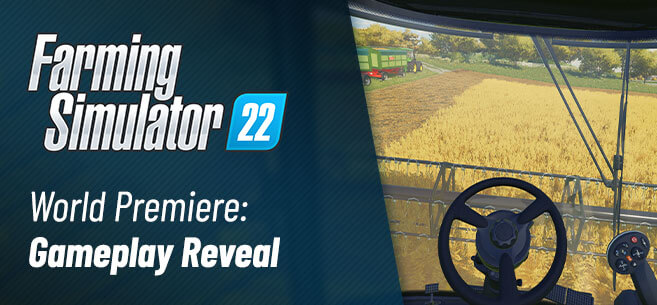
First live gameplay scenes from Farming Simulator 22
First live gameplay scenes from Farming Simulator 22 Did you watch FarmCon live to witness the gameplay premiere of Farming Simulator 22? Don’t worry if you didn’t – you can watch the first scenes from the game in the videos below! QA Lead Ken Burgess and Gameplay Developer Stefan Maurus from GIANTS Software take a look at some interesting new details you’ll find in Farming Simulator 22. Most of them previously not announced – so, don’t miss out! Ken and Stefan provide you with a glimpse of the new foliage of crops reacting dynamically to the wind, improved particle effects and other new features and improvements. You’ll find short summaries of both gameplay videos below – but if you want to know more, watch the videos! Featured in part one: Featured in part two: If you watched FarmCon live on Twitch, you also saw more insights about production chains and even more live gameplay. We follow this up very soon on our blog and provide you with even more impressions in addition to the FarmCon presentation of production chains. Of course, we’re still not done after this. We still have to unveil even more features and improvements coming to Farming Simulator 22. Stay tuned for more! Farming Simulator 22 will release on November 22nd for PC, Mac, PS5, Xbox Series X/S, PS4, Xbox One and Google Stadia. Pre-order now to receive the CLAAS XERION SADDLE TRAC Pack for free!
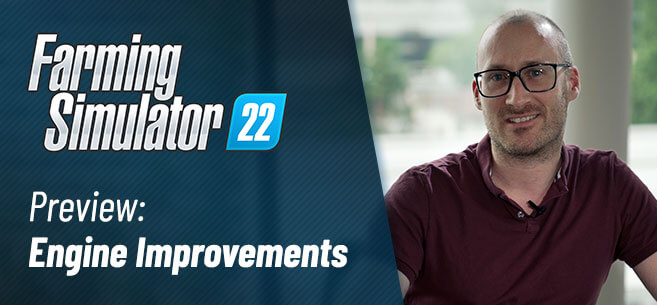
GIANTS Engine 9 with DirectX 12 in FS22
GIANTS Engine 9 with DirectX 12 in FS22 With Farming Simulator 22, you enjoy improved performance and graphics thanks to the latest version of our very own game engine. The GIANTS Engine 9 features DirectX 12, Parallax Occlusion Mapping, and a lot more. Lead Software Engineer Thomas Brunner explains what improvements you can look forward to. Watch his presentation below! Simply put, we need our game engine to do exactly what we need it to do, so you can farm on virtual fields. While other game engines are applicable to multiple games of a genre, like shooters or racing games, and may offer some things or features, ours currently doesn’t include, our in-house built GIANTS Engine has a whole lot of other requirements no other game engine out there can offer out of the box. An engine is simply not interchangeable without major adjustments. To use another engine for Farming Simulator would require a huge amount of customization. And, in the end, we’d basically have what we’re already using – our own, customized engine. Also, only with our own solution, we can offer the extent of modability, for example. If you want to know more about this, Thomas explains it more in-depth ins his presentation above. For the PC version of Farming Simulator 22, you can enjoy the benefits of DirectX 12. In previous versions of Farming Simulator, we used DirectX 11 / OpenGL. Compared to DX11, the latest DX12 gives developers more control of how their game interacts with the CPU and GPU. That means, the GIANTS Engine 9 can directly manage resources and states, so we can control and manage them more efficiently. As a result, we have less driver overhead and more free CPU resources for other tasks. On top of that, we added Texture Streaming to the GIANTS Engine. With this, we dynamically load higher or lower resolution versions of the textures based on what is actually visible on screen. This allows us to put even more objects into the world and to reduce the used slots per vehicle since we no longer need to make sure that we can load the full textures of all vehicles. Also, the loading times are reduced, since less texture data needs to be loaded at the start. Occlusion Culling is another important optimization technique. It allows us to make even more detailed worlds. Occlusion Culling basically prevents the engine from performing any expensive rendering for completely hidden objects. For example, boxes hidden behind a barn are not rendered until you see them – boosting performance by saving resources. Temporal Anti-Aliasing (TAA) Farming Simulator 22 features Temporal Anti-Aliasing. It is an approach to reduce unwanted rendering artifacts such as jagged edges or flickering specular highlights using the information from previous frames. The GIANTS Engine 9 uses a high-quality temporal anti-aliasing (TAA) algorithm by default, but it can also be disabled for performance reasons or if you don’t like the results. In previous games, we enabled MSAA by default as an Anti Aliasing solution. Compared to MSAA, TAA is faster and usually leads to better results. For example, MSAA only improves the quality of geometric edges, but TAA also reduces other artifacts such as flickering specular highlights. Parallax Occlusion Mapping Parallax Occlusion will make the terrain and other surfaces in the game look more detailed and dynamic if the feature is turned on in the settings. The result looks very realistic and adds a depth to the surfaces in the game. Like the tire tracks on your field, for example, trenching in the ground. We covered this in another article. Find out more about Parallax Occlusion Mapping! We made several shadow rendering improvements in the GIANTS Engine 9. One of the most notable changes is that we are now able to render the shadows much further away. This helps to increase the visual quality in the distance and your farmlands will appear more natural and realistic. We will show you more about Farming Simulator 22 and its vast improvements down the road. Farming Simulator 22 will release on November 22nd for PC, Mac, PS5, Xbox Series X/S, PS4, Xbox One and Google Stadia. Pre-order now to receive the CLAAS XERION SADDLE TRAC Pack for free!
FS22 Crossplay servers for PC and consoles
FS22 Crossplay servers for PC and consoles Nitrado is the world’s leading game server hoster, offering high-quality game servers at a low price for a variety of games, including Farming Simulator 19, and soon Farming Simulator 22. Nitrado servers allow you to host a persistent multiplayer session for you and your friends to drop in and out anytime, and have full control. Even via App, allowing you to manage your Farming Simulator server anywhere and as easily as possible. Using the latest technologies, Nitrado strives to provide its customers with the best possible gaming experience. That includes safe servers, secured by DDoS protection, and a 24/7 customer support. Just in time for the new era of crossplay, Nitrado is once again our trusted partner for Farming Simulator 22 servers. “Crossplay is fantastic news, and finally allows console players to enjoy dedicated servers, too. Gamers waited a long time for this. We’re very glad and proud to be involved right at launch to support this new way to experience the game”, comments Marcel Bößendörfer, CEO at Nitrado. Find out more about Nitrado servers over at Nitrado.net! Crossplay is coming to Farming Simulator 22! Missed our crossplay announcement? Go, catch up! There’s an FAQ included. Also, if you’d like to know more about what that means for your future multiplayer experience, listen to the new episode of our podcast! As a special guest, we welcome Marcel Bößendörfer to the podcast, CEO of Nitrado – the world’s leading provider of dedicated game servers, including servers for the Farming Simulator series. Find out more about Nitrado below!
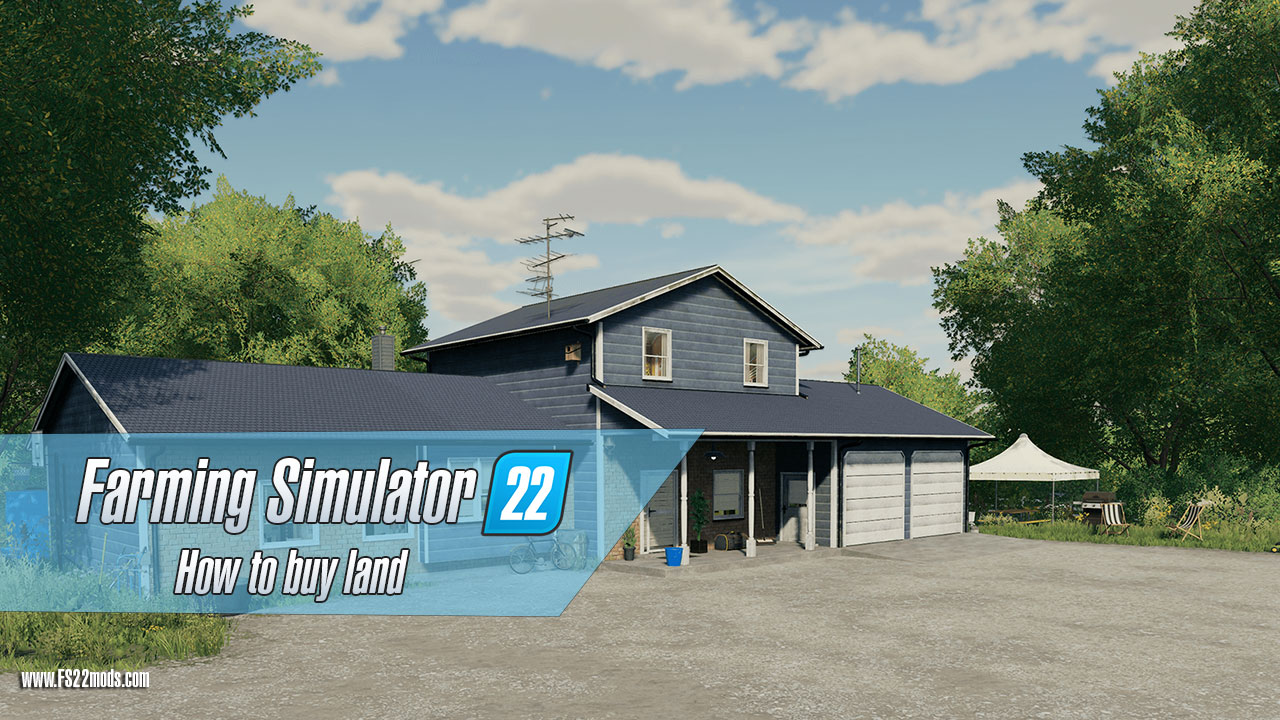
Landwirtschafts-Simulator 22: So kaufen Sie Land
Landwirtschafts-Simulator 22: So kaufen Sie Land Landwirtschafts-Simulator 22 hat alle richtigen Werkzeuge, um ein unglaublich spannendes Simulationsspiel zu sein. Und eines der wichtigsten Dinge, die Sie wissen müssen, um erfolgreich zu sein, ist zu lernen, wie man im Landwirtschafts-Simulator 22 Land kauft. Was müssen Sie tun, um Land in FS22 zu kaufen? Nun, es ist eigentlich ein ziemlich einfacher Prozess, aber es gibt noch ein paar Dinge, die Sie beachten müssen, bevor Sie einsteigen. Eines der wichtigsten Dinge, die Sie beim Kauf von Land in F22 wissen sollten, ist beispielsweise, dass Sie keine einzelnen Felder kaufen dürfen. Sie können jedoch jederzeit ein Feld in einer leeren Zone erstellen oder einfach die Größe des vorhandenen Felds ändern. Auf diese Weise können Sie das Land ganz nach Ihren Wünschen gestalten. Außerdem ist es wichtig zu beachten, dass die meisten Felder unregelmäßige Formen haben. Hier einige Tipps zum Landkauf im Landwirtschafts-Simulator 22 – und dabei die besten Ergebnisse zu erzielen: Doch wie findet man im Landwirtschafts-Simulator 22 das richtige, geeignete Land zum Kauf? Nun, so offensichtlich es klingt, Sie müssen Ihre Karte ernsthaft studieren . Dort stehen alle Informationen zur Verfügung, und es ist wichtig, dass Sie nicht aus Versehen einen steilen Wald kaufen. Vor allem, wenn Sie früh im Spiel sind und ein sehr knappes Budget haben, oder? Viele andere visuelle spielbezogene Informationen zum Landkauf sind auch in dem unten hinzugefügten Video verfügbar. Schauen Sie es sich an und zusammen mit diesem Beitrag erfahren Sie alles, was Sie über den Landkauf im Landwirtschafts-Simulator 22 wissen müssen. Tags: Das FeldSchauen SieStellen SieWenn Sie
More About FS22 Terrain and FarmCon in Podcast!
More About FS22 Terrain and FarmCon in Podcast!
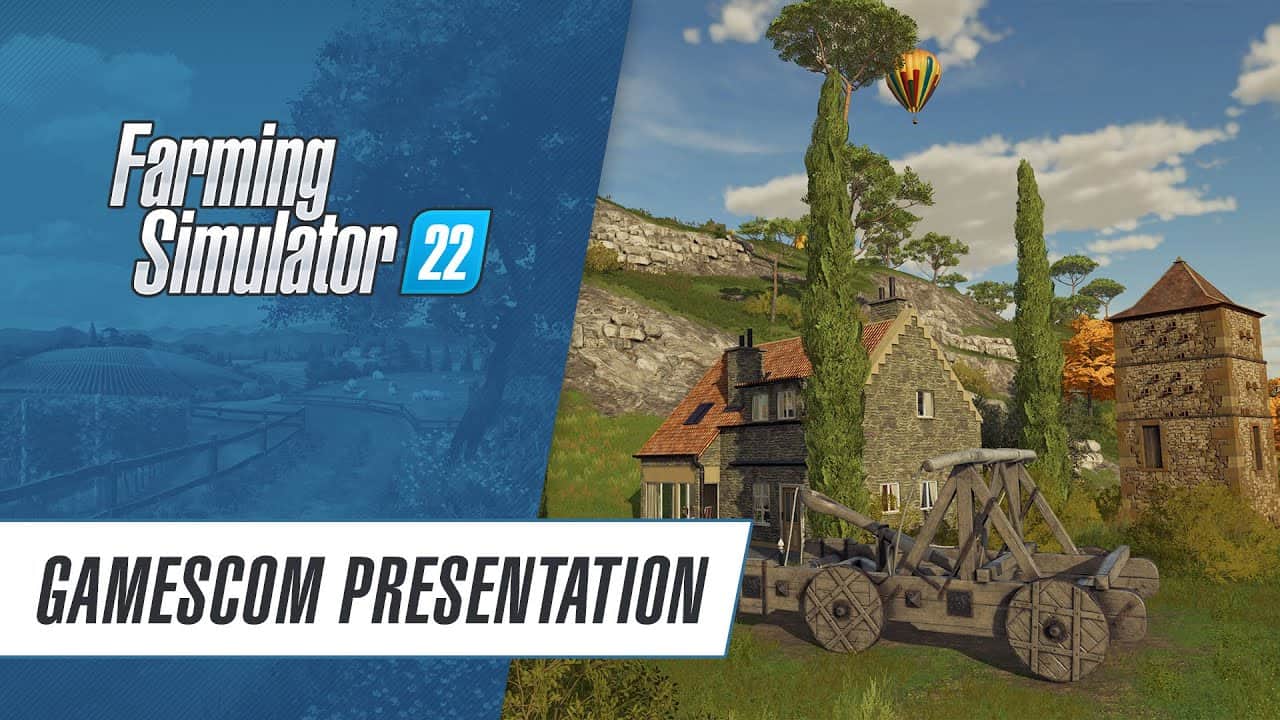
FS22 Gameplay Presentation
FS22 Gameplay Presentation Did you miss our gamescom stream to show you more about Farming Simulator 22! Watch the whole presentation, now! QA Lead Ken Burgess and Community Manager Lars Malcharek show you new gameplay scenes from the game.
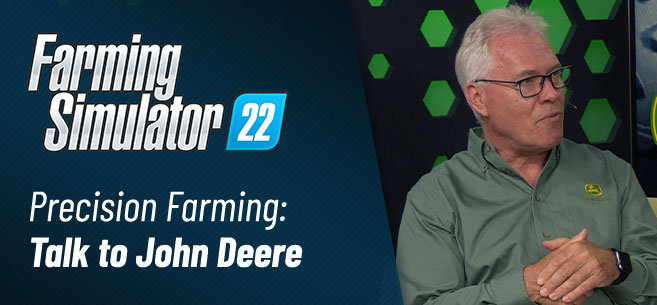
Precision Farming für FS22: Im Gespräch mit John Deere
Precision Farming für FS22: Im Gespräch mit John Deere Das Precision Farming Project unter der Leitung von EIT Food und John Deere wird mit einem neuen und verbesserten DLC für den Landwirtschafts-Simulator 22 fortgesetzt. Wir haben mit Thomas Engel, Manager Technology Innovation Strategy bei John Deere, über die kommende Version von Precision Farming für das Spiel gesprochen. Sehen Sie sich das Interview von Stefan Maurus, unserem Gameplay-Programmierer und Lead Integrator der Precision Farming-Funktionen, unten an! Die neue Version des Precision Farming DLC für den Landwirtschafts-Simulator 22 wird die Funktionen der ersten Version wie Bodenarten, Bodenproben, Anwendungen mit variabler Rate und wirtschaftliche Analyse enthalten. Darüber hinaus werden fortschrittliche Precision Farming-Technologien eingesetzt, um die Nachhaltigkeit Ihrer Farmen zu erhöhen. Es werden optische Sensoren eingeführt, die einen reduzierten Einsatz von Herbiziden sowie organischen und mineralischen Düngemitteln ermöglichen. Wir werden in naher Zukunft weiter ins Detail gehen, also bleiben Sie dran! Im Moment konzentrieren wir uns auf die bevorstehende Veröffentlichung von Landwirtschafts-Simulator 22 am 22. November. Die neue Version des Precision Farming DLC wird voraussichtlich im Frühjahr 2022 veröffentlicht. Alle Besitzer des Landwirtschafts-Simulator 22 auf PC, Mac, PlayStation 5, Xbox Series X|S, PlayStation 4 und Xbox One können ihn herunterladen für kostenlos. Tags: DLCJohn DeereNachhaltigkeit Ihrer FarmenPrecision Farming
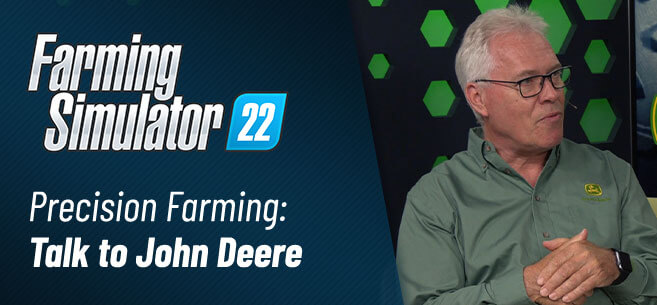
Precision Farming for FS22: Talking to John Deere
Precision Farming for FS22: Talking to John Deere The Precision Farming Project, led by EIT Food and John Deere, continues with a new and improved DLC for Farming Simulator 22. We talked to Thomas Engel, Manager Technology Innovation Strategy at John Deere, about the upcoming version of Precision Farming for the game. Watch the interview by Stefan Maurus, our Gameplay Programmer and Lead Integrator of the Precision Farming features, down below! The new version of the Precision Farming DLC for Farming Simulator 22 will include the initial version’s features like soil types, soil sampling, variable rate applications and economic analysis. On top of that, advanced precision farming technologies will be implemented to increase the sustainability of your farms. Optical sensors will be introduced, allowing a reduced application of herbicides as well as organic and mineral fertilizers. We will go further into detail in the near future, so stay tuned! Right now, we’re focused on the upcoming release of Farming Simulator 22 on November 22nd. The new version of the Precision Farming DLC is scheduled to release in the Spring of 2022. All owners of Farming Simulator 22 on PC, Mac, PlayStation 5, Xbox Series X|S, PlayStation 4 and Xbox One will be able to download it for free.
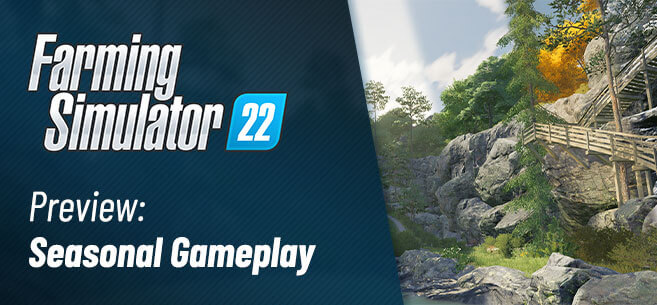
How the seasonal cycles change the visuals and the gameplay of Farming Simulator 22
How the seasonal cycles change the visuals and the gameplay of Farming Simulator 22 In Farming Simulator 22, you need to prepare for Spring, Summer, Fall, and Winter. If you don’t, you’ll see your valuable crops wither away. That is, if you choose to play with seasonal cycles enabled, of course. Today, we show you more of the new feature and invite you to watch our FarmCon presentation in case you missed it. Want to know more about FarmCon and recent news from our community event? We’ll provide more info in our summary! Here’s Gameplay Developer Jos Kuijpers from GIANTS Software providing you with an introduction of the seasonal changes in the game: Let’s take a look at the most obvious change: the visuals. Since we showed you the four seasons in Farming Simulator 22 last time, we updated the visual appearance of various assets in the game. The tint of trees, grass and bushes is more homogeneous now. We updated the general game graphics, too (and we’re still working on it) – so, you’ll notice more detail here and there. Reflections on water, for example. Whether you look at season-specific aesthetics or not, nature looks more natural. Since each season comes with its own characteristics, the atmosphere changes quite a bit throughout the year. In spring, trees start to grow their leaves in vibrant colors. They mature into lush green trees in summer. Take a look: In Fall, the color pallet changes – the atmosphere turns a bit melancholic before everything will be covered in a thick layer of snow when winter comes around. Here and there, it even gets icy. We recommend paying the waterfall a visit to enjoy a cave-like place of solitude, riddled with icicles. But we won’t spoil it for you, right now! By implementing seasonal cycles, we added a new level of gameplay to Farming Simulator 22. It’s not just a visual thing. Unless you want it to be. In this case, you deactivate “seasonal growth”, so you plant and harvest your crops independently of the season. The seasons in-game are divided into months. A year consists of twelve days. Meaning, each day in-game is the equivalent of a month. Using the timescale control, it is up to you how fast the days pass. Basically, a season can range from half an hour of playtime up to a long weekend. If you still want to keep the seasonal charm of running a farm in the middle of winter – go ahead. You can turn off snow separately if you want. As usual, the new feature can be deactivated, so you have more control of your gameplay experience. Do you want the full experience, including seasonal cycles with impact on gameplay? You’ll have to take a look at the new crop calendar, then! The calendar provides an important overview and tells you when you have to plant your crops, and when to harvest if seasonal growth is activated. Take the new crops, for example: Grapes and olives have to be planted from March to June. Harvest season for grapes starts in September and last until the end of October. Olives, though, you have to harvest in the month of October. Sorghum, the third new crop in Farming Simulator 22, needs to be sown from April to May. It’ll be ready to harvest from August to September. You also have to bear in mind that the demand for your crops, and therefore the selling prices, change throughout the year. To get the best price, you will have to store your harvested crops and sell them when the demand is high due to the season. As you can imagine, snow covering your farmlands requires more actions from you. There’s some snow plowing needed to get rid of the snow and keep your roads and yards clear. Also, you have to plan ahead if animal husbandry is part of your farming operation. Store enough food for the winter! If you don’t like to shovel loads of snow and don’t possess any animals, you might think about starting production chains. If you have the resources available, you can deliver them to various production halls to produce goods. You might even get into the hauling business to transport all the crops and goods to the next link in a production chain. Remember, you can start multiple production chains at once. As you can see, there’s still a lot to do in winter. Farming Simulator 22 will release on November 22nd for PC, Mac, PS5, Xbox Series X/S, PS4, Xbox One and Stadia. Pre-order now to receive the CLAAS XERION SADDLE TRAC Pack for free!
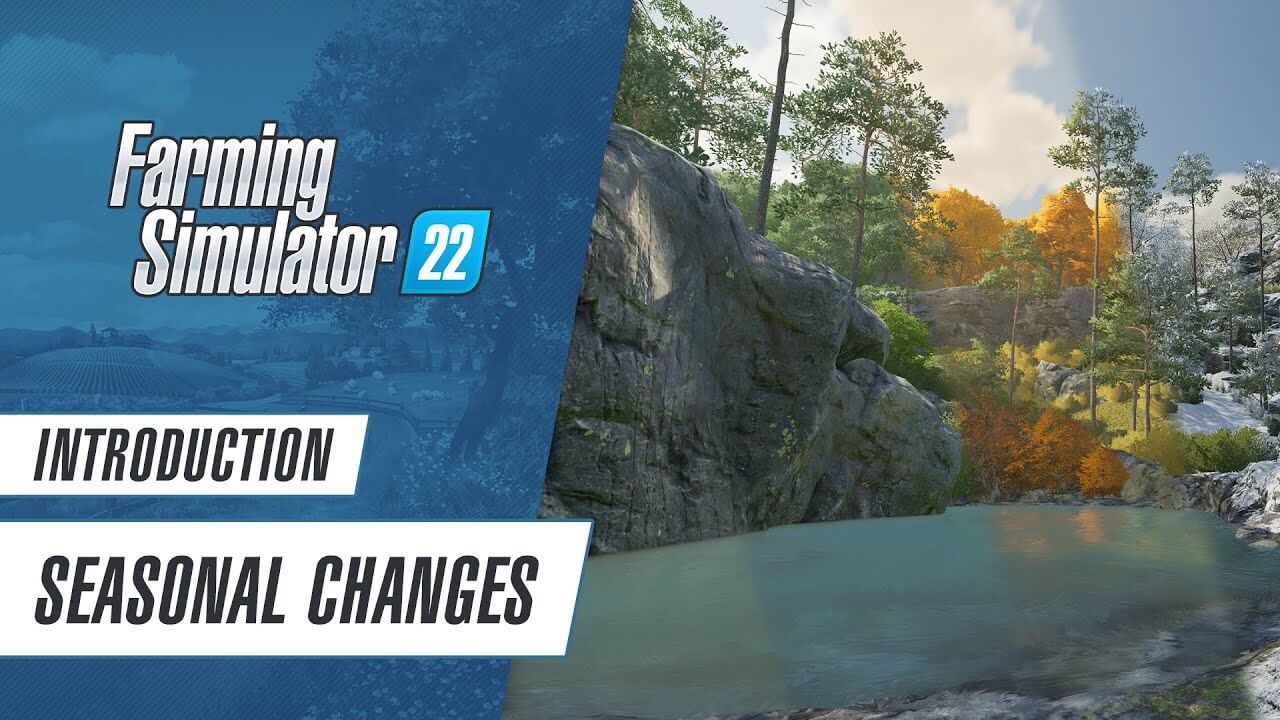
FS22 – Prepare for Spring, Summer, Fall, and Winter
FS22 – Prepare for Spring, Summer, Fall, and Winter In Farming Simulator 22, you need to prepare for Spring, Summer, Fall, and Winter. Watch Gameplay Developer Jos Kuijpers from GIANTS Software explain how the seasonal cycles and visual changes work in the game. More info and brand-new screenshots on our blog! Farming Simulator 22 releases on November 22nd for PC, Mac, PlayStation 5, Xbox Series X|S, PlayStation 4, Xbox One, and Google Stadia. Pre-order now to receive the CLAAS XERION SADDLE TRAC Pack!

Landwirtschafts-Simulator 22: Boden realistischer und natürlicher
Landwirtschafts-Simulator 22: Boden realistischer und natürlicher Im Landwirtschafts-Simulator 22 erscheinen Oberflächen realistischer und natürlicher. Dank Parallax Occlusion Mapping, das wir in der GIANTS Engine 9 implementiert haben. Parallax Occlusion lässt das Gelände und andere Oberflächen im Spiel detaillierter und dynamischer aussehen, wenn die Funktion in den Einstellungen aktiviert ist. Werfen wir einen Blick darauf und sehen, was tatsächlich passiert. Wir versuchen es so einfach wie möglich zu erklären: Parallax Occlusion Mapping ist eine Technik, die im Grunde genommen die Details einer strukturierten Oberfläche verstärkt, um ihr Tiefe zu verleihen. Wie die Reifenspuren auf Ihrem Feld, die in den Boden graben. Sie sind jetzt tiefer, und hier ist der Grund: Im ersten Schritt reduziert Parallax Occlusion Mapping eine geometrische Komplexität eines 3D-Modells. Wie zum Beispiel Kies auf einer Straße oder sogar Ziegel in einer Mauer. Die reduzierten Oberflächendetails werden in eine flache Textur umgewandelt. Beim Rendern des Modells im Spiel werden die Oberflächendetails in eine sogenannte "Höhenkarte" eingetragen. So sieht es aus: Die Höhenkarte fügt der ansonsten flachen Oberfläche im Grunde eine Tiefe hinzu. Stellen Sie sich die Höhenkarte als geografische Karte mit Hügeln und Tälern vor. Unterschiedliche Farben bedeuten unterschiedliche Tiefen. Wie Sie in der Höhenkarte oben sehen können – je dunkler die Oberfläche, desto tiefer ist sie. Basierend auf diesen im Bild hinterlegten Informationen wird die Oberfläche dann im Spiel rekonstruiert und erscheint dreidimensional und realistisch. Es gibt mehrere Gründe, Parallax Occlusion Mapping in Videospielen wie dem Landwirtschafts-Simulator 22 zu verwenden, um diesen Effekt zu erzielen. Zunächst sieht das Ergebnis sehr realistisch aus und verleiht den Oberflächen im Spiel sicherlich eine Tiefe. Sieht es nicht ordentlich aus? Greifen Sie einfach zu diesen Visualisierungen von Oberflächen, die an Tiefe gewinnen. Dann ist es natürlich leistungsfreundlich. Der Grad der Parallax Occlusion Mapping wird durch Ihre Hardware- und Grafikeinstellungen bestimmt. Auf diese Weise können wir den Landwirtschafts-Simulator weiter verbessern und gleichzeitig für jeden Spieler da draußen hardwarefreundlich halten. Wenn Ihr System damit umgehen kann, drehen Sie die Einstellungen hoch, und Sie erhalten das bestmögliche Ergebnis. Wenn nicht, machen Sie sich keine Sorgen – Sie können den Landwirtschafts-Simulator 22 immer noch mit verringerten Einstellungen und deaktivierter Parallax Occlusion spielen. Straßen, Felder, Mauern und Gebäude: Sie werden überall die verbesserten Oberflächen bemerken, wenn Sie in Elmcreek, Erlengrat und … naja, den dritten zeigen wir Ihnen bald. Wir arbeiten noch an Parallax Occlusion Mapping, aber mit diesen ersten Vergleichen sollten Sie ein gutes Gefühl dafür bekommen, was Sie erwartet. Bitte beachten Sie, dass der Effekt in Standbildern im Vergleich zum Live-Gameplay möglicherweise nicht richtig wiedergegeben wird, wenn der Landwirtschafts-Simulator 22 mit finalisierter Parallax Occlusion Mapping veröffentlicht und auf Ihrem System ausgeführt wird. Um dies vorerst abzuschließen, schauen Sie sich den Boden genauer an. Sieht es nicht so aus, als würdest du dich lebendiger fühlen, wenn du barfuß auf diesem steinigen Weg gehst? Ja, schön oder? Der Landwirtschafts-Simulator 22 wird am 22. November für PC, Mac, PlayStation 5, Xbox Series X/S, PlayStation 4, Xbox One und Stadia verfügbar sein. Jetzt vorbestellen und das CLAAS XERION SADDLE TRAC Pack gratis dazu erhalten! Tags: Beim RendernBeispiel KiesIhrem FeldParallax Occlusion
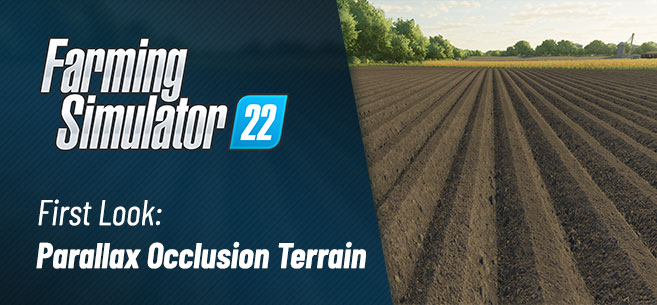
Farming Simulator 22: ground more realistic and natural
Farming Simulator 22: ground more realistic and natural In Farming Simulator 22, surfaces will appear more realistic and natural. Thanks to Parallax Occlusion Mapping we implemented in the GIANTS Engine 9. Parallax Occlusion will make the terrain and other surfaces in the game look more detailed and dynamic if the feature is turned on in the settings. Let’s take a look and see what’s actually happening. We’ll try to explain it as simple as possible: Parallax Occlusion Mapping is a technique that basically boosts the details of a textured surface to give it depth. Like the tire tracks on your field, trenching in the ground. They’re deeper now, and here’s why: In the first step, Parallax Occlusion Mapping reduces a geometric complexity of a 3D model. Like the gravel on a road or even bricks in a wall, for example. The reduced surface details are transformed into a flat texture. When the model is rendered in the game, the surface details are put in a so-called “height map”. That’s what it looks like: The height-map basically adds a depth to the otherwise flat surface. Imagine the height map as a geographical map with hills and valleys. Different colors mean different depths. As you can see in the height-map above – the darker the surface, the deeper it is. Based on this info stored in the image, the surface is then reconstructed in the game, appearing three-dimensional and realistic. There are a couple of reasons to use Parallax Occlusion Mapping in video games like Farming Simulator 22 to achieve this effect. First of all, the result looks very realistic and certainly adds a depth to the surfaces in the game. Doesn’t it look neat? Just take a loot at these visualizations of surfaces gaining depth. Then, of course, it’s performance-friendly. The degree of Parallax Occlusion Mapping is determined by your hardware and graphical settings. This way, we can improve Farming Simulator further while still keeping it hardware-friendly for every gamer out there. If your system can handle it, crank up the settings, and you’ll get the best possible result. If not, don’t worry – you can still play Farming Simulator 22 with lowered settings and Parallax Occlusion turned off. Roads, fields, walls and buildings: You’ll notice the improved surfaces everywhere when walking around in Elmcreek, Erlengrat and… well, the third one we’ll show you soon. We’re still working on Parallax Occlusion Mapping, but with those first comparisons, you should get a good sense for what to expect. Please take in mind that the effect may not be properly reflected in still images compared to live gameplay when Farming Simulator 22 with finalized Parallax Occlusion Mapping is released and running on your system. To wrap this up for now, take a closer look at the ground. Doesn’t it seem like you’d feel more alive walking on this rocky path barefoot? Yeah, nice right? Farming Simulator 22 will be available for PC, Mac, PlayStation 5, Xbox Series X/S, PlayStation 4, Xbox One and Stadia on November 22nd. Pre-order now to receive the CLAAS XERION SADDLE TRAC Pack for free!
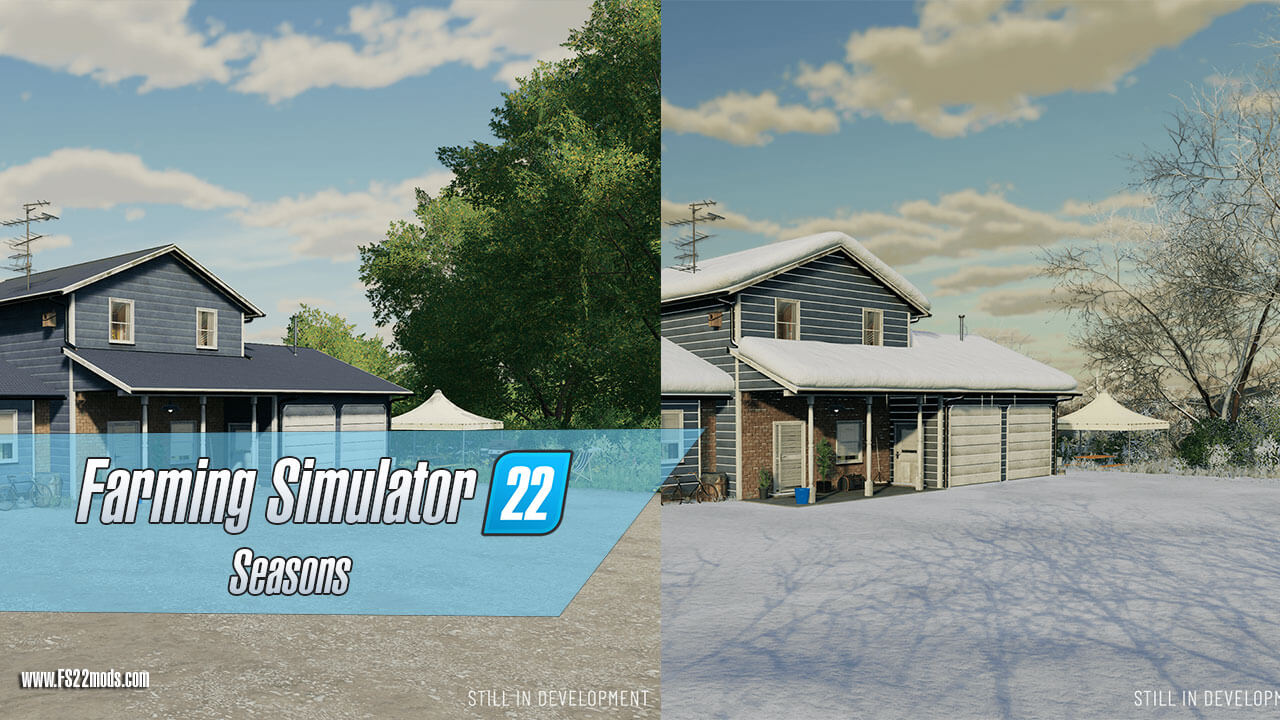
Farming Simulator 22: Seasons mod
Farming Simulator 22: Seasons mod Seasons for Farming Simulator 22 are now available! It’s a great way to bring your FS22 game closer to real life. It’s super easy to install, too: the mod takes just a couple of minutes to download and install. For its excellent ease of use, and weather features, this is one of the top mods out there. Has been for years! Seasons was one of the most popular FS19 mods out there – in fact, it was the winner of the FS19 mod competition a good while back. And so, we have full reasons to believe that Seasons 22 is going to be excellent as well. Let’s cover some of the main things and answer the pressing questions. Seasons 22 is a mod, meant for Farming Simulator 22. It adds a variety of seasonal changes – and that’s an excellent way to add more realism to the game. Depending on the season, you’ll also need to adapt your work on the fields – that will add an extra challenge to the game, making it more interesting and rewarding in the progress. The mod simply follows the natural cycle of a farmer’s year. Depending on what happens throughout the seasons: that means adjusting crop prices, different behavior of the domestic animals, as well as changing needs for vehicle maintenance. The weather greatly affects everything – and that’s what this mod does. Seasons 22 mod is completely free of charge – you can download it from the official ModHub of the game. Right now, the Seasons mod is available only on PC or Mac. However, it is very likely that the mod will make its way to consoles as well, as they’re known to be in close collaboration with the game’s creators. Seasons 22 mod is made by a group of five modders: Jos (Rahkiin), Per (mrbear), Per (reallogger), Stijn (Wopster), and Sebastian (theSeb). Collectively, they are known as Realismus Modding. They have a lot of years of experience under their belts: in fact, their Seasons mod for FS17 was voted as the best mod for the game. Now, let’s have a deeper look into Seasons 22, and see some of the main things to consider before you try it out yourself: The Seasons mod directly affects the game engine. And so, if some other mods are there that work with the game engine as well, there could be conflict that causes problems. Before using Seasons 22 on your game, make sure to disable or remove any of the mods, that do any of these things: Makes sense, right? After all, these are the 4 things that the Seasons mod really affects. So, when none of the other mods that do this are present, you can go ahead. You don’t have to remove the mods for that: alternatively, just set up a new mods folder. To do that, right-click all the clashing mods that you have, and push F2. Then, you’ll be given an opportunity to change the folder name. You can call it “ModPause”, or you know, something else that sounds suitable. Then, make a new folder. Call it “mods” exactly: four lowercase letters, no fancy stuff. Copy the Seasons mod, all of your other mods, and maps directly to that folder. Now, the game will use only the mods that don’t clash with Seasons. And you’ll still have all of your other mods handy. The best way to play with the Seasons mode on, is to think in transitions. Each season will go through a transition for three times. In fact, you can see it yourself on the mod men HUB. To access it, just click Alt + S. There, you’ll see it: four seasons, including three transitions each, for a total of 12. You know, 12 – like the months? In this mod, you’re going to have four seasons, and that’s it (no fancy two-season weather for you here!). However, you can easily change just how long those seasons are going to be. For that, all you need to do is to open the Seasons menu (Alt + S). There, a season can be adjusted to last anywhere from 3 to 24 in-game days. For example, if you wish for your season to last just 3 days, it means one transition per day. And so, one year is going to last only around 12 days. And on the other side of the equation, a season can be 24 days at most, making one transition 8 days, therefore, making the in-game year last a total of 96 days. Here is the helpful table to see how each season length affect the in-game year: TIP: Check and adjust the season length immediately after starting a new save. When testing out the mod, we saw that the default season length was set to 6 days. You may want it longer or shorter, so adjust it before making any in-game decisions. Seasons 22 begins each save at spring, and also fully resets each of the fields. And while the mod works on all maps – it becomes absolutely excellent only in a handful, which are fully optimized for fully diverse weather. So, consider picking a map that includes good snow integration. If you’re using the weather mod, you want a mod that can make the best of it, right? Here are the best maps for winter on the Seasons mod: There is also an expanded list of maps that are supposed to work well with the Seasons mod as well. For that – click here. However, we haven’t tested all of these (unlike the ones listed earlier). So, enter at your own risk. As you enter the new game, you get a breath of fresh spring air, and a sight of barren fields with no crops on them. Obviously, you will have to start the year with some basic upkeep, such as plowing, cultivating, sowing the seeds, and spraying the herbicides. As seasons change, your main missions will change as well: Summer: spraying, first harvest, mowing, drying, and baling. Fall/Autumn: majority of harvesting, plowing, sowing the winter crops, fertilizing, and more spraying. Winter: upkeep of the farm animals and machinery. TIP: Winter is an excellent time for forestry work. Makes sense – in the Northern hemisphere, this is done in real life as well. You won’t have much else to do anyway, so have a go at it! Now, we don’t need to tell you this: the weather isn’t the same everywhere. For example, depending on where you are, our depiction of what “April” is can be entirely different. And so, to solve that problem and to make the game just a little bit more realistic, Seasons mod creators have introduced the GEO mods. GEO (shortened version of ‘Geographical’) mods adjust the weather to better replicate the conditions of a specific location. For example, on FS17, there were options for Wales, Paraguay, U.S. Midwest, and Denmark – four rather different locations. Also, the mods affect the length, and the severity of the effect the weather has on harvesting and crops. With no GEO Mods, Season 22 on FS22 will replicate the weather of the Southern United Kingdom. Fast Forward must be one of the most commonly clicked buttons on the game. However, Realismus Modding says that it would be wise not to overuse it. On single player, keep the limit at 6000x. On multiplayer, lower it down to 1200x. It’s better to be more in control and take your time here. This right here was some of the basic stuff concerning Seasons 22 on Farming Simulator 22. So, now you’re more than ready to finally give this mod a shot and see for what it’s worth. And while you’re at it, you might want to check out some new helpful Seasons 22 guides.
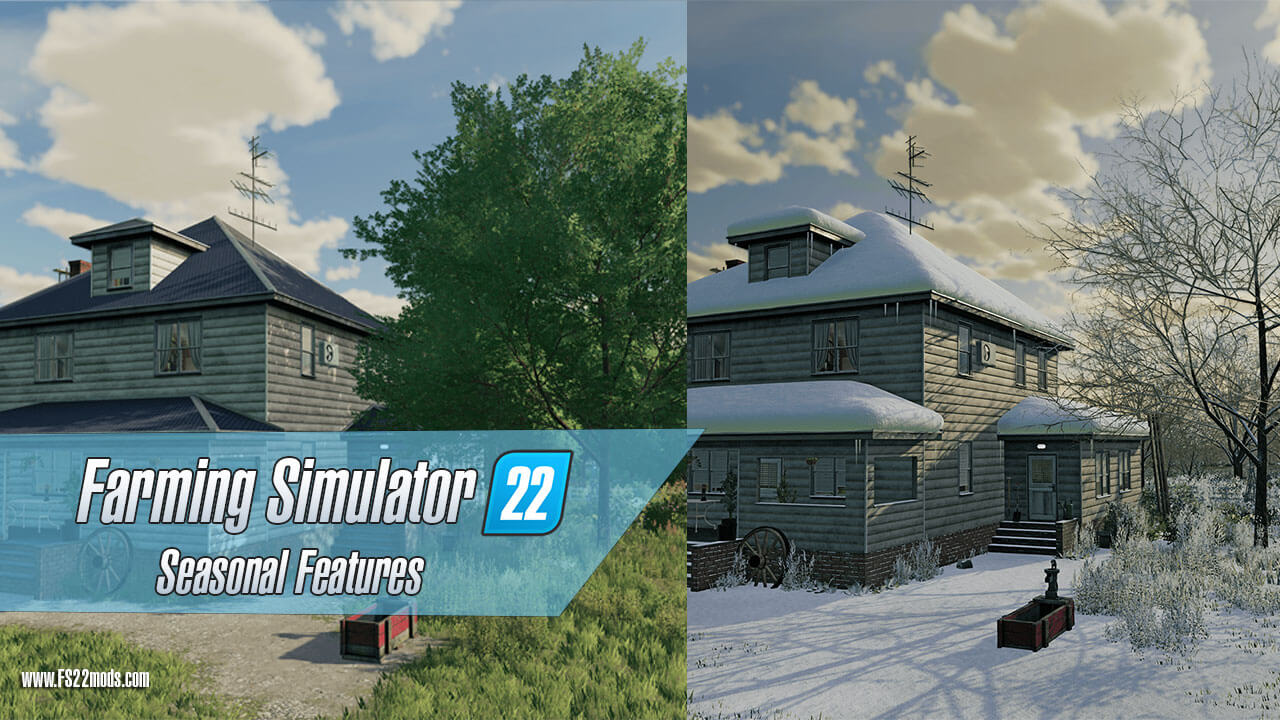
Farming Simulator 22: Seasonal Features
Farming Simulator 22: Seasonal Features Let’s take a look at the newly released screenshots for the widely anticipated Farming Simulator 22. Farming Simulator 22 announced new information on the Seasonal stages in the new game. It has many differences that FS19 so get ready for Spring, Summer, Fall and Winter. Before we look at some brand-new material, let’s talk about the seasonal cycles quickly. What you should know: Our version of the four seasons is different from the mod for Farming Simulator 17 and 19. Things will work differently, and we’re creating our own version of the four seasons changing the environment in the game. Since the game and seasonal cycles are still in development, we won’t give you any in-depth details right now – but stay tuned to learn more, soon! Ans super hot new seasons screenshots: FS22: Houses, Snow & Ice, Folidge Covering, Leaf Stages
Farming Simulator 22 – Vehicles Garage Trailer
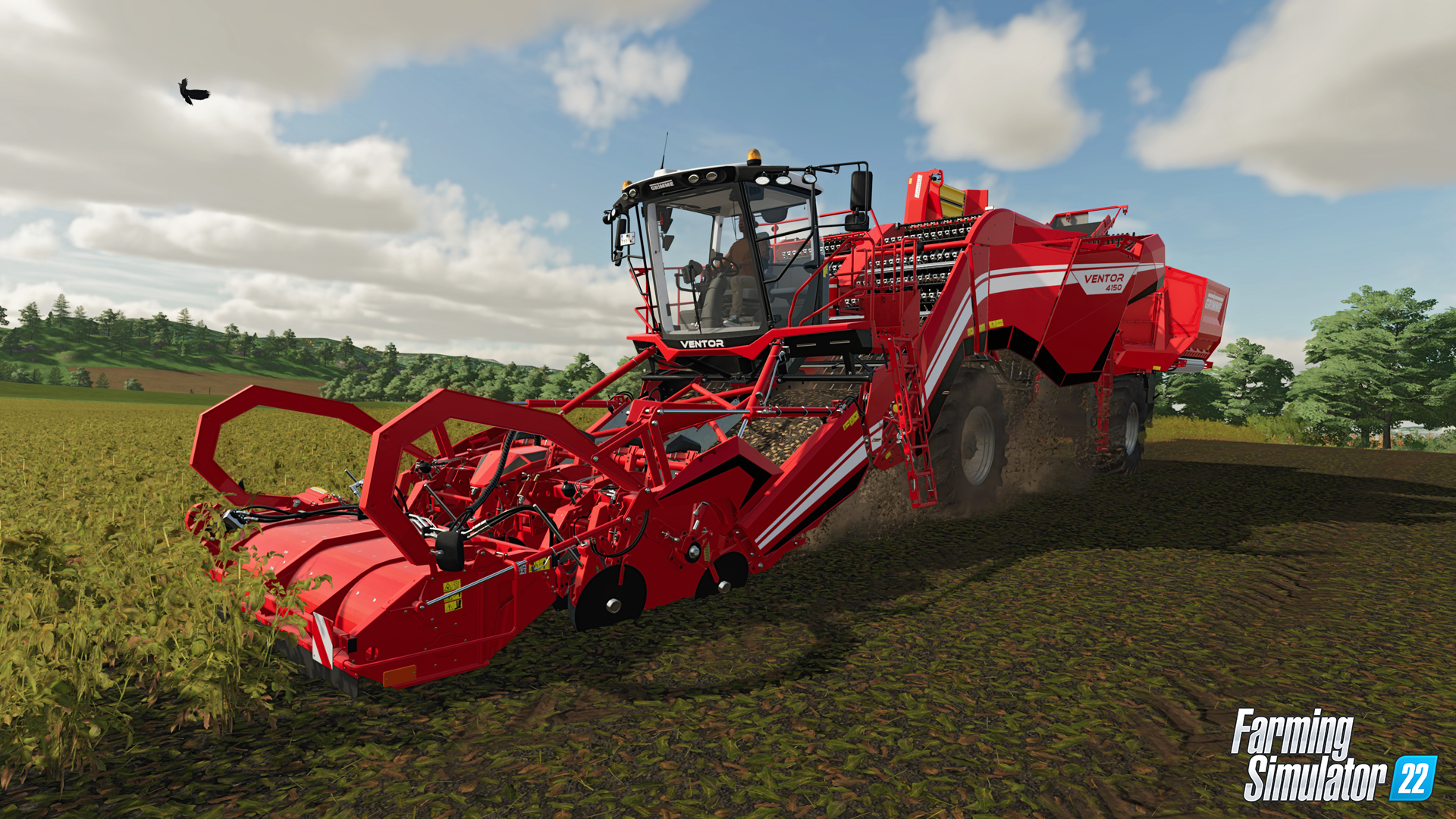
by LS22 Mods · November 4, 2021 You’re almost there. Just hold out a few more days and enjoy some more trailers and news we have prepared for you until Farming Simulator 22 launches on November 22nd! Today, we have a little nugget for all of you machine enthusiasts, longing to operate the new and improved vehicles and tools. See the Garage Trailer below! We’re well aware, the coming days before release might be a bit harder to endure, now. Don’t worry, you’ll get to play with the new machines before you know it. More than 400 of them will be available in the base game. Bringing back Case IH, CLAAS, DEUTZ-FAHR, Fendt, John Deere, Massey Ferguson, New Holland, Valtra and many other renowned brands from all over the world. As always, we took great care and cooperated closely with the respective manufacturers to make the machines and tools as authentic as possible – up to the last bolt of each machine. But that’s not all. We’ve done more than making sure, your favorite machines are implemented accurate. As announced at FarmCon, our tireless sound department greatly enhanced the audio aspect with real-time sound transformations responding to the environment, and even more mechanical details like moving lids, bolts and a lot of hydraulic components making noise. You can even hear the rattling of components inside the cabin – and yes, windshield wipers, too. June 8, 2023 December 26, 2023 April 19, 2023
- 15 per page
- 30 per page
- 45 per page
- 60 per page
-
See more per page
Bigger pages, fewer clicks - and no ads anywhere.
Go Pro