Farming Simulator 22 mods
50,366 results- 15 per page
- 30 per page
- 45 per page
- 60 per page
-
See more per page
Bigger pages, fewer clicks - and no ads anywhere.
Go Pro
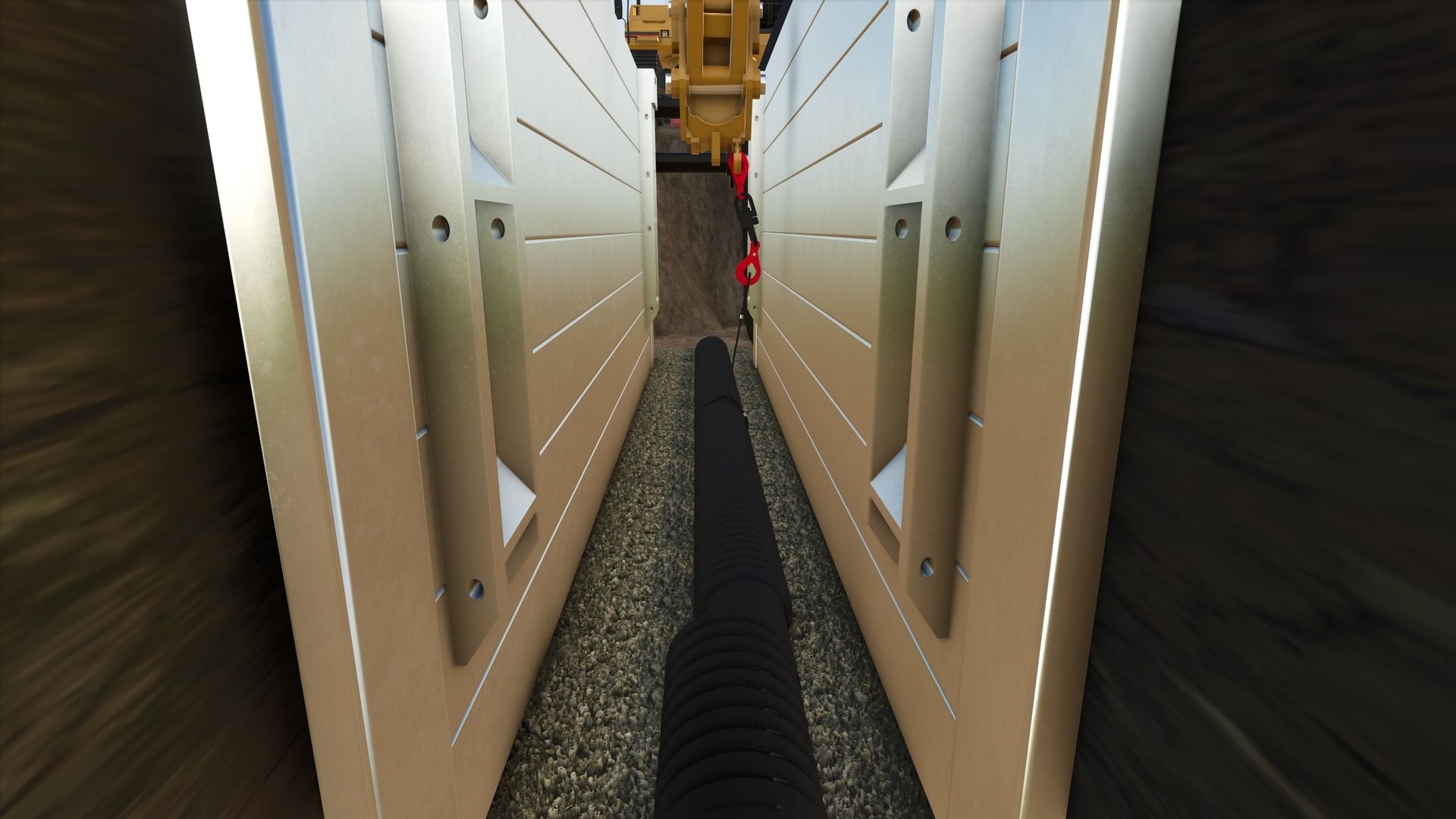
Trench Box pack FS25
This is a pack of trench boxes and manhole boxes to keep your pipelayer safe during your projects, now converted to FS25! I suggest using my load chain mod to move the boxes around. The trench boxes can connect together when stacked, and the hydraulics can be spread out to expand the trench boxes using mouse controls. The 4 way chains will appear when you connect to the trench boxes at the higher spot in the middle. This mod, like most of my mods is a WIP. I add stuff as I think of them and I am constantly tweaking and updating it. As always, let me know if you have any suggestions or feedback.
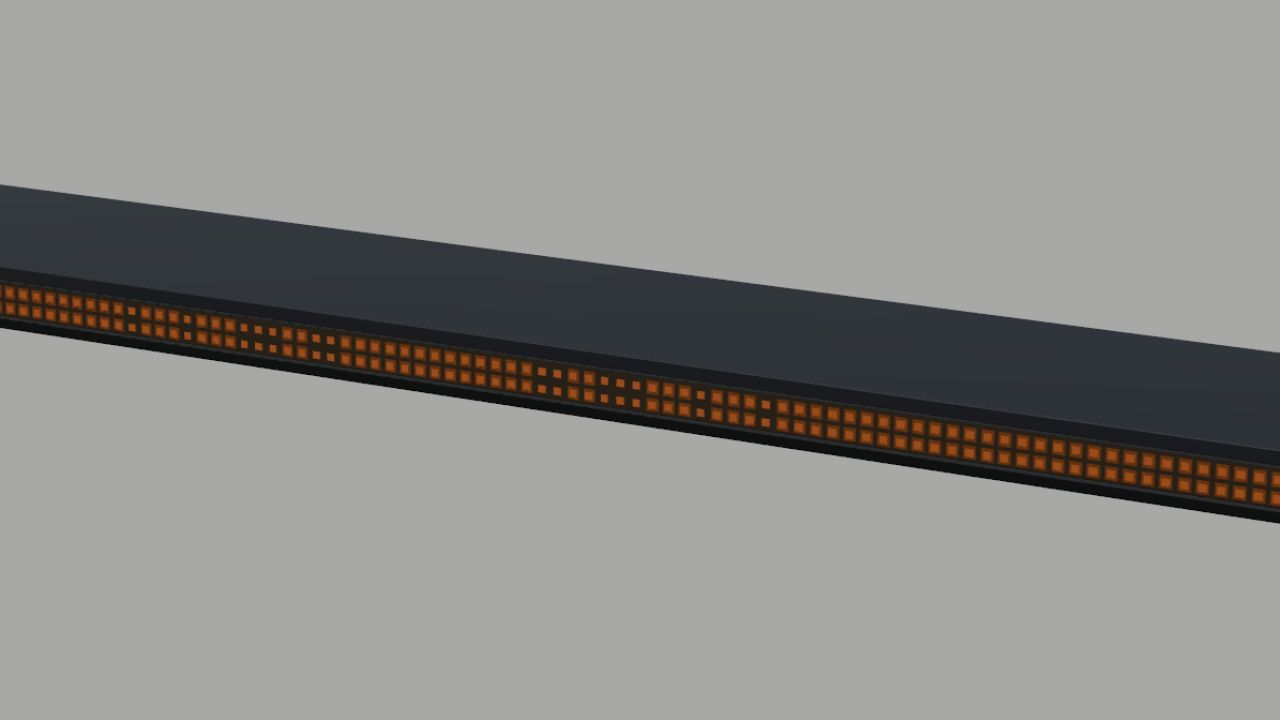
Strands Big Energy XL 1800 (Prefab) FS25
A roof-mounted amber warning lightbar for Farming Simulator 25 vehicle mods, based on the Strands Big Energy XL 1800. The package includes the 3D model, textures, mounting clamps, XML files for the flashing lights, and installation instructions. It features an alternating triple-flash pattern. Only the 1800 version is included. The mounting position and light connections must be adapted to the receiving vehicle. This is a prefab for modders. It must be integrated into a vehicle mod and cannot be purchased separately in the game shop. Author: NorthernLight Modding

Player fatigue FS25
Add a new dimension of realism to Farming Simulator 25 with a complete character fatigue system. Fatigue gradually increases as long as the player remains awake. It also changes depending on the activity being carried out and increases more quickly during the night. Once fatigue reaches 75%, the first effects begin to be noticeable. The more fatigue increases, the more visual effects appear: progressive vignette, reduced field of view, tunnel vision and micro-sleeps at very high fatigue levels. Sleep allows the character to recover. A full 8-hour night completely restores the character, while a shorter sleep period only reduces part of the accumulated fatigue. The mod does not use any permanent gauge on the screen. Important information is displayed only through the game's native notifications in order to maintain a clean and immersive interface. The settings are directly integrated into the game settings and allow you to enable or disable the fatigue system, adjust the rate at which fatigue increases, nighttime fatigue, visual effects and their intensity. Main features: Realistic character fatigue system First effects starting at 75% fatigue Increased fatigue during the night Progressive visual effects based on fatigue level Vignette and tunnel vision Micro-sleeps at high fatigue levels Native Farming Simulator 25 notifications No permanent gauge on the screen Recovery linked to sleep duration 8 hours of sleep = complete recovery Settings directly integrated into the game settings Multiplayer compatible Author: Zarthars Version: 1.0.0.0 Optimization to remove micro-lag Reuse of the native FS25 camera/sleep animation during naps. Added free sleep at any time. Wake-up time selection in 30-minute increments. Short nap management. Fatigue recovery based on sleep duration. 8 hours of sleep = complete recovery. Uses the native FS25 sleep point. Reuses the native FS25 sleep camera/animation during naps. New, more compact and cleaner custom sleep menu. Improved icons and current time placement. Fixed menu closing, cursor and return to character control issues. Fixed saving issues and several Lua errors related to the sleep system.
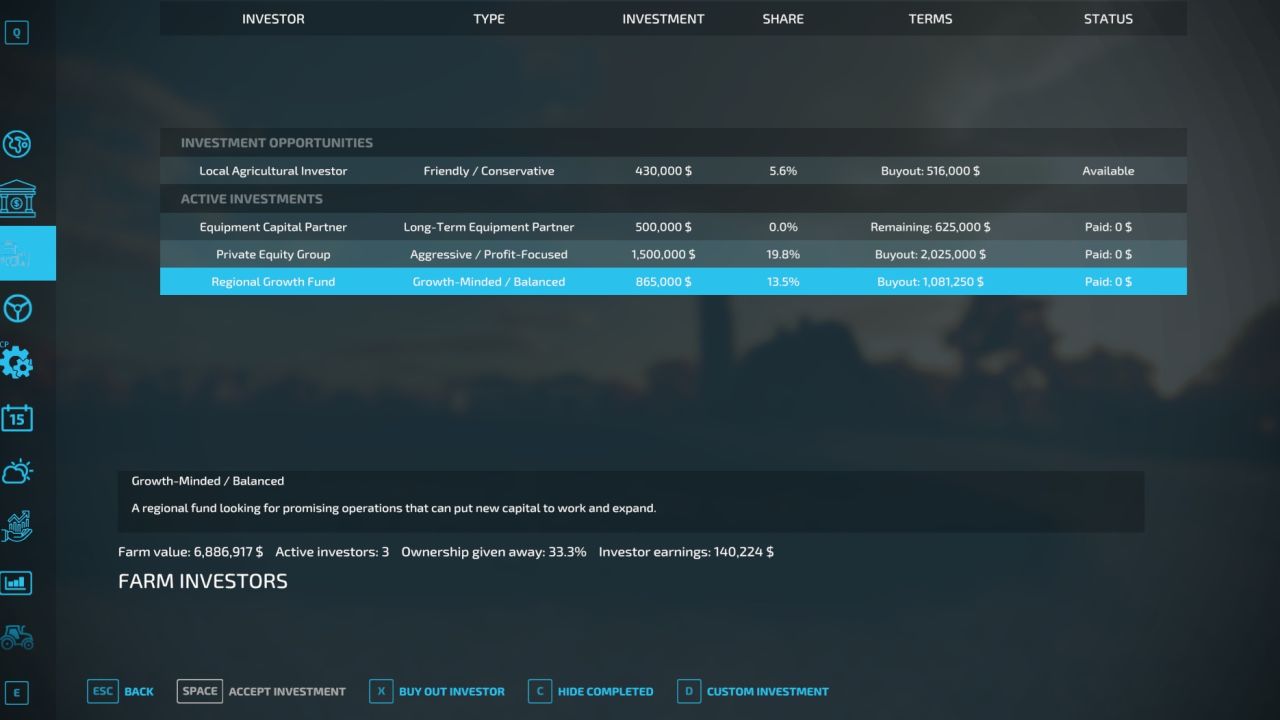
Farm Investors FS22
# Farm Investors **Farm Investors** adds a new investment system to Farming Simulator 22, giving farmers another way to grow their operation without relying solely on traditional bank loans. Instead of doing everything yourself, you can bring outside investors and business partners into your farming operation. Investors provide capital in exchange for a percentage of the farm's income or ownership, creating new financial decisions and opportunities as your farm grows. ## Features * **Investment Offers** – Receive offers from potential investors looking to invest in your farm. * **Investor Agreements** – Review the investment amount, percentage, duration, and expected return before accepting an offer. * **Active Investments** – Keep track of investors and partners currently involved with your farm. * **Completed Investments** – Review previous investments that have ended or been bought out. * **Investor Buyouts** – Buy out an investor when you are ready to regain full control of the investment. * **Investment Income Sharing** – Investors receive their agreed share based on the terms of their investment. * **Farm Growth** – Use outside investment capital to help expand your farm, purchase equipment, land, buildings, and other assets. * **Multiple Investors** – Build relationships with multiple investors as your operation expands. * **Dynamic Investment Opportunities** – Investment offers can change as your farm grows and its financial situation changes. * **Custom Investment Offers** – Create your own investment scenarios and negotiate terms for larger or more specialized investments. ## How It Works Investors periodically offer opportunities to invest in your farm. Before accepting an investment, you can review the details and decide whether the additional capital is worth giving up a portion of your farm's income or ownership. Once accepted, the investment becomes active and can be monitored through the Farm Investors menu. When the investment period is complete—or when you decide it is time to regain control—you can complete or buy out the investment according to its terms. ## Designed for Realistic Farm Management Farm Investors is designed to add another layer of financial decision-making to Farming Simulator 22. Taking an investment can help a growing farm expand faster, but investors expect something in return. The goal is to make investments feel like an actual business decision rather than simply giving the player free money. **Should you take the money and expand now, or keep ownership of your farm and grow at your own pace?** That decision is up to you. Added partial investor buyout payments. Investors can now be bought out over time instead of requiring the full buyout amount at once. Outstanding buyout balances are saved and tracked until fully paid. Completed investments are moved to the Completed Investments section when the buyout balance reaches $0. Updated Farm Investors branding and in-game menu icons.
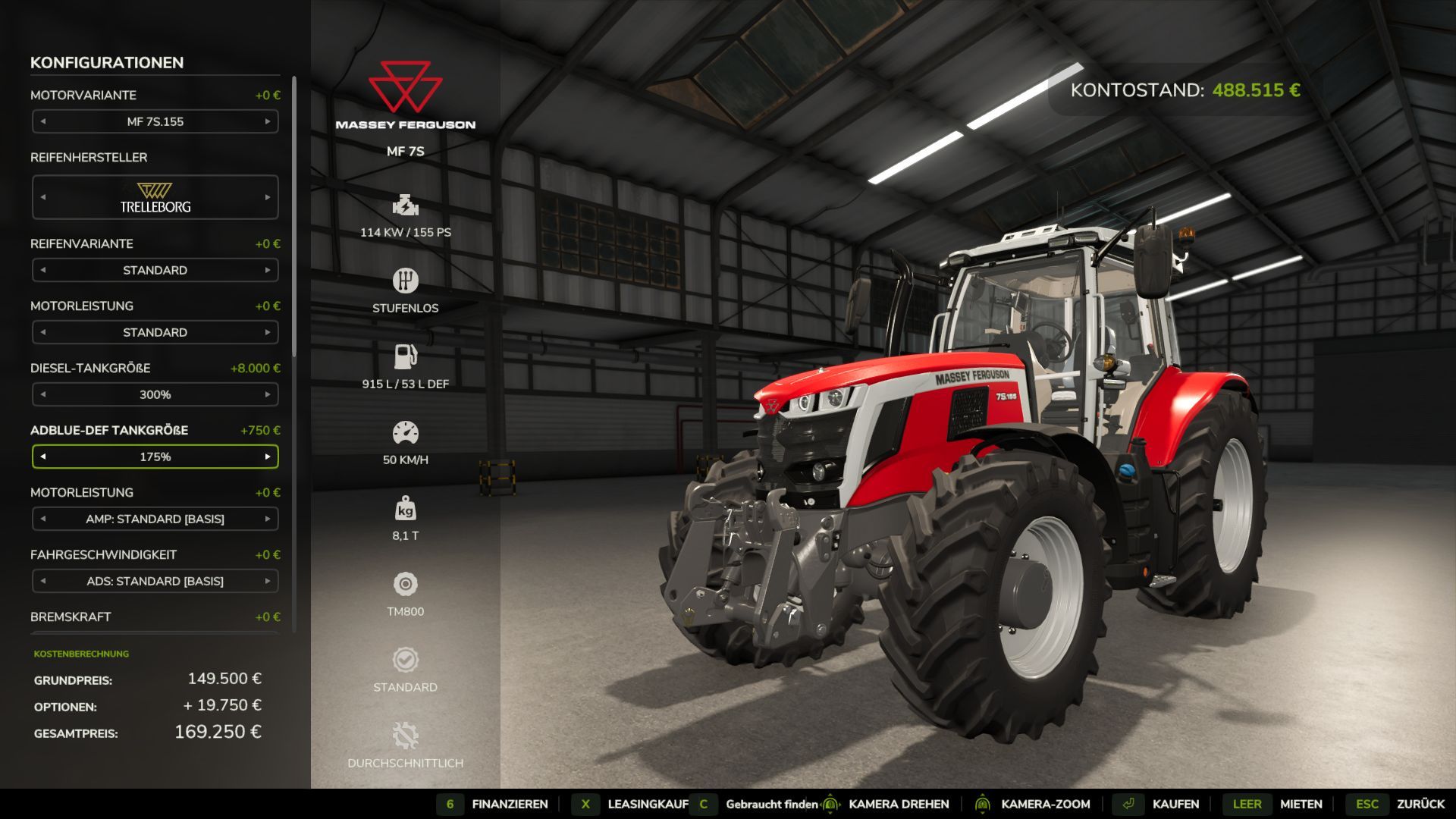
Adjust Fuel Tank FS25
-> With this mod you can adjust your vehicle tank for diesel as you need it, from -50% to +1000% -> you can also adjust the electrical capacity of your vehicle from 50% to +1000% -> if you use the AdBlue Def Mod you can also adjust this Adblue tank from 50% to +1000% Important: As you make your tank larger, the weight of your vehicle also increases, which holds more diesel. Therefore, your current vehicle may need a more powerful engine. Depending on which vehicle you have and how big your change to the tank is. You should pay attention to this if your vehicle becomes slow or has problems on slopes or with trailers/attachments. The mod ONLY works on vehicles that you can control yourself, it does NOT work on trailers, devices, stationary things. That's intentional. For vehicles that have the option to choose between electric drive and engine in the shop, all 3 selection fields are displayed so that you can still adjust the appropriate size. But please match the selected drive. I can't say whether the mod is server compatible / MP because I haven't tested it. Fixing error messages in the log after game updates

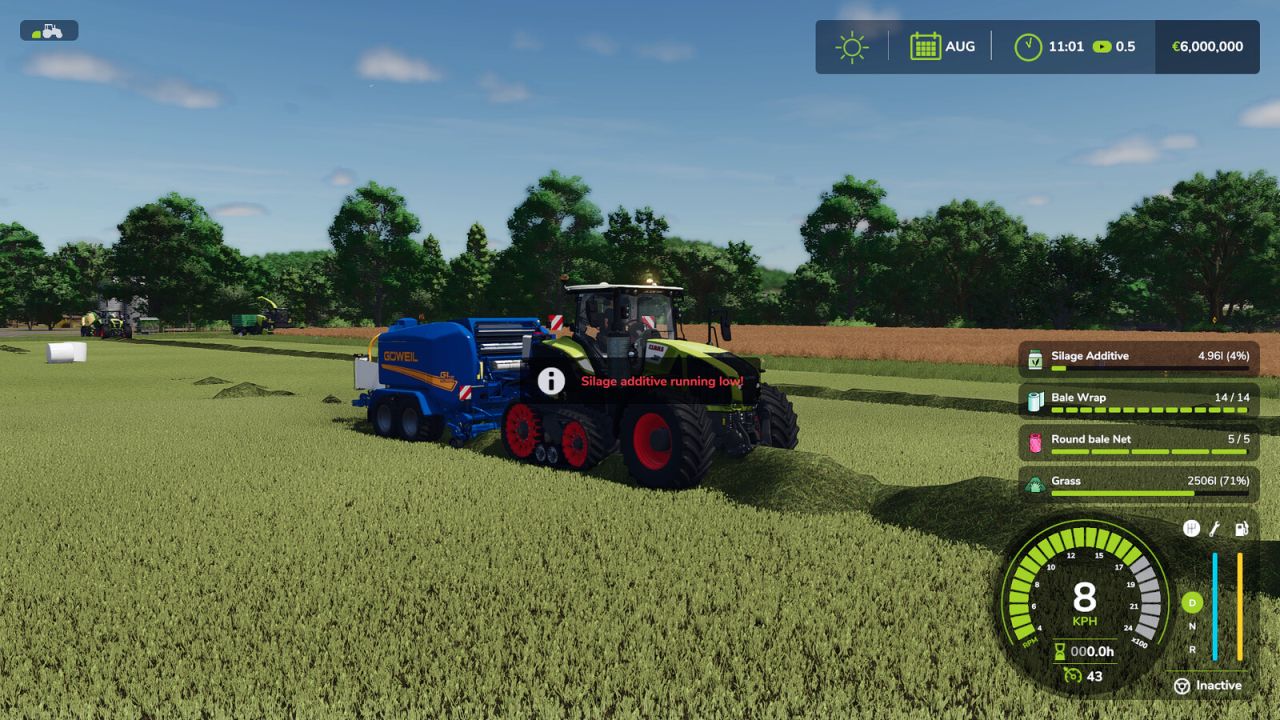
Silage Additive Alarm FS25
Warns you when the silage additive tank of your baler, forage wagon or combine is running low while it is being used - by sound, by a blinking on-screen warning, or both. The alarm threshold (off, 1%, 5% or 10% fill level) and the alarm type can be set in the game settings under "General".


Ursus Zetor 6 Pack Edit V1.0.0.1
CHCNAV STEERING WHEEL GR MOKRZYN FILTER CABIN LIGHT ARM Requires: Simple IC RealGPS Changelog: + V1.0.0.1 I REPAIRED 4 CHCNAV STEERING WHEELS FROM KASZTAN URSUS ZETOR ARM LIGHTS GR MOKRZYN THERE IS NO WHITE ONE, IT IS NORMAL Credits: DAWID BORUTA Inch20 CHERRY 3/5 - (2 votes) Download mod File File size FS22_URSUS_ZETOR_EDIT 905 MB

MAN Deicer Truck V1.0
MAN Deicer Truck: Technical and Operational Analysis Technical Characteristics MAN Industrial Chassis: Utilizes heavy-duty commercial truck platforms from the German manufacturer MAN (such as the TGM or TGS series), renowned for their reliability, power, and capacity to support heavy specialized superstructures in airport environments. Deicing / Anti-Icing System: Incorporates dedicated tanks for glycol fluids and water, high-capacity rapid-heating systems, and high-pressure pumps designed to spray deicing fluid effectively onto aircraft surfaces. Elevating Platform and Basket: Equipped with an articulated or telescopic hydraulic boom featuring an operator basket (open or enclosed) to allow precise application of fluid over aircraft wings, stabilizers, and fuselages. Integrated Cab and Controls: Advanced ergonomic controls located in both the basket and the main cab, frequently engineered for single-operator use under adverse weather conditions. Tactical and Operational Utility Winter Aviation Maintenance: Essential at airports to remove ice, snow, or frost accumulation from aircraft, ensuring aerodynamic lift and flight safety before takeoff. High-Efficiency Operations: Engineered to meet critical ramp turnaround times during severe winter storms or extreme low-temperature conditions. Credits: karl zu Download mod File File size FS22_MILITAR_INFANTERIA95_2_2221 54 MB
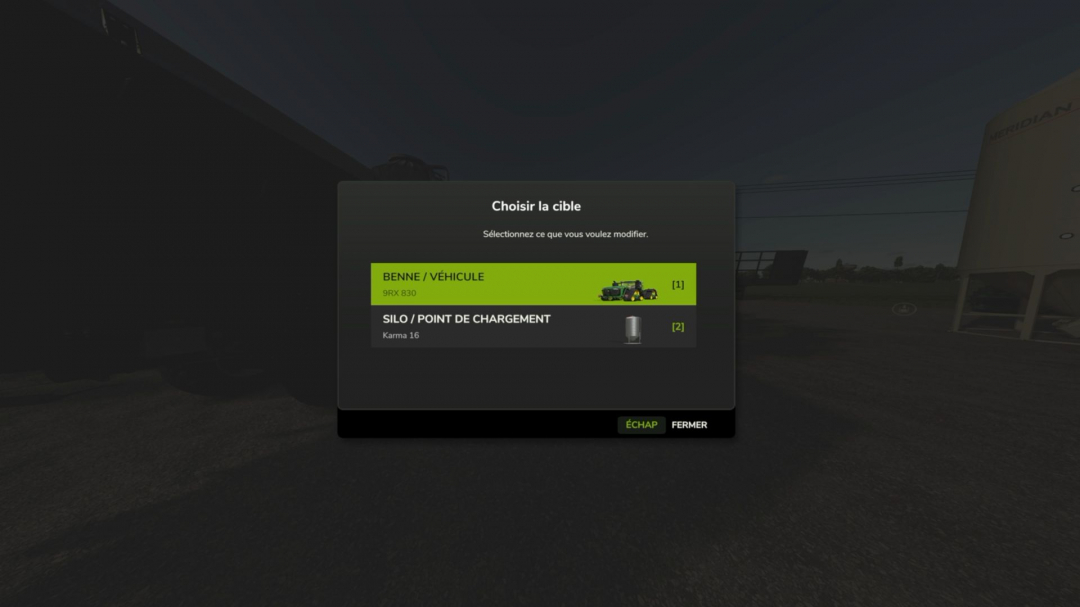
Transfer Speed Menu V1.0
Easily adjust the filling and unloading speeds of compatible vehicles, trailers, silos, and loading points directly in-game. Choose the target in the menu and set a multiplier from x1 to x1000. Supports configurable keys, keyboard/controller, and multiplayer. The default key combination is Shift + T, but it can be customized in the key settings menu.
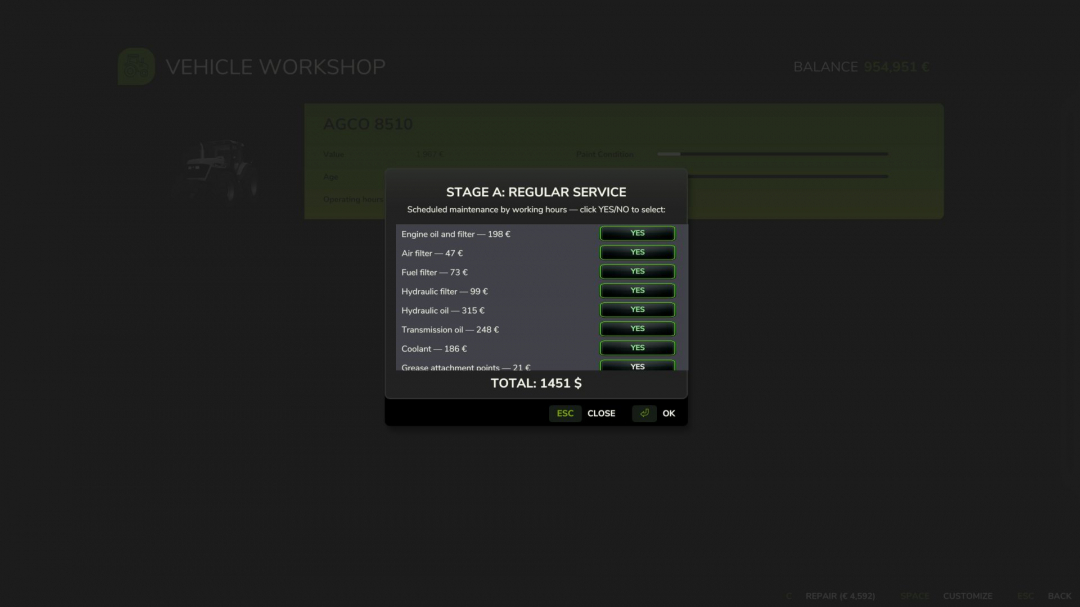
Hyper Realistic Maintenance 2 V1.1.1
The mods I added as required are not actually required; they can simply be used together if you wish, without compatibility issues. Two photos have been added with mods tested on a multiplayer server. Your engine wears out. Your oil gets dirty. Your turbo fails if you never maintain it. This is what “realistic maintenance” should have meant from the beginning. Hyper Realistic Maintenance 2 adds deep, continuous mechanical simulation to all motorized vehicles in your saved game — tractors, trucks, harvesters and cars with real gameplay consequences, not just cosmetic numbers.What is simulated Engine: 5 independent components (cylinder, piston, bearings, crankshaft, valves) that influence one another — cylinder wear increases blow-by, which contaminates the oil and accelerates further wear Thermal: coolant temperature increases under load and the engine overheats if the radiator is degraded Fluids: oil level/contamination and coolant level, both checkable and requiring maintenance Transmission: clutch, gearbox, turbocharger and battery/starter motor wear over time Failures: probabilistic failures that increase sharply above approximately 35% wear in the relevant component — critical overheating above 118 °C is guaranteed and does not depend on luck Vehicle-specific behavior: tractors, trucks, harvesters and cars wear at different, realistic ratesReal effects, not cosmetic ones Actual power loss reduces the engine’s effectively available torque, and you will feel it in the field Actual no-start conditions a dead battery or worn starter motor can really prevent the engine from turning over, with a warning displayed on screen Harvesters suffer a real loss of threshing efficiency as engine condition deterioratesScheduled maintenance, just like in real life 10 maintenance items (engine oil, filters, hydraulic/transmission oil, coolant, grease, belts and more), each with its own interval and a real cost for the farm automatically adjusted to the vehicle’s actual power. If you neglect maintenance for too long, wear accelerates by up to +120%.A 3-page vehicle HUD overview, detailed engine diagnostics and maintenance status with an adjustable position in the game Settings menu. The game’s own repair screens (shop, farm workshop, mobile workshop) now also perform a complete HRM2 service.Compatibility Works completely independently. If you also install the 4×4 Traction System mod, the two mods detect each other automatically their HUDs do not overlap, and driving with 4WD/differential lock adds an extra, realistic touch of strain to the transmission. Neither mod requires the other.For now, single-player only; the status is not yet saved in the savegame (see the README for an honest list of the current limitations).V1.1.1.0 Multiplayer compatibility warningThis mod's multiplayer support has been significantly improved in this update, but it is not yet fully validated in MP. Most actions (services, detailed inspection, state sync on entering a vehicle) now go through proper network events and have been tested on a real dedicated server but at least two known path still needs fixing (the emergency jump-start), the maintenance bug where server do not send all information to client side if you start a maintenance and leave the server, do not leave server if you have any vehicle under maintenance and other edge cases may still exist. Use on a server with that in mind, and please report any issue you find, ideally with a log.Fixes in 1.1.1.0 Critical game freeze on save (fixed): Fixed the bug present in 1.1.0.0 where saving the game while a vehicle’s maintenance/repair was in progress could leave that vehicle permanently stuck engine refusing to start, with no way to recover short of reloading. Root cause: the code responsible for lifting the “immobilized” state after a repair finished only ran on the client, never on the authoritative side in multiplayer (or after certain save/reload sequences), so the lock was never cleared.Critical maintenance progress lost on save/reload (fixed): Maintenance progress (service intervals, engine/drivetrain wear, active failures, and in-progress repairs) now correctly survives saving and reloading the game. Previously this data only lived in memory and was lost on every reload vehicles would appear freshly re-aged and any in-progress repair would silently vanish. Fixed by moving persistence to a dedicated save file, identifying each vehicle by its stable unique ID rather than its in-memory object.Maintenance hours not accumulating correctly (fixed): Service-interval hours now use their own internal counter, correctly scaled to the game’s time-acceleration setting (x1, x60, x360…), instead of only counting real-world seconds. This also fixes hours appearing stuck or barely moving during accelerated play.Native odometer bridge (added): The vehicle’s native operating-hours field can now also be kept in sync with the game’s time scale directly by this mod, for consistency even without a separate time-scale mod installed. Automatically steps aside if such a mod is already active, to avoid double-counting.Multiplayer actions only applying on the requesting client (fixed): Simple service, periodic maintenance, full overhaul, and the detailed technical inspection now correctly apply on the server (money, component state, immobilization) instead of silently only affecting the client who triggered them the most common cause of “I paid but nothing happened” and vehicles getting stuck in multiplayer.Multiplayer state not refreshing after reconnecting (added): A vehicle’s full maintenance state (hours, wear, active failures, remaining repair time) is now requested from the server automatically the moment a player starts controlling it, keeping the on-screen display and engine-start behavior consistent even after reconnecting to the server.Stability fixes: Fixed a crash in the new state-sync system that could occur when the server sent a vehicle’s state to a connecting client. Fixed a console command (hrm2MaintStatus) that referenced a non-existent field and always errored when used.Required mods: Def MOD Pack Variable Tire Pressure
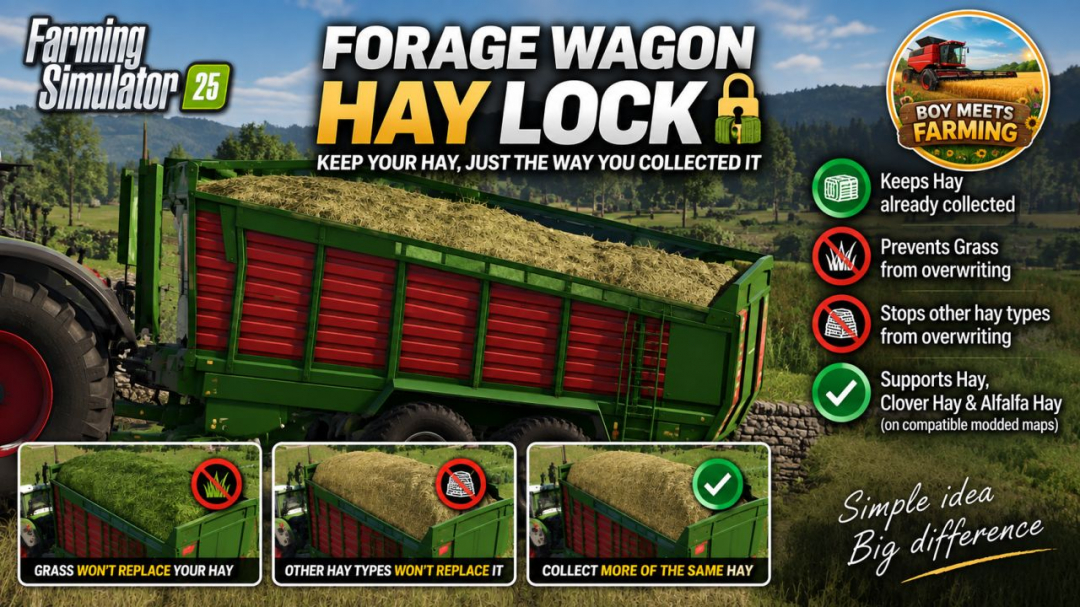
Forage Wagon Hay Lock BETA 2 v0.1.0.5
PURPOSE Prevents hay already collected in a forage wagon from being overwritten by grass or by another hay type.BEHAVIOUR – More of the SAME hay type collects normally. – Normal grass is ignored while hay is loaded. – Fresh Clover and fresh Alfalfa are ignored while hay is loaded when those fill types exist. – A DIFFERENT hay type is ignored while hay is loaded. – Empty wagons and wagons containing non-hay material retain normal game behaviour.SUPPORTED HAY TYPES – Hay: DRYGRASS_WINDROW – Clover Hay: DRYCLOVER_WINDROW – Alfalfa Hay: DRYALFALFA_WINDROWBETA 2 Version 0.1.0.5 Fixed registration for standard and custom forage-wagon vehicle types. Grass already loaded can no longer be overwritten by Hay. Hay already loaded can no longer be overwritten by Grass. More of the same fill type continues to collect normally. Supported Clover and Alfalfa variants are also kept separate. Tested successfully with the 8450 Windrower forage wagon on the Kinlaig map.
Hide Player Positions V1.0
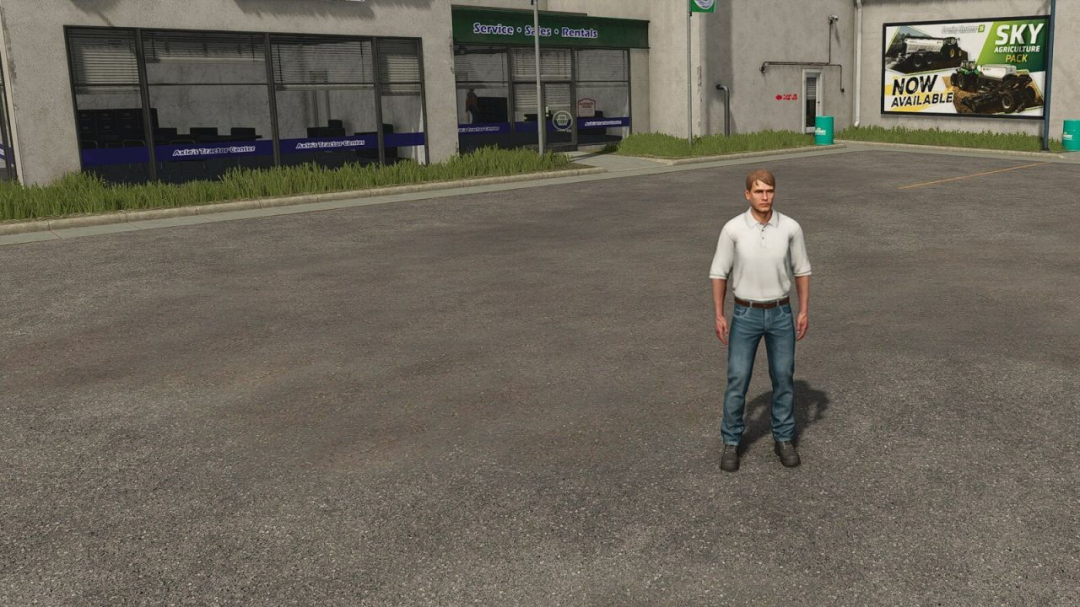
PURPOSE Hides other players' positions (and occupied vehicles) on the minimap and world map. Ideal for roleplay, realism, and multiplayer servers where players should communicate over radio/chat instead of just looking at the map.MODES (selectable in Game Settings) All – default behavior, everyone sees everyone Own Farm – only members of your own farm are visible Own Position Only – everyone sees only themselvesHOW IT WORKS Only administrators can change the mode. The setting takes effect immediately on all maps, is synced to every connected player, and is stored permanently in the savegame — it survives a server restart.
Mailbox Pack V1.0
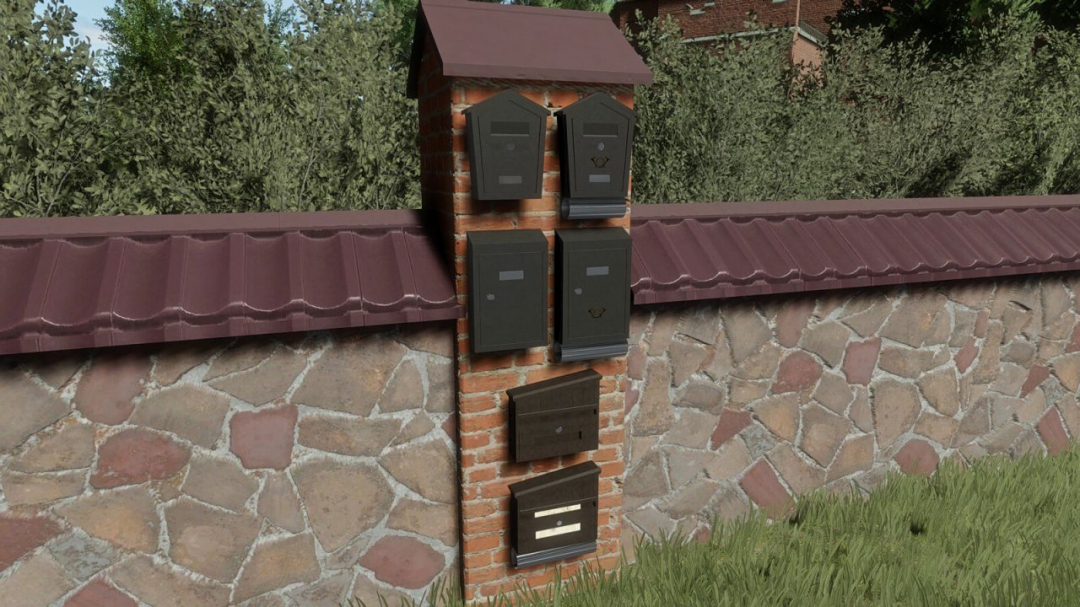
The Mailbox Pack features three unique mailboxes to enhance your farm's charm. Customize their look with various configurations, such as clean, newspaper pipe, letter, or logo. Price: $50 Category: Miscellaneous
- 15 per page
- 30 per page
- 45 per page
- 60 per page
-
See more per page
Bigger pages, fewer clicks - and no ads anywhere.
Go Pro