Farming Simulator 22 mods
50,697 results- 15 per page
- 30 per page
- 45 per page
- 60 per page
-
See more per page
Bigger pages, fewer clicks - and no ads anywhere.
Go Pro

Trailed Sprayer Pack v1.0 – FS22
Trailed Sprayer Pack v1.0 – FS22 Hey, I’m giving you a package of trailed sprayers, there are 4 sprayers: Tolmet, Biardzki, Akpil, Woprol Capacity: 1500 Width: 15 m Price: 6500 Best wishes
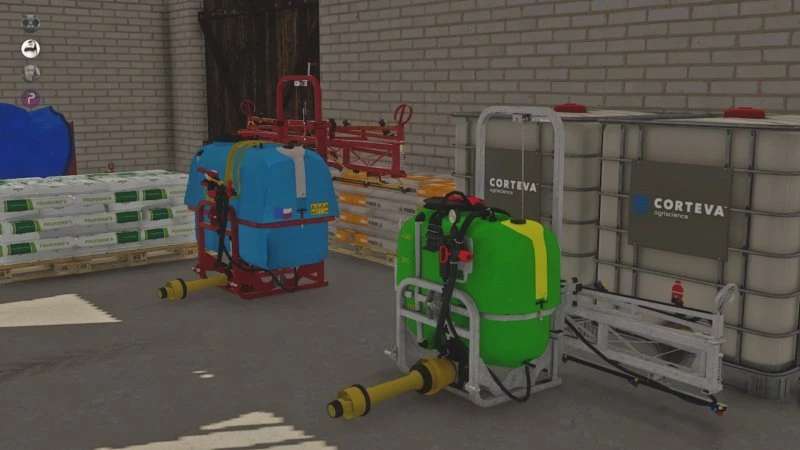
Tolmet Kalara 400 v1.0 – FS22
Tolmet Kalara 400 v1.0 – FS22 I’m giving you a sprayer that I made: Capacity: 400l Price: 4500 Working width 12m Best wishes


UNIT CONVERT V0.0.0.8 HotFix
This mod extends the unit conversion capabilities of FS22. It does not change any internal values, only how they are displayed in game. This is a BETA version, which I decided to release early while I work on a couple side projects. Currently, the vehicle HUD and price menu should be working. There is no in game menu, everything is configured through the xml system. That being said, both an imperial and metric set has been pre-configured internally. To change between the imperial and metric set, simply go into the vanilla in game menu and select “Miles” for imperial or “Kilometers” for metric. The mod has two keybinds. One toggles between volume and weight units and the other toggles between units of each type. Default keybinds are as follows (these can be changed): Right-Ctrl + Right-Shift + ? = Toggle volume/weight Right-Shift + ? = Select unit Units can be “added” from any mod or modSettings, but existing units can only be “appended” from the map, this mod, the addon mod, or from your modSettings folder. The modSettings folder is used for single player ONLY. It was designed this way to keep all unit information the same for everyone in multiplayer. Examples on how to set things up can be found in the sdk folder as well as the modDesc.xml of this mod. Unit Convert is designed to require no configuration for most people, while still allowing more advanced options for those who want it. Changelog: + Version 0.0.0.8 HotFix This is just a hot fix for some issues I noticed since the patch. The conversion of the hud box for production placeables has been temporarily disabled. ChangeLog v0.0.0.6″ – Updated to match changes with FS22 patch v1.6.0.0 ChangeLog v0.0.0.5 BETA: Added cubic yards as the default volume unit for non-liquid/grain/piece fillTypes. Larger units now appear before smaller ones on selection Example: pounds > tons is now tons > pounds This can all be changed via the configuration xml files Fixed an issue where some vehicles were losing their selected unit under certain conditions Update v0.0.0.3: I’ve released this version a bit early, as I’m working on the production screen and info boxes. There reason is, there was a game update and I made quite a few internal changes to how everything works. New in this version: – Prices menu is no longer locked to a specific set of units. – Fluid Ounce, Ounce, and HundredWeight units added. – SolidProduct and LiquidProduct fillType groups added. – Addon mod support added. I tested the basics (single and multiplayer), but it would take forever to test all possibilities myself. That’s why it’s important to report issues when they come up so I can address them. If you use the UnitConvert Companion mod: The UnitConvert Companion mod is no longer used. Everything is now done through your modSettings folder. I have a new ModSettings mod that is similar, but intended to work with all of my mods that have configurations. However, since I am currently working on an in game menu system which will make everything easier, I decided to hold on that for the time being. Credits: ThundR 4.6/5 - (13 votes) Download mod File File size FS22_TH_UnitConvert 144 KB
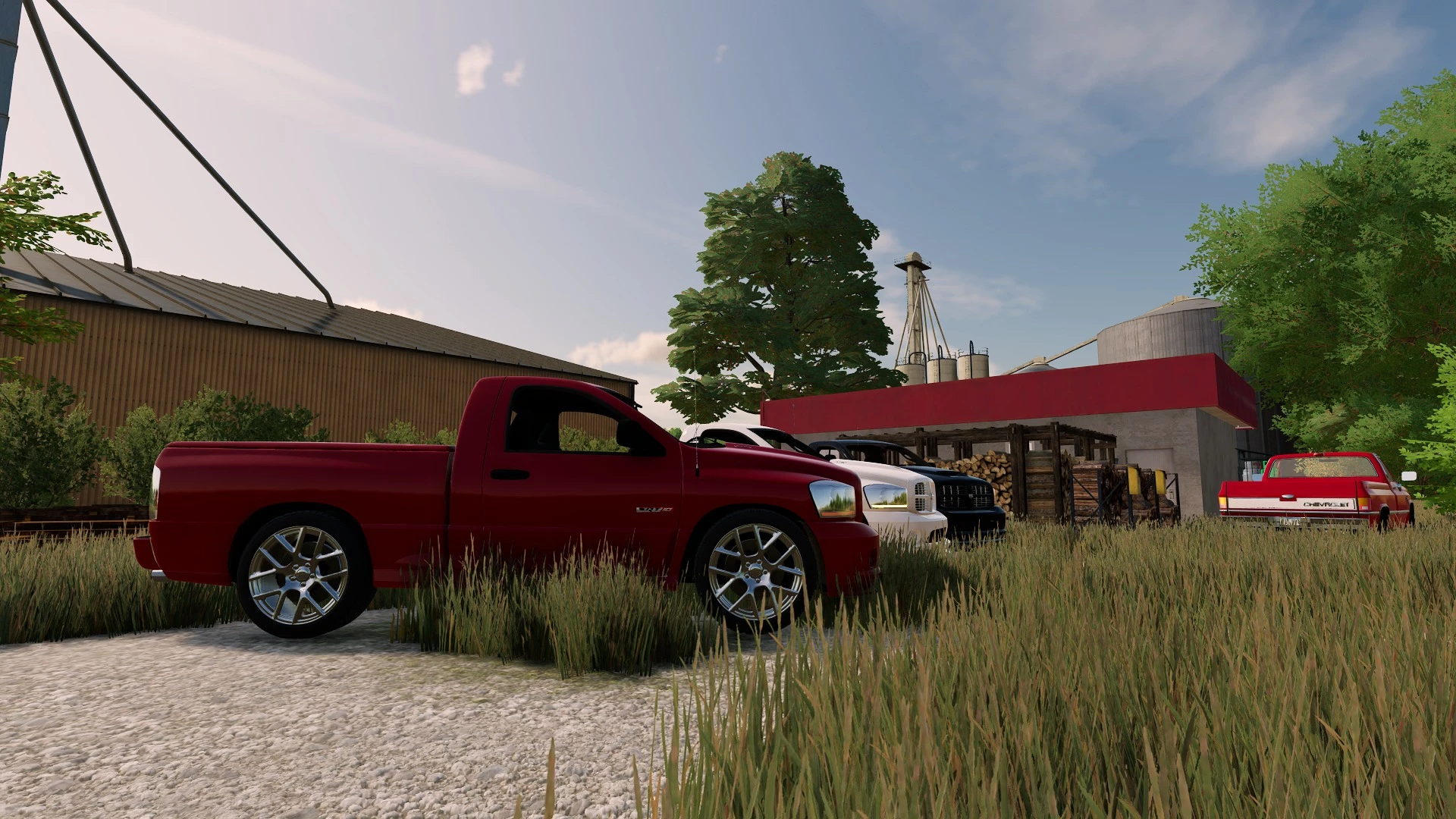
2004 Dodge Ram SRT10 V2.0
#gallery-1 { margin: auto; } #gallery-1 .gallery-item { float: left; margin-top: 10px; text-align: center; width: 20%; } #gallery-1 img { border: 2px solid #cfcfcf; } #gallery-1 .gallery-caption { margin-left: 0; } /* see gallery_shortcode() in wp-includes/media.php */ Still needs some work, ill fix when i update any issues & add planned features. Changelog: + v2.0.0.0 – Base Power: 500 HP – Max Speed: 242 MPH – Selectable wheels – Selectable paint – Selectable Wing – Selectable Exhaust – Selectable Drag Options – Selectable Rollcage – Customizable Suspension – Motor Options (not yet implemented) – Base Price: $29,000 Credits: Hashy 4/5 - (4 votes) Download mod File File size Hashy_SRT10 40 MB
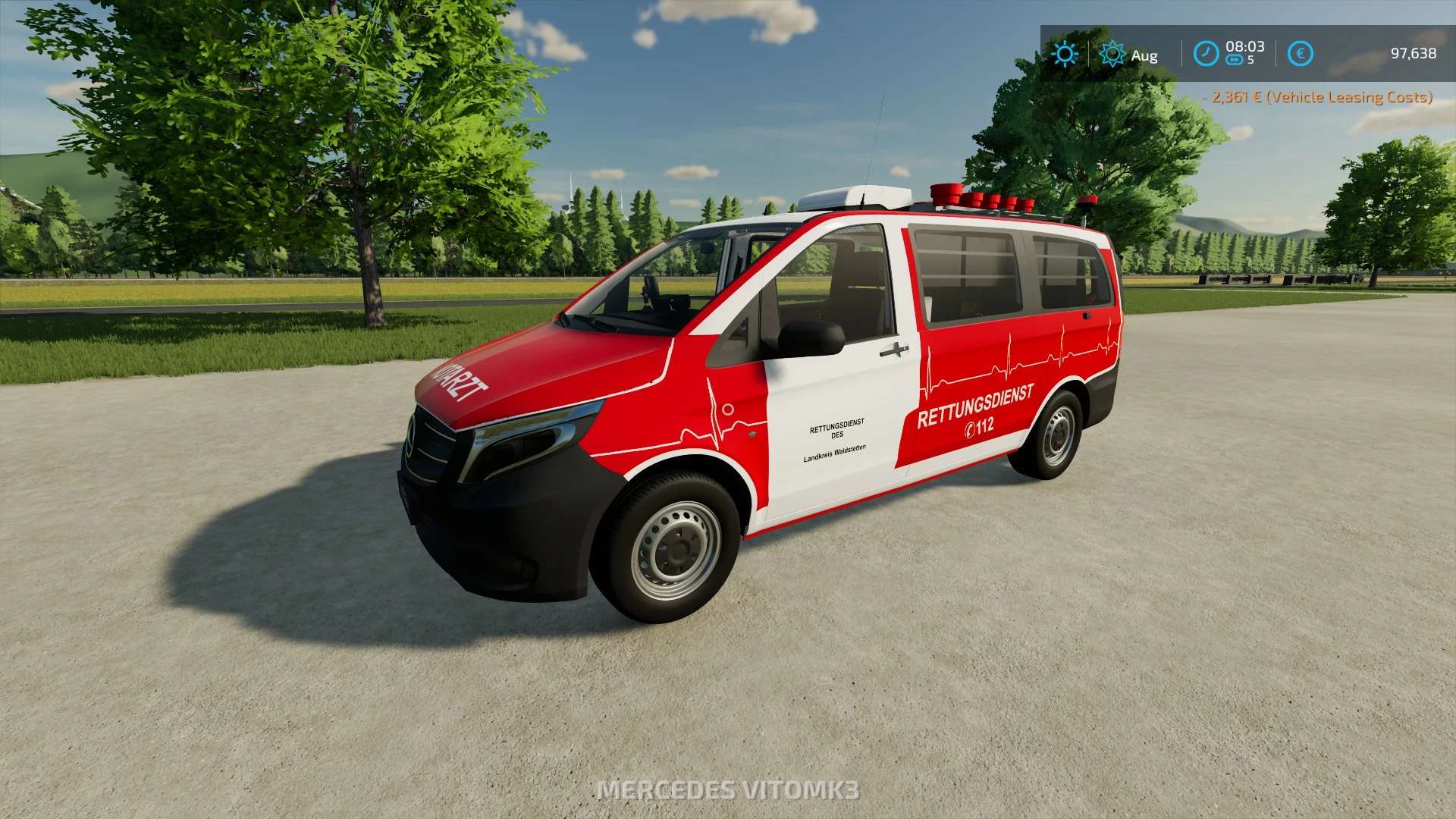
Mercedes-Benz Vito ELW v1.0.0.0
Mercedes-Benz Vito ELW v1.0.0.0 Der Mercedes-Benz Vito ELW1 Hallo Leute, schön, euch auf meinem YouTube-Kanal zu sehen. Ich möchte darauf hinweisen, dass wir keine Modelle klauen, sondern nur kaufen! Ich freue mich, euch öfter zu sehen, also viel Spaß beim Anschauen. ELW 1 Mercedes-Benz Vito Preis: 45.490 € Max. Leistung: 121 PS Höchstgeschwindigkeit: 80 km/h Funktionen: Viel blaues Licht Heckwarnsystem mit LED-Technik Martinshorn über IC Animierte Rollläden per IC Funktionsfähiger Lichtmast über IC (Licht) über IC Beifahrersitz (nur mit Kubota DLC verfügbar) Bedienterminal kann funktional über IC gesteuert werden Türen und Rollläden mit Sound über IC animiert Gruppenhütte zu Fuß erreichbar Ambientebeleuchtung über IC steuerbar RealGPS wird in der Kabine angezeigt Konfigurierbares Nummernschild Verschiedene Kleinigkeiten Blaulichtregelung (Pos1) Heckwarnsystem (X) Einschalten der Hupe über den IC am Bedienterminal Tags: Hallo LeuteICPS

EXTENDED FILENAMES V1.0.0.1
This is just a little mod I wrote to allow the use of $mapdir$, $moddir$, and $FS22_SomeModName$ inside of more configuration xml files than the vanilla game allows. Once again, this was written based on a request. The idea was to allow mods to dynamically load files from other mods via xml configuration (like vehicle and placeable xml files). The format goes as follows: $mapdir$path/to/filename.xml uses the current map mod folder $moddir$path/to/filename.xml uses the current mods folder $FS22_SomeModName$path/to/filename.xml uses a specific mod folder Changelog: + ChangeLog v1.0.0.1: Added $pdlcdir$ tag Added “!” tag suffix Credits: ThundR 4.7/5 - (3 votes) Download mod File File size FS22_TH_ExtendedFilenames 86 KB

ONCREATE EXTENSION V1.0.0.2
This mod allows various onCreate features to be used with dynamic objects, such as placeables. Some new, custom onCreate features have been added as well. All onCreate features can be used with maps as before, including the new ones. If this mod isn’t loaded, the onCreate features associated with the mod or map that uses them will just be skipped. You should not see errors simply because you are using a custom onCreate and this mod is not loaded. Features currently implemented: Rotator (THRotator.onCreate) Allows rotating an object along a specified axis. Can be used with AnimatedObjects. NightlightFlicker (THNightlightFlicker.onCreate) Causes a light object to randomly flicker. Can be set to only flicker when turned on (i.e. AnimatedObjects) or simply turn on and flicker at night. Butterfly (THButterfly.onCreate) Causes butterflies to pop up and fly around when you get close to them. Butterflies move on a spline and have a “wings up” and “wings down” mesh associated with them. Ship (THShip.onCreate) Causes any object (does not have to be a ship) to move along a predefined spline. Multiple clones of the object can move around the spline if desired. Firefly (THFirefly.onCreate) Custom onCreate used to create a firefly effect on an object. Time off and on can be set in a range that randomly occurs. More features are planned in the future. These are just the ones I have finished so far. There is an example.txt file in the /placeables folder of this mod along with a modified cow barn that shows how each onCreate can be used. Changelog: + ChangeLog v1.0.0.2 ChurchClock onCreate has been added (THChurchClock.onCreate) Updated to newer version coding style Example placeable now enabled in-game by default Credits: ThundR Download mod File File size FS22_TH_OnCreateExtension 5 MB

CAMERA SETTINGS V1.0.1
Right now, this mod just allows you to adjust the maximum zoom of the placeable/construction screen camera. Values range from 100% to 500% zoom in increments of 25%. Setting can be found in the general settings menu near the bottom, and is saved on the fly (as soon as you change it). In the future, I plan on doing more with this mod, which is why I named it the way I did. I tend to work with people on larger placeables, and that is why I decided to write it. Now I’m sharing it with all of you. Changelog: + ChangeLog v1.0.1.0: Added translations (Google Translate) Added the “Disable Collision” setting Credits: ThundR 5/5 - (2 votes) Download mod File File size FS22_TH_CameraSettings 106 KB
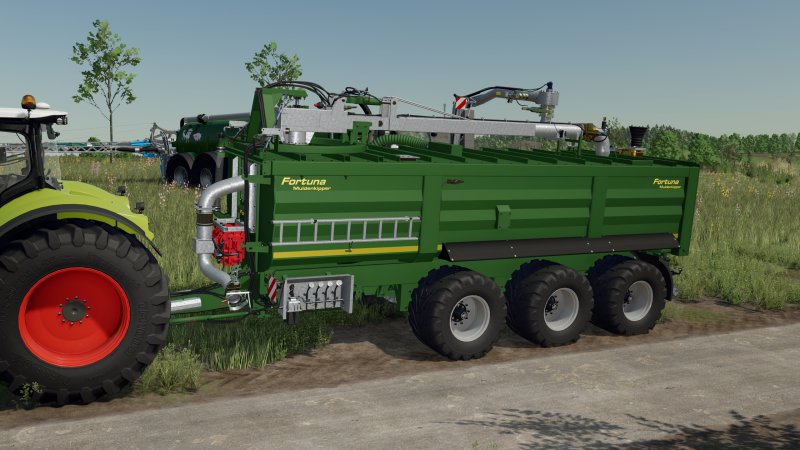
FS22_FortunaZubringer
FS22_FortunaZubringer Passend zum Kürzlich erschienenen Gülle Pack von Wienhoff hier noch ein Zubringer der Marke Fortuna, Natürlich Manure System Ready. Liebe Grüße Muckie
FS22 Güllepack/Mit Trecker!
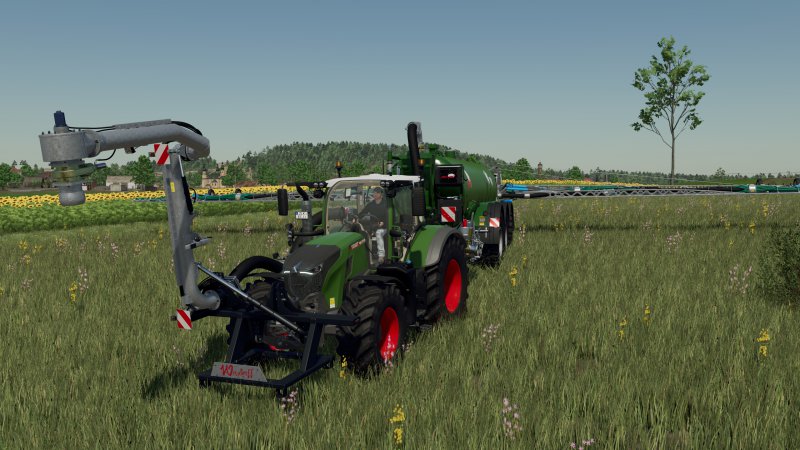
FS22 Güllepack/Mit Trecker! Hier der von vielen Gewünschte Wienhoff Frontansaugarm mit passendem Schlepper und Ausbringfass, ich hoffe es gefällt euch und ihr könnt was damit anfangen. Da ich mich eh von der LS Szene zurückgezogen habe dachte ich ich mache euch eine Freude. Liebe Grüße Muckie
FS22 Claas Trion 700 Series
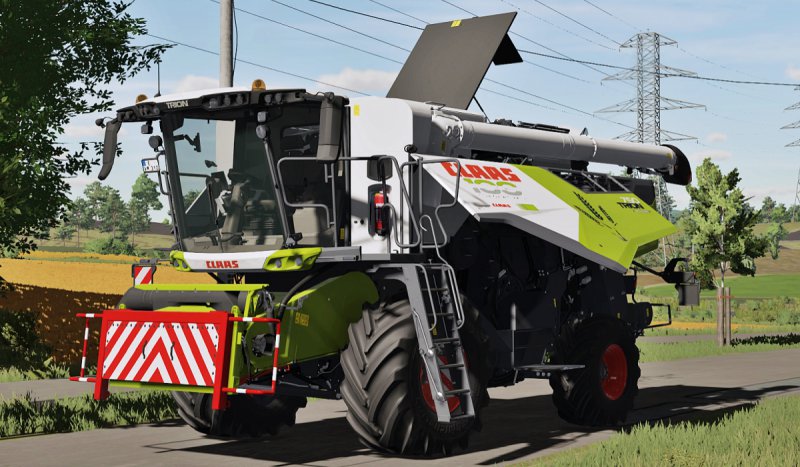
FS22 Claas Trion 700 Series * Basic Price: 370000 € * Power: 367 – 435 hp * Max Speed: 30 km/h New specifications: * Removed SimpleIC * Added Interactive Control * Added Passenger mod * Added Stickers Config (Claas 100 / Wheat) * Added Transport Protection Sign Config * Added Extinguisher Config * New windows textures * New deails in model * Fixed bugs and textures from prevous version Interactive Control: – Front / Rear Left Flap – Front Rights Flap – Engine Cover – Tool box – Rear Ladder Configurations: – Engine power – Wheels / Terra Trac – Tires – Number Plates – Grain tank – Pipe Length Pack contains: – Claas Trion 700 Series (Trion 720/Trion 730/Trion 750) – Claas Cerio/Vario 770/680/620 Please keep only my original link.
- 15 per page
- 30 per page
- 45 per page
- 60 per page
-
See more per page
Bigger pages, fewer clicks - and no ads anywhere.
Go Pro