1 / 2
FS25 Mouse Steering v1.4.0.0
FS25 Mouse Steering v1.4.0.0
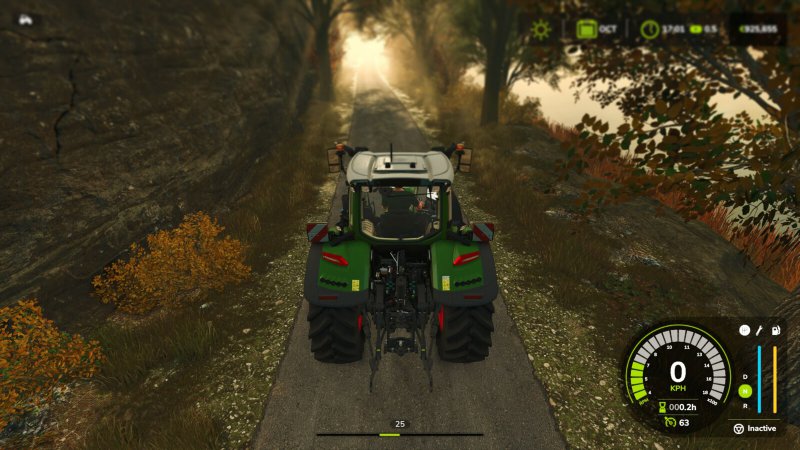
Steer your vehicles with the mouse for a more natural and fluid driving experience. Easily customize sensitivity, linearity, and dead zones via the settings button in the general settings menu. Features include a clear HUD indicator, speed-adaptive steering for better precision at high speeds, and an automatic camera-follow system.
Hotkeys: – Press Left Ctrl + . to toggle Mouse Steering. – Press Left Ctrl + , to toggle Camera Follow Steering. – Press Left Ctrl + SPACE to center camera or double-click to look back. – Hold Left Alt key to rotate camera with mouse. – Press Left Ctrl + / to save/remove steering as default for the current vehicle. – Use Mouse Wheel to adjust vehicle speed when active.
Changelog Version 1.4.0.0: – Added an alternative Pedal % mode for mouse speed control – Added a separate camera settings page in the settings dialog – Added optional automatic camera centering while following steering – Added client-side smoothing for first-person steering wheel movement in multiplayer – Added mouse steering support for vehicles with differential steering – Improved camera rotation state handling and smoothing – Improved mouse steering input processing for smoother and more consistent steering – Improved mouse wheel input handling to prevent conflicts with camera zoom and other actions – Improved steering synchronization when joining a multiplayer game or re-entering a vehicle – Improved multiplayer synchronization and vehicle state handling – Fixed unwanted camera centering when camera follow is reactivated – Various stability improvements and bug fixes
Changelog Version 1.3.1.0: – Improved camera orientation and centering – Added smooth speed control via mouse wheel – Added camera look-back (double-click) – Added small optimization improvements
Changelog Version 1.3.0.0: – Added camera rotation and centering – Disabled locomotives
Changelog Version 1.2.x: – Migrated to FS25 and reworked codebase – Improved persistence and per-vehicle toggles – Fixed error with fishing boats
For more information or to report a bug, please visit GitHub (modnext/mouseSteering).
Steer your vehicles with the mouse for a more natural and fluid driving experience. Easily customize sensitivity, linearity, and dead zones via the settings button in the general settings menu. Features include a clear HUD indicator, speed-adaptive steering for better precision at high speeds, and an automatic camera-follow system.
Hotkeys: – Press Left Ctrl + . to toggle Mouse Steering. – Press Left Ctrl + , to toggle Camera Follow Steering. – Press Left Ctrl + SPACE to center camera or double-click to look back. – Hold Left Alt key to rotate camera with mouse. – Press Left Ctrl + / to save/remove steering as default for the current vehicle. – Use Mouse Wheel to adjust vehicle speed when active.
Changelog Version 1.4.0.0: – Added an alternative Pedal % mode for mouse speed control – Added a separate camera settings page in the settings dialog – Added optional automatic camera centering while following steering – Added client-side smoothing for first-person steering wheel movement in multiplayer – Added mouse steering support for vehicles with differential steering – Improved camera rotation state handling and smoothing – Improved mouse steering input processing for smoother and more consistent steering – Improved mouse wheel input handling to prevent conflicts with camera zoom and other actions – Improved steering synchronization when joining a multiplayer game or re-entering a vehicle – Improved multiplayer synchronization and vehicle state handling – Fixed unwanted camera centering when camera follow is reactivated – Various stability improvements and bug fixes
Changelog Version 1.3.1.0: – Improved camera orientation and centering – Added smooth speed control via mouse wheel – Added camera look-back (double-click) – Added small optimization improvements
Changelog Version 1.3.0.0: – Added camera rotation and centering – Disabled locomotives
Changelog Version 1.2.x: – Migrated to FS25 and reworked codebase – Improved persistence and per-vehicle toggles – Fixed error with fishing boats
For more information or to report a bug, please visit GitHub (modnext/mouseSteering).
Download Links
Report a problem
FS25 Mouse Steering v1.4.0.0
Advertisement
Remove ads