1 / 4
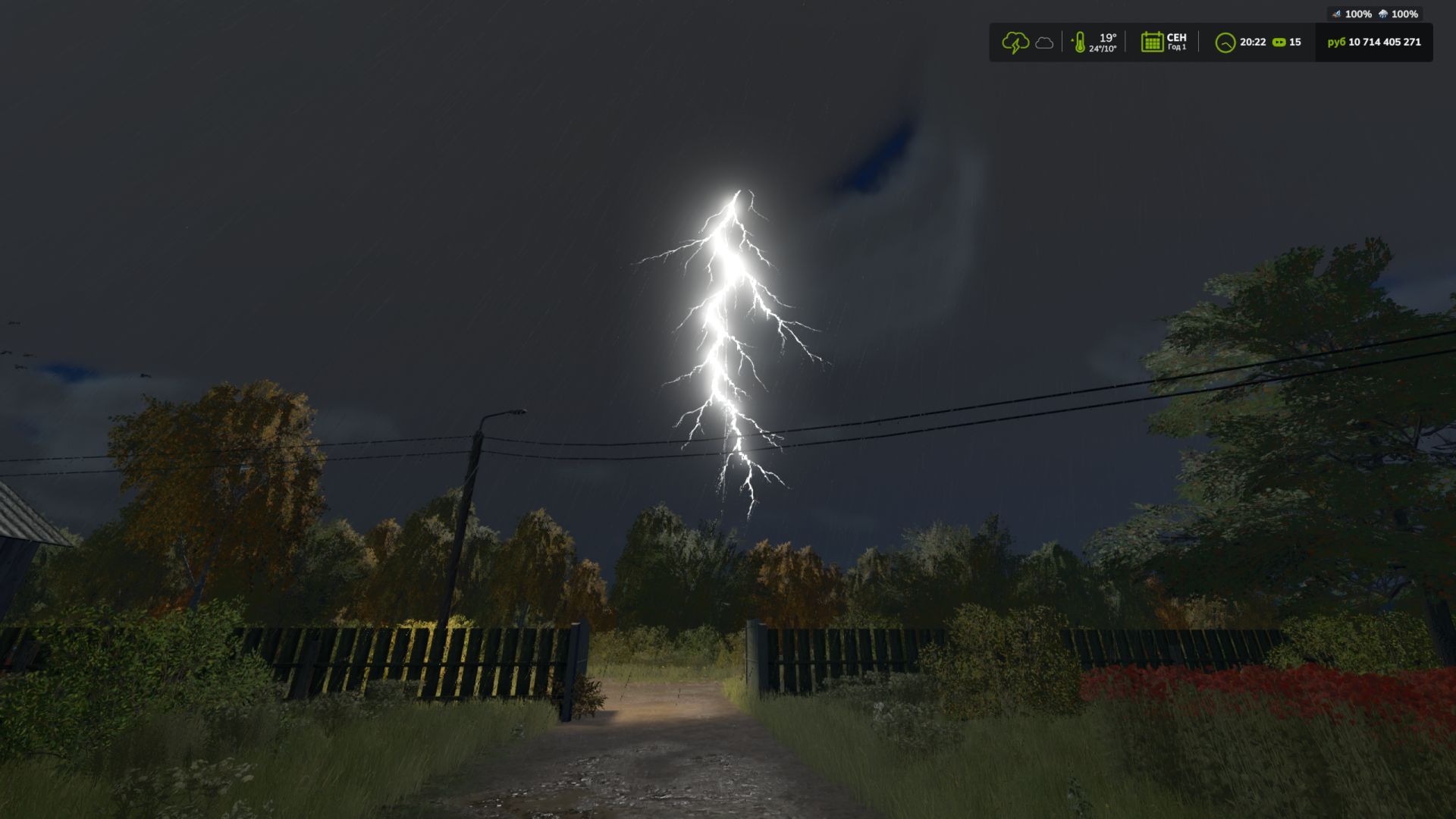
Thunderstorm FS25
Adds a new weather mode to Farming Simulator 25: thunderstorm. It's not just rain, but a separate weather type with random lightning and 3D surround sound of thunder. The mod is suitable for those who want to make the weather in the game more atmospheric, lively and a little more dangerous in appearance. Console commands for the test: gsThunderstormSet - enable thunderstorm gsThunderstormStrike - create lightning in front of the player
- Polished the lightning visuals - Added an option in the settings to enable or disable darker thunderstorms. (Enables and disables color grading during thunderstorms) - Added an option in the settings to enable or disable the burning tree event. - Added a new lightning event that can ignite one of your bales lying in the world. If it catches fire, it will burn away and disappear over time. (Disabled by default) - Added an option in the settings to enable or disable the event that ignites your bales - Added an option in the settings to enable or disable ball lightning When bales are ignited, a warning appears in the log; it has no effect on anything.
- Added Event Burning tree from lightning. (A rare event that you can see during a thunderstorm, a tree appears as if it were on fire, as if it had been struck by lightning. This does not carry any semantic meaning, it is a purely visually atmospheric event) - Slightly weakened the darkening of color correction during thunderstorms. For 2,3, and 4 thunderstorm options.
- Added ball lightning - Reworked thunderstorm presets. - Horizontal zipper redesigned. - Test added a color correction mode in a thunderstorm to create a darker atmosphere. (If it greatly affects the game, or does not work properly for the players, it will be cut in the future)
- Disabled thunderstorm in winter - Code changes. For example, dividing lightning types into vertical and horizontal. For future settings. - Visual edits. - Added caching of i3d lightning, so as not to load i3d into each lightning and not clog the log.
- Improved visual effects - Added horizontal zippers
- Polished the lightning visuals - Added an option in the settings to enable or disable darker thunderstorms. (Enables and disables color grading during thunderstorms) - Added an option in the settings to enable or disable the burning tree event. - Added a new lightning event that can ignite one of your bales lying in the world. If it catches fire, it will burn away and disappear over time. (Disabled by default) - Added an option in the settings to enable or disable the event that ignites your bales - Added an option in the settings to enable or disable ball lightning When bales are ignited, a warning appears in the log; it has no effect on anything.
- Added Event Burning tree from lightning. (A rare event that you can see during a thunderstorm, a tree appears as if it were on fire, as if it had been struck by lightning. This does not carry any semantic meaning, it is a purely visually atmospheric event) - Slightly weakened the darkening of color correction during thunderstorms. For 2,3, and 4 thunderstorm options.
- Added ball lightning - Reworked thunderstorm presets. - Horizontal zipper redesigned. - Test added a color correction mode in a thunderstorm to create a darker atmosphere. (If it greatly affects the game, or does not work properly for the players, it will be cut in the future)
- Disabled thunderstorm in winter - Code changes. For example, dividing lightning types into vertical and horizontal. For future settings. - Visual edits. - Added caching of i3d lightning, so as not to load i3d into each lightning and not clog the log.
- Improved visual effects - Added horizontal zippers
Download Links
Report a problem
Thunderstorm FS25
Advertisement
Remove ads