1 / 3
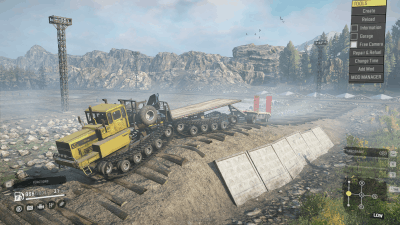
Porpoise Tech Crawler v2.0 Mod
Porpoise Tech Crawler v2.0 Mod
Installing Spin Tires Plus: – To enable SpinTires Plus, you need to specify the folders of installed games or the editor in the SpinTiresPlus settings. – If you have problems copying files, you can manually copy files from the Install folder (d3d11.dll, d3d9.dll -Additional settings can be found in the settings menu of the game itself (only MudRunner, Spintires).
Path to the Snow Runner game: C:Program FilesEpic GamesSnow Runneren_usSourcesBin Path to SnowRunner Editor: C:Program FilesEpic GamesSnow Runneren_usSourcesBin Editor
Path to the game Snow Runner PS: C:Program FilesEpic GamesSnowRunnerPublicTesten_usSourcesBin Path to SnowRunner Editor PTS: C:Program FilesEpic GamesSnowRunnerPublicTesten_usSourcesBin Editor
Installing Spin Tires Plus: – To enable SpinTires Plus, you need to specify the folders of installed games or the editor in the SpinTiresPlus settings. – If you have problems copying files, you can manually copy files from the Install folder (d3d11.dll, d3d9.dll -Additional settings can be found in the settings menu of the game itself (only MudRunner, Spintires).
Path to the Snow Runner game: C:Program FilesEpic GamesSnow Runneren_usSourcesBin Path to SnowRunner Editor: C:Program FilesEpic GamesSnow Runneren_usSourcesBin Editor
Path to the game Snow Runner PS: C:Program FilesEpic GamesSnowRunnerPublicTesten_usSourcesBin Path to SnowRunner Editor PTS: C:Program FilesEpic GamesSnowRunnerPublicTesten_usSourcesBin Editor
Visit Original Post
Also posted on
Download Links
Report a problem
Porpoise Tech Crawler v2.0 Mod
Advertisement
Remove ads