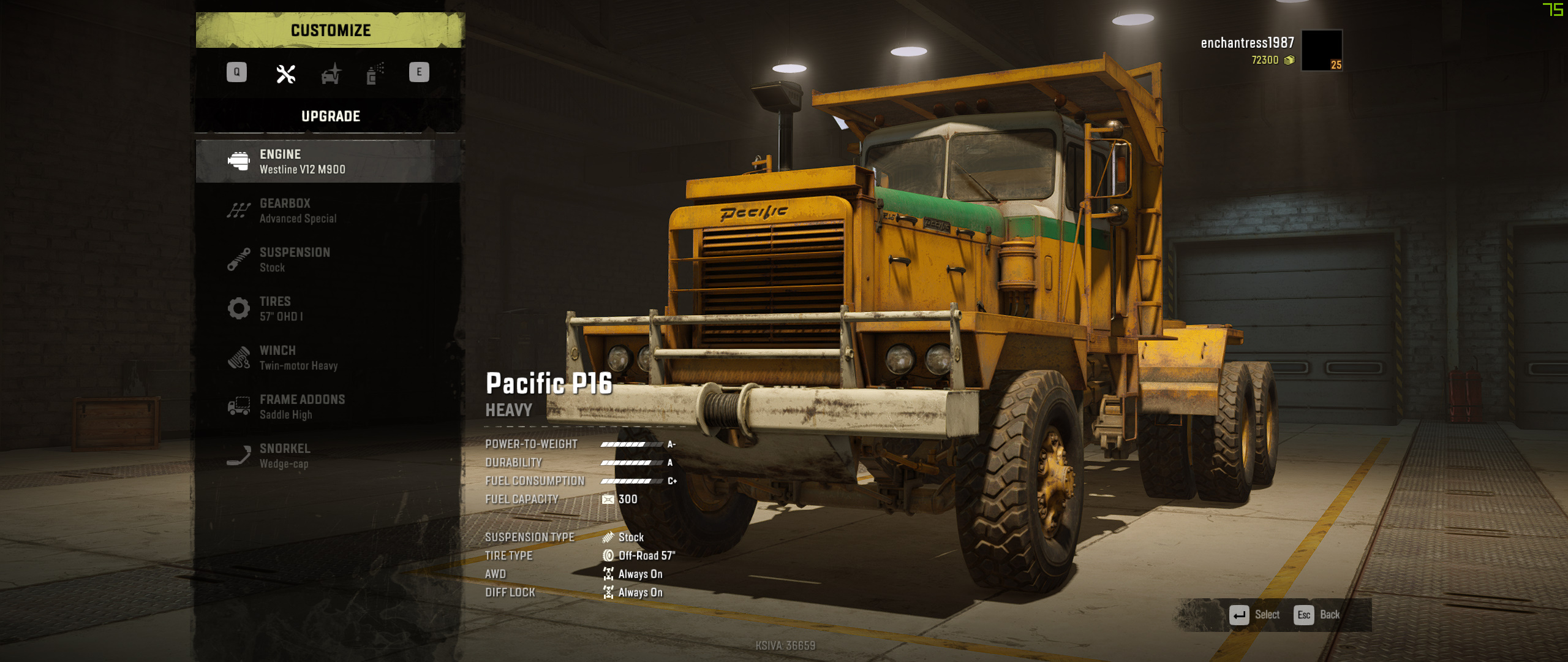
Pacific p16 AWD V1.0.3
Pacific p16 AWD V1.0.3
Step 1: browse to C:\Program Files\Epic Games\SnowRunner\en_us\preload\paks\client (Default game location)
Step 2: Open init.pak with WinRar (if Winrar cannot open a .pak file, right click on the .pak file and go to properties > Opens With and choos “WinRar”)
Step 3: In WinRar, browse to Media\Classes\Trucks
Step 6: Choose under compression method: “Store” and press “OK”.
Step 7: Close Winrar and start the game!
if its not working its my first ever mod just let me know in the comments and ill jump on it right away
Step 1: browse to C:\Program Files\Epic Games\SnowRunner\en_us\preload\paks\client (Default game location)
Step 2: Open init.pak with WinRar (if Winrar cannot open a .pak file, right click on the .pak file and go to properties > Opens With and choos “WinRar”)
Step 3: In WinRar, browse to Media\Classes\Trucks
Step 6: Choose under compression method: “Store” and press “OK”.
Step 7: Close Winrar and start the game!
if its not working its my first ever mod just let me know in the comments and ill jump on it right away
Download Links
Report a problem
Pacific p16 AWD V1.0.3
Advertisement
Remove ads