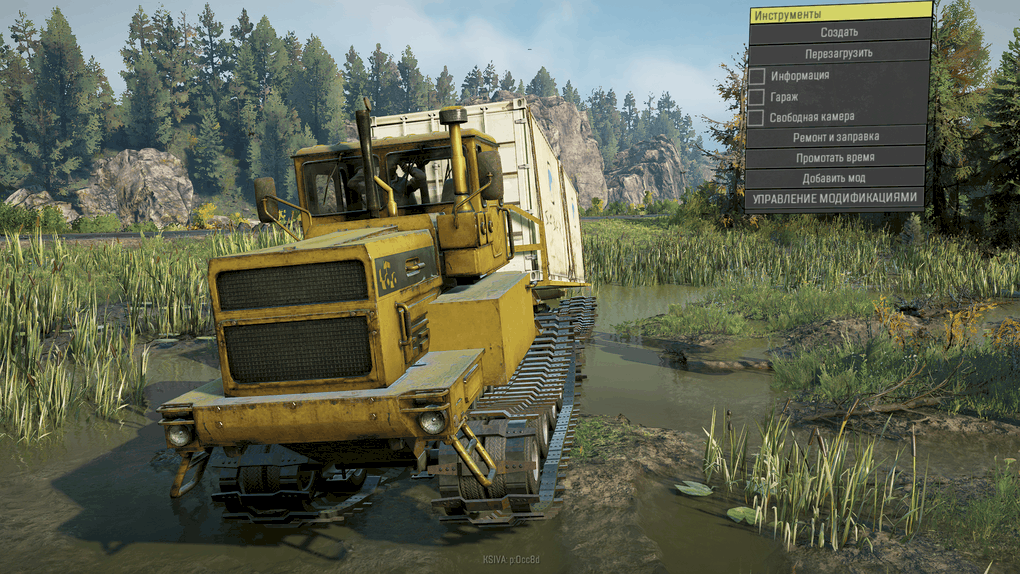
BT361A-01 “Tyumen” v0.1.0
Installing SpinTiresPlus: – To connect SpinTiresPlus in the SpinTiresPlus settings, you need to specify the folders of the installed games or editor.
– If you have problems copying mod files, manually copy the files from the Install folder (d3d11.dll, d3d9.dll, etc.).
– Additional settings are located in the settings menu of the game itself (only MudRunner, Spintires).
SnowRunner game path: C: Program Files Epic Games SnowRunner en_us Sources Bin
SnowRunner Editor Path: C: Program Files Epic Games SnowRunner en_us Sources BinEditor
SnowRunner PTS game path: C: Program Files Epic Games SnowRunnerPublicTest en_us Sources Bin
SnowRunner Editor PTS path: C: Program Files Epic Games SnowRunnerPublicTest en_us Sources BinEditor
Installing Spin Tires Plus: – To enable SpinTiresPlus, you need to specify the folders of installed games or the editor in the SpinTiresPlus settings.
– If you have problems copying files, you can manually copy files from the Install folder (d3d11.dll, d3d9.dll
-Additional settings can be found in the settings menu of the game itself (only MudRunner, Spintires).
Path to the Snow Runner game: C: Program Files Epic Games Snow Runner en_us Sources Bin
Path to SnowRunner Editor: C: Program Files Epic Games Snow Runner en_us Sources Bin Editor
Path to the game Snow Runner PS: C: Program Files Epic Games SnowRunnerPublicTest en_us Sources Bin
Path to SnowRunner Editor PTS: C: Program Files Epic Games SnowRunnerPublicTest en_us Sources Bin Editor
10 Jan, 2022
20 Apr, 2022
14 Feb, 2020
– If you have problems copying mod files, manually copy the files from the Install folder (d3d11.dll, d3d9.dll, etc.).
– Additional settings are located in the settings menu of the game itself (only MudRunner, Spintires).
SnowRunner game path: C: Program Files Epic Games SnowRunner en_us Sources Bin
SnowRunner Editor Path: C: Program Files Epic Games SnowRunner en_us Sources BinEditor
SnowRunner PTS game path: C: Program Files Epic Games SnowRunnerPublicTest en_us Sources Bin
SnowRunner Editor PTS path: C: Program Files Epic Games SnowRunnerPublicTest en_us Sources BinEditor
Installing Spin Tires Plus: – To enable SpinTiresPlus, you need to specify the folders of installed games or the editor in the SpinTiresPlus settings.
– If you have problems copying files, you can manually copy files from the Install folder (d3d11.dll, d3d9.dll
-Additional settings can be found in the settings menu of the game itself (only MudRunner, Spintires).
Path to the Snow Runner game: C: Program Files Epic Games Snow Runner en_us Sources Bin
Path to SnowRunner Editor: C: Program Files Epic Games Snow Runner en_us Sources Bin Editor
Path to the game Snow Runner PS: C: Program Files Epic Games SnowRunnerPublicTest en_us Sources Bin
Path to SnowRunner Editor PTS: C: Program Files Epic Games SnowRunnerPublicTest en_us Sources Bin Editor
10 Jan, 2022
20 Apr, 2022
14 Feb, 2020
Download Links
Report a problem
BT361A-01 “Tyumen” v0.1.0
Advertisement
Remove ads