Microsoft Flight Simulator mods
109,255 results- 15 per page
- 30 per page
- 45 per page
- 60 per page
-
See more per page
Bigger pages, fewer clicks - and no ads anywhere.
Go Pro
![Hong Kong Express [4K] v1.0](https://www.allflightmods.com/wp-content/uploads/2021/01/Hong-Kong-Express-4K-v1-4.png)
Hong Kong Express [4K] v1.0
Hong Kong Express is the only LCC based in Hong Kong. Initially it is owned by HNA (Hainan Airlines) Group, but now it has been sold to Cathay Pacific as a subsidary. It currently operates A320-200s, A320NEOs and A321s(SL). Note that there maybe a folder named something like “amp_a321_CVT_” generated inside the Community Mods Folder after installing the AMP A321 and started the game for the first time. In case for any updates with this aircraft, delete the mentioned folder to make sure the changes to be applied. I forgot to paint the engines to be purple in color, but it has been corrected just before I release this mod. MSFS 2020 Liveries 22 May, 2021 MSFS 2020 Liveries 12 Dec, 2021 MSFS 2020 Liveries 9 Mar, 2021
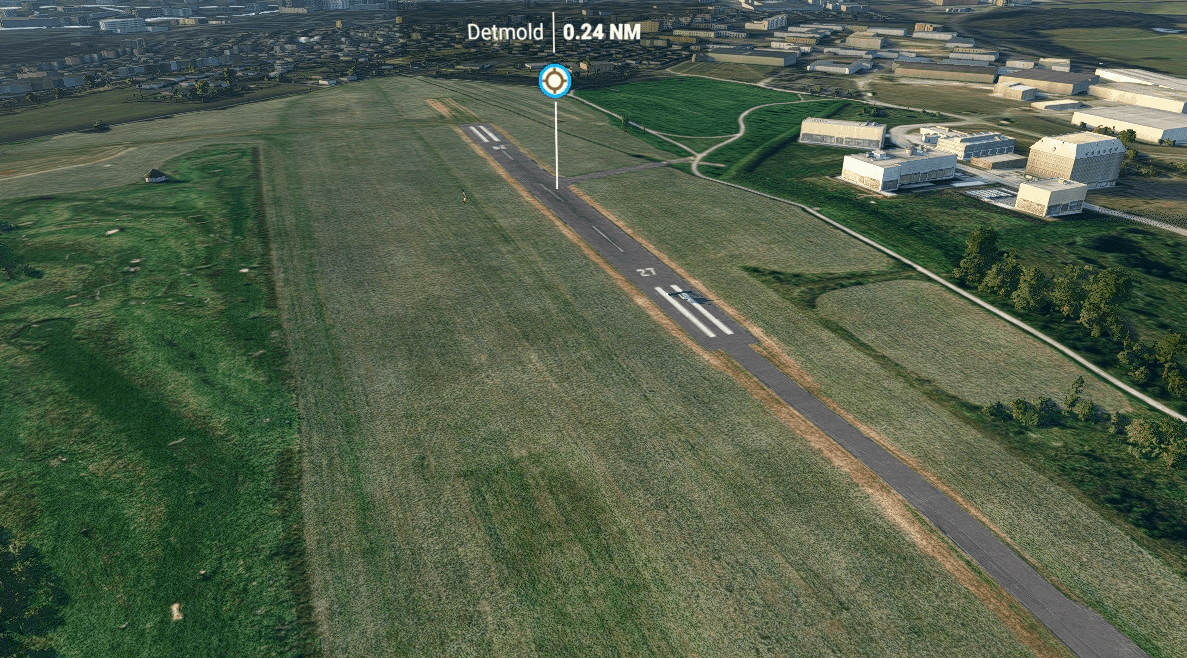
EDLJ Detmold Aerials v1.0
EDLJ, Detmold airfield and ground textures look ugly in MSFS, so I’ve created some better aerial images for it. If someone could provide me photos of the hangars and buildings, I could also add these to the airfield to make it look more realistic. If you’d like to support me and you like my work: Support my coffee drinking habits during modelling and texturing and Buy me a coffee GPS Coordinates: 51.940073, 8.902743 MSFS 2020 Airports 22 Mar, 2022 MSFS 2020 Airports 17 Nov, 2020 MSFS 2020 Airports 15 Feb, 2021
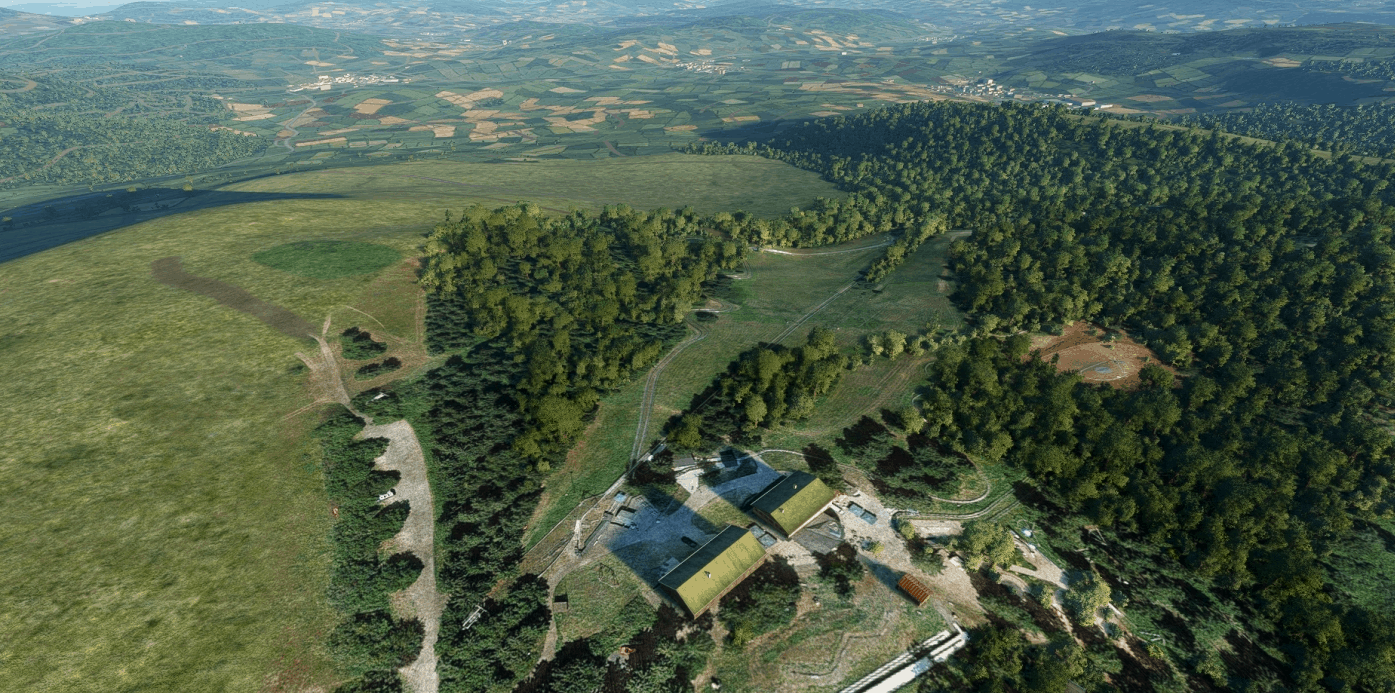
EDER Wasserkuppe v0.1.0
This regional airport is very important for the region. At this spot after world war I soaring was invented. Unfortunately this is missing at all in MSFS. So I made a quick scenery including the airport appearing in the MSFS world map with runway and parking and the correct Tower radio requency (there is no other radio in real life). This is a quick edit with grond textures from google. It is not fitting 100% the position of the MSFS buildings. Do not expect too much; at least it is flyable and the radio works. There are only summer-textures. I did not edit any buildings. Just added a working runway, taxiways, parking spots and a windsock. I also removed trees on the runway and in the surrounding; so You can see the ski-resort “Märchenwiese” nearby. Aerosoft did release a free version of this for FSX. Since they made a free version of airport Paderborn for MSFS, I had no hope, that they would convert thsi scenery for MSFS. So I decided to make this quick edit. It is my home-airport Just drag the two folders into Your Community folder. Abtzero, 2021-01-08 GPS Coordinates: 50.498708, 9.953628 MSFS 2020 Airports 27 Sep, 2020 MSFS 2020 Airports 26 Sep, 2020 MSFS 2020 Airports 18 Nov, 2020
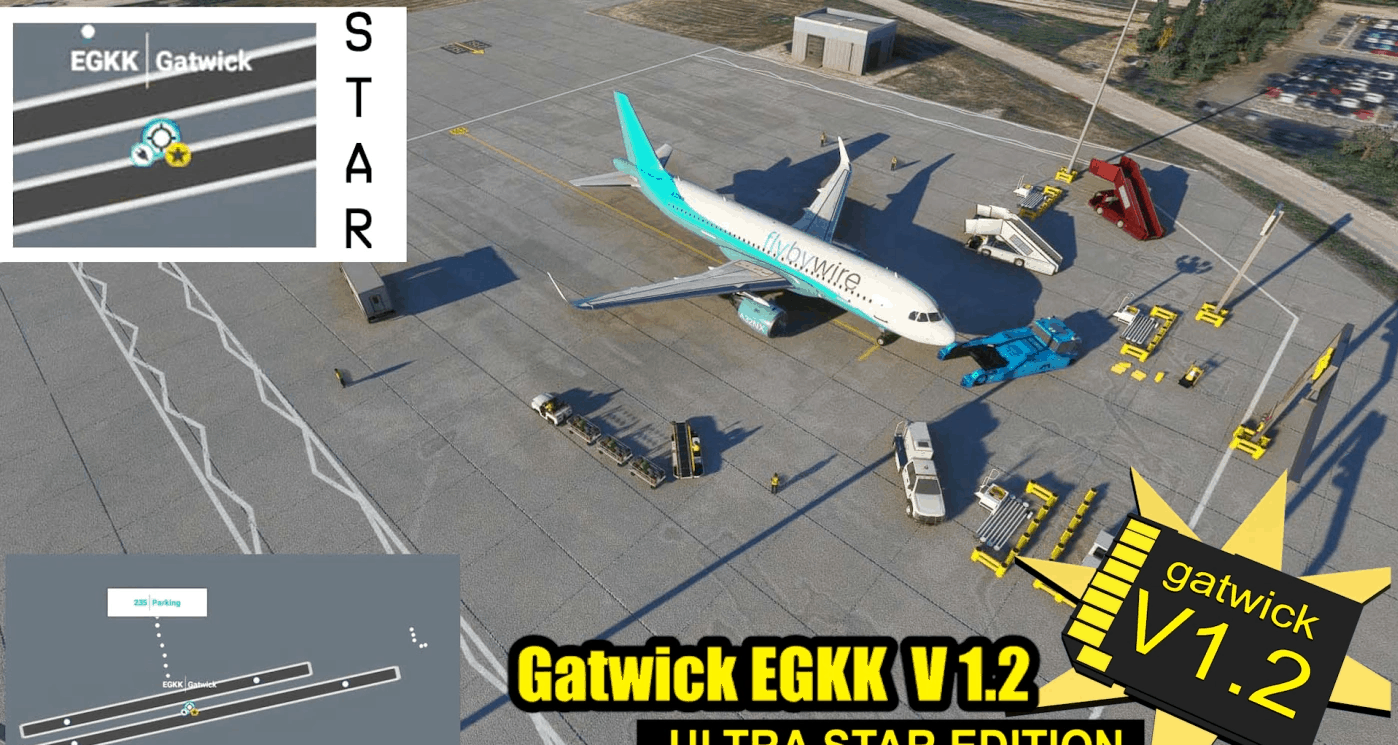
Gatwick EGKK Ultra Star Edition PRE ALPHA v1.4
The very beginnings of a Full Airport reconstruction starting off with the runways, all the models from from V7.9.5 included, i just have the huge task of making the runways/taxiways/aprons/parking bays/painted lines.. This is not yet a fully operational airport, just a start. V1.4 SUCCESS! Primary ILS 26L Now works… Just need to tweak the angle. I set it to 258 degrees, but i think the runway i have created is a degree off… A huge achievment. ILS landing is slightly to the left at the moment. Totally fixable i’m sure. Good progress in Gates. Pier 1 (1-5) and Pier 2 (10-27,13L/R/M – 25) also gate 109. ATC now detects turn off runway at Echo.. and allocates Gate Parking… Not sure if the ribbon guide works yet. I have disabled the secondary runway landing lights, just put a string of taxi lights. Also trying to disable runway use, just as a taxi route Still need to link up many taxiways and create some of the smaller ones near Pier 1. V1.3. Approaches should now show up in map view. Some Extra Stands 10-16. Major Taxiways added WIP ILS Still INOP V1.2 Most areas now have a concrete foundation.Additional Stand Departure points on map Uniform 230,231,232,233,234,235.Taxiways Mike,Uniform now connected.Hold short Mike1 and Mike 3 added.May be semi functional with ATC. V1.1 – Managed to get taxiway Juliet, Victor and Whisky on Stands 1-5 should be working with jetways operational V1.00 26L/08R Active runway 26R/08L not active, taxiway use only. ILS,Rnav and all navigation should work This could take some time.. All the apron is removed along with taxiways- so everything is exposed Actually Lining up everything with the Bing Maps baked in texture is INCORRECT. Google and Bing are not true top down Orthographic views… so trying to line up centrelines and piers with the view you get in the SDK will never be correct… its a distorted view… So i will build this airport with the Piers and centrelines i have model created GPS Coordinates: 51.149520, -0.186978 MSFS 2020 Airports 6 Oct, 2020 MSFS 2020 Airports 11 Nov, 2021 MSFS 2020 Airports 19 Dec, 2020
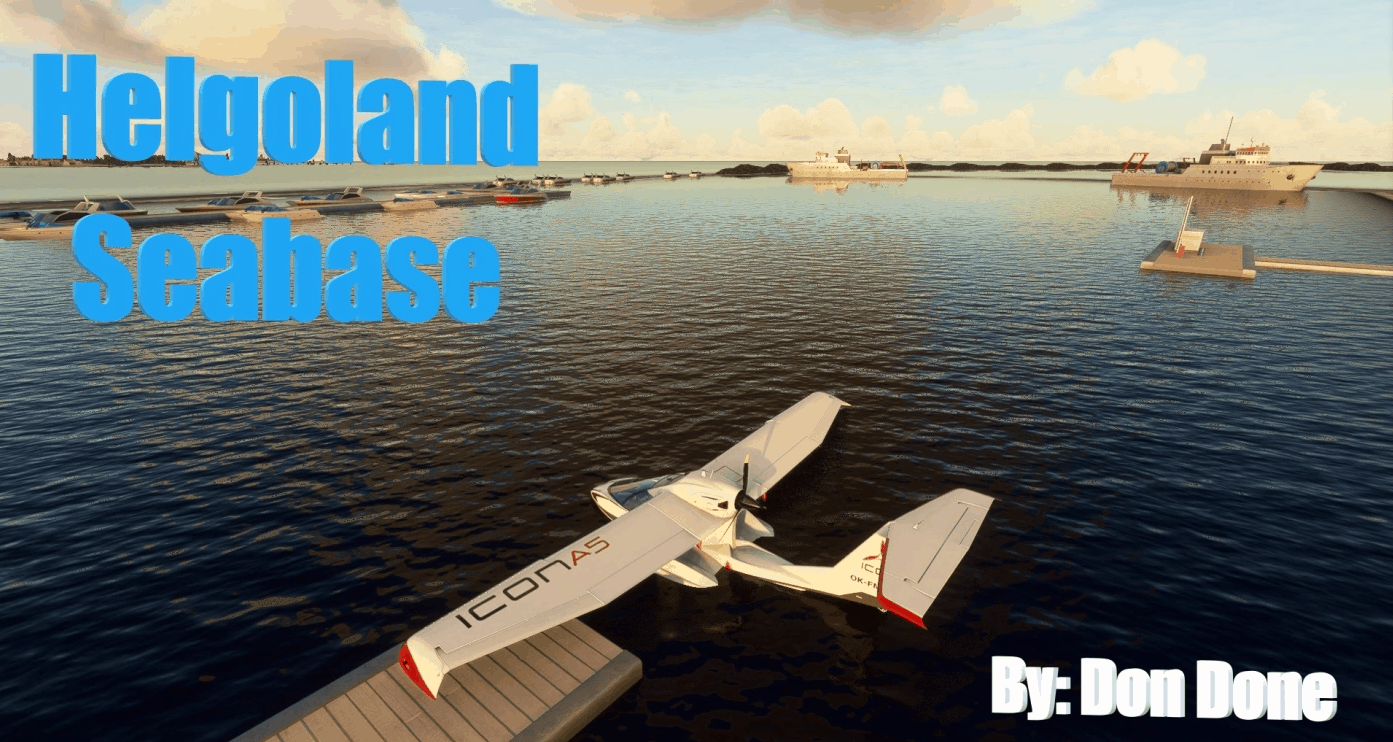
EDX1 (fictional seabase) v1.0
Small fictional seabase in Helgoland Island somewhere in Germany. Nice place to start a water trip around the German coastline. ICAO: EDX1 3 DOCKS for a cold and dark start, one of them is a functional fuel station The formal runway is outside of the port, where breakwater ends. I recommend a taxi (as in the picture) outside the port then take of. Copy edx1 folder in your community folder. GPS Coordinates: 54.17678665236666, 7.892923688843084 MSFS 2020 Airports 13 Oct, 2020 MSFS 2020 Airports 26 Jan, 2021 MSFS 2020 Airports 10 Nov, 2021
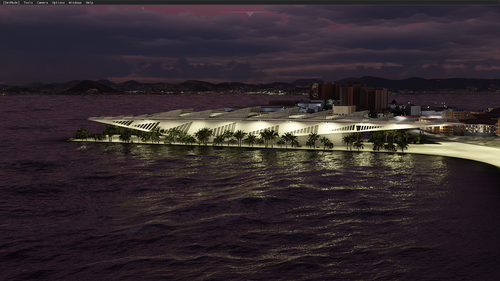
Rio de Janeiro Megapack Cidade
Explore the initial version of Rio de Janeiro Megapack Cidade. This pack includes iconic landmarks like the Museum of Tomorrow and Rio Star Ferris Wheel. Stay tuned for upcoming updates introducing more models such as Ilha Fiscal and the Niterói Contemporary Art Museum.
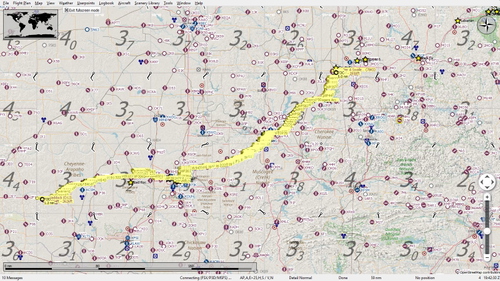
Get Your Kicks Above Route 66 - Oklahoma #3
Explore the Oklahoma leg of the iconic Route 66 journey, tracing historical landmarks and Native American territories. From the Quapaw Tribe to the Cherokee Nation, experience the rich history and culture from above. Follow the meandering route through towns and landmarks, offering a unique perspective on this historic highway. Install the flight plan easily and embark on this nostalgic flight through Oklahomas Route 66.
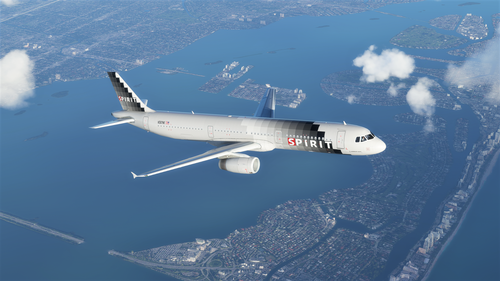
Spirit Airlines A321 (Silver Checkers)
Fly in style with the Spirit Airlines A321 (Silver Checkers) addon, featuring updated checker textures and added details to the body, doors, and cargo area. This livery, while missing some text details, offers an enjoyable experience for virtual aviators looking to add a touch of uniqueness to their flights.

Felthorpe Airfield (EG37)
Experience the small unlicensed airfield of Felthorpe (EG37) in Norfolk, UK, with corrected treeline and realistic buildings enhancements in Microsoft Flight Simulator. Explore this first scenery add-on, with ongoing updates and improvements planned for the future.
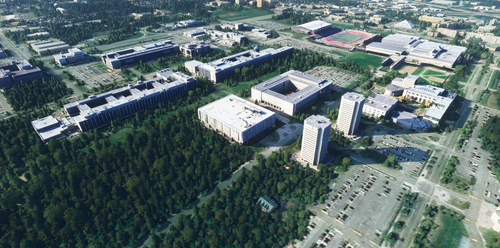
Quebec City
Explore the charming city of Quebec with this add-on, featuring detailed buildings and landmarks to enhance your flying experience. Remember to remove the specified folder for optimal performance.
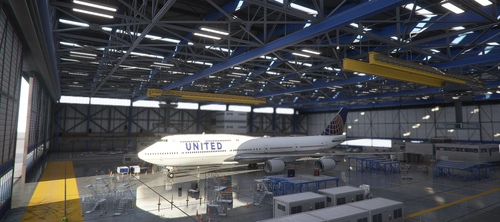
United Airlines 747-8i
This add-on features a United Airlines 747-8i livery for Microsoft Flight Simulator. Choose between files with or without text mirroring for a personalized experience. Easily install by dragging and dropping into your community folder. Enjoy the detailed livery and consider supporting the creator. Happy flying and smooth landings!
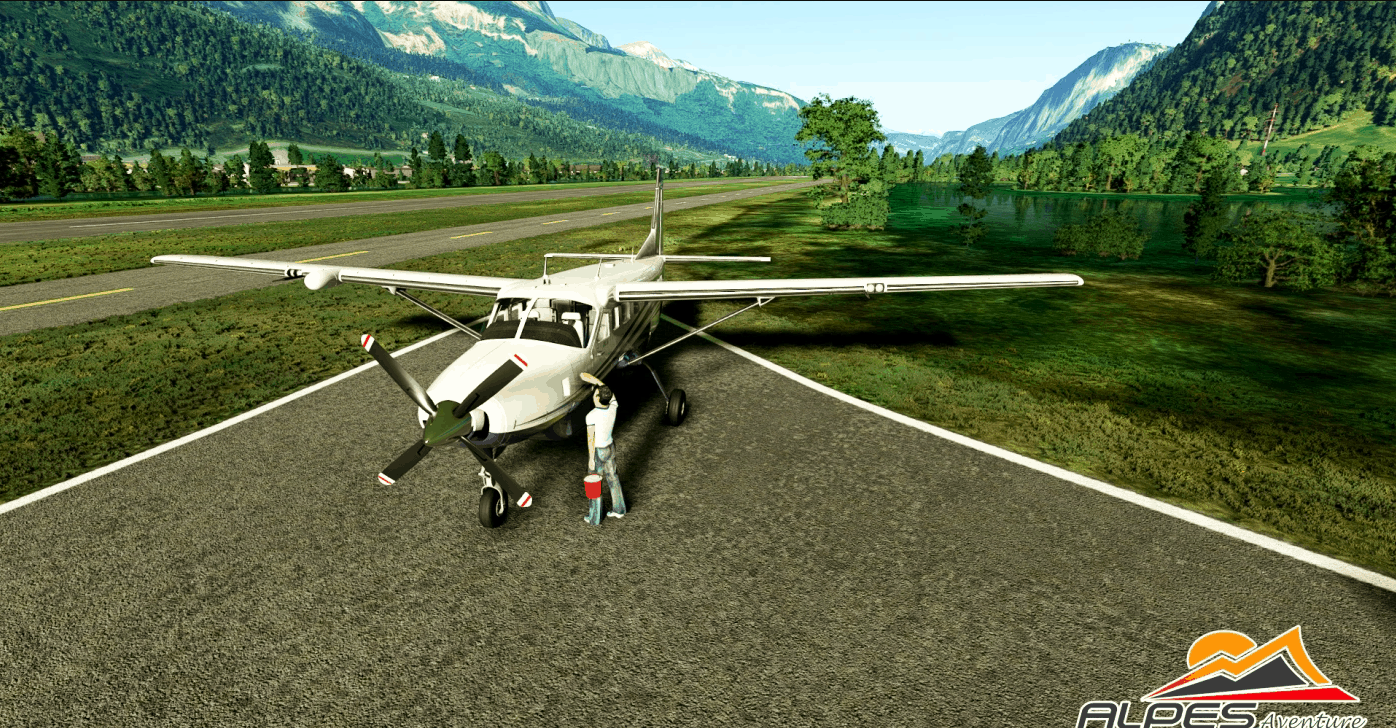
LFHZ Sallanches MontBlanc v1.0
Hi all here is LFHZ by Alpes Aventure ideal starting point for visiting Montblanc for the scene to work correctly you must install the library: Dave’s 3D People Library Dave’s Crooked Library Mikea.at – AssetPack good flights in the Alps et un grand merci a maitre Ailgor pour la buvette Aples Aventure GPS Coordinates: 45.95008, 6.63888 MSFS 2020 Airports 29 Oct, 2021 MSFS 2020 Airports 13 Nov, 2020 MSFS 2020 Airports 29 Apr, 2021
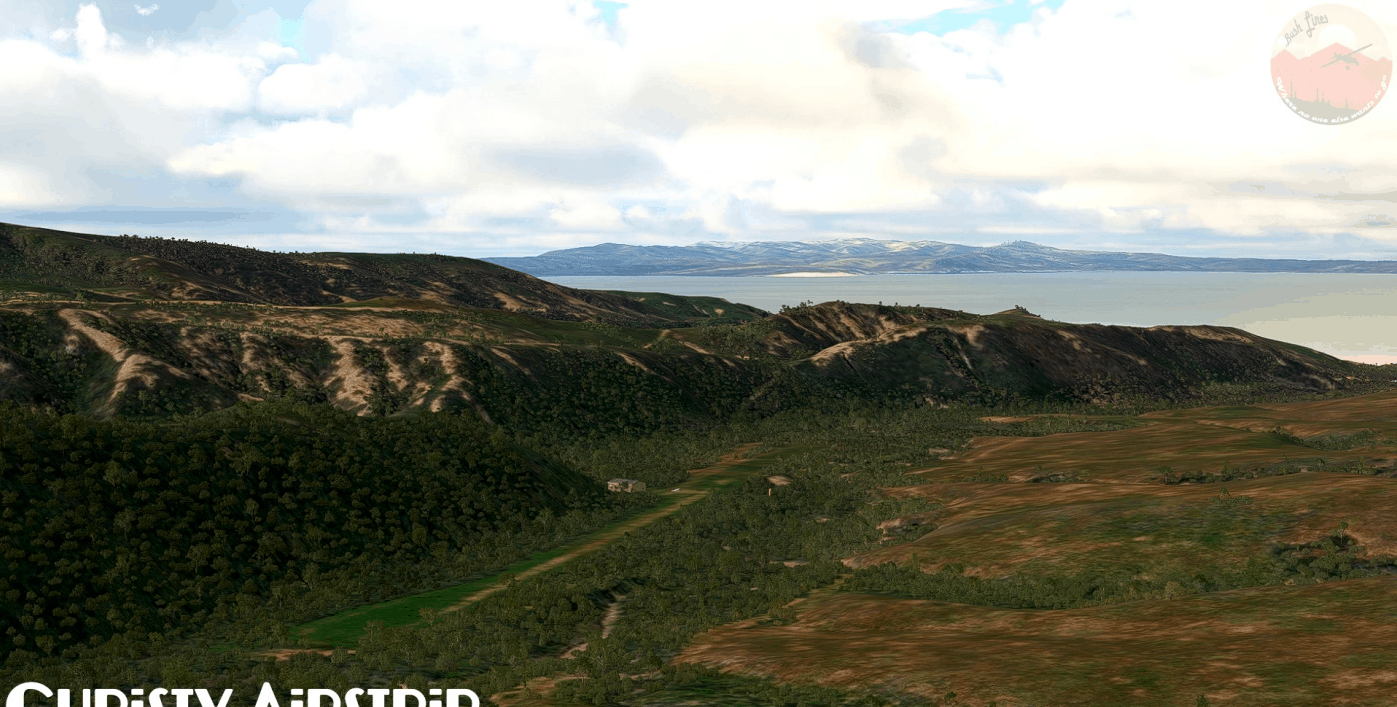
Channel Islands National Park, California v1.0
Welcome to Channel Islands National Park The Channel Islands National Park is part of the Channel Islands in southern California. It’s located approx. 20nm off the coast of Santa Barbara. If you like island flying and avoid populated places, these islands are a recommendation. Few other places in SoCal are so far out. If the mainland is too busy and aircrafts are stacking in Catalina, go here and you will most likely find your peace. Most of the park is administered by the NPS headquartered in Ventura, where the Channel Island National Park visitor center is situated too. However, The National Conservancy, an environmental organization, owns and manages large parts of Santa Cruz Island, the largest island of the park. Besides access by sea, Channel Islands Aviation offers a year-round charter service to the islands out of Camarillo Airport. This pack includes: Point Bennett Research Station Airstrip (uncharted) San Miguel Island Ranger Station Airstrip (uncharted) Bechers Bay Airstrip (uncharted) Christy Airstrip (CA97/uncharted) Santa Cruz Ranch Airstrip (44CA) All of the airstrips are unpaved, in moderate conditions, private and public use is prohibited. Christy Airstrip has a sloped runway with recommended landings to the East and take-offs the West. The airstrip has rising and challenging terrain on three sides, so be careful. Santa Cruz Ranch Airstrip has a quite sloped and bumby runway. Recommended landing to the West, take-off the East. The surrounding terrain is rising on three sides. Installation: Drop the folders into your community folder Required Libraries: Mikea’s AssetPack Dave’s Crooked Library (thanks for creating those!) Note: Where applicable, I used the real names and codes. Where not, I took the names and designators from MSFS2020 to prevent scenery conflicts. Santa Cruz Ranch Airstrip´s real code is 44CA, however, this code is used for another airport in MSFS2020, so I had to make up another one. This scenery is based on the X-Plane 11 sceneries I’ve created. Known Issues: Until there is a greenhouse object available, the greenhouses next to the San Miguel Ranger Station are left out. There hasn’t been released a BN-2 Islander yet As always, feedback and comments are appreciated! GPS Coordinates: 33.996642, -120.046294 MSFS 2020 Airports 16 Aug, 2021 MSFS 2020 Airports 21 Jan, 2021 MSFS 2020 Airports 20 Apr, 2021

LKTS – Hynek Tošenovský Airport (the best training airport for you) v1.0
LKTS – Hynek Tošenovský Airport (the best training airport for you) Newly built training airport in the Czech Republic between the Beskydy Mountains for your most demanding training in flying any aircraft up to A320. The length of the airport runway is only 1100 m x 35 m. When you land at this airport with the A320, you will land anywhere else! v.1.0 – ATC – nav departure and arrivals – building (terminal Gate A, B, C, D etc. free ramps) – winter and summer airport – lights airport day/night – etc. GPS Coordinates: 49.459255, 18.182830 MSFS 2020 Airports 24 Apr, 2021 MSFS 2020 Airports 7 May, 2021 MSFS 2020 Airports 11 May, 2021
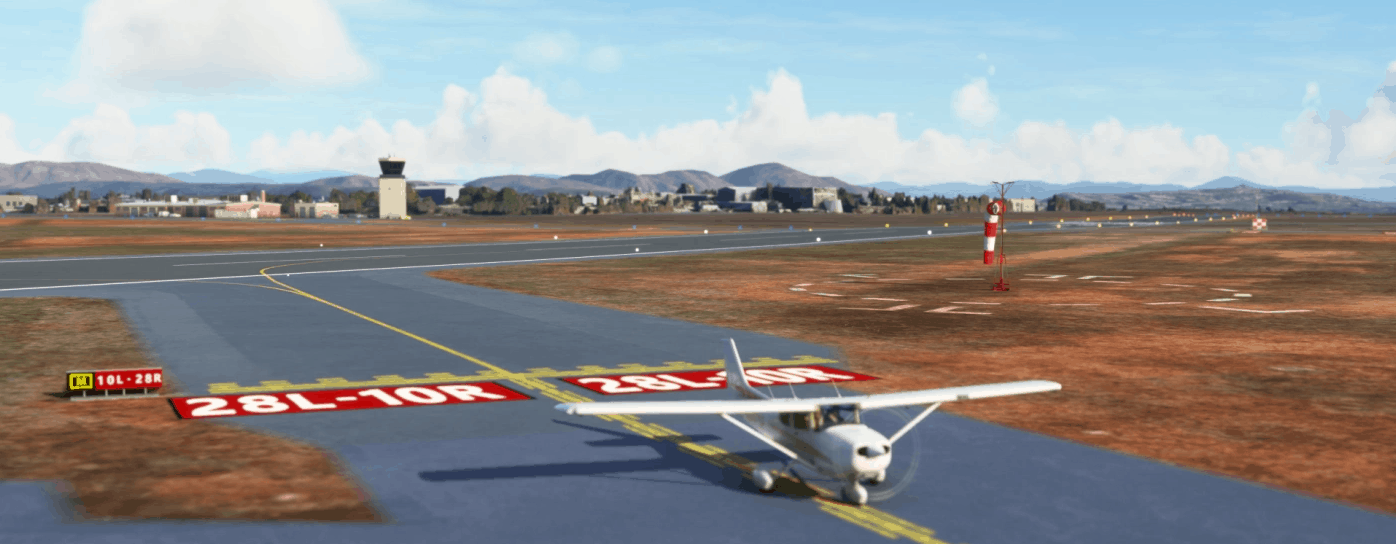
Montgomery – Gibbs Exec Airport taxiway fix and many more v1.2
What’s new in V1.31 + Minor corrections for example marked holding point + More apron objects + Remove the circle helipad while finding a better solution What’s new in V1.2 + First attempt to replace autogen buildings by library generic buildings for Casa Machado restaurant and Admin/Ops, Marv’Golden and Gibbs FBO+ Improvement of the Gibbs FBO apron with yellow ground markings and static aircrafts on free spot and some extra. This apron is normally packed of aircrafts+ Increase immersion feelings by adding some personal stuff on apron. What’s new in V1.1 +Added the green area on Alpha 28R +Corrected center line on several holding points The default Montgomery Field KMYF airport is great… but requires improvement: most taxiways and signs are inaccurate, some taxi blue lights obstruct movements, buildings are missing, there are windsocks everywhere… etc. Here’s my first updated airport. Thanks so much to all the simmers who appreciate and supports our passion and encourage me to make the scenery. If you liked it, please write a comment! Features List New taxiway names. C, A, H, G1, M, E are misplaced or non-existent in the stock MSFS version. They are updated in this scenery and are similar the official airport ground chart New taxiway signs : all signs have been reviewed and updated (see Caution) A single windsock at the right place. Extra bonus (it wasn’t the initial project) Missing buildings have been added according to the Bing Map photorealistic texture The underlying default texture is resize and now reveal iconic locations: business area with FSDO and Marv’s Golden, Casa Machado, west side of airport (to be continued), Gibbs FBO and more to come if you enjoy this first step. If you want a taste of Montgomery (KMYF) in real, you can check my Youtube channel with a lot of Farwest flying trip videos but also this great FAA Runway Safety episode. How to install? Unzip the file into your Community folder. Once installed go to KMYF as usual, the scenery is overlayed over the existing default one. Caution It’s my first airport. Don’t expect high quality payware content. I’m totally new to the MSFS Scenery Editor mode. Feel free to comment and share any mistakes to improve this first work. I’m a member of a flying club at Montgomery Field (Plus One Flyers) but I leave in France. I fly at San Diego several times per year but my real experience of certain areas is null or very limited. For example, I never went (in real) in the west side at LIMA or GOLF. I have a lot of video material (check my Youtube channel) but I lack of shots at location I never went. If you have pictures usefull to update this scenery, feel free to contact me. Limitations This airport’s update contains only stock objects. No handmade texture or 3D objects have been designed, because It’s far beyond my design skill. Don’t expect signs on buildings to be accurate. They give a feeling of “it looks like what we have in real”. The Bing Map ground photorealist texture is not up to date. For example some ground markings, the old Crown Air building, G1 taxiway are wrong compare to the reality. Thus, this scenery is a mix between the date of the Bing texture and today’s real world. After updating all the taxiways, which were the main initial objectve, I started to play with the MSFS scenery editor and enhanced other aeras. It’s just a first try and play as my first scenery. Fences are not accuratly positioned. More to come if simmers are pleased with this first result! Let me know in the comment! Known issues Some red marked hold shorts do not appeared or are wider than in real. It’s a SDK limitation. All the perimeter fences are not yet in place and there are obviously a lot of security issue Some blue lights have been totally removed to clear the taxiway path. Unfortunately I didn’t succeed in putting some at the right place. SDK limitation? There’s a lot of cars and trucks (even buses) moving around. I don’t know yet how to limit/remove them in the scenery. Any idea? Tools used: ADE Beta 12 for MSFS to generate the initial .xml project file, then everything is generated with the included MSFS SDK editor. Thank you to Antoine D., Manuel G. and Patrick M. for their Beta tests. GPS Coordinates: 32.8106199,-117.1416469 MSFS 2020 Airports 30 Jan, 2021 MSFS 2020 Airports 22 Dec, 2020 MSFS 2020 Airports 20 Nov, 2020
- 15 per page
- 30 per page
- 45 per page
- 60 per page
-
See more per page
Bigger pages, fewer clicks - and no ads anywhere.
Go Pro