Microsoft Flight Simulator mods
109,300 results- 15 per page
- 30 per page
- 45 per page
- 60 per page
-
See more per page
Bigger pages, fewer clicks - and no ads anywhere.
Go Pro
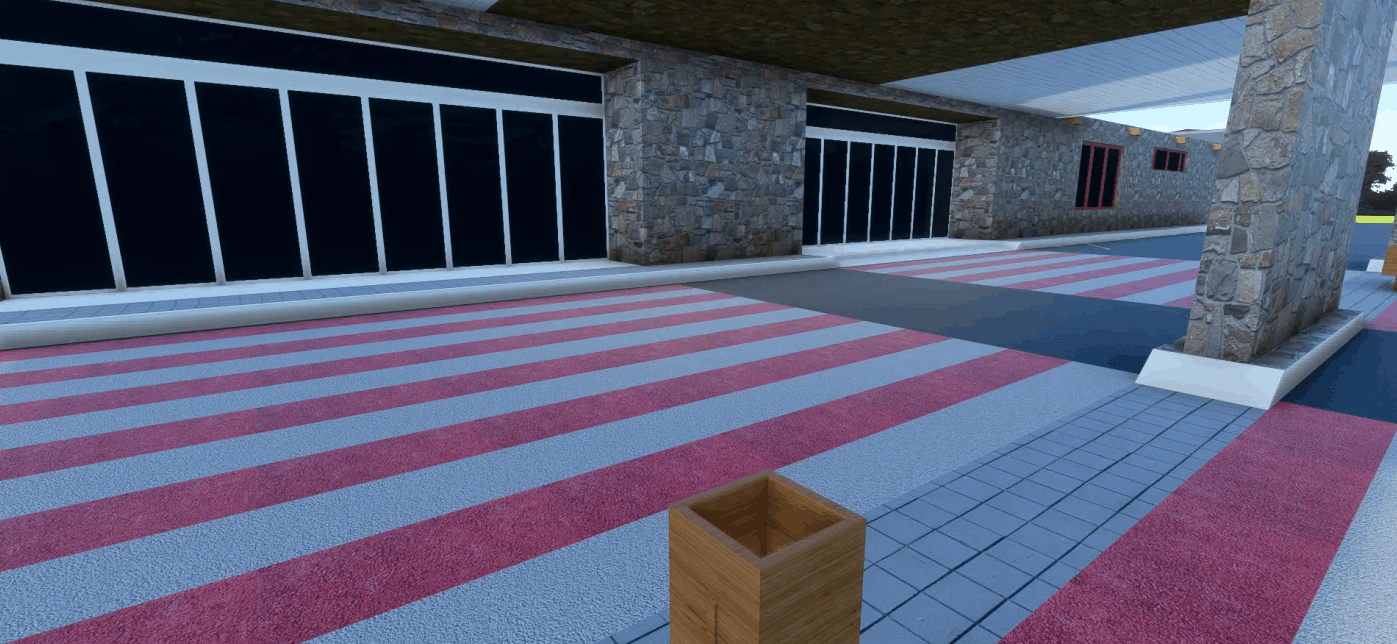
El Hierro Enhancement Alpha v0.5.0
Please remember to remove the old files before adding the new scenery update MSFS 2020 Airports 3 Mar, 2021 MSFS 2020 Airports 8 Mar, 2021 MSFS 2020 Airports 24 Jan, 2021
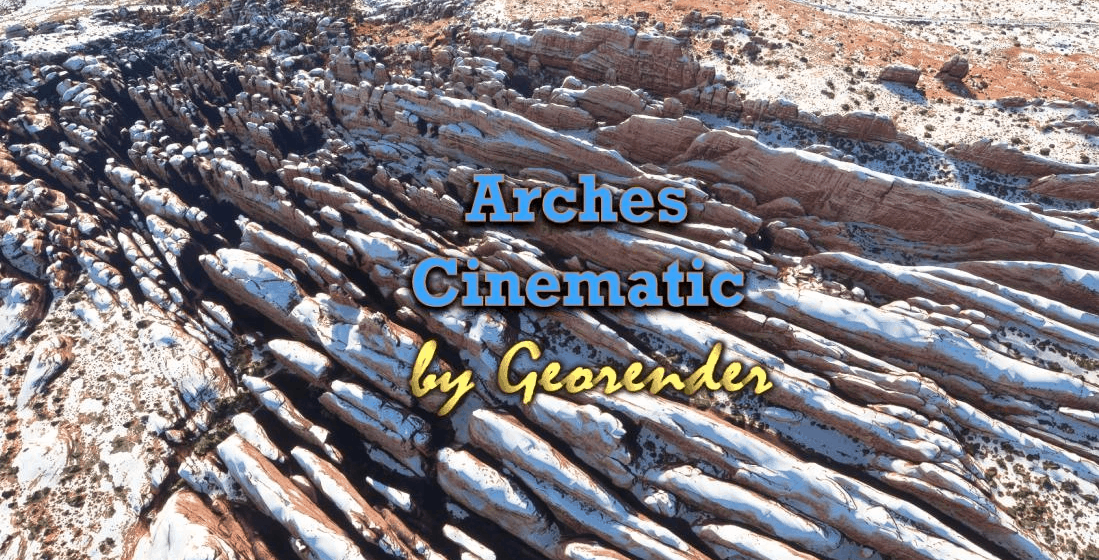
Arches National Park v1.1
Arches National Park, Utah, USA Created for MSFS2020 By Richard ‘Georender’ Goldstein January 2021 It is not the final version, but I will wait until we have a suitable DEM SDK in order to create a definitive ground blending capability and refine the scenery complexity/region sizes etc. There are quite a few visual glitches, off colour textures, missing sections, holes etc. I’m not sure why some of them occur and not including those areas didn’t seem like an option so they are included warts ‘n all. Hopefully fixed in next version. At present it is not possible to land on the detailed scenery areas. They are not solid in this respect. Hopefully that can change in the future. Loading times will be longer than usual. Especially if you are not using an SSD drive for scenery. I highly recommend that you add one or two centimeters of snow for terrain blending purposes. Furthermore, the blue tint of sky reflected off of the snow adds a colour which is complimentary to the orange rocks and this enhances the depth and realism of the terrain relief. There is also a huge ugly cloud on the satellite image right next to KCNY and this becomes masked when using snow! INSTALLATION: Unzip. Then place all six folder that are prefixed with ‘Geo_’ into your Community folder. Thats all there is to it. In your Community folder you will have six new folders as named below Geo_CourthouseTowers Geo_DelicateArch Geo_EyeOfWhale Geo_FieryFurnace Geo_Greatwall Geo_WindowsSection The areas above contain detailed terrain as shown in yellow highlight on the included map. At present the Devils garden area is missing and will likely be added in the future. How to find it Take off from KCNY and head SSE following Highway 191. Entrance to the park and the Courthouse Towers section is approximately 10nm on a heading of 135 degrees. Turn into the park and follow the suggested route in order to familiarise yourself with the area. CREDITS Thanks go to Jonahex111 for his brilliant ‘Google Earth Decoder’ tool. All additional terrain data owned by Google. This scenery cannot be sold or used in a commercial product. I do not own any part of it. MSFS 2020 Scenery 1 Oct, 2020 MSFS 2020 Scenery 16 Jan, 2021 MSFS 2020 Scenery 24 Oct, 2020
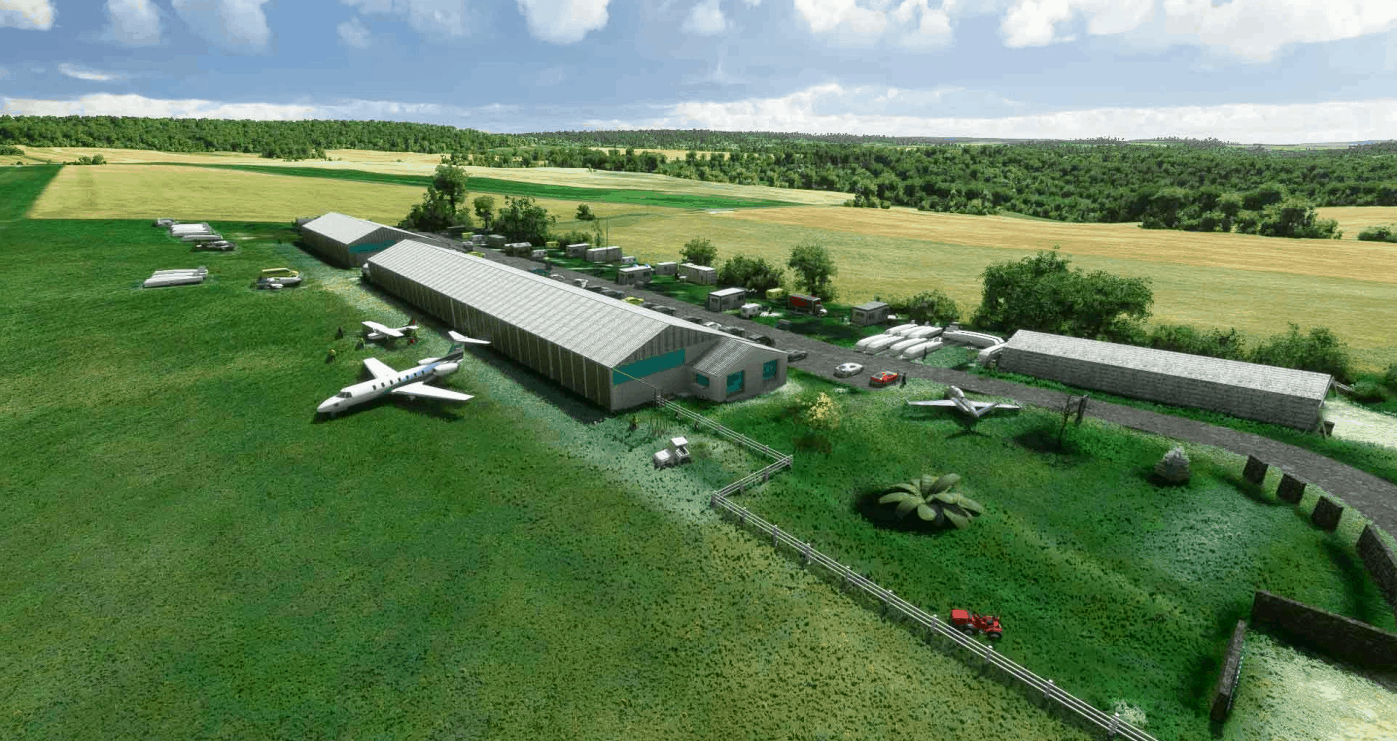
LFFC – Mantes Cherence v1.0
LFFC – Mantes Cherence is an approved airport for restricted use, located in the commune of Cherence in the Val-d’Oise (Île-de-France region, France).It is used for the practice of leisure activities and tourism (gliding). The land is owned by the commune of Cherence. You need 2 libraries : Mikea.at – AssetPack : https://www.allflightmods.com/microsoft-flight-simulator-2020/msfs2020-other/mikea-at-assetpack-v0-1-0/ Dave’s Crooked Library : https://www.allflightmods.com/microsoft-flight-simulator-2020/msfs2020-other/daves-crooked-library-v1-0-3a/ Credit to origin hangar mesh : jede1 GPS Coordinates: 49.078150241652345, 1.6892563000028629 MSFS 2020 Airports 28 Sep, 2020 MSFS 2020 Airports 9 Sep, 2021 MSFS 2020 Airports 2 Jan, 2021
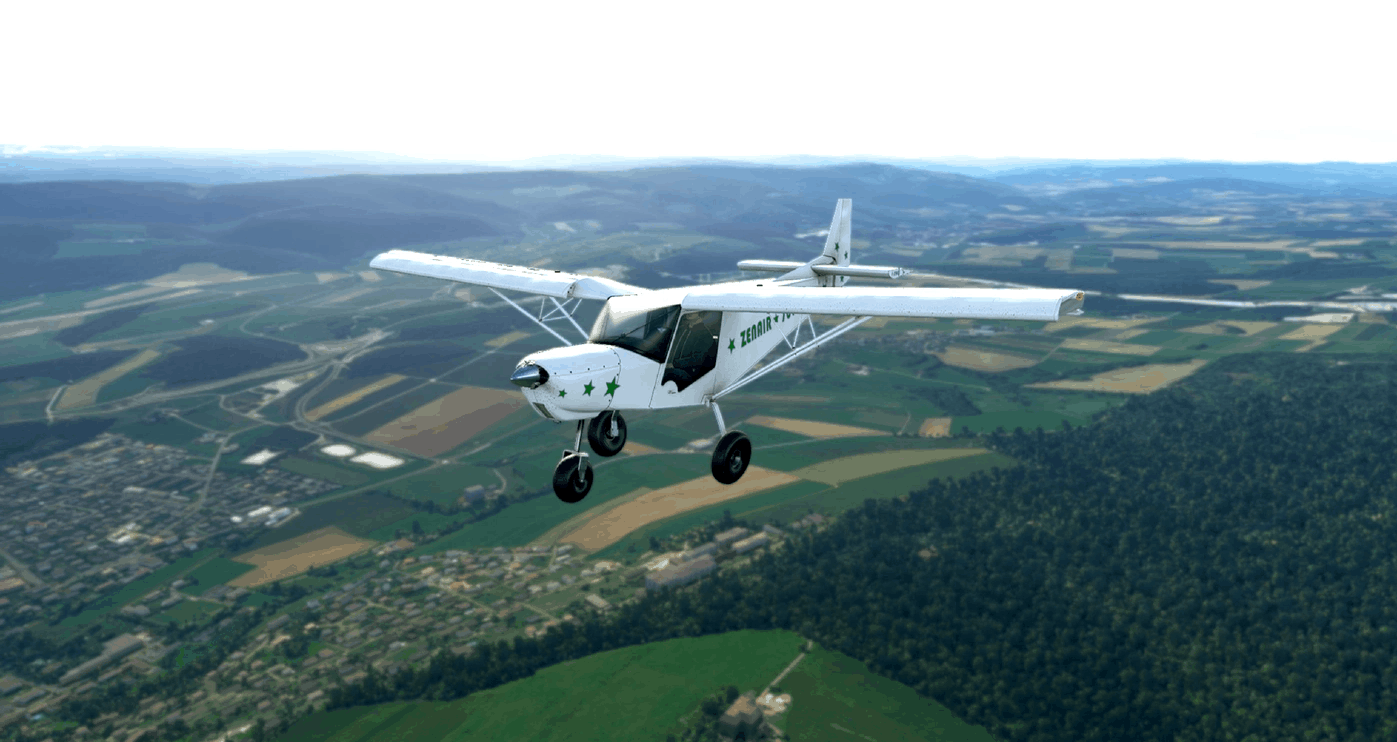
SWS-CH701-F-JYMQ Repaint v2.0
French repaint for Zenith Aircraft CH701 developed by Simworks Studios (Payware) Installation : Unzip and copy content in your Community folder V1 : Initial Version V2 : Adding No doors version MSFS 2020 Liveries 18 Sep, 2021 MSFS 2020 Liveries 31 Dec, 2020 MSFS 2020 Liveries 19 Nov, 2020
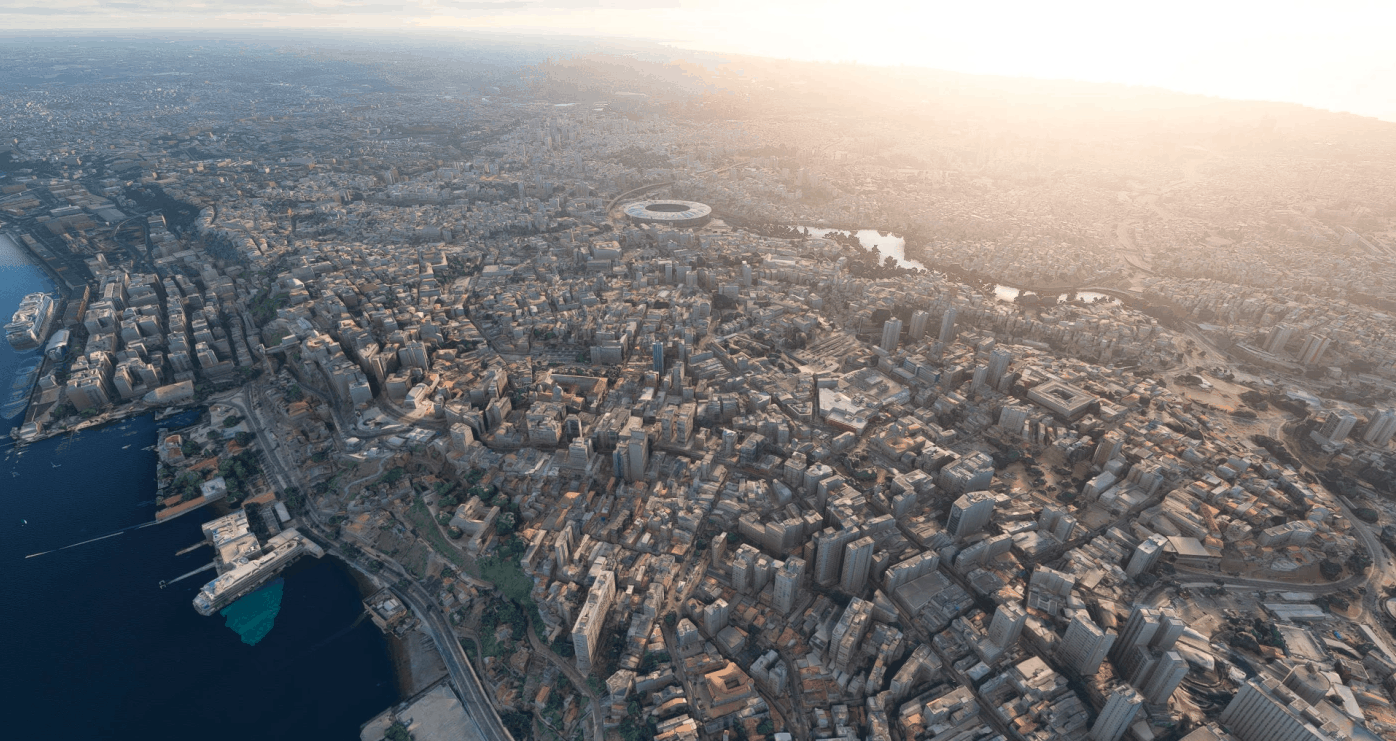
SALVADOR BA – CENTRO v1.0
Fotogrametria do centro de Salvador, na Bahia Quem puder, dá uma passada no meu canal pra dar uma força! Espero que curtam! GPS Coordinates: -12.979117696410917, -38.51451982839372 MSFS 2020 Scenery 20 Oct, 2020 MSFS 2020 Scenery 9 Nov, 2020 MSFS 2020 Scenery 24 Nov, 2021

San Pedro Bay Port Facilities, Los Angeles & Long Beach CA USA v1.0
Scenery package for San Pedro Bay port facilities in Southern California, the busiest port facility in North America, which includes the Port of Los Angeles and the adjacent Port of Long Beach. Updates include: Removal of random trees Replacing AI generated loading cranes with 11 different hand modeled cranes Replaced AI generated cargo ships with library cargo ships GPS Coordinates: 33.749160, -118.233037 MSFS 2020 Scenery 29 Sep, 2020 MSFS 2020 Scenery 24 Jan, 2022 MSFS 2020 Scenery 25 Dec, 2020
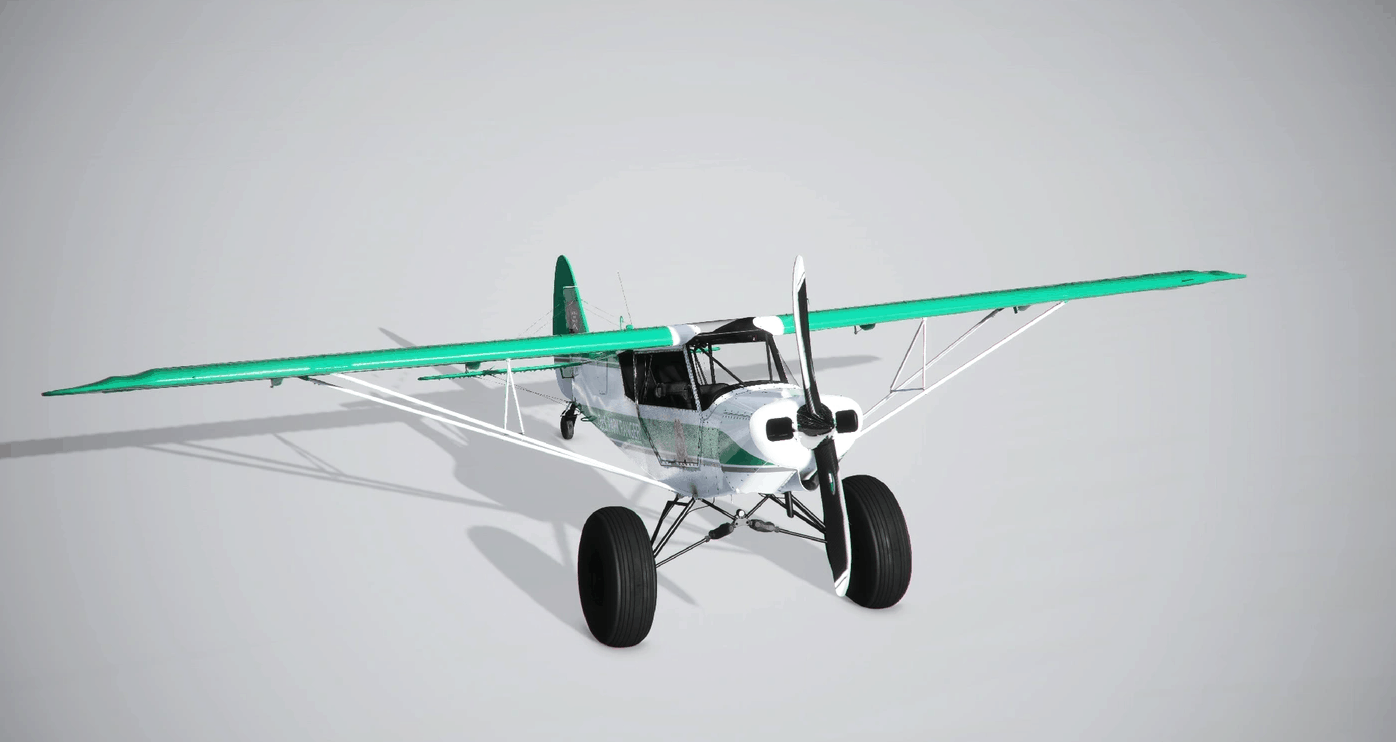
U.S. National Park Service Ranger Plane Mod for GotGravel Savage Grravel v1.2.0
The U.S. National Parks Service operates fixed-wing aircraft across the U.S, with significant presences in places like Alaska and the Western U.S, to perform a number of missions including resource management, backcountry patrol, cargo, and personnel transport, as well as supporting local SAR, Firefighting, and law enforcement efforts. They operate a diverse fleet of rented and owned aircraft, largely consisting of smaller GA aircraft and helicopters. This particular livery is based on a seaplane refurbished by the Park Service in 2017 in Nevada that I then applied to a Savage Cub airframe. MSFS 2020 Liveries 6 Jan, 2021 MSFS 2020 Liveries 9 Dec, 2020 MSFS 2020 Liveries 25 Nov, 2021
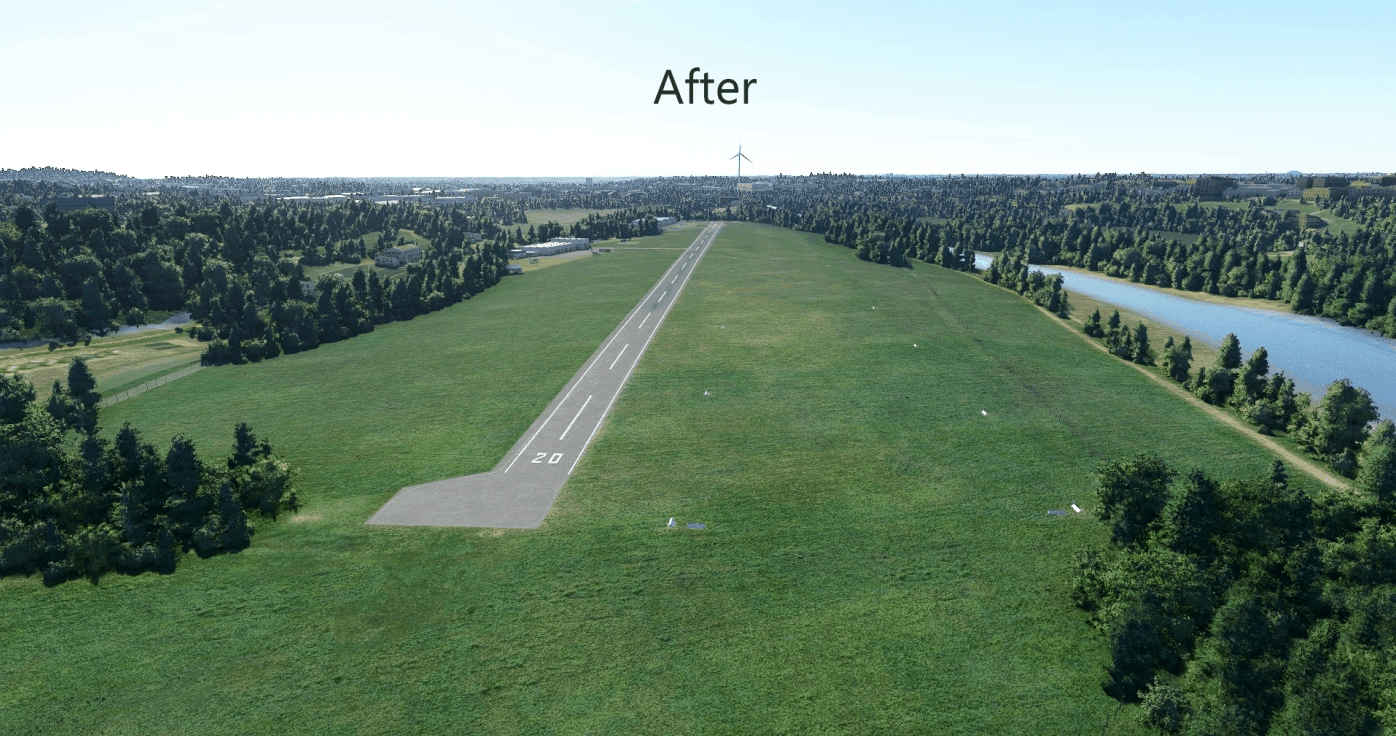
Valbrembo Airport “Sergio Aldo Capoferri” (Bergamo) v1.1
UPDATE 1.1 is available. It contains vegetation and objects corrections. Stay tuned as the SDK will soon allow me to add more details and remove the wind turbine located to the south with the exclusion rectangles. Unfortunately, at the moment is not possible to remove the wind turbine yet If you know an alternative way to do it already, don’t hesitate to contact me via PM. Thanks! Dear MFS2020 Community, I’m excited to present to you my first SDK work about a little italian airstrip, which is also my home’s nearest one. DESCRIPTION Valbrembo airport (ICAO: LILV), also known as “Volo a Vela di Valbrembo” for italians, is a little regional airstrip located about 10 kms from the city of Bergamo, in the north of Italy. The airport is also in front of some of the beautiful Prealps, and it might become your departure point especially when you wish to fly towards the beautiful Alps! The airstrip is mainly used in the real world for flight training sessions using gliders, helicopters and various GA little aircrafts. Is also used for some special events and as a stop for various private pilots. FEATURES LIST – Improved vegetation size and quality around the airport; – Improved roads and little rivers around the airport; – Default buildings replaced with best ones to match the real life buildings as close as possible; – Various objects added: static gliders, static helicopter, static GA aircrafts, fences, cars, picnic tables, taxyway and runway signs. ADDICTIONAL NOTES (IMPORTANT, PLEASE READ!) – The installation process is the classic one used for almost every MODs: unzip the .RAR file, then put “bg-airport-lilv-valbrembo” folder into the “Community” folder; – In order to see all the details added, you will also need to install this MOD together with mine (https://www.allflightmods.com/microsoft-flight-simulator-2020/msfs2020-other/mikea-at-assetpack-v0-1-0/ gently delivered by Mikeaat), otherwise you won’t be able to see some of my objects being added; – For any bugs, issues and questions please do not hesitate to contact me leaving a comment, a review or constructive criticism. This will be highly appreciated, as this is my absolute first project and i want to improve my abilities even further; – The product will be updated continuously, as i find various issues to fix on the road. Also, the SDK will evolve with more features, so i definitely can’t wait to share more with you! Thanks for your interest and enjoy!! GPS Coordinates: 45.717284, 9.593270 MSFS 2020 Airports 27 Sep, 2020 MSFS 2020 Airports 10 Jan, 2021 MSFS 2020 Airports 8 Dec, 2020
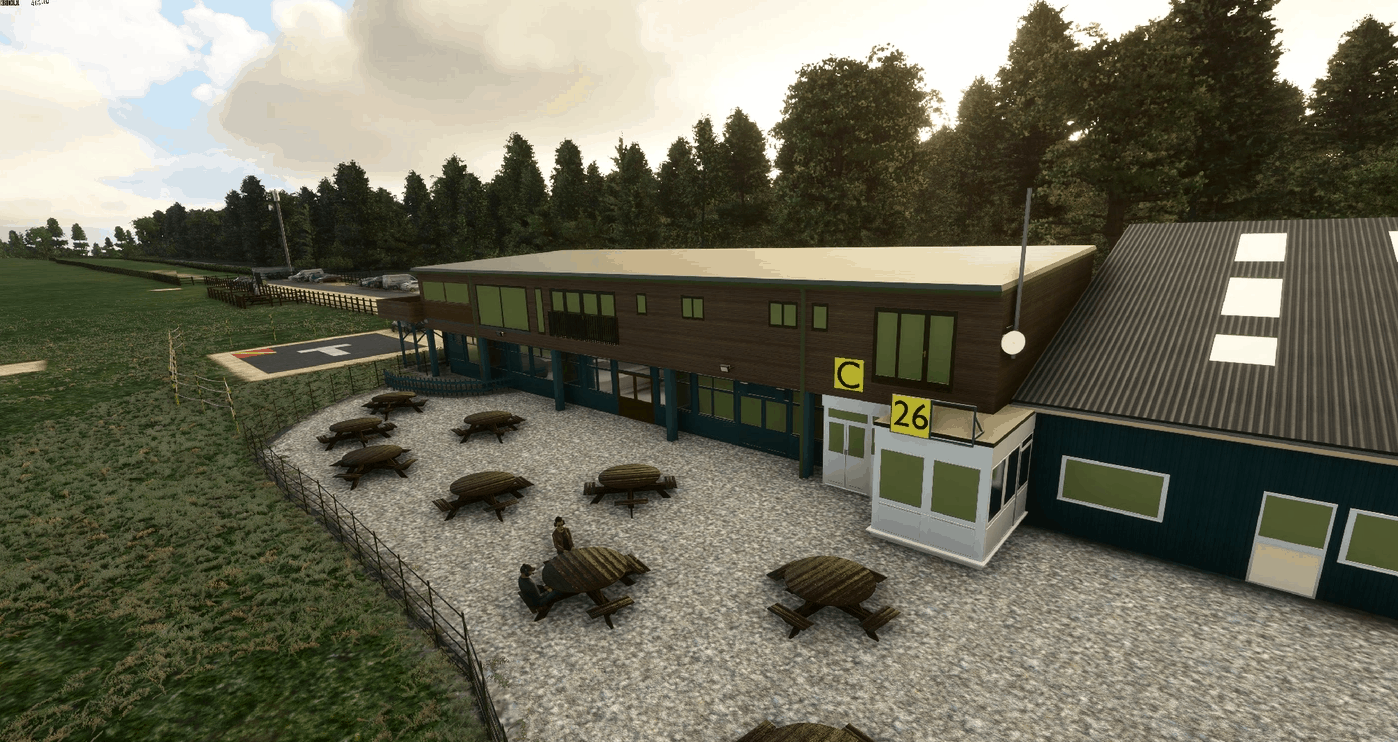
EGHA – Compton Abbas Airfield v0.82
EGHA – Compton Abbas V0.80 Here we are! My favourite airfield in the UK and I decided to start from scratch on a version for MSFS. A serious amount of hours have gone into this to get it as good as possible and I really hope you enjoy it as much as I have enjoyed creating it. All models have been created from scratch using up to date reference photos. Please be aware that this is not a finished version but it is at a stage where I am happy to release as it will not spoil it at its current stage. It also give’s you all a taste and a chance to provide any feedback. Whats included? – All unique 3D models & textures – Whole airfield re-textured – Solar Farm added at rw26 end – Incorrect buildings removed on rw26 approach – Autogen trees removed from the end of rw26 – New runway added with correct markings – rw08 and rw26 red identifier boards added – Boarded threshold markers added – 6 x GA parking spaces added (1 and 2 are on the apron between Hanger 1 & 2) – Road added on rw08 approach and road junction to airfield – Seating area added with benches – Snack Shack added – Additional seating area with benches next to snack shack added – Carpark added along with gates – Airfield gate and welcome sign added – 3G Mast and storage container added – Runway distance markers added (600m, 400m and 200m) – Night lighting added – Drag and Drop install into your community folder Credit to: Elliot S (for up to date reference photos) Mike K (for modelling Hanger 1, 2, 3 and Snack Shack) Needed to get to v1.0: – 2 more hangers – Attention to detail models (flower pots, additional signage) – Finish fencing and perimeter hedges Loving the work? This has been made out of my love for this airfield, its history, the fact that the default msfs airfield sucks big time and also my love for flightsim and the community in general. If you enjoy this, please remember to leave a rating and/or a comment… I appreciate any feedback good or bad! Enjoy! Updates to get this to V1.0 will follow shortly V0.82 – Fixed incorrect spawning of airport vehicles, added CAFE/BAR signage to rear carpark. GPS Coordinates: 50.96621473645069, -2.157176891788537 MSFS 2020 Airports 15 Oct, 2020 MSFS 2020 Airports 10 Nov, 2020 MSFS 2020 Airports 28 Apr, 2021
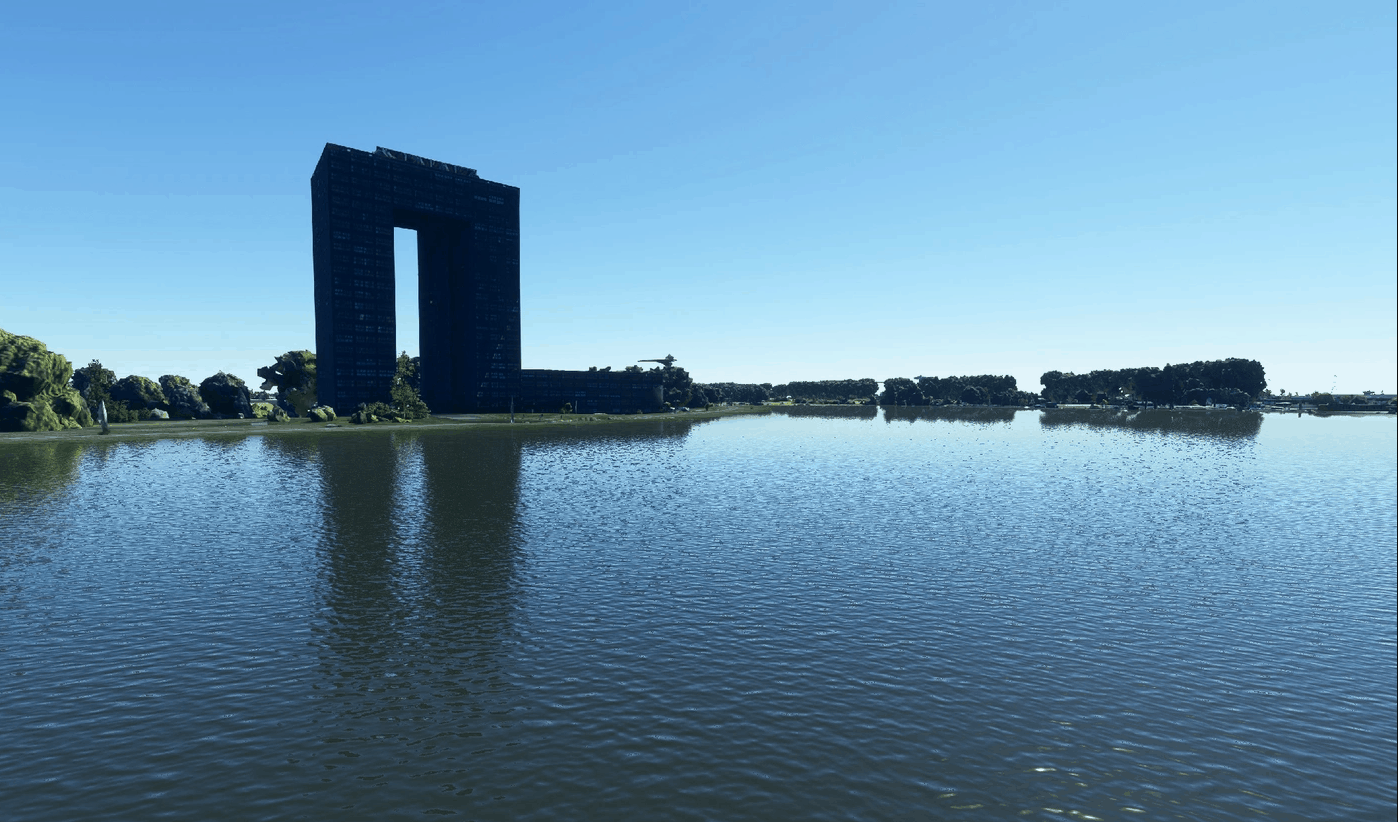
Groningen – Tasmantoren v1.0
Photogrammetry data from Google Earth decoder to MSFS 2020. The data includes the Tasmantoren and it’s surroundings. Please feel free to add or suggest things. I just started with adding photogrammetry to MSFS and I think there is a lot to learn and improve. GPS Coordinates: 53.224439, 6.598291 MSFS 2020 Scenery 21 Nov, 2021 MSFS 2020 Scenery 30 Mar, 2021 MSFS 2020 Scenery 19 Sep, 2021
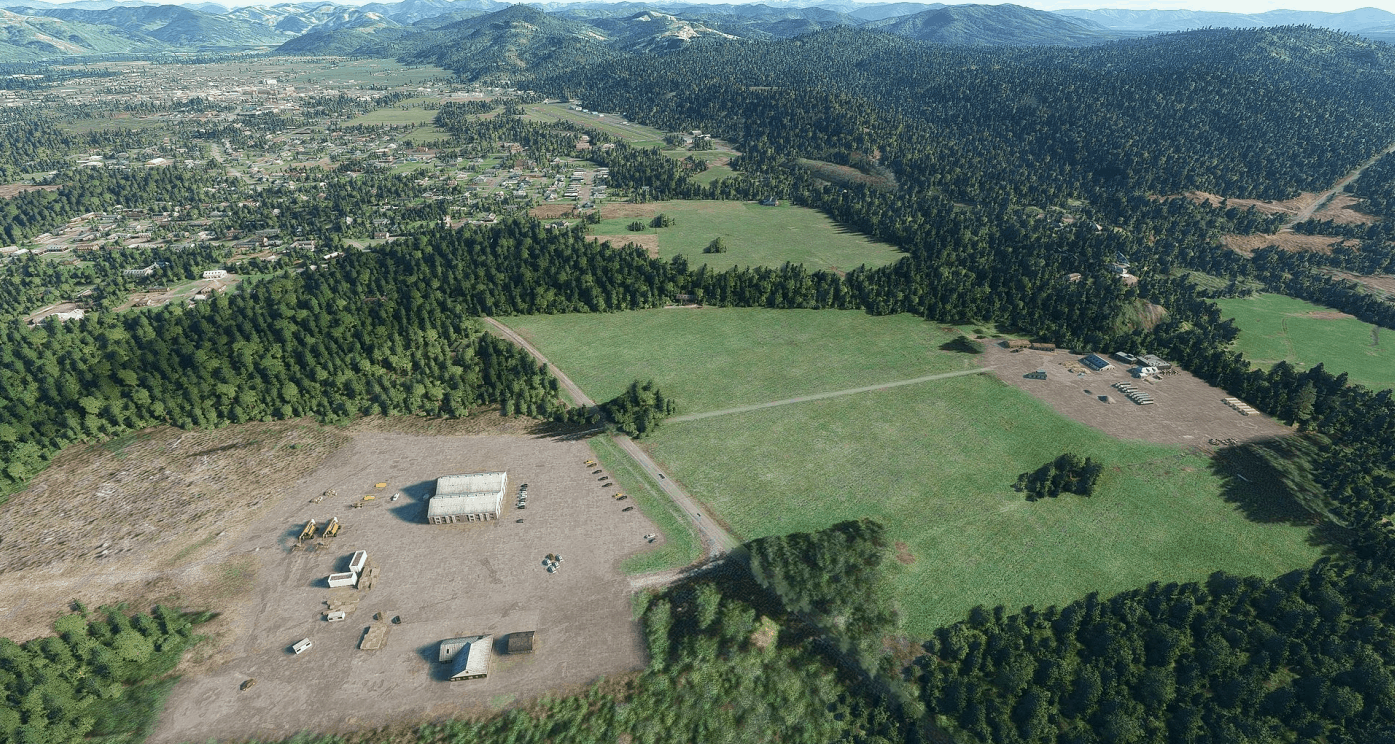
Forks (S18), WA, US v1.0
Forks, also previously known as the unincorporated town of Quillayute, is a city in southwest Clallam County, Washington, United States. Forks is a popular destination for sport fishers who fish for salmon and rainbow trout in nearby rivers. It is also supported by visitors to Olympic National Park. It is also home to world famous Forks Timber Museum and one of the main activities in Forks’ economy is indeed timber. There are many facilities around the airport which have been detailed to great extent and are used as reference points for patterns and VFR navigation. Eagle eyed (and Georender long timers) will recognize the Timber Museum, Western Union, the traffic reststop and the many construction and logging companies around the airport as well as popular Blakeslee Bar and Grill in front of the Rainforest Trailer Park. I went to a great extent modelling also the many activities around the airport. There are workers, well, working, and some other surprises that I prefer you to discover around. The airport is an interesting trip from Diamond Point, Sequim or Olifield and sits right next to the Olympic Range. The runway is short (2100ft approx) and surrounded by tall trees, high street lamps and, usually, with low clouds ceiling so be sure to feel confident with short landings and tricky approaches, as you can see in a included screenshot. Happy landings and visit the Timber Museum. GPS Coordinates: 47.937514, -124.395687 MSFS 2020 Airports 11 Aug, 2021 MSFS 2020 Airports 21 Dec, 2020 MSFS 2020 Airports 15 Jan, 2021
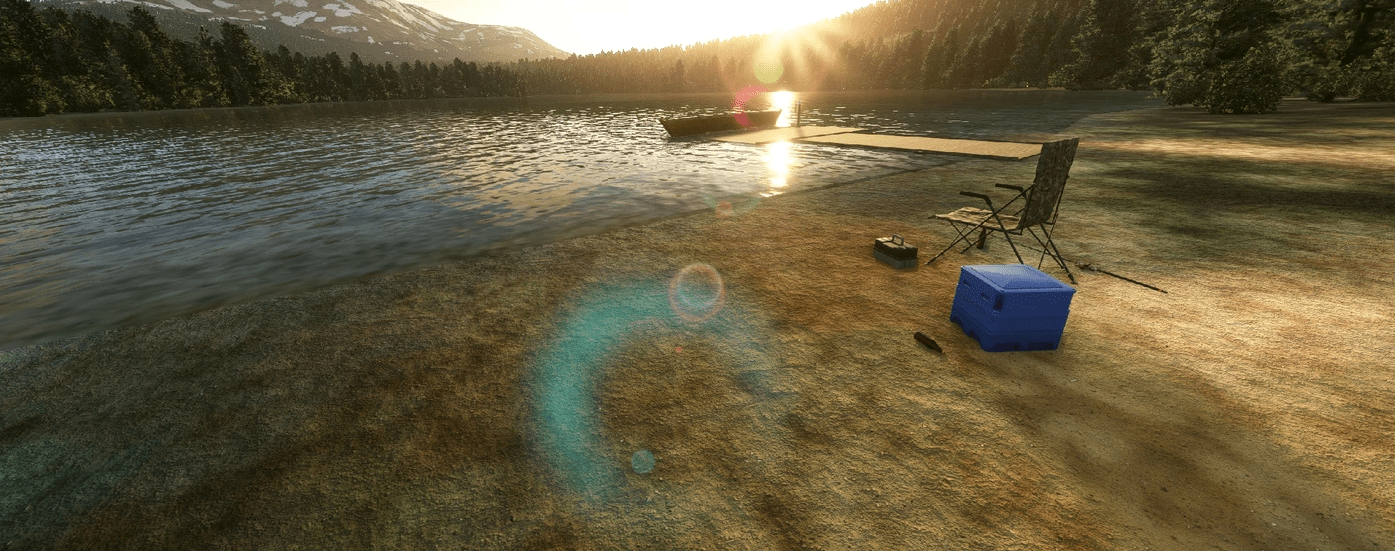
Eastern Kodiak Hideaway, Kodiak Island, Alaska v1.0
The Eastern Kodiak Island hideaway, is a fictional bush airport on Eastern Kodiak Island, Alaska. The hideaway is mostly self sufficient with means of food, and water. Features: -1 runway -1 Water access with dock -Tents for shelter MSFS 2020 Airports 21 Oct, 2020 MSFS 2020 Airports 11 Oct, 2020 MSFS 2020 Airports 21 Jan, 2021
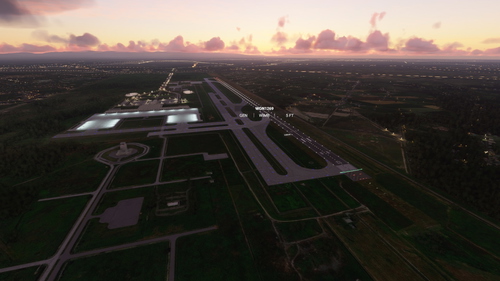
WIMM Light Fix for default WIMM
Enhance the lighting at the WIMM airport with this mod, adding apron, taxi, runway, approach lights, and Papi lights. Improve your night flying experience with these additional lighting features included in the default WIMM airport. Simply unzip the files into your MSFS 2020 community folder for easy installation.
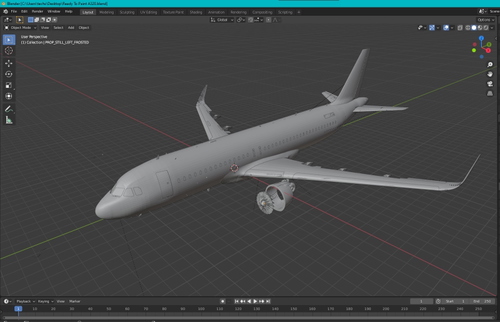
A320 Livery Ready Model
A pre-made A320 model in Blender ready for custom livery painting. Simply open the file in Blender and let your creativity take flight. Utilize the provided tutorials to master the art of painting liveries in Blender.
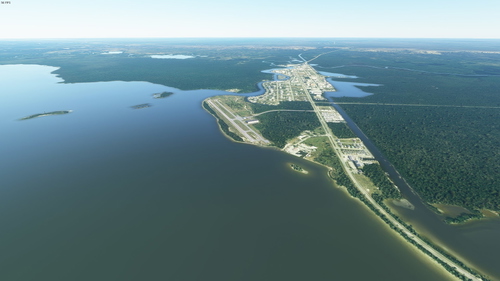
X01 - Everglades Airpark
Discover X01 - Everglades Airpark, a 29-acre airpark located near Big Cypress National Preserve and Everglades National Park. This unique airpark offers a serene setting with environmentally sensitive lands surrounding it, perfect for exploring the nearby Fakahatchee Strand State Preserve and Collier Seminole State Park. The runways of 2400 x 50 ft with medium intensity edge lights provide a challenging yet rewarding landing experience, all thanks to the detailed work of creator Windhover.
- 15 per page
- 30 per page
- 45 per page
- 60 per page
-
See more per page
Bigger pages, fewer clicks - and no ads anywhere.
Go Pro