Microsoft Flight Simulator mods
109,870 results- 15 per page
- 30 per page
- 45 per page
- 60 per page
-
See more per page
Bigger pages, fewer clicks - and no ads anywhere.
Go Pro
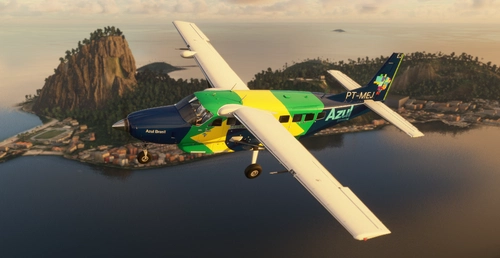
AZUL CONECTA ''Azul Brasil'' C208B
Experience the AZUL CONECTA "Azul Brasil" C208B mod, hand-crafted in 8192x8192 resolution with ongoing improvements for the Brazilian community. This WIP add-on is now compatible with the latest updates - support the developer for more updates!
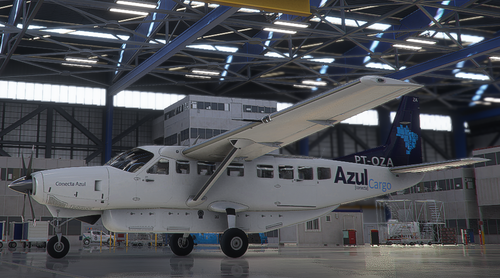
AZUL CARGO C208B 2K
Explore the high-quality 2K resolution Azul Cargo livery for the C208B in Microsoft Flight Simulator, designed with attention to detail for the Brazilian community. Support for the 8K resolution with Blender Method coming soon. Click the link to support the developer behind this unique add-on.
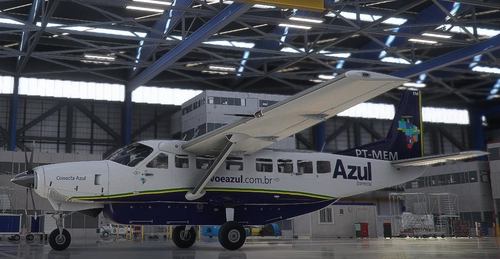
AZUL CONECTA C208B 2K
Discover a high-quality Azul Conecta livery for the C208B, crafted with attention to detail in 2K resolution. A dedicated creation for the Brazilian flight simulation community, with future enhancements planned. Support the developer for further updates.
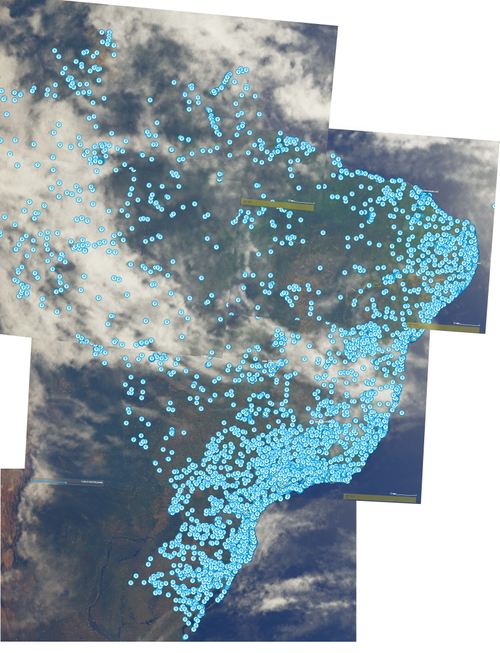
World Points of Interest - Brazil
Discover over 9000 Points of Interest across Brazil with this comprehensive scenery file. From castles to stadiums, cathedrals, and more, enhance your sightseeing experience like never before. Explore POIs in Switzerland, Japan, France, UK & Ireland, and Czech Republic as well. Install in the community folder with minimal impact on FPS.
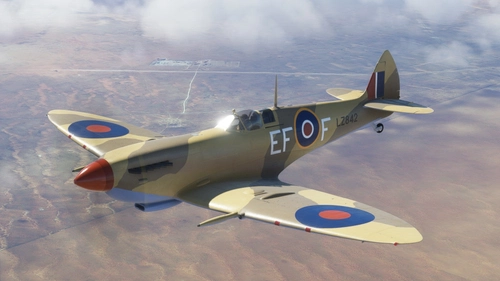
Flying Irons Spitfire MKIX LZ842
Repaint of the Flying Irons Spitfire IX depicting the restoration of LZ842 at Biggin Hill, including both restored and wartime versions. Just drop the folders into your Community folder.
![[A32NX]A320 NEO Monster Energy](https://cdn.flightsim.to/images/12/kt3e1sf5.png?width=500)
[A32NX]A320 NEO Monster Energy
Customize your A320 NEO with the Monster Energy livery and some unique cockpit details for a fun new flying experience.
![[A32NX] A320 Stromberg Liverie](https://cdn.flightsim.to/images/12/mI1iaAjn.png?width=500)
[A32NX] A320 Stromberg Liverie
Experience the A32NX A320 Stromberg livery inspired by the beloved TV series and movie. Easy installation - simply unpack the ZIP file into your Community folder in the flight simulator directory.
![[A32NX] FlyByWire A320neo Seattle Seahawks Fan Livery](https://cdn.flightsim.to/images/12/EtH8bkZW.jpg?width=500)
[A32NX] FlyByWire A320neo Seattle Seahawks Fan Livery
FlyByWire A320neo Seattle Seahawks Fan Livery: A custom fan livery for the A320 Neo, now compatible with the latest model changes from FlyByWire in the DEV and Experimental versions. Version 1.2 tailored for the new updates. Simply extract the package into your community folder to enjoy this unique livery.
![[A32NX] FlyByWire A320neo EURO 2021 Fan Livery](https://cdn.flightsim.to/images/12/qf2dQSJV.jpg?width=500)
[A32NX] FlyByWire A320neo EURO 2021 Fan Livery
Experience the EURO 2021 spirit with the FlyByWire A320neo EURO 2021 Fan Livery. This fan-made livery captures the essence of the European Football Championship with authentic colors and UEFA logo. Version 1.2 is now available, compatible with the latest model changes from FlyByWire in the DEV and Experimental versions. Make sure to upgrade for the best experience.
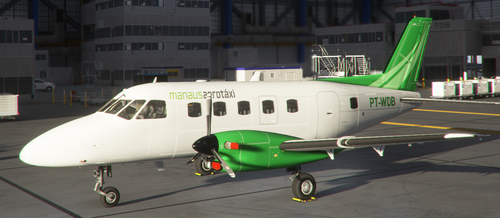
Manaus Aerotáxi PT-WDB NextGen EMB-110P
Explore the detailed recreation of Manaus Aerotáxis PT-WDB, a charter airline based in Brazil, for your Microsoft Flight Simulator experience. Please note that re-uploading this file is strictly prohibited.
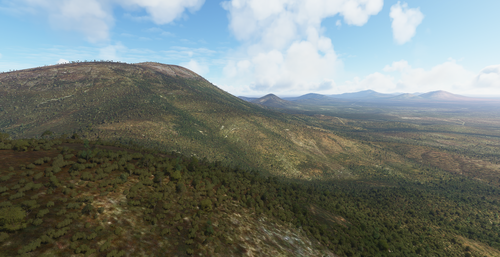
South West Australian Bush Trip
Embark on a scenic bush trip from Perth to Albany in South West Australia. Explore stunning coastal landscapes, forests, and mountains on a 768km journey with 6 legs. Fly a Cessna 172 G1000 through iconic landmarks like Rottnest Island, Margaret River, and the Stirling Ranges. Experience the beauty of Western Australia in Microsoft Flight Simulator.
![[NOT COMPATIBLE WITH v0.92 & up] Airbus H135 | US Navy SAR [FICTIONAL] | 8k High Detail](https://cdn.flightsim.to/images/11/I0yPRrCS.png?width=500)
[NOT COMPATIBLE WITH v0.92 & up] Airbus H135 | US Navy SAR [FICTIONAL] | 8k High Detail
A fictional Airbus H135 - US Navy SAR livery for the Airbus H135 Project by Hype Performance Group. This high-detail 8k livery is not compatible with v0.92 & up, with no further updates announced. Inspired by the SAR-livery of the German Army, this mod visually transforms the helicopter with no functional changes. Please note that the registration N498AH is fictional and this livery was created upon request.
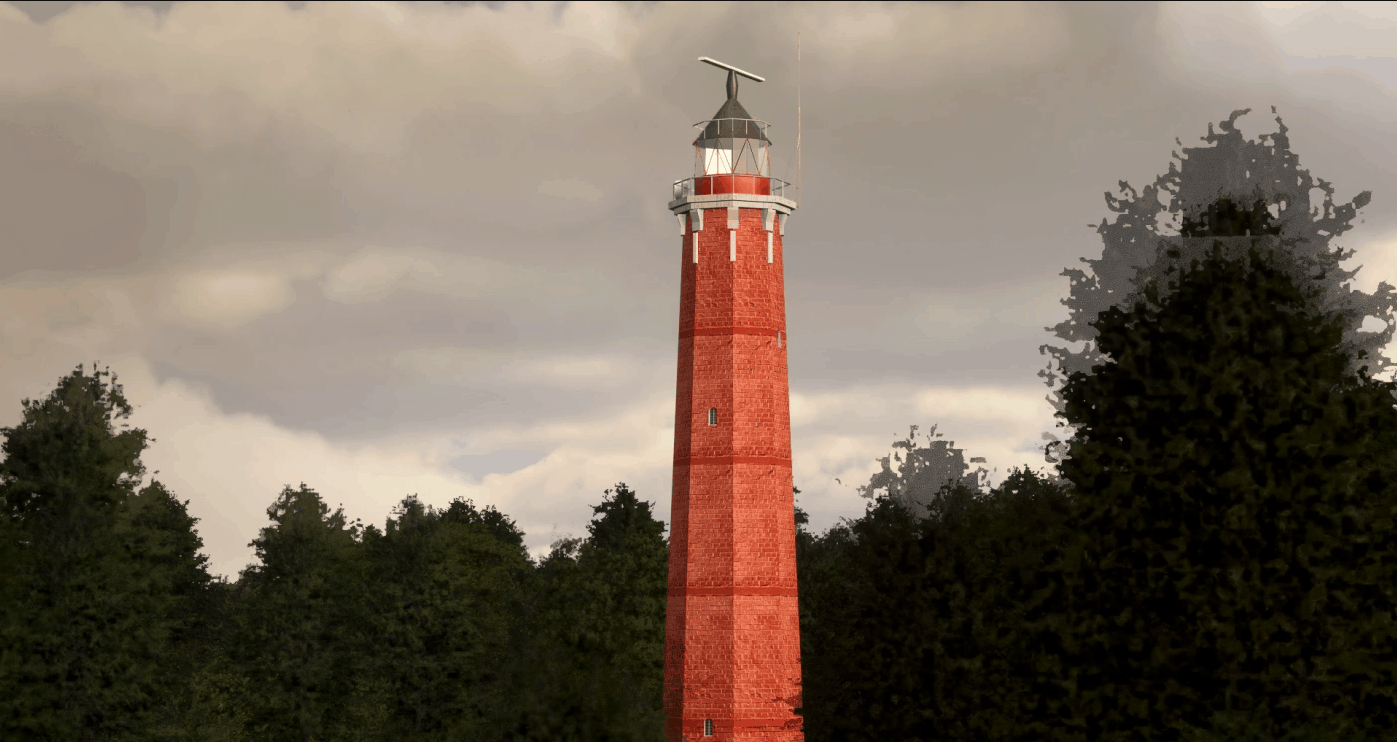
Lighthouse Hel Animated/Light v1.0
Lighthouse Hel – Animated antena – Light at night Copy folder roansky-scenery-hel-latarnia to your community folder. GPS Coordinates: 54.60054672108471, 18.813000347759825 MSFS 2020 Scenery 30 Jan, 2021 MSFS 2020 Scenery 1 Nov, 2020 MSFS 2020 Scenery 18 Oct, 2020
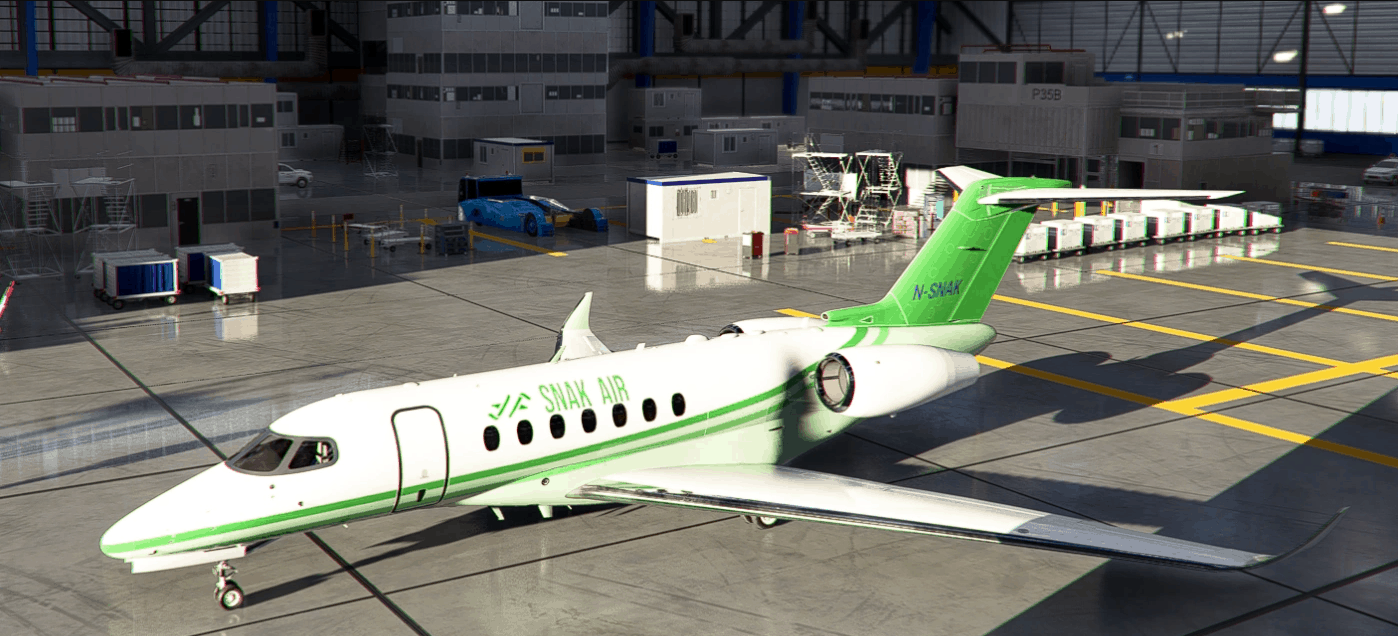
Snak Air Livery Pack v1.0
This is a livery pack for the fictional airline Snak Air. The pack consists of liveries for the following aircraft: Cessna 172 Skyhawk Classic Cessna 172 Skyhawk G1000 Cessna 208 B Grand Caravan EX Cessna Citation CJ4 Aerosoft CRJ 700 (550 to be added) Diamond DA62 Beechcraft Baron G58 Beechcraft King Air 350i Cessna Citation Longitude Daher TBM 930 Cub Crafter X Cub Installation: Simply drag & drop the livery folders in your Community folder! Changelog: v1.0 – Initial release MSFS 2020 Liveries 5 May, 2021 MSFS 2020 Liveries 7 Jan, 2023 MSFS 2020 Liveries 31 Mar, 2021
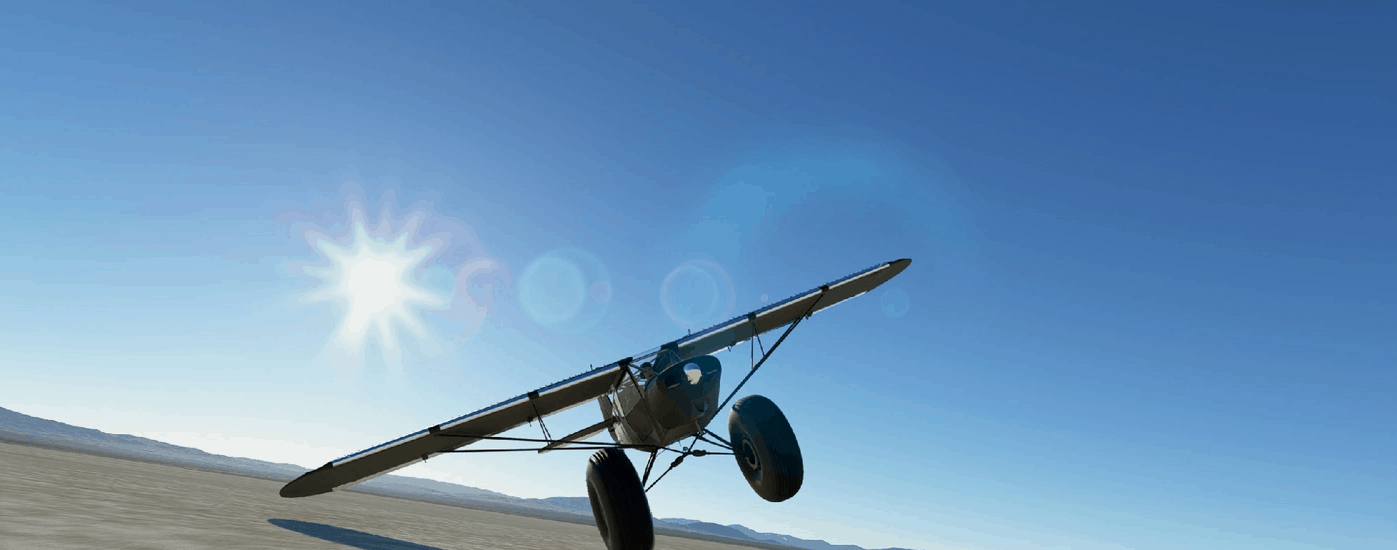
Savage Obstruction – Bigger is Better v1.2.6
SAVAGE OBSTRUCTION – BIGGER IS BETTER Witness the dawn of a new era in bush flying! Fly the latest and by far the greatest Savage, the Obstruction! Fitted with top-secret 50 inch Alaskan Humongowheels, because you asked for it! They are designed to provide the pilot with more privacy by making it harder for people to see you. We expect quite a demand due to the very nature of the bush pilot: to get away from it all. And now you truly can!! People can walk past your obnoxious aircraft and have no idea you were even inside! Incidentally the aircraft’s stationary attitude makes for a great bear defence! With the mighty Savage Obstruction you’ll be safer than ever! Fun fact: The Obstruction’s outrageous wheels are 1 inch bigger than a 747’s. Now that’s obnoxious. 230HP 2.5L V6 “Ford Mustang” engine, adapted for use in a cub. Top-Secret 50″ Alaskan Humongowheels. 4 Bladed 6 foot prop for out-of-this-world acceleration and climbrate. 90HP 10 Second War Boost (full throttle at 6200RPM) 2 x 27 Gallon tanks to feed the thirsty V6. 100% Custom lights with powerful landing light. Enhanced Night VFR lights inside the cockpit. Rearward facing landing light (“Torch” switch) for team leads so others can follow easily. Reinforced structure, higher MTOW. Comfortably cruises at 85kts, punch it to hit 100 in seconds. Sustained climb rate of 2000fpm. 500nm range at sea level at 4200RPM. Wider wheelbase. King Shock absorbers and upgraded suspension. Powerful disc brakes. A 3rd monster flap (60 degrees!) so you can fly slower approaches, with higher sink rates, giving you 50ft landing bragging rights. Flaps move faster so you can pump them for short take offs and retract them at touchdown for maximum braking power. Supurb ground handling. Vortex Generators on wing and tail are accurately simulated, delaying stalls and enabling those slow STOL approaches. Windshield de-icing (use the cabinheat lever). BE A SUPPORTER The Obstruction is free and always will be, but if you enjoy this obnoxious aircraft and feel you want to contribute towards this ongoing project it will always be appreciated. INSTALLATION First of all make sure the default MSFS Savage Cub is installed, this mod depends on it. Delete older versions of the Savage Obstruction mod, if any. Extract the ZIP file. Drag the folder named gotgravel-savage-obstruction directly into the Community folder. Restart the sim. You’ll find Obstruction in your hangar all the way to the right near the default MSFS Savage Cub. If done correctly, your folder structure should look like this: /Community /gotgravel-savage-obstruction /RTC /SimObjects /Official How to find the Community folder? If you changed the default location of packages, it’s the simplest because you should find a Community sub folder in it. For Steam, it should be located in C:\Users\ [Computer Name]\ AppData\ Local\ Packages\ Microsoft.FlightDashboard_8wekyb3d8bbwe\ LocalCache\ Packages\ Community For Windows Store C:\Users\ [Computer Name]\ AppData\ Local\ Packages\ Microsoft.FlightSimulator_8wekyb3d8bbwe\ LocalCache\ Packages\ Community WAR BOOST The Obstruction has a max continuous RPM of 5500 and a normal max RPM of 5800 (5 minutes). Now you can push the throttle further to reach an even higher RPM of 6200, delivering 90HP additional power to your engine for 10 seconds! During this brief time you will command a massive 320HP but watch your engine…your oil pressure and temperature will shoot up! Great for getting you out of a fix though, or to accelerate as fast as the fastest Lamborghini in the world, the Aventador Superveloce: with boost the Obstruction now does 0-100kph (0-54kts) in 3 seconds and 0-160kph (0-86kts) in 5 seconds…same as the Lambo. THE TORCH The “Torch” is a unique rearward facing landing light, similar to what was installed on Draco. When turned on (there is a switch in the cockpit), it will be easy for others to spot you from behind. Great if you are a team lead for a group flight! SWAP YOUR PANEL Choose your panel! You will find 5 panels to choose from in the swap-your-panel folder. SWAP YOUR AIRSPEED INDICATOR Choose your ASI face to be white or black! Select them from the swap-your-asi folder. AUTOPILOT The Obstruction has no autopilot installed (you will find none in the cockpit), but for your convenience I did tune and test the configuration for a relaxed experience. However, it is disabled by default. To enable, follow the simple instructions below. You will also need to setup and use your own keybinds for autopilot on / off state, altitude hold and heading hold if you haven’t done so yet. Go to your community folder Go to gotgravel-savage-obstruction / SimObjects / Airplanes / Asobo_Savage_Obstruction Open the file engines.cfg in a text editor Go to the last line and change the 1 to 0 (DisableAutopilotControls = 0) Restart sim if it was running MSFS 2020 Aircrafts 11 Nov, 2023 MSFS 2020 Aircrafts 13 Jul, 2021 MSFS 2020 Aircrafts 22 Feb, 2021
- 15 per page
- 30 per page
- 45 per page
- 60 per page
-
See more per page
Bigger pages, fewer clicks - and no ads anywhere.
Go Pro