Microsoft Flight Simulator mods
110,151 results- 15 per page
- 30 per page
- 45 per page
- 60 per page
-
See more per page
Bigger pages, fewer clicks - and no ads anywhere.
Go Pro
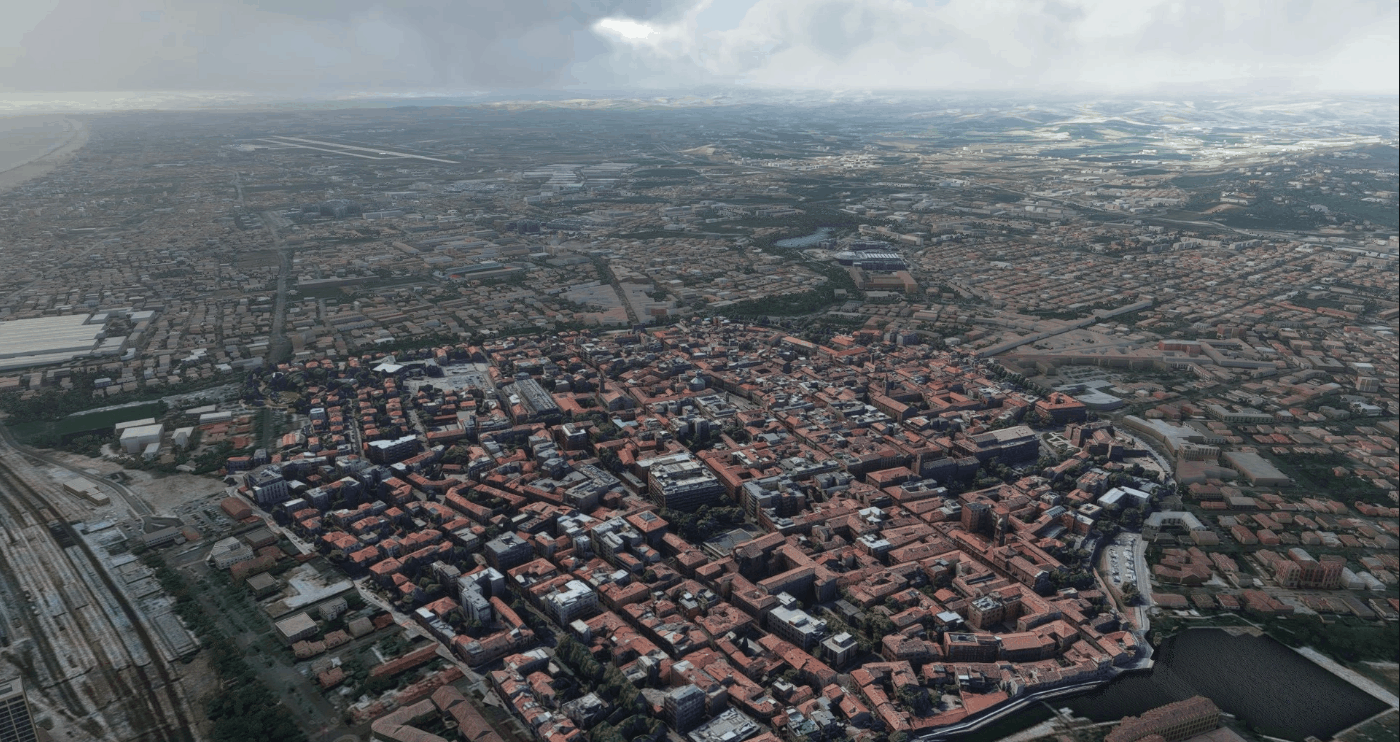
Rimini city centre and landmarks v1.0
Rimini is a city in the Emilia-Romagna region of northern Italy. It is one of the most notable seaside resorts in Europe with revenue from both internal and international tourism forming a significant portion of the city’s economy. The scenery includes: – City centre – “Le Befane” Mall – Infermi Hospital – Rimini Convention Centre (Palacongressi) – Rimini Court – RDS Stadium – AUSL Romagna Low impact on frame-rate Installation: simply unzip the file “rimini.zip” in your Community folder. MSFS 2020 Scenery 16 Oct, 2021 MSFS 2020 Scenery 4 Oct, 2020 MSFS 2020 Scenery 2 Jun, 2021
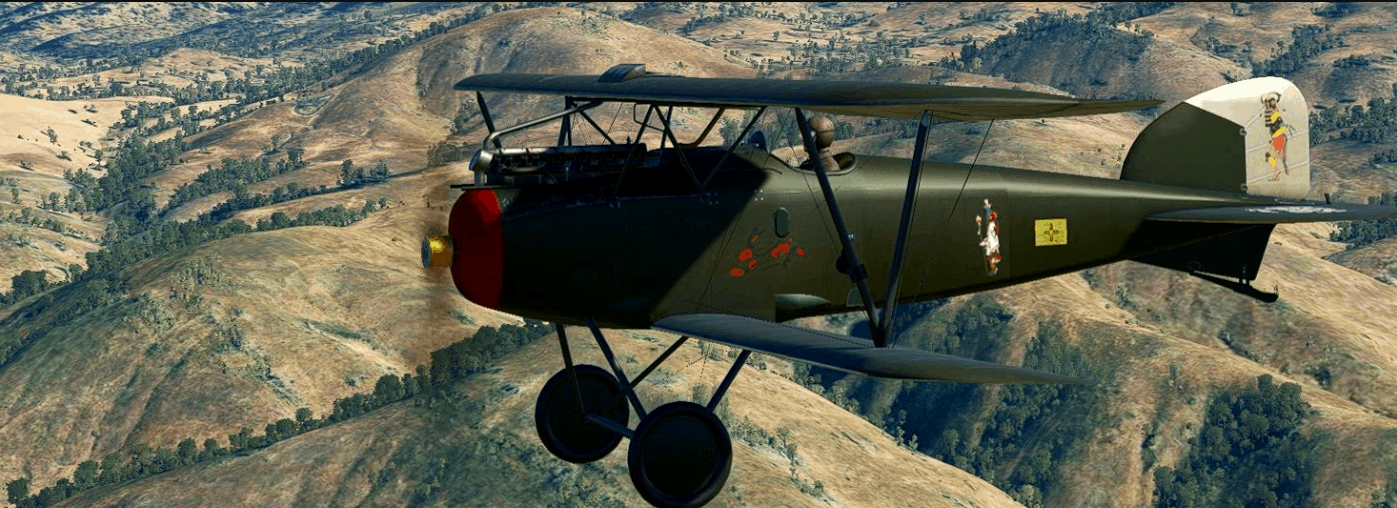
Albatros D.III Tehachapi (WWI warbird) v1.0
This is a fictional paintscheme of the WWI German warbird Albatros D.III (Oef) 253 initially made by Aircraft Factory for fsx Conversion made by “MSFS Legacy Importer 0.2.5.0” (great and easy to use) for MSFS2020 from the original texture “fauntleroy” to fly over Western US near Tehachapi mountains and around : on the fuselage and wings are masks and painting by Hopi, Navajos, and others tribes … beautiful native people artefacts… See readme text for installation process. You need to have bought the Albatros D.III (Oef) 253 initially made by Aircraft Factory for fsx to use this repaint (after conversion of the plane by MSFS Legacy Importer) PS : The cockpit is functional with great engine effects (piston mouvements…) and instruments are working almost rightly MSFS 2020 Liveries 22 Oct, 2020 MSFS 2020 Liveries 8 Oct, 2021 MSFS 2020 Liveries 14 Dec, 2021
![[A32NX] [FBW] Uzbekistan Airways UK32022 v1.0](https://www.allflightmods.com/wp-content/uploads/2021/05/A32NX-FBW-Uzbekistan-Airways-UK32022-v1-3.png)
[A32NX] [FBW] Uzbekistan Airways UK32022 v1.0
This mod require the Third Party Aircraft A32NX by FlyByWire Simulations. These liveries are compatible with the latest development branch. Uzbekistan Airways UK32022 A320 neo circa 2019. There are no blanks and registration is baked in. A null spacer is in place to hide the default tail number system. Installation: Drag and drop the contained folder ‘FlyByWire A20N UZB Repaint’ into ‘Packges installation directory/Communities’ folder. MSFS 2020 Liveries 21 May, 2021 MSFS 2020 Liveries 17 Mar, 2021 MSFS 2020 Liveries 14 Oct, 2022
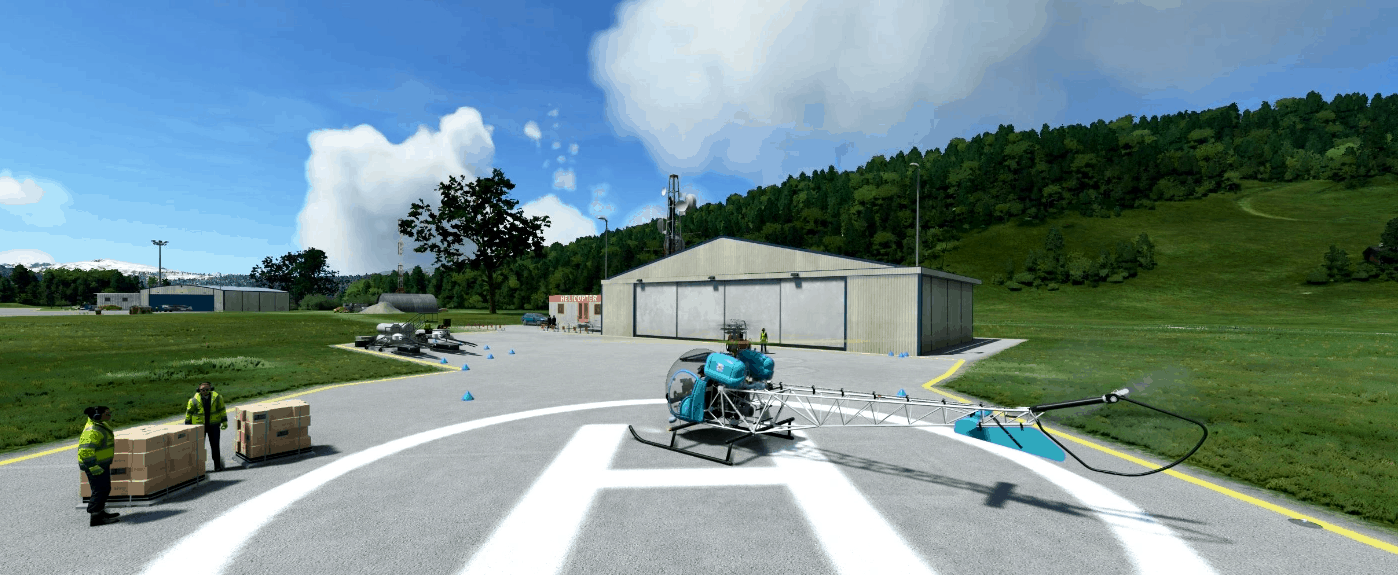
Flyinside Bell 47 G LIVERY Blue v1.0
A Fictional Blue Paint for The Flyinside Bell 47 G put in Comunity Folder and Have Fun!!! MSFS 2020 Liveries 3 Jun, 2021 MSFS 2020 Liveries 15 Oct, 2021 MSFS 2020 Liveries 19 Jan, 2021
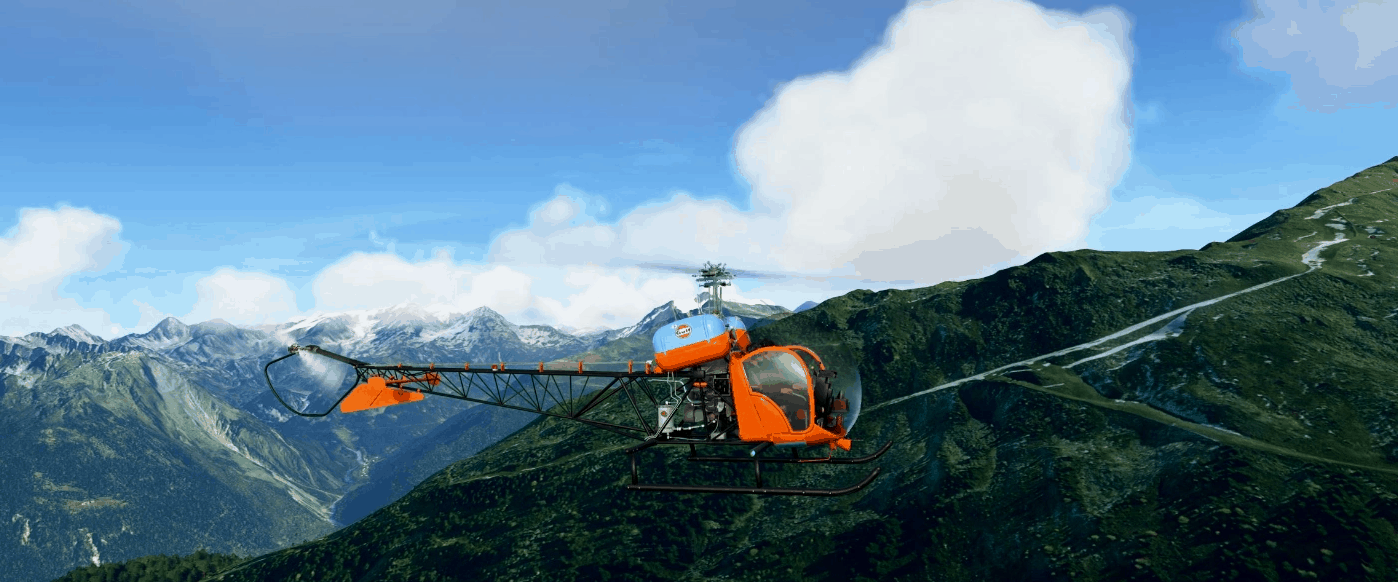
Flyinside Bell 47 G Gulf v1.1
A Fictional livery for the Flyinside Bell 47G Have Fun!!! MSFS 2020 Liveries 1 Sep, 2021 MSFS 2020 Liveries 14 Jan, 2021 MSFS 2020 Liveries 8 Jan, 2021
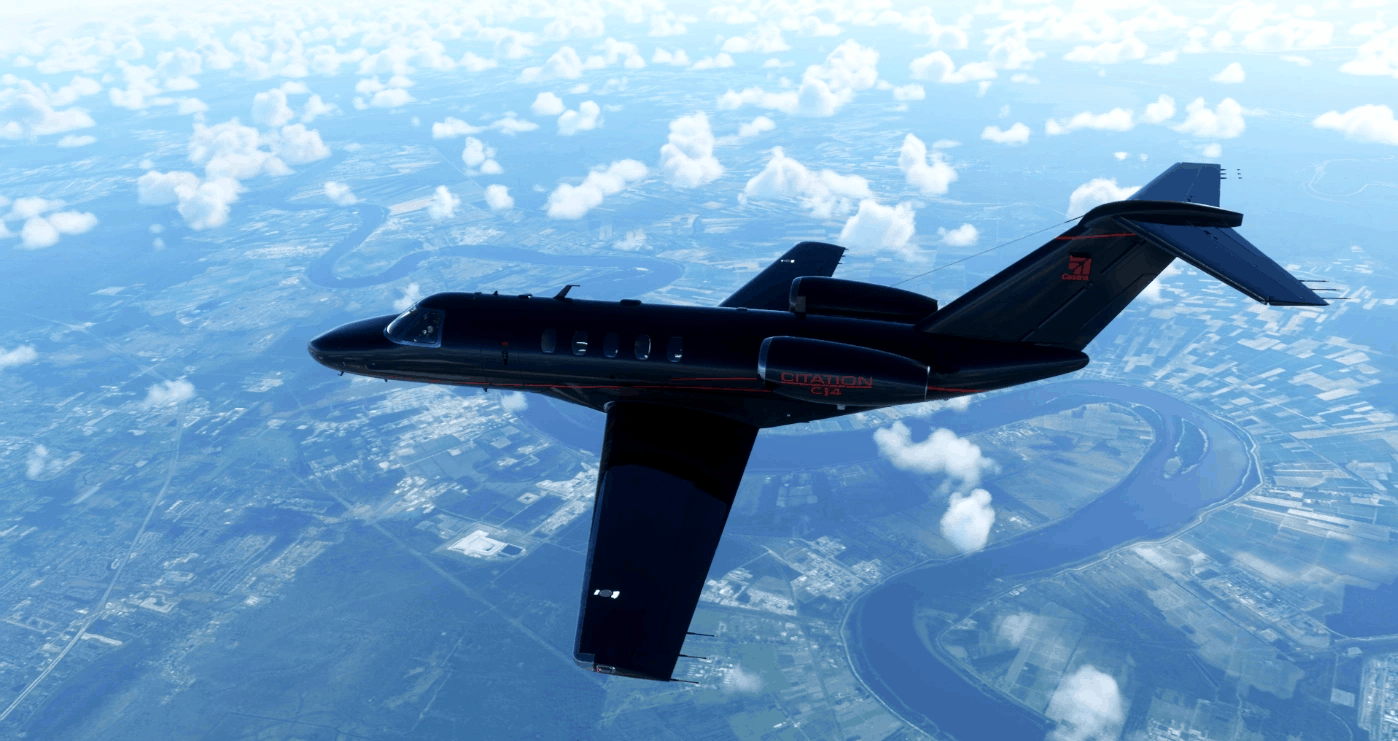
Aerobiz CJ4 v1.0
This livery was created for my company Aerobiz OnAir but retains the private corporate yet sporty look and style. I decided to give the CJ4 a more modern upgrade on the interior too and upgraded all the wood to mahogany black and upholstery to cream white leather. The flight deck was also given the same treatment but a darker offset black was used for instrument panels. I also decided to give the plane a new set of tires, touch up the wheels, and add some chrome. I have tried to keep all original assets to keep from looking “painted over.” Even the divots are custom painted. I hope you enjoy this livery and I look forward to seeing it online some day! Standard resolution was kept to ensure maximum performance on as many GPU as possible. MSFS 2020 Liveries 16 Oct, 2021 MSFS 2020 Liveries 2 Jan, 2023 MSFS 2020 Liveries 10 Oct, 2020
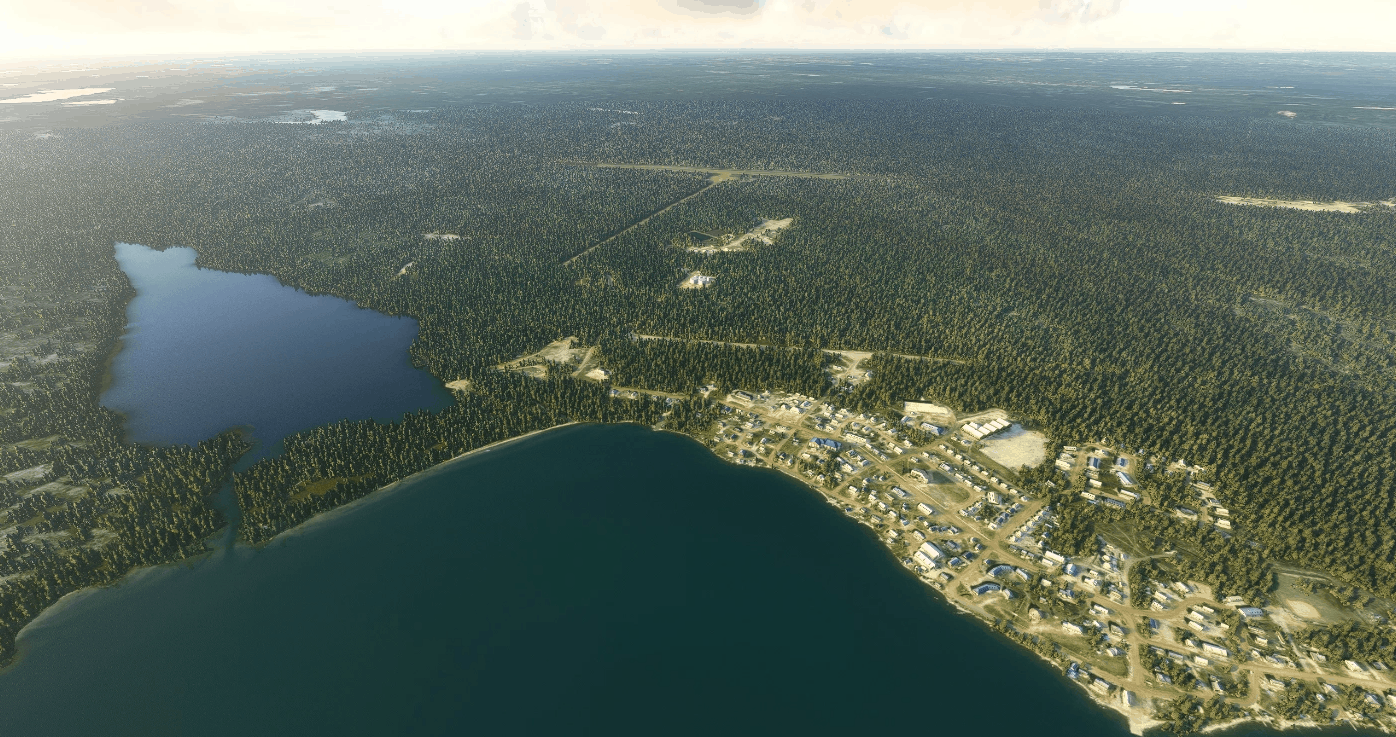
CYWJ-Deline – Harley Wright Memorial airport, Northwest Territories, Canada v1.0
CYWJ-Deline-Harley Wright Memorial airport, Northwest Territories, Canada. Deline Airport lay at the bank of the Great Bear Lake far north in the Canadian Wildernes. Former, the settlement was know as Fort Franklin as it was founded to support Sir Frankelins sekond Arctic expedition. In the remarks for the airport its stated that reindeers might occupy the RWY, and that it should not be confused with the old Abandoned airstrip nearby. Pls. study the READ_ME file for important info, and dwl and install the listed Addon Libraries for all objects to show. Just unzip and drop the folders into your MSFS community folder. If you want the Static Aircrafts, you must Dwl directly from Jean-Pierre Fillion’s website found here; Static Aircrafts Thanks to the devellopers for sharing there Great libraries with our community I hope You Enjoy your flight to Deline and Great Bear Lake, se my other airports in the region GPS Coordinates: 65.2088076,-123.4341966 MSFS 2020 Airports 2 Aug, 2021 MSFS 2020 Airports 11 Jan, 2021 MSFS 2020 Airports 22 Nov, 2020
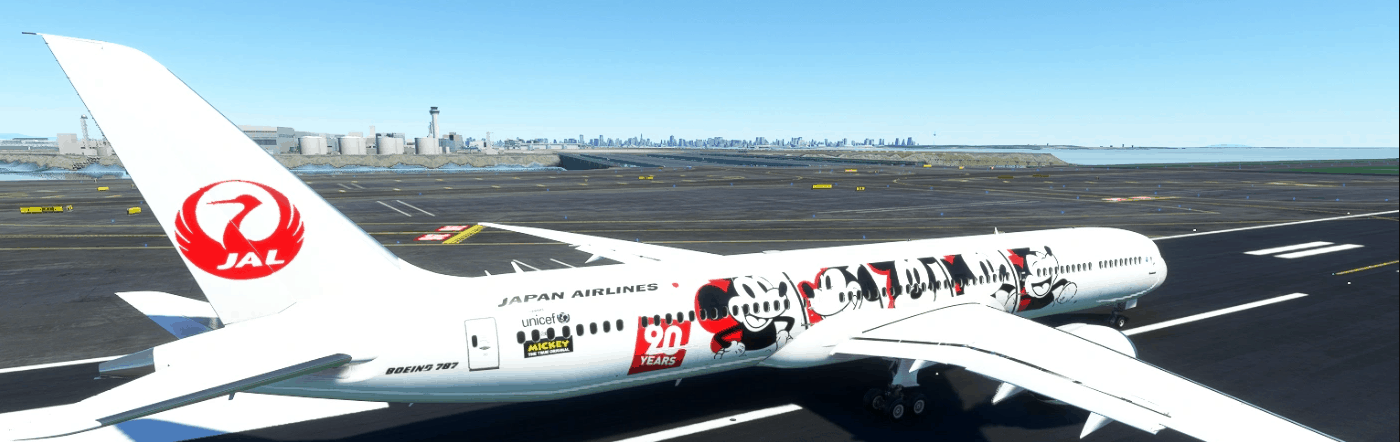
B787 JAL Dream express 90 v1.0
MSFS 2020 Liveries 17 Oct, 2020 MSFS 2020 Liveries 1 Feb, 2021 MSFS 2020 Liveries 24 Oct, 2020
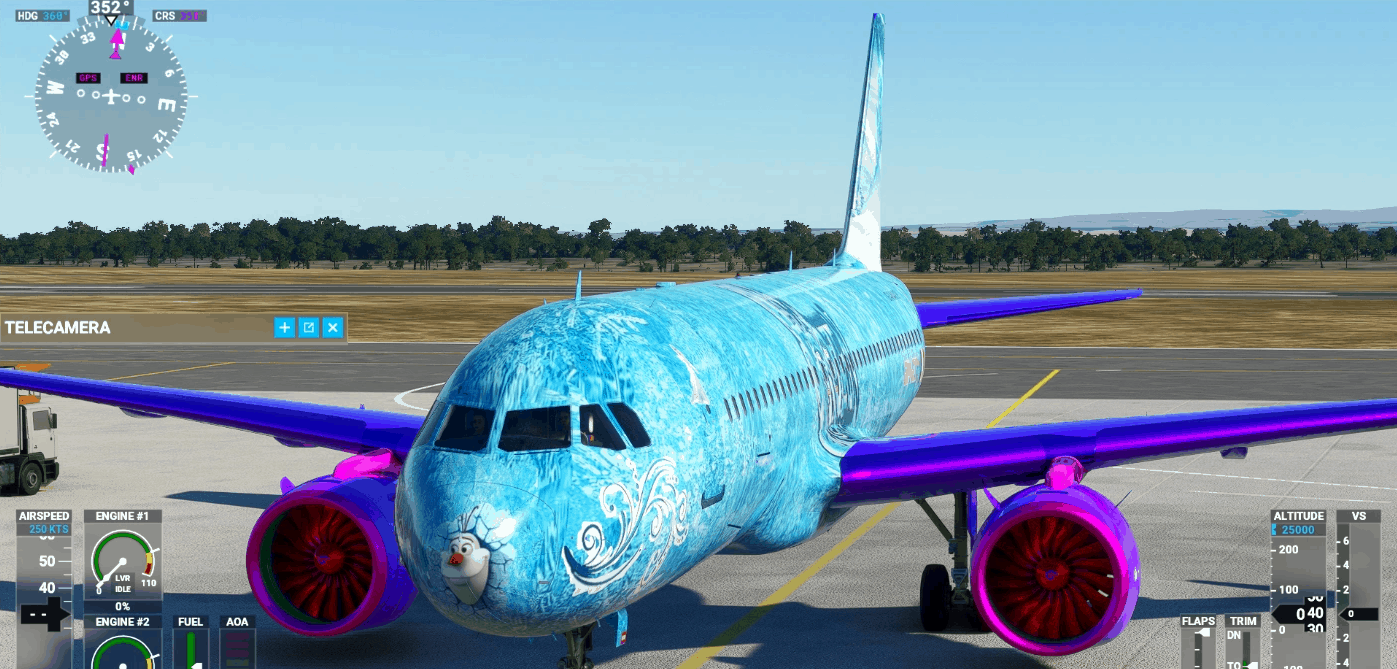
A32NX Frozen 8k Livrea v1.0
This mod require the Third Party Aircraft A32NX by FlyByWire Simulations. These liveries are compatible with the latest development branch. Greetings GiaNav 8 Alias GiankyNav MSFS 2020 Liveries 15 Nov, 2021 MSFS 2020 Liveries 19 Dec, 2020 MSFS 2020 Liveries 11 Jul, 2021
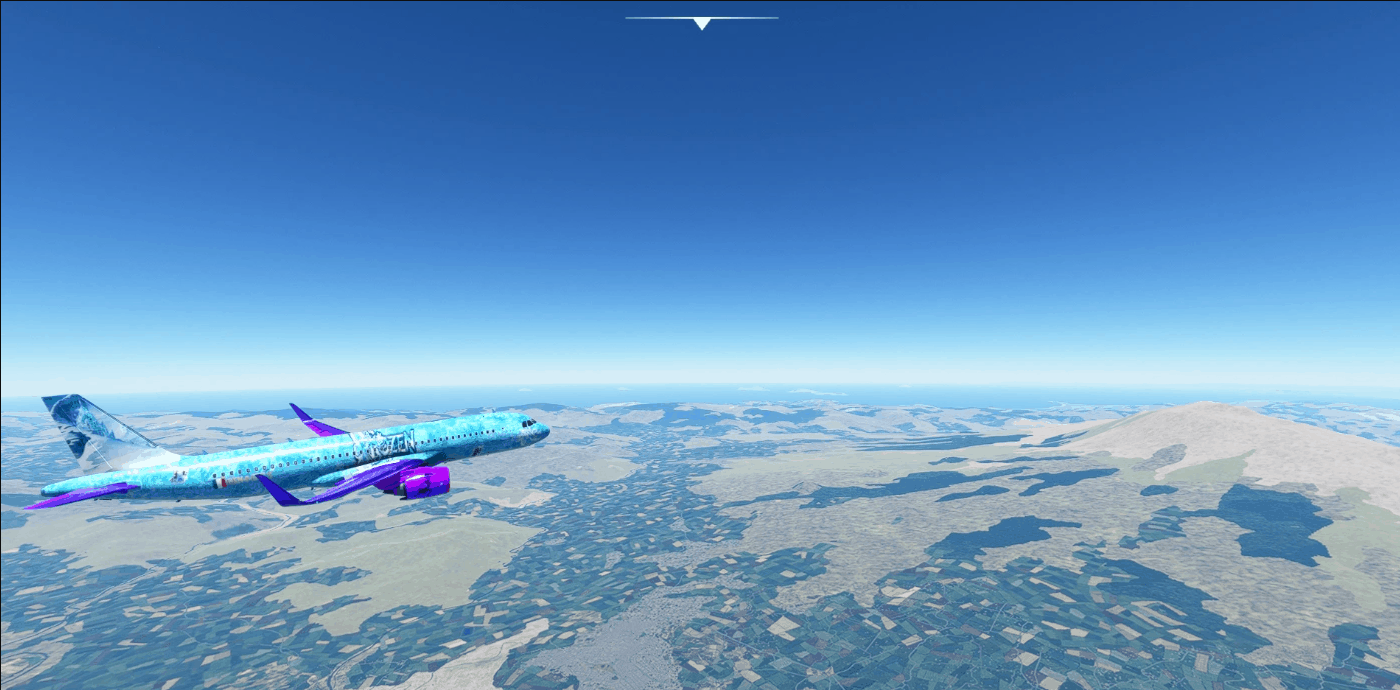
Frozen 8k Livrea v1.0
Greetings GiaNav 8 Alias GiankyNav MSFS 2020 Liveries 9 Apr, 2021 MSFS 2020 Liveries 10 Nov, 2021 MSFS 2020 Liveries 12 Aug, 2021
![[AJACCIO] LFKJ – NAPOLEON BONAPARTE Aerial Textures v1.0](https://www.allflightmods.com/wp-content/uploads/2021/05/AJACCIO-LFKJ-NAPOLEON-BONAPARTE-Aerial-Textures-v1-3.png)
[AJACCIO] LFKJ – NAPOLEON BONAPARTE Aerial Textures v1.0
Hi everyone, I made aerial textures thanks to Google Earth for LFKJ Airport Compatible with Joulouv’s scene However, with Developper mode, I disable the Draw on Terrain Option to made the ground textures more realistic. But it works with any addon of LFKJ I made this addon because I don’t know how to create an airport (Congratulations to the whole community for sharing addons so beautiful) but I know with “Runway opacity” set to 0 during the airport creation, we can see the runway texture from my addon. So I don’t have the right and the possibility to edit the beautiful jououv’s scene by the way. Environnment like grass will be improved thanks to the addon INSTALLATION Just extract the folder into your Community folder PS: I’m newbie for creating scene, I just wanted to share with you my little contribution Have a good flight ! GPS Coordinates: 41.920978, 8.800251 MSFS 2020 Airports 10 Jan, 2021 MSFS 2020 Airports 14 Oct, 2020 MSFS 2020 Airports 5 Nov, 2021
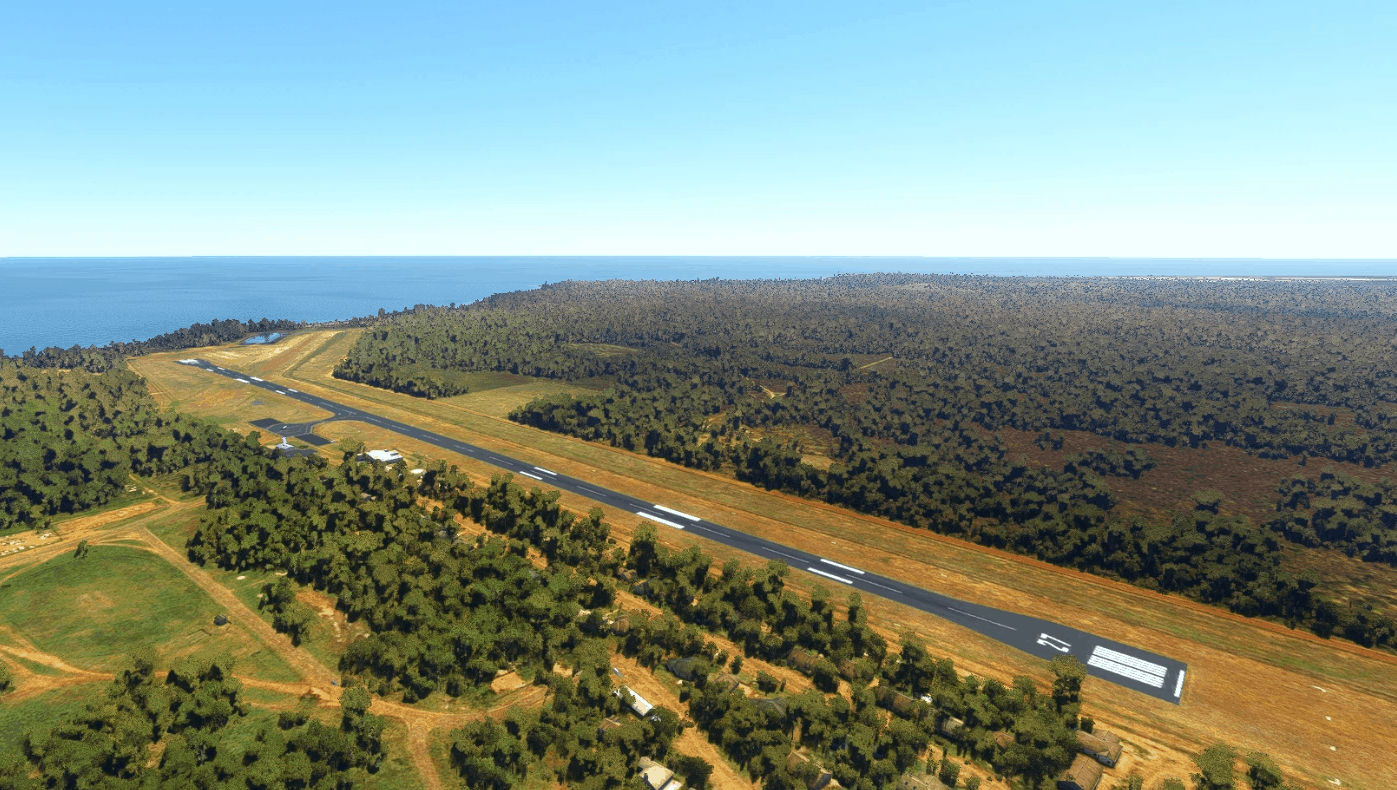
YMTI – Mornington Island (Gununa) Airport v1.0
Mornington Island Airport is a public airport on (you guessed it) Mornington Island, with incredible views of the coast of North West Queensland and the Gulf of Carpentaria. It sits immediately NW of the island’s principle town of Gununa (which is how the how the airport is sometimes referred to on schedules) and 450km north of Mount Isa. The airport is served by Regional Express with regular flights to Burketown, Cairns, Doomadgee, Mount Isa, and Normanton, as well as frequent charter and medical flights to support clinics for the islands’ communities. The main focus here was to modernize the scenery to more accurately reflect the airport after recent construction. This includes the closure of the dirt runway and the expansion of the apron. Version 1.0: Corrected the material and appearance of runway 09/27, including more accurate turnaround areas, gables,custom runway markings, and edge lighting Removed the gables and cones from runway 12/30 and added painted Xs to denote closure Extended both sides of the apron to include the new parking areas, and updated the painted lines to match Corrected the parking stand locations to reflect the new parking areas Removed trees from the sides of the runway and the runway 09 threshold Removed the blurry autogen roads from near the airport Added NDB masts and associated equipment just north of the airport Misc. scenery additions and fixes GPS Coordinates: -16.66191410268135, 139.1696342109213 MSFS 2020 Airports 21 Dec, 2020 MSFS 2020 Airports 25 Mar, 2021 MSFS 2020 Airports 30 Jan, 2021
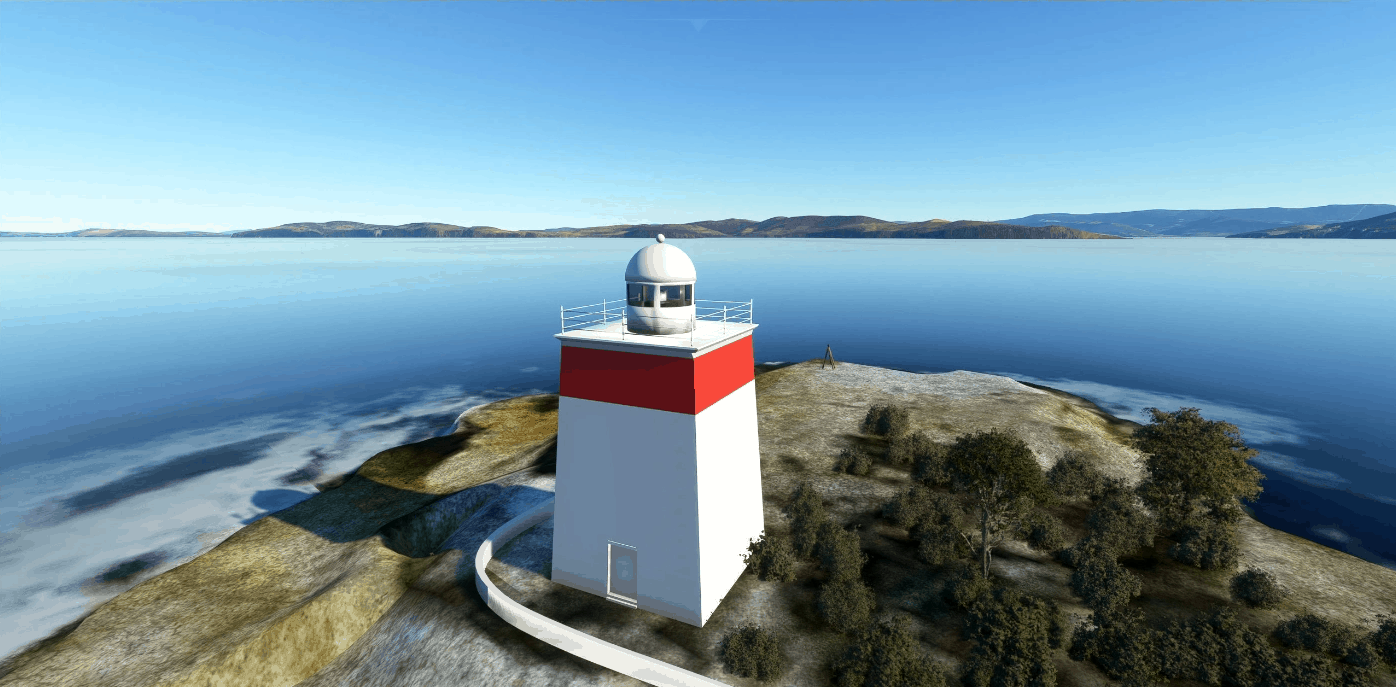
Iron Pot Lighthouse, Tasmania v1.0
Something different…. The Iron Pot Lighthouse, also known as the Derwent Lighthouse, is Tasmania’s oldest lighthouse and the second oldest in Australia. The light is located on Iron Pot island which is at the mouth of the Derwent River about 11NM from Hobart. The square tower was built in 1832 and is noted for its top red band. The 11-metre-tall tower has a range of 11 nautical miles. In 1884, it was decided to build a home next to the lighthouse for its keeper James Parkinson and his ever growing family. This resulted in one of the most unusual sights ever witnessed in Tasmania. Whilst the gothic style house would not have been out of place in central Hobart, to passing sailors it must have looked totally at odds within such dramatic wilderness. The home itself featured lead-light windows and a cast iron laced veranda and Dormer windows on the second level. The home was built only 20 feet above sea level and made the most of a minimal amount of land. For nearly 50 years the house stood as a testament to human endeavour until technology made the job of lighthouse keeper obsolete. Eventually the lighthouse became automated and the house was demolished in 1921. Although no-one is certain of its fate, it is believed that the home was transported back to Hobart by ship where it was sold off at auction piece by piece. You may have seen it watching the Sydney to Hobart yacht race…. Take off from YMHB Hobart and fly roughly SE Nearby Airports ID Name YMHB Hobart Airport YBYI Bruny Island Airport MODIFICATIONS *** make sure you DELETE the old package folder ip-ironpot-light from your community folder Do Not simply replace files V1.0 – Initial release GPS Coordinates: -43.058847, 147.417260 MSFS 2020 Scenery 20 Oct, 2020 MSFS 2020 Scenery 31 Oct, 2020 MSFS 2020 Scenery 22 Dec, 2020
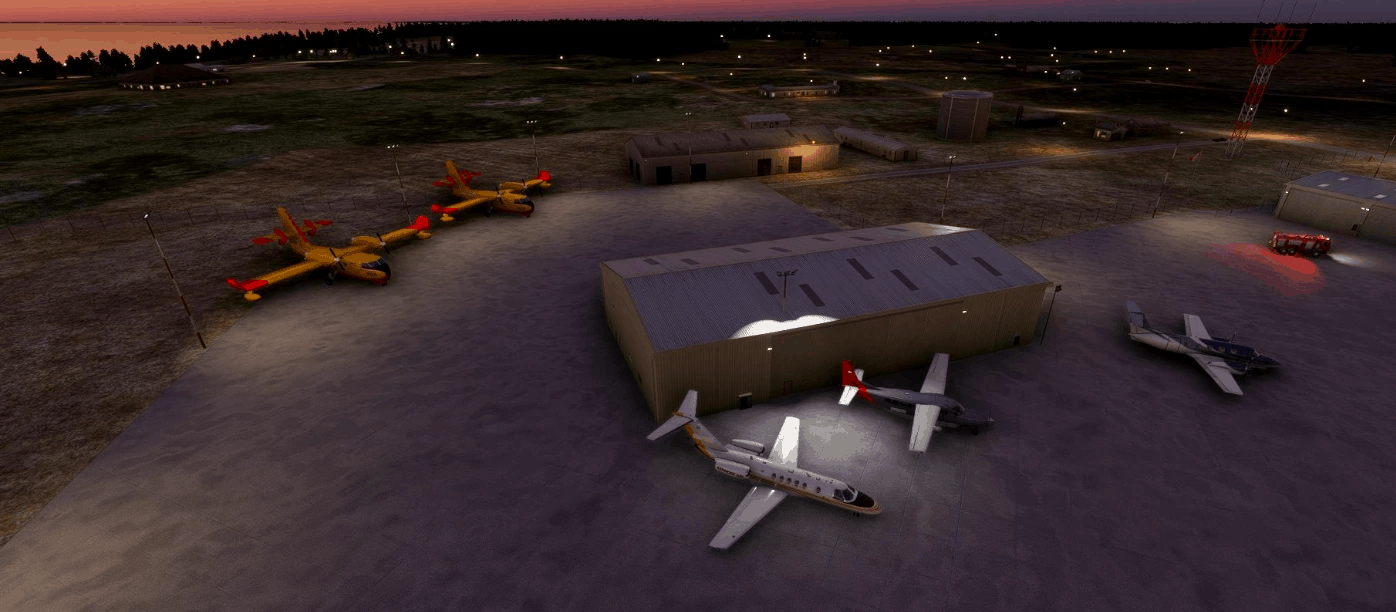
The Pas, Manitoba, Canada CYQD v1.0
Known as “The Gateway to the North”, The Pas is located 525 km north of Winnipeg, Manitoba. It is sometimes still called Paskoyac by locals after the first trading post, called Fort Paskoya and constructed during French colonial rule. I have actually spent time in The Pas, although I always knew it as “Le Pas” pronounced as in “paw”, so was surprised that this popular airport was left out of the simulator. I have reached out to some locals to obtain some photos of the terminal buildings, and as soon as I have some I will update the airport with a custom terminal. Thank you .. be kind to animals GPS Coordinates: 53.971390, -101.091100 MSFS 2020 Airports 15 Oct, 2022 MSFS 2020 Airports 29 Sep, 2020 MSFS 2020 Airports 11 Dec, 2021

Aeroporto Internacional de Belém – Júlio Cezar Ribeiro SBBE v1.0
Scenary of SBBE , with small improvements related to appron lights, and some construction around the airport area. I will make regional scenarios that do not exist or are incomplete for MSFS 2020. Any suggestions I ask you to leave in the comments, is my first scenario, with the suggestions I can make improvements, to install you must put the folder ” sbbe” in the Community directory of your simulator. GPS Coordinates: -1.3872312888643323, -48.47681459684664 MSFS 2020 Airports 18 Oct, 2021 MSFS 2020 Airports 26 Sep, 2020 MSFS 2020 Airports 16 Oct, 2020
- 15 per page
- 30 per page
- 45 per page
- 60 per page
-
See more per page
Bigger pages, fewer clicks - and no ads anywhere.
Go Pro