1 / 4
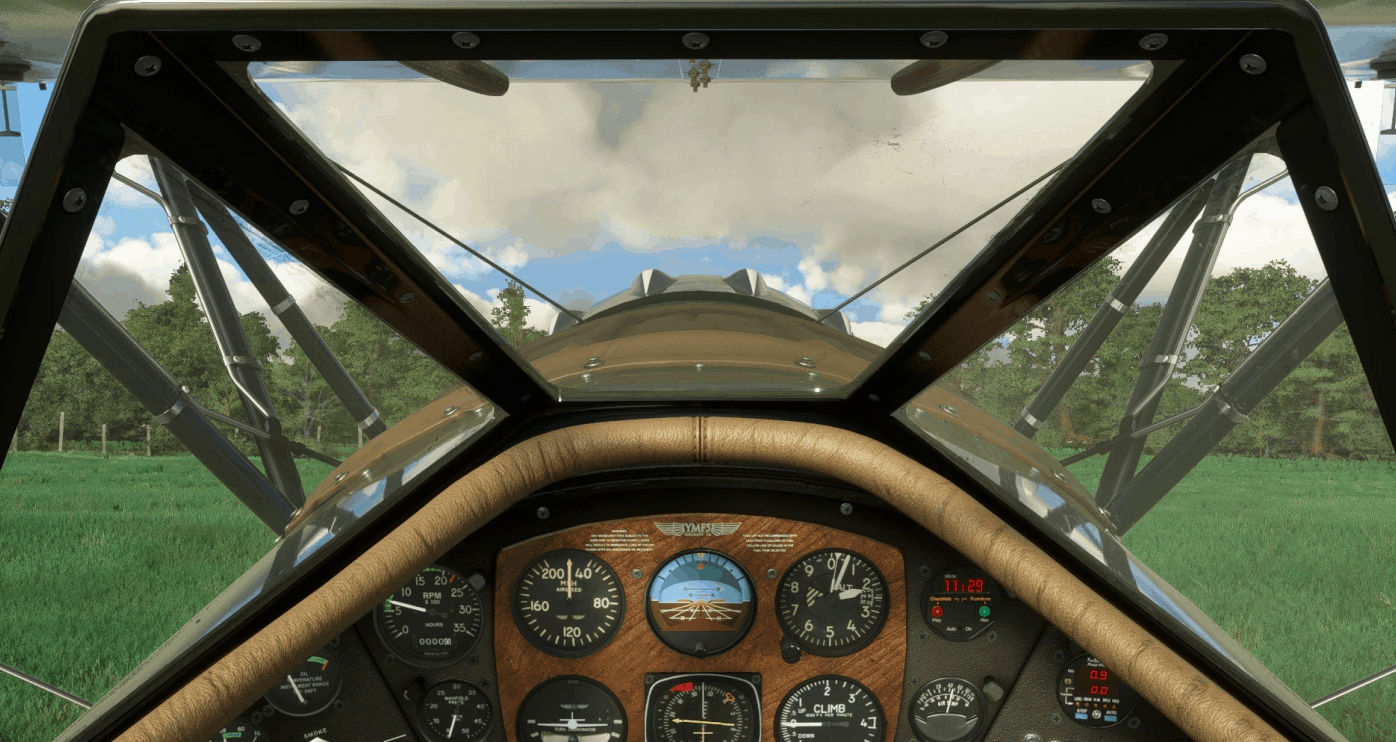
Waco YMF-5 Better Cameras v1.0
Like with the P.149 and the G.21 Goose I decided that the camera positions in the cockpit of the Waco YMF-5 didn’t completely suit me. So I changed them to my personal liking. Here they are.
Installation: Unfortunately I wasn’t able to make it drag and drop.
1. The camera.cfg file should be located at: (…)\Official\Steam\carenado-aircraft-wymf5\SimObjects\Airplanes\Carenado_WYMF5\cameras.cfg (Steam version) or (…)\Official\OneStore\carenado-aircraft-wymf5\SimObjects\Airplanes\Carenado_WYMF5\cameras.cfg (Microsoft Store version)
2. Rename “cameras.cfg” to “cameras_old.cfg”
3. copy cameras.cfg from the package to this folder
Attention: after an update to the plance via the content manager you might have to reinstall this file.
Best wishes Archer374
MSFS 2020 Liveries
7 Aug, 2021
MSFS 2020 Liveries
10 Oct, 2020
MSFS 2020 Liveries
1 Oct, 2020
Installation: Unfortunately I wasn’t able to make it drag and drop.
1. The camera.cfg file should be located at: (…)\Official\Steam\carenado-aircraft-wymf5\SimObjects\Airplanes\Carenado_WYMF5\cameras.cfg (Steam version) or (…)\Official\OneStore\carenado-aircraft-wymf5\SimObjects\Airplanes\Carenado_WYMF5\cameras.cfg (Microsoft Store version)
2. Rename “cameras.cfg” to “cameras_old.cfg”
3. copy cameras.cfg from the package to this folder
Attention: after an update to the plance via the content manager you might have to reinstall this file.
Best wishes Archer374
MSFS 2020 Liveries
7 Aug, 2021
MSFS 2020 Liveries
10 Oct, 2020
MSFS 2020 Liveries
1 Oct, 2020
Download Links
Report a problem
Waco YMF-5 Better Cameras v1.0
Advertisement
Remove ads