1 / 4
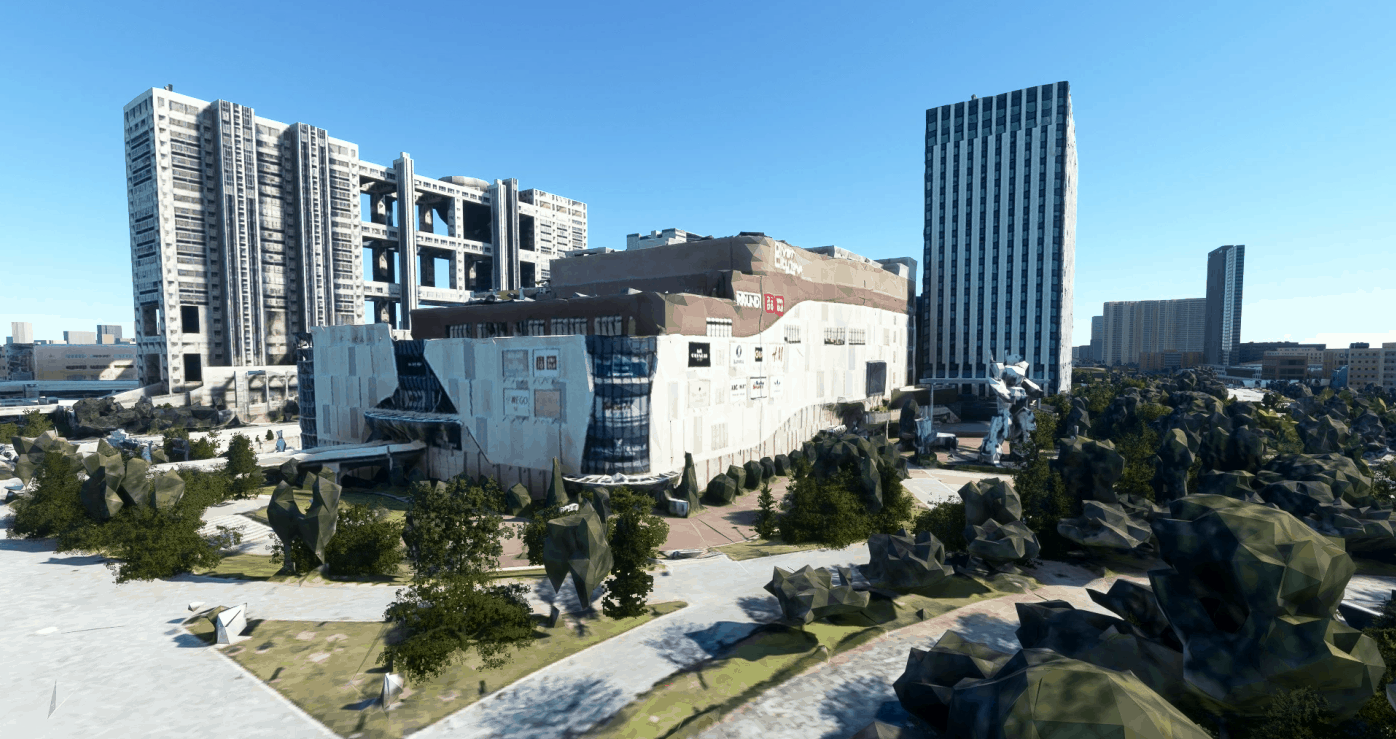
Tokyo DiverCity(With Unicorn) v1.0
This Scenery is created by MrFixer
This Tokyo DiverCity include some nearby building The Unicorn and some buildings are a little bit ugly I will upload a better version later in v1.1
Please command to let me know what should I update
Put DiverCity folder to your community folder
You can check your community folder location by switching on Developers mode
1.Go to Options / General 2.Click on “Developers” which you will find at the bottom of the list on the left 3.Switch Developers Mode on 4.On the Dev Menu select Tools / Virtual File System
GPS Coordinates: 35.62518710406601, 139.77562984862985
MSFS 2020 Scenery
14 Jul, 2021
MSFS 2020 Scenery
2 Dec, 2020
MSFS 2020 Scenery
16 May, 2021
This Tokyo DiverCity include some nearby building The Unicorn and some buildings are a little bit ugly I will upload a better version later in v1.1
Please command to let me know what should I update
Put DiverCity folder to your community folder
You can check your community folder location by switching on Developers mode
1.Go to Options / General 2.Click on “Developers” which you will find at the bottom of the list on the left 3.Switch Developers Mode on 4.On the Dev Menu select Tools / Virtual File System
GPS Coordinates: 35.62518710406601, 139.77562984862985
MSFS 2020 Scenery
14 Jul, 2021
MSFS 2020 Scenery
2 Dec, 2020
MSFS 2020 Scenery
16 May, 2021
Download Links
Report a problem
Tokyo DiverCity(With Unicorn) v1.0
Advertisement
Remove ads