1 / 4
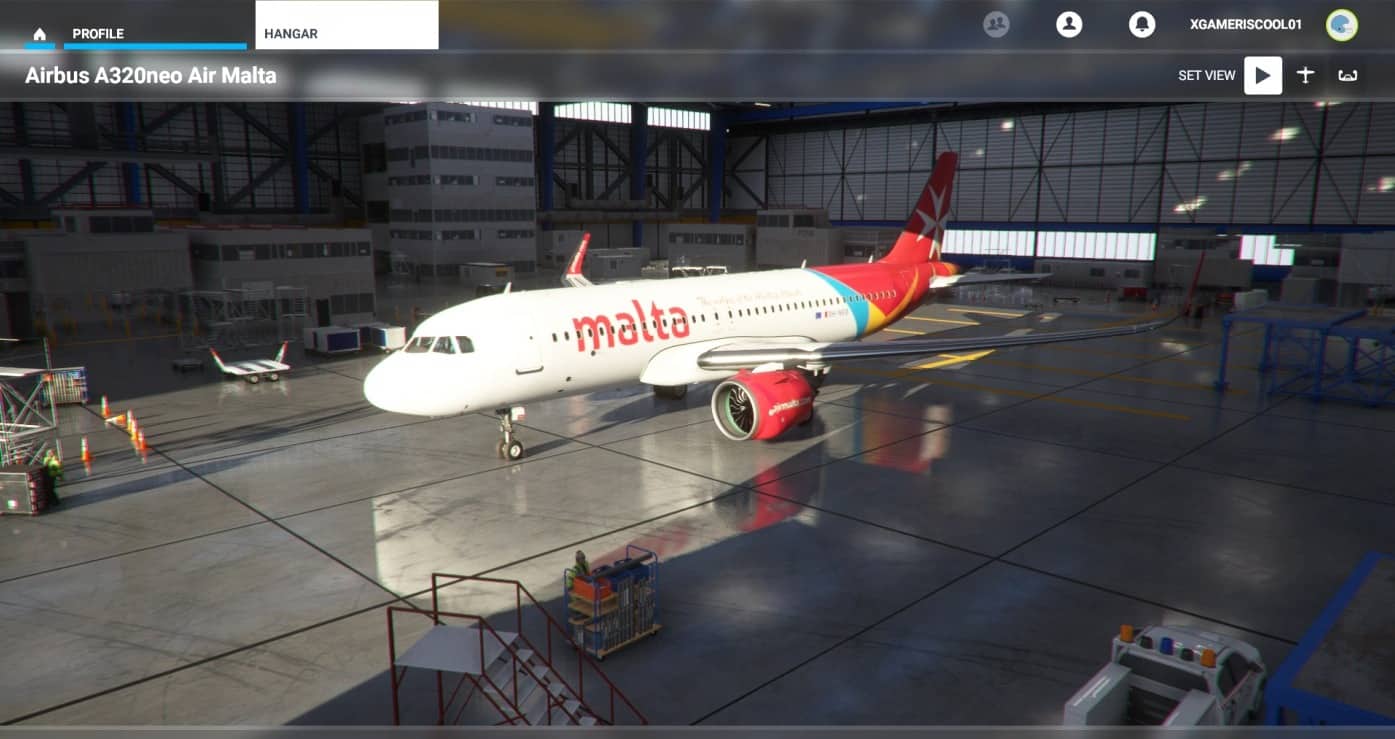
The 8K liveries Megapack for the a320 (and for other aircraft in the future) v1.0
Hello,so we decided that the other packages for liveries packs were not the best,so we decided to create one and here it is!
Installation: To install you have to drag the contents of the “8K liveries pack” into your community folder.
Community folder locations: For the Windows Store install: C:\Users\[Your User Name]\AppData\Local\Packages\
Microsoft.FlightSimulator_8wekyb3d8bbwe\LocalCache\Packages\
For the Steam install: C:\Users\[Your User Name]\AppData\Local\Packages\
Microsoft.FlightDashboard_8wekyb3d8bbwe\LocalCache\Packages\
Important: Windows 10 by default hides the “AppData” folder, so you will have to go to “View” in the menu of File Explorer, and select “Hidden items” so as to see it.
For the Custom install:If you happened to use a custom location for your Flight Simulator installation, then proceed there.
In my case it was: E:\Drive\Community
MSFS 2020 Liveries
20 Nov, 2020
MSFS 2020 Liveries
9 Dec, 2021
MSFS 2020 Liveries
4 Mar, 2021
Installation: To install you have to drag the contents of the “8K liveries pack” into your community folder.
Community folder locations: For the Windows Store install: C:\Users\[Your User Name]\AppData\Local\Packages\
Microsoft.FlightSimulator_8wekyb3d8bbwe\LocalCache\Packages\
For the Steam install: C:\Users\[Your User Name]\AppData\Local\Packages\
Microsoft.FlightDashboard_8wekyb3d8bbwe\LocalCache\Packages\
Important: Windows 10 by default hides the “AppData” folder, so you will have to go to “View” in the menu of File Explorer, and select “Hidden items” so as to see it.
For the Custom install:If you happened to use a custom location for your Flight Simulator installation, then proceed there.
In my case it was: E:\Drive\Community
MSFS 2020 Liveries
20 Nov, 2020
MSFS 2020 Liveries
9 Dec, 2021
MSFS 2020 Liveries
4 Mar, 2021
Download Links
Report a problem
The 8K liveries Megapack for the a320 (and for other aircraft in the future) v1.0
Advertisement
Remove ads