1 / 4
Quetta OPQT v1.0
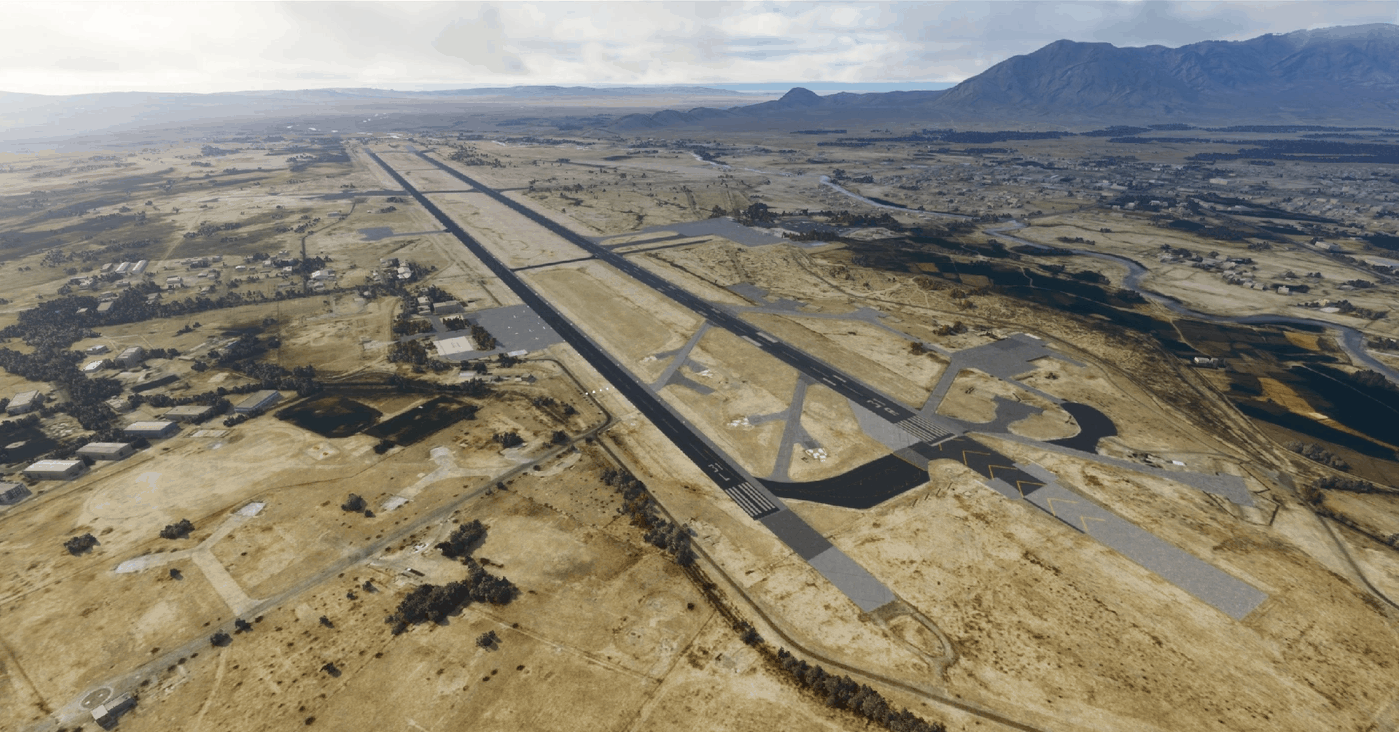
To avoid any misunderstandings:This is not a real life remake of the airport, it’s just an improvement of sad, deserted and dark AI airports. Per default I’m flattening the runway where the mesh is doing crazy things, typically I’m adding lights, missing hangars and a tower similar to the real buildings and locations, maybe car parks if these can be identified in sat images.
The intention is to provide a flyable & fps friendly airport for people with lower hardware spec, to give them some immersion. So please don’t complain, that it’s not the real thing.
Quetta OPQT Quetta International Airport (Urdu کوئٹہ بین الاقوامی ہوائی اڈہ) (Pashtoکوټې نړیوال هوايي ډګر) ;(IATA: UET, ICAO: OPQT) is located at Quetta, the provincial capital of Balochistan, Pakistan.
The airport is the fourth highest airport in Pakistan (1605 metres above sea level). It is second largest airport in the south region of the country and the largest for the province of Balochistan. It is situated 12 km south-west of the city spread over an area of 35 acres (14 ha).[1] Average scheduled flights were 1332, non-scheduled flights 247, and the total recorded passenger flow was 152,698 in 2007.
It was a really sad airport, I’ve added some kind of main terminal plus a missing jetway, civil hangars, military shelters external lights for the airport buildings, apron, facility buildings, car parks a tower at the correct position a beacon VOR QT on the airfield localizer array at the correct position glideslope antenna a few trees Should work with the standard edition, but make sure you have all world updates installed, just in case …
For the glideslope antenna to show up you’ll need to install https://www.allflightmods.com/microsoft-flight-simulator-2020/msfs2020-other/mikea-at-assetpack-v0-1-0/
If you find any errors, let me know and send a screenshot. Otherwise – take it as it is, hope it works for you too, have fun!
GPS Coordinates: 30.242113284777005, 66.94
MSFS 2020 Airports
16 Sep, 2021
MSFS 2020 Airports
25 Dec, 2020
MSFS 2020 Airports
7 Mar, 2021
The intention is to provide a flyable & fps friendly airport for people with lower hardware spec, to give them some immersion. So please don’t complain, that it’s not the real thing.
Quetta OPQT Quetta International Airport (Urdu کوئٹہ بین الاقوامی ہوائی اڈہ) (Pashtoکوټې نړیوال هوايي ډګر) ;(IATA: UET, ICAO: OPQT) is located at Quetta, the provincial capital of Balochistan, Pakistan.
The airport is the fourth highest airport in Pakistan (1605 metres above sea level). It is second largest airport in the south region of the country and the largest for the province of Balochistan. It is situated 12 km south-west of the city spread over an area of 35 acres (14 ha).[1] Average scheduled flights were 1332, non-scheduled flights 247, and the total recorded passenger flow was 152,698 in 2007.
It was a really sad airport, I’ve added some kind of main terminal plus a missing jetway, civil hangars, military shelters external lights for the airport buildings, apron, facility buildings, car parks a tower at the correct position a beacon VOR QT on the airfield localizer array at the correct position glideslope antenna a few trees Should work with the standard edition, but make sure you have all world updates installed, just in case …
For the glideslope antenna to show up you’ll need to install https://www.allflightmods.com/microsoft-flight-simulator-2020/msfs2020-other/mikea-at-assetpack-v0-1-0/
If you find any errors, let me know and send a screenshot. Otherwise – take it as it is, hope it works for you too, have fun!
GPS Coordinates: 30.242113284777005, 66.94
MSFS 2020 Airports
16 Sep, 2021
MSFS 2020 Airports
25 Dec, 2020
MSFS 2020 Airports
7 Mar, 2021
Download Links
Report a problem
Quetta OPQT v1.0
Advertisement
Remove ads