Patch/workaround for Fly Tampa’s Amsterdam Schiphol v2.0.1
I have made workaround/patch for the FlyTampa Amsterdam Schiphol scenery to make it usable in MSFS2024.
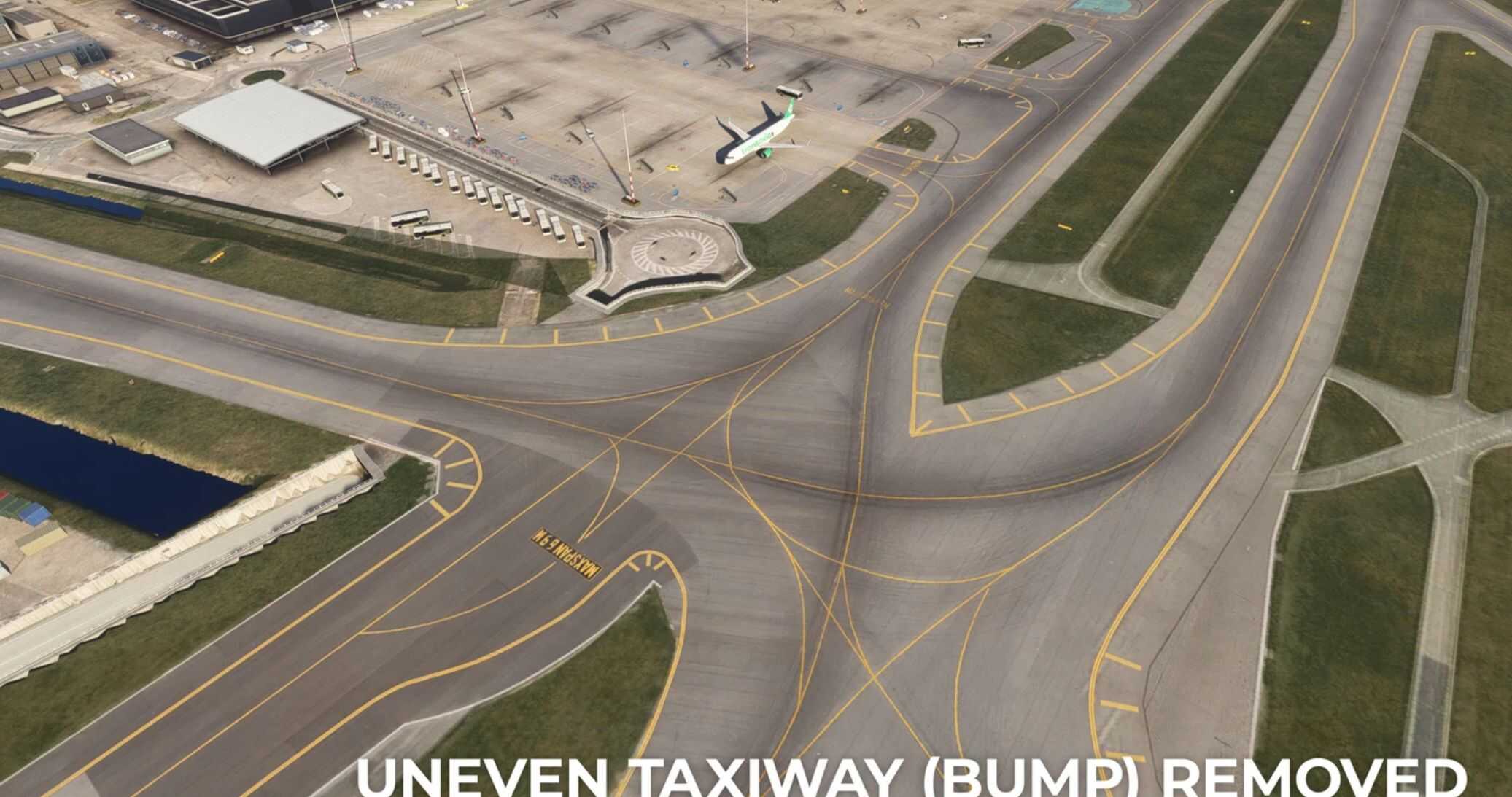
WHAT IS DONE? – Trees from taxiways have been removed. – Bump near the intersection of R – A – Q (next to RWY06/24) has been removed. – Prking area has been added to the west tower near RWY36L/18R. – Trees have been added next to taxiway V (as in real life). – A breakroom building has been added to a cargo platform near 36C (J-Apron). – 3D grass is added on top of the textures, as it was a flat blurry texture now.
DISCLAIMER: I made this patch primarily to make the scenery work for myself. It works in my sim and I do hope it also works for everyone else. However… Please don’t spam me with tons of requests, cause this was a lot of work already.
Hope you can enjoy this patch!
INSTALLATION: – REMOVE ANY PREVIOUS FIX I HAVE MADE OR ANY OTHER TREE REMOVAL PATCH BY OTHER DEVELOPERS. – Make sure the FlyTampa Amsterdam scenery is installed correctly. – Place the 4 files in your community folder. – Restart your flight simulator.
TROUBLESHOOTING: I have found that the usage of tools as Dynamic LOD can cause elevation issues as it starts loading the terrain details quite late… I have it uninstalled in order to make this work.
MSFS 2024 Airports
7 Dec, 2024
MSFS 2024 Airports
7 Dec, 2024
MSFS 2024 Airports
12 Dec, 2024
WHAT IS DONE? – Trees from taxiways have been removed. – Bump near the intersection of R – A – Q (next to RWY06/24) has been removed. – Prking area has been added to the west tower near RWY36L/18R. – Trees have been added next to taxiway V (as in real life). – A breakroom building has been added to a cargo platform near 36C (J-Apron). – 3D grass is added on top of the textures, as it was a flat blurry texture now.
DISCLAIMER: I made this patch primarily to make the scenery work for myself. It works in my sim and I do hope it also works for everyone else. However… Please don’t spam me with tons of requests, cause this was a lot of work already.
Hope you can enjoy this patch!
INSTALLATION: – REMOVE ANY PREVIOUS FIX I HAVE MADE OR ANY OTHER TREE REMOVAL PATCH BY OTHER DEVELOPERS. – Make sure the FlyTampa Amsterdam scenery is installed correctly. – Place the 4 files in your community folder. – Restart your flight simulator.
TROUBLESHOOTING: I have found that the usage of tools as Dynamic LOD can cause elevation issues as it starts loading the terrain details quite late… I have it uninstalled in order to make this work.
MSFS 2024 Airports
7 Dec, 2024
MSFS 2024 Airports
7 Dec, 2024
MSFS 2024 Airports
12 Dec, 2024
Download Links
Report a problem
Patch/workaround for Fly Tampa’s Amsterdam Schiphol v2.0.1
Advertisement
Remove ads