1 / 2
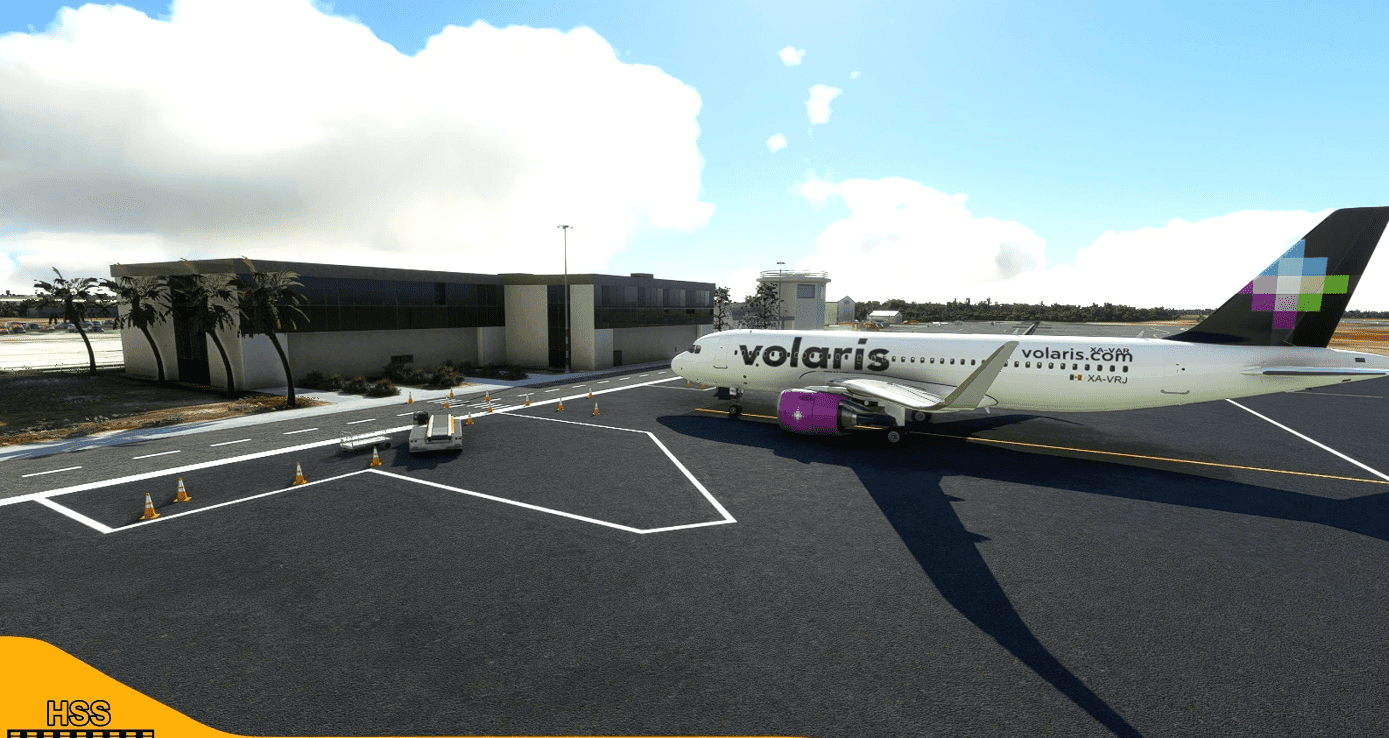
(MMRX) Reynosa International Airport, Mexico v1.0
This is a modification to the default MMRX airport in MSFS. All modifications are done using Microsoft’s SDK and some custom textures.
Features include: – Taxiways are properly assigned and mapped – Gates are re-worked and re-numbered – Runway materials updated for more realism – Added night lighting to ramp areas, terminals, hangars, and many more buildings – Hand-painted many taxi and apron lines for a more authentic feel. – Modified and/ or replaced many buildings within the airport area for more immersion – Many custom ground markings
-More Mexican airports to come in the future!
Installation 1. Unzip the .RAR file 2. Place the folder hss-airport-mmrx-reynosa in your MSFS “community” folder in your MSFS installation location.
– the location of your community folder may vary depending on where or how you bought the sim.
Happy landings!
GPS Coordinates: 26.0122301790567, -98.22627044073522
MSFS 2020 Airports
3 Nov, 2020
MSFS 2020 Airports
8 Feb, 2021
MSFS 2020 Airports
24 Jul, 2021
Features include: – Taxiways are properly assigned and mapped – Gates are re-worked and re-numbered – Runway materials updated for more realism – Added night lighting to ramp areas, terminals, hangars, and many more buildings – Hand-painted many taxi and apron lines for a more authentic feel. – Modified and/ or replaced many buildings within the airport area for more immersion – Many custom ground markings
-More Mexican airports to come in the future!
Installation 1. Unzip the .RAR file 2. Place the folder hss-airport-mmrx-reynosa in your MSFS “community” folder in your MSFS installation location.
– the location of your community folder may vary depending on where or how you bought the sim.
Happy landings!
GPS Coordinates: 26.0122301790567, -98.22627044073522
MSFS 2020 Airports
3 Nov, 2020
MSFS 2020 Airports
8 Feb, 2021
MSFS 2020 Airports
24 Jul, 2021
Download Links
Report a problem
(MMRX) Reynosa International Airport, Mexico v1.0
Advertisement
Remove ads