1 / 2
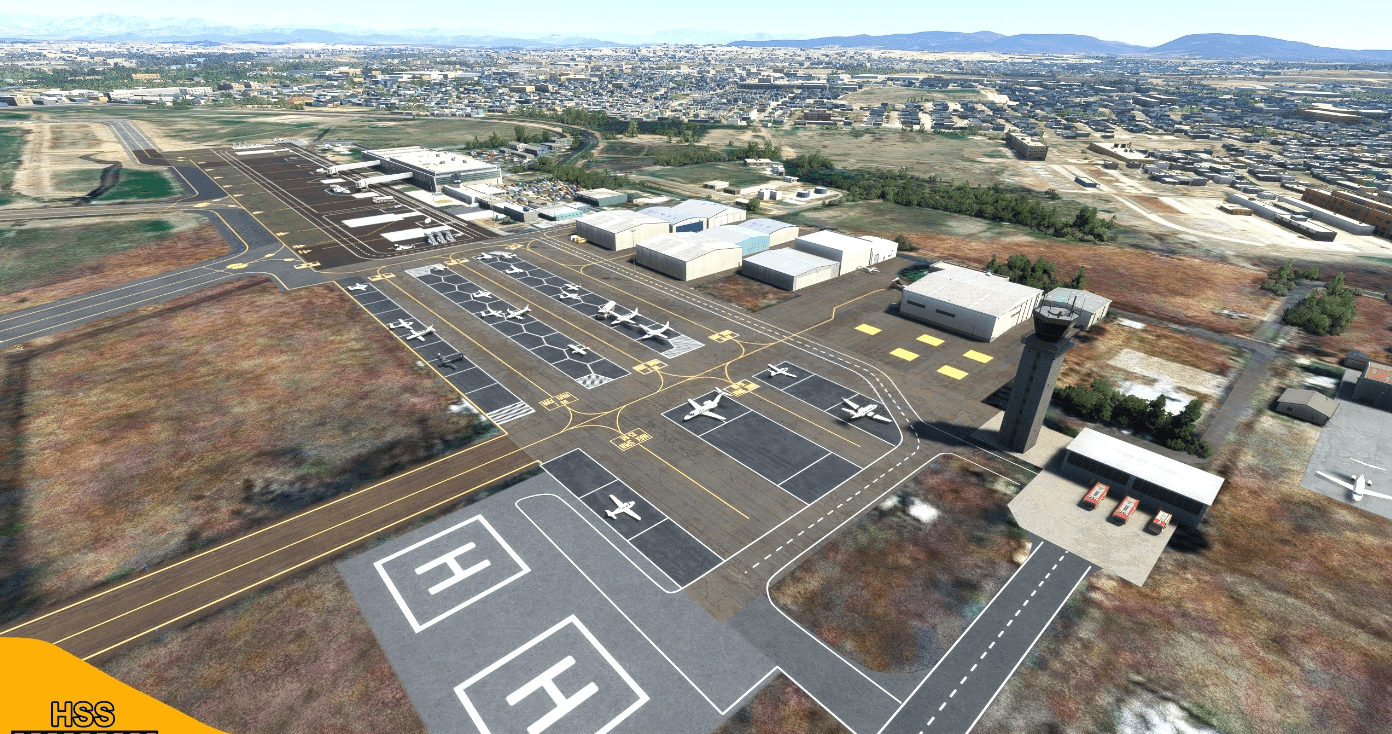
(MMCL) Culiacan International Airport, Mexico v1.0
This is a modification to the default MMCL airport in MSFS. All modifications are done using Microsoft’s SDK and some custom textures.
Features include: – Taxiways are properly assigned and mapped – Gates are re-worked and re-numbered – Runway materials updated for more realism – Added night lighting to ramp areas, terminals, hangars, and many more buildings – Hand-painted many taxi and apron lines for a more authentic feel. – Modified and/ or replaced many buildings within the airport area for more immersion – Jetways are properly placed and assigned – Many custom ground markings -More Mexican airports to come in the future!
Installation: 1. Unzip the .RAR file 2. Place the folder hss-airport-culiacan in your MSFS “community” folder in your MSFS installation location.
The location of your community folder may vary depending on where or how you bought the sim.
Happy landings!
GPS Coordinates: 24.76293682244413, -107.47470433265495
MSFS 2020 Airports
14 Nov, 2020
MSFS 2020 Airports
11 Dec, 2020
MSFS 2020 Airports
2 Jan, 2021
Features include: – Taxiways are properly assigned and mapped – Gates are re-worked and re-numbered – Runway materials updated for more realism – Added night lighting to ramp areas, terminals, hangars, and many more buildings – Hand-painted many taxi and apron lines for a more authentic feel. – Modified and/ or replaced many buildings within the airport area for more immersion – Jetways are properly placed and assigned – Many custom ground markings -More Mexican airports to come in the future!
Installation: 1. Unzip the .RAR file 2. Place the folder hss-airport-culiacan in your MSFS “community” folder in your MSFS installation location.
The location of your community folder may vary depending on where or how you bought the sim.
Happy landings!
GPS Coordinates: 24.76293682244413, -107.47470433265495
MSFS 2020 Airports
14 Nov, 2020
MSFS 2020 Airports
11 Dec, 2020
MSFS 2020 Airports
2 Jan, 2021
Download Links
Report a problem
(MMCL) Culiacan International Airport, Mexico v1.0
Advertisement
Remove ads